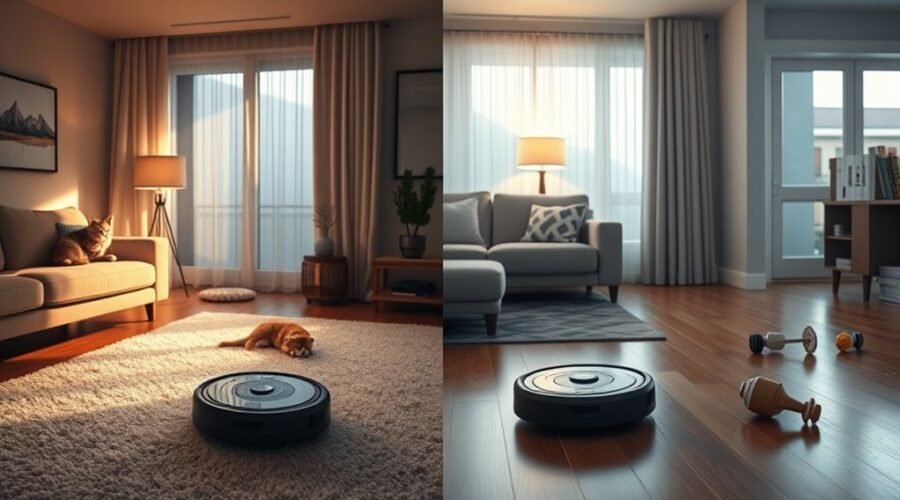
Quiet vs standard robot vacuum mode is a choice between lower noise and stronger everyday cleaning. Quiet mode works well for light dust and routine upkeep, while standard mode is usually better for crumbs, pet hair, and carpets. However, the difference in noise, suction, and battery life depends on the robot vacuum model, floor type, and cleaning settings.
Quick Answer
Use quiet robot vacuum mode for daily cleaning on hard floors, during work hours, or whenever lower noise matters. Choose standard mode for stronger debris pickup, especially on carpets and busy floors. Quiet mode usually extends battery runtime, but neither mode guarantees complete cleaning. For stubborn dirt, a higher suction setting may work better.
Key Takeaways
- Standard is not maximum suction on many models. Turbo and Max settings may offer stronger cleaning.
- Noise differences vary by model. Some robots have only a small gap between quiet and standard settings.
- Automatic carpet boost can increase suction even when a lower cleaning level is selected.
- Self-emptying docks may be much louder than the robot during regular cleaning.
- Longer battery runtime does not always mean better debris pickup or faster cleaning.
How Quiet and Standard Robot Vacuum Modes Work
)
Quiet and standard robot vacuum modes mainly control the suction fan’s operating power. Quiet mode uses a lower fan setting to reduce motor noise and energy consumption. Standard mode increases suction for more effective everyday debris removal.
The robot generally uses the same navigation sensors, maps, and cleaning routes in either mode. Changing suction does not automatically improve obstacle detection or navigation accuracy.
Many robot vacuums also offer Turbo, Max, or automatic suction settings. For example, TP-Link’s robot vacuum instructions describe Quiet, Standard, Turbo, and Max settings for different floor conditions.
You can usually change these settings through the manufacturer’s app. The exact controls depend on the brand and model.
For compatible Tapo models, you can:
- Open the Tapo app and select your robot vacuum.
- Choose Home, Rooms, or Zone Cleaning.
- Swipe up to display the cleaning settings.
- Select Quiet or Standard under vacuum power.
- Start cleaning with your selected settings.
Some models also support different suction settings for individual rooms. This lets you keep the living room quiet while using stronger suction on bedroom carpets.
Quiet vs Standard Robot Vacuum Noise Levels
Quiet mode is usually less noisy than standard mode, but there is no fixed decibel rating that applies to every robot vacuum. Some models have only a small difference, while others become noticeably louder at higher suction settings.
Noise also depends on the floor surface, brush design, motor, room acoustics, and distance from the machine.
Noise Level Differences
Robot vacuum noise is measured in decibels (dB). Some manufacturers use dBA, a measurement that adjusts for how human hearing responds to different sound frequencies.
According to research published by the U.S. Environmental Protection Agency, an increase of about 10 dB is commonly perceived as roughly twice as loud.
However, a 10 dB difference between quiet and standard robot vacuum modes is not universal.
For example, the TP-Link Tapo RV30 Max Plus specifications list 52 dB in Quiet mode and 55 dB in Standard mode.
Similarly, eufy’s L50 and L60 series specifications show a relatively small difference between their two lowest suction settings.
- Lower suction usually produces less fan noise.
- Turbo and Max settings can be significantly louder than Quiet mode.
- Brush vibration, wheels, and bumps can still make noise at low suction.
- Manufacturer noise measurements may use different testing conditions.
Compare noise figures for the same model and cleaning task whenever possible. A quiet-mode rating from one manufacturer is not always directly comparable with another brand’s standard-mode rating.
Comfort in Daily Use
A quieter robot vacuum can make cleaning easier to tolerate during meetings, conversations, and family activities. However, quiet mode does not make the machine silent, and some people may still find it distracting.
The following figures show published noise ratings for specific models.
| Robot Vacuum | Cleaning Mode | Published Noise |
|---|---|---|
| Tapo RV30 Max Plus | Quiet | 52 dB |
| Tapo RV30 Max Plus | Standard | 55 dB |
| eufy L60 | Quiet | 55 dB |
| eufy L60 | Standard | 57 dB |
| eufy L60 | Max | 68 dB |
These figures show why it is useful to separate standard suction from maximum suction. Standard cleaning can be relatively quiet, while maximum settings may produce a much more noticeable sound.
For example, the MOVA V50 Ultra uses a motor design that its manufacturer promotes as delivering strong suction with low noise. However, the model’s general low-noise claims do not establish that it will be inaudible during conference calls.
Your distance from the robot also matters. A vacuum cleaning a hallway may be less disruptive than the same machine running directly beside your desk.
How Quiet Mode Affects Cleaning Power
Quiet mode reduces the suction fan’s output, which can lower its ability to lift dirt from carpets and collect heavier debris. It is usually more effective for surface dust and light daily cleaning than for deeply embedded particles.
On smooth floors, quiet mode may still collect fine dust, loose pet hair, and small crumbs effectively. However, larger particles can remain if the suction is too weak or the brush cannot move them into the intake.
The main performance differences include:
- Fine dust: Quiet mode can handle routine dust collection on hard floors.
- Pet hair: Loose hair is often manageable, but hair trapped in carpet fibers may remain.
- Food crumbs: Larger pieces may need stronger suction or another cleaning pass.
- Embedded dirt: Standard or higher suction settings are generally better on carpeting.
- Cleaning coverage: Lower power may allow longer operation before recharging.
Brush design also affects performance. A robot with effective brush agitation may collect some debris well despite lower suction, while a poorly maintained robot may struggle even in standard mode.
For example, iRobot’s Roomba s9 cleaning guidance explains that Quiet Clean uses less power and may not pick up debris as thoroughly as Detailed Clean.
Therefore, judge cleaning performance by the dirt left behind, not just the suction setting selected.
When to Use Quiet Robot Vacuum Mode
Quiet robot vacuum mode is best for light cleaning when you want to limit household noise. It is especially useful during remote work, early morning routines, and cleaning sessions near occupied rooms.
It also works well for regular dust removal before debris has time to build up.
Ideal Times for Quiet Mode
The best time to use quiet mode is whenever lower noise matters more than maximum suction. It allows you to maintain floors without creating as much motor noise as a stronger setting.
Useful situations include:
- Working from home: Reduce background noise while concentrating or attending online meetings.
- Early mornings: Handle light cleaning without using the robot’s louder suction settings.
- Evenings: Clean nearby rooms while family members relax.
- Children’s nap times: Limit noise, provided the robot does not disturb the child.
- Shared apartments: Reduce disturbance when neighbors or housemates are nearby.
- Family gatherings: Keep up with light debris while avoiding unnecessarily loud cleaning.
Quiet mode can also be useful at night, but it is not completely silent. Check household preferences and building quiet-hour rules before scheduling overnight cleaning.
Best Rooms for Quiet Mode
Bedrooms, home offices, nurseries, and shared living areas can benefit from quiet mode. These rooms often need light maintenance without the disruption of full suction power.
Room choice should also reflect the flooring and amount of dirt.
- Bedrooms: Use quiet mode for regular dust and loose hair on hard floors or low-pile rugs.
- Home offices: Reduce cleaning noise during work hours, especially when the robot is away from your desk.
- Nurseries: Schedule gentle cleaning when appropriate, while keeping cords and small objects off the floor.
- Living rooms: Maintain open floor areas during ordinary daily activities.
- Apartments: Use quieter cleaning where sound can travel into neighboring rooms.
Rooms with thick carpets, heavy pet shedding, or tracked-in grit may still need standard mode regularly.
Tradeoffs in Quiet Cleaning
The biggest compromise in quiet cleaning is lower suction power. You gain a calmer cleaning session, but may need additional passes to collect stubborn debris.
Quiet mode is most effective when floors are already reasonably clean and the robot runs frequently.
- Use it for small amounts of everyday dust and hair.
- Run another pass if visible crumbs remain.
- Switch to standard mode when carpet fibers hold dirt.
- Use spot or zone cleaning for areas that need extra attention.
Repeated quiet passes are not always better than one stronger pass. If debris consistently remains, increasing suction is usually more useful than continuing with the same weak setting.
When Standard Mode Cleans Better
Standard mode is usually better for carpets, high-traffic areas, larger crumbs, and homes with regular pet shedding. Its higher suction helps move debris into the dustbin more effectively than quiet mode.
However, standard is not maximum suction on many robot vacuums. Higher Turbo or Max settings may provide better results for difficult cleaning jobs.
Standard mode is especially useful in these situations:
- Carpeted rooms: Stronger airflow can help remove dust and hair from the pile.
- Entryways: Collect tracked-in grit, dirt, and small particles.
- Pet areas: Improve pickup where loose fur and dander accumulate.
- Dining spaces: Handle ordinary crumbs around tables and chairs.
- Mixed flooring: Provide a practical balance between hard-floor cleaning and carpet pickup.
You do not necessarily need to run standard mode throughout the entire house. If your robot supports room-specific settings, use stronger suction only where it provides a clear benefit.
For very dirty carpets, heavily embedded pet hair, or thick rugs, even standard mode may be insufficient. A higher suction setting or occasional manual vacuuming may be necessary.
Quiet Robot Vacuum Performance on Carpets
Quiet mode can maintain lightly soiled, low-pile carpets, but it is generally less effective on deep carpet fibers. Lower suction makes it harder to remove embedded dust, sand, and pet hair.
The difference becomes more noticeable as carpet thickness and debris buildup increase.
For practical carpet cleaning:
- Low-pile carpets: Quiet mode may be enough for frequent surface maintenance.
- Medium-pile carpets: Standard mode usually offers a better balance of suction and cleaning coverage.
- High-pile rugs: Stronger suction may help, but the robot must also be able to move safely across the surface.
- Pet-hair buildup: Standard or higher power is preferable when hair becomes trapped in fibers.
- Fine debris: A second pass may improve results, but stronger suction can be more effective.
Some robot vacuums have automatic carpet boost. According to Roborock’s carpet boost explanation, compatible models increase suction when they detect carpet and return to normal suction on hard floors.
This feature helps avoid manually switching modes, although the robot may become louder when carpet boost activates.
Pro Tip: Test quiet mode on a small carpeted area, then inspect the fibers for remaining crumbs or hair. If visible debris remains after another pass, switch to standard mode. This gives you a practical way to choose suction based on actual cleaning results.
Carpet boost is not available on every model. Check whether your robot supports it before relying on automatic suction changes.
Battery Life in Quiet vs Standard Mode
Quiet mode usually provides longer battery runtime because its lower suction demands less power. Standard mode uses more energy to increase airflow and debris pickup, so the robot may need to recharge sooner.
However, there is no universal battery-life range for either setting. Runtime depends on the model, battery capacity, floor type, suction level, cleaning pattern, and other operating features.
For example, the ECOVACS DEEBOT X11 OmniCyclone specifications provide the following figures for vacuum-only cleaning on hard floors with PowerBoost charging disabled.
| Mode or Feature | Battery Runtime or Effect |
|---|---|
| Quiet / Silent | 254 minutes |
| Standard | 207 minutes |
| Automatic carpet boost | May increase power consumption when higher suction activates |
In this specific example, the quieter setting provides 47 more minutes of rated operation. Other robot vacuums may have much shorter or longer runtimes.
The same manufacturer lists different figures when vacuuming and mopping are combined, showing why cleaning conditions matter.
Lower power may reduce the immediate load on the motor and battery. However, this does not establish that quiet mode meaningfully extends the battery’s long-term lifespan. Battery aging also depends on charging conditions, temperature, and usage.
A longer runtime is useful for large homes, but it is not always the fastest route to cleaner floors.
For example, a standard-mode session may remove more debris in one pass, while a quiet-mode session may need to repeat certain areas. Your best setting depends on both coverage and cleaning results.
Ways to Reduce Robot Vacuum Noise
Keeping the brushes, wheels, and dust collection system clean can help reduce unnecessary robot vacuum noise. Rattling, scraping, or sudden changes in motor sound may indicate trapped debris or restricted airflow.
Simple maintenance and better scheduling can make a noticeable difference.
- Empty the dustbin: Remove collected debris before it blocks airflow or creates additional strain.
- Clean the main brush: Remove tangled hair, threads, and anything caught around the roller.
- Check the side brush: Clear wrapped hair and inspect the brush for damage.
- Inspect the wheels: Remove small objects that may create clicking or scraping sounds.
- Maintain the filter: Clean or replace it according to the manufacturer’s instructions.
- Clear the cleaning path: Pick up cables, loose toys, and objects the robot might strike.
- Adjust the schedule: Run louder cleaning sessions when household members are less likely to be disturbed.
Floor surfaces can also change noise levels. Hard floors may create wheel or brush vibration, while carpets can increase friction and trigger higher suction. Neither surface is guaranteed to be quieter on every robot.
Robot designs with sound insulation and quieter motors may reduce operating noise. However, those are hardware features, not changes automatically created by selecting quiet mode.
Another important source of noise is the self-emptying dock.
The ECOVACS DEEBOT X11 OmniCyclone, for example, lists 61.8 dBA during standard vacuum-only cleaning. Its dust collection station is rated at 73.3 dBA in quiet collection mode and 78.9 dBA in standard collection mode.
Therefore, a quiet cleaning setting does not necessarily make the entire cleaning cycle quiet.
Note: Some self-emptying robot vacuums allow you to change the dock’s emptying schedule or collection behavior. If your model offers those controls, use them to limit loud emptying cycles during meetings, rest periods, or nighttime cleaning.
If your robot suddenly becomes louder than usual after cleaning the brushes and filter, inspect it for damaged parts or contact the manufacturer’s support service.
Which Robot Vacuum Mode Should You Use?
Choose your robot vacuum mode based on floor type, debris level, and how much noise you can tolerate. Quiet mode is the better starting point for light daily maintenance, while standard mode is a stronger everyday option for mixed surfaces.
The following comparison can help you make the right choice.
| Factor | Quiet Mode | Standard Mode |
|---|---|---|
| Noise | Usually lower | Usually higher |
| Suction | Reduced | Stronger |
| Battery runtime | Usually longer | Usually shorter |
| Hard floors | Good for light dust | Better for heavier debris |
| Carpet cleaning | Light surface maintenance | Better for trapped dirt |
| Best situation | Work, rest, and daily upkeep | Busy rooms and regular thorough cleaning |
If your home is mostly tile, hardwood, or laminate, quiet mode may be enough for regular maintenance. Use standard mode periodically when you notice visible debris collecting in corners, entryways, or other busy areas.
For homes with several carpets or shedding pets, standard mode may be a better default. You can still switch to quiet mode when you need a less disruptive cleaning session.
The most practical approach is to use each setting where it performs best instead of running one mode everywhere.
Frequently Asked Questions
What Are the Key Features to Look for When Buying a Robot Vacuum?
Look for adjustable suction, reliable navigation, suitable battery life, and effective brushes. If low noise matters, compare published decibel ratings for the same cleaning mode. Obstacle avoidance, smart scheduling, dustbin capacity, carpet detection, and optional self-emptying are also useful features. Check the noise of the dock separately.
Which Robotic Vacuum Is the Quietest?
There is no single confirmed quietest robot vacuum across all models and testing conditions. The Tapo RV30 Max Plus has a published quiet-mode rating of 52 dB, while the eufy L60 lists 55 dB. The MOVA V50 Ultra is promoted as a low-noise model, but its marketing claims do not establish that it is quieter than every competitor.
What Are the Key Differences Between a Regular Vacuum and a Robot Vacuum?
A regular upright or canister vacuum usually offers more direct control and stronger cleaning for thick carpets, stairs, and furniture. A robot vacuum cleans automatically using sensors and navigation software. Robots work well for routine floor maintenance, but they still require dustbin care, filter cleaning, and brush maintenance. Many homes benefit from using both types.
Do You Run Your Robot Vacuum Every Day?
Running a robot vacuum every day can be useful in homes with pets, children, or heavy foot traffic. Frequent cleaning helps prevent loose dust, hair, and crumbs from accumulating. Quiet mode is often suitable for these regular sessions. Less busy homes may need fewer runs, so choose a schedule based on how quickly your floors become dirty.
Conclusion
Quiet and standard robot vacuum modes both have useful roles in keeping your home clean. Quiet mode is better for low-noise daily maintenance and longer battery runtime. Standard mode provides stronger suction for carpets, larger debris, and high-traffic areas.
For the best results, start with quiet mode on lightly soiled hard floors and use standard mode where dirt builds up. Adjust the setting based on what the vacuum actually collects rather than relying only on noise ratings or advertised suction power.
Sources
- TP-Link: Tapo RV30 Max Plus Specifications: Published noise levels for quiet and standard cleaning, suction settings, and carpet boost support.
- eufy: L50 and L60 Series Comparison: Manufacturer noise ratings for Quiet, Standard, Turbo, and Max modes.
- U.S. Environmental Protection Agency: Effects of Noise on People: Research on sound levels, perceived loudness, and decibel differences.
- iRobot: Roomba s9 Cleaning and Pickup Guidance: Differences between Quiet Clean and Detailed Clean settings, including suction and battery tradeoffs.
- TP-Link: Robot Vacuum Frequently Asked Questions: Instructions for adjusting cleaning modes and suction levels through the Tapo app.
- Roborock: Carpet Boost Mode: Automatic suction increases on carpet and changes when returning to hard floors.
- ECOVACS: DEEBOT X11 OmniCyclone Specifications: Quiet and standard battery runtime, standard vacuuming noise, and self-emptying dock noise.
- MOVA: V50 Ultra Complete Product Specifications: Manufacturer information about motor design, suction, and low-noise operation claims.