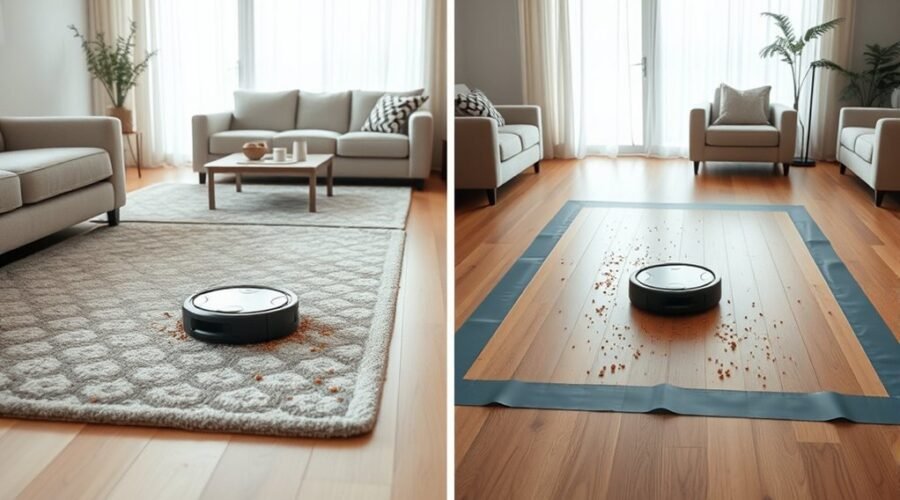
Spot cleaning vs zone cleaning is an important difference to understand when using a robot vacuum. Both modes target dirty areas without cleaning your entire home, but they work differently. Knowing when to use each one helps you handle everyday crumbs, pet hair, and high-traffic areas with less effort.
Quick Answer
Spot cleaning targets one small area, making it ideal for crumbs, dirt, and other concentrated dry messes. Zone cleaning covers larger, user-defined areas on a saved map, such as an entryway or dining area. Choose spot mode for immediate touch-ups and zone mode for broader, targeted cleaning. Exact features vary by robot model.
Key Takeaways
- Spot cleaning often works without a saved map, while zone cleaning generally requires one.
- Narwal allows up to six areas in one zone-cleaning task. Other brands have different limits.
- Some robot vacuums support multiple cleaning passes over the same selected area.
- Scheduling depends on the manufacturer. Some models support scheduled Clean Zones, while others offer only manual zone tasks.
- Ordinary robot vacuums should not collect liquid spills or pet waste through their suction systems.
What Is Spot Cleaning on Robot Vacuums?
)
Spot cleaning is a robot vacuum mode that concentrates cleaning on one small area instead of covering an entire room. It works best for localized dry debris, such as crumbs after breakfast, tracked-in dirt, or a small pile of pet hair.
The vacuum follows a predefined cleaning pattern around a selected point. Some models move in a spiral, while others use straight passes within a square cleaning area.
For example, older Roomba models use a circular spot-cleaning pattern. Certain eufy models instead clean a square area centered on the robot.
According to eufy’s spot and zone cleaning guide, compatible X8, LR30, and L35 models clean a 1.5 m × 1.5 m area in Spot mode. These models can also travel to a selected spot before cleaning.
Other robot vacuums may require you to place the machine near the mess manually.
Spot cleaning focuses cleaning power on one concentrated mess without requiring a full-room cleaning cycle.
Because it targets such a small area, spot mode is especially useful when you want a quick cleanup after eating, cooking, or bringing dirt indoors.
It is generally an on-demand feature. You start it when a mess appears rather than relying on a regular whole-home cleaning schedule.
What Is Zone Cleaning on Robot Vacuums?
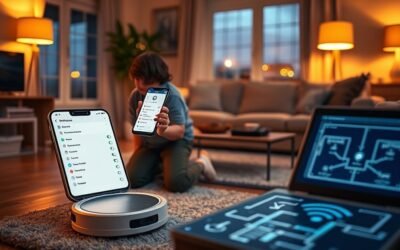
Zone cleaning lets you select one or more areas on your robot vacuum’s saved home map. The robot then travels to those locations and cleans within the selected boundaries.
Unlike spot cleaning, zone mode gives you control over the size and placement of the cleaning area.
For example, you could create zones around a dining table, near the front door, and beside a pet feeding station. The vacuum can then clean those areas without covering every room.
On supported models, you can adjust rectangular cleaning boundaries directly in the companion app. Some models also let you choose how many times each zone should be cleaned.
The Narwal Freo app’s zone cleaning instructions confirm two specific limits:
- You can add up to six zones in a single zone-cleaning task.
- Each selected zone must cover at least 0.25 square meters, approximately 2.69 square feet.
These are Narwal-specific limits, not universal restrictions for all robot vacuums.
Zone cleaning is useful for larger patches of dirt, repeated messes, and high-traffic areas. However, the vacuum needs an accurate map and a clear route to reach each selected area.
Spot Cleaning vs. Zone Cleaning: What’s the Difference?
The main difference between spot cleaning and zone cleaning is how much space you can target and control. Spot mode concentrates on a small area, while zone mode lets you select larger or multiple mapped areas.
Both features reduce unnecessary whole-home cleaning, but their setup and navigation requirements are different.
| Feature | Spot Cleaning | Zone Cleaning |
|---|---|---|
| Cleaning area | One small, concentrated area | One or more customized areas |
| Best use | Crumbs, small dirt piles, and quick touch-ups | Dining areas, entryways, and recurring messes |
| Saved map required | Usually no | Generally yes |
| Area selection | Robot position or selected target point | Adjustable boundaries on a map |
| Multiple areas per task | Generally one | Supported on many models |
| Repeat passes | May be automatic or adjustable | Adjustable on supported models |
| Scheduling | Usually started manually | Depends on the model and app |
Neither mode replaces regular whole-home cleaning. Spot and zone modes are better viewed as focused tools for maintaining areas that need extra attention.
If you want to clean an entire room rather than part of it, a separate Room Cleaning mode may be more suitable when your vacuum supports that option.
When Spot Cleaning Works Best
Spot cleaning works best when dirt is concentrated in one small location and needs immediate attention. It is particularly helpful for small dry messes that do not justify cleaning an entire room.
Common situations include:
- After meals: Remove crumbs dropped beneath a chair or beside a dining table.
- Near entrances: Collect small patches of dry soil or sand tracked inside.
- Pet shedding: Pick up a concentrated pile of loose fur.
- Kitchen cleanup: Collect dry cereal, crumbs, or similar loose debris from the floor.
Spot mode saves you from selecting rooms or drawing map boundaries for every minor mess.
However, it is not suitable for every type of spill.
Warning: Do not use an ordinary robot vacuum to collect liquid spills, wet pet accidents, or animal waste. Moisture can damage the suction system, while waste may spread across the floor and contaminate the brushes. eufy’s safety guidance specifically warns against running RoboVac models over wet floors, water, or pet waste.
See eufy’s guidance on water and pet waste for the manufacturer’s precautions.
Clean wet or contaminated messes manually first. If your robot has a compatible mopping system, use it only within the manufacturer’s instructions and supported floor conditions.
For ordinary dry debris, spot cleaning offers a quick and convenient solution with little setup.
When Zone Cleaning Is the Better Choice
Zone cleaning is better when dirt covers a larger part of a room or appears repeatedly in several locations. It gives you control over the cleaning boundaries without requiring a full-home cycle.
Consider using zone mode in these situations:
- Dining areas: Clean the floor around a table after family meals.
- Entryways: Remove dirt that collects near frequently used doors.
- Pet feeding areas: Pick up dry kibble and fur across a defined floor section.
- Hallways: Target areas where shoes and foot traffic bring in debris.
- Living rooms: Clean a wider area after visitors leave.
Another advantage is the ability to select several zones during one task on compatible models.
For example, you could clean the entryway, dining area, and a section of the kitchen in a single targeted session.
Many zone-cleaning systems also support additional passes when dirt is harder to remove.
When you combine cleaning zones with properly positioned no-go zones, you can direct the robot toward selected areas while keeping it away from obstacles or sensitive locations.
This approach is useful for regular maintenance because it reduces cleaning in spaces that do not currently need attention.
Why Mapping Matters for Zone Cleaning
Accurate mapping allows the robot to identify where your selected cleaning zones are located. Without a reliable map, the vacuum may clean the wrong area, miss part of a zone, or struggle to reach its destination.
Most mapping-enabled robot vacuums create a floor plan during an initial mapping or cleaning run. You can then use that map to define the spaces you want cleaned.
A reliable home map makes zone boundaries easier to control and helps the robot reach the intended cleaning areas.
An accurate map provides several benefits:
- It identifies the location and boundaries of each selected zone.
- It helps the robot plan a route to the target area.
- It reduces unnecessary cleaning outside selected spaces.
- It supports cleaning multiple designated areas in one task on compatible models.
However, maps can become less useful when a home’s layout changes significantly.
Moving a small chair usually does not require rebuilding the entire map. Relocating the charging station or rearranging large furniture may require more substantial updates.
According to Narwal’s official remapping guidance, compatible Freo models should be remapped after major layout changes or base station relocation. Minor furniture changes can generally be handled during normal cleaning.
Before remapping, check whether simply adjusting a zone’s boundaries solves the problem. This can preserve your existing room divisions and other map settings.
Pro Tip: When defining a zone beneath a dining table, include the surrounding chair area rather than drawing a tight boundary around the table itself. Crumbs often land beyond the table’s edges, and a wider zone gives the robot room to maneuver.
How to Set Up Spot and Zone Cleaning
Spot cleaning usually requires selecting a cleaning mode and identifying the small area that needs attention. Zone cleaning involves choosing and adjusting an area on a saved map.
The exact controls vary between brands, but the overall process is similar.
Setting Up Spot Cleaning
You can usually start spot cleaning directly from the vacuum or through its companion app. Some robots begin cleaning around their current position, while others let you choose a target point.
Follow these steps:
- Identify the mess. Make sure it contains dry debris suitable for vacuuming.
- Clear obstacles. Remove cords, small toys, and objects that could block the robot.
- Position or direct the vacuum. Place it near the mess or choose a target point if your model supports that feature.
- Select Spot Cleaning. Choose the mode using the robot’s onboard controls or app.
- Start the task. Allow the vacuum to complete its cleaning pattern.
- Inspect the area. If debris remains, repeat the task or remove the remaining dirt manually.
For most models, you do not need to edit a saved map before starting spot cleaning.
Keep in mind that the robot may clean a fixed-size area. If the mess extends beyond that space, zone or room cleaning may give you better coverage.
Configuring Zone Cleaning
Zone cleaning starts with a saved floor map. Once the map is ready, you can create a selected area and tell the vacuum to clean within its boundaries.
For the Narwal Freo app, the documented setup process is:
- Open the Narwal Freo app. Go to the device homepage.
- Select Zone. Choose the zone-cleaning option.
- Tap the plus (+) icon. Create a cleaning area on the map.
- Adjust the zone. Position and resize the area to cover the intended floor space.
- Confirm the selection. Tap the checkmark to accept the zone.
- Add other zones if needed. The documented Narwal task limit is six zones.
- Select the cleaning settings. Adjust the available cleaning options for the task.
- Start cleaning. Tap Start and allow the robot to complete the selected areas.
Other brands may use different buttons or map tools, but the basic approach remains similar.
For example, eufy and Roborock models with zone cleaning generally let you move and resize a rectangular area on the map.
After setting up a zone, run a short cleaning task and check the cleaning history or live map. Confirm that the robot entered the selected area and covered the intended floor.
If it misses part of the zone, adjust the boundaries and repeat the task.
How Often Can Each Mode Clean?
You can use spot cleaning whenever a suitable small mess appears. Zone cleaning can also be used as needed, including several times during a busy day.
However, there is an important difference between how often you start a task and how many passes the robot performs during that task.
Cleaning Frequency Limits
Cleaning frequency is mainly determined by your household’s needs and the vacuum’s available features. A family with pets may need targeted cleaning more often than a household with little floor traffic.
For practical daily use:
- Run spot cleaning after a concentrated dry mess appears.
- Use zone cleaning for larger areas that collect dirt throughout the day.
- Choose room cleaning when an entire room needs attention.
- Use whole-home cleaning for regular overall floor maintenance.
Repeated cleaning can improve coverage, but it also increases cleaning time, battery use, and wear on brushes and other moving parts.
There is usually no benefit to sending the robot over an already clean area repeatedly.
Mode-Specific Repeat Cycles
Repeat cycles control how many times a robot vacuum cleans the selected area during one task. These limits depend on the model and cleaning mode.
The eufy cleaning mode documentation identifies these repeat limits for specific models:
| eufy Models | Room Mode | Zone Mode |
|---|---|---|
| X8 Pro and X9 Pro | Up to 2 passes | Up to 2 passes |
| L50/L60 Series and Omni C20 | Up to 2 passes | Up to 2 passes |
| X8 and L35 | Up to 2 passes | Up to 3 passes |
For the X8 and L35 models, eufy also documents up to three passes in Spot mode.
Roborock provides similar customization on some models. Its S6 zone cleaning instructions describe selecting one to three cleaning passes.
These figures are model-specific. They should not be treated as universal repeat limits for every robot vacuum.
Some robots also change their cleaning direction between passes. This can help them approach debris from another angle and improve coverage.
Best Use Cadence
The best cleaning cadence depends on where dirt collects and how quickly it returns. Spot mode works well for unexpected messes, while zone mode fits areas that need attention more often.
A simple household routine might look like this:
- After breakfast: Use spot cleaning for crumbs beneath a chair.
- After outdoor activity: Clean the entryway zone if dirt has accumulated.
- After dinner: Run zone cleaning around the dining table.
- During regular maintenance: Use room or whole-home mode to clean areas that targeted runs may miss.
This approach focuses effort where it is needed without treating every minor mess as a reason for a full cleaning cycle.
If your robot supports scheduling for selected areas, you may also automate part of this routine.
Which Robot Vacuum Mode Should You Use?
Choose spot cleaning when the mess is small, concentrated, and easy to reach. Choose zone cleaning when you need broader coverage or want to clean several selected areas on a saved map.
Think about the size and location of the mess before selecting a mode.
- A small pile of cereal: Choose Spot Cleaning.
- Dirt across the kitchen entrance: Choose Zone Cleaning.
- Loose fur beside a pet bed: Use Spot Cleaning if the mess is contained.
- Dry kibble scattered around a feeding station: Choose Zone Cleaning if it covers a wider area.
- Several dirty locations across one floor: Use multiple zones if your model supports them.
- An entire dusty bedroom: Choose Room Cleaning rather than drawing a large zone.
For one small mess, choose Spot Cleaning. For broader or repeated trouble spots, choose Zone Cleaning.
Scheduling is another factor worth considering.
Narwal’s documented zone-cleaning feature does not support scheduled zone tasks. However, iRobot allows compatible Roomba models to add Clean Zones to cleaning jobs, favorites, and schedules.
The iRobot Imprint Smart Maps guide explains how supported models use Clean Zones and Keep Out Zones. It also identifies some Roomba models that do not support zones.
Therefore, do not assume every robot vacuum can schedule zone cleaning or save the same number of zones.
Before relying on a specific feature, confirm that your model supports it in its companion app.
Note: A cleaning zone and a no-go zone have opposite purposes. A cleaning zone tells the robot where to clean. A no-go zone tells it where not to enter. Avoid placing no-go boundaries across the only route to a selected cleaning area.
Frequently Asked Questions
What Are the Downsides of Using a Robotic Vacuum Cleaner?
Robot vacuums can struggle with thick carpets, cluttered floors, tight corners, and certain obstacles. They also need regular brush cleaning, filter maintenance, and dustbin emptying. Mapping errors may cause missed areas, while batteries and replacement parts add ongoing costs. They are useful for daily maintenance but do not completely replace manual cleaning.
Should You Run Your Roomba Every Day?
Running your Roomba every day can be helpful if you have pets, children, or busy living areas. Daily cleaning removes loose dirt before it builds up. However, quieter households may need less frequent cleaning. Adjust the schedule based on visible debris, floor type, maintenance needs, and how often rooms are used.
What Does “Clean Zone” Mean on an iRobot Vacuum?
A Clean Zone is a selected area on a compatible iRobot Roomba’s Smart Map that you want the robot to clean. You can use it for locations such as dining tables, entryways, and other frequently dirty spots. Supported models allow Clean Zones to be included in cleaning jobs and schedules without cleaning the entire home.
Can My Roomba Clean Upstairs and Downstairs?
Yes, a Roomba can clean upstairs and downstairs when you manually move it between floors. However, multi-floor mapping depends on the model. Some Roombas store separate floor maps, while others support only one Smart Map or use different navigation methods. Check your model’s mapping capabilities before setting up targeted cleaning on multiple floors.
Conclusion
Spot cleaning and zone cleaning offer two practical ways to maintain clean floors without unnecessary whole-home cleaning.
Spot cleaning is best for small, immediate dry messes. Zone cleaning gives you better control over larger or recurring problem areas. Accurate mapping, suitable cleaning boundaries, and the correct repeat settings help both modes work effectively.
Start by matching the cleaning mode to the size of the mess. Then adjust your robot’s settings based on how your household uses each area.
Sources
- eufy Support, “How do Zone Cleaning, Spot Cleaning, and Tap n Go work respectively?”: Spot-cleaning area dimensions, target points, and customizable zone boundaries.
- Narwal Robotics, “How to Start a Zone Cleaning?”: Freo app setup, six-zone task limit, minimum zone area, and scheduling restrictions.
- eufy Support, “What to do if RoboVac Goes over Pet Poop or Water?”: Precautions concerning liquids and pet waste.
- Narwal Robotics, “How to Remap?”: Guidance for map updates, major furniture changes, and charging station relocation.
- eufy Support, “The Difference Between Auto, Room, Zone, and Spot Cleaning Modes”: Model-specific repeat-pass limits.
- Roborock Support, “Roborock S6 Zone Cleaning Tutorial”: Zone selection and one-to-three-pass cleaning settings.
- iRobot Support, “Guide to Imprint Smart Maps”: Clean Zones, Keep Out Zones, scheduling support, and model-specific mapping capabilities.