Choosing between self-emptying vs standard robot vacuum docks affects how often you handle dust, how much space your cleaning setup needs, and what you spend over time. Both types charge your robot, but only a self-emptying dock removes collected debris automatically. This comparison explains the differences in maintenance, noise, hygiene, and cost so you can choose the right setup for your home.
Quick Answer
A self-emptying robot vacuum dock automatically transfers dirt into a larger container, reducing how often you empty the robot. A standard dock only charges the vacuum, so you handle the dustbin yourself. Choose self-emptying for pets, large homes, or frequent cleaning. Choose standard for lower costs, smaller spaces, and quieter operation.
Key Takeaways
- Self-emptying docks reduce dustbin handling, but brushes, filters, and the dock still need maintenance.
- Some self-emptying stations use sealed disposable bags, while others collect debris in reusable containers.
- Automatic emptying produces a brief, noticeable burst of noise. Standard charging docks do not perform this step.
- Dust storage can last several weeks, but actual capacity depends on pets, dirt levels, and cleaning frequency.
- Check dock compatibility, replacement supplies, physical dimensions, and required clearance before buying.
What Is a Self-Emptying Robot Dock?
)
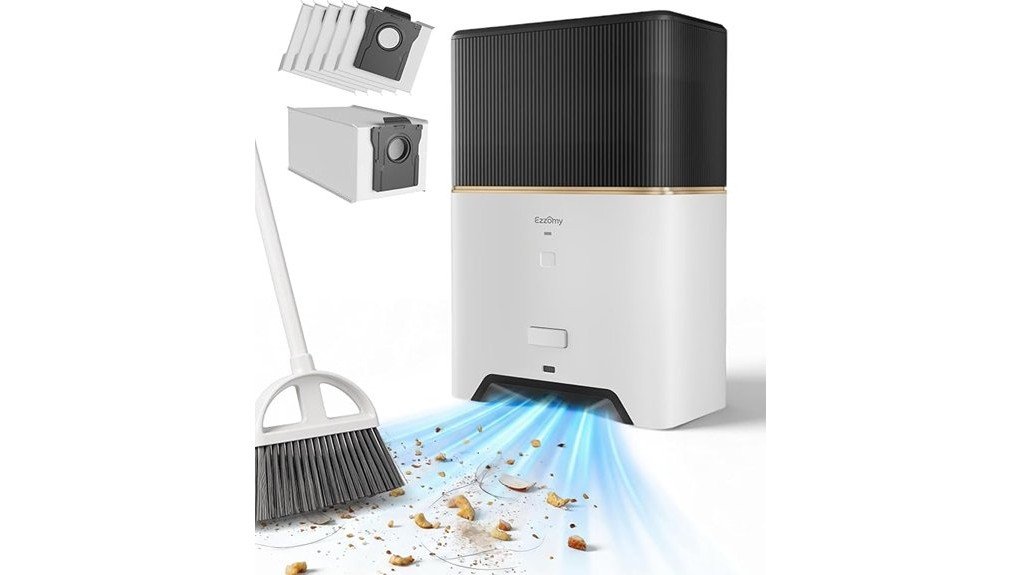
A self-emptying robot dock is a charging station that also removes dirt from the robot’s onboard dustbin. It uses suction to transfer collected debris into a larger bag or container inside the base.
After cleaning, the robot returns to its dock. A powerful fan pulls dust, hair, and small debris through an internal channel into the storage compartment.
This process allows the robot to start another cleaning session without you emptying its small dustbin first.
Many self-emptying stations use sealed disposable bags. These help contain dust during storage and disposal, making debris handling more convenient.
However, not every self-emptying system uses bags. Some models collect dirt in reusable containers that must be emptied manually when full.
Self-emptying docks reduce daily dustbin handling by transferring debris into a larger storage compartment after cleaning.
The amount of dirt a station can hold varies by model. For example, the iRobot Clean Base Auto-Fill Dock specifications advertise up to 60 days of debris storage with compatible Roomba Combo models.
Actual storage time depends on cleaning frequency, floor conditions, and the amount of hair or dust collected.
Some advanced docks also wash mop pads, refill water, and dry cleaning components. These are separate features, so a self-emptying dock does not automatically include every maintenance function.
The biggest benefit is reduced daily intervention. The trade-offs are a larger base, additional components, and generally higher costs.
How Standard Robot Vacuum Docks Work
A standard robot vacuum dock is primarily a charging station. It supplies power when the robot returns, but it does not transfer dirt out of the dustbin.
This simpler design makes standard docks compact, affordable, and easier to maintain.
However, the owner must empty the robot’s dustbin regularly to prevent debris buildup and reduced cleaning performance.
Docking and Charging
A standard dock connects the robot to a power supply through charging contacts. When a cleaning session ends or the battery becomes low, compatible robots return to the station automatically.
Depending on the robot’s navigation and battery-management features, it may also recharge and resume an unfinished cleaning session.
The dock itself does not need a suction motor, debris transfer channel, or large waste container.
| Feature | Standard Dock |
|---|---|
| Power role | Charges the robot |
| Space use | Usually compact |
| User task | Empty the robot’s dustbin manually |
| Maintenance | Clean charging contacts and inspect the robot regularly |
Standard docks support automatic charging without the additional noise and complexity of debris transfer.
However, automatic charging should not be confused with automatic dust disposal. They are different functions.
Manual Dustbin Emptying
With a standard dock, you must remove accumulated debris from the robot’s onboard dustbin yourself. The required frequency depends on the dustbin capacity and how much dirt the robot collects.
Pet hair, carpet fibers, and everyday dust can fill a small container quickly. In busy households, emptying after each cleaning session may be necessary.
A practical maintenance routine includes:
- Checking the dustbin after cleaning sessions.
- Emptying it before debris blocks airflow.
- Removing hair or debris caught around the brush.
- Inspecting and cleaning filters according to the manufacturer’s instructions.
- Checking sensors and charging contacts for dust buildup.
For an example of recommended care intervals, iRobot’s maintenance schedule recommends checking certain robot brushes and filters weekly, with more frequent attention in homes with pets.
Manual disposal can release fine dust when the container is opened. This may be inconvenient for people sensitive to airborne particles.
Still, the process is straightforward and requires no replacement dock bags.
Space and Placement
A standard dock usually occupies less floor space than a self-emptying station. This makes it easier to position in an apartment, small room, or narrow cleaning area.
For reliable docking, place the station on a firm, level surface near a power outlet.
Many manufacturers recommend keeping the area around the dock clear so the robot can approach without hitting furniture.
A common clearance guideline is approximately 1.5 feet on each side and 4 feet in front. However, individual models may require different distances.
A smaller base does not remove the need for open navigation space. The robot must still have a clear path to return and charge.
Self-Emptying vs Standard Robot Vacuum Docks
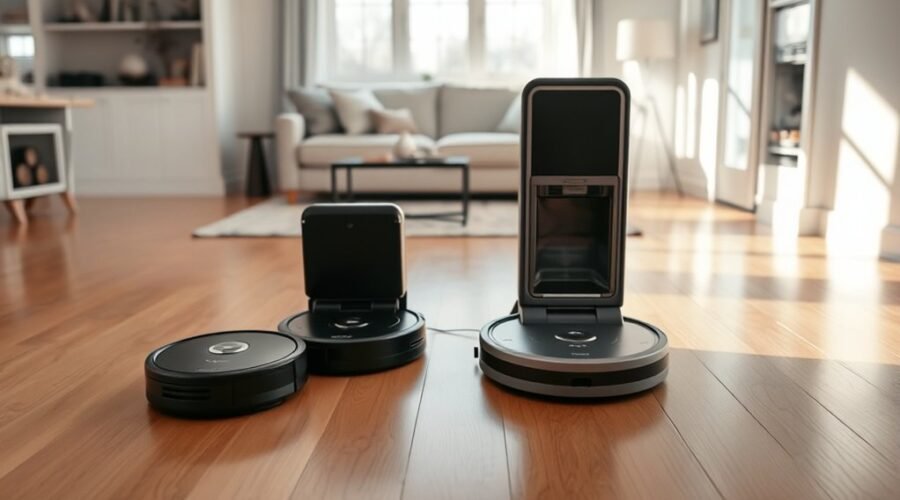
The main difference is what happens to debris after cleaning. A self-emptying dock moves collected dirt into a larger container, while a standard dock leaves it inside the robot.
Both systems can provide reliable charging. Their biggest differences involve convenience, dust exposure, noise, maintenance, and total ownership costs.
| Feature | Self-Emptying Dock | Standard Dock |
|---|---|---|
| Primary function | Charging and automatic debris transfer | Charging only |
| Dust disposal | Automatic transfer to a larger bag or container | Manual dustbin emptying |
| Emptying frequency | Often several weeks between base-container emptying | As needed, often after cleaning sessions |
| Noise | Brief additional noise during dust transfer | No automatic emptying noise |
| Dust exposure | Potentially lower with sealed bag systems | Dustbin opened more frequently |
| Size | Usually larger and taller | Usually smaller |
| Upfront cost | Generally higher | Generally lower |
| Ongoing costs | Possible dust bag and dock-filter replacements | Mainly standard robot replacement parts |
| Best suited for | Busy homes, pet owners, and frequent cleaning | Small spaces and budget-focused households |
Self-Empty Dock Benefits
A self-emptying dock makes robot vacuum ownership more convenient by reducing how often you handle collected dirt. Its larger storage capacity allows multiple cleaning sessions without frequent dustbin disposal.
This advantage becomes especially useful in homes with pets, carpets, or heavy daily foot traffic.
The main benefits include:
- Less frequent emptying: The robot transfers debris to the dock instead of relying on your intervention after every run.
- Better convenience: Daily scheduled cleaning becomes easier to maintain.
- Greater dirt storage: A larger container can accommodate debris from multiple sessions.
- Reduced dust handling: Sealed disposable bags help limit contact with accumulated particles.
- Additional automation: Some models combine dust disposal with mop washing, drying, and water management.
These benefits do not necessarily improve the robot’s suction power or navigation. Cleaning performance still depends on the vacuum’s hardware, software, and floor conditions.
Standard Dock Trade-Offs
A standard dock offers fewer automated features, but its simpler design has practical advantages. It costs less in many robot vacuum packages and does not require a separate debris-transfer motor.
There is no automatic emptying cycle to disturb household activities. The charging station also tends to occupy less space.
The main drawback is regular dustbin maintenance. If the onboard bin fills during a cleaning session, debris pickup may suffer until you empty it.
Standard docks remain a good choice when your robot collects relatively little dirt or you do not mind handling the dustbin.
Noise, Size, and Placement Trade-Offs
Self-emptying docks are generally larger and produce more noise during maintenance than standard charging docks. Their suction motors create a noticeable burst of sound while transferring debris.
However, the noise does not continue throughout the entire cleaning session. The dock usually operates its suction motor only when an emptying cycle is triggered.
Some models let you control emptying frequency or prevent automatic emptying during designated quiet hours.
Both dock types also need enough open space for reliable robot navigation.
According to iRobot’s official dock placement guidelines, recommended clearance includes:
- At least 1.5 feet (0.5 meters) on each side.
- At least 4 feet (1.2 meters) of open space in front.
- At least 4 feet between the dock and stairs.
- At least 1 foot above an automatic-emptying canister for opening the lid and replacing bags.
These measurements apply to the models covered by iRobot’s guidance. Other manufacturers may specify different requirements.
Roborock, for example, recommends approximately 0.5 meters on each side and 1.5 meters in front for certain models.
Place the station against a wall on a level surface, away from obstacles that could interfere with docking.
For self-emptying models, also consider overhead clearance, dust bag access, and whether the station’s larger body blocks a walking area.
Pro Tip: Before choosing a self-emptying dock, measure the complete installation area, not just the base dimensions. Include the robot’s approach path and the space needed to open the dust compartment.
How Maintenance and Hygiene Differ
A self-emptying dock reduces everyday dustbin emptying, but it does not eliminate maintenance. You still need to inspect the robot, clean brushes and filters, and maintain the base station.
The biggest hygiene difference comes from how collected debris is stored and disposed of.
How Often Does a Self-Emptying Dock Need Maintenance?
Dust bag replacement depends on the model and household conditions. For example, Roborock recommends replacing disposable dust bags approximately every seven weeks for several of its compatible dock systems.
This is guidance rather than a guaranteed interval. A home with several shedding pets may fill the bag much sooner.
Regular maintenance should include:
- Replacing the dust bag or emptying the base container when full.
- Inspecting the debris transfer channel for blockages.
- Removing accumulated hair from the robot’s brushes.
- Cleaning filters and sensors as instructed by the manufacturer.
- Wiping charging contacts when needed.
- Checking the station for trapped debris or odors.
Robots with mop-washing docks require additional care for dirty-water tanks, mop-cleaning trays, and drying components.
Are Self-Emptying Docks Better for Allergies?
Self-emptying docks with well-sealed disposable bags can reduce direct contact with dust during disposal. This makes them appealing to people who dislike opening a dusty container after every cleaning session.
However, filtration performance varies by product. A self-emptying feature alone does not guarantee that all allergens remain contained.
For example, Roborock’s Auto-Empty Dock specifications describe a multistage filtration system that captures up to 99.99% of particles as small as 0.3 microns under the stated testing conditions.
That figure applies to the specified Roborock system. It should not be treated as a performance guarantee for every self-emptying dock.
Filtration, airtight seals, and the disposal method all affect dust containment.
Self-emptying reduces how often you handle collected debris, while the quality of the bag and filtration system determines how well dust stays contained.
Bagged vs Bagless Self-Emptying Docks
Not all self-emptying stations require disposable dust bags. Some use washable or reusable collection containers.
For example, the Shark Matrix self-emptying robot vacuum uses a bagless base advertised to hold up to 45 days of debris.
A bagless station eliminates recurring disposable bag purchases. However, you must eventually open the larger container and empty it yourself.
A bagged station generally makes disposal tidier because you remove the bag rather than pour out loose debris.
Neither system is completely maintenance-free. Your choice depends on whether you prefer sealed disposal or avoiding replacement bags.
Cost, Replacement Bags, and Long-Term Value
Self-emptying docks generally increase the purchase price of a robot vacuum system. They also introduce parts that a standard charging station does not need.
Over time, total ownership costs depend on the dock design, replacement supplies, and whether repairs are needed.
Consider these expenses before choosing:
- Initial purchase: Compare the complete robot-and-dock package, not just the dock price.
- Disposable bags: Bagged stations require compatible replacement bags at intervals that vary with use.
- Filters: Some bases have additional filters that need cleaning or replacement.
- Repair complexity: Extra motors, seals, and moving components create additional possible maintenance points.
- Electricity: Self-emptying uses extra power during debris transfer, although the exact energy use depends on the model.
Standard charging docks avoid most of these additional station-related expenses.
However, the financial difference should be weighed against time saved. For someone who cleans every day, reduced dustbin handling may be worth the extra cost.
For someone who runs a robot occasionally in a small apartment, those additional features may provide limited value.
Pro Tip: Compare the availability and cost of replacement dust bags before buying a self-emptying robot. A convenient dock becomes less useful if compatible consumables are difficult to obtain.
Why a Self-Emptying Dock May Stop Emptying
If a self-emptying dock stops transferring debris, the problem may involve a full bag, clogged channel, poor docking connection, or disabled automatic-emptying setting.
You can often identify the cause without replacing the station.
- Check the power connection. Confirm that the dock is plugged in and the robot can charge normally.
- Inspect the dust bag or container. Replace a full bag or empty the reusable container.
- Check the debris pathway. Look for hair, paper, or other material blocking the transfer opening. Disconnect power before clearing internal obstructions.
- Inspect docking alignment. Make sure the robot can reach the station and connect correctly.
- Review automatic-emptying settings. Confirm that emptying is enabled and not restricted by a quiet-hours setting.
- Check the lid and seals. A poorly seated bag or open compartment may stop automatic disposal.
The ECOVACS automatic dust collection troubleshooting guide also explains that some models do not trigger automatic emptying after being placed on the dock manually.
If the system still does not work, follow the model-specific troubleshooting instructions or contact the manufacturer.
Warning: Unplug the dock before inspecting or clearing a debris transfer channel. Do not insert tools into an operating suction mechanism, and never wash electrical components unless the manufacturer specifically permits it.
Which Dock Fits Your Home Best?
The best robot vacuum dock depends on your home’s cleaning demand, available space, and tolerance for maintenance. Neither option is universally better.
The most useful approach is to match the dock to the amount of debris your robot collects and how frequently you clean.
Choose a Self-Emptying Dock If You Have Pets or a Large Home
A self-emptying dock is especially useful when the robot collects large amounts of hair, carpet fibers, or tracked-in dirt.
It reduces interruptions between cleaning sessions and makes regular automated cleaning easier to maintain.
This option also suits busy households where manual dustbin emptying is frequently forgotten.
If minimizing dust exposure matters, prioritize a model with a well-sealed disposable bag and documented filtration performance.
Choose a Standard Dock If You Have Limited Space or a Smaller Budget
A standard charging dock makes sense when the robot collects modest amounts of debris and you are comfortable emptying its dustbin yourself.
It is often practical for apartments, secondary rooms, and occasional cleaning.
The smaller footprint can also make installation easier in rooms with limited floor space.
For noise-sensitive households, avoiding an automatic debris-transfer motor is another advantage.
Check These Details Before Buying
Use this checklist to compare robot vacuum systems:
- Does the robot support the selected dock?
- How much dirt can the onboard dustbin and base container hold?
- Does the station use disposable bags or a reusable container?
- Can you obtain the required replacement bags and filters?
- How loud is the automatic emptying cycle?
- Will the complete station fit the available space?
- Does the robot support recharge-and-resume cleaning?
- Are mop washing, drying, and water refilling included or sold separately?
- What warranty coverage applies to the robot and dock?
Checking these features helps you avoid paying for automation you will rarely use or choosing a system that creates unexpected maintenance problems.
Why Narwal Flow Runs Quieter
The Narwal Flow is designed with noise reduction in mind. Narwal promotes quiet operation and automated maintenance as major features of its multifunction docking system.
However, the manufacturer’s quiet-operation claims do not establish that its dust-emptying cycle is quieter than every competing dock.
The official Narwal Flow specifications describe several features intended to reduce hands-on cleaning tasks.
- Automatic dust collection: A 2.5-liter bag provides manufacturer-advertised storage for up to 120 days.
- AI-adaptive mop washing: The base adjusts mop cleaning based on its maintenance system.
- Warm-air drying: The dock uses 104°F air to dry cleaning components and reduce moisture buildup.
- Automated maintenance: Charging, mop cleaning, and dust storage are handled through the multifunction station.
For the standard Narwal Flow base, the manufacturer lists dimensions of 430 × 402 × 461 mm.
These measurements show why an all-in-one station requires more installation space than many charging-only docks.
Narwal also offers a version designed for an automatic water refill and drainage connection. Installation requirements differ between the versions.
The warm-air drying system is intended to operate quietly, while the dust transfer process is a separate function that can still produce noise.
For homes with small children or noise-sensitive occupants, consider both the robot’s cleaning sound and the dock’s maintenance cycles.
A useful comparison should distinguish vacuuming noise, dust-emptying noise, mop-washing noise, and drying noise rather than relying on a single quiet-operation claim.
Frequently Asked Questions
Is a Self-Emptying Robot Vacuum Worth It?
A self-emptying robot vacuum is often worth the extra cost if you clean frequently, have pets, or want less dustbin handling. It can make daily cleaning more convenient, but it still requires maintenance. For a small home with light dirt buildup, a standard dock may offer better value.
What Is the Best Docking Station for a Robot Vacuum?
The best docking station is one that works with your robot and matches your maintenance needs. A self-emptying dock offers more convenience, while a standard dock saves space and money. Compare compatibility, capacity, noise, available replacement parts, and warranty coverage before choosing.
What Are the Key Differences Between a Roomba and a Regular Vacuum?
A Roomba is a robot vacuum designed for automatic floor cleaning, while a conventional upright or canister vacuum requires manual operation. Traditional vacuums are generally more versatile for stairs, upholstery, and targeted deep cleaning. Roomba models offer scheduled cleaning, automatic navigation, and docking, with self-emptying available on compatible systems.
What Are the Key Features to Look for When Buying a Robot Vacuum?
Look for reliable navigation, effective debris pickup, suitable battery life, and enough dustbin capacity for your home. Also consider cleaning modes, carpet performance, app controls, smart home integration, maintenance costs, warranty coverage, and brand support. If you want automatic emptying, check dock compatibility and replacement bag availability.
Do All Self-Emptying Robot Vacuums Need Bags?
No, some self-emptying robot vacuums use bagless collection systems. Bagged docks store debris in disposable bags that can make handling dust easier. Bagless docks use reusable containers and avoid regular bag purchases, but you still need to empty and maintain the container.
Can You Add a Self-Emptying Dock to an Existing Robot Vacuum?
You can add a self-emptying dock only if your robot supports a compatible station. Many charging-only robots lack the required debris outlet or compatible dustbin design. Confirm the exact robot model and supported dock before purchasing an upgrade, since physical fit alone does not guarantee automatic emptying.
Conclusion
Self-emptying robot vacuum docks offer greater convenience by transferring debris into a larger container and reducing how often you empty the robot. They are especially useful for larger homes, pet owners, and frequent cleaning schedules.
Standard docks remain practical when your priorities are affordability, compact placement, and straightforward maintenance.
Before deciding, compare the total cost, dust disposal method, installation space, and replacement supplies. The best dock is the one that reduces the chores you actually want to avoid without introducing unnecessary expense or complexity.
Sources
- iRobot Clean Base Auto-Fill Dock: Supports automatic debris disposal, storage capacity, and model compatibility.
- iRobot Care and Maintenance Guidelines: Supports robot vacuum maintenance intervals and dock care requirements.
- Roborock Dust Bag Replacement Guidance: Supports the approximate seven-week replacement recommendation for specified docks.
- Shark Matrix Robot Vacuum Specifications: Supports bagless self-emptying and advertised debris storage capacity.
- iRobot Dock Placement Guidelines: Supports clearance measurements and recommended station positioning.
- Roborock Auto-Empty Dock Specifications: Supports model-specific filtration performance and dust containment features.
- ECOVACS Automatic Dust Collection Troubleshooting: Supports common causes of failed automatic emptying and recommended checks.
- Narwal Flow Official Specifications: Supports dock dimensions, dust storage, mop washing, drying, and automated maintenance features.