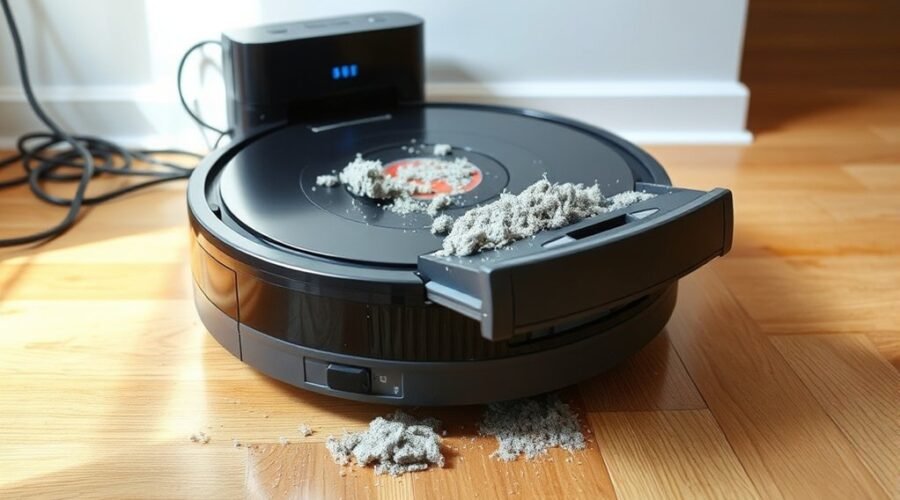
When a robot vacuum fails to self-empty, the cause is often basic rather than mechanical. A misseated dustbin, a full canister, or a blocked suction path can stop the process immediately. Power, alignment, dirty contacts, and app or firmware issues can also interfere. Each check narrows the fault, but one overlooked detail often explains the failure.
Why Self-Empty Is Not Working
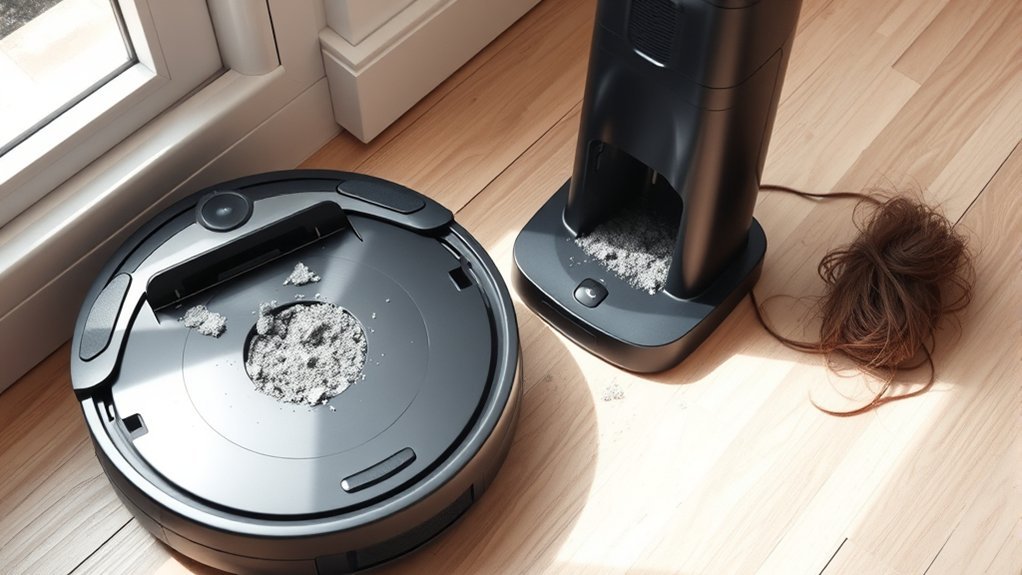
A self-emptying robot vacuum may fail to transfer debris when the dustbin is full or not seated correctly, as either condition prevents proper docking and airflow.
In many cases, the self-emptying cycle stops because clogs in the suction tube or dock restrict debris movement. Dirty sensors on the vacuum or dock can also interrupt recognition and trigger failed emptying.
Clogs in the suction tube or dock, along with dirty sensors, often stop self-emptying cycles from completing.
When the unit does not align with the dock, troubleshooting should consider connectivity issues, including power loss, loose contacts, or a malfunctioning base.
Routine cleaning of the dustbin, sensors, and air path supports peak performance and reduces repeated faults.
If mechanical checks do not restore function, firmware updates may be needed to correct software bugs affecting self-emptying behavior.
A disciplined maintenance routine gives the system a clearer route to reliable operation and preserves the user’s freedom from constant manual intervention.
Check the Dock, Bin, and Air Path First
Start with the dock, the bin, and the air path, since these are the most common points of failure in a self-emptying system. The dock should be plugged into a working outlet and set on a flat surface so the unit can mate without strain.
The dustbin in the station must be seated correctly and not full; either condition can stop transfer. A clogged air path, often packed with debris, weakens suction and blocks emptying.
The charging contacts should align cleanly to support a proper connection, because weak electrical contact can interrupt functionality. Regular maintenance of the tube between the robot and the station also matters, as hair and debris narrow the passage over time.
- A level dock on open floor
- A seated dustbin ready to receive waste
- An unobstructed air path for free flow
- Clean charging contacts supporting self-emptying
Clean Contacts and Emptying Ports
Dirty contacts and blocked emptying ports can interrupt the dock handshake and prevent waste transfer. To restore function, clean contacts on both the robot and the self-emptying station with a soft, dry cloth. Dust, residue, and debris on the charging contacts can break the electrical path needed for a proper connection.
The self-emptying port on the vacuum should be inspected and cleaned regularly, since compacted debris can create blockages that stall the emptying process. The station opening should also be checked for visible obstructions that stop the vacuum from docking squarely.
After cleaning, confirm that the unit seats fully against the station so the transfer channel aligns correctly. The emptying path must remain clear, because even minor obstructions can prevent suction from engaging.
If the hardware is clear, verify the feature remains enabled in app settings so the system is free to operate after each cycle.
Check the App and Firmware Connection
If the contacts and emptying ports are clear, the next step is to verify the app and firmware connection. The robot vacuum should be managed through the latest app version, because delayed firmware updates can trigger connectivity issues that block the self-emptying feature.
- Open the app and check the app for error messages or notifications around the dock.
- Confirm the robot vacuum is joined to the correct Wi-Fi network, with a stable signal and no drops.
- Review app settings to guarantee the self-emptying feature is enabled and configured correctly.
- Restart the robot vacuum and the app to refresh connection and clear temporary glitches.
These steps help troubleshoot communication faults between the vacuum and dock without unnecessary intervention.
When the app shows stable status, the system can operate with greater autonomy and less dependence on manual oversight, preserving user control and practical freedom.
Reset the Dock or Contact Support
A dock reset can clear temporary faults when self-emptying fails; unplug the dock for 30 seconds, then reconnect power and confirm the bin is seated correctly.
If the self-emptying feature still does not respond, the next troubleshooting steps should inspect the emptying process for a misaligned bin or blockages in the suction tube. A partial obstruction can stop airflow and leave debris in the robot.
Verify that firmware updates are installed on both robot and dock, because outdated software can create communication issues between units.
Verify firmware updates on both robot and dock, since outdated software can disrupt communication between units.
After the dock is reset, run a test cycle and observe whether the bin empties cleanly.
If the fault remains, customer support should be contacted with the model number, error behavior, and steps already attempted. That record speeds diagnosis and helps determine whether potential repairs, replacement parts, or a dock exchange are required, restoring autonomous operation without unnecessary delay.
Frequently Asked Questions
Why Is My Robot Vacuum Not Self-Emptying?
The robot vacuum is likely blocked by dust bin blockage, sensor malfunction, charging issues, software glitches, or degraded battery health. Practical troubleshooting steps: inspect the self emptying mechanism, remove debris accumulation, guarantee filter cleanliness, and follow maintenance tips.
What Are the Most Common Problems With Robot Vacuums?
Common problems with robot vacuums often erupt like a clogged engine: battery issues, navigation problems, brush clogs, sensor malfunctions, app connectivity failures, dustbin jams, charging failures, mapping errors, filter maintenance lapses, and performance decline.
What Is the Average Lifespan of a Robot Vacuum?
The average lifespan is 4 to 6 years, assuming consistent robot vacuum maintenance, careful robot vacuum cleaning, and timely battery care. Robot vacuum brands, features, technology, accessories, comparisons, reviews, troubleshooting, and innovations strongly influence longevity.
Why Won’t My Roomba Empty Itself Anymore?
A blocked tunnel like a clogged artery often stops it; Roomba troubleshooting tips point to self emptying mechanism faults, maintenance best practices, sensor issues explained, bin capacity problems, firmware updates importance, debris blockage solutions, charging station concerns, user manual insights, performance comparisons.
Conclusion
To summarize, a robot vacuum’s self-empty failure usually traces to simple mechanical or connectivity faults: an unseated dustbin, a clogged suction path, dirty contacts, misaligned dock placement, or outdated app and firmware settings. Each should be checked methodically before assuming a hardware defect. If the system still refuses to empty after a reset, customer support is the next prudent step. Even in this modern setup, the remedy is often as old as common sense.