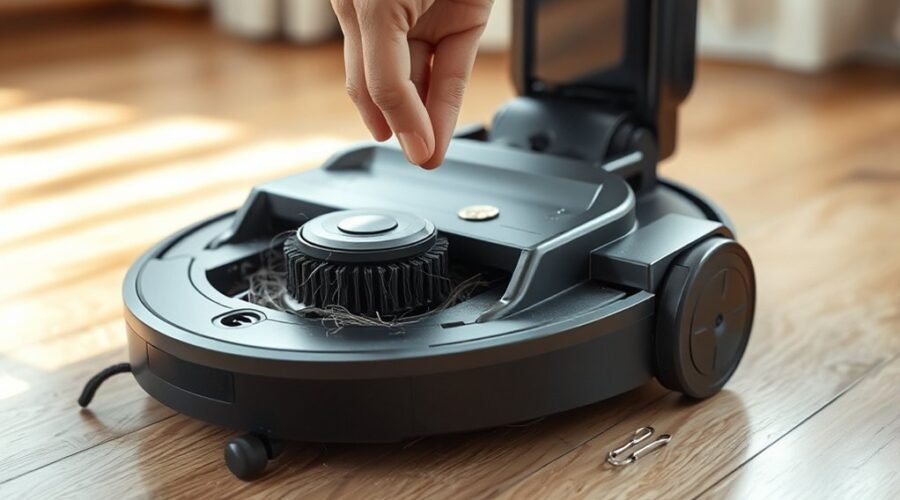
A robot vacuum that rattles usually points to a loose part, trapped debris, or a component that is not seated correctly. The dustbin and roller are the first places to inspect, followed by brushes, wheels, and casters for obstruction or wear. Loose screws and airflow blockages can add to the noise, while software settings may also be involved. The cause is often simple, but not always obvious.
Why Is My Robot Vacuum Rattling?
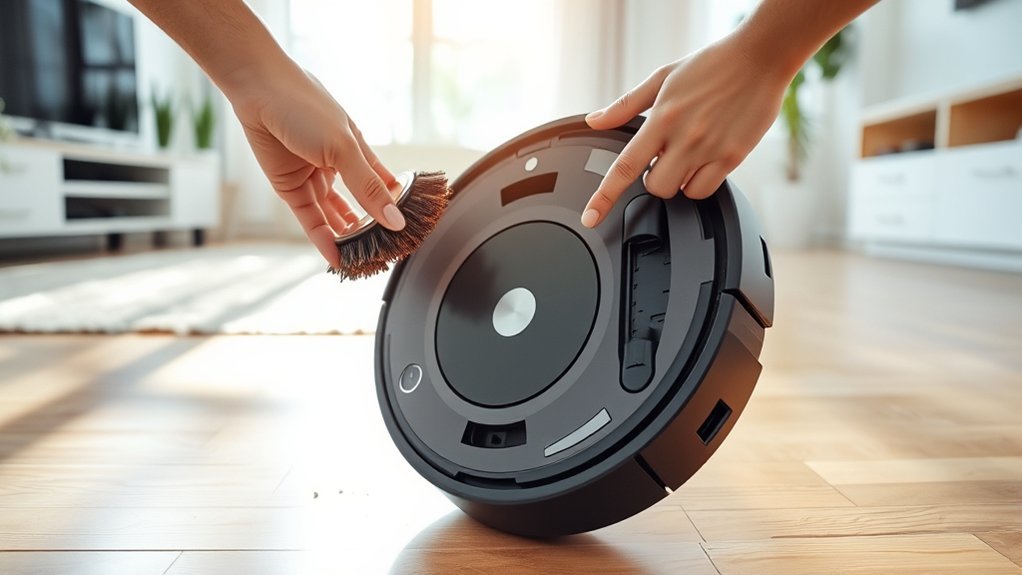
A robot vacuum’s rattling noise usually points to a loose or obstructed component, such as the dustbin, brush housing, or a screw that needs tightening.
In practice, the sound often comes from debris trapped in moving parts, especially the main brush, side brushes, or wheels. Foreign objects can lodge in the brush path, create intermittent impact, and produce a sharp, irregular rattle as the machine travels.
Worn or misaligned brushes and wheels may also vibrate against the frame, especially when the unit crosses uneven flooring. Docking misalignment can add another mechanical source if the vacuum strikes the base incorrectly.
Regular maintenance reduces these failures by securing fasteners, clearing debris, and confirming that each rotating part spins freely.
A systematic inspection helps isolate the fault quickly and prevents minor looseness from becoming a larger mechanical problem.
Check the Dustbin and Roller
One common source of rattling is a dustbin that is full, loose, or not fully seated, which can allow vibration to transfer through the housing and raise operating noise. The vacuum should be powered off before any maintenance so the user can remove the dustbin safely.
After pressing the release button, the dustbin should be taken out, emptied, and checked for debris around the dust separator. A vacuum or cleaning brush can be used to clear buildup, and the separator should dry for more than 24 hours before reinsertion.
Attention should then move to the roller. Hair, thread, or trapped debris can create uneven rotation and increase noise levels. The roller should be cleaned regularly, then reassembled correctly.
When the cover is pressed until it clicks, the part is secured and less likely to rattle during operation. Proper seating of both components supports quieter, more stable performance.
Inspect the Brushes, Wheels, and Casters
The main and side brushes should be inspected for tangled hair, fibers, or trapped debris that can produce rattling during operation.
The wheels and casters should then be checked for foreign objects, wear, or obstruction, since these faults can cause grinding or intermittent noise as the vacuum moves.
After cleaning, all components should be reassembled securely to prevent loose parts from rattling in use.
Brush Debris Check
Inspecting the main and side brushes on a weekly basis helps identify hair or debris entanglements that can produce rattling during operation. Technicians should remove the brushes, clear trapped debris, and verify that each component seats correctly in the brush housing. Loose fitment often turns a minor issue into persistent noise.
- Examine brushes for wrapped hair, string, or compacted dust.
- Clean the brush housing so debris cannot accumulate and strike moving parts.
- Confirm that replaced brushes lock firmly into position before use.
When the brushes remain clean and secure, the vacuum regains smoother motion and quieter performance.
Regular attention to this area supports reliable cleaning without unnecessary disturbance, letting the machine work with fewer interruptions and less mechanical friction.
Wheel And Caster Inspection
Debris trapped in the wheels or casters can create a rattling noise as the vacuum moves, so technicians should clear any hair, dust, or foreign objects from these parts and check that each wheel turns freely.
A focused inspection should confirm alignment, attachment, and wear, since loose or damaged wheels raise the noise level and reduce efficiency.
| Check | Condition | Action |
|---|---|---|
| Wheels | Free, aligned | Refit if loose |
| Casters | Clean, smooth | Remove debris |
| Axles | Lubricated | Reduce friction |
Wheel housings should also be cleaned regularly to prevent buildup. If wear is visible, replacement is the practical path to restored control and quieter operation.
Tighten Loose Parts and Screws
Loose screws should be checked first, especially around the dustbin and brush housing, because even minor play can produce rattling during operation.
The dustbin latch should be secured, and the brush housing should be refitted firmly so all components seat correctly.
Any visible fasteners should be tightened with the correct screwdriver for the model to reduce noise and prevent screw damage.
Check Visible Screws
A quick check of all visible screws can help identify a common source of robot vacuum rattling noise. Inspect the housing, brush mounts, side brushes, and wheel assemblies for loose screws that may cause vibration and a loud noise during operation. A screwdriver should be used for tightening any fasteners that have backed out.
- Check visible screws on the dustbin and brush housing.
- Tighten side brush and wheel assembly screws.
- Reinspect after a short cleaning cycle.
This focused maintenance step reduces chatter, supports stable motion, and improves overall performance.
Regular screw inspection also helps extend service life by preventing small mechanical faults from escalating. For an owner seeking dependable, low-disruption operation, prompt tightening offers a practical path to quieter, freer cleaning.
Secure Dustbin Latch
Securing the dustbin latch is a practical first step when a robot vacuum emits rattling noise, because a loose or improperly seated dustbin can vibrate during operation and reduce cleaning efficiency.
To secure dustbin latch function, the user should inspect the dustbin and confirm that it clicks fully into place. A loose dustbin latch, or a latch showing wear or damage, can create intermittent vibration and noise.
The vacuum body should also be checked for loose screws and tightened as needed to keep components stable. Periodic maintenance checks help reveal fastening issues before they become faults, allowing the machine to work with greater consistency.
When the latch mechanism seats correctly and all fasteners are secure, rattling is less likely, and performance remains reliable.
Refit Brush Housing
Reinstalling the brush housing is an important corrective step when a robot vacuum produces rattling noise, as a loose housing or unsecured screws can allow components to vibrate during operation.
The technician should refit brush housing, verify each screw, and confirm the assembly is seated firmly. A loose brush housing often reveals itself through uneven contact or audible chatter.
- Inspect for debris around the brush channel and bearings.
- Tighten fasteners to the manufacturer’s specified torque.
- Press the brush housing until it clicks securely into place.
If rattling continues, remove the brush housing again and inspect for foreign objects or worn parts.
Regular checks preserve performance and prevent avoidable wear, giving the machine stable, liberated motion.
Clean Filters and Airflow Blockages
Dirty filters and blocked airflow pathways are a common cause of rattling noise in robot vacuums, as restricted air movement can create vibration, reduced suction, and even a high-pitched whine during operation.
To restore stable performance, clean filters should be inspected regularly and cleared of dust, hair, and fine debris. Airflow blockages inside the dust path can raise noise levels and reduce suction power, making the machine work harder than necessary.
Filters that are overdue for replacement, typically after 2–3 months of use, should be changed rather than reused. Each filter should also be seated firmly in its compartment, because a loose fit can transmit vibration into the housing and produce rattling.
A clear air channel supports quieter operation, better debris capture, and longer device life. Consistent maintenance gives the unit freedom to move air efficiently, reducing unnecessary stress on motors and improving daily cleaning results.
Rule Out Turbo Mode and App Issues
If the airflow path is clear yet a robot vacuum still rattles, the next step is to rule out turbo mode and app-related settings. Higher suction in turbo mode can amplify noise, making loose covers, rollers, or bins vibrate on uneven floors.
- Verify whether turbo mode is active from the app or control panel, then switch it off and test again.
- Inspect recent app updates, since new settings may have changed speed, suction, or sound behavior without obvious warning.
- Reset the vacuum or restart it after adjustments to confirm whether the rattling persists.
Regular review of app notifications and cleaning profiles helps prevent turbo mode from engaging unexpectedly. If the noise drops after disabling the mode, the issue is likely configuration-related rather than mechanical.
Regularly reviewing app notifications and cleaning profiles helps prevent turbo mode from activating unexpectedly.
This method gives the user a direct path to isolate the source and reclaim quieter operation without unnecessary disassembly or guesswork.
Frequently Asked Questions
Why Is My Roomba Making a Rattling Noise?
It likely has loose parts, tangled debris, or a trapped foreign object. Common rattling causes include brush housings, wheels, and screws. Practical troubleshooting tips: inspect, tighten, clean, and maintain regularly for noise reduction.
What’s the Average Lifespan of a Robot Vacuum?
A robot vacuum typically lasts 5–7 years; vigorous maintenance tips, timely replacement parts, and disciplined cleaning frequency can extend life, while performance comparison across models shows high-end units often outlast entry-level ones.
My Shark Robot Vacuum Is Making a Rattling Noise. What Could Be Causing This?
The Shark robot vacuum’s rattling noise likely stems from a loose brush roll, debris blockage, wheel issues, or motor malfunction. Inspection should confirm secure parts, clear obstructions, and repair worn components to restore autonomous, dependable operation.
Why Is My Robot Vacuum so Noisy?
It is noisy because loose parts, tangled debris, or worn brushes create vibration. Robot vacuum maintenance should include cleaning brush, dust bin checks, and secure assembly; these steps improve noise reduction and restore independent operation.
Conclusion
A rattling robot vacuum usually points to a loose, obstructed, or worn component. The dustbin should be seated correctly, the roller cleared of tangled debris, and the brushes, wheels, and casters checked for foreign objects. Loose screws or panels can amplify vibration, while clogged filters may restrict airflow and increase noise. If the sound persists, app settings and turbo mode should also be verified, as the machine can sound like a shaken toolbox.