When your robot vacuum smells musty, the problem may be hiding in a part you rarely check. The odor might appear during vacuuming, after mopping, or while the machine sits in its dock. Knowing when the smell starts helps you find the source without taking the whole vacuum apart.
Quick Answer
If your robot vacuum smells musty, check the dustbin, filter, brush roll, damp mop pads, and dirty-water tank or docking tray. Empty trapped debris, clean only parts your manual says are washable, and dry everything before reassembly. If the odor returns, inspect the dock’s dust bag, seals, and drainage path for hidden buildup.
Why Your Robot Vacuum Smells Musty
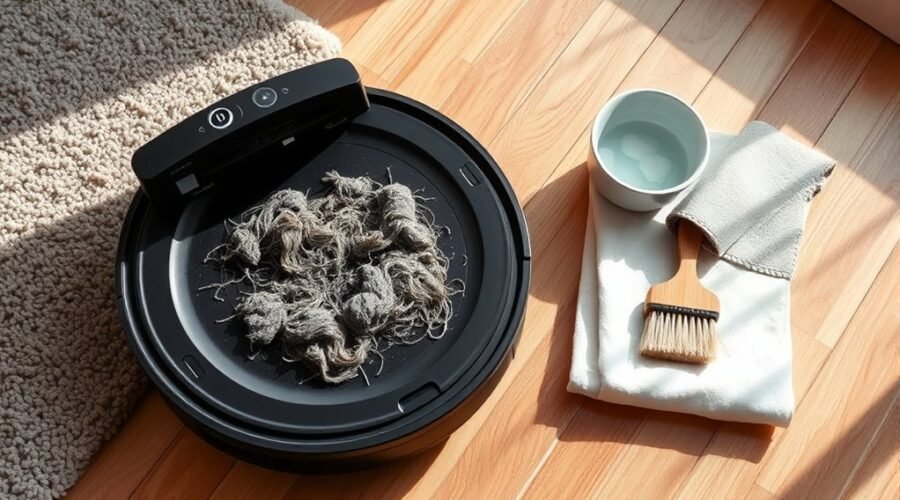
A robot vacuum usually develops a musty smell when moisture mixes with trapped dirt and organic debris. Damp dust, pet hair, and mop residue can support bacterial or mold growth. Over time, these materials release unpleasant odors.
The problem is especially common in vacuum-and-mop models because they handle both dry debris and dirty water. Warm, humid conditions can make the smell worse.
According to manufacturer guidance on water tank odors, stagnant water, dirty mop pads, contaminated water, and humidity can all contribute to unpleasant smells.
Where Is the Musty Smell Coming From?
The timing and location of the odor often reveal which part needs attention.
- Smell during vacuuming: Check the dustbin, filter, brush roll, and suction opening for damp dirt or trapped pet hair.
- Smell during mopping: Inspect the mop pads, clean-water tank, and onboard dirty-water components.
- Smell around the docking station: Check the wastewater tank, washing tray, dust bag, and removable drainage filters.
- Smell after washing a filter: The filter may still contain moisture or trapped residue.
- Smell after cleaning a spill: Moisture or sticky material may have entered a part that is designed to handle dry debris.
Musty odors often follow spills or damp floors, especially when pet hair traps moisture and encourages bacterial growth.
A clogged filter makes matters worse by holding debris and restricting airflow. If the machine releases stale air while running, inspect the dry-debris collection system first.
However, a musty smell does not automatically prove that mold is growing inside the vacuum. You need to inspect the affected parts before identifying the cause.
Clean the Dustbin, Filter, and Brush Roll
Cleaning the dustbin, filter, and brush roll removes several common sources of robot vacuum odors. Start with the dry-debris system because trapped hair, food particles, and damp dust can smell even when the container is not full.
You will need a soft cleaning brush, a dry cloth, and access to your model’s cleaning instructions.
Step 1: Turn Off the Robot Vacuum
Switch off the robot and unplug the docking station before cleaning. Remove the dustbin and any other detachable parts your manual identifies as user-serviceable.
Do not open electrical compartments or attempt to remove sealed internal components.
Step 2: Empty and Wash the Dustbin
Empty the dustbin into a trash container. Pay attention to the corners, lid, and narrow openings where fine debris can collect.
Remove the filter before washing the bin. Rinse the container with water only if the manufacturer permits it. Mild soap may be suitable for some removable parts, but not all models allow detergent.
Leave the washed container open until completely dry. Reinstalling a damp dustbin can recreate the same musty smell.
Step 3: Clean the Filter Correctly
A dirty filter can trap dust, pet dander, and odor-producing particles. Remove it and follow the cleaning method specified for your model.
Not every HEPA or high-efficiency filter is washable. Some filters require only gentle tapping to remove dust. Others can be rinsed and air-dried.
For example, the official instructions for certain non-washable robot vacuum filters require removing the filter before rinsing the dustbin.
Replace filters that remain smelly, show visible damage, or no longer allow normal airflow. Follow the replacement interval for your specific model rather than assuming every filter lasts the same number of months.
Step 4: Remove Hair From the Brush Roll
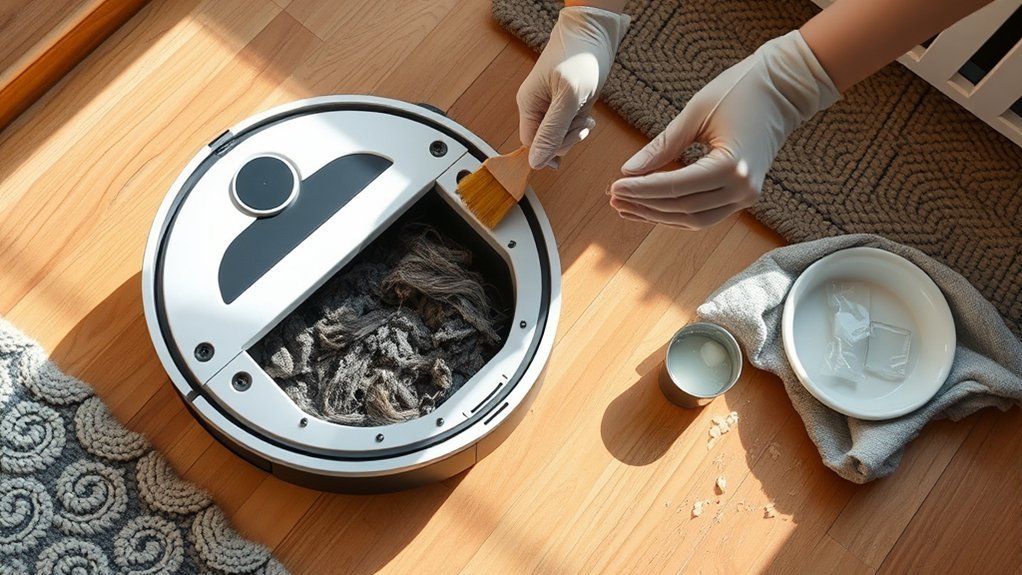
Remove the main brush roll according to your manual. Carefully pull away tangled hair, threads, and pet fur. Use the supplied cleaning tool where available.
Inspect the brush ends and removable caps because hair and dirt can collect underneath them.
If washing is permitted, rinse the brush and allow it to dry fully. Otherwise, clean it with a dry brush or cloth.
Step 5: Check the Wheels and Suction Opening
Inspect the wheels, brush housing, and accessible suction opening for trapped debris. Remove visible dirt without pushing it deeper into the machine.
Wipe accessible surfaces with a soft cloth. Keep moisture away from electrical contacts, sensors, and the motor area.
Reassemble the dry components and run a short vacuum-only cleaning cycle on a dry floor. If the smell disappears, the source was likely within the parts you cleaned.
Dry Mop Pads and Tanks Completely
Wet mop pads and stagnant tank water are major causes of musty smells in robot vacuum-mop combinations. Washing removes dirt, but complete drying is just as necessary to prevent odor from returning.
Automatic mop washing can reduce manual work, but it does not guarantee that every pad and tray dries properly.
How to Clean Mop Pads and Water Tanks
- Remove the mop pads: Take off detachable pads after mopping, or allow the dock to complete its approved washing cycle.
- Wash the pads: Rinse away dirt and use only cleaning products permitted for the pad material. Some pads are machine-washable, while others require hand washing.
- Empty the dirty-water tank: Pour out wastewater after the cleaning cycle. Rinse the tank and remove residue from accessible corners, the lid, and removable filters.
- Inspect the clean-water tank: Discard old water, rinse the tank as instructed, and refill it with fresh water before use. Let it dry when storing the machine unused.
- Dry the washable components: Air-dry removable pads, tanks, and trays completely before storage or reassembly when the design allows.
If your model has automatic mop drying, make sure the drying cycle finishes. Check the pad afterward, especially in a humid room where drying may be less effective.
Replace mop pads when the fibers become worn, the pad no longer cleans properly, or the odor persists after thorough washing.
Warning: Do not add vinegar, baking soda, bleach, essential oils, or unapproved antibacterial cleaners to your robot vacuum’s water tanks or internal cleaning system. These substances can damage seals, block pumps, cause corrosion, or create excess foam. Use water or a cleaning solution specifically approved for your model.
The manufacturer’s approved cleaning solution guidance specifically warns against vinegar and certain unauthorized floor cleaners because they can damage the machine or affect warranty coverage.
Removing dirty water and drying the machine addresses the cause of the odor more effectively than adding fragrances to hide it.
Fix Musty Odors in Eufy Omni Models
Eufy Omni robot vacuums can develop musty odors even when their automatic mop washing and drying functions appear to work normally. The wastewater tank, removable washing tray, filter, dust bag, and mop pads can still collect residue.
The correct cleaning steps depend on your Omni model. The following checks cover common problem areas.
1. Empty and Rinse the Dirty-Water Tank
Remove the wastewater tank from the Omni station and empty it after mopping. Rinse the inside thoroughly and clear away any visible residue.
Pay attention to the lid and seal because dirt can collect around their edges. Allow the tank to dry when appropriate before storing it unused.
2. Clean the Mop-Washing Tray
Remove the detachable cleaning tray if your station has one. Clear out hair, mud, and other debris.
Rinse the tray with clean water and inspect its drainage openings. Reinstall it according to the manufacturer’s instructions.
The Eufy X10 Pro Omni maintenance guide specifically instructs users to rinse the dirty-water tank and detachable mop-cleaning tray.
3. Inspect and Clean the Mop Pads
Remove detachable mop pads and inspect them for discoloration, trapped dirt, or lingering smells.
For the Eufy S1 Pro, the manufacturer’s odor troubleshooting instructions recommend soaking its removable roller mop in hot water for five minutes without adding cleaning solution, then running the mop-washing function.
This procedure is specific to that model. Do not assume other Omni mop pads require the same cleaning method.
4. Check the Filter and Dust Bag
Inspect the onboard dustbin and filter for accumulated debris. Also check the station’s disposable dust bag, if fitted.
Replace a full or unpleasant-smelling dust bag rather than attempting to wash it.
If the filter needs replacement, use your model’s maintenance schedule. For example, the Eufy X10 Pro Omni manual lists filter and mop pad replacement intervals of 3–6 months, depending on use.
5. Check Whether the Station Drains Properly
After cleaning the tray, confirm that the station removes wastewater during its normal mop-washing cycle.
If dirty water remains in the tray, inspect accessible drainage openings and the wastewater tank seal. Confirm that the tank lid closes securely.
A recurring drainage problem may indicate a blockage or a pump issue. Avoid dismantling sealed hoses or the pump yourself.
Prevent Robot Vacuum Musty Smells
The most effective way to prevent recurring musty odors is to stop moisture and debris from building up between cleaning sessions. A simple maintenance routine also helps maintain suction, airflow, and mopping performance.
Robot Vacuum Odor Prevention Checklist
- After each cleaning: Empty the onboard dustbin when needed, especially after collecting pet hair or food debris.
- After each mopping cycle: Empty and rinse the wastewater tank. Make sure mop pads are washed and dried.
- Weekly: Inspect the filter, dustbin, brushes, and accessible intake openings for accumulated dirt.
- Periodically: Clean the dock’s washing tray, removable filters, and tank seals according to the maintenance instructions.
- When parts wear out: Replace filters, mop pads, brushes, and disposable dust bags using the manufacturer’s schedule.
- During storage: Leave cleaned, washable components dry and store the vacuum in an area with good ventilation.
If you own pets, inspect the brush roll and dustbin more often. Hair and dander can build up quickly, particularly during periods of heavy shedding.
Do not use a dry-only robot vacuum to collect liquid spills. Wipe up wet messes separately unless your machine is specifically designed and approved to collect them.
How to Keep the Dock From Smelling
Docking stations need their own maintenance because automatic cleaning can leave moisture and residue in removable components.
Inspect the mop-washing tray, wastewater tank, and seals for deposits. Also look for water that remains in the tray after the station completes its cleaning cycle.
If drainage stops working, the problem may be a clogged opening or an improperly fitted seal. The manufacturer’s dock drainage troubleshooting instructions show how trapped debris and seals can affect wastewater removal.
Follow only the steps that apply to your docking station. If the dock has an automatic drying feature, use the approved drying cycle rather than allowing wet mop pads to remain stored indefinitely.
What if the Robot Vacuum Still Smells Musty After Cleaning?
If the odor returns after you clean and dry every accessible part, inspect the removable components again to identify what still smells. A contaminated filter, worn mop pad, or dirty dust bag may need replacement.
If those parts are clean but the smell remains, hidden residue may be trapped in the suction path, drainage system, or an internal component.
Check for these warning signs:
- Musty air continues coming from the vacuum despite clean filters and an empty dustbin.
- Dirty water repeatedly remains in the docking tray after mop washing.
- The mop-drying system fails or reports an error.
- Visible contamination remains in an area you cannot safely access.
- Cleaning performance drops while unusual odors continue.
Contact the manufacturer’s support team if the problem persists after routine maintenance. Internal pump, motor, and electrical repairs should be handled by qualified service personnel.
Warning: A burning, electrical, or hot-plastic smell is different from a musty odor. Stop using the vacuum, switch it off, and disconnect the dock from power if it is safe to do so. Do not restart the machine until the source has been inspected.
The manufacturer’s electrical and odor troubleshooting guidance warns against getting water inside the motor and recommends professional inspection when a burning smell occurs.
Frequently Asked Questions
My Robot Vacuum Has a Bad Smell. How Can I Get Rid of It?
Empty the dustbin and remove trapped hair from the brush roll. Clean any washable parts, then dry them completely before putting them back. If your model mops, empty the dirty-water tank and wash the mop pads and dock tray. Replace a dirty filter or dust bag if the smell remains.
What Neutralizes Musty Odor?
Removing damp debris and drying the affected parts is more reliable than covering the smell. Rinse removable tanks and wash mop pads as your manual allows. Do not pour vinegar, baking soda, essential oils, or scented products into the machine unless the manufacturer explicitly approves them.
Why Does My Vacuum Smell Mildewy?
A mildewy smell usually means moisture has mixed with trapped dust, pet hair, or dirty mop water. A damp filter, old mop pad, or stagnant wastewater can keep releasing the odor. Check where the smell is strongest, clean that part, and let it dry before running the vacuum again.
How to Keep Robot Vacuum Dirty Water From Smelling?
Empty the wastewater tank as soon as the mop cycle ends, then rinse away dirt from its corners and lid. Clean the dock’s wash tray and any removable strainer, and leave washable parts open to dry. Replace stale clean water before the next run rather than topping it up.
Conclusion
Musty robot vacuum odors usually come from trapped moisture, dirty filters, pet hair, mop pads, or stagnant wastewater. Cleaning the affected parts and allowing them to dry completely can often resolve the smell.
Start with the dustbin and mop components, then inspect the dock if the odor continues. Keep up with regular maintenance and replace worn parts before they become a recurring source of unpleasant smells.
Sources
- Xiaomi Support: Robot Vacuum Water Tank Odors: Causes of wastewater odors, including stagnant water, humidity, and dirty mop pads.
- iRobot Support: Roomba Bin and Filter Care: Instructions for cleaning the dustbin and handling non-washable filters.
- Eufy Support: X10 Pro Omni Manual: Maintenance procedures, cleaning intervals, and replacement recommendations.
- Eufy Support: S1 Pro Odor Troubleshooting: Cleaning the dirty-water tank, roller mop, dustbin, and base station.
- iRobot Support: Approved Cleaning Solutions: Approved mopping liquids and warnings about unauthorized solutions.
- ECOVACS Support: Dock Drainage Troubleshooting: Cleaning seals, washing trays, filters, and blocked suction ports.
- LG Support: Robot Vacuum Odor Troubleshooting: Moisture-related odors, electrical safety, and service recommendations.