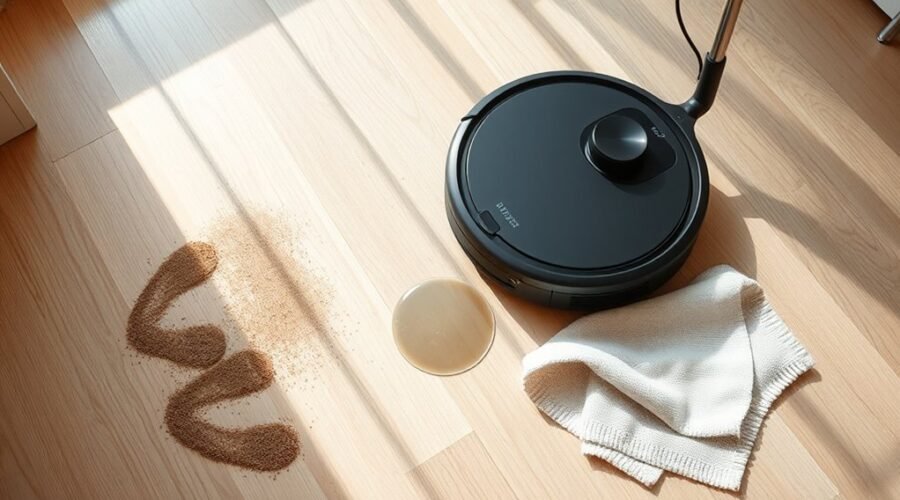
A robot vacuum mop that stays dry usually points to a fault in the water path rather than the pad itself. Blocked nozzles, a misseated tank, a weak pump, or mineral residue can interrupt flow before moisture ever reaches the mop. App settings and seal problems can also reduce output. The system is simple, but each point can fail in a different way, and the next checks reveal which one is responsible.
Why Your Robot Mop Isn’t Getting Wet?
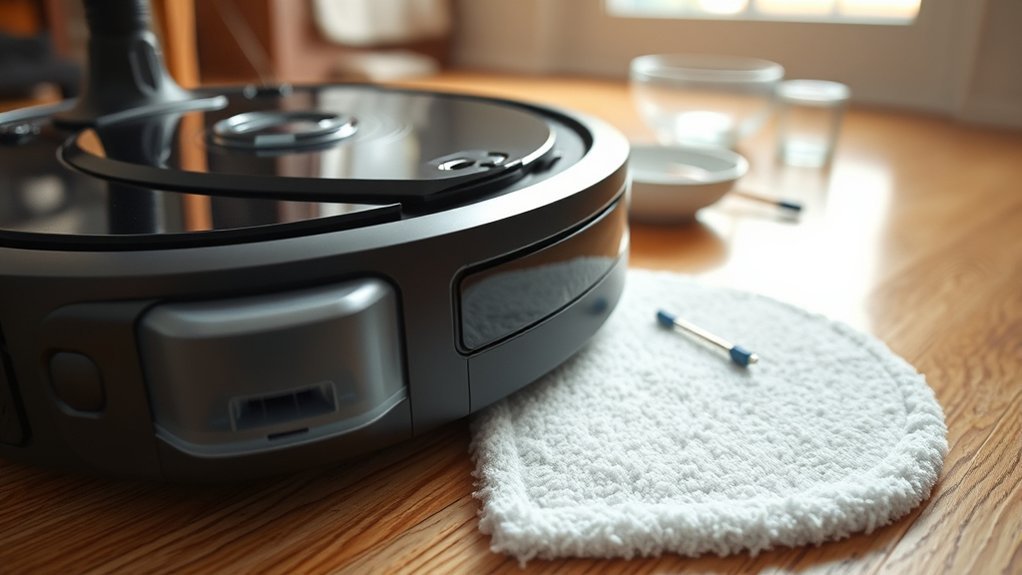
When a robot mop is not getting wet, the cause is usually a blockage or flow disruption in the water delivery system. A clogged outlet or nozzle can stop water from reaching the pad, often from dirt or mineral buildup.
Incorrect tank or mop pad installation can also interrupt water flow, leaving the machine dry and ineffective. Dirty or worn pads may repel water rather than absorb it, so cleaning resistance increases and liberation from grime stalls.
Incorrect tank or pad installation can halt water flow, leaving the mop dry and ineffective.
Air trapped in the pump after refilling or long storage can block delivery until the system is primed. Incompatible cleaning solutions may leave residue inside the dispensing path, narrowing passageways and reducing output.
The diagnosis is usually mechanical or chemical, not mysterious. Inspect the nozzle, confirm proper assembly, replace degraded pads, and flush the tank with approved fluid.
Clear pathways restore reliable water flow and return the mop to disciplined, autonomous service.
How Robot Mop Water Flow Works
Robot mop water flow begins at the removable tank, where valves and regulators meter liquid into the feed path.
A pump then forces water through internal channels toward the mop area, maintaining pressure until the pad absorbs it for transfer to the floor.
If the tank, valves, or pad are misaligned or restricted, the flow sequence is interrupted and dispensing performance drops.
Tank And Valve Path
Water moves from the tank through valves and flow regulators that meter release during the cleaning cycle. The tank stores reserve water; the valve opens only as needed, preserving steady output and preventing saturation or starvation at the mop pad.
Internal channels carry water from the pump path toward the mop area, where distribution should remain even across the cleaning width. The pad then absorbs moisture before it reaches the floor, supporting controlled cleaning rather than sloppy runoff.
If the tank contains debris, or if a valve is scaled, stuck, or partially blocked, flow weakens and the pad stays dry. Routine maintenance of the tank and valve path restores reliable delivery, keeps the system free, and helps the robot mop operate with clean, independent performance.
Pump Pressure Flow
Pump pressure drives water from the tank through the valve assembly and internal channels, pushing it toward the mop pad in a controlled stream. In pump pressure flow, the pump sets delivery rate; weak pressure, air locks, or blocked nozzles interrupt output.
| Fault | Effect |
|---|---|
| Air in pump | Flow stalls |
| Clogged outlet | Reduced pressure |
| Low app setting | Limited delivery |
| Worn pump | Inconsistent spray |
Many models let users tune flow, sometimes across 50 levels, enabling precise control for different floors. If a unit sits unused, priming restores continuity by clearing trapped air. Regular nozzle inspection prevents restriction and preserves clean, autonomous operation. Reliable pump pressure flow supports self-directed maintenance, reducing dependence on manual intervention and keeping the system responsive.
Mop Pad Absorption
Effective mop performance depends on absorption, where water released from the tank is regulated by valves and flow controllers before reaching the pad.
The mop pad must then pull moisture evenly across its fibers; if it is dirty, compressed, or worn, it may repel water and leave surfaces dry.
Models with adjustable flow, such as units offering many app-controlled levels, can match output to pad capacity and floor demand.
Air trapped in the pump after refilling or long idle periods can interrupt delivery and delay wetting.
Maintenance should include clearing water outlets, verifying secure pad attachment, and replacing degraded mop pads.
When absorption and flow align, the system regains reliable, autonomous cleaning performance.
Check for Clogged Nozzles and Water Lines
Nozzle blockages should be checked first, since restricted openings can reduce water delivery and weaken mopping performance.
Water lines should then be inspected for dirt, residue, or mineral buildup that can impede flow; distilled water may help limit future deposits.
If obstruction is present, the nozzles and lines should be flushed or cleared carefully to restore consistent output to the mop pad.
Spotting Nozzle Blockages
Blocked nozzles can stop water from reaching the mop pad, so the spray ports and water lines should be inspected regularly for dirt, residue, or mineral buildup. Effective spotting nozzle blockages requires close visual checks of each outlet and line segment for dried solution, scale, or trapped debris.
- Confirm nozzles are open and aligned.
- Look for residue from nonrecommended cleaners.
- Use distilled water to reduce mineral deposits.
- Clear minor obstructions with a needle or toothpick.
Regular maintenance preserves unrestricted flow and supports clean operation. Warm-water flushing can help limit future buildup, but the emphasis remains on diagnosing blockage points before performance drops.
A disciplined inspection routine keeps the system responsive and reduces dependence on corrective service.
Clearing Water Line Clogs
When nozzle openings appear clear but water still fails to reach the mop pad, the issue may lie in the water lines or internal channels.
For clearing water line clogs, inspect the outlet, nozzles, and visible tubing for dirt or mineral obstruction. A needle or toothpick can open small passages, but only with care to avoid damage.
Internal channels should also be checked for trapped debris that blocks flow from tank to pad. The water tank must click fully into place; a loose fit can limit delivery and mimic clogging.
Regular rinsing of the tank and nozzles with warm water helps preserve free flow and supports cleaner, more autonomous operation.
This diagnostic routine restores mobility, reduces dependence on faulty flow, and keeps the system working in service of user control.
Flushing Residue Build-Up
Residue build-up in the nozzles and water lines can restrict flow and prevent the mop pad from becoming wet during operation.
Diagnostic focus should shift to residue, not failure, because limescale and dirt often narrow discharge paths. Flushing the water reservoir with hot tap water can dissolve deposits and restore movement through valves and channels. A deliberate cleaning cycle supports operational autonomy.
- Inspect nozzles for visible crust or debris.
- Clear openings with a needle or toothpick.
- Remove and reinstall the tank to confirm alignment.
- Verify all channels remain unobstructed after flushing.
If flow returns, the issue was contamination rather than hardware damage. Regular maintenance preserves dependable water dispensing and prevents unnecessary replacement.
Fix Tank, Seal, and Pad Issues
A misseated water tank, damaged seal, or poorly attached mop pad can interrupt water delivery and reduce cleaning performance. The tank should be removed and reinstalled until a firm click confirms engagement. If seating is loose, water output may fall even when the reservoir is full.
The rubber seal then requires inspection for cracks, flattening, or deformation; any defect can cause leaks or block pressurization, limiting transfer to the pad. The mop pad should be cleaned regularly and fixed tightly to the mop plate, since residue or slack attachment can repel water instead of absorbing it.
Hot tap water can be used to flush the reservoir and dissolve minor mineral buildup. If flow remains weak, the outlet and valves should be checked with a needle or toothpick for debris. Each correction restores basic function and helps the system clean without unnecessary restriction.
Adjust Water Flow Settings in the App
Water output should also be verified in the robot’s app, where many models provide low, medium, and high flow settings, and some offer fine-grained levels for specific floor types. Users should adjust water flow settings to confirm the mop is not locked at minimum output, which can suppress dispensing and leave floors dry. This check is a fast diagnostic step and often restores normal cleaning without hardware intervention.
- Select a higher flow level for dry or heavily soiled surfaces.
- Match output to floor type to avoid under-wetting or over-saturation.
- Review custom presets; they may override the default mopping profile.
- Re-test after each change to confirm consistent water delivery.
Advanced platforms, including models with dozens of levels, allow precise calibration for freedom from guesswork. If water begins flowing after a setting change, the fault was software-side rather than mechanical, and mopping should resume with stable, controlled output.
Clean the Water Tank and Outlet
Inspecting the water tank and outlet is a practical next step when a robot vacuum mop is dispensing poorly or not at all. Regular cleaning removes residue that can block clean water delivery and reduce mopping output. Warm water is preferred for rinsing because it loosens mineral deposits and dirt without harsh effort. The tank should also seat fully and click into place; misalignment can interrupt flow.
| Check | Action |
|---|---|
| Tank interior | Rinse with warm water |
| Outlet/nozzles | Clear visible clogs |
| Water channels | Remove gunk or debris |
| Tank fit | Confirm secure click |
| Flow path | Verify clean water passage |
A detached inspection of the outlet and channels can reveal hardened buildup or trapped particles. Clearing these points restores normal dispersion and supports efficient, self-directed cleaning.
Prime the Pump and Wet the Mop Pad
Priming the pump can restore water delivery when a robot vacuum mop has air trapped in its channels after refilling or extended inactivity. To prime the pump, the unit should be run briefly while monitoring for initial flow; this clears trapped air and reopens the path to the mop pad. A manually dampened pad improves immediate absorption and helps the system regain normal output without delay.
Priming the pump helps clear trapped air after refilling, restoring steady water flow to the mop pad.
- Secure the mop pad firmly before startup.
- Confirm the pad sits flat against the base.
- Prime the pump after long storage or refill.
- Check the outlet for obstruction before testing.
If water still fails to reach the pad, a hot tap water flush of the reservoir can aid flow by clearing minor blockages. This diagnostic step supports a freer, more reliable cleaning cycle and helps the machine resume its intended function.
Clear Residue and Mineral Buildup
If priming the pump and wetting the pad do not restore flow, residue or mineral buildup in the water tank and outlet may be restricting delivery. The diagnostic response is to clear residue from the reservoir, cap, and dispensing path.
A thorough rinse with clean water can remove loose deposits that impede the system. When limescale is present, flushing the tank with hot tap water can dissolve mineral accumulation and improve passage through internal channels.
The outlet nozzles should then be inspected for dirt or hardened scale; a needle or toothpick can dislodge visible clogs without damaging the opening.
Every contact point should be checked for films left by unsuitable detergents, since these residues reduce flow and can starve the mop pad.
Only manufacturer-recommended cleaning solutions should be used, because the correct chemistry keeps the water path open and restores reliable wetting.
Prevent Future Water Issues
Routine maintenance reduces recurring water-delivery faults in a robot vacuum mop. To prevent water failures, the system should be kept free of scale, stale fluid, and pad degradation. Clean, filtered water lowers the chance of nozzle obstruction and internal deposits.
The tank should be rinsed after each cycle, then fully emptied before storage. Dry mop pads discourage mold, odor, and capillary blockage that can limit release. The app’s water-output setting should match floor load: light for upkeep, higher for dried debris. Pads showing wear, hardening, or weak absorption should be replaced promptly; weak pads cannot distribute moisture evenly.
- Rinse the tank routinely to prevent water residue buildup.
- Use filtered water to reduce mineral deposition.
- Store dry: empty tank, dried pads, lid open if possible.
- Inspect pads and calibrate output for task demands.
This disciplined routine preserves performance and supports user autonomy.
Frequently Asked Questions
Why Is My Robot Vacuum Mop Not Dispensing Water?
A clogged nozzle, misinstalled tank, dirty pad, trapped air, or incompatible solution usually prevents dispensing; a failing Water Sensor may also interrupt flow. Diagnostics should check seals, priming, residue, and pump function for reliable liberation.
What Are the Most Common Problems With Robot Vacuums?
Most common problems: clogged brushes, depleted batteries, sensor errors, wheel jams, and pump failures; one report suggests 40% stem from neglected Maintenance Tips. Detached diagnosis favors regular cleaning, filter replacement, firmware checks, and clear floor liberation.
My Roborock Mop Isn’t Getting Wet. What Can I Do to Fix It?
It should verify tank seating, clear outlet clogs, inspect the pad, prime the pump, and raise water output. Routine Mop Maintenance restores flow, reduces reliance on service, and preserves autonomous cleaning capability.
What Is the Average Lifespan of a Robot Vacuum?
The average robot vacuum lifespan is 5 to 7 years. Maintenance Tips, including filter and brush cleaning, can extend service life; battery replacement every 2 to 3 years often determines practical longevity.
Conclusion
To sum up, a robot vacuum mop that is not getting wet typically points to a break in the water path: clogged nozzles, blocked lines, poor tank seating, a faulty seal, or incorrect app settings. Systematic cleaning, priming, and inspection usually restore flow. Mineral buildup can act like sand in the gears, quietly reducing performance over time. Regular maintenance, distilled water, and proper storage remain the most reliable safeguards for consistent mopping.