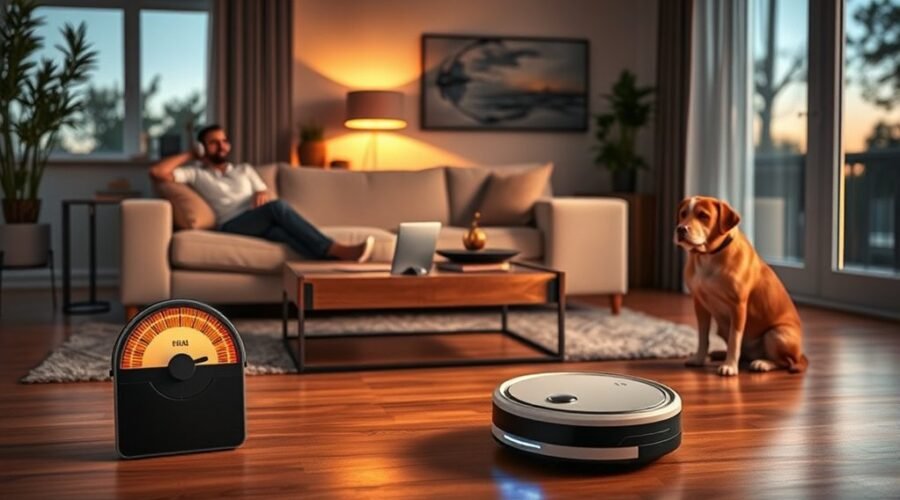
Robot vacuum noise levels matter when you want clean floors without interrupting work, conversations, or rest. A steady fan hum is normal, but rattling, grinding, or sharp squealing may signal a problem. Understanding decibel ratings helps you choose a quieter model and recognize when your current vacuum needs attention.
Quick Answer
Most robot vacuums produce about 55–70 decibels (dB) during cleaning, roughly within the range of normal conversation. Models below 60 dB are generally quieter, while maximum suction and self-emptying docks can be louder. If your vacuum suddenly makes unusual noises, inspect its brushes, wheels, dustbin, and airflow path before assuming the motor is damaged.
Key Takeaways
- A 10 dB increase sounds approximately twice as loud to most people.
- Quiet-mode ratings do not necessarily represent everyday cleaning noise.
- Self-emptying docks can be substantially louder than the robot itself.
- Hard floors, carpet-boost settings, tangled brushes, and blocked airflow all affect noise.
- Compare models using the same cleaning mode, floor type, and measurement distance whenever possible.
How Loud Is a Robot Vacuum?
)
A typical robot vacuum operates at around 55–70 dB, depending on its model, suction setting, and cleaning surface. This makes many robot vacuums less disruptive than powerful upright cleaners, although neither type is completely silent.
For comparison, the National Institute on Deafness and Other Communication Disorders (NIDCD) lists normal conversation at approximately 60–70 dBA. A robot vacuum in its lowest suction setting may produce less sound than nearby conversation.
Actual loudness varies because a robot vacuum creates several types of sound:
- Motor and fan noise: A steady humming or rushing sound as the machine creates suction.
- Brush noise: Light scraping or contact sounds as brushes collect debris.
- Wheel noise: Rolling sounds that change across tile, wood, carpet, and uneven surfaces.
- Dock noise: A stronger vacuum sound during automatic dust collection, plus possible mop-washing or drying sounds.
The same vacuum may sound fairly quiet on carpet but more noticeable on tile. Hard surfaces reflect sound, while carpets and furnishings absorb some of it.
Room layout also matters. A large, mostly empty room may produce more echo than a furnished room with rugs and upholstered furniture.
Remember: A manufacturer’s published decibel rating may represent only one operating mode. It may not describe maximum suction or the self-emptying process.
What dB Levels Count as Noisy?
Robot vacuums below 60 dB are generally considered relatively quiet. At 60–70 dB, cleaning becomes more noticeable, while levels above 70 dB can interrupt conversations or concentration, especially in smaller rooms.
These are practical comfort categories, not official noise-rating standards.
| Noise level | How it feels | Practical use |
|---|---|---|
| Below 60 dB | Relatively quiet | Suitable for routine daytime cleaning in noise-sensitive homes |
| 60–70 dB | Noticeable to fairly loud | Generally manageable but may distract nearby occupants |
| Above 70 dB | Loud and potentially disruptive | More suitable when people are away or not using the room |
Decibels do not increase on a simple linear scale. According to the NIH guide to measuring sound, a 10 dB increase represents ten times the sound intensity but sounds approximately twice as loud.
For example, a vacuum producing 70 dB can sound about twice as loud as one producing 60 dB, assuming comparable listening conditions.
Even a 3–5 dB change may be noticeable. Pitch also matters: a high-pitched whine can feel more irritating than a lower, steady hum at the same measured level.
Is 70 dB Dangerous or Just Annoying?
A noise level of 70 dB is usually more of a comfort issue than a hearing hazard during normal household cleaning.
The NIDCD’s hearing safety guidance states that sounds at or below 70 dBA are unlikely to cause hearing loss, even with prolonged exposure. Repeated or extended exposure at 85 dBA or higher presents greater concern.
However, a sound does not have to damage hearing to be disruptive. If you find it difficult to concentrate, talk comfortably, or relax, the vacuum may be too loud for that situation.
What Makes Robot Vacuums Noisy?
Robot vacuum noise comes mainly from the suction motor, airflow, rotating brushes, wheels, and vibration. Some sounds are part of normal cleaning, while others indicate friction, debris buildup, or damaged parts.
Several conditions can increase the volume:
- Higher suction power: Stronger motor operation creates more fan and airflow noise.
- Carpet detection: Some models automatically increase suction when they detect carpet.
- Clogged filters: Restricted airflow can change the motor’s sound and reduce cleaning performance.
- Full dustbins: Excess debris may interfere with normal airflow.
- Tangled brushes: Hair and thread around a brush axle can produce scraping, squeaking, or rattling.
- Wheel problems: Trapped debris, damage, or poor alignment can cause clicking and grinding.
- Loose components: An improperly secured brush cover or accessory may vibrate during operation.
Some premium models use efficient brushless motors, carefully shaped airflow passages, and vibration-dampening materials to control sound. However, these features do not guarantee that one model will be quieter than another.
Vibration, friction, and restricted airflow can make a robot vacuum sound louder, even when its suction setting has not changed.
The ECOVACS troubleshooting guide identifies suction settings, wheels, brushes, dustbin blockages, and docking-station components as common places to investigate unusual noise.
Why Is a Self-Emptying Robot Vacuum So Loud?
A self-emptying dock can be much louder than the robot because it uses a separate, powerful suction system to transfer debris into a larger collection bag or container.
The sound normally increases during dust collection and falls again when the cycle finishes. This brief increase does not automatically mean something is wrong.
Some docking stations also make noise while washing mop pads or drying them with airflow.
If your dock develops an unusual rattle or whistle, inspect the collection bag, dust transfer passage, and removable covers. Make sure everything is installed correctly.
For apartments or shared homes, consider both the robot’s cleaning noise and its docking noise before choosing a model.
Why Your Robot Vacuum Got Louder
A robot vacuum that suddenly becomes louder often has a blocked brush, clogged filter, trapped debris, or loose component. Gradual increases can also develop as wheels, brush bearings, and other moving parts wear down.
The type of sound provides useful clues.
| Sound | Possible cause | What to inspect |
|---|---|---|
| Rattling or knocking | Loose brush cover or trapped object | Main brush, side brush, and covers |
| Squeaking or grinding | Hair around an axle or worn moving part | Brush ends, wheel axles, and bearings |
| Unusually high-pitched airflow noise | Possible airflow restriction | Dustbin, filter, and suction inlet |
| Noise increases on carpet | Automatic suction boost or extra brush resistance | Cleaning mode and brush condition |
| Persistent loud motor noise | Possible fan or motor wear | Professional diagnosis if basic cleaning does not help |
These symptoms are clues rather than confirmed diagnoses. A single unusual noise can have more than one cause.
Start with accessible parts before assuming the motor has failed. The Roborock noise troubleshooting procedure recommends checking removable brushes, the front wheel, and drive wheels to isolate the source.
If the sound remains unusually loud after cleaning and reassembling the machine, a damaged bearing, wheel assembly, or motor may need professional service.
How to Reduce Robot Vacuum Noise
The best way to reduce robot vacuum noise is to remove obstructions, maintain moving parts, and use an appropriate suction setting. Start with the easiest checks before considering repairs or replacement.
You can usually inspect the dustbin, brushes, filter, and wheels without opening the machine’s internal motor housing.
Warning: Turn off the robot before removing brushes, wheels, or covers. Follow the manufacturer’s instructions for removable parts. Never operate the machine with a wet filter or exposed electrical components.
Inspect Brushes and Wheels
Hair tangles, trapped grit, and worn brushes can cause scraping or rattling. Cleaning these parts often helps restore smooth movement and more consistent sound.
- Remove the main brush. Release its cover according to your model’s instructions.
- Clear tangled hair. Remove threads and debris from the bristles, rubber rollers, and accessible axle ends.
- Inspect the side brush. Check for bent bristles, trapped hair, or looseness.
- Check the wheels. Rotate accessible wheels by hand and remove visible debris that interferes with movement.
- Inspect for wear. Replace cracked brushes, damaged wheels, or other worn parts with compatible replacements.
- Reassemble securely. Confirm that brushes and covers fit correctly before restarting the vacuum.
After reassembly, run a short cleaning cycle and listen for changes. The robot should move smoothly without persistent scraping, irregular knocking, or unusual vibration.
If the noise continues, inspect the remaining airflow components.
Clear Clogs and Debris
A full dustbin or blocked suction path can change the motor’s sound and reduce cleaning performance. Removing the obstruction allows air to move more freely through the vacuum.
- Empty the dustbin. Remove collected dirt, hair, and compacted debris.
- Inspect the suction inlet. Look for paper, hair clumps, or other objects blocking the opening.
- Clean the filter. Remove loose dust using the maintenance method approved for your model.
- Check the filter condition. Replace it if it is damaged or cannot be cleaned effectively.
- Reinstall the components. Ensure that the dustbin, filter, and covers fit correctly.
- Test the robot. Compare its sound and cleaning performance with its previous operation.
Some robot vacuum filters are washable, while others are not. Wash a filter only when your model’s instructions permit it, and allow it to dry completely before reinstalling.
A clean filter cannot correct a worn motor, but it removes one common source of airflow restriction.
Adjust Suction Power and Cleaning Schedules
Lowering suction power is one of the simplest ways to reduce normal operating noise. Many robot vacuums offer quiet, standard, turbo, or maximum cleaning modes.
Use quiet mode for light daily dust, especially on hard floors. Choose stronger suction when cleaning carpets, heavy debris, or stubborn pet hair.
Be aware that quieter settings may leave behind more dirt on demanding surfaces.
If your vacuum supports automatic scheduling, run louder cleaning cycles while occupants are away. Avoid self-emptying cycles during sleep or quiet hours when your model allows separate control.
Check Whether the Noise Has Improved
Listen to the vacuum on the same floor and in the same cleaning mode before and after maintenance. Comparing different modes can make the results misleading.
For a more consistent comparison, use a sound meter or decibel-measuring app from a fixed position. Keep background noise as low as possible and compare readings from the same distance.
A smartphone app can provide a useful estimate, although it is less dependable than a properly calibrated sound-level meter.
If you still hear grinding, harsh squealing, or persistent rattling after basic maintenance, stop using the machine and contact the manufacturer or a qualified repair service.
Best Quiet Robot Vacuums
The eufy RoboVac 11S MAX, MOVA V50 Ultra, and Roborock S7 MaxV Ultra offer different approaches to robot vacuum cleaning. The eufy focuses on simple, relatively quiet operation, while the MOVA and Roborock add more advanced features.
Choose based on your desired cleaning performance, operating noise, and control features rather than suction power alone.
| Model | Published noise information | Main advantage |
|---|---|---|
| eufy RoboVac 11S MAX | 55 dB manufacturer rating | Simple operation and quiet everyday cleaning |
| Roborock S7 MaxV Ultra | 67 dB in Balanced mode | Advanced navigation and adjustable cleaning modes |
| MOVA V50 Ultra | No numerical dB rating confirmed on the official product page | Powerful suction and premium cleaning features |
These figures are not results from one standardized comparison test. Manufacturers may use different measurement conditions, so a lower published number does not always guarantee quieter real-world cleaning.
MOVA V50 Ultra: Premium Quiet-Cleaning Option
The MOVA V50 Ultra is a premium robot vacuum designed to combine strong suction with controlled operating noise. Its main attraction is advanced cleaning capability rather than a verified claim of being the quietest model available.
According to the official MOVA V50 Ultra specifications, the machine offers up to 24,000 Pa of suction.
The manufacturer also describes a high-speed TurboForce7 motor designed to deliver strong suction with low noise.
However, the product page does not provide a numerical operating-noise figure suitable for confirming a quietest-overall ranking.
Its practical advantages include:
- High maximum suction for demanding cleaning tasks.
- Anti-tangle technology for brushes and wheels.
- Advanced floor-cleaning features.
- A multifunctional base station that reduces routine manual maintenance.
For households where quiet operation is the highest priority, independent measurements of the robot and its base station would be especially useful before choosing this model.
eufy RoboVac 11S MAX: Best Value Choice
The eufy RoboVac 11S MAX is a practical option for buyers who want quieter routine cleaning without advanced smart-home features. Its simple controls and slim body make it particularly appealing for smaller homes and apartments.
The official eufy model comparison lists the RoboVac 11S MAX at 55 dB, with 2,000 Pa maximum suction and a 0.6-liter dustbin.
| Metric | Assessment |
|---|---|
| Noise level | 55 dB manufacturer rating |
| Cleaning performance | 2,000 Pa maximum suction |
| Price tier | Budget-oriented |
| Control features | Remote and onboard controls; no Wi-Fi or app connectivity |
The 11S MAX also includes BoostIQ technology, which automatically increases suction when additional cleaning power is needed.
This feature improves adaptability but can make the vacuum louder during demanding cleaning.
Unlike app-connected models, the 11S MAX uses its included remote control and buttons on the machine. It does not provide app scheduling, smart mapping, or app-based room restrictions.
Its strengths are straightforward operation, manageable noise, and everyday floor maintenance. Buyers who need advanced navigation or more detailed cleaning controls may prefer a different model.
Smart Noise Reduction: Roborock S7 MaxV Ultra
The Roborock S7 MaxV Ultra offers adjustable cleaning power and advanced navigation features. This makes it suitable for households that want greater control over when and how their floors are cleaned.
Roborock’s official S7 MaxV Ultra specification sheet lists 67 dB in Balanced mode, 5,100 Pa maximum suction, and up to 180 minutes of runtime under specified conditions.
The robot also supports a lower-power Quiet setting, which can reduce disruption during everyday cleaning.
Its main advantages include:
- Adjustable suction settings for different cleaning needs.
- Smart navigation that helps reduce unnecessary movement.
- Automatic docking and maintenance features.
- App-based control for managing cleaning routines.
However, stronger cleaning modes produce more noise, and the base station can become noticeably louder during automatic maintenance.
For quieter operation, use lower suction when practical and reserve maximum power for heavier debris.
What Features Make a Robot Vacuum Quieter?
A quieter robot vacuum depends on more than its motor. Airflow design, vibration control, mechanical stability, and cleaning software all affect what you hear.
Useful features include:
- Brushless motors: Efficient motor designs that can help control mechanical noise.
- Optimized airflow: Internal passages designed to reduce unnecessary turbulence.
- Vibration damping: Materials and mounting systems that limit sound transmission through the housing.
- Quiet cleaning modes: Lower suction settings for routine maintenance.
- Scheduling controls: Options to clean when noise is less disruptive.
- Stable brush assemblies: Well-supported moving parts that help reduce rattling.
Not every premium robot vacuum is quieter than a budget model. When comparing products, consider the actual decibel rating alongside cleaning performance, maintenance needs, and docking-station noise.
Frequently Asked Questions
What Are the Downsides of Using a Robotic Vacuum Cleaner?
The main downsides of a robotic vacuum cleaner include operating noise, limited deep-cleaning ability, battery constraints, and ongoing maintenance. Some models also struggle with thick carpets, tangled pet hair, clutter, and navigation errors. Brushes and filters need regular care, while replacement parts and advanced docking systems can add to ownership costs.
Are There Quieter Robot Vacuums?
Yes, several robot vacuums operate below 60 dB in at least one cleaning mode. The eufy RoboVac 11S MAX, for example, has a published 55 dB rating. However, no robot vacuum is completely silent, and noise can increase with stronger suction, different floor surfaces, or automatic dust collection.
Is 70 dB Loud for a Vacuum?
Yes, 70 dB is fairly loud for a robot vacuum, especially during continuous cleaning in a small room. It is near the upper end of the typical 55–70 dB operating range. While this level is generally not a hearing hazard during normal use, it can interrupt conversations, work, or rest.
How Many Decibels Is a Roomba?
Roomba noise levels depend on the specific model, cleaning mode, and floor type. Some operate around 60–66 dB during cleaning, while higher-power conditions may approach 71 dB. These figures are not universal specifications. Quiet settings generally reduce suction noise, while more powerful cleaning and automatic dust collection can sound considerably louder.
For model-specific cleaning settings, iRobot’s cleaning preferences documentation explains how Quiet Clean uses lower power and how more detailed cleaning can increase noise.
Conclusion
Most robot vacuums operate around 55–70 dB, but the sound you hear depends on suction power, flooring, room acoustics, and maintenance. Models below 60 dB can be a better choice for noise-sensitive households, although their higher-power settings may be louder.
If your existing vacuum suddenly becomes noisy, clean the brushes, wheels, dustbin, and filter before considering replacement. When choosing a new machine, compare normal cleaning noise and self-emptying dock noise, not just the quietest advertised rating.
Sources
- National Institute on Deafness and Other Communication Disorders: How Is Sound Measured?: Explains decibels, perceived loudness, and A-weighted sound measurements.
- NIDCD: Noise-Induced Hearing Loss: Supports common sound comparisons and hearing safety guidance.
- ECOVACS: Troubleshooting Loud or Unusual Robot Vacuum Noises: Provides manufacturer guidance for brushes, wheels, airflow, suction settings, and docking-station noise.
- Roborock Support: What Should I Do When the Robot Cleaner Makes Noise?: Supports troubleshooting procedures for brushes, wheels, and abnormal mechanical noise.
- MOVA: V50 Ultra Complete Official Product Specifications: Confirms suction specifications and manufacturer-described motor features.
- eufy: RoboVac Product Comparison: Confirms the 11S MAX noise rating, suction power, dustbin capacity, and connectivity limitations.
- Roborock: S7 MaxV Ultra Specification Sheet: Confirms the Balanced-mode noise rating and technical specifications.
- iRobot: Cleaning Preferences and App Features: Explains Quiet Clean, stronger cleaning modes, and differences in operating behavior.