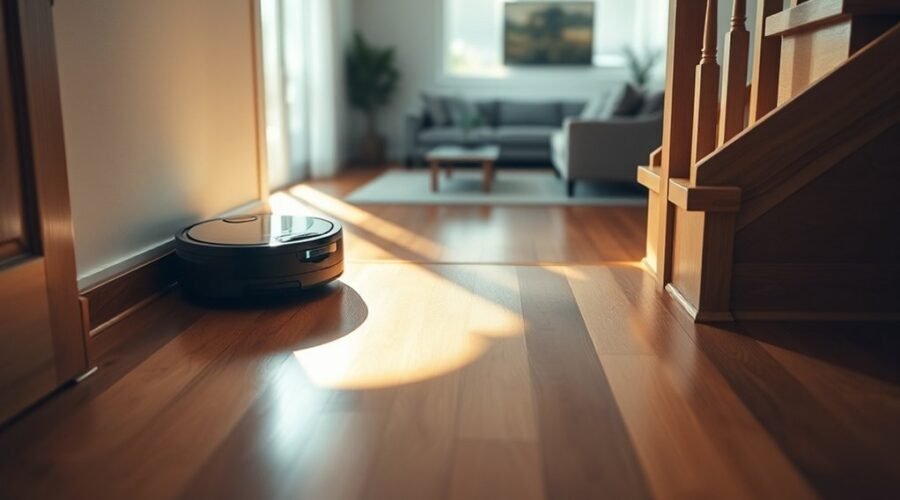
Can a robot vacuum fall down stairs even when it has built-in safety sensors? Most models are designed to avoid drops, but that protection is not perfect. Dirty sensors, unusual flooring, and poor setup can increase the risk. Understanding these weak points helps you keep your robot vacuum safe on an upper floor.
Quick Answer
Yes, a robot vacuum can fall down stairs if its cliff sensors fail to detect an edge. Most models use infrared sensors to recognize drop-offs and turn away. To reduce the risk, clean the sensors, secure loose rugs, use physical barriers around stairs, and add app-based no-go zones as an extra safeguard.
Can a Robot Vacuum Fall Down Stairs?
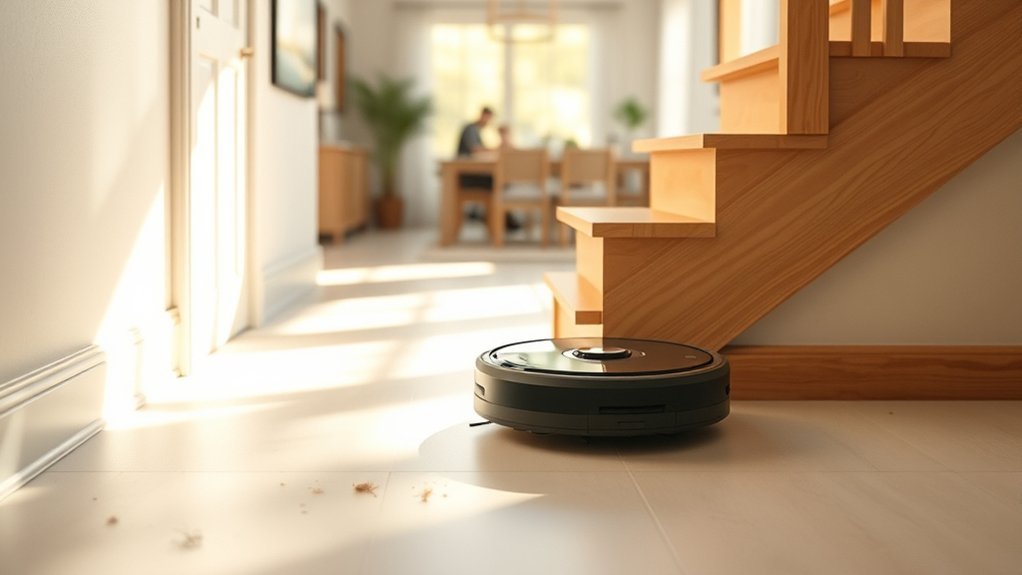
Yes. A robot vacuum can fall down stairs, although most modern models are designed to prevent this. Built-in cliff sensors detect changes in floor height and tell the machine to stop, reverse, or change direction.
Under normal conditions, this protection works automatically. However, it depends on the sensors detecting the floor correctly.
Falls can happen when sensors become dirty or damaged. Dark carpets, reflective flooring, and carpeted stair edges may also interfere with detection.
According to eufy’s official stair safety guidance, its RoboVac drop sensors may not work effectively on carpeted stairs or extremely dark floors.
You should therefore treat cliff sensors as an important safety feature, not a guarantee against falls. This is especially important on upper floors with open staircases or raised landings.
How Robot Vacuum Cliff Sensors Work
Robot vacuum cliff sensors detect stairs by measuring how infrared light reflects from the floor. They help the machine recognize when a solid surface ends.
Most robot vacuums have several downward-facing sensors underneath the body, often near the front and sides.
Here is how the detection process works:
- Send infrared light: The sensors project invisible infrared signals toward the floor.
- Read the reflection: Receivers detect the light reflected from the surface below.
- Identify a drop: A missing or unusually weak reflection may indicate that the floor ends.
- Change direction: The robot stops, reverses, or turns to avoid crossing the edge.
This process runs continuously while the vacuum moves.
Some advanced models also use LiDAR, cameras, or other navigation sensors. These systems help the robot recognize rooms and obstacles, but they do not replace dependable cliff detection.
Cliff sensors normally work without room lighting because they produce their own infrared signals. However, dirty sensor windows and certain floor materials can affect their readings.
Why Robot Vacuums Miss Stair Edges
A robot vacuum may miss a stair edge when its sensors cannot accurately distinguish the floor from a drop. Dirt, surface reflections, floor coverings, and damaged components are possible causes.
The most common risk factors include:
- Dirty sensors: Dust, hair, or smudges interfere with infrared readings.
- Dark flooring: Black or very dark surfaces absorb infrared light and can cause detection errors.
- Reflective surfaces: Glossy floors or metallic edges may produce confusing reflections.
- Carpeted stairs: Soft surfaces and carpet overhangs can affect drop detection.
- Loose rugs: Rugs that hang over stair edges may interfere with reliable readings.
- Sensor damage: Cracks, scratches, or internal faults can prevent normal detection.
- Navigation problems: Incorrect maps or positioning errors may bring the vacuum too close to a dangerous edge.
Dark floors often trigger false cliff warnings, while damaged sensors and difficult stair edges can create a more serious fall risk.
These conditions do not affect every model in the same way. A robot that performs well on light-colored hardwood may behave differently on dark carpet or polished tile.
Watch how your vacuum responds to these surfaces before allowing unattended cleaning near an exposed staircase.
Dirty Sensors and Dark Floors
Dirty cliff sensors and dark floors can disrupt a robot vacuum’s ability to recognize its surroundings. However, they do not always cause the same problem.
When dust covers a sensor, it can interfere with the infrared signal. The robot may stop unexpectedly, report an error, or fail to recognize an edge correctly.
Dark flooring often causes the opposite problem: The robot may mistake a safe floor for a drop.
Black carpets absorb much of the infrared light directed at them. The vacuum may receive too little reflected light and assume there is a staircase beneath it.
As a result, it may:
- Stop cleaning on dark carpet.
- Reverse or turn away from black tiles.
- Repeatedly avoid a section of the room.
- Display a cliff sensor or drop-off warning.
The iRobot Error 6 troubleshooting guide confirms that some Roomba models interpret dark flooring as a drop-off.
Highly reflective floors and strong sunlight can also interfere with certain infrared sensor systems. Near stairs, unusual floor conditions deserve extra caution.
Warning: Never tape over, cover, or disable cliff sensors in a home with stairs or other drop-offs. Disabling this safety feature may allow the vacuum to move across an exposed edge.
If your robot struggles on dark floors, keep the cliff sensors clean and use a secure barrier near stairs. Do not disable drop detection to force the machine to cross dark carpet.
How Navigation Errors Cause Falls
Navigation errors can increase the chance of a robot vacuum approaching a staircase incorrectly. However, an inaccurate map alone should not cause a fall when the cliff sensors are working properly.
Mapping systems help robots remember room layouts, obstacles, and restricted areas. Problems can arise when the stored map no longer matches the home.
Possible causes include:
- Moving furniture after the original map was created.
- Placing the robot on a different floor without selecting the correct map.
- Changes in the charging dock’s location.
- Software errors or poor robot positioning.
- Lost or incorrectly placed virtual boundaries.
An inaccurate map can bring a robot closer to a staircase, but cliff sensors should still detect the actual drop.
Some robots also behave unpredictably when wheels are obstructed or when the machine becomes stuck on an uneven surface.
Low battery levels generally affect cleaning time and the ability to return to the dock. They should not be assumed to directly weaken the cliff sensors.
If your vacuum repeatedly approaches stairs despite its saved boundaries, stop the cleaning cycle and inspect its map and sensors.
Keep a physical barrier in place until you can identify and correct the problem.
How to Stop a Robot Vacuum From Falling
The safest way to prevent a robot vacuum from falling down stairs is to combine proper maintenance with a secure physical barrier. App-based restrictions can provide additional control.
Start with the machine’s sensors, then check the cleaning map and block access to exposed edges.
Clean Cliff Sensors
Clean cliff sensors allow the robot vacuum to detect floor changes more reliably. Regular cleaning removes dust that may interfere with infrared signals.
Follow these steps:
- Turn off the robot: Stop the cleaning cycle and switch off the machine according to its manual.
- Turn it over carefully: Place it on a stable surface to access the underside.
- Locate the sensors: Look for the small sensor windows underneath the robot.
- Wipe each sensor: Use a clean, dry microfiber cloth unless your manufacturer specifies another method.
- Inspect for damage: Look for scratches, cracks, moisture, or loose parts.
- Check normal operation: Restart the robot in a safe, level area before allowing it near stairs.
These steps follow the general approach in iRobot’s official cliff sensor cleaning instructions.
Do not spray cleaning solution directly into sensor openings. Avoid using sharp tools that could damage the sensor windows.
If the vacuum still displays drop-off warnings after cleaning, check the operating surface and consult the manufacturer’s troubleshooting guidance.
Set No-Go Zones
No-go zones tell compatible robot vacuums to avoid selected areas on their cleaning maps. They are useful for keeping a robot away from stair landings, fragile objects, and other restricted spaces.
To create a no-go zone:
- Open your robot vacuum’s mobile app.
- Select the correct floor map.
- Open the map editing or restricted-area controls.
- Choose a no-go zone or virtual boundary.
- Mark the staircase and surrounding hazard area.
- Save the changes.
- Verify the boundary during a supervised cleaning run with the staircase physically blocked.
Exact controls vary by model. The eufy virtual boundary instructions show how supported RoboVac models use saved maps to define restricted areas.
These features are not available on every robot vacuum. Basic models may rely on physical boundaries instead.
Remember that no-go zones are not a substitute for stair barriers. A map can become inaccurate or lose its saved restrictions.
Add Physical Barriers
Physical barriers prevent a robot vacuum from reaching an exposed staircase. They provide protection even if navigation or cliff detection fails.
Baby gates, secure panels, and compatible boundary strips are common options. Their effectiveness depends on how they are installed and whether the robot can pass underneath or around them.
| Barrier | Best use | Note |
|---|---|---|
| Baby gate | Stair tops | Keep latched and check bottom clearance |
| Magnetic strip | Compatible robot models | Confirm compatibility and placement |
| Tall barrier | Open landings | Use a stable, continuous boundary |
| App no-go zone | Map control | Use as additional protection |
| Regular inspection | Ongoing safety | Recheck barriers after changes |
Magnetic boundary strips are not compatible with every model. Some robots lack the sensors needed to recognize them.
For an open staircase, a secure gate or solid physical barrier is generally a stronger safeguard than a magnetic strip alone.
Make sure your barrier cannot be pushed aside and has no opening large enough for the vacuum to pass through.
How to Check Sensors and No-Go Zones
After cleaning the sensors and setting no-go zones, verify that the robot responds correctly. A successful setup should keep the vacuum inside its intended cleaning area without repeated errors.
Check the machine on a safe floor before testing its boundaries under supervision.
Sensor Cleaning Basics
A simple inspection routine helps you spot problems before they affect stair detection. Focus on sensor cleanliness, physical damage, and unusual movement.
| Task | Tool | Result |
|---|---|---|
| Wipe sensors | Dry microfiber | Remove buildup |
| Inspect area | Visual check | Identify obstructions or damage |
| Test near stairs | Supervised run with a secure barrier | Verify safe operation |
Do not place the robot at an unprotected stair edge to see whether it falls. Instead, follow the model’s recommended sensor test procedure and use a physical barrier during nearby cleaning.
If the robot repeatedly reports a cliff error on a level floor, inspect the surface beneath it. Dark flooring may be the cause, even when the sensors are clean.
A vacuum with persistent sensor faults should not be used near an exposed staircase until the problem is resolved.
App No-Go Zones
Saved no-go zones should match the robot’s current map and floor location. If the robot uses multiple maps, confirm that the correct one is active.
Review the following items:
- The restricted area covers the full stair opening.
- The virtual boundary is positioned correctly on the map.
- The robot is using the intended floor map.
- The saved restrictions remain visible after app or firmware updates.
- The robot follows its intended route during a supervised run.
Some models can lose virtual boundaries after major layout changes or manual repositioning.
If a boundary disappears, recreate and verify it before the next cleaning session.
Pro Tip: If your robot supports multiple floor maps, give each floor a clear name in the app. Before starting an upstairs cleaning cycle, confirm that the selected map contains the correct restricted areas.
Use Barriers and Move the Dock
Keeping the charging dock away from stairs reduces the chance of a robot vacuum approaching a dangerous edge while returning to charge. A secure barrier offers additional protection.
Place the dock on a stable, level floor against a wall. Choose an area where the robot can approach and leave without passing close to a drop-off.
According to eufy’s charging base placement guidance, its charging docks should not be installed near stairs.
The manufacturer also recommends keeping the surrounding area clear so the vacuum can dock properly.
Avoid placing the dock:
- Directly beside an open staircase.
- On an uneven or unstable surface.
- Behind furniture that blocks the return route.
- Where loose cables can catch the wheels or brushes.
After moving the dock, check whether your robot needs to update or rebuild its map.
For upper floors, use a secure physical barrier across exposed stairs. This is especially important during unattended cleaning.
The Roborock S7 user manual specifically advises using secure physical barriers on raised surfaces. It also warns that virtual no-go zones should not be used to isolate hazards.
Using the correct dock position, physical barriers, and accurate maps creates a safer operating environment.
How Low Light Affects Stair Detection
Low light does not automatically stop a robot vacuum’s cliff sensors from working. Most infrared cliff sensors produce their own light and do not need a bright room to detect floor changes.
However, the robot’s overall navigation performance may depend on its sensor technology.
Infrared cliff sensors: Usually work in darkness, although unusual floor materials and external light interference may affect some models.
LiDAR navigation: Uses laser-based distance measurements and generally works without normal room lighting.
Camera-based navigation: May have difficulty identifying objects and room features when visibility is poor, unless the system includes suitable low-light technology.
The distinction matters because dark floors and dark rooms are different problems.
A black carpet may confuse a cliff sensor even in a brightly lit room. Meanwhile, an infrared-equipped robot may detect a stair edge correctly in a dark room.
The ECOVACS guide to robot vacuums in dark environments explains how infrared, LiDAR, and optical navigation systems respond to low lighting.
If your machine relies heavily on cameras, adequate lighting may improve object recognition and navigation.
However, keeping the lights on is not a replacement for clean cliff sensors or secure stair barriers.
What to Do If Your Robot Vacuum Falls
If your robot vacuum falls down stairs, turn it off and inspect it before using it again. Even when the outer casing looks normal, the impact may damage internal parts or safety sensors.
Follow these steps:
- Turn off the vacuum: Stop the machine and disconnect it from charging equipment.
- Inspect the casing: Look for cracks, loose panels, or separated components.
- Check the wheels: Confirm that they are attached properly and can move without obvious obstruction.
- Inspect the brushes: Look for broken parts, debris, or components displaced by the fall.
- Check the battery area: Look for swelling, cracks, leaks, unusual heat, or other visible damage without opening the battery pack.
- Inspect the cliff sensors: Check for broken windows, scratches, dirt, or misalignment.
- Assess the damage: If anything appears damaged or unusual, contact the manufacturer before restarting the vacuum.
- Check safe operation: If there is no sign of damage, follow the manufacturer’s instructions for testing the machine on a safe, level surface.
If the robot moves erratically, makes unusual sounds, reports repeated errors, or cannot navigate correctly after the fall, stop using it.
Note: If the casing or battery appears damaged, do not recharge or operate the vacuum. Contact the manufacturer or a qualified repair technician for inspection. A fall can cause damage that is not immediately visible.
You should also review the product’s warranty and any accidental-damage protection plan.
Standard warranties do not necessarily cover falls. For example, the iRobot limited warranty excludes damage caused by accidents, subject to its stated terms and applicable consumer rights.
If the fall may have resulted from a defective safety sensor, explain the circumstances to the manufacturer and ask whether an inspection or warranty assessment is available.
Before allowing the robot to clean upstairs again, review the staircase layout and correct any sensor, mapping, or barrier problems.
Key Takeaways
- Dark floors often make robot vacuums stop unnecessarily because the sensors mistake them for drops.
- Infrared cliff sensors normally work in darkness, but camera-based navigation may need more light.
- No-go zones can become unreliable if a map changes or the robot loses its position.
- Magnetic boundary strips work only with compatible models and are not equivalent to a secure physical barrier.
- A robot that falls should be inspected before reuse, and accidental damage may be excluded from standard warranties.
Frequently Asked Questions
How Can I Prevent My Robot Vacuum From Falling Down Stairs?
You can reduce the risk by keeping cliff sensors clean, blocking exposed stair edges, and using compatible no-go zones. Place the charging dock away from stairs and check that rugs do not hang over the edge. Use a secure physical barrier for additional safety.
What Are the Downsides of Using a Robotic Vacuum Cleaner?
Robot vacuums need regular maintenance and can struggle with cords, thresholds, dark carpets, and cluttered spaces. They also have limited battery life and cannot clean ordinary stair treads on their own. Sensor faults and navigation errors may require troubleshooting or professional service.
Can You Use a Robot Vacuum if You Have Stairs?
Yes, you can use a robot vacuum in a home with stairs. Most models have cliff sensors designed to detect drop-offs. However, you should block exposed stair edges and follow the manufacturer’s safety instructions. Some models also support separate maps for multiple floors.
My Roomba Fell Down the Stairs. Is This Normal?
No, a Roomba falling down stairs is not normal operation. It may indicate a sensor fault, difficult floor conditions, or another safety problem. Turn it off, inspect it for damage, and contact iRobot if the cause is unclear. Do not use it near stairs again until the issue is resolved.
Can a Robot Vacuum Clean the Stairs Themselves?
No, standard robot vacuums cannot climb or descend stairs to clean individual steps. They are designed mainly for level floors. You must move the vacuum between floors manually if it supports multi-floor cleaning. Use a handheld or conventional vacuum to clean the stair treads.
Can No-Mop Zones Protect a Robot Vacuum From Stairs?
No, a no-mop zone is not a dependable stair safety boundary. On some models, it restricts access only during mopping, while vacuum-only cleaning may still enter the area. Use a full no-go zone or virtual wall if supported, along with a secure physical barrier.
Conclusion
A robot vacuum can fall down stairs, but proper maintenance and a safer home setup can greatly reduce the risk. Clean the cliff sensors, watch for problems on dark or reflective floors, and keep exposed staircases blocked.
Use no-go zones as an extra safeguard rather than your only protection. If your vacuum shows repeated cliff errors or has already fallen, resolve the problem before allowing it to clean near stairs again.
Sources
- eufy Support: Will RoboVac Fall Down Stairs?: Drop sensors, carpeted stairs, dark flooring, and physical barriers.
- iRobot: Roomba Error 6 Troubleshooting: False cliff detection on dark floors and sensor errors.
- iRobot: How to Clean Roomba Cliff Sensors: Official sensor cleaning guidance.
- eufy Support: Setting No-Go Zones and Virtual Boundaries: Creating and saving restricted cleaning areas.
- Roborock S7 User Manual: Physical barrier precautions, map limitations, and safety guidance.
- eufy Support: Charging Base Placement: Dock location and stair safety.
- ECOVACS: Robot Vacuums in Dark Environments: Infrared, LiDAR, cameras, and low-light navigation.
- iRobot Limited Warranty: Warranty coverage and accidental-damage exclusions.