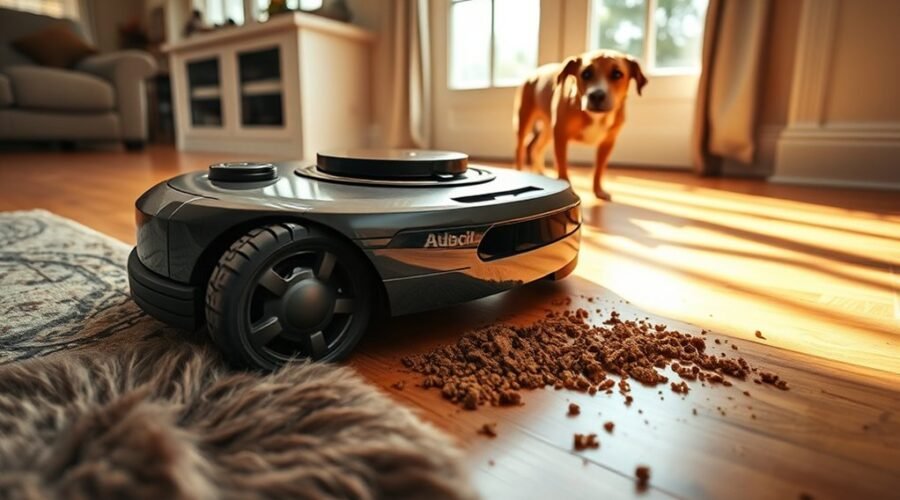
A robot vacuum can spread pet waste across your home if it rolls over an accident. Dog poop can stick to its wheels, brushes, and suction path, leaving contaminated trails on your floors. Smart obstacle detection reduces this risk, but it cannot prevent every accident. Understanding how these systems work helps you protect your home, pets, and vacuum.
Quick Answer
Yes, robot vacuums can spread pet waste when they fail to detect it. Brushes and wheels may smear poop across multiple rooms. Models with dedicated pet-waste recognition, such as the Roomba j7+ and Dreame X50 Ultra, can reduce this risk. However, checking floors before cleaning remains the safest precaution.
Key Takeaways
- LiDAR mapping helps a robot navigate your home but does not automatically mean it recognizes pet waste.
- Small, flat, soft, or wet messes can challenge even advanced obstacle detection systems.
- No-go zones provide extra protection around litter boxes and areas where accidents happen often.
- After contact with poop, inspect the vacuum, floor, and docking station before restarting cleaning.
- Only wash removable parts that the manufacturer specifically identifies as washable.
Can a Robot Vacuum Spread Pet Waste?
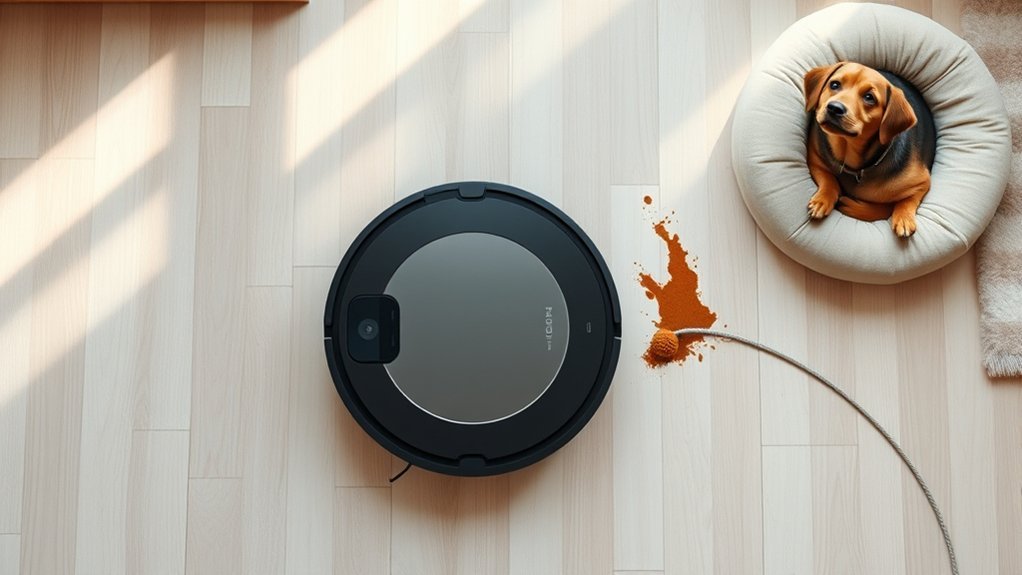
Robot vacuums can spread dog poop or other pet waste when they make direct contact with it. Traditional models with basic bump sensors are especially vulnerable because they may not recognize a soft object as something to avoid.
Once the vacuum touches the waste, several components can become contaminated:
- Main brush: Rotates through the waste and may transfer it to other areas.
- Side brushes: Push contaminated material toward nearby floors and edges.
- Drive wheels: Carry residue along the robot’s cleaning route.
- Suction pathway: May collect waste, causing blockages and unpleasant odors.
- Dustbin: Can retain contaminated debris and become difficult to clean.
- Mop pads: May spread contamination over a larger area if the robot also mops.
A vacuum with automatic dirt disposal can create another problem. If it returns to its station while contaminated, waste may reach the dock’s dust collection system.
Without reliable obstacle avoidance, a robot vacuum can drag pet waste from one room into another.
Advanced robots use cameras, depth sensors, and AI recognition to reduce accidental contact. However, obstacle avoidance is not the same as guaranteed pet-waste detection.
The safest approach combines appropriate technology with a quick floor inspection before each cleaning session.
Why Robot Vacuums Miss Dog Poop
Robot vacuums miss dog poop because their sensors cannot always distinguish pet waste from normal floor surfaces or harmless objects. Detection depends on the object’s size, shape, texture, lighting, and the robot’s recognition software.
Even an expensive model can make a mistake if its sensors receive incomplete information.
AI Misses Irregular Shapes
Dog poop has no consistent shape or height. It can appear as a small pile, a flat smear, or several scattered pieces. This makes recognition difficult for robots trained primarily to detect common household objects.
Different detection systems handle these situations in different ways.
| Detection method | Typical limitation |
|---|---|
| Bump-and-turn | Usually responds after contact and may push soft waste |
| Infrared sensors | Performance depends on object size, position, and sensor design |
| AI camera systems | Recognition depends on training, visibility, and supported object categories |
| Depth sensing | Very flat or small hazards may be difficult to distinguish |
| Obstacle detection | Can avoid physical objects without necessarily identifying pet waste |
A robot may recognize shoes and toys accurately while still missing an unusually shaped pile of waste.
That is why you should check whether a manufacturer specifically lists pet waste among the objects its vacuum can recognize.
Low-Light Detection Limits
Low light can make pet-waste detection harder for robot vacuums that depend on visible-light cameras. They may struggle to distinguish dark or irregular objects from the floor.
However, not all sensors require room lighting.
- RGB cameras: Capture visual details and may need supplemental lighting in dark rooms.
- Infrared sensors: Can detect certain obstacles without relying on visible light.
- LiDAR: Uses laser measurements to map distances, even in darkness.
- LED fill lights: Help some camera systems identify obstacles in dim environments.
A robot that navigates successfully in darkness may still lack the ability to recognize pet waste.
For example, a LiDAR-equipped vacuum may know where walls and furniture are without knowing that a small object on the floor is dog poop.
If your robot relies on camera recognition, use adequate lighting unless the manufacturer confirms reliable detection in darkness.
How Robot Vacuums Detect Dog Poop?
Modern robot vacuums detect dog poop through a combination of object recognition and obstacle avoidance. The robot first gathers information about an object, then decides whether to avoid it.
Depending on the model, the detection process may involve several technologies:
- Camera scanning: An RGB camera captures visual details of an object ahead.
- Depth measurement: Infrared or structured-light sensors estimate its position, size, and shape.
- AI classification: Recognition software compares detected features with its supported object categories.
- Path adjustment: The navigation system changes the robot’s route to avoid contact.
- Map awareness: LiDAR and other navigation sensors help the robot continue cleaning around the obstacle.
Some advanced recognition systems support hundreds of object categories. However, the number of recognizable objects does not prove that pet waste is one of them.
For example, iRobot’s PrecisionVision documentation identifies solid pet waste among the obstacles supported by certain camera-equipped Roomba models.
Clean cameras and sensors are also essential. Dust, pet hair, or dried residue can interfere with detection and navigation.
Keep in mind that recognizing an object and safely avoiding it are separate tasks. A vacuum must perform both correctly to prevent an accident.
Features That Help Robot Vacuums Avoid Dog Poop
The most helpful features are dedicated pet-waste recognition, real-time obstacle avoidance, and customizable no-go zones. Together, they provide better protection than basic navigation alone.
When choosing a robot vacuum for a home with pets, consider how these features work rather than relying only on suction power or marketing descriptions.
AI Obstacle Detection
AI obstacle detection helps robot vacuums identify objects and adjust their cleaning paths before contact. Models with pet-waste recognition can distinguish certain animal accidents from ordinary household debris.
Useful capabilities include:
- Pet-waste recognition: Identifies supported forms of dog or cat poop.
- Real-time avoidance: Redirects the vacuum around detected hazards.
- Depth sensing: Helps identify an object’s position and physical dimensions.
- Low-light assistance: Uses suitable sensors or additional lighting when visibility drops.
- Obstacle notifications: Allows some robots to report detected objects through their apps.
These systems work best when the software is configured correctly and sensors remain clean.
They also have limits. Loose stool, very small droppings, and irregularly shaped material may still be difficult to detect.
No-Go Zone Mapping
No-go zone mapping lets you keep a robot vacuum away from areas where pet accidents are more likely. You create virtual boundaries in the robot’s companion app, and the vacuum avoids those locations during cleaning.
This is particularly useful around litter boxes, puppy pads, and rooms used by pets with frequent accidents.
| Feature | Effect |
|---|---|
| No-go zone mapping | Blocks the vacuum from designated areas |
| Virtual boundaries | Keep cleaning routes away from selected spaces |
| Object recognition technology | Identifies supported obstacles during cleaning |
| Infrared sensors | Help detect nearby objects and measure distances |
Set these boundaries after the vacuum has created an accurate map of your home. Check that the selected zones cover the entire risk area.
Remember that no-go zones protect fixed locations. They cannot prevent accidents that happen unexpectedly elsewhere.
Best Robot Vacuums for Pet Owners
For pet owners concerned about spreading waste, the best robot vacuum is one with documented pet-waste detection. Strong suction, advanced navigation, and self-emptying features are useful, but they do not guarantee accident avoidance.
The following models from the original comparison offer different levels of obstacle recognition.
Roomba j7+
The Roomba j7+ uses PrecisionVision Navigation to identify and avoid obstacles such as charging cables and solid pet waste.
It is a relevant choice for households that want specific pet-waste recognition rather than general obstacle avoidance alone.
Eligible products may also qualify for iRobot’s Pet Owner Official Promise. Under the official replacement promise terms, coverage applies to qualifying solid cat or dog waste incidents for up to one year from purchase.
Eligibility depends on factors including purchase location, seller, proof of purchase, and product type. The stated terms cover qualifying purchases in the United States and Canada, and the promise replaces the robot rather than paying for household floor damage.
Dreame X50 Ultra
The Dreame X50 Ultra combines an AI camera with 3D structured-light sensing to recognize and avoid household obstacles.
According to Dreame’s X50 Ultra specifications, its detection system can identify up to 200 object types, including pet waste.
The model also uses built-in LED lighting to assist obstacle recognition in dim areas.
Its self-emptying station and anti-tangle brush system make it useful for managing regular pet hair and debris. However, its waste recognition still requires sensible precautions.
Dreame L40s Ultra
The Dreame L40s Ultra provides LiDAR navigation, 3D structured-light obstacle avoidance, and anti-tangle brushes.
However, it should not be confused with camera-equipped models that specifically recognize pet waste.
As explained in Dreame’s L40s Ultra documentation, this model uses structured-light sensing rather than an RGB camera and does not provide the same dedicated pet-waste recognition.
It can be useful for pet hair and everyday cleaning. For homes with frequent accidents, additional floor checks and no-go zones are especially important.
eufy S1 Pro
The eufy S1 Pro uses 3D MatrixEye AI and active infrared stereo vision to detect obstacles and estimate their size.
According to eufy’s official S1 Pro specifications, it recognizes up to 55 types of obstacles and is designed to detect objects as small as 2.5 × 2.5 × 2.5 cm.
It also provides advanced navigation and floor-washing features.
However, these specifications do not establish that the S1 Pro reliably identifies every form of pet waste. Small, soft, or flat material may still present problems.
What about filtration? A good filtration system helps capture dust and pet dander. HEPA or other high-efficiency filters can be helpful for particle control, but they do not make contaminated pet waste safe to vacuum.
Likewise, self-emptying reduces routine dustbin handling but does not remove the need to inspect and clean contaminated components.
How to Keep Robot Vacuums Away From Pet Waste
You can reduce the chance of a pet-waste accident by preparing the cleaning area and scheduling runs carefully. Even with AI detection, a few simple precautions provide an extra layer of protection.
Use this checklist before starting your vacuum:
- Inspect the floor. Look for poop, urine, vomit, or other accidents before cleaning starts.
- Clean up pet messes manually. Never rely on the robot to collect feces or liquids.
- Set no-go zones. Exclude litter boxes, puppy-pad areas, and other accident-prone locations.
- Choose cleaning times carefully. Run the vacuum after your dog has had a chance to relieve itself, preferably when you can check the area first.
- Keep pets away during cleaning when practical. This reduces unexpected obstacles and interruptions.
- Clear loose objects. Remove cords, toys, and other clutter that may interfere with navigation.
- Maintain sensors. Wipe cameras and sensor windows using the method recommended for your model.
- Check your robot’s map and software. Make sure saved boundaries remain accurate and available updates are installed.
Use virtual boundaries around risky areas, and schedule vacuuming when your pets are less likely to have an accident.
If your dog has frequent indoor accidents, avoid fully unattended cleaning in affected rooms. You can still automate cleaning elsewhere while keeping high-risk areas under manual control.
Also remember that a no-mop zone is not necessarily a no-go zone. A no-mop zone may stop water use while still allowing the robot to enter and vacuum the area.
How to Clean a Robot Vacuum After Dog Poop
If your robot vacuum runs over dog poop, stop it immediately. Cleaning both the machine and the affected floors is essential because waste can remain on wheels, brushes, and other surfaces.
Do not restart the vacuum until you have inspected all potentially contaminated components.
Warning: Do not immerse the robot vacuum in water or spray disinfectant into its motor, charging contacts, or electrical openings. Many vacuum filters cannot be washed. Follow your model’s cleaning instructions, and keep pets and children away from contaminated areas until cleaning is complete.
Step 1: Stop the Vacuum Immediately
Use the robot’s stop button or companion app to end the cleaning cycle.
Prevent it from returning automatically to the charging dock, especially if the station has automatic dust disposal or mop washing.
If you may qualify for a manufacturer replacement promise, photograph the contaminated robot before cleaning it.
Step 2: Prepare for Safe Cleaning
Put on disposable gloves and keep pets and children away from the affected space.
Move the robot onto a protected surface where you can inspect it without spreading more waste. Power it off according to the manufacturer’s instructions.
Most owners should not open a sealed battery compartment. Remove the battery only if your model’s official instructions specifically require and permit it.
Step 3: Remove Contaminated Parts
Carefully detach the dustbin, main brush, side brush, and mop pads when your model allows their removal.
Check the wheels, brush housing, and suction opening for visible contamination.
Use disposable paper towels to remove solid waste. Place contaminated towels and debris in a sealed waste bag.
Step 4: Clean the Dustbin and Brushes
Wash removable parts with warm, soapy water only if the manufacturer identifies them as washable and permits that cleaning method.
Brushes and plastic components may require different cleaning procedures. Follow the instructions for your specific vacuum rather than assuming all parts can be rinsed.
Pay attention to brush ends and recessed areas where waste may collect.
Step 5: Check the Filter
Remove the filter and inspect it for contamination.
Do not wash the filter unless it is specifically labeled washable. For example, iRobot’s j-series filter instructions state that those filters should not come into contact with liquid.
If a nonwashable filter has been contaminated with feces, replacing it is safer than attempting to clean it with water.
Step 6: Clean the Robot’s Exterior
Wipe contaminated exterior surfaces with a lightly dampened cloth, following the manufacturer’s care instructions.
Pay particular attention to the wheels, underside, brush compartment, and accessible suction pathway.
Use only approved cleaning methods around sensors, cameras, vents, and charging contacts.
For additional model-specific advice, consult eufy’s support instructions for pet-waste accidents.
Step 7: Clean and Disinfect the Floor
Remove all visible pet waste from the affected floor using disposable materials.
According to the CDC’s guidance on household dog waste, indoor accidents should be cleaned promptly, and contaminated areas should be disinfected.
For hard floors, use this sequence:
- Collect visible waste and dispose of it in a sealed bag.
- Clean the surface with a suitable detergent or soap solution.
- Remove remaining residue as directed by the floor-care instructions.
- Apply a disinfectant approved for that surface, following its label directions and required contact time.
- Allow the floor to dry before pets or children enter the area.
The CDC’s contaminated-surface cleaning guidance also explains why removing waste and cleaning the surface should come before disinfection.
For carpets or rugs, remove solid material without rubbing it deeper into the fibers. Use a carpet-safe cleaning product and follow the manufacturer’s care instructions.
Extensive contamination may require professional carpet cleaning.
Step 8: Inspect the Docking Station
Check whether waste reached the charging dock, automatic dirt-disposal pathway, mop-washing tray, or other accessible components.
Do not activate automatic emptying or washing if the dock appears contaminated.
Follow the manufacturer’s instructions for cleaning accessible dock parts. Contact product support if waste entered internal ducts or electrical components.
Step 9: Dry and Reassemble the Vacuum
Allow all washed parts to dry completely before putting the robot back together.
Reinstall the brushes, dustbin, filter, and mop components according to the manufacturer’s instructions.
Before restarting, check that the wheels turn freely, the suction path is clear, and no visible residue remains.
If the vacuum still smells unpleasant, reports errors, fails to charge, or makes unusual noises, stop using it and contact the manufacturer.
Do not continue operating a machine that may have contamination inside inaccessible components.
Note: If your pet frequently has diarrhea or unexpected indoor accidents, consult a veterinarian about possible health or behavioral causes. If feces reached the vacuum’s internal motor or electronics, seek manufacturer-approved servicing instead of attempting an unsafe repair.
Frequently Asked Questions
What Robot Vacuums Can Avoid Pet Poop?
The Roomba j7+ and Dreame X50 Ultra are designed to recognize and avoid pet waste. The Dreame L40s Ultra and eufy S1 Pro offer obstacle avoidance, but that alone is not proof of reliable poop recognition. Check the exact model’s documented detection categories and inspect floors before cleaning.
What Are the Downsides of Using a Robot Vacuum?
Robot vacuums can miss corners, get tangled in cords or pet hair, and struggle with low or wet obstacles. They need brush, filter, and sensor maintenance, and batteries limit how much they can clean in one run. A model with a self-emptying dock still needs manual checks.
Will Roomba Detect Dog Poop?
The Roomba j7+ uses PrecisionVision to identify and avoid solid pet waste during supported cleaning runs. It is not a guarantee that every mess will be detected. iRobot’s Pet Owner Official Promise has eligibility, location, purchase, and waste-type limits, so review the terms before relying on replacement coverage.
What Happens if a Roomba Runs Over Dog Poop?
Its wheels, brushes, and suction path can smear waste across the floor and carry residue into the dustbin or dock. Stop the robot, prevent it from returning to the dock, and clean contaminated areas. Keep it powered off until approved parts are clean and fully dry.
Can a Robot Vacuum Clean Pet Urine or Diarrhea?
No. A standard robot vacuum should not be used to pick up urine, diarrhea, vomit, or other wet pet messes. Liquids can spread contamination and damage internal components. Remove the waste by hand and clean and disinfect the floor with a product suitable for its surface before restarting the robot.
Conclusion
A robot vacuum can spread pet waste when it fails to recognize an accident, but the risk is manageable. Choose a model with documented pet-waste detection, inspect floors before cleaning, and use no-go zones around risky areas.
If your vacuum contacts poop, stop it immediately and clean all affected surfaces and removable parts safely. A little preparation can prevent extensive contamination and help your robot remain dependable.
Sources
- iRobot PrecisionVision Documentation: Supported obstacle categories, camera operation, and pet-waste avoidance.
- Dreame X50 Ultra Official Specifications: AI obstacle detection, supported object categories, and lighting assistance.
- Dreame L40s Ultra Product Review: LiDAR navigation, structured-light sensing, and pet-waste recognition limitations.
- eufy S1 Pro Support: Recognizable obstacle types and minimum detection dimensions.
- iRobot Terms and Conditions: Pet Owner Official Promise eligibility, coverage, and exclusions.
- CDC: Dogs and Healthy Pets: Safe handling and cleaning of household dog waste.
- iRobot j-Series Filter Care: Cleaning procedures and restrictions on washing filters.
- eufy Pet-Waste Accident Support: Manufacturer guidance after contact with waste or water.
- CDC: Giardia Infection Prevention and Control: Cleaning and disinfecting surfaces contaminated by animal feces.