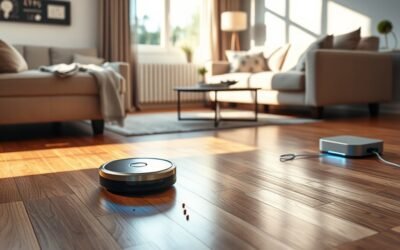
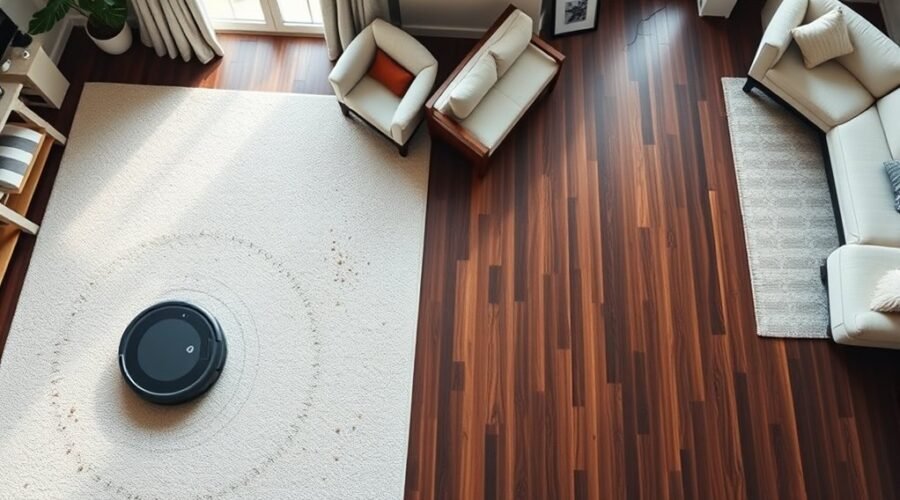
Random vs mapping robot vacuum navigation affects how efficiently your cleaner covers floors, handles furniture, and moves between rooms. Basic models follow unpredictable paths, while mapping vacuums use sensors and stored floor plans to guide their movement. Understanding these differences helps you choose a robot that fits your home instead of paying for features you may not need.
Quick Answer
Mapping robot vacuums are usually better for large homes, multiple rooms, and furniture-heavy layouts because they plan cleaning routes and reduce repeated passes. Random navigation models work well in small, open spaces and generally cost less. Choose mapping for predictable coverage and room controls, but remember that navigation alone does not guarantee better dirt removal.
How Robot Vacuum Navigation Works
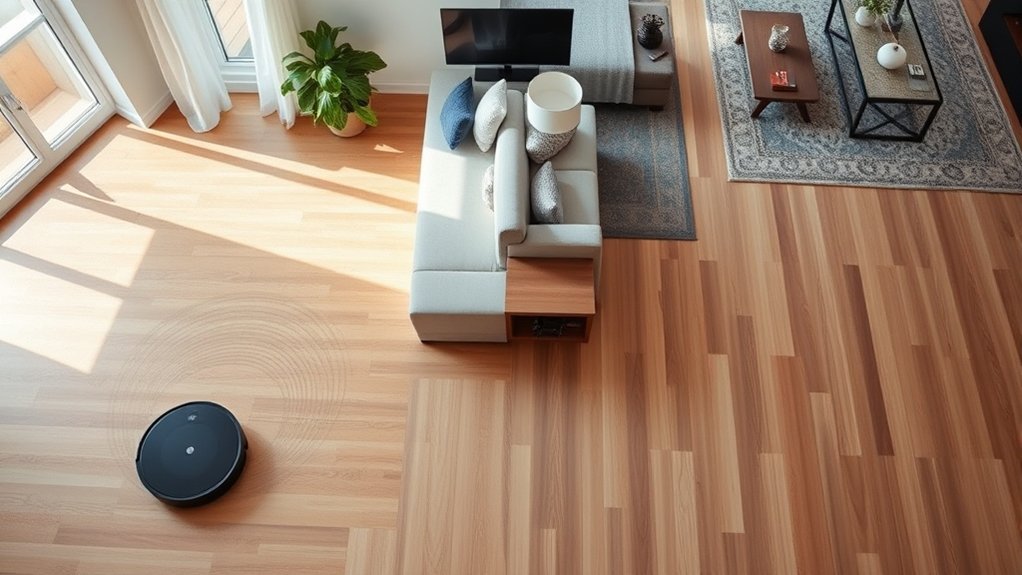
Robot vacuum navigation uses sensors and software to guide movement around your home. The system detects obstacles, estimates travel direction, and determines which areas need cleaning. More advanced models also create digital floor maps to plan efficient routes and remember room layouts.
Most robot vacuums combine several navigation technologies rather than relying on one sensor.
- LiDAR: Light Detection and Ranging uses laser measurements to estimate distances and map the surrounding space. It generally works well in low-light conditions.
- vSLAM: Visual Simultaneous Localization and Mapping uses camera images and recognizable landmarks to estimate the robot’s location while building a map.
- Infrared sensors: These help detect nearby walls, furniture, and other obstacles before or during contact.
- Gyroscopes and accelerometers: These sensors track movement and direction, helping robots follow more orderly cleaning paths.
- Obstacle-recognition systems: Cameras, depth sensors, and software may help identify smaller objects and adjust routes around them.
These technologies serve different purposes. A robot can follow straight cleaning lines using gyroscope-based navigation without saving a reusable room map.
The eufy navigation technology guide explains three approaches: randomized bounce navigation, dynamic navigation without stored maps, and LiDAR-based navigation with saved maps.
The main benefit of advanced navigation is better route planning. Instead of repeatedly exploring the same area, a mapping robot can track its progress and move toward sections that still need cleaning.
Random vs Mapping Robot Vacuum Navigation
The main difference between random and mapping robot vacuums is how they decide where to clean next. Random models respond to obstacles and change direction, while mapping models use a floor plan to follow more organized routes.
There is also a middle category: non-mapping robots that clean in structured patterns using motion sensors.
| Feature | Random Navigation | Smart Mapping |
|---|---|---|
| Cleaning pattern | Unpredictable movement with repeated passes | Planned rows and room-by-room routes |
| Saved floor map | No | Yes, on supported models |
| Floor coverage | Less predictable, especially in complex rooms | More systematic, with fewer unnecessary repeats |
| Room targeting | Usually unavailable | Available on compatible models |
| No-go zones | Generally unavailable as app-based map controls | Available when supported by the app |
| Best home layout | Small, open, uncomplicated spaces | Larger, multi-room, or furniture-heavy homes |
| Setup | Often simple button or remote operation | May require app setup and an initial mapping run |
A gyroscope-guided robot may clean in neat zigzag lines without offering saved maps or room-specific controls. This makes it a useful middle option when you want better route organization but do not need advanced mapping features.
Random Navigation Basics
Random navigation robot vacuums use basic sensors to detect obstacles and change direction. Rather than following a saved floor plan, they move through the room until their cleaning cycle ends or they return to the charging station.
For example, a robot may travel across the living room, detect a chair, turn away, and later pass through an area it has already cleaned.
This approach creates several limitations:
- Some floor sections may receive repeated cleaning while others receive fewer passes.
- Furniture and narrow passages can make routes less predictable.
- Cleaning may take longer when the robot frequently changes direction.
- You usually cannot select a specific room from a saved floor plan.
However, random navigation can still provide adequate everyday cleaning in an open room. It is also easier to use when you prefer simple controls without managing digital maps.
Mapping Efficiency Benefits
Mapping robot vacuums improve cleaning efficiency by planning routes around walls, furniture, and room boundaries. Once the system understands the layout, it can reduce unnecessary overlap and direct the robot toward areas that remain uncleaned.
Some comparisons report cleaning times up to 30% faster than random-navigation systems. The improvement depends on room size, furniture placement, cleaning settings, and the models being compared.
Mapping models may also conserve battery power by reducing unnecessary travel. Instead of repeatedly passing through the same hallway, the robot can use stored location information to continue toward unfinished areas.
Advanced obstacle-detection systems are sometimes credited with efficiency figures as high as 98%. However, detection depends on the test conditions and the objects involved. That number should not be treated as a universal performance standard.
Another advantage is repeatable cleaning. A mapped robot can follow a similar route on later runs, making it easier to notice skipped rooms or changes in coverage.
The ECOVACS mapping technology overview explains how laser measurements and stored maps help robots organize routes and reduce repeated cleaning.
Best Use Cases
Random and mapping robot vacuums serve different household needs. The right choice depends on the size of your home, the number of rooms, and how much control you want over cleaning.
Random navigation works best for:
- Studio apartments and compact living spaces.
- Open rooms with few furniture obstacles.
- Basic maintenance cleaning without room-specific schedules.
- Households that prefer straightforward controls and lower initial costs.
Smart mapping works best for:
- Larger homes with several connected rooms.
- Layouts with hallways, narrow passages, and furniture clusters.
- Homes requiring targeted cleaning or no-go zones.
- Multi-level properties where the robot supports separate saved maps.
- Households that want predictable cleaning routes and less manual intervention.
For example, a small studio may not benefit much from storing detailed maps. A larger home with bedrooms, hallways, and a separate kitchen is more likely to benefit from structured navigation.
How Do Mapping Robot Vacuums Work?
Mapping robot vacuums create a digital floor plan using LiDAR, camera-based navigation, or other positioning sensors. Their software tracks the robot’s location while building the map, allowing it to organize cleaning routes and remember room boundaries.
This process often uses SLAM, which stands for Simultaneous Localization and Mapping. It allows the robot to estimate where it is while learning the surrounding environment.
LiDAR measures distances with laser signals, while vSLAM uses camera images and visual landmarks. Both can support smart mapping, although their performance varies with lighting and room conditions.
Most mapping systems follow a similar setup process:
- Prepare the floor: Open doors to the rooms you want mapped and remove loose cables, clothing, and other objects that could trap the robot.
- Start a mapping run: Allow the robot to explore the accessible floor without moving it or blocking its route.
- Review the floor plan: Check room divisions, missing areas, and the position of the charging dock.
- Customize cleaning: Add room labels, no-go zones, or targeted cleaning areas when supported.
- Begin regular cleaning: Let the robot use its stored map to plan routes and track progress.
The Narwal mapping instructions recommend keeping doorways clear, removing loose obstacles, and leaving the charging station in place after mapping.
Many mapping robots can adjust their routes when small furniture items move. Larger changes, such as relocating the dock or rearranging several large pieces of furniture, may require another mapping run.
Mapping does not mean perfect obstacle avoidance. A robot may know the shape of a room but still struggle to recognize thin charging cords, shoelaces, or small toys. Object recognition is a separate capability worth checking.
Which Robot Vacuum Cleans Better?
Smart mapping robot vacuums generally provide more consistent floor coverage because they follow organized routes. Random navigation models can clean the same surfaces, but they are more likely to repeat sections or miss areas during a single cycle.
However, better navigation does not automatically mean stronger cleaning performance.
A robot with precise mapping but weak suction or an ineffective brush may still struggle with embedded dirt and pet hair. Another model with simpler navigation may remove more debris from the sections it actually reaches.
To compare cleaning results, consider three factors:
- Coverage: How much accessible floor does the robot clean during one complete cycle?
- Pickup performance: How well does it remove dust, crumbs, and hair from your flooring?
- Completion reliability: Can it navigate around furniture, avoid getting stuck, and finish the assigned area?
Mapping provides the greatest advantage when coverage is the main problem. In crowded rooms, efficient navigation can reduce missed spots and repeated movements.
On carpets, brush design, airflow, suction, and floor contact remain important. No navigation system can compensate fully for weak debris pickup.
The practical goal is a robot that reaches most of your accessible floor and removes dirt effectively, rather than one that merely produces an impressive digital map.
Best Robot Vacuum for Your Home Layout
The best robot vacuum navigation system depends on how your home is arranged. Room count, furniture spacing, floor transitions, and cleaning preferences often matter more than the size of the home alone.
Small Apartments and Open Rooms
A random-navigation model can be sufficient for a studio apartment or a simple open-plan room. With fewer obstacles and boundaries, the robot has less complex space to explore.
If you want straighter cleaning paths without paying for full mapping features, consider a model that uses gyroscope-guided systematic navigation.
Large Homes With Multiple Rooms
Smart mapping is the stronger choice for large layouts with connected bedrooms, hallways, and living spaces. It helps the robot recognize room boundaries and clean one area before moving to another.
Look for features such as saved maps, room selection, targeted cleaning, and automatic recharge-and-resume behavior.
These options allow the robot to return to unfinished work after charging, when the model supports that feature.
Multi-Level Homes
A mapping robot with multi-floor map storage is useful in homes with more than one level. You can create a separate floor plan for each supported level and avoid rebuilding the same map repeatedly.
However, map storage varies by model. A robot that supports multiple floor plans still cannot physically climb a staircase to reach another level.
You must carry it between floors unless your home provides another accessible route.
Homes With Pets or Frequent Clutter
Homes with pets, toys, or loose objects benefit from both smart mapping and reliable obstacle recognition. A map helps organize routes, while object-detection technology can help the robot respond to unexpected hazards.
No-go zones are also useful around pet bowls, delicate furniture, or areas that regularly contain clutter.
When comparing models, check whether obstacle avoidance is listed separately from navigation. A LiDAR map alone does not confirm that a vacuum can recognize every small object.
Pro Tip: When evaluating a mapping robot, inspect its cleaning-history map after a full run. Look for missed rooms, repeated routes, and areas around furniture that remain untouched. This tells you more about navigation quality than the map’s appearance alone.
Who Should Choose a Non-Mapping Vacuum?
A non-mapping robot vacuum is a practical choice if you want basic automated cleaning without advanced setup. These models are particularly suitable for smaller homes with uncomplicated layouts and fewer obstacles.
Many budget-oriented non-mapping vacuums fall between $100 and $300, although actual prices vary by model, retailer, and availability.
Some provide physical buttons or remote controls, so you can begin cleaning without creating room maps or managing an app.
This simplicity offers several benefits:
- Less time spent configuring maps and cleaning zones.
- Basic operation for users who do not need connected features.
- Lower entry costs for everyday floor maintenance.
- Fewer customization decisions before starting a cleaning cycle.
However, the tradeoff is less control over where the robot goes. You may need to close a door or use a compatible physical boundary to keep it within a particular area.
Non-mapping robots can also struggle with complicated furniture arrangements, especially when obstacles cause repeated changes in direction.
If your main goal is to clean a small, accessible floor area automatically, that compromise may be acceptable. If you frequently need to target specific rooms, mapping offers a more convenient approach.
Frequently Asked Questions
What Is the Best Navigation for a Robot Vacuum?
Smart mapping is usually the best navigation system for multi-room homes. LiDAR and camera-based mapping help robots follow organized routes and reduce repeated cleaning. For smaller, open spaces, random or gyroscope-based navigation may provide adequate coverage at a lower cost.
What Is LiDAR Navigation on a Robot Vacuum?
LiDAR navigation uses laser measurements to determine distances between the robot and surrounding objects. The robot uses this information to build a floor map and plan cleaning routes. LiDAR generally works well in low light, although small objects and reflective surfaces can still cause detection problems.
How Many Times Does Roomba Need to Map?
The number of mapping runs depends on the Roomba model. Some models create a usable Smart Map after one successful mapping run. Certain older Imprint Smart Mapping models may take three to five cleaning or mapping missions. A complete, uninterrupted mapping run generally produces the best result.
Which Robot Vacuum Has the Best Mapping Feature?
No single robot vacuum has the best mapping feature for every home. The Narwal Freo X Ultra uses laser navigation, while the Freo Z Ultra adds advanced camera-based obstacle recognition. Compare mapping accuracy, multi-floor support, room controls, and real-world obstacle handling before choosing.
Can Robot Vacuums With Mapping Work in the Dark?
Many LiDAR mapping robot vacuums can navigate in dark rooms because their laser measurements do not depend on normal room lighting. Camera-based navigation may need enough light to identify visual landmarks. Actual performance depends on the robot’s sensors and navigation software.
Conclusion
Random and mapping robot vacuums can both reduce everyday floor cleaning, but they offer different levels of control and efficiency. Random navigation is a practical choice for small, open spaces where affordability and simplicity matter most.
Smart mapping is generally better for larger homes, complex layouts, and households that need targeted room cleaning. Choose a model based on how reliably it covers your floors, handles obstacles, and removes dirt, not simply whether it advertises advanced navigation.
Sources
- eufy Support: Introducing RoboVac Navigation Technology: Explains bounce navigation, gyroscope-based dynamic navigation, and LiDAR mapping.
- ECOVACS: Robot Vacuum Navigation Overview: Explains laser mapping, stored maps, and systematic cleaning routes.
- iRobot: Guide to Imprint Smart Maps: Supports Roomba mapping setup, map customization, lighting requirements, and model-specific limitations.
- Narwal Robotics: Mapping Guide: Covers mapping preparation, secondary maps, furniture changes, and remapping conditions.
- Narwal Robotics: Robot Vacuum Model Comparison: Confirms Freo X Ultra and Freo Z Ultra model names and their navigation and obstacle-detection technologies.