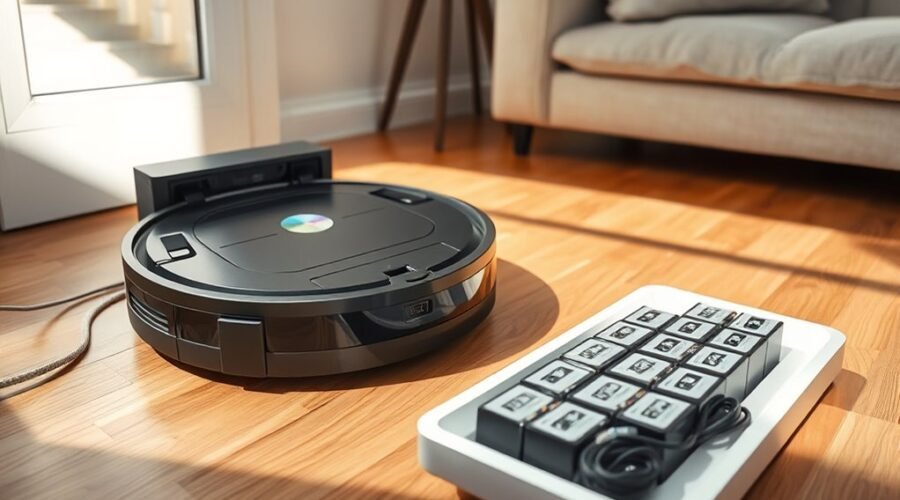
Robot vacuum battery life depends on how often you clean, how you charge the battery, and where you keep the machine. Good habits can help your robot maintain its runtime for years. However, some common battery tips conflict with the instructions from robot vacuum manufacturers. Understanding those differences helps you avoid early battery replacement.
Quick Answer
Robot vacuum batteries typically last 2 to 5 years, depending on the model and usage. To extend battery life, keep the charging dock away from heat, clean the contacts, avoid repeated deep discharges, and use normal suction when possible. Leave the robot docked during regular use if the manufacturer recommends it.
Key Takeaways
- Daily cleaning can wear a battery faster than occasional use, but its actual lifespan depends on the model.
- Modern robot vacuums usually control charging automatically, so unplugging after every cleaning session is unnecessary.
- Long-term storage instructions differ. Some models require a full charge, while general lithium-ion guidance favors partial charging.
- Short runtime, charging errors, and poor charge retention can indicate battery wear, but dirty contacts and dock problems can cause similar symptoms.
How Long Robot Vacuum Batteries Last
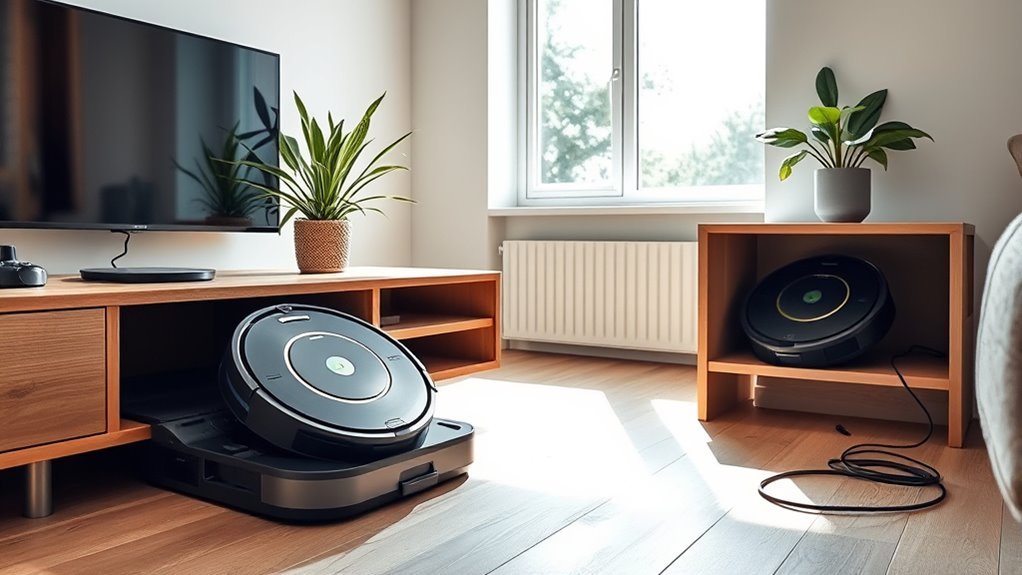
Most robot vacuum batteries last approximately 2 to 5 years before replacement becomes necessary. However, cleaning frequency, battery quality, and maintenance can change how quickly they lose capacity.
According to ECOVACS’ battery lifespan guidance, daily cleaning may reduce useful battery life to around 1 to 1.5 years. Cleaning three or four times per week may allow a battery to last 2 to 3 years or longer.
Most modern robot vacuums use lithium-ion batteries. Older models may use nickel-metal hydride batteries, which have different charging characteristics.
Lithium-ion batteries gradually lose the ability to store energy as they age and go through charging cycles.
For example, eufy’s battery replacement guidance estimates that typical lithium-ion batteries provide approximately 300 to 500 charging cycles before capacity loss becomes noticeable.
A full charge cycle means using energy equal to 100% of the battery’s capacity. It does not require draining the battery completely in one cleaning session.
For instance, using 50% of the battery on two separate cleaning sessions adds up to approximately one full equivalent cycle.
These numbers are estimates, not fixed limits. Some newer robot vacuums have battery systems designed for more cycles.
Another important difference is battery lifespan versus runtime:
- Battery lifespan: The number of months or years before the battery needs replacement.
- Runtime: How long your vacuum cleans on one charge.
- Charge cycle: The total battery energy used and replaced through charging.
If your robot once cleaned an entire floor but now needs several charging breaks, the battery may have lost capacity. However, dirty filters, tangled brushes, or stronger suction settings can produce similar results.
How to Charge a Robot Vacuum Battery
The best way to charge a robot vacuum is usually to let it return to its charging dock after cleaning. Most modern models manage charging automatically and prevent the battery from being overcharged.
For routine use, follow these steps:
- Place the dock correctly. Keep it on a stable, level surface away from direct sunlight and heating equipment.
- Use the approved charger. Connect the dock using the power adapter supplied or approved by the manufacturer.
- Let the robot return after cleaning. Automatic docking helps maintain enough charge for the next scheduled session.
- Avoid repeated deep discharges. If you charge manually, recharging around 20% to 30% is a reasonable habit rather than repeatedly running the battery empty.
- Check the charging status. Confirm that the app or charging indicator shows normal charging.
Should You Remove the Robot When It Reaches 100%?
For many modern robot vacuums, the answer is no. Their charging systems are designed to control power delivery once the battery reaches full capacity.
For example, Roborock’s official charging guidance recommends leaving regularly used robots on the dock. The company explains that its charging management prevents overcharging.
Other manufacturers use similar protection systems. Some describe the maintenance process as trickle charging, while others stop normal battery charging after the pack is full.
Although lithium-ion batteries generally experience more chemical stress at high charge levels, that does not mean you should repeatedly unplug a robot designed for automatic docking.
Follow the charging instructions for your particular model rather than forcing a universal charging percentage.
If the battery or robot becomes unusually hot, stop charging and inspect the machine before using it again.
How to Store a Robot Vacuum Battery
Store your robot vacuum in a cool, dry place away from direct sunlight and heat sources. For long periods without use, the correct storage charge depends on the manufacturer and battery system.
A room temperature around 18°C to 28°C (64°F to 82°F) is a practical target, although your model may specify a different acceptable range.
For long-term storage, follow this process:
- Check the manufacturer’s storage instructions. Confirm whether the battery should be fully charged or partially charged.
- Prepare the battery. Charge it to the recommended storage level.
- Switch off the robot. Use the manufacturer’s power-off or storage procedure.
- Clean and dry the vacuum. Remove debris from brushes, filters, and charging contacts.
- Choose a protected location. Keep the machine away from heaters, damp floors, and direct sunlight.
- Recharge periodically. Follow the recommended storage charging schedule to prevent excessive discharge.
Should You Store the Battery at 50% or 100%?
There is no single storage percentage that applies to every robot vacuum.
For example, iRobot’s battery maintenance instructions recommend using ship mode when storing a Roomba for more than a few weeks. They also recommend fully charging the battery at least once every six months.
The Roborock Qrevo Curv 2 Flow user manual instructs owners to fully charge the robot before long-term storage and recharge it at least every three months.
By comparison, Samsung’s general lithium-ion battery storage guidance recommends approximately 50% to 70% charge for extended storage of its supported devices.
This explains why advice to store batteries near 50% is common. It can be useful for lithium-ion cells, but it should not override specific robot vacuum instructions.
For long-term storage, follow your robot’s charging and shutdown instructions first. General lithium-ion advice is not a substitute for model-specific guidance.
A battery left completely empty for weeks or months may become deeply discharged. In severe cases, its protection system may prevent normal recharging.
If your vacuum will remain unused for an extended period, arrange periodic charging according to its manual instead of leaving it forgotten in storage.
What Shortens Robot Vacuum Battery Life
Frequent deep discharges, high temperatures, and heavy cleaning loads can shorten robot vacuum battery life. These conditions increase battery wear or make the robot consume more energy per cleaning session.
Understanding these causes helps you make changes without sacrificing everyday cleaning performance.
Frequent Deep Discharges
Repeatedly running a robot vacuum until its battery is almost empty can increase battery wear. Lithium-ion batteries generally handle moderate discharge cycles better than repeated deep depletion.
Many robot vacuums automatically return to their docks before reaching zero. This helps protect the battery and provides enough remaining power to navigate home.
If you manually operate your vacuum, try recharging when the battery approaches 20% to 30% instead of repeatedly draining it completely.
However, you do not need to interrupt an automatic cleaning cycle simply because the displayed battery percentage drops below 20%. Let the robot’s built-in power management operate as intended.
Do not intentionally drain a lithium-ion battery to zero as a routine maintenance practice unless your manufacturer specifically requires it.
Heat and High Charge
Heat is one of the main causes of faster lithium-ion battery aging. A warm battery can lose usable capacity more quickly, particularly when it remains at a high charge level.
Common heat sources include:
- Direct sunlight through nearby windows.
- Radiators and other heating equipment.
- Poorly ventilated storage spaces.
- Heavy cleaning sessions that leave the motor and battery unusually warm.
Keep the dock in a ventilated indoor location. Avoid covering the robot or charging station with fabric or placing it near other heat-producing appliances.
If the robot feels unusually hot after intensive cleaning, allow it to cool before manually charging it, when practical.
Automatic charging systems may include temperature safeguards, but those protections do not make extreme heat harmless.
Heavy Use and Carpet Boost
Heavy cleaning increases battery consumption because the vacuum requires more motor power and operating time. Thick carpets, heavy debris, and high suction settings can drain the battery faster than normal cleaning on hard floors.
Carpet Boost and Max modes are useful when stronger suction is needed. However, leaving them enabled unnecessarily can increase energy use and the number of charging cycles accumulated over time.
| Condition | Effect |
|---|---|
| Hard floors | Usually lower energy demand |
| Carpet boost modes | Faster battery drain |
| Cluttered floors | More navigation and cleaning time |
| Thick rugs | Higher suction demand and possible extra cleaning time |
| Heavy use | More accumulated charging cycles |
Use Auto or Normal mode for routine cleaning when it provides enough suction. Reserve Boost or Max mode for carpets and areas with stubborn debris.
You can also reduce unnecessary battery use by removing loose cables, small objects, and other obstacles before starting a cleaning session.
Signs Your Robot Vacuum Battery Needs Replacement
A failing robot vacuum battery may cause shorter runtime, unusually slow charging, or repeated shutdowns. However, these symptoms do not always mean the battery itself is defective.
Before replacing it, check the charging dock, contacts, and cleaning components. This can help you avoid spending money on a battery when the actual problem is elsewhere.
Shorter Runtime
A noticeable and persistent decrease in cleaning time is one of the clearest signs of battery aging.
For example, if your robot previously operated for much longer but now stops after 15 minutes on the same cleaning mode, its battery may have lost substantial capacity.
However, 15 minutes is not a universal replacement threshold. Some robots have much longer original runtimes than others.
To evaluate the problem:
- Fully charge the robot using its normal charging procedure.
- Select the same cleaning mode used during earlier sessions.
- Check the brushes, wheels, and filters for obstructions.
- Run the vacuum on a similar floor area.
- Compare its operating time with previous performance.
If runtime remains much shorter despite normal maintenance, battery deterioration becomes more likely.
Slow Charging
Slow charging can indicate an aging battery, but dirty contacts, poor dock alignment, and power problems are also common causes. Start with these simpler issues before considering replacement.
Use the following checks to narrow down the problem:
- Charging time: Is the robot taking much longer than its usual charging time?
- Dock power: Is the adapter firmly connected and the outlet working?
- Charging contacts: Are the metal contacts dirty, damaged, or misaligned?
- Temperature: Is the vacuum charging in an unusually hot or cold room?
- Charging status: Does the robot display a charging error or fail to reach full charge?
Cleaning the contacts is an important maintenance step. Follow these instructions:
- Unplug the charging dock and switch off the robot as directed by its manual.
- Locate the charging contacts on both the robot and dock.
- Clean the contacts using the material recommended for your model.
- Allow the contacts to dry completely before reconnecting power.
- Place the robot back on the dock and confirm that charging begins.
For example, iRobot’s charging contact cleaning instructions recommend a lightly dampened melamine foam or cloth for supported Roomba models. Other manufacturers may require a dry cloth, so follow your specific manual.
Never spray cleaning solution directly into the charging dock or electrical openings.
If charging remains unusually slow after these checks, the battery, charging circuit, or power adapter may require professional inspection.
Won’t Hold Charge
A robot vacuum that loses power shortly after leaving its dock may have a worn battery. However, it is worth confirming that the battery actually received a full charge.
Check whether the robot sits correctly on the charging station and whether the app reports normal charging.
If the machine repeatedly shuts down after short cleaning sessions, even when fully charged and properly maintained, battery replacement may be necessary.
Other warning signs include:
- Repeated charging errors.
- Sudden shutdowns during normal cleaning.
- Failure to retain charge when switched off.
- Unusual battery heat during ordinary operation.
- Visible swelling, leakage, or deformation.
Warning: Stop using or charging a battery that is swollen, leaking, hissing, or producing unusual heat or odors. Do not puncture or dismantle it. Follow the U.S. Fire Administration’s battery safety guidance and contact the manufacturer for safe handling instructions.
For an ordinary worn battery, confirm the exact replacement part specified for your model. Battery voltage, chemistry, connector design, and physical dimensions must be compatible.
Some robot vacuums allow straightforward battery replacement, while others require service access or specialized repair.
Note: If the battery is sealed, damaged, or difficult to access, contact the manufacturer or a qualified repair technician. Do not open damaged battery packs or attempt to repair individual lithium-ion cells.
Once the old battery is removed, dispose of it responsibly. The U.S. Environmental Protection Agency’s lithium-ion battery guidance recommends specialized battery recycling or hazardous waste collection rather than household trash or ordinary recycling bins.
How to Extend Robot Vacuum Battery Life
You can extend robot vacuum battery life by reducing unnecessary energy use, preventing excess heat, and maintaining the charging system. A simple routine is usually enough to avoid many common battery problems.
Use this maintenance checklist to keep your vacuum working efficiently:
- Use appropriate suction settings. Select Auto or Normal mode for everyday cleaning. Use Max or Boost when stronger suction is necessary.
- Keep brushes free of hair. Tangled hair and debris increase resistance, making the motor work harder.
- Maintain filters. Clean or replace filters according to the manufacturer’s schedule to maintain airflow.
- Inspect the wheels. Remove trapped hair and debris that can make movement difficult.
- Keep charging contacts clean. Check the robot and dock for dust, residue, or damaged contact surfaces.
- Reduce unnecessary travel. Clear obstacles and maintain navigation sensors so the robot can follow efficient cleaning routes.
- Control temperature. Keep the charging station away from direct sunlight, heaters, and damp environments.
- Use the recommended storage procedure. Follow the manual whenever the vacuum will remain unused for an extended period.
Smart mapping can also help reduce unnecessary cleaning time. When your model supports it, use room selection or no-go zones to avoid areas that do not need attention.
However, do not reduce cleaning frequency so much that your floors become harder to maintain. The goal is to avoid unnecessary work, not sacrifice cleaning quality.
A clean brush system, reliable charging dock, and sensible suction settings can help preserve battery performance without changing your normal cleaning routine.
It also helps to track changes in runtime. If the robot needs more charging breaks than before, inspect its cleaning components and charging system before assuming the battery is worn out.
Finally, distinguish normal battery aging from an actual fault. All rechargeable batteries lose capacity over time, even with careful maintenance.
When replacement is eventually necessary, using a compatible manufacturer-approved battery is generally safer than attempting to repair damaged cells.
Frequently Asked Questions
Should You Leave Your Robot Vacuum Plugged in All the Time?
Usually, yes. Many modern robot vacuums manage charging automatically and are designed to stay on their docks between cleaning runs. Roborock and iRobot both recommend docking during regular use. If you will not use the robot for weeks or months, follow its model-specific shutdown and storage instructions.
What Is the 20/80 Rule for Charging?
The 20/80 rule means keeping a lithium-ion battery between about 20% and 80% when practical. It can reduce time spent at very low or high charge, but it is not a universal robot vacuum requirement. Allow normal automatic docking unless your model provides a supported charge-limit option.
What Are Some Charging Tips for Improving Battery Life?
Keep the dock in a cool, dry, open spot and keep its contacts clean. Avoid leaving the battery empty for long periods. Use the charger supplied or approved for your model, and let an unusually hot robot cool before charging. Follow the maker’s instructions for long breaks.
Should I Leave My Cordless Vacuum on the Charger All the Time?
Many cordless vacuums use charging controls that prevent overcharging, but their storage advice differs from that of robot vacuums. Follow your cordless model’s manual rather than applying robot docking rules. If you will store it for a long time, use the maker’s recommended charge level and temperature.
Conclusion
Good robot vacuum battery care does not require complicated charging routines. Keeping the dock cool, maintaining clean brushes and contacts, and avoiding unnecessary deep discharges can help the battery last longer.
For regular cleaning, follow your manufacturer’s docking recommendations. For long-term storage, use the charge level and maintenance schedule specified for your model.
If runtime begins to decline, check for charging and maintenance problems before buying a replacement battery. These simple habits can help you preserve reliable cleaning performance and avoid unnecessary costs.
Sources
- ECOVACS: Robot Vacuum Battery Life: Supports general lifespan ranges, cleaning frequency effects, and battery wear factors.
- eufy: When to Replace a RoboVac Battery: Supports typical charging cycle estimates and battery replacement signs.
- Roborock: Charging Dock Guidance: Explains why regularly used robots can remain on their charging docks.
- iRobot: Battery Maintenance Tips for Roomba: Supports charging, storage, battery maintenance, and ship mode advice.
- Roborock Qrevo Curv 2 Flow User Manual: Provides model-specific long-term storage and recharging instructions.
- Samsung: Battery Care and Maintenance: Supports general lithium-ion temperature and partial-charge storage principles.
- iRobot: How to Clean Charging Contacts: Provides recommended contact cleaning methods and charging maintenance precautions.
- U.S. Fire Administration: Battery Fire Safety: Supports damaged battery warning signs and safe charging practices.
- U.S. Environmental Protection Agency: Lithium-Ion Battery FAQs: Supports safe battery disposal, recycling, and handling recommendations.