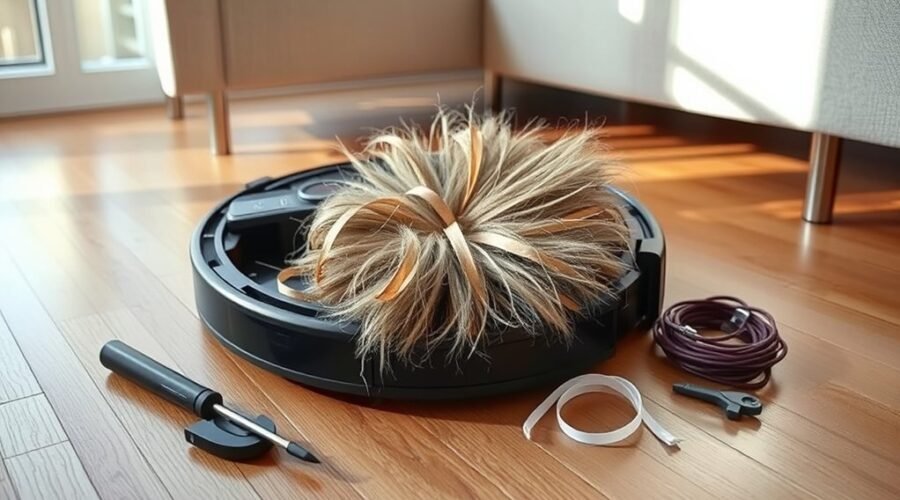
A robot vacuum brush error usually points to a blockage, worn parts, or a faulty motor. The first checks are simple: remove hair and debris, confirm the brush is seated correctly, and inspect the sensors. If the error stays active, the problem may be deeper than a surface jam. That is where basic cleaning stops and diagnosis begins, with replacement or support becoming the next question.
What a Robot Vacuum Brush Error Means?
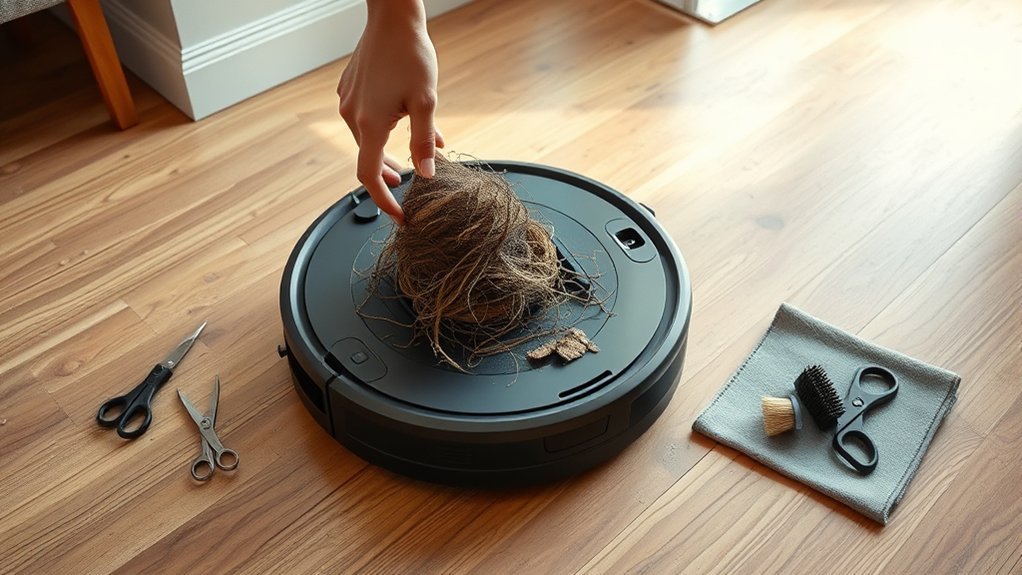
A robot vacuum brush error typically signals that the brush is obstructed or malfunctioning, preventing it from spinning as intended and reducing cleaning performance.
A brush error usually means the machine has detected resistance, lost motion, or an abnormal load in the brush system. In practical terms, the vacuum is warning that its cleaning path is compromised and that labor is being wasted on an ineffective sweep.
Some models display specific codes, such as an S3 error for side brushes, which helps isolate the affected component. The condition may arise from accumulated debris, a full dustbin, or a blocked hose, but the message itself only confirms that the brush circuit or motion has failed expected operation.
Regular inspection and cleaning reduce recurrence. If the brush error persists after basic correction, deeper faults in the motor or wiring may be present, requiring more advanced diagnosis and repair.
Check for Hair, Debris, and Loose Parts
Once a brush error has been confirmed, the next inspection should focus on tangled hair, packed debris, and any loose components around the brush assembly.
The brush roll and side brush should be examined closely, since wrapped fibers and compacted dirt commonly trigger brush faults. If obstruction is present, scissors can be used to cut and remove the material without forcing the parts.
Wrapped fibers and compacted dirt often cause brush faults, so clear obstructions carefully without forcing the parts.
Each brush should then be checked for secure seating, with the side brush and main brush firmly attached and aligned. Any loose screw, cover, or fitting should be tightened or reset, because small disconnections can interrupt brush operation.
The vacuum’s sensors and wheels should also be cleaned, as dirt buildup can reduce obstruction detection and distort brush performance.
This inspection supports reliable function and preserves the user’s freedom from avoidable maintenance failures.
Fix a Stuck Brush Roll on Carpet and Hard Floors
To fix a stuck brush roll on carpet or hard floors, the vacuum should first be powered off and the brush area checked for hair, string, and compacted debris wrapped around the roll.
The brush roll is then removed for full inspection, allowing trapped material to be cleared from the axle, end caps, and housing.
If the brush remains stuck, the height setting should be matched to the surface: low-pile carpet, thick carpet, and hard floors each require different clearance to preserve rotation.
Too much drag can halt motion and reduce cleaning force.
After reassembly, the roll should spin freely by hand. If resistance persists, the motor and wiring connections merit inspection for damage or poor contact.
Regular cleaning and blockage checks reduce future jams, support reliable operation, and keep the machine working with less dependence on intervention.
Try a Reset If the Brush Error Won’t Clear
If the brush error continues after the roll, axle, and housing have been checked, a factory reset may clear a persistent software fault by restoring the robot vacuum to its original settings. The reset should be done with the battery fully charged or the unit connected to power, so the process is not interrupted. The reset button is usually listed in the manual; it is commonly held for 10–15 seconds.
| Step | Action | Purpose |
|---|---|---|
| 1 | Locate reset button | Confirm control point |
| 2 | Hold 10–15 seconds | Trigger reset |
| 3 | Keep powered | Prevent interruption |
| 4 | Update firmware | Remove software faults |
| 5 | Recheck error | Confirm result |
After the reset, firmware should be updated to the latest version. If the brush error remains, the fault may be mechanical or electrical and may require further troubleshooting or professional service.
Test the Brush Motor and Wiring
The brush motor and wiring should be tested directly after the brush assembly has been cleared and reset steps have failed. Manual rotation of the brush should confirm that it turns freely without debris, tangled hair, or binding.
Any resistance, scraping, or unusual sound should be noted, because these signs often indicate mechanical obstruction or wear. A multimeter should then be used to check continuity in the wiring connected to the brush motor; an open circuit usually points to a damaged lead, loose connector, or broken internal path.
The motor housing should also be inspected for cracks, deformation, or other physical damage that could limit movement or require replacement. If power is present at the brush motor yet it does not operate, deeper disassembly may be necessary to inspect internal components.
Careful documentation of findings helps identify the fault and supports a more independent repair decision.
Fix Brush Errors on Roomba, Shark, and Dyson
Roomba brush errors are often resolved by cleaning both ends of the main brush and verifying motor module connections.
On Shark and Dyson units, users should clear debris from the side brushes, main roller, or brush bar, then confirm reset controls and cable connections.
Across these brands, correct brush roll height, an empty dustbin, and clean filters help reduce suction-related faults that trigger brush malfunctions.
Roomba Brush Checks
A common cause of Roomba brush errors is debris accumulation at both ends of the main brush, where cleaning should be performed regularly and the motor module connections checked for secure contact to prevent operational failure.
The main brush should be removed, cleared of hair, thread, and packed dust, then reinstalled with both bearing ends fully seated. If the brush resists rotation, the housing should be inspected for trapped debris and worn supports.
Connection points should remain clean, dry, and firm, because looseness can interrupt brush drive signals. This routine supports reliable pickup without dependence on unnecessary service calls.
After reassembly, a short test run verifies smooth motion and restored suction response. Regular maintenance preserves autonomy, reduces brush faults, and keeps the machine operating with greater independence.
Shark And Dyson Fixes
Shark and Dyson brush errors are often resolved through direct inspection of the roller assembly and related drive components.
On Shark models, a no-tangle roller can reduce hair binding and preserve motion under load. The brush cavity should be cleared, and height settings should match floor type to prevent drag.
On Dyson vacuums, hair should be removed from the roller, the brush bar reset button checked, and motor connections verified for continuity. If side brushes are fitted on multi-surface models, they should rotate freely and remain unobstructed.
Persistent faults usually indicate deeper wear, loose wiring, or a failing drive module. Routine cleaning of brush rolls and periodic inspection support stable operation and reduce dependence on service intervention.
Prevent Brush Errors With Regular Maintenance
Regular cleaning of the brush roll and side brushes after each use helps prevent hair and debris accumulation that can trigger brush errors.
Any wrapped fibers should be removed promptly, and the brush assembly should be inspected for proper alignment to avoid drag or jamming.
Consistent maintenance also supports stable operation by preserving suction and reducing mechanical stress on the drive system.
Clean Brushes Often
Keeping the brush roll clean after each use helps prevent hair and debris from accumulating, which can trigger brush errors and reduce suction efficiency.
To clean brushes often, a robot vacuum should be powered down, then the main roller and side brushes inspected for buildup. The user manual should guide model-specific maintenance and safe removal methods. A cleaning brush or scissors can be used to lift trapped material without damaging bristles or bearings.
Routine checks should also include the dustbin and filters, because restricted airflow can mimic brush faults. Regular inspection preserves function, reduces downtime, and supports a more independent cleaning cycle.
This disciplined maintenance routine helps the machine remain effective, precise, and less dependent on reactive troubleshooting.
Clear Hair Wraps
Hair wraps should be removed from the brush roll after each use to prevent spinning resistance and reduce brush error alerts. A careful inspection after cleaning cycles helps identify tangled hair and trapped debris before they harden into faults.
Scissors can be used to cut wrapped strands away without stressing the bristles. A tangle-free brush design can lessen buildup and support cleaner operation for users seeking less maintenance burden.
Routine checks every few weeks help catch accumulation in recesses that are easy to overlook. The dustbin should remain empty and the filter clean, because restricted airflow can lower suction and increase wear on the brush roll.
Consistent removal of hair wraps preserves performance and keeps the machine operating with fewer interruptions.
Check Brush Alignment
Proper brush alignment should be inspected regularly to guarantee the brush roll is seated correctly and attached securely, since even slight misalignment can reduce cleaning efficiency and trigger error messages.
Brush alignment should be checked after each cleaning cycle, especially when the vacuum crosses thresholds or changes floor surfaces. A loose brush, trapped debris, or uneven height setting can limit rotation and cause jams.
The brush compartment and adjacent housing should be cleared of hair and dust to preserve free movement. For hard floors, carpet, and mixed surfaces, the brush height should match the surface profile to avoid drag.
The user manual should be consulted for model-specific tolerances and reassembly steps. Consistent maintenance supports reliable operation and reduces unnecessary interruption.
When the Brush Assembly Needs Replacement
When a brush assembly is repeatedly jammed or fails to spin despite cleaning, the unit is often worn or damaged enough to require replacement. A faulty brush assembly can present as intermittent motion, increased motor strain, or visible wear on bearings, shafts, and connectors.
Repeated brush jams or non-spinning brushes after cleaning usually indicate wear, damage, and the need for replacement.
In many cases, manufacturers sell complete assemblies, simplifying restoration. However, replacing only the motor or a failed subcomponent may be more economical if parts are available. Compatibility must be checked against the exact robot vacuum model, since dimensions, connector types, and mounting points can differ.
During installation, each component should seat fully and rotate freely; loose bearings or misaligned connectors can recreate the fault. Regular debris removal and inspection can extend service life and delay replacement.
When wear has progressed beyond cleaning and adjustment, a precise replacement returns the machine to reliable operation and preserves autonomous cleaning capacity.
When to Call Support or Replace It
Persistent brush roll errors after all recommended cleaning and reset steps usually point to a deeper mechanical fault that may require professional service or replacement.
At that stage, support should be contacted if the vacuum cleaner remains under warranty, since diagnosis may confirm a motor, sensor, or drive failure without added cost.
If repairs become frequent, the economics shift; repeated service can exceed the value of the unit, especially on older models.
- Unusual grinding, squealing, or overheating indicates internal wear.
- Persistent poor debris pickup after repair suggests a failing motor.
- Outdated features may justify replacement for better efficiency.
- Out-of-warranty units with recurring faults often merit replacement.
A precise decision preserves autonomy: repair when the fault is isolated and support is available, replace when reliability, performance, and liberation from maintenance delays are no longer realistic.
Frequently Asked Questions
What Are the Most Common Problems With Robot Vacuums?
The most common problems with robot vacuums are tangled brush debris, clogged hoses, full dustbins, worn belts, and motor or battery faults. Brush Maintenance through regular cleaning and inspection preserves suction, mobility, and cleaning autonomy.
What Does the “Main Brush Error” Mean on a Bobsweep?
The main brush error signals the brush drum is blocked or failing, like a mill wheel seized by reeds. Brush Maintenance requires clearing tangles, debris, and checking motor or wiring faults.
What Should Be Done if the Side Brush Function Fails?
They should remove the side brush, perform Brush Maintenance by clearing hair or debris, reattach it securely, inspect wiring, and, if needed, factory reset. Persistent faults warrant the manual and customer support.
Why Does My Roomba Keep Telling Me to Clear the Brushes?
Like a clogged artery, the Roomba keeps signaling because hair, debris, or misaligned rolls restrict motion; incomplete Brush Maintenance, full dustbins, clogged hoses, or faulty connections reduce suction and trigger the warning repeatedly.
Conclusion
In practice, a robot vacuum brush error usually points to a simple blockage, a misseated roller, or a sensor issue, but repeated faults can signal motor or wiring wear. For example, a homeowner may clear tangled pet hair from a Roomba brush only to find the error returns, indicating a deeper mechanical problem. Regular inspection, cleaning, and resets resolve most cases; persistent failures justify support contact, part replacement, or unit replacement.