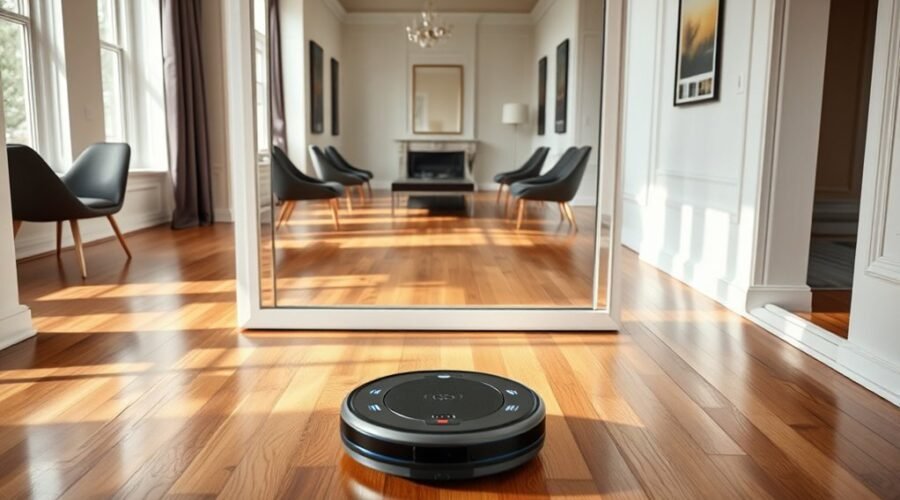
Robot vacuums can misread mirrors and create rooms that do not exist. This often happens when reflective surfaces interfere with LiDAR sensors, causing false walls, phantom rooms, or repeated cleaning paths. Camera-based navigation can also struggle with reflections. Fortunately, you can usually fix these mapping errors without replacing your robot vacuum.
Quick Answer
Mirrors confuse robot vacuums by reflecting LiDAR signals or creating misleading images for cameras. The robot may map phantom rooms, misjudge distances, or repeatedly avoid nonexistent obstacles. To fix this, cover the reflective section at sensor height, use virtual boundaries when supported, and restore or rebuild the map if necessary.
Why Robot Vacuums Misread Mirrors
)
Robot vacuums misread mirrors because their navigation sensors cannot always distinguish reflected objects from real ones. A mirror can make the robot detect a wall farther away than it actually is or register space that does not exist.
Many robot vacuums use LiDAR (Light Detection and Ranging) to measure distances. The sensor sends out laser light and measures returning signals to estimate the position of surrounding objects.
Normally, these measurements help the vacuum identify walls, furniture, and room boundaries. However, a smooth mirror can reflect the laser toward another object before the light returns to the sensor.
The robot may interpret that longer light path as an object behind the mirror. This can produce several navigation problems:
- Phantom rooms: The map shows an extra room or corridor behind a mirror.
- False walls: Reflected signals create boundaries that do not match the actual room.
- Repeated movements: The vacuum turns, rescans, or revisits an area while trying to correct its position.
- Missed cleaning areas: Incorrect boundaries can prevent the robot from following its planned route.
- Unexpected collisions: The robot may misjudge the mirror’s location and bump into it.
According to eufy’s explanation of laser navigation and mirrors, reflective surfaces can cause incorrect distance and position estimates. The resulting behavior does not necessarily mean the vacuum is defective.
The problem becomes more noticeable when a large mirror reaches the floor and sits directly in the path of the robot’s navigation sensor.
A smaller wall-mounted mirror positioned above the scanning area is generally less likely to interfere with LiDAR navigation.
Reflective Surfaces That Disrupt Robot Vacuum Mapping
Floor-length mirrors are common causes of reflection-related mapping errors, but they are not the only surfaces responsible. Glass doors, large windows, polished furniture, and shiny metal objects can also interfere with navigation.
The effect depends on the material, its position, and the type of sensor your vacuum uses.
| Reflective Surface | Possible Mapping Problem | Practical Solution |
|---|---|---|
| Floor-to-ceiling mirrors | Phantom rooms, duplicate walls, or incorrect distances | Cover the lower reflective section with opaque material. |
| Large windows and glass doors | False boundaries or areas detected beyond the glass | Use a physical boundary, suitable film, or an app-based exclusion zone. |
| Chrome furniture and polished metal | Scattered or misleading laser returns | Move the object temporarily or cover the reflective section with matte material. |
| Mirrored furniture at floor level | Incorrect wall positions or unexpected obstacle avoidance | Block the reflection at the height of the navigation sensor. |
Not every reflective surface causes problems. A mirror above the laser’s scanning height may have little effect, while a mirror reaching the floor can create significant distortion.
The angle also matters. A reflection that redirects light toward another wall can produce a different reading from one that sends little useful light back to the sensor.
For permanent improvements, Dreame’s mapping guidance recommends frosted film or decorative vinyl on the lower part of mirrors and windows. It also identifies shiny furniture and chrome surfaces as possible sources of interference.
How LiDAR and Cameras Misread Reflections
LiDAR and camera-based robot vacuums can both struggle with mirrors, but they fail for different reasons. LiDAR primarily measures distance, while cameras interpret visible features to understand the surroundings.
How LiDAR Creates Phantom Rooms
A LiDAR sensor builds a map by scanning the area around the vacuum. It combines distance measurements with the robot’s estimated location to identify walls and obstacles.
When a laser reflects off a mirror, it may travel toward another object before returning. The vacuum can mistake this reflected distance for a real measurement.
For example, imagine a mirror on one side of your living room reflecting the opposite wall. A LiDAR robot may place part of that opposite wall behind the mirror on its digital map.
The result can look like a second room extending beyond the actual living room.
Multiple large mirrors can make the problem more complicated because the robot receives misleading information from different directions.
How Camera-Based Navigation Gets Confused
Camera-based robot vacuums use visual information to identify features and estimate their position. Reflections may show furniture, doorways, or other objects that are not physically located where they appear.
A camera can therefore confuse a reflected scene with part of the room, especially when the system cannot reliably distinguish a mirror from an actual opening.
Lighting affects camera navigation too. Poor lighting can make it harder for some visual systems to identify room features, while strong glare can reduce visible detail.
However, camera navigation is not automatically worse around mirrors. Some robots combine cameras with other sensors to recognize reflective surfaces and avoid incorrect readings.
Why Additional Sensors Can Help
Robot vacuums may also use infrared sensors, bumper switches, ultrasonic sensors, and other obstacle-detection systems.
These sensors provide information beyond the main navigation camera or LiDAR scanner. For example, a bumper can detect physical contact even when the map incorrectly suggests an open path.
Still, additional sensors do not guarantee perfect mirror detection. Their effectiveness depends on the vacuum’s hardware and navigation software.
This explains why one robot may clean a mirrored room normally while another repeatedly turns around or produces an inaccurate map.
How to Stop Mirror Mapping Errors
You can usually correct mirror-related mapping errors by changing the reflective surface rather than modifying the vacuum. Start with a temporary test before applying permanent film or deleting a saved map.
Follow these steps from the simplest fix to the more involved options.
Step 1: Identify the Mirror Causing the Error
Open your robot vacuum’s saved map and compare it with your actual room layout.
Look for extra rooms, stretched walls, overlapping boundaries, or unusual corridors that appear beside mirrors or glass doors.
If a phantom room begins exactly where a floor-length mirror stands, that is a strong clue that reflection is responsible.
Step 2: Test the Mirror With a Temporary Cover
Place an opaque cloth, cardboard panel, or another nonreflective barrier over the lower section of the suspected mirror.
Make sure the covering intersects the vacuum’s LiDAR scanning height. Secure it so it cannot fall into the robot’s cleaning path.
Run a short mapping or cleaning test and compare the results. If the incorrect room disappears or navigation improves, the mirror was likely contributing to the problem.
Step 3: Apply a Permanent Nonreflective Treatment
Once you identify the problem, consider applying frosted film, decorative vinyl, colored tape, or long, thin window stickers across the affected reflective section.
Choose a material that blocks or sufficiently scatters the sensor’s light. A clear decorative sticker may not prevent misleading reflections.
The height of the covering matters. Manufacturer recommendations vary:
- Xiaomi S40 Pro: Xiaomi recommends covering the bottom 15 cm of a mirror or similar reflective surface. This appears in its official S40 Pro mapping troubleshooting instructions.
- TP-Link Tapo: TP-Link recommends covering the bottom 30 cm of highly reflective objects with opaque material in its robot vacuum navigation troubleshooting guide.
These measurements are model-specific examples, not universal rules. The required covering depends on the height and design of your vacuum’s sensors.
Colored tape placed only around the outer frame may be ineffective if the reflective scanning area remains exposed.
Step 4: Set a Virtual Wall or Keep-Out Zone
If your vacuum supports virtual boundaries, use its companion app to prevent the robot from entering the problem area.
You can place a virtual wall along the mirror or create a keep-out zone around the reflective surface.
According to iRobot’s ClearView LiDAR mapping guidance, physical barriers and keep-out zones can help manage mirror-related navigation problems.
Keep-out zones are useful when you cannot cover a mirror permanently. However, they may also prevent the vacuum from cleaning the floor immediately in front of it.
Some mapping systems allow you to separate, label, or exclude phantom spaces without removing them from the visible map.
Step 5: Restore a Previously Accurate Map
If the vacuum already has a distorted map, look for a previously saved version in the app’s map management features.
Restore that map after addressing the reflective surface. This may recover correct room boundaries without starting the mapping process from scratch.
For example, ECOVACS explains its map restoration process and recommends creating a new map when restoring an existing one does not solve the problem.
Map recovery features differ between manufacturers and models. Some devices keep several saved maps, while others may require a complete remapping.
Warning: Deleting or replacing a saved map may remove customized room boundaries, keep-out zones, and cleaning preferences. Record your existing settings or save a backup when your app allows it before rebuilding the map.
Step 6: Rebuild the Map if Necessary
If restoring the map does not work, create a new map after correcting the reflective surface.
Start the mapping process from the charging dock and allow the robot to complete it without interruption.
Once the map is saved, inspect the area around the mirror. The false room or distorted boundary should no longer appear if the reflective interference has been resolved.
If the problem continues, try a temporary physical barrier and repeat the test before making other changes.
If the vacuum produces incorrect maps throughout the house, not just near mirrors, the cause may involve dirty sensors, wheel problems, software, or faulty navigation hardware.
How to Keep Robot Vacuum Maps Accurate
Accurate robot vacuum maps depend on clean sensors, stable docking conditions, and consistent navigation. Regular maintenance helps the vacuum recognize its surroundings and avoid unnecessary map changes.
Use this checklist to reduce future mapping problems.
- Clean the navigation sensors. Remove dust and fingerprints from the LiDAR cover, camera lens, and accessible obstacle sensors. Follow your manufacturer’s cleaning instructions and avoid abrasive materials.
- Keep the docking station stable. Position it against a wall with the clearance required by your model. For example, Xiaomi specifies at least 0.5 meters on each side and 1.5 meters in front for the S40 Pro. Other models may require different spacing.
- Start cleaning from the dock. Let the robot locate itself and complete its scheduled route. Starting from a consistent position helps supported mapping systems maintain their location estimates.
- Avoid lifting the vacuum during cleaning. Moving it manually can disrupt its position tracking and create overlapping or rotated maps.
- Control difficult lighting conditions. Strong sunlight can interfere with some LiDAR systems, while poor lighting can affect camera-based navigation. Adjust curtains or room lighting when these conditions cause problems.
- Check wheels and moving parts. Hair, debris, or wheel slippage can affect how the robot estimates its movement. Clean accessible parts according to the manufacturer’s instructions.
- Keep navigation software maintained. Install manufacturer-provided firmware updates when available and check the saved map after major changes to your home layout.
After maintenance, run a normal cleaning cycle and review the route on the app.
A stable map should show realistic room boundaries, with cleaning paths that match the accessible floor area.
If the same incorrect boundaries return despite removing reflections and cleaning the sensors, contact the manufacturer’s support team for model-specific diagnosis.
Frequently Asked Questions
What Is the Average Lifespan of a Robot Vacuum?
A robot vacuum often lasts about 3–5 years, although its actual lifespan can vary. Some manufacturer guidance gives a wider 3–6-year range. Battery condition, cleaning frequency, maintenance, and replacement parts all affect how long your vacuum remains useful.
What Are the Downsides of Using a Robotic Vacuum Cleaner?
Robot vacuums can struggle with thick carpets, tangled pet hair, cords, tight spaces, and difficult floor transitions. Battery limits, noise, brush maintenance, and replacement parts add to the drawbacks. Reflective surfaces may also cause navigation errors, making some rooms harder to clean consistently.
What Are the Most Common Problems With Robot Vacuums?
Common robot vacuum problems include getting stuck, missed cleaning areas, clogged brushes, battery wear, dirty sensors, and inaccurate maps. Some models also struggle with obstacles or different floor types. Regular maintenance helps, while repeated mapping errors may require changes to the environment or a saved map.
What Is LiDAR Navigation on a Robot Vacuum?
LiDAR navigation uses laser light to measure distances and create a map of the surrounding space. The robot uses these measurements to locate walls, detect obstacles, and plan cleaning routes. Mirrors and highly reflective surfaces can interfere with the returning signals, leading to incorrect distances or false room boundaries.
Why Does My Robot Vacuum Map Show an Extra Room?
An extra room on your robot vacuum map may be a phantom space caused by a mirror or glass surface. The navigation system can interpret reflected signals or objects beyond glass as accessible space. Compare the false room with nearby reflective surfaces and test an opaque covering before rebuilding the map.
Can a Robot Vacuum Clean Near a Mirror Safely?
A robot vacuum can usually clean near a mirror, but incorrect sensor readings may cause unexpected movements or collisions. If the robot repeatedly bumps the glass or follows an incorrect route, place a suitable physical barrier or create a keep-out zone. Correcting the reflection problem can improve navigation around the mirror.
Conclusion
Mirrors can confuse robot vacuums by producing misleading LiDAR measurements and visual reflections. These errors may create phantom rooms, inaccurate boundaries, and inefficient cleaning routes.
Start by identifying the reflective surface and testing a temporary cover. Then apply a suitable treatment or virtual boundary and correct the saved map if needed. Keeping sensors clean and the docking setup stable will help maintain more reliable navigation.
Sources
- eufy Support: Laser Robot Vacuums and Mirrors: Explains how mirrors affect laser navigation and cause incorrect distance measurements.
- Dreame: Robot Vacuum Mapping Problems: Explains the effects of mirrors, windows, and polished surfaces, including film-based solutions.
- Xiaomi: Robot Vacuum S40 Pro Mapping Troubleshooting: Provides mirror-covering guidance, docking clearance requirements, and mapping recovery steps.
- TP-Link: Abnormal Robot Vacuum Cleaning Paths: Confirms reflective-surface interference and recommends covering the bottom 30 cm with opaque material.
- iRobot: Guide to ClearView LiDAR Maps: Explains mirror interference, phantom spaces, physical blockers, and keep-out zones.
- ECOVACS: Restoring Distorted Maps: Describes restoring an earlier map and creating a new map when restoration fails.
- eufy: Average Life of a Vacuum Cleaner: Provides estimated robot vacuum lifespan information and maintenance considerations.