Robot vacuum water flow settings can make the difference between a light wipe and a thorough clean. Low flow often suits hardwood and other delicate surfaces, while medium settings handle mixed floors more evenly. High flow may help with sticky spills and tracked-in dirt, but it can also leave excess moisture if used too broadly. The key is matching output to surface, soil level, and mop condition, then adjusting when results start to shift.
How Robot Vacuum Water Flow Works
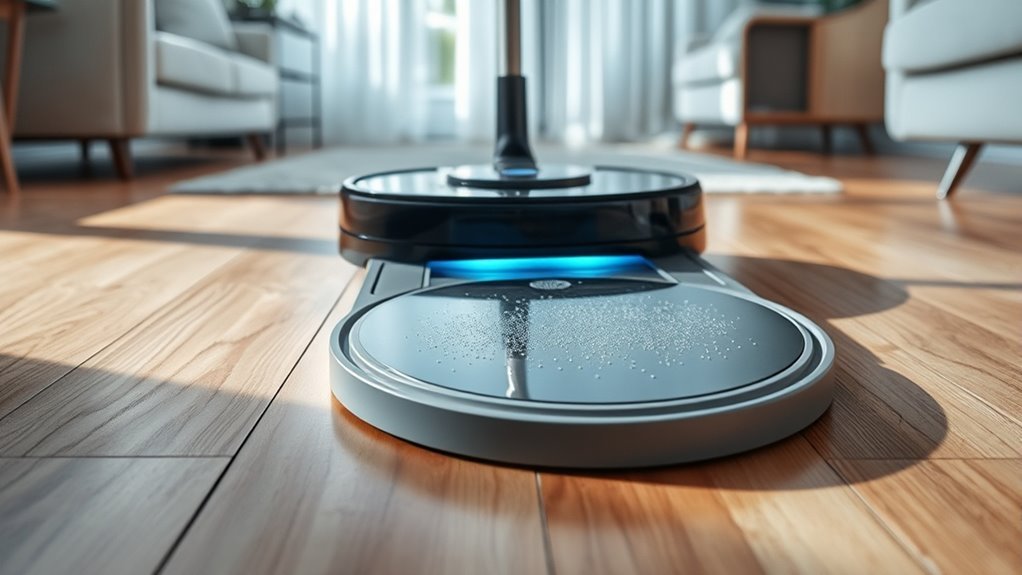
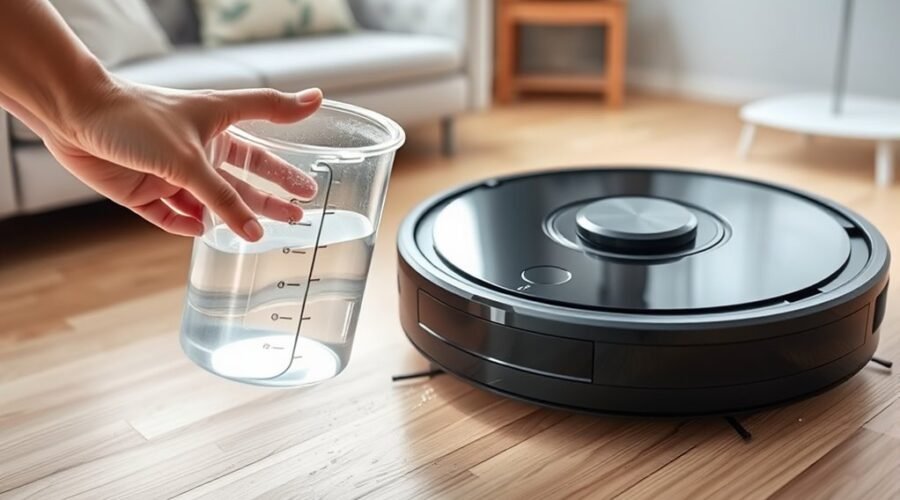
Robot vacuums with mopping functions typically regulate water through a tank-and-valve system that releases moisture in controlled amounts onto a microfiber cloth or mop pad. The water tank feeds this system, and the valve governs water flow so moisture application remains measured rather than excessive.
A tank-and-valve system meters water onto the mop pad, keeping moisture controlled and cleaning effective.
This design supports cleaning efficiency by matching output to the flooring type, since tile usually tolerates more liquid than hardwood. In better equipped models, surface detection guides these adjustments automatically, reducing the need for manual intervention and preserving user control.
Some units also allow a diluted cleaning solution, though plain water is often used to limit residue. Automatic shut-off features stop discharge when the robot pauses or returns to base, preventing leaks and wet floors.
Before use, the cloth is often prewetted to improve seepage from the tank and promote even coverage across the floor, which can make motion and dirt removal more consistent.
Set Water Flow in the App
The app typically provides model-specific water flow settings that can be accessed through the cleaning menu or device controls.
Adjustment steps usually range from low to high output, allowing comparison across flooring types and dirt levels.
For delicate surfaces such as hardwood, lower or moderate levels are generally selected, while higher settings may suit heavily used areas.
Water Flow Settings
Water flow settings can be adjusted directly in the robot vacuum’s app to better match the demands of different floor types and cleaning tasks. These water flow settings support distinct cleaning needs, helping users pursue ideal mopping performance without excess moisture or wasted effort.
Advanced models often provide several levels, and some can detect floor types automatically, though manual adjustments remain valuable when greater control is desired. During initial cleaning runs, testing each level reveals which balance delivers the best cleaning efficiency for hardwood, tile, or heavier soil.
Regular app updates may refine these controls with newer performance data and feedback.
- Low flow suits delicate surfaces.
- Medium flow fits routine cleaning.
- High flow targets stubborn grime.
- Manual choices preserve flexibility.
App Adjustment Steps
After choosing an appropriate water flow level, the next step is to apply that setting through the robot vacuum’s app.
The user opens the app, enters the cleaning settings, and selects the cleaning mode that best matches the task; some modes provide broader water flow choices than others, especially across floor types.
The water flow can then be adjusted from low to high, with lower levels favoring lighter messes and higher levels supporting more demanding cleaning.
Once the change is confirmed, the cleaning session begins with the updated setting.
During operation, the app may allow the user to monitor progress and, on certain models, adjust the water flow in real time if the floor condition changes.
This process gives precise control without unnecessary effort.
Surface-Specific Levels
When set through the app, water flow can be matched to specific surfaces, allowing the robot vacuum to clean effectively without stressing delicate materials such as hardwood or tile.
App customization gives users control over water flow settings by floor types, supporting optimal cleaning across varied rooms.
- Low flow suits sealed wood and light daily cleaning tasks.
- Medium flow balances cleaning performance on mixed surfaces.
- High flow helps heavily soiled areas release stains faster.
- Frequent review improves results in high-traffic zones and preserves autonomy.
Presets reduce guesswork, yet manual changes often outperform defaults when conditions shift.
Monitoring tank levels in the app also keeps cleaning tasks uninterrupted, helping the machine complete larger areas with less friction and fewer pauses.
Match Water Flow to Floor Type
Different floor types require different water flow levels, with delicate hardwood benefiting from a low setting and tile or sealed surfaces tolerating higher moisture for a more thorough clean. Effective water flow settings should match each floor type to preserve freedom from damage while supporting cleaning efficiency. Many robots offer customizable controls, letting users adjust output for an ideal balance between moisture and protection.
| Floor type | Recommended flow | Effect |
|---|---|---|
| Hardwood | Low | Protects delicate surfaces |
| Tile | Medium-high | Improves coverage |
| Sealed stone | High | Handles moisture well |
Before use, the microfiber cloth should be pre-wetted to promote ideal seepage across surfaces. On heavily soiled areas, a higher setting can be chosen, while lighter dirt may need less. Regular adjustment by room condition helps maintain performance, reduce waste, and extend both flooring and vacuum life.
Increase Water Flow for Stubborn Messes
For stubborn messes, a higher water flow setting can improve cleaning performance by helping loosen and lift tough residue, especially on kitchen spills and bathroom floors. Compared with lower settings, increased water flow often improves cleaning effectiveness on tough stains without requiring repeated passes.
A properly attached, damp microfiber washcloth distributes moisture more evenly, while Spot-Cleaning mode concentrates effort where grime is worst. To maintain peak performance, the water tank should be checked regularly and refilled before levels drop too low.
- Increase water flow for stubborn messes.
- Use Spot-Cleaning mode on localized spills.
- Verify the microfiber washcloth is secure and wet.
- Refill the water tank to preserve consistency.
This approach gives the robot vacuum greater freedom to address difficult areas with less manual intervention, though outcomes still depend on floor type and stain severity. When adjusted carefully, the higher setting can deliver cleaner results and more direct control over problem spots.
Prep the Mop Pad for Better Cleaning
After selecting a higher water flow for tougher spots, attention should turn to the mop pad itself, since its condition affects how evenly moisture reaches the floor.
Before a mopping robot begins, prep the mop pad by lightly wetting the microfiber washcloth; this supports ideal moisture transfer and improves cleaning efficiency. A tightly attached pad performs better than a loose one, because wrinkles and folds reduce floor contact and weaken cleaning performance.
Lightly wet the microfiber pad and secure it tightly for better moisture transfer and more effective cleaning.
Compared with a dry or uneven pad, a prewetted, smooth pad distributes water more consistently, especially when the water tank is set for moderate output. The chosen water flow should still match floor type and soil level, but pad preparation helps that setting work as intended.
Regular machine washing also lowers maintenance needs over time by preserving the cloth’s texture and absorbency. When the pad stays flat, clean, and ready, the system frees the user from avoidable compromise and supports more controlled, effective cleaning.
Clean the Tank and Mop Pad
A clean water tank is essential for maintaining steady water flow during mopping, since residue and buildup can restrict output and reduce performance. Routine care keeps the clean tank freer of clogs and supports ideal water flow, which matters more than simply adding extra water.
A mild detergent mixed with warm water is sufficient; harsh chemicals are unnecessary and may damage components. The mop pad should be secured firmly and checked for debris before each run, because loose contact weakens floor coverage.
- Rinse the tank after use.
- Wash with mild detergent and warm water.
- Inspect the mop pad for buildup.
- Machine wash the mop pad periodically.
Compared with neglect, this method preserves cleaning efficiency, reduces streaks, and helps the machine work with greater independence.
A fresh tank and unobstructed mop pad create a cleaner result with less effort from the user and less wasted water.
Fix Common Water Flow Problems
When clean tanks and pads are already in place, the next step is diagnosing why water output still falls short. First, the water tank should be checked for full filling and a secure fit, since poor attachment can cause leaks or weak water flow.
Check the water tank for a full fill and secure fit to prevent leaks or weak flow.
Next, valves and channels deserve cleaning; compared with a clear system, a clogged one reduces mopping efficiency and harms cleaning performance. Floor type also matters: delicate surfaces usually need lower output, while heavily soiled areas benefit from higher water flow.
The robot’s app can help users monitor conditions and customize settings without dependence on guesswork, supporting real-time adjustments as rooms change. If the machine supports obstacle avoidance, it should still be observed for uneven dispensing near edges or clutter.
Before use, pre-wet microfiber pads can improve distribution and produce steadier results. Together, these checks free the system from avoidable limits and restore balanced floor care.
Pair Water Flow With Cleaning Modes
Water flow should be matched to the selected cleaning mode, since Standard mode typically calls for moderate output while Boost or Max modes are better suited to heavier soiling and stronger suction.
Surface type also affects the setting, with hardwood and tile often benefiting from different flow levels than carpet-adjacent areas or rougher flooring.
Edge cleaning may require a distinct adjustment from open-area cleaning because corners and borders tend to hold more debris.
Match Flow To Mode
Choosing a water flow setting that matches the selected cleaning mode helps maintain the right moisture level for each floor type and task. In Standard mode, moderate water flow supports routine care and cleaning efficiency; Boost and Max modes justify stronger output for stubborn residue.
- Standard: balanced water flow, everyday cleaning, ideal moisture.
- Boost: higher flow, deeper scrubbing, better stain removal.
- Max: maximum flow, intensive cleaning, stronger contact.
- Custom cleaning: user-controlled flow for targeted results and delicate surfaces.
This comparison shows how pairing water flow with a cleaning mode reduces unnecessary wetness, respects surface types, and supports liberation from manual mopping.
Consistent matching can also prolong life by limiting strain on the robot and preserving floor finishes.
Adjust By Surface Type
Surface type should guide water flow selection, with harder floors such as tile tolerating higher output and delicate surfaces like hardwood benefiting from lower settings to reduce the risk of damage.
On hard surfaces, stronger water flow settings can release trapped soil more effectively, while delicate materials respond better to restrained moisture and careful wiping.
Cleaning modes should be paired accordingly: Max mode suits stubborn stains, whereas Standard mode supports regular maintenance.
Low-pile carpets call for light flow, since excess water can create dampness and wear.
During initial cleaning runs, operators can test different combinations to optimize cleaning for a specific home.
A microfiber cloth should be pre-wet to improve seepage and keep performance even across varied floors, allowing controlled cleaning without needless constraint.
Use Spot Cleaning for Tough Stains
For stubborn stains, Spot-Cleaning mode in the robot vacuum’s app directs the machine to targeted areas rather than treating the entire floor, making it a more precise option for localized messes. This spot-cleaning mode supports targeted cleaning of stubborn spots while limiting unnecessary moisture across surrounding planks or tile.
- Apply a measured cleaning solution to the microfiber washcloth before activation for stronger contact on set stains.
- Attach the cloth securely and keep it flat so surface contact remains even and wrinkles do not interrupt scrubbing.
- Let the automated water shut-off engage when motion stops; this conserves solution and reduces the risk of pooled water.
- Repeating spot-cleaning mode on difficult zones can lessen future deep cleaning demands, saving labor and restoring control.
Compared with full-floor passes, this focused method is cleaner, faster, and more aligned with a home that values autonomy, precision, and relief from avoidable effort.
Build a Better Daily Mopping Routine
A better daily mopping routine builds on targeted stain control by keeping the robot vacuum’s water delivery consistent, controlled, and suited to the floor’s needs.
A practical cleaning schedule begins by wetting the microfiber washcloth before attachment, which supports ideal water seepage and faster cleaning efficiency. Next, water flow should be matched to conditions: heavier output suits soiled areas, while moderate settings protect delicate surfaces from excess moisture.
For isolated spills, spot-cleaning mode offers a sharper response than a full pass, directing effort where it matters most. Compared with occasional deep cleaning, a disciplined mopping routine reduces buildup and preserves freedom from constant manual labor.
Regular maintenance matters as well; the water tank and valves should be checked and cleaned to prevent clogs and keep release rates steady.
When these steps are combined, daily floor care becomes more reliable, less intrusive, and easier to sustain without compromise.
Frequently Asked Questions
How to Improve Roborock Mopping?
Roborock mopping improves through refined mopping techniques, floor types tuning, regular cleaning schedules, and maintenance tips. The water reservoir should be inspected, solution ratios matched, robot compatibility confirmed, and spot stain removal prioritized for liberation.
What Does “Water Flow” Mean on a Roborock Robot?
Water flow on a Roborock robot means the adjustable water released for mopping; compared with suction power and cleaning modes, it varies by floor types. Maintenance tips, troubleshooting errors, mopping pads, and cleaning frequency affect results.
What Is the Best Floor Cleaning Solution for a Robot Vacuum?
The best cleaning solutions are pH-neutral formulas approved by robot vacuum brands, balancing mopping efficiency tips, stain removal techniques, floor types considerations, cleaning frequency guide, maintenance tips, and user reviews for safe, effective liberation.
Should You Run Your Robot Vacuum Every Day?
Yes—daily use can cut visible dust by up to 50%. Daily cleaning benefits depend on robot vacuum frequency, floor type considerations, and pet hair management, while maintenance tips, seasonal cleaning strategies, and user experience feedback shape the ideal cleaning schedule.
Conclusion
Matching water flow to the floor and the mess often produces the best results. Low flow can protect hardwood, medium flow can suit mixed rooms, and high flow can help when dirt appears unexpectedly heavy. When the tank is clean, the mop pad is fresh, and spot cleaning is used at the right moment, the machine tends to clean more evenly. Small adjustments usually make a noticeable difference in daily floor care.