A grinding noise from a robot vacuum usually points to a simple mechanical fault, not a major failure. The main brush, wheels, and housing are the first places to inspect for hair, debris, or loose parts. Even a small obstruction can create harsh noise and reduce performance. Filters and vents may also contribute if airflow is restricted. The next step is identifying which component is failing before the problem worsens.
What Causes Robot Vacuum Grinding Noise?
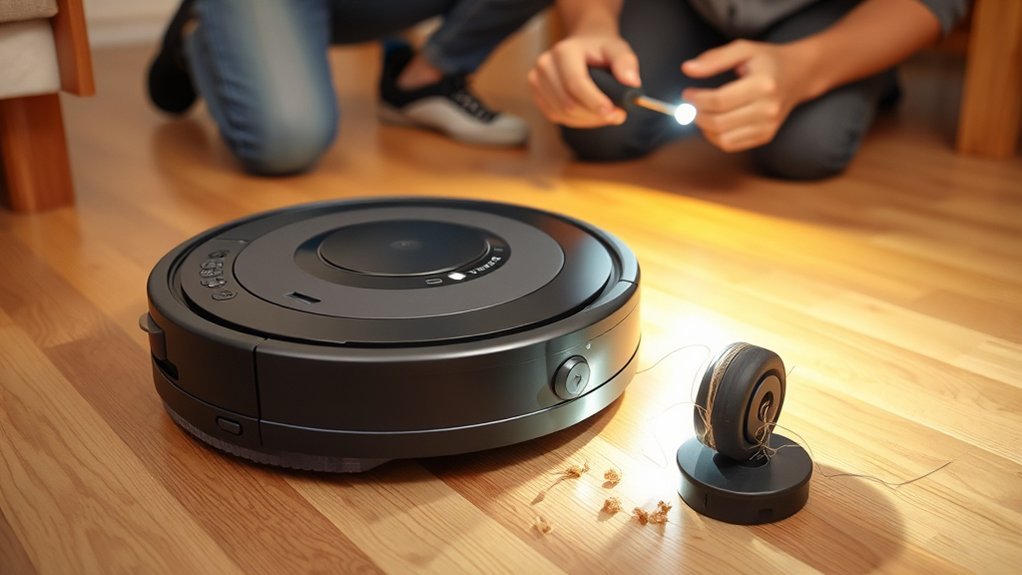
A robot vacuum’s grinding noise usually points to a mechanical obstruction or worn component, most often debris caught in the main brush or wheels.
This grinding noise can also arise when brushes and wheels are misaligned, damaged, or carrying debris wrapped around the moving parts.
Loose screws in the dustbin, brush housing, or frame may add rattling that blends into a harsh scrape.
Loose screws in the dustbin, brush housing, or frame can create a rattling scrape that sounds mechanical but is easily overlooked.
Clogged filters can restrict airflow, forcing the motor to strain and produce a louder mechanical tone.
In older units, wear and tear often weakens bearings, drive gears, and brush mounts, making noise more likely even under light load.
The pattern is practical: inspect for obstructions, verify fastening points, assess component alignment, and replace worn parts before the machine loses mobility and cleaning power.
Clear diagnostics restore quiet operation and support a more autonomous cleaning cycle.
Check the Main Brush for Debris
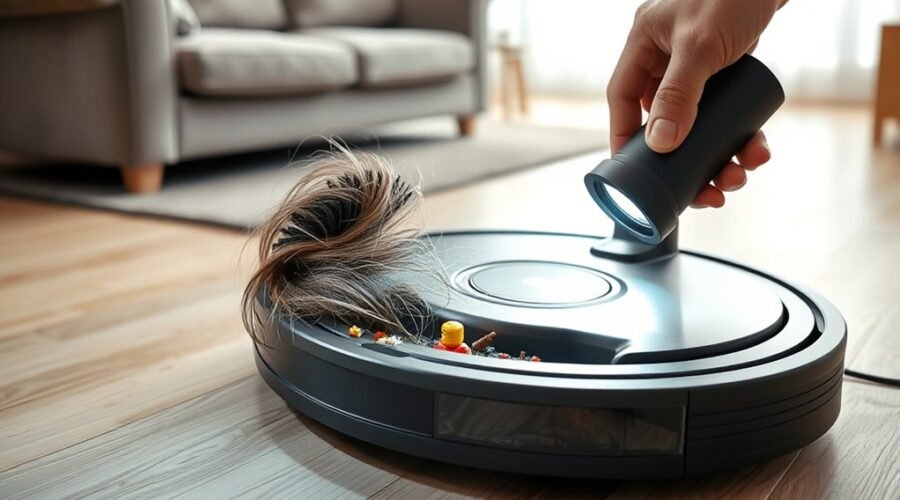
Inspect the main brush for tangled hair, fibers, or trapped debris, since even small build-ups can restrict rotation and produce a grinding noise during operation.
A careful inspect of the main brush should be done weekly, with attention to tangled hair wrapped around the axle and debris lodged between the bristles. Use tweezers or a soft cleaning brush to clear the obstruction without bending parts.
After removal, confirm that the brush spins freely and sits securely in its housing. If grinding noises continue, check for frayed bristles, cracks, or other wear that signal the need to replace the component.
A damaged main brush can transfer uneven motion into the drive path and reduce cleaning efficiency. Proper alignment matters as well, because a loose fit can create friction and noise.
Routine maintenance gives the machine more freedom to move cleanly, while preserving quiet, reliable performance.
Inspect the Wheels for Hair or Obstructions
Wheel inspection should begin with common blockages such as wrapped hair, string, and compacted debris in the wheel housing, axle, or tread.
Signs of wheel damage include looseness, wobble, restricted rotation, and persistent grinding during movement.
Cleaning typically requires lifting the vacuum, removing obstructions with tweezers or a soft brush, and confirming that each wheel is firmly mounted and rotates freely.
Common Wheel Blockages
Hair and debris commonly accumulate around robot vacuum wheels, creating resistance that can produce grinding noises during operation. Regular inspection of the wheels helps identify blockages before they interrupt movement or increase noise.
The wheel housing should remain clean and free of obstructions, since trapped fibers can limit rotation and strain the drive system. Tweezers or a soft brush are practical tools for removing hair, dust, and dirt from the axles and surrounding areas without forcing components.
Weekly maintenance checks support smooth operation and reduce the chance of recurring buildup. When the wheels are kept clear, the vacuum moves with less friction, quieter performance, and greater reliability.
Consistent care preserves mobility and protects the machine from avoidable resistance.
Signs Of Wheel Damage
When routine cleaning does not eliminate grinding noise, the wheels themselves should be examined for damage or misalignment. A robot vacuum that runs with elevated noise levels may have hidden wheel damage, not just surface debris. To inspect wheels effectively, a technician should verify free rotation, straight tracking, and low resistance.
- Look for cracks, flat spots, or uneven wear.
- Check for hair or debris wrapped around hubs.
- Confirm both wheels sit aligned and move evenly.
- Consider lubricating axles if friction persists.
These cleaning tips support prevention, yet visible damage usually signals replacement rather than repair.
Weekly inspection of the wheel housing and axles preserves motion and reduces strain on the drive system. Mechanical freedom matters; a neglected wheel can keep a robot vacuum trapped in noise and inefficiency.
How To Clean Wheels
A weekly wheel inspection helps prevent grinding noises by exposing hair, debris, or other obstructions trapped in the wheel housing or around the axles.
To clean the wheels, the technician should inspect each assembly, then use tweezers or a soft brush to remove tangled hair and compacted debris.
The wheels must remain aligned and able to rotate freely without resistance; any binding increases wear and noise.
Regular cleaning of the wheel assemblies limits buildup that can degrade performance and trigger grinding.
If the wheels show cracks, deformation, or worn surfaces, replacement is the practical remedy.
This routine preserves smooth motion, protects the drive system, and keeps the vacuum operating with the autonomy and efficiency that users expect.
Check for Loose Parts or Rattling
Loose components are a common source of grinding and rattling in a robot vacuum, so the dustbin and brush housing should be inspected first for any parts that are not seated correctly. The dustbin, brush housing, and brush rolls should click firmly into place; otherwise, vibration can amplify rattling sounds during operation.
- Verify the dustbin locks flush.
- Confirm securely attached screws around the housing.
- Gently shake the unit to detect internal rattling.
- Tightening visible fasteners may stop misalignment and grinding.
If any panel shifts or a component moves freely, it may be producing noise as the machine navigates. The vacuum’s housing should remain rigid, with no gaps or play at seams.
Recheck all clips after maintenance, because even a slight displacement can create persistent noise. If the problem continues after tightening, the user manual should be consulted for model-specific securing instructions.
Clear Clogged Filters and Vents
Clogged filters can restrict airflow and force the motor to work harder, which may produce grinding or high-pitched whining noises during operation. When clogged filters are present, immediate cleaning or replacement is the practical response.
Most robot vacuums need filter maintenance every two to three months, and washable models should be rinsed and air-dried fully before reuse. The air vents should also be checked for debris, because blocked passages reduce suction power and can amplify a grinding noise.
If the filter is completely packed, motor strain rises and vacuum performance declines. Regular cleaning preserves airflow, limits noise, and helps the unit operate efficiently. For users seeking control over their home maintenance, this step restores reliable suction power without unnecessary delay.
Consistent inspection of filters and vents also extends service life and reduces disruptive operation, keeping the machine ready for clean, independent performance.
Why Did Your Robot Vacuum Get Loud Suddenly?
When a robot vacuum becomes suddenly louder, the cause is often a mechanical obstruction or component shift rather than a gradual motor failure.
Common reasons include debris in the brush roll, a wheel jam, or a loose dustbin, each capable of making loud contact noise. If pet hair wraps the brush roll, resistance rises and the sound sharpens.
A recent firmware update can also alter calibration, so rebooting or resetting may restore normal operation. A loud motor or airflow whine that persists after cleaning often signals worn brushes or a clogged filter.
- Inspect wheels and brush chambers for trapped debris.
- Clean the brush and remove pet hair fully.
- Check for loose screws, bins, or housings.
- Test after rebooting if noise persists.
Regular weekly brush maintenance and bi-weekly filter inspection reduce failures and preserve freedom from disruptive noise.
Brand-Specific Fixes for Grinding Noise
Different robot vacuum brands tend to produce grinding noise from different failure points, so the fix should be matched to the model.
On Roomba units, the main brush and drive wheels should be cleared of hair or debris, with weekly cleaning reducing recurrence.
Shark models require inspection of the dustbin and brush housing for loose screws or shifted parts that can rattle into grinding noises.
Roborock units should have filters checked and cleaned; a clogged filter can increase motor strain and create harsh sound.
Eufy devices often need side brushes examined for wear or poor seating, since misaligned brushes may scrape the floor.
Deebot owners should reboot the robot vacuum after updates and confirm that app firmware is current if noise begins afterward.
In each case, methodical cleaning and adjustment restore quieter operation and preserve user control.
If uncertainty remains, the manufacturers customer support channel can verify model-specific procedures quickly.
Know When to Repair or Replace It
If the grinding noise continues after the brush rolls, wheels, and rollers have been cleared of hair and debris, deeper mechanical wear may be the cause. At that point, the robot vacuum should be evaluated for worn parts and service costs before deciding to repair or replace.
- Check the rollers for flat spots, cracks, or looseness.
- Inspect the drive train for play, binding, or misalignment.
- Review maintenance history: filters, dustbin, and airflow affect motor strain.
- Compare repair quotes with the unit’s age and replacement price.
If worn parts are isolated and inexpensive, repair is practical. If the noise persists after replacement, professional servicing is warranted because internal bearings or motors may be failing.
When repair costs exceed 50% of a new model, replacement usually provides better efficiency, cleaner operation, and fewer interruptions. The objective is liberation from recurring faults, not prolonged dependence on a failing machine.
Frequently Asked Questions
Why Does My Robot Vacuum Make a Grinding Noise?
It usually results from brush jams, wheel problems, or debris buildup stressing the mechanism. Suction issues, motor wear, improper maintenance, and terrain challenges can also produce grinding, signaling a need for inspection, cleaning, and component replacement.
What Is the Average Lifespan of a Robot Vacuum?
A robot vacuum typically lasts 3–5 years. Regular robot vacuum maintenance improves robot vacuum longevity and vacuum cleaning efficiency; smart home integration and robotic technology advancements may extend service, while user satisfaction ratings often reflect troubleshooting tips.
Why Is My Roomba Making a Grinding Noise?
Debris accumulation causes brush roller problems, while suction power issues, floor type impact, and worn bearings can amplify grinding. Roomba maintenance tips recommend troubleshooting steps: clear obstructions, verify alignment, check dustbin seating, and perform a battery performance check.
What Would Cause a Grinding Noise?
Grinding noise usually stems from brush obstruction, debris buildup, wheel malfunction, motor issues, battery problems, or sensor errors. Like gears trapped in gravel, a unit needs inspection and a disciplined cleaning schedule to restore freedom.
Conclusion
In conclusion, a robot vacuum that makes grinding noise usually signals a simple mechanical fault, not a major failure. The first checks should focus on the main brush, wheels, loose parts, and clogged airflow paths, since debris and wear are the most common causes. Routine cleaning helps the machine run like a well-lubricated gear train, reducing strain and preventing future damage. If noise persists after inspection, professional repair or replacement should be considered.