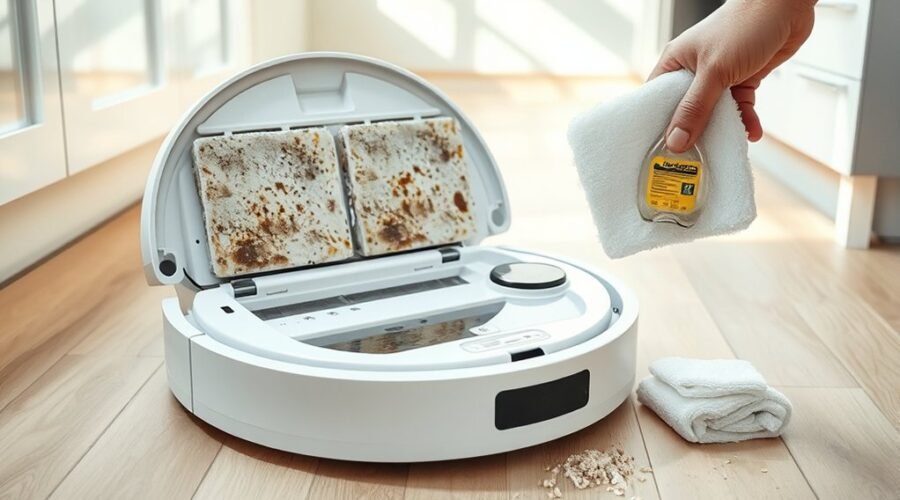
If your robot vacuum mop smells bad, the problem often comes from damp mop pads, dirty water, trapped debris, or a clogged filter. The smell may be musty, sour, dusty, or even similar to burning rubber. Each type points to a different problem. By checking the right parts in order, you can usually find the source and remove the odor without replacing the entire machine.
Quick Answer
When a robot vacuum mop smells bad, start by washing and drying its mop pads, emptying the dirty-water tank, and clearing the dustbin. Check the filter, brush roll, wheels, and docking station for trapped debris. Use only approved cleaning methods. If you notice a burning smell, stop the robot immediately.
At a Glance
| Difficulty | Basic cleaning and maintenance |
| Tools Needed | Soft brush, clean cloth, water, manufacturer-approved cleaning products, and replacement parts if needed |
Why Your Robot Vacuum Mop Smells Bad: Common Causes
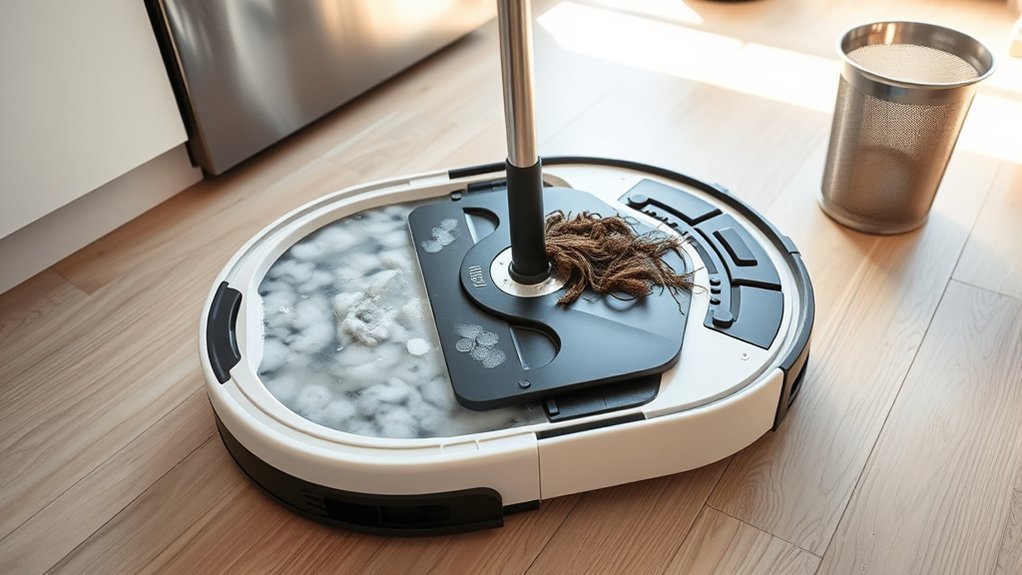
A robot vacuum mop develops unpleasant odors when dirt, moisture, or organic debris remains inside its cleaning system. Mop pads, water tanks, filters, and brushes are common trouble spots. Identifying the type of smell helps you choose the right fix.
These are the most common smells and what they usually indicate:
- Musty or mildew smell: Damp mop pads, a wet docking station, or moisture trapped in removable parts.
- Sour or sewage-like smell: Stagnant dirty water, contaminated mop pads, or residue inside the wash tray.
- Dusty or stale smell: An overflowing dustbin, dirty filter, or old debris inside the vacuum.
- Pet-related odor: Hair, dander, and organic matter collected around the brushes, wheels, or dustbin.
- Burning rubber or electrical smell: A jammed brush, overheating component, or possible electrical failure.
Moisture and organic waste can support bacterial and mold growth. Meanwhile, clogged filters restrict airflow and may make existing odors more noticeable during vacuuming.
Moisture and trapped debris foster bacteria and mold, while neglected filters intensify musty odors during use.
The odor may come from the robot itself or its docking station. For example, an automatic mop-washing dock may have a clean-looking robot but a dirty washing tray or wastewater tank.
The best approach is to identify whether the smell appears during vacuuming, mopping, or docking. Then inspect the parts involved in that operation.
Stop Burning Smells Right Away
A burning smell is different from an ordinary dirty-mop odor. It may indicate excessive friction, overheating, or an electrical problem. Stop the robot immediately rather than allowing it to complete its cleaning cycle.
Warning: If your robot vacuum smells like burning plastic, produces smoke, sparks, or becomes unusually hot, turn it off and disconnect the docking station from power if safe. Do not recharge or operate it again until the problem has been identified and resolved. Contact the manufacturer if electrical damage is suspected.
After the equipment has cooled and it is safe to handle, check for obvious mechanical obstructions.
- Inspect the brush roll. Look for tightly wrapped hair, string, or debris that prevents rotation.
- Check the wheels. Remove visible debris that interferes with normal movement.
- Inspect the suction opening. Look for objects blocking the airflow path.
- Examine the dustbin and filter. Remove accumulated dirt using the approved cleaning method.
- Look for visible damage. Melted plastic, damaged wiring, or discoloration requires professional attention.
Hair wrapped tightly around a brush shaft may increase resistance and place extra strain on the motor. Restricted airflow may also contribute to overheating.
Do not open sealed electrical components or attempt internal motor repairs. The manufacturer’s robot vacuum odor troubleshooting guidance also recommends stopping the machine when a burning smell develops.
If the odor returns after basic, safe maintenance, leave the robot switched off and contact customer support. Repeated burning smells should never be treated as a normal cleaning issue.
Fix the Damp Mop Pad Problem
Damp mop pads are one of the most likely reasons a robot vacuum mop smells musty. After cleaning, the pads hold water, floor residue, and organic dirt. If they stay wet inside the docking station, unpleasant odors can develop.
Removing the moisture and washing away the residue usually fixes the problem.
- Remove the mop pads. Detach them after cleaning if your model requires manual pad maintenance.
- Rinse away loose dirt. Use water at the temperature permitted by the manufacturer.
- Wash the pads. Use the approved washing method. Some pads allow mild or antibacterial detergent, while others must be cleaned without added chemicals.
- Dry them completely. Place washable pads in a well-ventilated area or use the robot’s approved automatic drying function.
- Inspect for damage. Check for discoloration, worn fabric, trapped grime, or odors that remain after washing.
- Replace worn pads. Install compatible replacements when cleaning no longer removes the smell.
Not every mop pad can be machine-washed. Some require hand washing, and certain roller-mop designs use their own cleaning procedures. Follow the instructions for your specific robot.
Keeping spare pads available makes maintenance easier. You can use a clean set while the other set dries.
For robots with automatic washing and drying, confirm that both functions actually complete. A pad may remain wet if the drying process is interrupted or the dock needs cleaning.
If a washed pad smells clean but develops an odor again after docking, inspect the mop-washing tray. Residue there can contaminate the freshly cleaned pad.
Clean the Dustbin and Dust Bag
A dirty dustbin can make a robot vacuum smell stale whenever its suction motor runs. Pet hair, food crumbs, dust, and other debris can release odors as they accumulate. Automatic emptying reduces manual work but does not eliminate the need for cleaning.
Empty a manually maintained dustbin after each use, particularly when cleaning areas with pets or food debris.
How to Clean the Dustbin Safely
- Switch off the robot and remove its dustbin.
- Empty the collected dirt into a trash container.
- Remove the filter before cleaning the bin if the design requires it.
- Check corners, openings, and seals for trapped debris.
- Wash the bin with water and mild soap only if the manufacturer permits washing.
- Allow every washable part to dry completely before reassembly.
Some dustbins contain electronic components or have special cleaning restrictions. Do not assume every bin can be rinsed or immersed in water.
For example, iRobot provides separate Roomba dustbin and filter cleaning instructions that explain which parts may contact water.
When to Replace the Dust Bag
If your docking station has an automatic dust-collection bag, replace it when full or when the manufacturer recommends it. A persistent odor may justify earlier replacement.
Pay particular attention if the robot accidentally vacuumed moisture. A damp collection bag can develop an unpleasant smell and should not remain inside the dock.
Check the bag compartment for spilled dust or trapped debris before fitting a new bag. Never wash a disposable dust bag for reuse.
Clean the Filter, Brush Roll, and Wheels
Filters, brush rolls, and wheels collect dust and grime that can make a robot vacuum smell bad. These parts also affect suction and movement. Cleaning them removes hidden odor sources and can improve everyday performance.
However, filter washing instructions vary by model. Some filters are washable, while others must remain completely dry.
Clean the Filter
A clogged filter traps fine dust, pet dander, and debris inside the airflow path. As dirt accumulates, suction can weaken and stale odors may become noticeable.
Use the following cleaning method:
- Remove the filter according to your robot’s instructions.
- Tap away loose dust over a trash container if the manufacturer permits this method.
- Inspect the filter for discoloration, tears, damage, or persistent odor.
- If the filter is explicitly washable, rinse it with clean water as directed.
- Let washable filters dry completely before reinstalling them.
- Replace damaged or permanently odorous filters with compatible parts.
Some washable filters require approximately 24–48 hours of drying, depending on the manufacturer and environmental conditions. Never reinstall a damp filter.
Replacement intervals also differ. A common maintenance range is around 2–3 months for some models, but it is not a universal rule.
For example, the eufy X10 Pro Omni recommends cleaning its filter weekly and replacing it every 3–6 months. Its official maintenance instructions also permit rinsing the specified filter.
Other models use non-washable filters that should only be cleaned by tapping away debris. Always identify your filter type before adding water.
Note: Never wash a filter solely because it is labeled HEPA. HEPA describes filtration performance, not water resistance. Use the washing and replacement instructions for your exact robot model.
Clear Brush Roll and Wheels
Hair and debris around the brush roll can create odors and reduce cleaning performance. Pet hair may wrap around the brush ends, while dirt can accumulate near the wheel axles.
Regular inspection helps prevent these problems.
- Turn the robot off and place it on a stable surface.
- Remove the brush guard if the manufacturer allows it.
- Lift out the brush roll and carefully unwind tangled hair or string.
- Clean the brush ends and accessible areas around the brush housing.
- Check the front swivel wheel and side wheels for trapped hair and dirt.
- Reinstall the components securely after cleaning and drying any washable parts.
A small cleaning brush can help loosen dust in narrow spaces. Some robot vacuums also include a dedicated hair-cutting or brush-cleaning tool.
Do not force a wheel or remove sealed components. If a wheel remains difficult to rotate after accessible debris is cleared, the assembly may need professional service or replacement.
Replace a brush roll when its bristles, rubber fins, or bearings show significant wear. This helps prevent repeated debris buildup and unnecessary motor strain.
Remove Musty Smells Caused by Moisture
A musty smell usually indicates moisture that remains after mopping. Common sources include the wastewater tank, mop pad holder, washing tray, and hidden areas inside the docking station.
Cleaning the mop pads alone may not solve the problem if dirty water or residue remains elsewhere.
Clean the Dirty-Water Tank
Wastewater tanks collect water mixed with floor dirt and organic residue. Leaving this mixture inside a closed container can produce a sour or sewage-like smell.
To clean the tank:
- Remove the dirty-water tank from the dock.
- Empty the wastewater after each mopping cycle when practical.
- Rinse the tank thoroughly with clean water.
- Clean accessible corners, seals, and removable filters using approved methods.
- Allow the tank to drain and dry when it will not be used immediately.
- Reinstall it with the lid and seals properly secured.
If the tank smells even after rinsing, inspect the lid and its sealing gasket. Residue may remain in areas that are easy to miss.
Clean the Docking Station and Washing Tray
The mop-washing tray is another common source of persistent odor. It collects dirty water and material washed off the mop pads.
Remove the detachable tray if your model supports removal. Wash away residue, clean any accessible drain screen or filter, and check for standing water.
Do not pour water directly into the dock’s electrical housing. Clean only the components that the manufacturer identifies as washable.
For example, the Roomba Auto-Wash Dock maintenance instructions include cleaning the pad-washing basin, washing roller, tanks, and drainage area.
If the dock is unable to remove wastewater, the washing tray may fill repeatedly. Check the drain opening, removable filter, tank placement, and any error messages before running another cleaning cycle.
Check the Clean-Water Tank
Even the clean-water tank can develop an odor if water sits inside for an extended period or becomes contaminated.
Empty old water, clean the tank as permitted, and refill it with fresh water. Avoid adding floor cleaners, fragrance oils, or disinfectants unless the manufacturer approves them.
Use the correct water type and cleaning solution for your device. The wrong liquid can damage seals, pumps, or internal tubing.
Pro Tip: If the mop smells clean immediately after washing but develops an odor while sitting in the dock, inspect the tray and wastewater drainage system before buying new pads. The source may be inside the station rather than the mop fabric.
How to Prevent Robot Vacuum Mop Odors
Preventing odors is easier than removing them after residue builds up. A simple maintenance schedule helps keep mop pads, tanks, filters, and brushes clean between cleaning cycles.
Focus on removing dirty water, preventing prolonged dampness, and replacing worn accessories when necessary.
Routine Cleaning Habits
Your cleaning routine should match how often you use the robot and how much dirt it collects. Homes with pets, heavy dust, or frequent mopping may need more attention.
Use this checklist as a starting point:
- After each cleaning: Empty a manually maintained dustbin, remove visible hair, and check the mop pads.
- After each mopping session: Dispose of wastewater and confirm that pad cleaning and drying have completed.
- During regular maintenance: Inspect the filter, brush roll, wheels, and suction opening.
- When residue appears: Clean the docking station’s washable tray and accessible drainage components.
- When parts become worn: Replace filters, mop pads, brushes, and dust bags according to the manufacturer’s schedule.
Automatic cleaning features reduce the work involved but cannot remove every type of residue. Even self-cleaning stations need periodic inspection.
If a component develops an unusual smell sooner than expected, clean or replace it rather than waiting for the next scheduled maintenance date.
Dry Storage Practices
Dry storage reduces the chance that moisture will remain inside the vacuum and cause mildew odors. Choose a cool, well-ventilated location away from consistently damp areas.
Before storing the robot for an extended period, empty its water tanks and ensure washable components are completely dry.
For models with automatic mop drying, confirm that the cycle finishes successfully. If your system leaves the pads damp, investigate its drying function.
Breathable storage bags or containers may help protect accessories from dust without trapping moisture. Avoid sealing damp pads or filters inside airtight containers.
Keep the docking station’s surrounding area clean and dry as well. Dust, spilled water, or moisture around the station can contribute to recurring problems.
Do not rely on essential oils or fragrant additives to cover bad smells. They may hide the odor temporarily while leaving the underlying contamination untouched.
Fix Eufy Omni Dock and Mop Odors
Some Eufy Omni robot vacuums use automated dust collection, mop washing, and drying systems. These features reduce manual cleaning, but odors can still develop inside the dock, mop assembly, wastewater tank, or dust bag.
Start by checking which part smells before replacing accessories.
- Inspect the dust bag. Replace it when full or when a persistent stale smell remains.
- Empty the dirty-water tank. Remove stagnant water and rinse away accumulated residue.
- Clean the mop-washing tray. Remove trapped dirt from the washable tray and accessible filters.
- Inspect the mop pads or roller. Wash them using the correct procedure and ensure they dry completely.
- Check the clean-water tank. Remove old water and inspect for contamination.
- Review the drying function. Make sure the station completes its drying cycle after washing.
The cleaning method depends on the exact Eufy Omni model. For example, the Eufy S1 Pro odor troubleshooting guide identifies the robot’s dirty-water tank, roller mop, dustbin, and base station as areas to inspect.
For that model, Eufy instructs users to clean the dirty-water tank and its filter, wash the roller mop using its specified procedure, and clean the station’s filter tray.
Its roller-mop cleaning procedure differs from the steps for removable fabric mop pads. Do not automatically apply instructions from another Omni model.
Replacement timing also varies. The official S1 Pro accessory schedule gives the high-performance filter a three-month replacement interval. It recommends replacing the station’s dust bag every two months or when an alert appears.
These are model-specific intervals, not rules for every Eufy vacuum.
Always choose accessories compatible with the exact model. Incorrectly fitted dust bags, filters, or mop pads can interfere with normal cleaning and docking performance.
What If the Dock Still Smells After Cleaning?
If an Eufy Omni dock still smells after cleaning, check whether wastewater drains correctly and whether the mop is drying properly.
Also inspect the accessible water filter and washing tray for residue that may have been missed during basic maintenance.
If an error appears, follow the model’s troubleshooting instructions. Avoid dismantling the station’s pumps, wiring, or internal components.
Contact Eufy support when the odor continues despite thorough cleaning or when the station repeatedly fails to wash, drain, or dry the mop.
Key Takeaways
- The location and type of odor help identify whether the problem comes from moisture, collected dirt, or a mechanical fault.
- Self-washing docks can still hold residue in their trays, drainage openings, and wastewater tanks.
- HEPA filters are not automatically washable. Follow the instructions for the exact filter model.
- Automatic mop drying reduces moisture only when the cleaning and drying cycles work correctly.
- Replacement schedules differ across robot models. Inspect accessories for wear instead of relying on one universal interval.
Frequently Asked Questions
Why Does My Robot Vacuum Mop Smell Bad?
Your robot vacuum mop probably smells bad because moisture, dirty water, pet hair, or trapped debris remains inside the machine. Damp mop pads can produce musty odors, while dirty filters and dustbins often smell stale. Inspect the pads, tanks, brushes, and docking station to locate the source before cleaning.
My Roomba Mop Smells Bad. How Can I Fix It?
Clean and dry the Roomba mop pad, remove old water, and inspect the dustbin and filter. If your model has an automatic washing dock, clean its wastewater tank and washing basin. Use only cleaning products approved for your Roomba model, and replace pads or filters when cleaning no longer removes the odor.
Why Does My Roborock Mop Smell So Bad?
Your Roborock mop may smell because its pads remain wet, wastewater sits in the tank, or residue collects in the dock. Check the mop-washing function and clean the accessible wash tray. Claims that about 70% of robotic mop odors come from trapped moisture lack a verified published measurement, so do not rely on that percentage for diagnosis.
Can I Put Vinegar in My Robot Mop?
No, do not put vinegar in your robot mop unless the manufacturer explicitly approves it. Vinegar can damage certain internal materials or violate cleaning-solution requirements. Some manufacturers, including iRobot, specifically warn against water mixed with vinegar. Use plain water or a compatible cleaning product according to your model’s instructions.
Conclusion
When your robot vacuum mop smells bad, start with the most common causes: damp pads, dirty tanks, trapped debris, and clogged filters. Clean the affected parts, dry washable components completely, and inspect the docking station for hidden residue.
Keep up with routine maintenance, follow your model’s care instructions, and replace worn accessories when needed. If a burning odor or repeated mechanical problem appears, stop using the machine and seek manufacturer support.
Sources
- Eufy: How to Reduce Robot Vacuum Bad Smells: Common odor causes, burning smells, and general maintenance.
- iRobot: How to Clean or Replace the Robot Bin and Filter: Dustbin washing and non-washable filter precautions.
- Eufy: X10 Pro Omni User Manual: Model-specific filter, brush, and dock maintenance.
- iRobot: Auto-Wash Dock Care and Maintenance: Dock cleaning, wastewater tanks, washing basin, and drainage maintenance.
- iRobot: Approved Cleaning Solutions for Mopping and Combo Robots: Compatible cleaning liquids and vinegar restrictions.
- Eufy: S1 Pro Unpleasant Odor Troubleshooting: Cleaning the robot wastewater tank, roller mop, dustbin, and base station.
- Eufy: S1 Pro Accessory Maintenance Schedule: Filter, mop pad, and dust bag replacement intervals.
- Roborock: Docking Station Mop-Washing Troubleshooting: Tank placement, water filter checks, and mop-washing failures.