Robot vacuum mop pads can stay damp for hours after cleaning, allowing dirt and moisture to cause musty odors. Learning how to dry robot vacuum mop pads properly helps prevent mildew and keeps them ready for your next cleaning cycle. The key is to wash away residue, improve airflow, and check for moisture before storing or reusing the pads.
Quick Answer
To dry robot vacuum mop pads, wash them according to the manufacturer’s instructions, gently remove excess water, and hang them separately in a well-ventilated area. Allow several hours for drying, but do not rely on a fixed time. Check the fabric and backing for moisture before reinstalling or storing the pads.
At a Glance
| Time Required | Several hours or until completely dry; varies with humidity and pad thickness |
| Difficulty | Easy |
| Tools Needed | Clean water, a clean towel, and a drying rack or hanger |
Why Robot Mop Pads Smell
Robot mop pads develop musty smells when moisture and trapped dirt remain in their fibers. Food residue, dust, and floor grime can stay in the fabric after mopping. When the pad remains damp, these materials create conditions that encourage odor-causing bacteria and mildew.
High humidity makes the problem worse because water evaporates more slowly. Leaving a wet pad attached to the robot or inside a poorly ventilated storage area can allow odors to develop.
The problem can also come from the mop dock. Dirty washing trays, standing water, and contaminated tanks may transfer unpleasant smells to clean pads.
Official mop pad odor troubleshooting guidance identifies dirty fibers, retained moisture, worn pads, and stagnant tank water as common causes.
Washing removes the dirt that causes odors, while thorough drying prevents moisture from remaining trapped in the fabric.
Cleaning and drying should therefore work together. Drying a dirty pad may remove moisture, but it will not remove the grime already trapped inside it.
Dry Robot Mop Pads the Right Way
The safest way to dry robot vacuum mop pads is to clean them first and then expose both sides to moving air. This works for removable microfiber pads and similar washable materials, provided you follow the care instructions for your model.
Use these steps after each mopping session:
- Remove the mop pad from the robot or pad holder according to the manufacturer’s instructions.
- Wash away dirt using the approved cleaning method for the pad.
- Remove excess water by gently pressing the pad without pulling or twisting its backing.
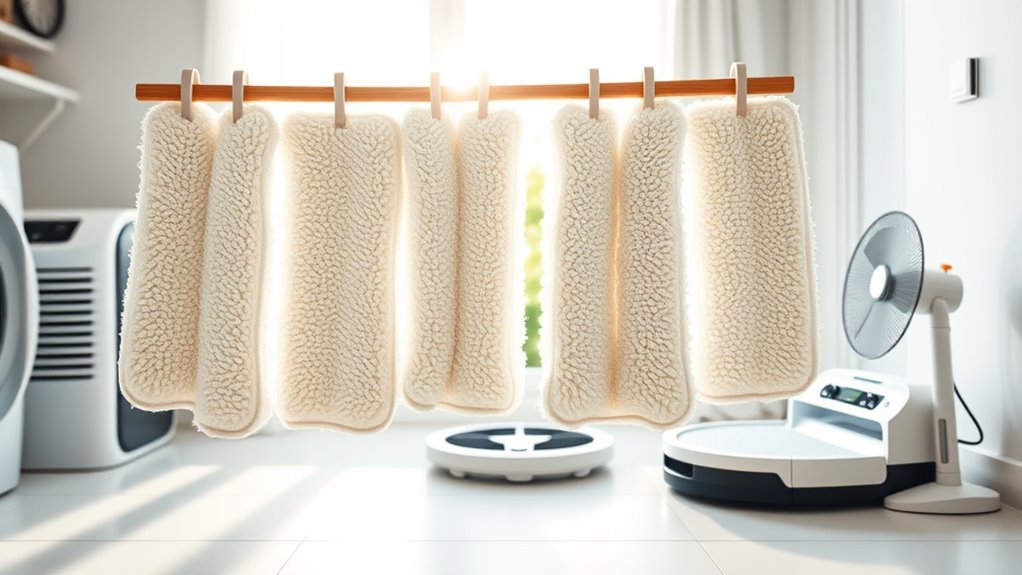
- Hang the pad separately where air can circulate around both sides.
- Check for dampness before attaching the pad again or putting it into storage.
Some robots have automatic washing and drying docks. These can reduce manual work, but you still need to confirm that the pad is dry when the cycle ends.
Wash Pads Promptly
Wash your robot mop pads soon after each cleaning session. Removing soil before it dries into the fibers makes future cleaning easier and reduces lingering smells.
First, remove loose hair and visible debris. Then rinse the pad thoroughly with water at a temperature allowed by its care instructions.
Washing rules differ between models. For example, the Roomba Combo j7+ and j9+ washing instructions allow hand washing with warm water or machine washing on a warm cycle.
However, Roomba 100/1000 mop pad instructions specify hand washing with cold water and prohibit machine washing.
Check your exact model before using a washing machine. Do not assume every reusable pad can handle the same treatment.
Warning: Do not add laundry detergent, baking soda, vinegar, bleach, or other household cleaning products to the robot’s water tank unless the manufacturer specifically approves them. Unapproved products can leave residue or damage the water system. Cleaning the removable pad and filling the robot’s tank are separate tasks.
Air-Dry Completely
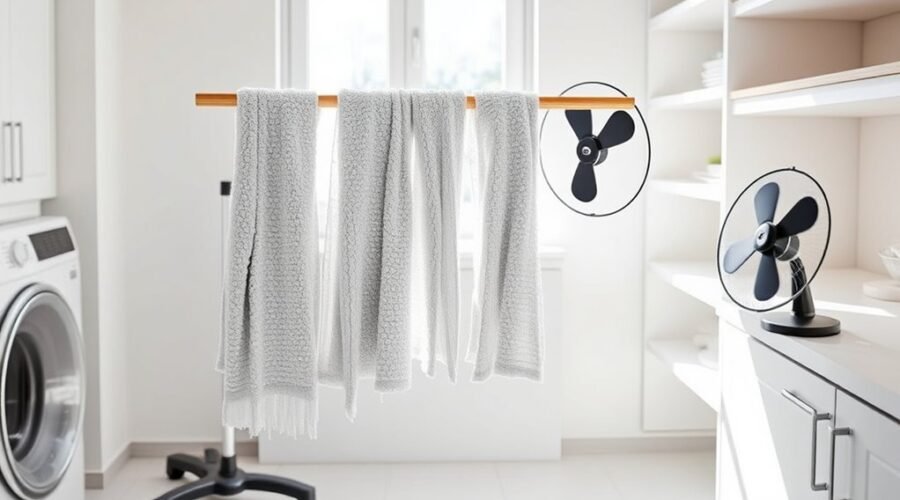
After washing, hang the mop pads where air can reach both surfaces. A drying rack, clothesline, or similar open support works better than leaving wet pads stacked on a counter.
Gently press out excess water before hanging. Avoid aggressive twisting, which may stretch the fabric or damage the backing.
Follow this simple drying sequence:
| Step | Action | Result |
|---|---|---|
| 1 | Remove excess water | Less moisture to evaporate |
| 2 | Hang in open air | Better airflow around the fabric |
| 3 | Check for dampness | Confirms readiness for storage |
Choose an area with good ventilation. If the room feels humid, a fan or dehumidifier can help remove moisture from the surrounding air.
Before storing the pad, touch the fabric, edges, seams, and backing. These areas should feel dry, with no obvious damp spots.
Do not place wet pads into closed containers or leave them piled together while drying.
Pro Tip: If a freshly washed pad holds a lot of water, place it between two clean, dry towels and press gently. The towels absorb some moisture without requiring you to wring the pad. This can make air-drying easier, especially for thick microfiber pads.
Prevent Odor Buildup
Preventing odors starts with removing dirt before it settles into the fibers. Clean the pad after each job and avoid leaving it wet on the robot for long periods.
Use only cleaning products compatible with your mop pad. A mild non-biological laundry detergent may be suitable for some machine-washable pads, but it is not a universal requirement.
For stubborn odors, baking soda and white vinegar are sometimes suggested as household cleaning options. However, their compatibility with robot mop pads varies, so use them only when the pad manufacturer permits them.
If a pad still smells after an approved wash and complete drying, inspect it for embedded dirt, discoloration, or damaged fibers.
Also check the pad holder and dock tray. Cleaning the fabric alone will not solve an odor problem caused by dirty equipment.
How Long Robot Mop Pads Need to Dry
Robot vacuum mop pads often take several hours to dry, but four hours is not a universal drying requirement or guarantee. Drying time depends on the pad material, how wet it is, room temperature, humidity, and airflow.
Some automatic docks use four-hour drying cycles. Others offer shorter or longer settings. Manual air-drying also varies, so the pad’s condition matters more than the clock.
Drying Time Basics
Allow enough time for moisture to evaporate from the entire pad. A surface that feels dry can still hide dampness in thicker areas or the backing.
For example, the iRobot AutoWash Dock FAQ explains that its approximately four-hour, unheated airflow cycle reduces moisture but may not dry the pad completely.
Other systems use different durations. Official automatic drying guidance describes selectable cycles of 3.5, 5, and 7 hours for one dock model.
These examples show why a fixed four-hour rule does not work for every robot vacuum.
For manually dried pads, begin checking after several hours. If the pad is still damp, continue drying rather than storing it.
Factors That Extend Drying
Several conditions can make robot mop pads take longer to dry. Understanding them helps you choose a better drying location and recognize when more time is needed.
- High humidity: Moist air slows evaporation, especially during rainy weather.
- Thick fabric: Dense microfiber and layered pads can retain more water.
- Limited airflow: Pads pressed against a solid surface may dry unevenly.
- Excess water: A dripping pad needs longer than one with excess moisture removed.
- Low room temperature: Cooler conditions can slow evaporation.
These factors can affect both manual air-drying and automatic dock drying.
If the pad remains wet despite good airflow, inspect it for excessive buildup or deteriorated fibers. A pad that holds grime or has lost its normal texture may need replacement.
How to Wash Robot Mop Pads Faster
The quickest way to clean robot mop pads is to wash them before dirt dries into the fabric. Lightly soiled removable pads may take under 10 minutes to hand wash, although heavily soiled pads need more attention.
For routine cleaning, use this method:
- Remove the pad from its holder.
- Rinse away loose debris with clean water.
- Gently work the fabric to release trapped dirt.
- Use an approved mild cleaning product if the pad needs a deeper wash.
- Rinse thoroughly to remove remaining residue.
- Press out excess water and begin drying.
If the manufacturer allows machine washing, a short or regular cycle may be convenient. Follow its instructions for water temperature, detergent, and fabric separation.
For dried-on grime, a warm-water soak may help loosen residue before washing. The original 30-minute soaking approach is practical only when the pad’s material and care instructions permit soaking.
A baking soda soak should not be treated as suitable for every pad. Avoid adding household cleaners simply to make washing faster.
After cleaning, remove the pads from the wash water or machine promptly. Leaving them wet in a pile can undo the benefits of washing.
How to Keep Robot Mop Pads Fresh Between Uses
Keeping robot mop pads fresh requires regular cleaning, complete drying, and occasional inspection. A pad that looks clean may still have trapped soil or moisture, especially after repeated mopping sessions.
Use a consistent maintenance routine:
- Inspect pads for trapped dirt after each cleaning job.
- Remove hair and visible debris before washing.
- Check the pad holder for accumulated residue.
- Keep spare pads in a clean, dry location.
- Rotate between multiple pad sets to reduce wear and allow more drying time.
If your robot includes an automatic mop dryer, confirm that drying is enabled and that the cycle finishes normally.
For compatible models, the Roborock drying settings guide explains that drying duration can be adjusted under Dock Settings. It also describes starting and stopping drying through the app.
Available controls depend on your exact robot and docking station.
When automatic drying leaves a pad damp, remove it for additional air-drying instead of assuming the completed cycle means the fabric is fully dry.
If a pad repeatedly develops a sour smell, check whether the dock washing area or dirty-water tank is the source. Residue in those parts can cause odors even when the pad is cleaned regularly.
How to Store Robot Mop Pads to Prevent Mildew
Store robot vacuum mop pads only after they are completely dry. A cool, dry location protects the fabric from excess humidity and helps prevent mildew during periods when the robot is not used.
Breathable storage bags, open containers, or clean shelves are suitable choices for dry pads. Avoid sealed plastic bags if there is any chance that moisture remains inside the fibers.
For longer storage, follow these steps:
- Wash the pad using the approved method.
- Allow it to dry completely.
- Inspect the fabric for stains, mildew, and wear.
- Place it in a clean, dry storage area without compressing damp material.
You can lay dry pads flat or keep them loosely arranged. Avoid storing them beside standing water, wet towels, or other sources of moisture.
Check stored pads occasionally for odors or discoloration. If a pad becomes musty, clean it again before use. Replace it if mildew or unpleasant smells persist after proper care.
When to Replace Robot Mop Pads
Robot mop pads need replacement when wear, trapped dirt, or persistent odors begin to affect cleaning performance. The right schedule depends on the pad material, cleaning frequency, and manufacturer’s instructions.
A 3–6 month replacement interval is recommended for some models. For example, official mop pad replacement guidance gives this range for one robot vacuum. Other models may require more frequent replacement or use a wash-count-based schedule.
Watch for these signs:
- Persistent odor: The pad continues to smell after washing and drying.
- Frayed fibers: Loose threads or damaged edges interfere with normal cleaning.
- Reduced absorbency: The fabric no longer holds or spreads water normally.
- Heavy staining: Embedded grime remains despite proper washing.
- Thinning material: The pad has worn areas or an uneven texture.
- Visible mildew: Discoloration or suspicious growth remains after cleaning.
Replace mop pads based on their condition and your model’s maintenance guidance, not on age alone.
Regular inspection helps you avoid replacing pads too early while preventing worn fabric from reducing floor-cleaning performance.
Keeping a spare set available also makes it easier to swap out a damaged pad without delaying your cleaning routine.
How to Clean the Mop Dock and Tank
A clean mop dock and water tank help prevent odors from returning to freshly washed pads. Dirty water, trapped hair, and residue in the washing tray can cause musty smells even when the mop fabric is properly maintained.
Empty the dirty-water tank after each mopping session when your model uses one. Rinse it according to the manufacturer’s guidance and make sure removable parts are dry where required before reassembly.
Inspect the washing tray, drain openings, and removable filters for accumulated debris.
Official AutoWash Dock cleaning instructions recommend cleaning the pad washing basin and overflow basin monthly, whenever visibly dirty, or when the app indicates maintenance is needed.
A practical maintenance checklist is:
| Task | Frequency | Purpose |
|---|---|---|
| Empty dirty water | After each use | Prevents stagnant water and residue buildup |
| Rinse tanks | Weekly inspection; clean as directed | Removes grime and deposits |
| Dry components | After manual washing, as directed | Reduces trapped moisture |
| Wipe dock tray | Weekly inspection; clean when dirty | Removes residue and trapped debris |
| Check for debris | Weekly | Keeps accessible drainage areas clear |
Some systems need more or less frequent maintenance. Follow the schedule for your model, especially when cleaning parts that contain sensors, electrical contacts, or moving components.
Use only approved cleaning and disinfecting products. Do not spray water into electrical openings or immerse parts that are not designed to be washed.
If the dock continues to smell after cleaning, check its removable tray, filters, and wastewater system. Persistent drainage or drying problems may require manufacturer support.
Key Takeaways
- Washing instructions vary by robot model. Some pads allow machine washing, while others require hand washing.
- A four-hour automatic drying cycle may reduce moisture without removing it completely.
- High humidity, thick fabric, and limited airflow can extend drying time.
- Dirty wastewater tanks and washing trays can cause odors that seem to come from the pads.
- Replace pads when fibers wear out, absorbency drops, or odors remain after proper cleaning.
Frequently Asked Questions
How to Keep Robot Mop From Smelling?
To keep your robot mop from smelling, wash its pads after cleaning and let them dry completely. Remove trapped dirt, empty the dirty-water tank, and keep the washing tray clean. Use only approved cleaning products. Replace the pads when persistent odors or worn fibers make proper cleaning difficult.
Can You Dry Microfiber Mop Pads in the Dryer?
Microfiber robot mop pads should generally be air-dried unless their manufacturer allows machine drying. High heat can damage some fibers, backing materials, or attachments. Certain washable pads may allow a low-heat dryer setting, but others prohibit tumble drying entirely. Follow the instructions for your specific pad.
Why Do My Roborock Mop Pads Smell Bad?
Roborock mop pads can smell bad when moisture, floor residue, or dirty washing components remain after cleaning. Wash the pads using the approved method and ensure the drying cycle completes. If they remain damp, extend drying when your model allows it. Also inspect the washing tray and wastewater tank for odors.
Can Roomba Mop Pads Be Washed?
Yes, many reusable Roomba mop pads can be washed, but the approved method depends on the model. Some support machine washing, while others require hand washing with water. Always check the pad’s care instructions before using detergent or a washing machine. Let washable pads dry as directed before reuse.
Conclusion
Drying robot vacuum mop pads properly helps prevent musty odors, trapped moisture, and mildew. Wash the pads after use, give them enough airflow, and confirm they are completely dry before storage.
Remember that drying times and washing rules differ between models. Follow your manufacturer’s instructions, maintain the mop dock, and replace worn pads when necessary. These simple habits help keep your robot mop fresh and ready for the next cleaning session.
Sources
- Xiaomi Support: Why the Robot Vacuum 5 Pro Mop Pad Develops Odors: Explains moisture, dirt, stagnant tank water, and worn pads as odor sources.
- iRobot Support: Roomba Combo j7+/j9+ Mop Pad Instructions: Confirms approved hand washing, machine washing, and air-drying procedures.
- iRobot Support: Roomba 100/1000 Mop Pad Care: Confirms cold-water hand washing and the restriction against machine washing.
- iRobot Support: AutoWash Dock Frequently Asked Questions: Explains the approximately four-hour drying cycle and why pads may remain damp afterward.
- eufy Support: Omni E35 Drying Durations: Documents selectable drying times and environmental factors affecting drying performance.
- Roborock Support: Adjusting Drying Duration: Explains dock drying controls and adjustable drying duration.
- Xiaomi Support: Robot Vacuum S40C Mop Pad Drying: Covers manual air-drying, humidity, and model-specific replacement intervals.
- iRobot Support: Cleaning the AutoWash Dock Roller and Basin: Details cleaning procedures and maintenance frequency for washing components.