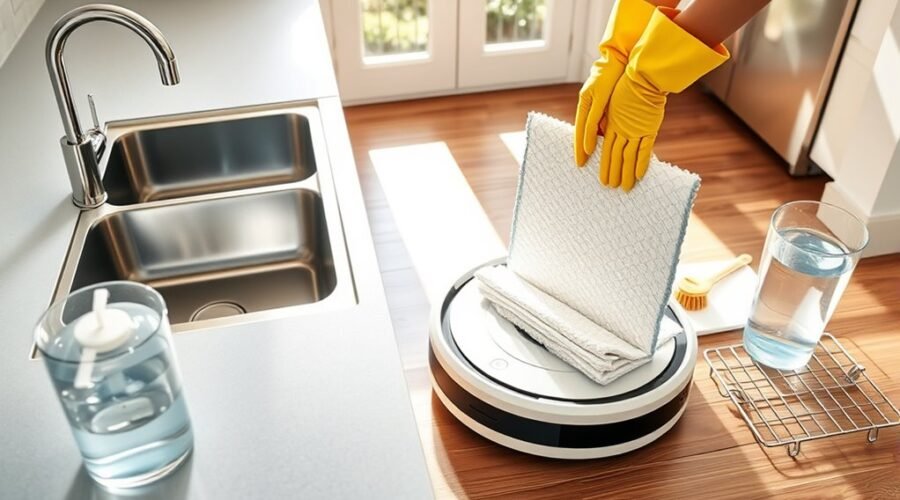
If your robot vacuum mop smells bad, the problem often starts with dirty water, damp mop pads, or trapped debris. A sour or musty odor can return even after an automatic cleaning cycle if moisture remains inside the machine. The good news is that most routine odors can be reduced with proper cleaning and drying.
Quick Answer
To stop a robot vacuum mop from smelling, empty and rinse its dirty-water tank after each mopping job, wash and fully dry the mop pad, and remove debris from the dustbin and brushes. Check the dock’s washing tray and filter, too. Use only cleaning methods and solutions approved for your model.
At a Glance
| Difficulty | Easy for routine cleaning |
| Tools Needed | Soft brush, microfiber cloth, clean water, and a brush-cleaning tool. Use mild soap only where the manufacturer allows it. |
Why Your Robot Vacuum Mop Smells
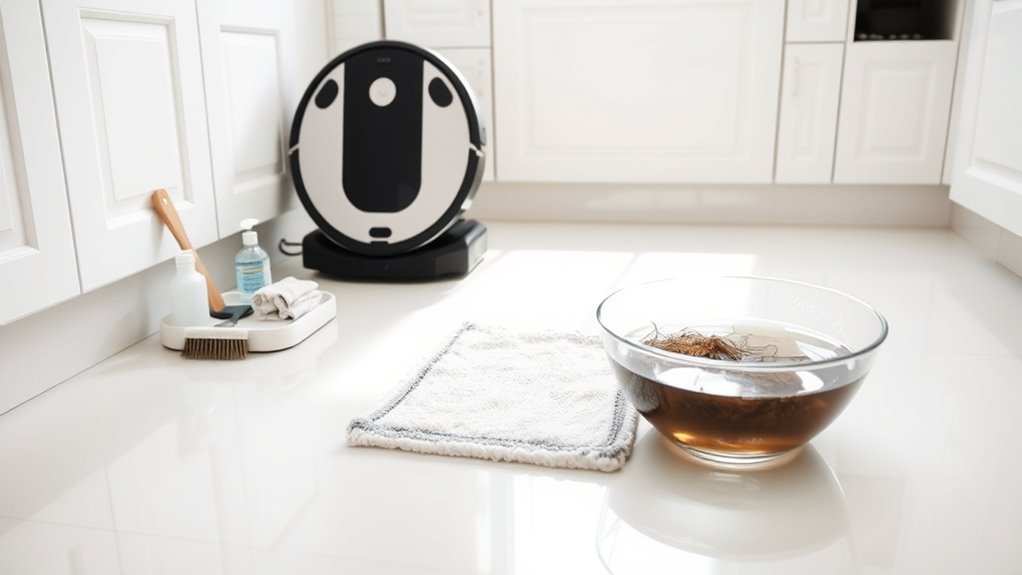
Robot vacuum mops develop unpleasant odors when dirty water, damp cleaning pads, and trapped debris remain inside the machine. These conditions allow bacteria and mildew to grow, especially in enclosed tanks and docking stations.
The smell often starts in the dirty-water tank. Used cleaning water contains dust, pet hair, food particles, and floor residue. When this mixture sits for too long, it can produce a sour or sewage-like odor.
Other common odor sources include:
- Dirty mop pads: Moist fabric holds grime and can develop a musty smell.
- Clogged filters: Trapped dust and debris can create stale odors and restrict airflow.
- Full dustbins: Pet hair, food crumbs, and household dirt can smell after sitting inside the bin.
- Dirty dock trays: Residue can collect beneath the mop-washing area and around drainage openings.
- Damp internal parts: Moisture left inside accessible compartments can encourage mildew.
The source of the smell matters because cleaning the wrong component may not solve the problem. For example, washing the mop pad will not remove an odor coming from stagnant water inside the dock.
Xiaomi’s robot vacuum odor troubleshooting guidance identifies the dirty-water tank, washing tray, mop pad, dust compartment, and filter as common sources.
Start by checking which part smells strongest. Then clean that component before moving on to the rest of the system.
Empty the Dustbin After Every Run
Emptying the dustbin after cleaning prevents dirt, pet hair, and food particles from remaining inside the robot. This is especially helpful for homes with pets or heavy daily debris.
A full dustbin may also restrict airflow and reduce suction. That can leave more dirt on the floor and allow additional buildup inside the machine.
Follow these steps for models with a removable dustbin:
- Turn off the robot before handling removable components, following its maintenance instructions.
- Remove the dustbin using its release mechanism.
- Empty the contents into a trash container.
- Remove loose hair and debris from the accessible openings.
- Wipe the dustbin with a dry microfiber cloth.
- Reinstall it securely before the next cleaning cycle.
If your robot has an automatic-emptying dock, check that debris transfers into the collection bag or container. Replace disposable bags when indicated and inspect the evacuation opening for blockages.
| Action | Benefit |
|---|---|
| Empty the dustbin | Removes trapped dirt and odor sources |
| Wipe the bin dry | Removes residue without adding moisture |
| Check for pet hair | Helps prevent buildup and airflow restrictions |
Not every dustbin can be washed. Some models have components that must stay dry, while others allow rinsing after the filter has been removed.
For example, the iRobot Roomba Combo maintenance guide explains that certain filters must not be washed and that their cleaning schedule differs from the mop pad’s.
Always let washable components dry completely before reinstalling them. A clean, dry dustbin helps prevent musty odors during the next run.
Clean or Replace Robot Vacuum Filters
A dirty robot vacuum filter can restrict airflow and hold dust that contributes to unpleasant smells. Cleaning or replacing the filter may help when the robot smells stale or has noticeably weaker suction.
However, not all robot vacuum filters are washable. Some must be cleaned dry and replaced when they become clogged or worn.
Clean Filters Regularly
Regular filter maintenance removes trapped dust before it builds up and affects performance. The correct cleaning method depends on the filter material and your robot’s instructions.
For washable filters, the original maintenance guidance suggests cleaning every 2–4 weeks. Some manufacturers specify different schedules, so use the interval recommended for your model.
Use this routine:
- Remove the filter according to the manufacturer’s instructions.
- Inspect it for dust, hair, damage, and discoloration.
- Tap loose debris from non-washable filters or clean them using the approved dry method.
- Rinse washable filters only when the manufacturer specifically permits water cleaning.
- Allow every washed filter to dry fully before reinstalling it.
| Task | Timing |
|---|---|
| Inspect the filter | During routine dustbin maintenance |
| Clean washable filters | Every 2–4 weeks when recommended for the model |
| Dry fully before use | After every approved rinse |
| Replace worn filters | According to the model’s schedule or sooner if damaged |
Never reinstall a damp filter. Moisture can create new odors and may interfere with airflow or damage sensitive components.
Replace Clogged HEPA Filters
If your robot uses a HEPA or other high-efficiency filter, replace it when it becomes worn, damaged, or clogged beyond cleaning. A filter that no longer allows proper airflow can reduce suction and may contribute to stale smells.
Replacement schedules are not identical across manufacturers.
For example, the Roomba Plus 400 maintenance schedule recommends filter replacement every 3–6 months, depending on use. Other Roomba models specify shorter intervals.
Check your filter before replacement:
- Look for visible tears or damaged material.
- Check whether dust remains embedded after approved cleaning.
- Notice whether suction is weaker than usual.
- Check for persistent odors after cleaning the dustbin.
- Confirm that the replacement filter fits your exact model.
Replacing a damaged filter can restore airflow and help prevent dust from reaching parts that should remain protected.
Wash Mop Pads and Dry Them Fully
Washing the mop pads after mopping removes dirt and residue that can create sour or musty odors. Thorough drying is just as important because a clean pad can still smell if it stays wet for too long.
Some robot mops automatically wash their pads, but automatic washing does not always mean the fabric is completely dry.
For removable washable mop pads, follow this process:
- Remove the mop pad according to the manufacturer’s instructions.
- Shake or brush away loose hair and debris.
- Wash the pad using the approved water temperature and method.
- Use mild detergent only if the manufacturer permits it.
- Rinse thoroughly to remove loosened grime and any approved cleaning product.
- Air-dry the pad completely before reattaching it.
Some pads can be machine-washed, while others require hand-washing. Do not assume that bleach, hot water, or machine drying is safe for every pad.
For persistent odor, the eufy S1 Pro troubleshooting instructions recommend cleaning the dirty-water tank, roller mop, dustbin, and base-station filter tray. Its roller-mop cleaning procedure specifically avoids adding a cleaning solution.
Replace pads when they become thin, damaged, or difficult to clean. Some manufacturers recommend replacement every 3–6 months, but the correct interval depends on the pad design and usage.
Pro Tip: Keep a spare compatible mop pad available. You can use the clean replacement while the washed pad finishes air-drying, instead of attaching damp fabric to the robot.
Store spare pads in a clean, dry location. This helps prevent mildew and keeps them ready for the next cleaning job.
Clear Hair From Brush Rolls and Wheels
Hair wrapped around the brush rolls and wheels can trap dust, reduce movement, and increase strain on the drive system. Removing these tangles helps the robot clean properly and prevents debris from collecting around moving parts.
Check the brushes frequently if you have pets or long hair in your household.
To clean the brushes safely:
- Turn off the robot and place it on a stable surface.
- Remove the main brush if your model allows it.
- Use a brush-cleaning tool to loosen wrapped hair.
- Cut tightly wrapped strands carefully, keeping sharp tools away from bristles, seals, and wires.
- Inspect accessible brush ends and bearings for hidden hair.
- Check the side brushes and wheels for additional tangles.
- Reinstall removable components and confirm that they are secure.
A weekly inspection is a useful starting point, although homes with heavy pet shedding may need more frequent cleaning.
Watch for damaged bristles, worn brush ends, unusual resistance, or wheels that do not turn freely. These problems may require replacement parts rather than more cleaning.
Keeping the brushes clear helps maintain floor contact, improves movement, and reduces avoidable wear.
Rinse the Water Tank and Dirty Water Bin
The dirty-water tank is one of the first places to check when a robot vacuum mop develops a strong sour smell. Emptying it after each mopping cycle prevents used water and debris from remaining inside the machine.
Clean-water tanks also need attention because standing water and residue can become sources of unpleasant odors.
For a removable dirty-water tank:
- Remove the tank after the mopping cycle ends.
- Pour the wastewater into a suitable drain.
- Rinse the tank with clean water.
- Use a soft brush to remove residue from accessible corners and surfaces.
- Use mild soap only if the manufacturer permits it.
- Rinse away remaining residue and leave the tank open to dry when appropriate.
- Reinstall the tank securely before the next cleaning cycle.
For a clean-water tank, empty old water and follow the model’s approved cleaning method. Some tanks can be rinsed, while others have parts that should not be immersed or exposed to additional water.
Warning: Do not assume every water tank is safe to rinse or wash with detergent. Some models have electrical components, seals, or water-delivery parts that can be damaged. Never immerse an assembled robot or powered dock in water.
For example, the iRobot Roomba 200/2000 mop-pad and tank instructions warn against rinsing or immersing that model’s water tank. This is why model-specific guidance matters.
Never leave dirty wastewater inside the dock for extended periods. Regular emptying is more reliable than trying to cover up an existing smell with fragrance.
Prevent Mold and Mildew Buildup
Mold and mildew are less likely to develop when washable parts are cleaned and allowed to dry properly. Moisture trapped inside a dirty tank, mop pad, or enclosed docking station creates conditions where unwanted growth can develop.
The most effective prevention routine focuses on removing both dirt and moisture.
- Empty the dirty-water tank after each mopping job.
- Clean removable mop pads after use.
- Allow washed pads to dry fully before storage or reinstallation.
- Inspect the dock’s mop-washing tray for standing water and residue.
- Clean accessible drainage openings and removable filters according to the manual.
- Keep the robot and spare cleaning parts in a dry, ventilated area.
Don’t Overlook the Dock Washing Tray
A dirty dock tray can cause odors even when the wastewater tank and mop pads look clean. Hair, sludge, and floor residue can collect around the washing basin, filter, and drainage opening.
Unplug the dock before manual cleaning when directed by its manufacturer.
Remove only the trays and filters intended for user maintenance. Clear visible debris, clean washable parts using approved methods, and reinstall everything securely.
The iRobot Auto-Wash dock cleaning instructions recommend cleaning the pad-washing basin and overflow basin monthly, when visibly dirty, or when prompted by the app.
Other manufacturers may recommend more frequent cleaning. Check your particular dock’s maintenance schedule.
Automatic mop drying can also leave some moisture behind, especially in humid conditions. If the pad remains damp, remove it for additional air-drying when your model permits.
Inspect only accessible hoses and drainage areas. Do not open sealed internal water lines or electrical compartments to search for moisture.
If you find extensive mold growth or an odor that remains after approved cleaning, contact the manufacturer for advice about safe maintenance or replacement.
Stop Burning Smells and Overheating
A burning smell is different from the sour or musty odor caused by dirty water. It may indicate overheating, excessive friction, electrical damage, or another mechanical problem.
Stop using the robot immediately if you notice a burning or strongly electrical smell. Do not treat this warning as an ordinary cleaning issue.
Stop Using Immediately
Turn off the robot and disconnect the docking station from power if it is safe to do so. Keep the machine out of service while you determine whether the smell comes from trapped debris or a damaged component.
Follow these safety steps:
- Stop the cleaning cycle immediately.
- Disconnect the dock from the electrical outlet if safe.
- Allow the robot and dock to cool without handling unusually hot parts.
- Check for visible smoke, melted plastic, damaged cables, or unusual discoloration.
- Contact the manufacturer if you suspect an electrical or battery problem.
Warning: Do not restart or charge a robot that shows signs of smoke, battery damage, melting, or electrical overheating. Keep clear of a smoking or burning unit and contact emergency services if there is a fire risk. Electrical and battery repairs should be handled by qualified service personnel.
A persistent burning smell needs professional assessment, even if the robot appears to operate normally afterward.
Inspect Brush Roll
Once the robot has cooled, inspect the brush roll for hair, lint, thread, or other material wrapped around its moving parts. A tightly jammed brush can increase friction and place extra strain on its drive mechanism.
For a safe inspection:
- Remove the brush using the approved release mechanism.
- Look for tightly wrapped hair and debris around the brush ends.
- Clear accessible tangles with the appropriate cleaning tool.
- Check the bristles, bearings, and end caps for wear or damage.
- Reinstall the brush correctly if no damage is visible.
Worn or damaged brushes may need replacement. The original guidance suggests checking brush-roll replacement needs around 6–12 months, although manufacturer schedules vary.
If the brush remains stuck, shows signs of heat damage, or cannot turn normally, seek service rather than forcing it.
Check For Overheating
Overheating can occur when airflow is restricted or moving parts are under excessive strain. Blocked vents, clogged filters, and damaged brushes are possible causes, but electrical faults can also produce heat and burning odors.
During a visual inspection, check for:
- Dust blocking accessible ventilation openings.
- A severely clogged or incorrectly installed filter.
- Hair wrapped around brush bearings or wheels.
- Unusual discoloration near the motor housing.
- Damaged charging contacts, cables, or dock components.
- Repeated overheating warnings or unexpected shutdowns.
Do not cover ventilation openings while the robot operates. Follow the manufacturer’s operating limits and allow normal cooling when the instructions require it.
If the machine becomes unusually hot or produces another burning odor, leave it switched off and arrange an inspection.
Keep Your Robot Vacuum Mop Fresh
Keeping your robot vacuum mop fresh requires regular cleaning rather than occasional deep scrubbing. Empty dirty water promptly, prevent residue from accumulating, and make sure washable parts dry before the next use.
Use this maintenance checklist to build a simple routine:
- After each mopping job: Empty the wastewater tank and clean the mop pads.
- After vacuuming: Empty a manual dustbin or confirm that the automatic-emptying system worked properly.
- During weekly maintenance: Inspect the filter, brushes, wheels, and accessible debris openings.
- During dock maintenance: Clean the washing tray, removable filters, and drainage areas at the recommended intervals.
- When replacing parts: Use compatible filters, brushes, and mop pads that meet the manufacturer’s specifications.
Use Only Approved Cleaning Solutions
Household cleaners are not automatically safe for robot vacuum mops. Vinegar, baking soda, bleach, essential oils, and strong detergents can be unsuitable for a machine’s tanks, pumps, seals, or water-delivery system.
Do not add these products to the clean-water or dirty-water tanks unless the manufacturer explicitly approves the product and its use.
For example, Roborock’s cleaning-solution guidance instructs users to use only its approved cleaning solutions.
Likewise, eufy’s X10 Pro Omni troubleshooting guidance warns that corrosive cleaning solutions, including white vinegar, may damage the water pump.
For odor control, prioritize removing the source of the smell rather than adding perfumes or deodorizing powders.
If the smell persists, isolate the affected component by checking the tank, pad, dustbin, filter, and dock separately. This makes it easier to determine whether the problem needs cleaning, replacement, or professional service.
Key Takeaways
- A robot mop can smell even after automatic washing if residue remains inside the dock tray.
- Washable and non-washable filters need different cleaning methods. Never rinse a filter without checking the manual.
- Automatic drying may leave mop pads damp in humid conditions.
- Filter and mop-pad replacement schedules vary by model, condition, and cleaning frequency.
- Unapproved cleaning additives may damage water-delivery components instead of solving the odor problem.
Frequently Asked Questions
How to Stop Robot Mop From Smelling?
To stop your robot mop from smelling, empty the dirty-water tank after mopping, wash the pads, and dry removable components completely. Clean the dustbin, inspect the filter, and remove residue from the dock tray. Avoid unapproved cleaning solutions that may damage the machine.
Why Does My Roomba Mop Smell Bad?
Your Roomba mop may smell bad because its mop pad stays damp or dirt remains in the water tank, dustbin, or dock. Clean the affected components using the instructions for your Roomba model. Replace worn pads or filters when recommended.
Why Does My Robot Vacuum Smell so Bad?
Your robot vacuum may smell because pet hair, food debris, damp components, or clogged filters are holding dirt and residue. Check where the odor is strongest, then clean that area. If the smell is burning rather than musty, stop using the robot immediately.
Can I Put Vinegar in My Robot Mop?
You should not put vinegar in your robot mop unless the manufacturer specifically approves it. Vinegar can be corrosive to some water-delivery components. Use plain water or the approved cleaning solution for your model, and clean removable parts using the recommended method.
Conclusion
Preventing robot vacuum mop odors comes down to removing dirt and moisture before they accumulate. Empty dirty water after mopping, clean the pads and dustbin, and keep the dock’s washing area free of residue.
Start by checking the component that smells strongest. With consistent maintenance, proper drying, and approved cleaning methods, your robot vacuum mop can stay fresher and work more reliably.
Sources
- Xiaomi Support: Robot Vacuum X20 Pro Abnormal Odors: Identifies common odor sources and recommends cleaning wastewater tanks, washing trays, and mop pads.
- iRobot: Roomba Combo Mopping and Maintenance Guide: Explains post-cleaning care, mop-pad washing, filter maintenance, and drying requirements.
- iRobot: Roomba Plus 400 Care Procedure Frequency: Supports model-specific filter, brush, mop-pad, and docking-station maintenance intervals.
- eufy Support: S1 Pro Unpleasant Odor Troubleshooting: Covers cleaning the dirty-water tank, roller mop, dustbin, and base station.
- iRobot: Roomba 200/2000 Mop-Pad Maintenance: Provides model-specific washing instructions and water-tank cleaning restrictions.
- iRobot: Auto-Wash Dock Cleaning Instructions: Explains cleaning the washing roller, basin, drainage area, and removable filter.
- Roborock Support: Approved Cleaning Solutions: Explains restrictions on cleaning products used in Roborock devices.
- eufy Support: X10 Pro Omni Water-System Troubleshooting: Warns against corrosive cleaning solutions that may damage water-pump components.