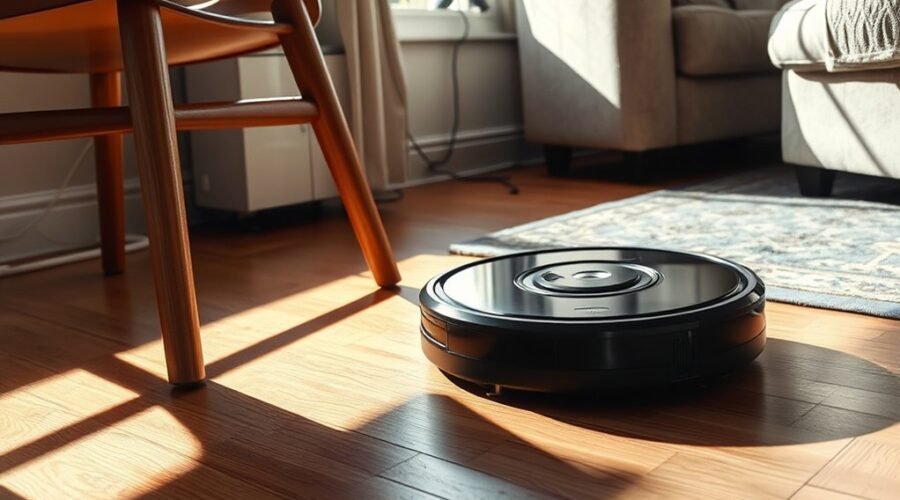
Robot vacuums often bump into furniture because their sensors miss edges, their bumper systems are dirty, or the room creates difficult conditions such as dark finishes and glass surfaces. Older navigation methods can worsen the problem, while poor layout and missing no-go zones can trap the machine in repeated impacts. Simple maintenance helps, but some cases point to setup changes or a better mapping system. The causes are usually predictable, and the fixes are often more specific than they first appear.
Why Do Robot Vacuums Bump Into Furniture?
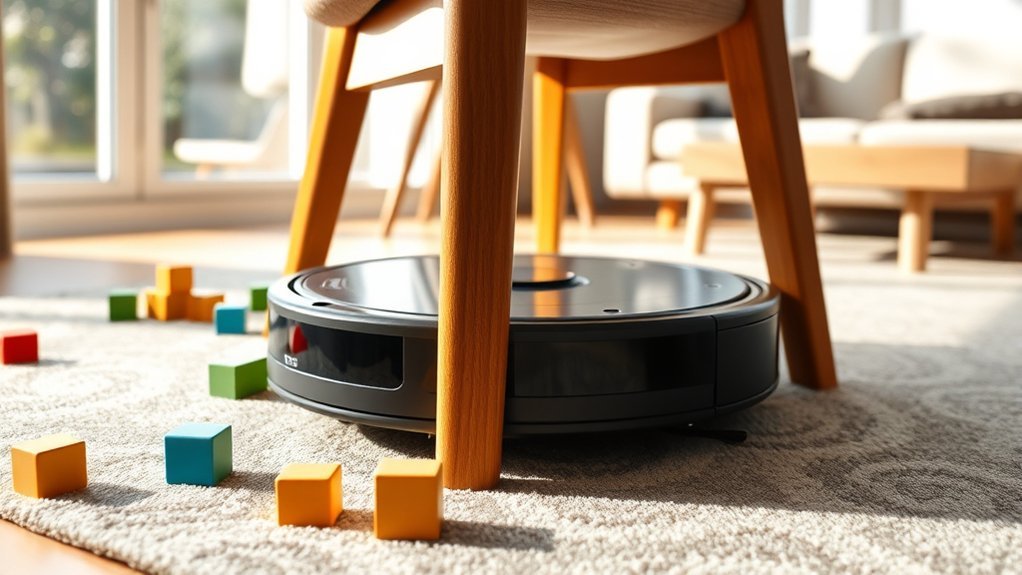
Robot vacuums bump into furniture primarily because their sensing systems have limited ability to judge distance, height, and clearance accurately, especially around low-profile obstacles.
Older robot vacuums often rely on contact-based navigation, so repeated taps are part of their route planning rather than a fault. That method increases wear and raises the risk of damage to both the unit and the furniture.
Dark-colored surfaces can worsen the problem because infrared sensors may absorb less reflected signal, causing misreadings of nearby boundaries.
Front-mounted brushes on some models also make contact with delicate finishes, which can abrade paint or varnish over time.
Structural details matter as well: uneven legs, narrow gaps, and low clearance can trap a vacuum and leave it stuck after a series of small collisions.
In practical terms, the pattern reflects constrained sensing, not intentional movement, and it limits the freedom of robot vacuums to navigate safely around furniture.
Clean the Sensors and Front Bumper
Regular cleaning of the infrared sensors helps maintain accurate obstacle detection and reduces unintended contact with furniture.
The front bumper should be inspected for debris, scratches, or binding that could limit its sensing function.
Any obstruction around the sensors or bumper should be removed promptly to restore normal navigation.
Clean Sensors Regularly
A clean sensor array is essential for accurate obstacle detection, helping the vacuum navigate around furniture with fewer collisions and less unnecessary wear.
To clean sensors regularly, power down the vacuum cleaner and wipe each optical lens with a dry microfiber cloth. Dust films, pet hair, and residue can distort readings, making it harder to protect the robot vacuum from getting stuck or striking chair legs.
Routine maintenance restores pathfinding precision and reduces repeated impact cycles.
- Bright dust on a dark sensor window
- A fingertip clearing a lens edge
- The vacuum tracing a clean arc across hardwood
- Fine debris lifted from a front-facing sensor strip
Regular inspection keeps navigation efficient, preserves components, and supports independent operation with fewer interruptions.
Check Front Bumper
After the sensor array is cleaned, the front bumper should be inspected and wiped down as well, because dirt, scratches, or blockage there can disrupt infrared detection and delay deceleration before impact.
The operator should check front bumper condition for debris, scuffs, or residue that could interfere with obstacle detection. A soft, dry cloth is usually sufficient for routine maintenance, while the vacuum manual should guide any model-specific cleaning steps.
Infrared sensors and the bumper work together; when either is compromised, the machine may continue forward too aggressively and strike furniture. Regular attention preserves precise navigation and reduces wear.
Dark surfaces near the travel path can also weaken infrared response, so the route should remain as clear as possible.
Remove Sensor Obstructions
Sensor obstructions should be removed by cleaning both the infrared sensors and the front bumper, since dust, debris, and residue can reduce obstacle detection accuracy and cause the vacuum to bump into furniture.
To remove sensor obstructions, a soft cloth should be used on each lens, and the front edge should be checked for trapped particles or scratches. Regularly clean the infrared sensors to preserve clear signal return and help the robot vacuum from getting stuck during navigation.
Reflective surfaces, including mirrors or glass panels, should also be kept away from the travel path because they can confuse the system.
- Clean lenses, free of dust
- Bumper edge, brushed clear
- Scratched plastic, inspected closely
- Mirror glare, excluded from range
Fix Problems With Dark Furniture and Glass
Dark furniture and glass can interfere with a robot vacuum’s infrared navigation by absorbing or reflecting signals, which may cause repeated bumping, erratic paths, or missed obstacles.
Dark furniture often weakens infrared signals, so distance estimates become unreliable. Glass can bounce those signals back in confusing patterns.
A practical response is to place light-colored mats or temporary barriers around troublesome pieces, improving contrast and giving sensors a clearer target. Cleaning the vacuum’s infrared sensors regularly also helps maintain accurate detection, especially in rooms with reflective or dark surfaces.
In environments where these materials dominate, virtual barriers can be used to keep the machine away from zones that consistently trigger errors. This reduces collisions and restores predictable coverage, giving users more control over the cleaning process.
When the machine can read its surroundings without interference, it can move with greater autonomy and less wasted motion, supporting a cleaner space with fewer interruptions.
Set Up No-Go Zones and Virtual Barriers
No-go zones can be configured in the ECOVACS HOME App to block low-clearance or high-risk areas, such as space under couches or around cables.
Physical barriers and virtual wall emitters provide additional control by preventing entry into unwanted zones and directing the vacuum along safer paths.
Customizing these boundaries by room or floor type, and keeping the software updated, helps maintain reliable navigation and reduces entrapment.
No-Go Zones Setup
A robot vacuum’s cleaning path can be controlled more reliably by defining no-go zones in the ECOVACS HOME App, where specific areas are marked to prevent entry and reduce the risk of getting stuck or causing damage.
Users can map your home with precision, then place no-go zones around low shelves, cable clusters, and spots where the machine risks getting stuck under furniture.
- A sofa casting a narrow shadow over the floor
- A charging cable coiled beside a chair leg
- A doorway split by a digital boundary line
- A multi-floor map with saved restricted rooms
Regular map updates improve zone recognition and route logic.
Multiple maps support different floors or layouts, letting the vacuum clean freely within approved areas while staying outside restricted ones.
Virtual Barrier Options
Virtual barriers provide a practical way to keep a robot vacuum out of collision-prone areas by defining a controlled cleaning route.
| Option | Function |
|---|---|
| App no-go zones | Blocks access to furniture collisions |
| Magnetic strips | Physically redirect travel |
| Boundary tape | Marks restricted edges |
| Software updates | Improves obstacle handling |
Many ECOVACS and similar models support no-go zones through the companion app, giving users direct control over exposed legs, low-clearance shelves, and fragile zones. Physical virtual barriers, including magnetic strips or boundary tape, can be placed around furniture to deny entry where sensors may fail. Some vacuums also detect obstacles autonomously, but defined barriers still reduce impact risk. Together, these methods create a cleaner path, prevent entrapment, and preserve autonomy through precise, deliberate boundary management.
Stop Your Robot Vacuum From Getting Stuck
Regular maintenance and simple room adjustments can greatly reduce robot vacuum stalls and recovery errors. To vacuum from getting stuck, sensors should be wiped with a dry cloth so obstacle detection remains precise.
New furniture can create fresh traps, especially when legs sit low or gaps narrow unexpectedly. A technician-minded approach favors mapped no-go zones in the ECOVACS HOME App, which keeps the unit clear of couches and tight angles.
Physical blockers also help: books, foam noodles, magnetic strips, or boundary tape can redirect movement before a jam occurs.
- A low sofa shadowed by an invisible app boundary.
- A chair cluster ringed with boundary tape.
- A narrow passage blocked by foam noodles.
- A dusty sensor lens restored with a dry cloth.
Where clearance is unreliable, caster wheels or risers increase maneuvering room and restore operational freedom.
The goal is simple: prevent entrapment, preserve autonomy, and let the machine clean without constant rescue.
Raise Low Furniture With Risers
Raising low furniture with risers can create at least 4 inches of clearance, giving a robot vacuum enough space to pass underneath instead of wedging itself in place. This simple adjustment helps prevent a robot vacuum from getting trapped beneath sofas, tables, and cabinets, especially older models with limited obstacle tolerance.
To raise low furniture with risers, select units matched to leg shape, weight load, and desired height. Available in multiple styles, they can blend with room design while delivering functional gains. The added clearance reduces repeated contact, which lowers the chance of scratches and dents on furniture edges.
Choose risers that match your furniture’s legs, weight, and height for a seamless, practical lift.
It also expands reachable floor area, improving cleaning efficiency without adding operational complexity. Installation usually requires minimal tools and little time, making it a cost-effective upgrade for households seeking greater autonomy from constant vacuum recovery.
Properly placed risers can free movement, reduce wear, and allow the vacuum to work with fewer interruptions.
Choose a Robot Vacuum With Laser Mapping
Robot vacuums with laser mapping generate precise floor plans, improving route accuracy and reducing missed areas.
Their obstacle detection lowers the likelihood of furniture collisions and related surface damage.
Customizable navigation and zone controls give greater command over where the unit cleans and where it avoids.
Laser Mapping Accuracy
Laser mapping systems give robot vacuums a more accurate understanding of room layout by measuring distances with laser sensors and building a detailed home map. This precision matters in the market for a new robot vacuum because vacuums can get stuck when navigation is vague or reactive.
A laser-guided model stores multiple floor plans, adapts to different levels, and follows efficient routes with fewer interruptions. The result is steadier movement, less strain on furniture, and quieter operation.
- A bright, clean floor grid
- A vacuum tracing walls with exact turns
- Stairs and thresholds marked in memory
- A mapped home running without repeated impacts
Fewer Furniture Collisions
A more accurate home map also reduces furniture collisions by giving the vacuum a clearer path around obstacles.
Laser mapping models build detailed floor plans, then use them to avoid chairs, tables, and low-clearance zones more consistently than random-navigation units. This supports collision prevention strategies by letting the machine plan efficient routes and adjust when room layouts change.
The result is fewer impacts, less scratching, and reduced dent risk on delicate surfaces. Practical furniture protection tips include setting no-go zones around fragile legs, cords, and decorative pieces, which limits access without constant supervision.
These smart mapping advantages also lower repetitive contact, extending the service life of both the vacuum and household furnishings while saving time during cleaning.
Better Navigation Control
Better navigation control comes from choosing a robot vacuum with laser mapping, since the system builds detailed floor plans and uses distance measurements to identify obstacles before contact occurs.
This navigation technology advancements improve robot vacuum efficiency by learning room geometry, adjusting routes, and reducing wasted passes. The machine moves with disciplined precision, scanning chairs, baseboards, and low tables, then steering around them without repeated impacts.
Smart home integration can add virtual barriers and no-go zones, giving users direct command over protected areas and fragile furnishings. Over time, the map becomes a practical guide that supports cleaner coverage and fewer interruptions.
- Laser beams tracing a hallway edge
- A vacuum circling a table leg
- A virtual barrier blocking a doorway
- Clean paths threading through a room
Pick Brushes That Protect Furniture Finishes
Selecting robot vacuums with side-mounted brushes can reduce direct contact with furniture and lower the risk of scratching or wearing finishes. This configuration limits repeated edge strikes, which is important for preserving paint, varnish, and other delicate coatings.
Front-mounted brushes may clean aggressively, but they also increase friction against cabinet legs and baseboards, creating avoidable wear over time. Brush materials matter: softer filaments typically produce less scuffing than stiff or abrasive designs.
Many models include protective features such as customizable brush options, allowing selection of heads suited to sensitive surfaces. Brush maintenance is equally important; worn, frayed, or warped brushes can behave unpredictably and increase contact pressure.
Regular inspection and timely replacement help maintain cleaning efficiency while reducing finish damage. For users seeking practical freedom from preventable upkeep, the best choice is a brush system that cleans effectively without forcing furniture to absorb the cost.
Prevent Mopping Damage to Wood and Upholstery
Mopping vacuums can introduce moisture and cleaning solution onto wood finishes and upholstery, creating a risk of staining, swelling, or surface damage. For reliable water damage prevention, the device should spray downward and recover liquid immediately, limiting pooling on floors and nearby fabric.
Protective coatings on vulnerable wood add a barrier against penetration, preserving finish integrity under routine cleaning. Mop pad maintenance is equally important: pads should be inspected, washed, and replaced when loaded with grit, since trapped debris can abrade delicate textiles.
Protective coatings shield vulnerable wood, while clean mop pads prevent grit from scratching delicate textiles.
Virtual barriers can further protect freedom of movement by keeping wet cleaning away from chairs, rugs, and cabinet bases.
- A thin water line retreating from an oak floorboard
- A clean mop pad gliding under a table edge
- A sealed wood surface reflecting light without blotches
- A furniture boundary marking off a fabric sofa
Know When to Upgrade Your Robot Vacuum
Upgrading becomes necessary when an older robot vacuum repeatedly collides with furniture, since limited obstacle avoidance can cause cumulative wear on both the machine and surrounding surfaces.
When impacts persist despite basic maintenance, the unit likely lacks sufficient navigation technology for current layouts. Modern models with laser mapping and improved sensors identify obstacles earlier, reducing contact and protecting finishes from scratches.
Side-mounted brushes further limit direct rubbing against delicate legs, baseboards, and upholstery. These upgrade benefits are most valuable in homes with tight traffic paths or mixed flooring.
Customizable cleaning modes also allow routes that bypass fragile zones, giving the user more control over where the machine operates. Regular software updates extend performance by refining path planning and lowering the chance of getting stuck.
If repeated bumping continues after troubleshooting, replacement is a practical move toward quieter, safer, more independent cleaning.
Frequently Asked Questions
How to Stop a Robot Vacuum From Going Under Furniture?
Create no-go zones, install physical barriers, and clean sensors regularly; sensor malfunction can cause under-furniture entry. Verify furniture height clearance, and choose navigation technology that maps restricted areas, preventing the vacuum from entering trapped spaces.
What Are the Most Common Problems With Robot Vacuums?
Many units fail at obstacle detection; over 60% of reported issues involve navigation technology, low suction power, and neglected maintenance tips. These problems limit autonomous cleaning, yet proper upkeep restores reliable, hands-free floor care.
What Robot Vacuum Cleaners Don’t Bump Into Furniture?
Robot vacuums with Smart navigation and Sensor technology, including laser or LIDAR systems, usually avoid furniture well: iRobot Roomba s9+, Neato D8, Roborock S7, ECOVACS DEEBOT T8, and Eufy RoboVac G30 with Furniture mapping.
What Is the Average Lifespan of a Robot Vacuum?
A robot vacuum typically lasts 3 to 5 years. With proper robot vacuum maintenance, better robot vacuum technology, and stronger robot vacuum features, longevity can extend further; batteries often decline after 2 to 3 years.
Conclusion
To summarize, a robot vacuum that keeps bumping into furniture usually needs better sensing, cleaner hardware, and smarter navigation settings. Regularly cleaning the sensors and front bumper, using no-go zones, and adjusting for dark or reflective surfaces can reduce impacts. Physical barriers and careful furniture placement further improve performance. If collisions persist, upgrading to a laser-mapping model may be justified. In an analog twist worthy of the bygone era, prevention remains more effective than repair.