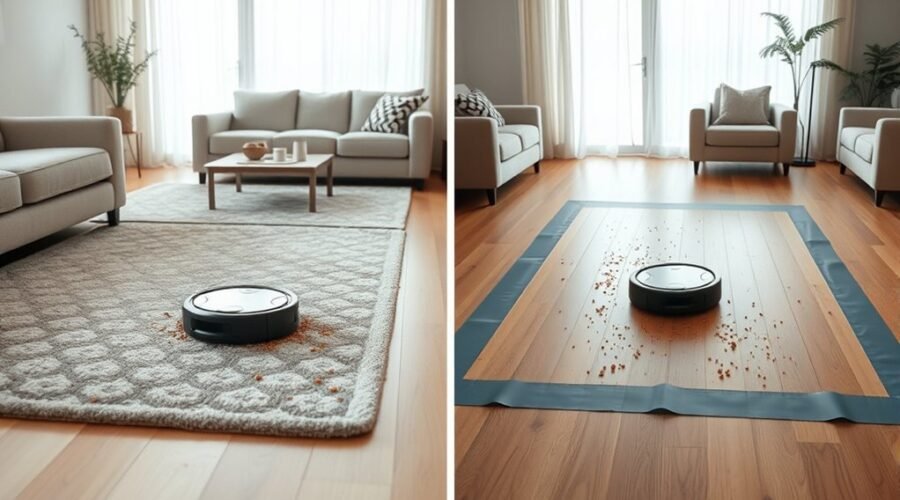
Spot cleaning and zone cleaning may sound similar, but they serve different needs in a robot vacuum’s routine. One is built for quick attention to a small mess, while the other is designed to target chosen areas on a map with more control. The choice can affect how well a vacuum handles spills, daily buildup, and repeat trouble spots, which raises an important question about when each mode actually makes sense.
What Is Spot Cleaning on Robot Vacuums?
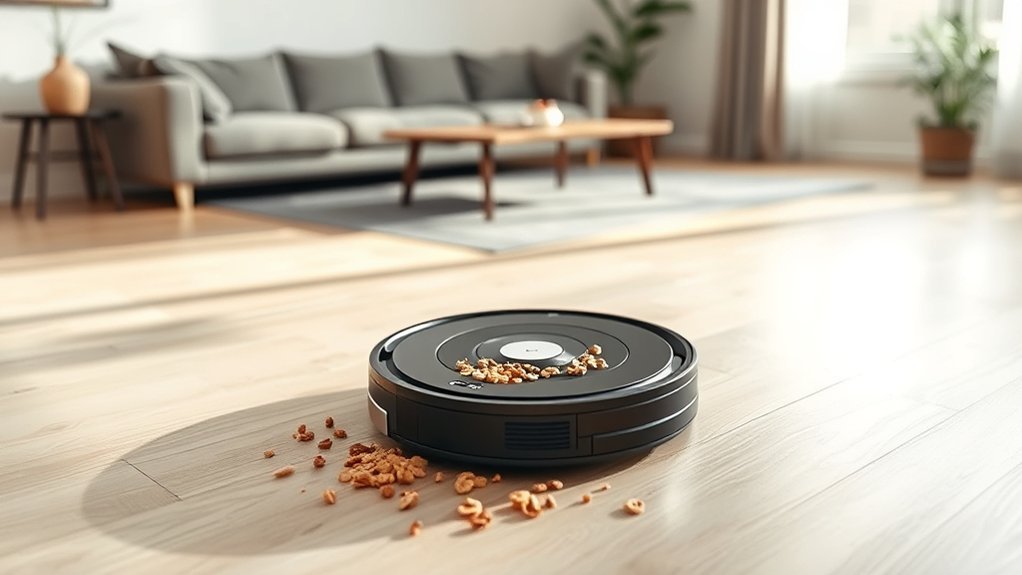
Spot cleaning on robot vacuums targets a small, specific area where dirt or spills are concentrated, making it useful for localized messes that need immediate attention.
Spot Cleaning gives the machine a focused task instead of a full-room sweep, so targeted cleaning can address crumbs, pet accidents, or tracked-in debris quickly. The vacuum usually moves in a circular pattern around the chosen point, working outward to remove stubborn dirt from high-traffic spots.
Spot Cleaning focuses on a specific area, quickly tackling crumbs, pet accidents, and tracked-in debris with circular precision.
It is designed for on-demand use, not scheduled runs, which supports fast response when a mess appears. Users can start it manually through the app or directly on the vacuum, making control simple and immediate.
For households seeking freedom from constant cleanup, this mode reduces effort by handling specific areas without requiring a larger cleaning session. Spot cleaning thus serves as a practical tool for urgent, localized maintenance.
What Is Zone Cleaning on Robot Vacuums?
Zone cleaning on robot vacuums directs the machine to specific areas on a saved home map, making it useful for high-mess spots that do not require a full-room cleaning. It lets the robot focus on specific areas such as dining rooms, entryways, or other high-traffic zones, giving users more control with less effort.
Many models allow up to six zones in one session, so several mess-prone locations can be handled without resetting the task. Because the robot can revisit the same area within a single cycle, cleaning efficiency improves for localized debris.
Accurate mapping remains essential, since shifted furniture or changed layouts can cause missed coverage or uneven zone boundaries. Zone cleaning is also an on-demand tool, not a scheduling feature, which keeps the routine simple for people who want immediate results and fewer unnecessary cleaning passes.
Spot Cleaning vs. Zone Cleaning: What’s the Difference?
Although both features are designed for targeted cleaning, they serve different needs.
Spot Cleaning on a robot vacuum cleaner focuses on one small area at a time, making it suited to immediate, localized messes such as crumbs or spills. It usually passes over the same spot repeatedly until the area is clean, which keeps attention tightly controlled.
Zone Cleaning works differently. It lets a user mark specific larger areas on a saved home map, such as entryways or dining spaces, and clean them in one session. Up to six zones can be set, giving more flexibility across the home.
In practical terms, Spot Cleaning is a single-area response, while Zone Cleaning supports regular maintenance of multiple designated areas. These cleaning modes help people direct effort where it matters most, without sending the robot vacuum cleaner across the entire floor.
When Spot Cleaning Works Best
It works best for localized messes that need immediate attention, such as crumbs, spills, or pet hair in high-traffic areas like kitchens and dining spaces.
In these moments, spot cleaning gives a fast, focused response without tying the user to a full cleaning routine. The robot vacuum can revisit the same small area multiple times in one cycle, helping lift dirt and debris more thoroughly. That repeated pass makes quick clean-ups more reliable after meals or after pets shed.
Because this mode can usually be started on demand, it offers practical flexibility when messes appear unexpectedly. For households that value control and ease, spot cleaning supports a cleaner space with less effort and fewer interruptions.
It is a useful tool for urgent, localized messes, especially when immediate action matters more than broad coverage. In short, it helps restore order quickly and efficiently, giving users more freedom to handle messes on their own terms.
When Zone Cleaning Is the Better Choice
When a mess spreads across a defined part of a room, zone cleaning becomes the stronger choice. It lets a robot vacuum focus on places such as dining tables, entryways, and other high-traffic areas without launching a full cleaning cycle. This makes it useful for localized messes that recur through the day, especially after meals or during busy routines.
Unlike spot cleaning, which targets a very small patch, zone cleaning can cover a larger designated area and pass over it multiple times in one run. That broader reach helps maintain order with less effort from the user. Up to six zones can be set, giving flexible control across a large home.
When paired with no-go zones, the vacuum stays away from unwanted spaces and concentrates on the areas that matter most. The result is cleaner floors, less wasted movement, and more freedom from constant manual tidying.
Why Mapping Matters for Zone Cleaning
Accurate mapping is what makes zone cleaning work as intended, because it gives the robot vacuum clear boundaries for each targeted area on the saved home map. With reliable mapping, the machine can focus on designated areas instead of roaming through the whole home, improving cleaning accuracy and reducing wasted battery life.
Accurate mapping keeps zone cleaning precise, guiding the vacuum within clear boundaries and reducing wasted battery life.
- It defines exact limits for each zone.
- It helps the vacuum avoid missed spots.
- It reduces overshooting beyond desired areas.
- It supports up to six designated areas on one map.
When furniture shifts or rooms are rearranged, the map can become less precise, and zone cleaning may lose its advantage. Regular map adjustments keep the system aligned with the living space and preserve efficient performance.
For households that value freedom from unnecessary cleaning cycles, strong mapping makes focused cleaning more practical, faster, and more dependable.
How to Set Up Spot and Zone Cleaning
Setting up spot cleaning usually starts with selecting a small area in the app or directly on the robot for a quick pass over a localized mess.
Zone cleaning requires opening the map, choosing the zone tool, and adjusting the boundaries of the area to be cleaned.
If furniture changes, the zones may need to be updated so the robot continues to clean the intended spaces accurately.
Setting Up Spot Cleaning
Spot cleaning starts by selecting the spot-clean option in the robot vacuum’s app or on the device itself, then placing the vacuum in the right position to begin the task. This setup keeps the robot vacuum focused on an isolated mess, giving users a quick route to restore order without unnecessary movement.
For spot cleaning, the process remains simple and direct:
- Open the app or press the onboard control.
- Confirm the targeted area is clear.
- Position the robot vacuum at the mess.
- Start the cleaning task immediately.
This method supports fast response and practical control. Unlike zone cleaning, it does not require map edits or saved regions. It serves immediate needs, helping households stay free from clutter with minimal effort and maximum precision.
Configuring Zone Cleaning
When zone cleaning is selected in the Narwal Freo app, the user typically taps the “+” option and adjusts each zone to match the area that needs attention, with the ability to create up to six separate zones.
During configuring, the home map should be checked for accuracy so the cleaning zones align with the room’s current layout. Furniture shifts or a rearranged floor plan can reduce effectiveness, so edits may be needed over time.
Zone Cleaning works well for localized messes in hallways, kitchens, and other high-traffic areas, and it can target the same zones more than once in a single cycle.
A brief test run helps confirm the zones are being cleaned accurately and efficiently, supporting reliable, self-directed cleaning.
How Often Can Each Mode Clean?
Cleaning frequency depends on the mode and the task at hand.
Spot cleaning is usually used as needed for immediate messes and may repeat the same area several times in one cycle, while zone cleaning can also support repeat passes in some models and can be scheduled for recurring areas.
The best cadence matches the mess: spot for urgent cleanups, zone for regular maintenance.
Cleaning Frequency Limits
How often each mode can run depends on the size and type of area being targeted. Spot cleaning supports targeted cleaning of a small mess and can repeat multiple cleanings within one cycle, which suits fast relief from localized debris.
Zone cleaning extends that freedom across mapped spaces, letting one session address broader areas without a full cleaning pass.
- Spot cleaning is best for immediate, contained spills.
- Zone cleaning serves high-traffic rooms and repeatable routes.
- Some models, including the X8 Pro and X9 Pro, allow up to two cleanings in Room and Zone modes.
- Both modes reduce wasted effort by focusing only where attention is needed.
In practice, cleaning frequency limits are set by task size, not by a demand for whole-home coverage.
Mode-Specific Repeat Cycles
Repeat cycles determine how many times a robot vacuum can pass over the same area in a single session, and the limits vary by mode.
In Spot Cleaning, the machine usually revisits one concentrated area several times, making it useful for messes that need extra attention.
Zone Cleaning also supports repeat cycles, but it is built to cover up to six defined areas, with multiple cleanings per zone during one run.
On models such as the X8 Pro, X9 Pro, and L50/L60 Series, Room and Zone modes can be set for up to two cleanings.
These smart features give users more control over targeted cleaning, without forcing extra manual effort.
Spot Cleaning remains focused; Zone Cleaning stays broader while still allowing repetition.
Best Use Cadence
When it comes to cleaning cadence, spot mode is best used as an immediate response to a single localized mess, while zone mode is better suited to repeated use throughout the day in busier areas.
For spot cleaning, the rhythm is simple: act once, then stop. For zone cleaning, the schedule can be more flexible, supporting daily use and repeated cleaning in selected spaces without much effort.
- Spot cleaning fits spills, crumbs, and isolated dirt.
- Zone cleaning supports up to six areas for recurring passes.
- High-traffic rooms can use zone cleaning multiple times daily.
- Some models can clean the same zone twice per cycle, improving control.
This cadence helps users maintain cleaner spaces with less manual intervention and more freedom.
Which Robot Vacuum Mode Should You Use?
Choosing between Spot Cleaning and Zone Cleaning depends on the kind of mess the robot vacuum needs to handle.
Spot Cleaning suits sudden spills, crumbs, and other immediate messes in a small area. It can pass over the same patch more than once in one cycle, making it useful for quick touch-ups in high-traffic places.
Spot Cleaning tackles sudden spills and crumbs in a small area, revisiting spots for a thorough touch-up.
Zone Cleaning works differently: it follows saved map boundaries and targets customized zones such as dining areas, entryways, or pet feeding spots. A robot vacuum with this feature can usually manage up to six customized zones, giving more control over recurring problem areas.
Since Zone Cleaning is meant for on-demand use and does not support scheduling, it fits routine cleanups when attention is needed.
Spot Cleaning is the better choice for fast fixes; Zone Cleaning is the better choice for regular maintenance. Both modes expand freedom by reducing unnecessary cleaning and focusing effort where it matters most.
Frequently Asked Questions
What Are the Downsides of Using a Robotic Vacuum Cleaner?
Robotic vacuum cleaners can be limited by surface compatibility, battery lifespan, navigation issues, and maintenance challenges. They may miss spots, struggle on carpets, snag on clutter, and need frequent charging, repairs, and recalibration.
Should You Run Your Roomba Every Day?
Yes; like a quiet tide, daily cleaning benefits most homes, especially with pets and traffic. An ideal cleaning schedule supports maintaining vacuum efficiency, though battery life considerations and frequent bin emptying remain necessary.
What Does “Clean Zone” Mean on an iRobot Vacuum?
A clean zone is a saved area on an iRobot smart mapping system where cleaning is directed to specific spots. This iRobot feature improves vacuum efficiency, letting one target messes without sweeping the entire home.
Can My Roomba Clean Upstairs and Downstairs?
Yes—most Roombas can clean upstairs and downstairs if manually moved between floors. Multi level mapping, navigation technology, and user preferences shape cleaning efficiency, while saved maps help it adapt to each level independently.
Conclusion
In the end, spot cleaning and zone cleaning solve different problems. Spot mode is best for sudden spills or a small patch of tracked-in dirt, while zone mode handles repeat trouble spots across a mapped home. Which method is more useful depends on the mess and the layout. With accurate mapping and the right settings, a robot vacuum can clean smarter, saving time, effort, and battery power.