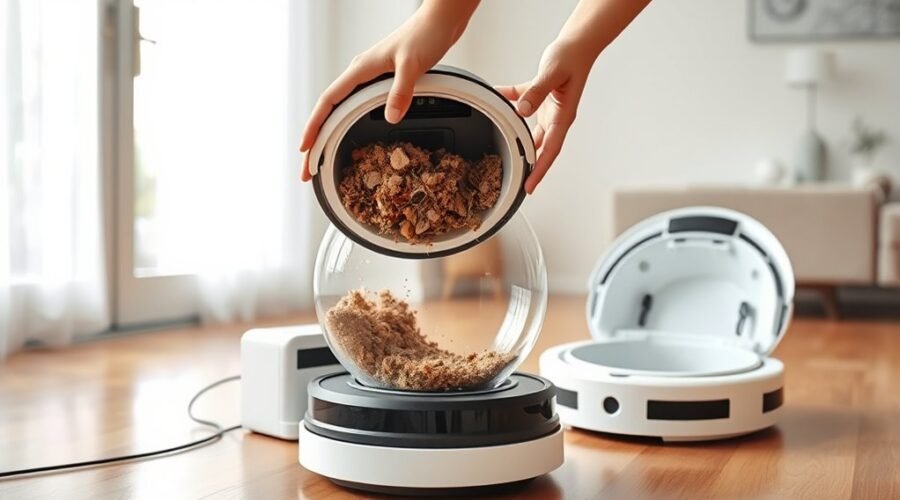
How often a robot vacuum dustbin needs emptying depends on the model, floor type, pets, and daily debris load. Standard units often need attention every two to three days, while self-emptying models can go weeks before a manual reset. A full bin can reduce suction, leave dirt behind, and create odors. The real question is not only how often it should be emptied, but what signs reveal it is already overdue.
How Often Should You Empty a Robot Vacuum Dustbin?
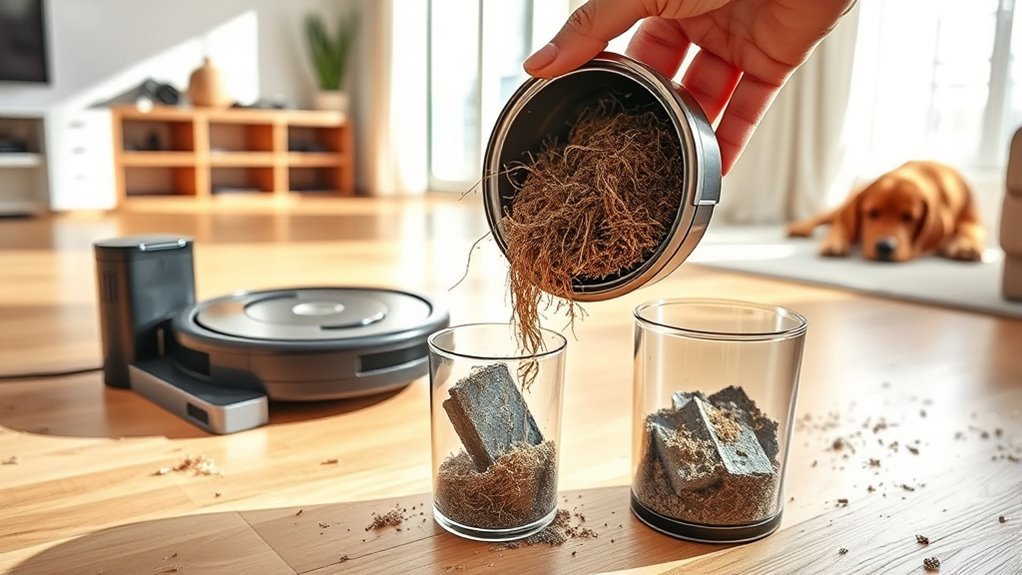
How often a robot vacuum dustbin should be emptied depends largely on the model and the household it serves. For a standard robot vacuum dustbin without auto-empty support, many users ask, how often should I empty it? A practical baseline is every 2–3 days, though smaller homes with light debris may wait 2–3 uses.
Auto-empty units can usually go 45–60 days between clearings. Households with pets or heavy foot traffic often need to empty the dustbin after each run to support ideal performance and cleaner air.
Regular maintenance should also respond to signs that the dustbin needs emptying, such as unusual noise, odors, or reduced suction. The best interval is not fixed; it should follow cleaning needs, floor type, and dust load.
Empty the dustbin when you notice odors, noise, or reduced suction—cleaning needs vary by floor and dust load.
Monitoring use and emptying the dustbin when it appears full helps keep the machine working reliably and with less interruption, giving the user more control over routine chores.
Why a Full Robot Vacuum Dustbin Hurts Suction
A full robot vacuum dustbin can reduce suction by restricting airflow through the machine, making it harder for the vacuum to lift dirt efficiently.
As debris buildup rises in the robot vacuum dustbin, suction power drops and the unit may drag particles rather than collect them. This weakened airflow can lower cleaning performance, leaving missed spots and incomplete passes that undermine autonomy.
Regular cleaning and timely maintenance help the system preserve maximum cleaning efficiency, while a full dustbin can strain the motor and shorten service life.
Odors may also develop when trapped organic matter, such as pet hair or crumbs, accumulates, affecting indoor air quality in closed spaces.
To keep the machine working freely and effectively, users should empty the bin before it becomes packed and monitor it routinely.
In practice, preventing clogging supports steadier suction, cleaner floors, and fewer interruptions.
How Often to Empty a Robot Vacuum by Home Type
Homes with pets or frequent activity usually need the robot vacuum dustbin emptied after each use, since hair, dander, crumbs, and tracked-in debris fill it quickly.
Smaller homes with light foot traffic can often wait two to three cleaning cycles before emptying, provided debris levels stay low.
The right schedule depends on how much dirt enters the home, not just how often the vacuum runs.
Pets And Heavy Use
In households with pets or frequent foot traffic, the dustbin tends to fill much faster, making more regular emptying important for maintaining strong suction and consistent cleaning performance.
In homes with pets, pet hair and dander usually justify daily attention, even with a self-emptying robot vacuum, because residue can still build up between cycles.
With heavy foot traffic, it is practical to empty the dustbin after each cleaning session to preserve maximum suction power and reduce strain on the unit.
During shedding or allergy periods, it helps to check the dustbin more often and empty it frequently to prevent clogging.
Auto-empty models can extend manual maintenance, but they do not remove the need to monitor debris, especially when conditions change.
Small Homes And Light Use
Small homes with light use usually place far less demand on a robot vacuum than pet-heavy or high-traffic households, so the dustbin can often be emptied less frequently without affecting performance.
In many small homes, a Robot Vacuum works well when the dustbin is emptied every 2-3 uses, which supports steady cleaning and reduces strain on the system.
Where foot traffic is minimal and no pets are present, a weekly empty routine may be enough.
Even then, regular checking remains useful, because fullness, clogs, or debris buildup can quietly weaken performance.
Adjusting maintenance frequency to actual debris levels gives households more freedom and efficiency.
When to Empty a Self-Emptying Robot Vacuum
Self-emptying robot vacuums usually need their base stations emptied every 45 to 60 days, though the exact interval depends on household traffic, floor type, and how much debris is collected.
A Self-Empty Robot Vacuum can reduce how often owners must empty the dustbin, yet it does not remove the need for routine clean maintenance. For steady performance, the robot vacuum cleaner should still have filters, brushes, and sensors checked on a regular schedule.
A Self-Empty Robot Vacuum reduces emptying frequency, but routine maintenance still keeps performance steady.
Homes with pets may require more frequent attention because hair and dander fill the station faster. App alerts and visual indicators can help track capacity without guesswork, giving users greater freedom from constant monitoring.
When fill levels are managed proactively, the system keeps operating efficiently, and the owner can empty the station at a practical time rather than reacting to a problem.
Signs Your Robot Vacuum Dustbin Is Full
A full robot vacuum dustbin often shows up first as reduced suction power, with the machine leaving dirt behind or missing areas it should clean.
Some models also provide app alerts or stop early during a cycle, while persistent odors from the dustbin can signal that debris has built up too long.
Because not every vacuum includes a full-bin indicator, regular checks remain a practical way to catch these signs early.
Reduced Suction Power
When a robot vacuum’s dustbin becomes full, suction power typically drops enough that the machine begins to drag dirt across the floor instead of collecting it efficiently.
This reduced suction power often shows up as lower cleaning efficiency, skipped patches, and more dust and debris left behind. A full dustbin may also cause the motor to strain, sometimes producing grinding or other unusual sounds that signal the need to empty it.
If a full bin indicator appears, the bin should be cleared promptly so the vacuum can return to vacuum running efficiently. Regular checks help maintain your robot vacuum, prevent clogs, and keep floors clear with less effort.
Odors may accompany a packed dustbin, but the practical response is simple: empty the dustbin before performance declines further.
App Alerts And Odors
App alerts and unusual odors often provide the clearest warning that a robot vacuum dustbin is full. Many models send app alerts when the dustbin needs attention, allowing the user to empty it before cleaning performance declines.
A full dustbin can reduce suction power, leaving dust and crumbs behind and creating reduced efficiency across the floor. Odors may also appear when accumulated debris, pet hair, or food crumbs remain trapped inside the dustbin too long.
Regularly monitor the app and any smells during routine use, since early action helps prevent clogs, overheating, and weaker suction. Reduced cleaning time can also signal that the dustbin is nearing capacity, making prompt emptying a practical habit for keeping the machine free to work well.
How to Empty a Robot Vacuum Dustbin?
To empty a robot vacuum dustbin safely, the device should first be powered off before any handling begins. This step answers how to empty a robot vacuum dustbin without unnecessary risk.
Next, locate the release button, then remove the dustbin from the unit with steady pressure. Over a trash can, open the lid and let debris fall free; a light tap can dislodge internal dust that clings to the sides. This routine helps empty your robot vacuum dustbin completely and supports proper care.
- Power off before removal
- Press the release latch
- Empty over a trash can
- Tap gently to free debris
- Verify the bin is dry
On a regular basis, and ideally after every cleaning session, this process helps clean your robot and maintain performance.
The bin should be inspected for trapped particles and returned only when fully dry. That simple discipline preserves freedom from odors and reduces wear.
How to Clean a Robot Vacuum Dustbin and Filter
Once the dustbin has been emptied, proper cleaning helps keep the robot vacuum running efficiently. For routine maintenance, the dustbin should be clean at least once a week, and more often in homes with pets or heavy foot traffic.
It can be rinsed under cold or lukewarm water; hot water should be avoided because it may damage the part. A soft brush or cloth can remove stubborn debris from corners and seams, so no residue remains to interfere with suction.
Before reinserting the dustbin, it must dry fully to limit moisture buildup and reduce the risk of mold. The filters also deserve regular inspection and cleaning, following the manufacturer’s guidelines, since clogged filters can restrict airflow and reduce performance.
This simple care protects the robot vacuum, supports steady suction, and keeps maintenance practical, helping users preserve cleaner floors with less effort and more freedom from unnecessary interruptions.
Dustbin Care Tips for Better Performance
Careful dustbin maintenance supports consistent robot vacuum performance and reduces avoidable interruptions. After each use, owners should empty the dustbin, especially in homes with pets or heavy foot traffic.
Weekly cleaning cycles help limit bacteria and allergen buildup, while a quick dry cloth wipe removes residue without adding moisture. Before reinserting the bin, verify it is fully dry to prevent odors and mold.
It is also wise to inspect the dustbin for cracks, worn latches, or loose seals, since damage can weaken suction and lower performance. Familiarity with the release mechanism makes maintenance faster and less burdensome, supporting regular vacuum care.
- Empty after every cleaning cycle
- Clean the dustbin at least weekly
- Inspect for damage or wear
- Use a dry cloth only
- Reinsert only when completely dry
Frequently Asked Questions
How Often Should I Empty My Roborock Dustbin?
Emptying a Roborock dustbin every 2–3 days suits most homes; heavier vacuuming frequency, pet hair, and varied floor types may require sooner. Dustbin capacity, debris types, filter cleaning, and user preferences affect performance impact.
Is It Okay to Run My Robot Vacuum Every Day?
Yes, daily cleaning is generally fine. It can improve vacuum maintenance, manage pet hair, and suit varied floor types, if dustbin capacity, filter replacement, battery life, scheduling options, and noise levels are monitored regularly.
How Many Days a Week Should I Run My Roomba?
He would run it 2–7 days weekly; irony: the tiny cleaner becomes household marshal. Robot vacuum frequency, cleaning schedule, ideal usage, maintenance tips, dustbin capacity, surface types, pet hair, home size, battery life all guide choice.
How to Know When a Roomba Dust Bin Is Full?
A Roomba dustbin is full when dustbin indicators light, vacuum performance drops, or cleaning stops early. Pet hair and dust accumulation worsen this. Sensor technology, maintenance tips, best practices, and regular cleaning frequency improve user experience.
Conclusion
In practice, a robot vacuum dustbin should be emptied often enough to keep airflow strong and cleaning effective, whether that means after every run in busy homes or every few days in lighter-use spaces. Self-emptying models extend the interval, but they still need attention. A full bin can act like a clogged artery, restricting performance and raising odors. Regular emptying, cleaning, and filter care help the vacuum work efficiently and last longer.