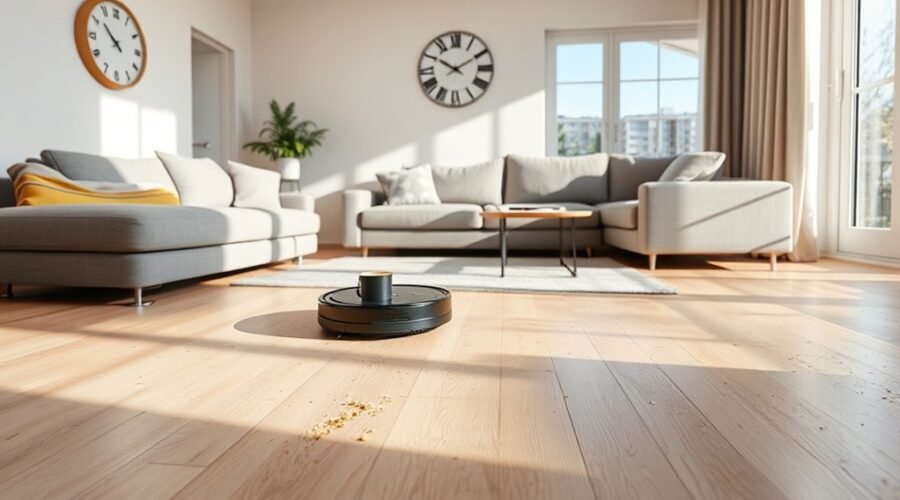
Robot vacuum cleaning time depends on your room size, floor type, and how the machine moves around furniture. A small bedroom may need only a short cleaning session, while a large home can take several hours if recharging is required. Knowing what affects the schedule helps you get clean floors without unnecessary waiting.
Quick Answer
A robot vacuum typically takes 30 to 45 minutes to clean a 250-square-foot room. Smaller rooms may take 15 to 25 minutes, while large or cluttered spaces can exceed an hour. Actual cleaning time depends on navigation, floor type, suction settings, and whether the vacuum needs to recharge before finishing.
Key Takeaways
- Open rooms usually clean faster than spaces with furniture, cables, and narrow pathways.
- Higher suction uses more battery power but does not necessarily make the robot travel slower.
- Smart mapping helps reduce unnecessary movement, while repeated cleaning passes increase coverage time.
- Recharge-and-resume allows compatible robots to finish larger areas without manual restarting.
- Cleaning history provides a more reliable estimate for your home than a general time chart.
How Long Does a Robot Vacuum Take?
)
A robot vacuum generally needs 15 to 45 minutes for a small or medium room. Larger areas take longer because the machine must cover more floor space, turn around furniture, and clean edges. The time also changes depending on whether you select a quick pass or a deeper cleaning cycle.
The following estimates are useful for planning a routine. They are based on published manufacturer room-time estimates, not a universal speed standard.
| Room Size | Estimated Cleaning Time | Typical Example |
|---|---|---|
| 100–200 sq. ft. | 15–25 minutes | Small bedroom or office |
| 250 sq. ft. | 30–45 minutes | Average-sized room |
| 300–500 sq. ft. | 30–60 minutes | Large living room |
| 600+ sq. ft. | Over 60 minutes possible | Large open living area |
These figures describe general cleaning sessions rather than guaranteed completion times. A robot with efficient mapping may finish sooner, while thick carpets or heavy clutter can extend the job.
Also, cleaning time is different from battery runtime. Battery runtime measures how long the robot can operate on one charge. Total cleaning time includes any pauses, dock visits, and recharging needed to finish the job.
For the most accurate estimate, compare the robot’s cleaning history across several ordinary runs in your own home.
What Affects Robot Vacuum Cleaning Time?
Five main factors affect how long a robot vacuum takes: floor area, furniture layout, flooring, navigation, and cleaning mode. Battery capacity adds another limit when the robot must cover several rooms.
Two homes with the same square footage can have very different cleaning times. A clear living room gives the machine space for direct passes. A similar room filled with chairs, cables, and rugs requires more careful movement.
- Room size: More exposed floor area generally means a longer cleaning session.
- Floor type: Carpet may require stronger suction or extra passes compared with tile and hardwood.
- Navigation: Mapping systems help organize routes and reduce repeated coverage.
- Cleaning mode: Deep cleaning and multiple passes can increase the time needed to finish.
- Battery capacity: A short operating range may interrupt large cleaning jobs.
Advanced navigation systems often use LiDAR, which stands for Light Detection and Ranging. This technology uses laser measurements to help the robot understand its surroundings and plan a cleaning route.
However, a better navigation system does not remove every obstacle. Room access and the cleaning settings still determine how much of the floor the robot can cover.
Room Size, Layout, and Obstacles
Room layout can affect cleaning time almost as much as floor area. Open spaces allow longer, straighter cleaning paths. Tight corners and furniture legs force the vacuum to turn, slow down, or change direction.
A bedroom with a bed, dresser, and clear floor may take less time than a smaller room crowded with chairs and storage boxes. This is why square footage alone cannot predict the exact duration.
| Condition | Effect |
|---|---|
| Open layout | Fewer turns and more direct cleaning paths |
| Cluttered layout | More detours and possible missed areas |
| Cables and small obstacles | Higher risk of tangling or interrupted cleaning |
Loose charging cables, toys, and clothing can interfere with the cleaning route. The robot may move around them, stop to free itself, or leave part of the floor untouched.
Low furniture also creates access problems. A robot cannot clean underneath a sofa if its body is too tall to fit through the gap.
Smart mapping can reduce wasted movement, but the machine still needs an accessible route through the room.
Pro Tip: If a robot repeatedly circles the same furniture, compare its cleaning map with the room. A narrow passage or poorly placed no-go zone may be causing unnecessary detours.
Floor Type and Cleaning Mode
Hard floors generally need less cleaning power than carpets. However, the selected cleaning mode can have a greater effect on battery use and total cleaning time than the surface alone.
For example, a single standard pass may finish quickly, while a deep-cleaning setting that repeats the same area takes longer.
Floor Surface Impact
Wood, tile, and laminate usually allow the robot to collect loose dust with relatively little resistance. Carpet fibers create more drag and can hold dirt below the surface, making debris harder to remove.
Three common surface conditions affect cleaning performance:
- Smooth wood or tile: Lower resistance and easier pickup of loose debris.
- Dense carpet: Greater brush resistance and potentially higher suction requirements.
- Mixed flooring: Changes in suction settings and cleaning behavior as the robot moves between surfaces.
Automatic carpet detection can help the vacuum increase suction only where necessary. This reduces the need to run the highest power setting across the entire home.
Some machines also use dirt detection to identify areas needing additional attention. These features can improve coverage, although extra cleaning passes may increase the total session time.
Cleaning Mode Differences
Cleaning modes change how much effort a robot uses on each area. Quiet or standard settings are usually suitable for routine dust removal. Turbo and deep-cleaning settings prioritize stronger pickup or more thorough coverage.
The distinction between suction strength and cleaning passes matters.
- Quiet or eco mode: Lower suction power, reduced noise, and often longer battery operation.
- Standard or auto mode: Balanced cleaning for everyday conditions.
- Turbo or max mode: Stronger suction for difficult debris, with higher battery consumption.
- Deep-cleaning mode: May use repeated passes to improve pickup in heavily soiled areas.
According to official cleaning-pass guidance, supported robots can use single, double, or variable passes. Double-pass cleaning covers an area twice, so it generally requires more time.
Higher suction does not automatically mean the robot moves more slowly. Instead, the additional power can shorten battery runtime and increase the chance of a recharge stop.
Carpet Vs Hard Floors
Robot vacuums often complete hard-floor cleaning faster than deep carpet cleaning. As a rough room-level example, hard floors may take 15 to 30 minutes, while carpeted areas may require 30 to 60 minutes.
For a 250-square-foot room, illustrative estimates include about 20 to 30 minutes on hard floors and 30 to 45 minutes on carpet. These ranges overlap because navigation, furniture, and cleaning settings also affect the result.
Carpet does not always make the robot travel more slowly. The bigger differences are often stronger suction, extra passes, and increased battery consumption.
For mixed flooring, standard suction on hard floors and automatic carpet boost can provide a useful balance. Reserve deeper cleaning for areas where ordinary passes leave visible debris.
Battery Life, Recharging, and Runtime
Battery capacity determines how long a robot vacuum can clean before it needs more power. A single room usually requires less battery than a whole-home cleaning job, but maximum suction and carpet cleaning can reduce the available operating time.
There is no single runtime that applies to every robot vacuum. Official specifications for different models list operating times ranging from 60 to 210 minutes, depending on the machine and its operating conditions.
Manufacturers also document substantial differences between suction settings. For example, one model’s published vacuum-only runtime figures show:
- Quiet mode: approximately 277 minutes.
- Standard mode: approximately 216 minutes.
- Turbo mode: approximately 149 minutes.
- Max mode: approximately 122 minutes.
These values are model-specific results for wood or tile floors. They should not be treated as typical runtimes for every robot vacuum.
Similarly, official robot specifications show that supported cleaning areas, battery runtimes, and charging durations vary widely across models.
Carpet generally draws more power because the brush roll faces greater resistance. Some robots also increase suction automatically after detecting carpet.
When battery power gets low, a compatible robot returns to its charging dock. Models with recharge-and-resume functionality can continue cleaning from where they stopped after recharging.
Carpet cleaning can shorten battery runtime, while recharging adds waiting time to the overall cleaning job.
This distinction matters when scheduling large areas. A vacuum may spend less time actively cleaning than the total time between starting and finishing its assignment.
Some vacuum-and-mop models also return to their docks for mop washing or water management. Those pauses can extend the elapsed time even when the battery has enough charge.
Do Robot Vacuums Move Between Rooms?
Yes, many robot vacuums can move between rooms automatically. They travel through accessible doorways and use navigation sensors to avoid walls, furniture, and other obstacles.
Models with saved floor maps can recognize different rooms and organize cleaning tasks by area. For example, you may be able to clean the living room first and then send the robot to the kitchen.
The basic process works as follows:
- Map the floor: The robot identifies walls, doorways, and connected cleaning areas.
- Move between rooms: It travels through accessible doors while following its planned route.
- Respect boundaries: Saved no-go zones keep the robot away from restricted locations.
The machine can continue into another room without human help when its navigation system and floor layout allow it.
However, closed doors, high thresholds, and blocked passages can prevent access. Room transitions also add travel time, especially when the vacuum must cross a hallway repeatedly.
Many mapped robots offer separate room and zone controls. The manufacturer’s app-function guide documents room selection, cleaning sequences, virtual boundaries, and cleaning history for supported models.
Multi-room cleaning is usually most efficient when the robot has a complete saved map and can travel freely between the selected rooms.
How to Speed Up Robot Vacuum Cleaning
The best way to shorten robot vacuum cleaning time is to reduce unnecessary work without sacrificing coverage. Clear the cleaning path, select the correct area, and avoid high-power settings when they are not needed.
These adjustments can help the vacuum spend more time collecting dirt and less time avoiding obstacles or repeating clean sections.
| Action | Effect | Result |
|---|---|---|
| Clear floors | Fewer detours and interruptions | More efficient coverage |
| Clean selected zones | Smaller cleaning area | Shorter targeted runs |
| Maintain dustbin and brushes | Better airflow and less resistance | More consistent cleaning |
Follow these steps to improve your cleaning routine:
- Remove loose obstacles. Pick up cables, toys, socks, and small objects that might interfere with the robot.
- Use room or zone cleaning. Select only the rooms that need attention instead of starting a full-home cycle.
- Match suction to the mess. Use standard or eco settings for loose dust and stronger suction for embedded debris.
- Limit unnecessary repeated passes. Use single-pass cleaning for light maintenance when it provides enough coverage.
- Maintain the vacuum. Clear tangled hair, empty the dustbin, clean the filter as directed, and inspect the wheels.
- Keep the map accurate. Review room boundaries after major furniture changes and follow your model’s mapping instructions.
Regular maintenance matters because tangled brushes increase resistance, while dirty sensors can interfere with reliable movement.
One manufacturer’s robot vacuum maintenance guidance recommends weekly rolling-brush and filter cleaning, monthly sensor checks, and emptying the dust collector after use for its applicable models.
Follow the maintenance instructions for your own machine because filter types and cleaning requirements differ.
Firmware updates may also address navigation or software issues. Use the manufacturer’s supported update process when an update is available.
How Can You Estimate Cleaning Time for Your Home?
The most reliable way to estimate robot vacuum cleaning time is to measure an actual cleaning session. Published room-size estimates provide a starting point, but your floor plan and cleaning settings determine the final result.
If your vacuum stores cleaning history, use that information to build a practical schedule.
- Choose a familiar room. Start with a space that represents your normal flooring and furniture layout.
- Use your regular cleaning mode. Select the suction and pass settings you normally use.
- Start with a charged battery. This reduces the chance that recharging will distort the room-level estimate.
- Record the cleaning time. Note the duration and floor area shown in the cleaning history, if available.
- Compare several runs. Look for a consistent pattern rather than relying on one unusually fast or slow session.
For example, if your vacuum takes 30 minutes to clean a room, that result becomes a useful reference for scheduling the same room under similar conditions.
You can also estimate the robot’s cleaning rate by dividing the cleaned floor area by its active cleaning minutes.
Cleaning rate = cleaned floor area ÷ active cleaning time.
Remember that this estimate works best for rooms with similar flooring, obstacles, and cleaning settings. It does not automatically include charging time or the extra work involved in deeper cleaning.
Note: The floor area shown in a cleaning app may differ from your home’s total square footage. Furniture, blocked sections, no-go zones, and inaccessible spaces can reduce the area the robot actually covers.
If cleaning suddenly takes much longer than usual, review the cleaning map and look for repeated routes, blocked areas, battery stops, or maintenance problems.
Frequently Asked Questions
Is It Okay to Run My Robot Vacuum Every Day?
Yes. Daily robot vacuum cleaning is generally fine, especially if you have pets or track in dirt. Use standard or quiet settings for light debris, and remove loose cables before each run. Regular brush, filter, and dustbin maintenance helps keep the machine working efficiently.
What Are the Downsides of Robot Vacuums?
Robot vacuums can miss corners, struggle with thick rugs or cables, and require regular maintenance. Some models are noisy or expensive, while others need frequent recharging. Navigation problems may also leave areas uncleaned, so occasional manual vacuuming is still useful, especially for stairs and deep carpets.
How Big of a House Can a Robot Vacuum Clean?
Some robot vacuums support cleaning maps covering up to 2,500 square feet, while other models have smaller or larger limits. Actual coverage per charge depends on flooring, layout, and suction settings. Compatible models can recharge and resume cleaning, allowing them to complete larger homes across multiple battery cycles.
What Is the Average Life of a Robot Vacuum?
A robot vacuum typically lasts 4 to 6 years, though heavy use and poor maintenance may shorten that period. Brushes and filters need replacement sooner, and the battery may lose capacity with age. Regular upkeep and available replacement parts can extend the machine’s useful life.
Conclusion
Robot vacuum cleaning time depends on more than room size. Floor type, navigation, cleaning mode, and battery performance all influence how quickly a job finishes.
For better results, keep pathways clear, use the right cleaning settings, and maintain the vacuum regularly. Then use your cleaning history to plan a realistic schedule that balances speed with thorough coverage.
Sources
- Narwal Robotics: How Long Does a Floor Vacuum Robot Clean a Room?: Room-size estimates and factors affecting cleaning duration.
- iRobot Support: Features and Functionality in the iRobot HOME App: Single, double, and variable cleaning passes.
- eufy Support: Can the S1 Robot Clean My Entire House?: Model-specific battery runtime and suction-mode comparisons.
- iRobot Support: All Roomba Features and Compatible Parts: Model-specific runtime, supported map coverage, and recharge specifications.
- iRobot Support: What Is Recharge and Resume?: Automatic recharging and continuation of unfinished cleaning jobs.
- eufy Support: App Function Guide for RoboVac L35/LR30/LR20 Series: Room cleaning, zone control, cleaning history, and mapping features.
- eufy Support: Spare Parts and Maintenance Guidance: Cleaning frequency for filters, brushes, sensors, and dust collectors.
- ECOVACS: How Long Do Robot Vacuums Last?: Typical lifespan and maintenance factors affecting durability.