How often should you empty a robot vacuum dustbin? The answer depends on your vacuum’s capacity, cleaning schedule, and how much dirt it collects. Homes with pets or heavy foot traffic usually need more frequent emptying than smaller, cleaner spaces. Knowing when to empty the bin helps prevent weak suction, clogs, and unpleasant odors.
Quick Answer
Check a standard robot vacuum dustbin after every run. Many manufacturers recommend emptying it after each use, although light-use households may manage every 2–3 cleaning cycles. Self-emptying models transfer debris into a larger dock, which may need emptying every 45–60 days. Always empty sooner if the bin is full or suction drops.
Key Takeaways
- Pet hair, carpet fibers, and heavy foot traffic can fill a dustbin quickly.
- Self-emptying docks reduce manual emptying, but their bags and airflow paths still need attention.
- Not every robot vacuum detects a full bin or sends an app notification.
- A dirty filter or blocked intake can cause poor pickup even after the bin is emptied.
- Some dustbins are washable, but others must stay dry. Filter care also varies by model.
How Often Should You Empty a Robot Vacuum Dustbin?
)
For a robot vacuum without automatic emptying, checking the dustbin after each cleaning session is the safest routine. A practical interval may be every 2–3 days in a home with moderate debris. However, many manufacturers recommend emptying after every use.
For example, the Roomba maintenance schedule recommends emptying the bin after each use for its i Series models.
In contrast, manufacturer emptying guidelines describe intervals of 2–3 days for standard units and approximately 45–60 days for some self-emptying stations.
These figures are not universal. They depend on how frequently the vacuum runs, its capacity, and the amount of debris collected.
For a standard robot vacuum, use these practical rules:
- After every run: Best for homes with pets, carpets, children, or heavy foot traffic.
- Every 2–3 cleaning cycles: May work in smaller homes with very little dust or debris.
- Immediately: Empty the bin if it becomes packed, produces odors, or triggers a full-bin alert.
Emptying frequency should follow the amount of debris collected, not just the number of days since the last cleaning.
Check the dustbin after the first few cleaning sessions to understand how quickly it fills. You can then adjust your routine without waiting for suction to weaken.
Why a Full Robot Vacuum Dustbin Hurts Suction
A full robot vacuum dustbin can reduce cleaning performance by restricting airflow. When debris blocks the path between the brush, dustbin, and filter, the vacuum may struggle to collect dirt effectively.
This can cause several problems:
- Reduced airflow: Packed debris can restrict air movement through the vacuum.
- Missed dirt: Crumbs, dust, and pet hair may remain on the floor after cleaning.
- Clogged filters: Fine particles can accumulate and restrict airflow further.
- Unusual sounds: A blockage may change the machine’s operating noise.
- Unpleasant odors: Food crumbs, damp debris, and pet hair can produce smells when left inside the bin.
Persistent airflow restrictions can also place extra demand on the vacuum’s components. Clearing the bin before it becomes packed helps reduce this risk.
However, a full bin is not the only reason suction can weaken. A dirty filter, tangled brush, or blocked intake may produce similar symptoms.
If emptying the dustbin does not improve cleaning, inspect these components before assuming the motor has failed.
How Often to Empty a Robot Vacuum by Home Type
The best dustbin emptying schedule depends on your household’s debris load. Pets, carpets, home size, and daily activity all affect how quickly the bin fills.
Use this table as a practical starting point, while following your model’s instructions if they recommend more frequent care.
| Home or Vacuum Type | Suggested Emptying Frequency | Main Reason |
|---|---|---|
| Homes with pets | After every run | Hair and dander accumulate quickly |
| High-traffic or carpeted homes | After every run | More tracked-in dirt and fibers |
| Average household without pets | Check after every run; empty as needed | Dust collection varies with cleaning frequency |
| Small homes with light use | Every 2–3 runs if the bin stays clear | Less debris may accumulate per session |
| Self-emptying robot vacuums | When the dock bag or container is full; sometimes 45–60 days | Larger storage capacity reduces manual emptying |
Pets and Heavy Use
Homes with pets or heavy foot traffic generally need the most frequent dustbin emptying. Pet hair, dander, carpet fibers, and tracked-in dirt can fill a small robot vacuum bin quickly.
If your vacuum cleans every day, emptying it after each session is a sensible routine.
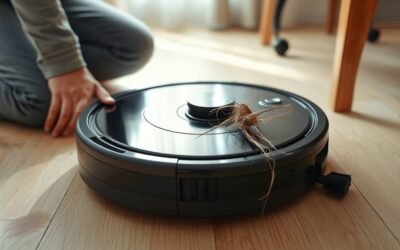
During heavy shedding periods, inspect the bin more closely. Long hair can collect near the filter or intake, even when the container does not appear completely full.
Homes with allergies also benefit from careful handling of collected dust. Empty the bin gently over a trash bag to reduce the amount released into the surrounding air.
Self-emptying robots reduce this manual work. However, hair can still collect around brushes, seals, and debris transfer openings.
Small Homes and Light Use
Small homes without pets may produce much less debris. In these conditions, some robot vacuum dustbins can remain usable for two or three cleaning sessions.
This is most likely when you have hard floors, little foot traffic, and short cleaning cycles.
For example, a robot cleaning a small room may collect much less dirt than one covering a large carpeted home.
A weekly emptying routine might be sufficient in exceptionally light-use situations. However, it should not replace checking the bin, and it may conflict with your manufacturer’s recommended schedule.
If the container starts filling faster than expected, empty it more often instead of waiting for your usual maintenance day.
Pro Tip: During your first few cleaning sessions, note how full the dustbin becomes after each run. This gives you a practical baseline for adjusting your maintenance schedule when shedding, traffic, or cleaning frequency changes.
When to Empty a Self-Emptying Robot Vacuum
A self-emptying robot vacuum transfers debris from its internal bin into a larger container or bag at its docking station. This reduces how often you need to empty the robot manually.
Some models can operate for approximately 45–60 days between dock emptying sessions. However, this is an estimated interval, not a guaranteed capacity for every household.
Homes with multiple pets, heavy carpet debris, or frequent cleaning may fill the dock sooner.
The important distinction is between two separate containers:
- Robot dustbin: Holds debris collected during cleaning and is emptied automatically by compatible docks.
- Dock dust bag or container: Stores collected debris until you replace the bag or empty the container manually.
Many self-emptying systems notify you when the dock needs attention. For example, the Clean Base maintenance instructions recommend replacing the dust bag when the station or app prompts you.
If your model allows automatic emptying frequency adjustments, a more frequent setting may help when cleaning areas with heavy pet hair or debris.
Automatic emptying reduces dustbin handling, but it does not remove the need to inspect filters, brushes, and the dock’s airflow path.
What if the Dock Does Not Empty the Robot?
If the robot returns to its base but the dustbin remains full, the automatic transfer may not be working correctly.
Start with these checks:
- Confirm that the dock has power and the robot is positioned correctly.
- Check whether the dock’s dust bag or container is full.
- Look for debris blocking the transfer opening between the robot and station.
- Inspect the dock’s filter and airflow path for accumulated dirt.
- Check whether the app has disabled automatic emptying or changed its schedule.
Some models temporarily disable self-emptying during quiet or Do Not Disturb periods. Others only empty after a cleaning session or when a specific setting is enabled.
If the problem remains, use your model’s approved dock-cleaning procedure. Disconnect power before handling internal dock components.
Signs Your Robot Vacuum Dustbin Is Full
A full robot vacuum dustbin may cause poor pickup, visible debris buildup, or a full-bin notification. However, not all models have sensors that detect when the container is full.
For this reason, physical inspection remains the most reliable routine check.
Reduced Suction Power
Reduced suction is one of the most noticeable signs that the dustbin needs attention. The vacuum may leave dust, crumbs, or pet hair behind even after completing its normal cleaning route.
Other warning signs include:
- Dirt remaining in areas the vacuum normally cleans well.
- Hair or debris collecting near the dustbin opening.
- A visibly packed container.
- New or unusual operating sounds.
- Repeated airflow or blockage errors.
These symptoms do not always mean the dustbin is full. A clogged filter, tangled brush, or blocked suction channel may create the same problem.
Empty the bin first. If cleaning performance does not improve, check the filter and intake before running another cycle.
App Alerts and Odors
Some robot vacuums provide full-bin notifications through their apps or indicator lights. Others continue cleaning without warning, even when debris has accumulated.
For example, the Roomba full-bin indicator guidance explains how supported models show alerts and respond when their dustbins are full.
Some Roomba models can pause cleaning or prevent a new cleaning job when the bin reaches capacity.
However, manufacturer dustbin alert guidance also confirms that certain robot vacuums lack automatic full-bin detection.
Therefore, you should not assume that every machine will notify you before its bin becomes packed.
Unpleasant odors are another reason to inspect the dustbin. Food crumbs, pet debris, and trapped moisture can cause smells when left inside for too long.
If an app continues reporting a full dustbin after you empty it, clean the bin sensors and their openings with a suitable dry cloth.
On supported Roomba models, dirty sensor ports can cause a false full-bin warning. If cleaning does not resolve the message, follow the manufacturer’s model-specific troubleshooting instructions.
Shorter cleaning sessions or early stops may also indicate an error, but they do not reliably prove that the bin is full.
How to Empty a Robot Vacuum Dustbin?
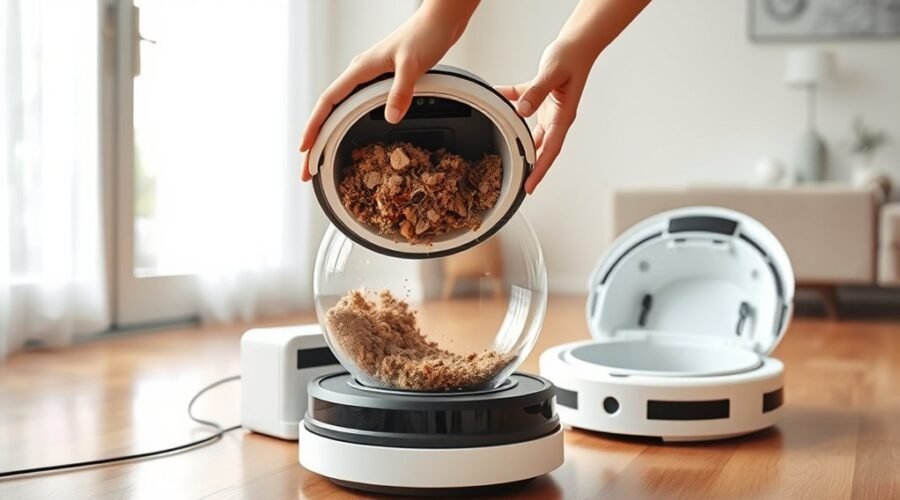
Emptying a robot vacuum dustbin is usually a simple process. Most models have a removable container with a release button or latch.
Before starting, stop the cleaning cycle and turn off the robot according to its instructions. Use a trash can or bag to contain the collected dust.
- Stop the vacuum. End its cleaning session and make sure it is safe to handle.
- Locate the dustbin. Find the release button or latch, usually near the rear, side, or top of the robot.
- Remove the container. Press the release mechanism and pull the bin out carefully.
- Open the dustbin lid. Hold it over a trash can to avoid spreading debris.
- Empty the contents. Let the debris fall into the trash. Tap the container gently if dust remains attached to its walls.
- Inspect the opening. Remove visible hair or debris that could block the suction path.
- Reinstall the dustbin. Close the lid and secure the container until it fits correctly.
A properly installed dustbin should sit securely without an open lid or loose latch. If the robot reports that its bin is missing, remove it and check the installation again.
A dry cloth can remove light residue during routine emptying. You do not need to wash the dustbin after every cleaning session.
For models with a detachable filter, avoid knocking the filter against hard surfaces or using excessive force during cleaning.
How to Clean a Robot Vacuum Dustbin and Filter
Cleaning a robot vacuum dustbin and filter helps prevent dust buildup and restricted airflow. For many households, a weekly inspection and cleaning routine is a practical starting point.
However, the correct method depends on the model. Some dustbins can be washed with water, while others must be cleaned without rinsing.
Warning: Never rinse a robot vacuum dustbin or filter unless your model’s instructions specifically allow it. Water can damage non-washable filters, internal components, or containers with electrical parts. Always let washable components dry completely before reinstalling them.
Clean the Dustbin Safely
Start by removing the dustbin and emptying loose debris. Then clean the container using the method approved for your model.
For washable dustbins:
- Remove the filter and any components that must stay dry.
- Rinse the approved dustbin with cold or lukewarm water.
- Use a soft brush or cloth to loosen dirt trapped around corners and seams.
- Allow the container to air-dry completely.
- Reinstall the filter and secure the bin inside the robot.
For example, the Roomba bin and filter cleaning instructions permit hand-rinsing certain dustbins after removing the filter. They also state that those filters must not be washed.
Other designs have different restrictions. The Roomba 200/2000 cleaning guidance specifically warns users not to rinse or soak the dustbin.
If your dustbin is not washable, use a dry cloth or an approved cleaning brush instead.
Clean the Filter Without Damaging It
A clogged filter can weaken airflow even when the dustbin is empty. Regular filter care is therefore an important part of robot vacuum maintenance.
For non-washable filters, gently tap out loose debris over a trash container or use the approved cleaning method.
For washable filters, follow the manufacturer’s cleaning and drying instructions before reinstalling them.
Cleaning frequency depends on the model and household. Some Roomba maintenance schedules recommend cleaning the filter once a week, or twice weekly in homes with pets.
Replace a filter when its manufacturer recommends replacement or when damage and persistent clogging prevent proper cleaning.
Never reinstall a damp filter unless the product is specifically designed for that condition.
Dustbin Care Tips for Better Performance
Good dustbin care involves more than throwing away collected debris. Regular inspections help you spot problems before they affect cleaning performance.
Follow these practical maintenance habits:
- Check the bin regularly: Inspect it after cleaning to understand how quickly debris builds up.
- Clean the container weekly: Remove stubborn dust and residue using your model’s approved method.
- Inspect seals and latches: Look for cracks, loose fittings, or damaged parts that could affect airflow.
- Maintain the filter: Remove accumulated dust and replace the filter according to the manufacturer’s schedule.
- Check brushes and wheels: Remove hair and debris that may interfere with movement or cleaning.
- Keep components dry: Never reinstall a washed container until it has dried completely.
Pay particular attention to the dustbin’s edges and the area where it connects to the robot. Dirt trapped around these surfaces may prevent the container from fitting properly.
Also inspect the dustbin after cleaning unusual messes. Large crumbs, clumps of hair, or damp material can cause blockages that routine dust collection does not.
If you use a self-emptying model, include the dock’s dust bag, filters, and transfer opening in your maintenance routine.
These checks support reliable cleaning while reducing avoidable interruptions and unnecessary handling.
Frequently Asked Questions
How Often Should I Empty My Roborock Dustbin?
Check a Roborock dustbin after each cleaning cycle if it does not have automatic emptying. Light-use households may manage every 2–3 days, but pet hair and heavy debris often require emptying after every run. If your model has a self-emptying dock, monitor the station’s storage capacity and maintenance alerts.
Is It Okay to Run My Robot Vacuum Every Day?
Yes, running a robot vacuum every day is generally fine when the manufacturer allows regular daily cleaning. Daily runs can help control dust, crumbs, and pet hair. Keep the dustbin, filter, and brushes clean, and adjust your schedule based on floor type, noise, and battery performance.
How Many Days a Week Should I Run My Roomba?
Running a Roomba between two and seven days a week can suit different households. Daily cleaning may help homes with pets or heavy traffic, while lighter-use spaces may need fewer sessions. Choose a schedule based on how quickly your floors become dirty and maintain the dustbin and filters accordingly.
How to Know When a Roomba Dust Bin Is Full?
A Roomba dustbin may be full when a supported model displays a bin indicator, sends an app alert, or pauses cleaning. Reduced dirt pickup can also signal a packed container or blocked airflow. If the full-bin warning remains after emptying, clean the bin sensors and inspect the filter and suction path.
Conclusion
A robot vacuum dustbin should be emptied often enough to prevent debris from restricting airflow. For manual-empty models, checking after every run is the most reliable habit, especially in homes with pets or heavy traffic.
Self-emptying models reduce manual work, but their docks, filters, and brushes still need attention. Start with your manufacturer’s recommended schedule, monitor how quickly the bin fills, and adjust maintenance to your home’s cleaning needs.
Sources
- ECOVACS: How to Empty a Robot Vacuum: Standard and self-emptying dustbin intervals, factors affecting capacity, and cleaning procedures.
- iRobot: Roomba i Series Care Frequency: Recommended bin emptying, filter care, and maintenance intervals.
- eufy Support: Dustbin Alerts and Automatic Emptying: Models without full-bin detection and supported self-emptying behavior.
- iRobot: Clean Base Maintenance: Dust bag replacement alerts and dock maintenance.
- iRobot: Full Bin Indicators and Behavior: Roomba full-bin alerts, cleaning interruptions, and sensor troubleshooting.
- iRobot: Bin and Filter Cleaning Instructions: Cleaning approved washable bins and protecting non-washable filters.
- iRobot: Roomba 200/2000 Bin and Filter Care: Model-specific restrictions on rinsing and soaking the dustbin.