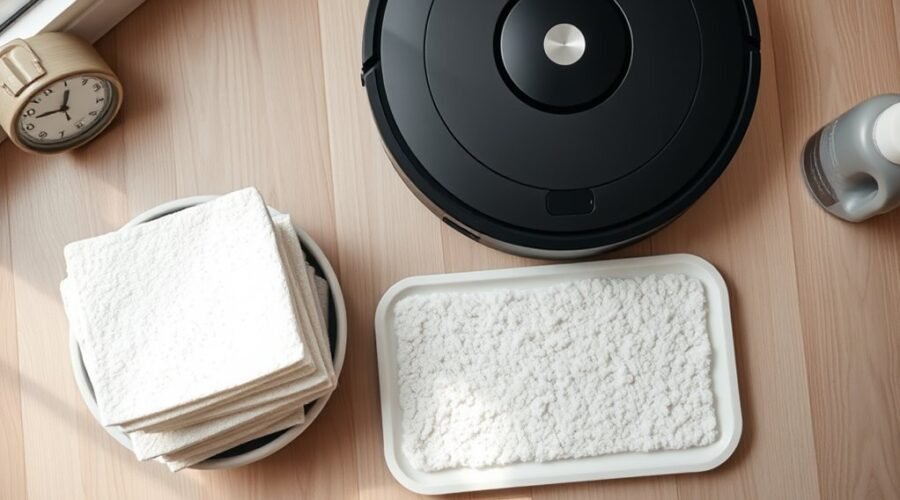
How often should you wash robot vacuum mop pads? The right schedule depends on how often you mop, how dirty your floors get, and whether your robot has a self-cleaning dock. Leaving used pads dirty or damp can cause odors, streaks, and poor cleaning results. A simple maintenance routine can help you avoid these problems and make your reusable pads last longer.
Quick Answer
Wash reusable robot vacuum mop pads after every mopping session. Clean them during longer runs if they become heavily soiled. If your robot has an automatic mop-washing dock, let it complete its wash cycle and check the pads afterward. Always follow your model’s washing instructions and allow manually washed pads to dry completely.
Key Takeaways
- Light use does not justify storing dirty pads for weeks. Clean them after each session, even if you mop infrequently.
- Some pads are machine washable, but others require hand washing. Check your model before using a washing machine.
- Automatic mop-washing docks reduce manual work, but their tanks, washing trays, and drying systems still need attention.
- Replace pads when the fabric frays, loses absorbency, develops lasting odors, or stops cleaning effectively.
- Rotating two sets makes it easier to use clean, dry pads without delaying your next cleaning session.
How Often to Wash Robot Vacuum Mop Pads
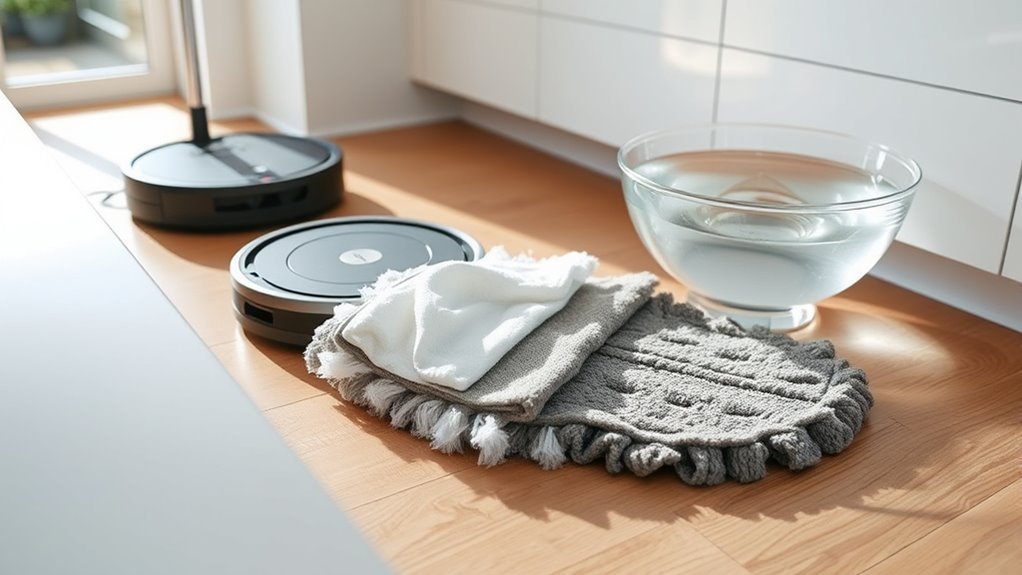
Wash reusable robot vacuum mop pads after every use to prevent dirt, residue, and moisture from building up. This is especially helpful in homes with pets, children, frequent foot traffic, or regular spills.
Even when a pad looks clean, it can hold fine dust and dirty water from the floor. Reusing it without washing may spread that residue during the next cleaning session.
For example, the Roborock Q7+ maintenance manual recommends cleaning the mop cloth after each use and replacing it every three to six months. It also advises cleaning the cloth during extended mopping to maintain water flow and cleaning quality.
Your cleaning routine should consider three things:
- Cleaning frequency: Daily mopping means daily pad cleaning. Occasional mopping still calls for washing after each session.
- Dirt level: Mud, grease, pet footprints, and sticky spills may require additional cleaning during a run.
- Dock features: Automatic washing can handle routine pad cleaning, but you should still inspect the pads and dock.
Remember that cleaning and replacement are different tasks. You should wash reusable pads regularly, but replace them only when their condition or your model’s maintenance guidance calls for it.
When to Wash Mop Pads After Every Run
The safest routine is to clean mop pads when each mopping job finishes. If your robot lacks an automatic washing station, remove the pads and rinse or wash them according to the manufacturer’s instructions.
Heavier messes may need attention before the robot completes its planned cleaning route.
| Situation | Recommended Action |
|---|---|
| Normal daily use | Clean pads after each mopping session. |
| High-traffic rooms | Check for dirt buildup during cleaning and wash afterward. |
| Sticky spills or muddy floors | Wash pads promptly and again if they become heavily soiled. |
| Heavy dirt during a long run | Pause to clean the pads or use an automatic mid-run wash. |
| Automatic mop-washing dock | Allow the wash cycle to finish and check the pads for residue. |
Some robots with automatic washing docks return to clean their pads during a job and again afterward. These systems can reduce how often you need to remove the pads yourself.
However, a completed cleaning job does not always mean the pad is completely dry. The Roomba AutoWash dock guidance explains that drying may leave some moisture behind, depending on the system and indoor conditions.
If you notice dampness or odors after the dock finishes, remove the pad and let it air-dry fully before storage.
When You Can Wait Longer Between Washes
You can wait longer between washes when you also wait longer between mopping sessions. However, a lightly used pad should still be cleaned after each session rather than left dirty for several weeks.
A clean, completely dry pad can remain stored until you need it again. The important difference is whether the pad has already collected dirt and moisture.
Light Use, Slower Buildup
Homes with light foot traffic usually put less dirt onto mop pads. That can reduce how much scrubbing the pads need, but it does not eliminate the need to clean them.
If you mop only once every two or three weeks, clean the pads after that session and store them dry until the next one.
| Use Level | Wash Interval | What to Check |
|---|---|---|
| Minimal traffic | After each mopping session | Fine dust and moisture |
| Infrequent mopping | After each use, even when sessions are weeks apart | Residue before storage |
| Light maintenance cleaning | After every completed cleaning job | Discoloration and reduced absorbency |
A pad that has not been used since its last wash generally does not need another wash simply because time has passed. Store it in a clean, dry location and inspect it before reinstallation.
Rotation Extends Wash Time
Rotating multiple sets of robot vacuum mop pads makes cleaning more convenient. It gives each set enough time to dry while another clean set is available.
Rotation does not replace washing. Instead, it reduces downtime and helps spread wear across multiple sets.
- Keep at least two sets of compatible reusable mop pads.
- Remove the used set after mopping and wash it according to its care instructions.
- Allow the cleaned pads to dry completely.
- Install a fresh set when you need to mop again.
- Inspect both sets for odors, loose fibers, or worn attachment material.
Some owners report using the same pads for many months. Rotating sets may help extend their service life, but replacement still depends on wear, cleaning performance, and manufacturer guidance.
Hand Washing vs. Machine Washing Mop Pads
Both hand washing and machine washing can clean reusable mop pads, but not every pad is machine washable. The correct method depends on its fabric, attachment design, and the instructions for your robot model.
Hand washing gives you more control over stubborn dirt and delicate materials. Machine washing is convenient when the manufacturer specifically allows it.
Hand Washing Benefits
Hand washing lets you focus on stained areas without exposing the pad to a full machine cycle. It is also the appropriate method for models whose care instructions prohibit machine washing.
For example, the Roomba 100/1000 pad care instructions require hand washing with cold water and air drying. They specifically advise against machine washing.
To clean a compatible reusable pad by hand:
- Remove the pad from its holder following your robot’s instructions.
- Rinse away loose dirt using the recommended water temperature.
- Apply a small amount of mild detergent if the pad’s care instructions permit it.
- Work the fabric gently with your fingers to loosen stubborn residue.
- Rinse thoroughly until no detergent remains.
- Let the pad air-dry completely before storing or reinstalling it.
Avoid aggressive scrubbing, twisting, or pulling at the attachment backing. These actions can damage fibers or weaken the pad’s fit.
Machine Washing Basics
Machine washing can save time when you have several washable pads. However, you should confirm that your specific model permits it before placing the pads in a washing machine.
The Roomba Combo j7+/j9+ washing instructions allow a warm machine-wash cycle followed by air drying. They also advise against tumble drying or washing the pads with delicate clothing.
| Method | Best Use | Important Note |
|---|---|---|
| Hand washing | Delicate pads and targeted stain removal | Use the recommended water temperature and gentle handling. |
| Machine washing | Pads approved for machine laundering | Follow the manufacturer’s cycle and temperature instructions. |
| Air drying | Preparing washed pads for reuse or storage | Allow pads to dry completely. |
Avoid fabric softeners because they can coat microfiber fibers and reduce absorbency. Bleach, harsh chemicals, and high dryer heat may also damage pads that are not designed for those treatments.
Warning: Do not assume that washing instructions are interchangeable between robot vacuum models. Some Roomba pads require cold hand washing, while others permit machine washing. Using an unsupported method can damage the fabric or attachment backing.
How to Remove Stubborn Dirt and Odors
Stubborn dirt and bad smells usually develop when moisture, floor residue, and debris remain trapped in mop pads. Cleaning the pads promptly and drying them thoroughly can prevent much of this buildup.
If ordinary rinsing does not remove the dirt, try a more thorough hand wash using the cleaning products and water temperature permitted for your pad.
- Inspect the pad: Remove hair, lint, and loose debris before washing.
- Rinse the fabric: Flush out visible dirt with the recommended water temperature.
- Treat stained areas: Use a small amount of mild detergent only when the care instructions allow it.
- Clean gently: Work dirt out of the fibers, seams, and corners without damaging the fabric.
- Rinse thoroughly: Remove any remaining soap or loosened residue.
- Dry completely: Place the pad in a well-ventilated area before storing it.
If a pad still smells after proper washing and drying, inspect its fabric for trapped grime, thinning, or other signs of wear. A replacement may be more useful than repeated washing.
Also inspect the water tank and washing tray if your robot uses them. Dirty water left in these components can contribute to recurring odors.
Do not pour household vinegar or unapproved cleaning products into the robot’s water tank. The official Roomba cleaning-solution guidance warns that unsupported liquids, including water mixed with vinegar on specified models, can cause corrosion and warranty problems.
Pro Tip: If a pad smells clean immediately after washing but develops an odor in storage, check whether it was completely dry before being put away. Improving airflow during drying may solve the problem without repeated washing.
How Dirty Mop Pads Affect Cleaning
Dirty mop pads can reduce mopping performance by spreading residue instead of collecting it. You may notice streaks, dull patches, missed dirt, or unpleasant odors after the robot finishes cleaning.
As debris collects in the fibers, the pad may lose some of its ability to absorb water and lift grime from hard floors.
| Sign | Possible Cause | Action |
|---|---|---|
| Streaking | Accumulated dirt or cleaning residue | Wash the pad and inspect it for wear. |
| Dull floor finish | Dirty fibers spreading residue | Clean the pad and check for other residue sources. |
| Musty odor | Trapped moisture or contaminated fabric | Wash thoroughly and dry completely. |
| Poor dirt pickup | Worn or clogged fibers | Deep-clean or replace the pad. |
| Uneven mopping | Pad misalignment or worn attachment material | Check the fit and replace damaged pads. |
These symptoms do not always mean the mop pad is the only problem. Water delivery, pad installation, floor-cleaning residue, and dock maintenance can also affect results.
Washing mop pads supports mopping performance, but it does not directly restore vacuum suction. If the vacuuming function is weak, inspect the dustbin, filter, brushes, and airflow path separately.
How Long Mop Pads Last
Robot vacuum mop pad lifespan varies by model, cleaning frequency, floor conditions, and fabric quality. Some reusable pads last for months, but there is no single replacement schedule that applies to every robot vacuum.
For example, Roborock recommends replacing Q7+ mop cloths every three to six months. Other systems may use different intervals or maintenance indicators.
Roomba also has model-specific replacement guidance. The Roomba Combo i Series and j5/j5+ maintenance guide specifies pad replacement after 30 washes, rather than a fixed number of months.
Some owners report getting around eight months of use from reusable pads. However, individual reports do not establish a reliable replacement interval for all models.
Replace mop pads based on your model’s instructions, visible wear, and cleaning results rather than age alone.
Several factors can shorten or extend pad life:
- Daily mopping: More frequent use exposes fibers to additional friction and washing.
- Floor conditions: Rough surfaces and heavy debris may increase fabric wear.
- Cleaning method: Washing temperatures, detergents, and drying methods affect pad condition.
- Pad rotation: Alternating sets spreads use across multiple pads.
- Storage: Keeping pads clean and completely dry helps prevent lingering moisture and odors.
Inspect your pads regularly instead of assuming that every set will last the same number of months.
Signs It’s Time to Replace Mop Pads
Replace robot vacuum mop pads when washing no longer restores their cleaning performance. Visible damage and persistent odors are often stronger warning signs than a pad’s age.
Look for these common replacement indicators:
- Frayed edges: Loose fibers or damaged stitching show that the fabric is wearing out.
- Thinning material: Flattened or worn sections may make floor contact less effective.
- Reduced absorbency: Pads that no longer hold or distribute moisture properly may need replacing.
- Persistent odors: A smell that remains after proper washing and drying can indicate trapped residue.
- Repeated streaking: A clean pad that consistently leaves dirt behind may have lost effectiveness.
- Damaged attachments: Loose backing or poor attachment can prevent the pad from fitting securely.
Discoloration alone does not always mean a pad is unusable. A stained pad may still clean effectively if the fabric remains intact and does not hold dirt or odors.
However, if discoloration appears with poor absorbency, hardened residue, or weak cleaning performance, replacing the pad is a sensible choice.
Keep a compatible replacement set available so worn pads do not interrupt your cleaning routine.
How to Make Mop Pads Last Longer
You can extend the useful life of robot vacuum mop pads by washing them correctly, preventing heavy buildup, and avoiding unnecessary damage. Consistent maintenance is usually more helpful than aggressive cleaning.
Use this checklist to protect reusable pads:
- Clean after each use. Remove dirt and residue before they dry into the fibers.
- Rotate pad sets. Keep another clean set ready while washed pads dry.
- Use approved cleaning methods. Follow the manufacturer’s water temperature, detergent, and machine-washing instructions.
- Avoid damaging treatments. Do not use bleach, fabric softener, excessive heat, or harsh scrubbing unless the product instructions specifically permit the treatment.
- Inspect attachment points. Check that the fabric and backing remain firmly attached to the mop holder.
- Maintain the robot. Keep the water tank, washing tray, and compatible dock components clean.
- Replace worn pads promptly. Do not keep using fabric that has lost its ability to clean properly.
Be careful with water temperature. Some automatic stations heat water internally, but that does not mean you should pour hot water into the robot’s tank.
If you use a self-cleaning dock, check that its washing and drying functions complete successfully. Clean the dock’s removable maintenance parts as directed by the manufacturer.
Also keep the vacuum filter and brushes maintained. These components do not determine mop pad lifespan directly, but they help the entire cleaning system work properly.
With regular care, you can reduce unnecessary pad replacements while maintaining cleaner floors.
Frequently Asked Questions
How Often Should I Clean the Mop Pads on My Roborock Vacuum?
Clean reusable Roborock mop pads after each mopping session unless your model’s instructions specify a different process. Some models automatically wash their pads during and after cleaning. Inspect the pads for dirt and odors, and follow the maintenance schedule for your specific model.
How Long Do Roomba Mop Pads Last?
Roomba mop pad lifespan depends on the model and how often you mop. Some Roomba Combo models specify replacement after a certain number of washes, while others recommend replacement when the pads wear out. Inspect the fabric regularly and use your model’s official maintenance schedule.
Is It Okay to Run My Robot Vacuum Every Day?
Yes, most robot vacuums can run daily when used according to their manufacturer’s instructions. Daily mopping may be useful for homes with pets, children, or frequent dust buildup. Clean reusable pads after each session and monitor the robot’s brushes, filter, and water system.
Can Roomba Mop Pads Be Washed?
Yes, reusable Roomba mop pads can be washed, but the correct method varies by model. Some require hand washing with cold water, while others allow machine washing. Single-use disposable pads should not be treated as reusable. Follow the care instructions for your exact pad type.
Conclusion
Wash reusable robot vacuum mop pads after each mopping session, even if you use your robot infrequently. Clean pads help prevent streaks, odors, and the spread of old dirt across your floors.
Follow your model’s washing instructions, allow pads to dry fully, and replace them when they show wear or stop cleaning effectively. Keeping a spare set ready makes the routine easier.
Sources
- Roborock Q7+ User Manual: Mop pad cleaning after each use, maintenance during extended mopping, and recommended replacement intervals.
- Roomba AutoWash Dock Frequently Asked Questions: Automatic mop washing, drying behavior, and remaining moisture after drying.
- Roomba 100/1000 Mop Pad Cleaning Instructions: Cold-water hand washing, drying, and machine-washing restrictions.
- Roomba Combo j7+/j9+ Mop Pad Instructions: Approved hand-washing and machine-washing methods.
- Roomba Approved Cleaning Solutions: Cleaning-solution compatibility and warnings against unauthorized liquids.
- Roomba Combo i Series and j5/j5+ Maintenance Guide: Mop pad cleaning procedures, drying requirements, and replacement after 30 washes.