Robot vacuum privacy is often overlooked until a device maps a home, sends data to the cloud, or exposes account access. Practical steps can reduce that risk quickly: choose LiDAR over cameras, lock down Wi‑Fi and app credentials, disable microphones and remote sharing, and inspect firmware update policies. A few settings changes can shift a vacuum from a convenience tool to a quieter data source, but the most important controls are not always obvious.
Robot Vacuum Privacy Risks
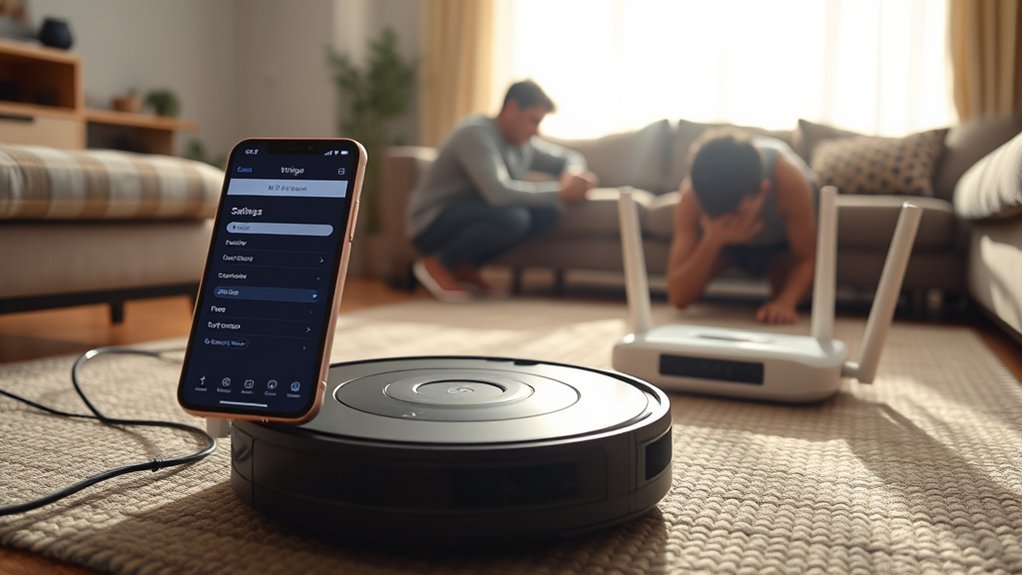
Modern robot vacuums can create privacy risks because they often collect sensitive household data, including detailed floor maps, audio or video recordings, and Wi‑Fi network information.
In robot vacuum privacy assessments, the central issue is how personal data moves from the device to cloud services for storage and analysis. If security measures are weak, home mapping files and camera data may be exposed, as seen in the 2022 Roomba leak and similar failures.
Devices with cameras generally present greater privacy risks than Lidar-based models, because visual capture can be exploited more easily. Data encryption reduces interception during transmission and storage, but it does not eliminate all exposure if access controls fail.
Third parties connected through apps or integrations can widen collection and sharing. Privacy policies should be read carefully to identify retention, disclosure, and deletion terms.
A liberation-oriented user base benefits from minimizing data surrender and preferring designs that limit unnecessary capture.
Secure Your Wi-Fi and Accounts
Securing the robot vacuum begins with strong, unique Wi‑Fi and account passwords, replacing any factory defaults immediately.
Accounts tied to the device should use two-factor authentication to reduce the chance of unauthorized login.
The router firmware should be kept current, since updates often close vulnerabilities that could expose connected devices.
Strong Wi-Fi Passwords
Protecting a robot vacuum begins with a strong Wi‑Fi foundation: the router should use a unique password of at least 12 characters with a mix of uppercase and lowercase letters, numbers, and symbols, and that password should be changed regularly to reduce the risk of unauthorized access.
Strong passwords on the Wi‑Fi network lower security concerns for smart devices, including the vacuum’s encrypted cloud connection. Regular updates to the password, along with WPA3, improve data protection laws compliance and preserve privacy settings.
Remote access on the home network should remain disabled unless required, limiting exposure. A guest network for IoT devices separates traffic from personal systems and constrains damage if one device is compromised.
These measures give users more control, reduce dependency, and support practical freedom in connected homes.
Two-Factor App Login
Two-factor authentication on the robot vacuum app adds a second verification step at login, such as a text message code or authenticator app prompt, reducing the chance that stolen credentials can be used to access device controls.
This supports app privacy and data protection by binding sign-in to a verified device, not only a unique password. A strong account password remains essential, but two-factor authentication materially raises the bar against unauthorized access.
In a smart home setting, that extra check helps preserve user controls and limits remote manipulation. It should be paired with routine firmware updates for the vacuum app, since patched software reduces exposed weaknesses.
Together with careful Wi-Fi network security and broader network security practices, the result is a more resilient, self-directed system.
Update Router Firmware
Updating router firmware is a practical first step in protecting a robot vacuum’s Wi‑Fi connection and account access, since manufacturers regularly release patches for security flaws that attackers can exploit.
To update router firmware, the owner should check the admin panel for regular firmware updates and confirm that security issues are resolved promptly. Default passwords on the router should be replaced with strong credentials, and WPA3 encryption should be enabled when supported to strengthen encrypted data on the home network.
WPS should remain disabled. A separate guest network can isolate the vacuum’s smart features from primary devices, reducing exposure of Wi‑Fi network information and supporting tighter privacy controls.
This approach improves data protection without sacrificing convenience.
Turn Off Cameras, Mics, and Cloud Sharing
Disabling a robot vacuum’s cameras and microphones, when available, reduces the chance of unauthorized audio and visual capture. Models without built-in cameras further limit exposure to sensitive imagery.
Owners should turn off cameras and mics in the robot vacuum’s privacy settings, then disable cloud sharing and remote access so data processing stays local data only. This reduces data exposure from maps, clips, and telemetry that might otherwise leave the device.
Turn off cameras and mics, disable cloud sharing and remote access, and keep processing local.
If a feature cannot be fully disabled, select a model that permits that control before purchase. Firmware updates should be installed regularly, because they may patch weaknesses tied to sensors, cloud links, or storage pathways.
The objective is simple: keep sensitive data inside the home, where the user retains authority over it. A privacy-respecting robot vacuum should operate as an appliance, not a surveillance endpoint.
Review App Permissions and Data Settings
App permissions should be reviewed to confirm that only essential functions are enabled, with microphone and camera access disabled when not required for operation.
Data sharing settings should then be tightened to limit collection, reduce cloud synchronization, and restrict third-party transfer where possible.
Privacy implications can be further reduced by using generic room names, avoiding personalized settings, and keeping the app updated for current security fixes.
App Permission Controls
Regularly reviewing the robot vacuum’s app permissions is a practical way to reduce unnecessary data exposure. The device should retain only essential app permissions, such as location or Wi‑Fi, while nonessential access is disabled.
Within data settings, data collection can often be reduced by limiting cleaning history and floor maps transmission, thereby constraining user data flow. A periodic read of the privacy policy helps confirm how data is handled and whether app permissions remain justified.
- Disable remote access unless operationally required.
- Verify audio or video data is never collected without explicit consent options.
- Audit settings after each app update to preserve control.
This disciplined review supports technical autonomy and limits hidden dependencies, allowing the user to keep the system functional without surrendering privacy.
Data Sharing Settings
What data should the robot vacuum actually share? In the data sharing settings, the owner should allow only operational data needed for navigation and cleaning schedules.
App permissions should be checked regularly, and video, audio, or other unnecessary sensors should be disabled. The privacy policy should be reviewed to identify collection, use, and sharing of personal information, then any cloud storage or marketing consent should be declined where possible.
Firmware updates should be installed promptly, since they often add stronger data management controls. Generic names for rooms and devices reduce exposure in logs and maps.
These steps keep data practices narrow, minimize exposure, and preserve user autonomy without impairing basic function.
Update Firmware Before You Clean Again
Keeping a robot vacuum’s firmware current is a critical security measure before the next cleaning cycle. A timely update firmware process installs security patches that close known weaknesses and helps the robot vacuum align with modern privacy standards.
Manufacturer updates from vendors such as iRobot and Ecovacs often address specific flaws that could otherwise expose cloud servers or permit unauthorized access. Better data encryption in newer builds can protect user information and reduce risk for data transmitted between the device and home network.
- Check the manufacturer’s app or website for current release notes.
- Enable settings to automatically check for updates, reducing manual burden.
- Confirm installation before allowing the next run, especially after alerts about vulnerabilities.
Skipping updates can leave the device open to hacking risks, so the practical path is simple: maintain firmware, verify security patches, and keep control over the robot vacuum’s communication channels.
Camera vs. Lidar for Better Privacy
When privacy is a priority, lidar navigation is generally the safer choice because it uses lasers to build spatial maps without capturing visual imagery, reducing the chance of recording identifiable household details.
In robot vacuums, camera-based systems can improve object recognition, but they also create privacy exposure by collecting sensitive images of rooms, faces, and personal items. For data protection, that difference matters.
Lidar still supports accurate mapping for effective cleaning, yet it limits visual surveillance and lowers the risk of unintended disclosure. Some lidar units are not risk-free; attacks such as LidarPhone show that sensor systems can have vulnerabilities.
Even so, typical privacy exposure remains lower than with a camera. Many higher-end lidar models rely on local processing, which reduces dependence on cloud storage and narrows unauthorized access pathways.
For users seeking liberation from unnecessary monitoring, lidar offers a practical balance between cleaning performance and stronger privacy control.
Pick a Privacy-Focused Robot Vacuum
A privacy-focused robot vacuum should be selected with data handling as a primary design criterion, not an afterthought. Privacy-focused robot vacuums reduce cloud reliance by processing maps and navigation locally, as in locally operated models.
Select a robot vacuum with privacy first: local processing, minimal cloud reliance, and data handling built into design.
- Verify the presence of a LiDAR sensor rather than a camera, since image capture increases exposure.
- Inspect privacy policies for explicit data protection terms, opt-outs for map sharing, and limits on remote access.
- Confirm user control features that disable telemetry, data sharing, and cloud services without breaking core function.
Brands that publish clear privacy policies, such as iRobot and Roborock, can be assessed for transparency and compliance. Certifications aligned with GDPR or CCPA indicate stronger governance and user rights.
The most privacy-focused option is a vacuum that keeps operational data on-device, minimizes external transfer, and preserves household autonomy. This selection reduces surveillance risk while maintaining practical cleaning performance.
Daily Habits That Reduce Privacy Risk
Daily habits play a critical role in limiting the privacy exposure of a robot vacuum. For effective data protection, default credentials on robot vacuums and the home Wi‑Fi network should be replaced with strong passwords that are unique and regularly updated.
Unneeded disabling features, especially cameras and microphones, should remain off to reduce risk. The device should also be kept away from bedrooms and bathrooms, where map data and home data may reveal sensitive patterns.
In the companion app, privacy settings should be reviewed frequently so data collection remains under user control and privacy concerns are not ignored. Firmware updates should be installed promptly, because they often patch vulnerabilities that could permit unauthorized access or data leakage.
These routine actions do not require technical complexity; they require discipline. When applied consistently, they help preserve autonomy, limit surveillance, and keep robot vacuums aligned with a privacy-conscious household.
Frequently Asked Questions
Are Robot Vacuums a Privacy Concern?
Yes, robot vacuums are a privacy concern: robot data from mapping technology and camera usage may reach cloud storage without clear user consent. Strong data encryption, firmware updates, privacy settings, manufacturer policies, and security vulnerabilities determine risk.
What Are Some Creative Ways to Hide My Robot Vacuum?
Creative concealment seems effective: Decorative covers, Furniture integration, Smart home blending, Shelving solutions, Closet storage, Under furniture, Plant camouflage, Box disguises, and Custom enclosures can hide a robot vacuum while preserving access, order, and autonomy.
Which Robot Vacuum Is the Most Privacy Friendly?
Matic appears most privacy friendly: local processing, minimal robot vacuum features, strong data security, clear privacy settings, no sensitive mapping technology exposure, explicit user consent, verified firmware updates, limited app permissions, strong brand transparency, favorable customer reviews, above industry standards.
What Are the Most Common Problems With Robot Vacuums?
Common robot vacuum problems include weak suction power, poor battery life, navigation issues, inconsistent mapping accuracy, high noise levels, unreliable app connectivity, difficult maintenance tips, pet hair clogs, uneven floor types performance, and price comparison tradeoffs.
Conclusion
In practice, robot vacuum privacy is won by layers, not luck. A unit with LiDAR instead of cameras, locked behind strong passwords and two-factor authentication, and stripped of cloud sharing becomes far less invasive. App permissions, firmware updates, and local-only data settings are not optional extras; they are the vault doors. Even small habits—like keeping the machine away from sensitive rooms—can prevent a domestic cleaner from becoming an unusually observant houseguest.