Extending a robot vacuum’s service life depends on a few controlled habits. The dustbin should be emptied after each cycle, filters cleaned on schedule, and brushes checked for wrapped debris. Sensors and wheels need routine wiping, while a monthly deep clean helps prevent hidden wear. Battery care and correct replacement parts also affect long-term performance. A few overlooked details can shorten that lifespan faster than expected.
Empty the Dustbin and Clean the Filter
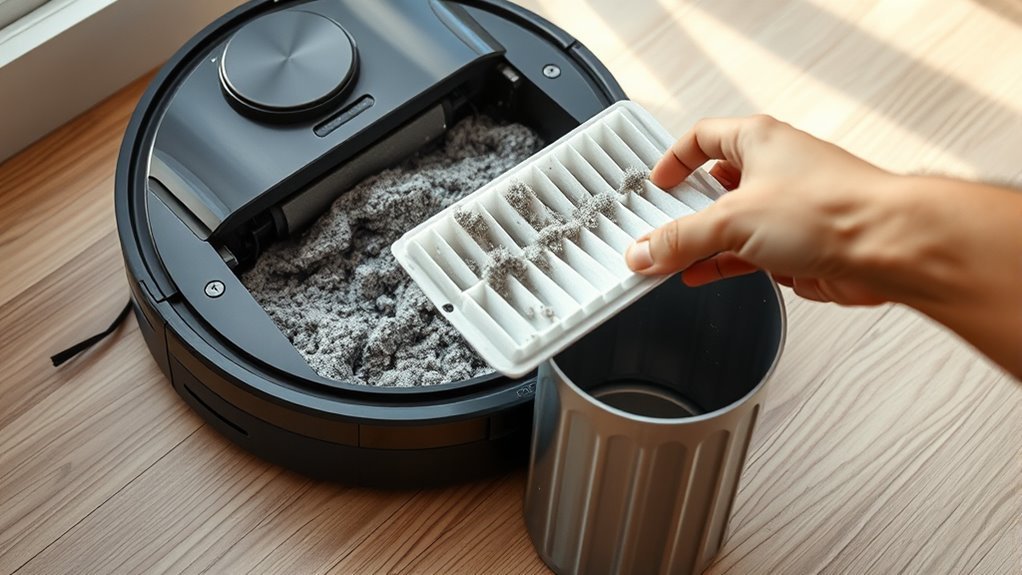
Emptying the dustbin after each use helps preserve ideal suction by preventing airflow blockage, while regular filter cleaning reduces motor strain and supports consistent performance.
To maintain this condition, the user should empty the dustbin immediately after every cleaning cycle. This prevents debris compaction, limits odor buildup, and keeps airflow unobstructed, allowing the vacuum to move with less resistance.
Empty the dustbin after every cycle to prevent compaction, reduce odors, and keep airflow unobstructed.
The filter should be cleaned about once a month, or sooner if runtime declines. It should be rinsed under water only, without soap or harsh cleaners, then left to dry completely before reinsertion.
This routine protects the motor, supports steady suction, and helps extend its lifespan. A clean dustbin and filter also improve hygiene and enable more efficient cleaning cycles, which is especially valuable for households seeking reliable automation without dependence on repeated manual intervention.
Keep Brushes and Rollers Free of Hair
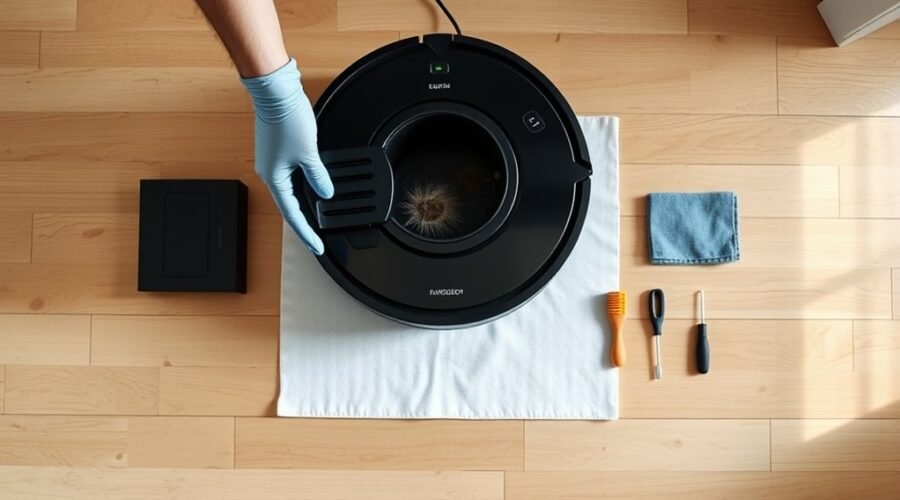
Regular inspection of the brushes and rollers helps preserve suction power and cleaning efficiency by preventing hair and debris from accumulating around the rotating components. A weekly check is sufficient for most units, though cleaner homes may still benefit from close monitoring after heavy use.
When tangled hair appears, clean brushes with specialized tools or scissors designed to cut strands without nicking bristles or axles. Roller brushes should be cleaned thoroughly after each cycle, because buildup can strain the motor and reduce output.
Once the parts are free of obstruction, reinsert them promptly so the machine can resume work at peak performance. Models with HyperStream™ DuoBrush technology may reduce tangling and limit maintenance demands, offering more freedom from repetitive manual clearing.
Consistent attention to these components keeps the vacuum moving efficiently, supports reliable pickup, and extends service life without unnecessary interruption or loss of control over routine cleaning tasks.
Wipe Sensors and Check the Wheels
The sensors should be wiped regularly with a dry microfiber cloth to remove dust and smudges that can interfere with navigation and obstacle detection.
The wheels should be inspected weekly for debris, hair, or signs of wear that could restrict movement and reduce traction.
If the wheels are dirty, a damp cloth can restore smooth operation and help maintain effective coverage.
Clean Sensors Regularly
Keeping the sensors and wheels clean is essential for maintaining reliable navigation and steady mobility in a robot vacuum. Regular cleaning sensors with a soft, dry microfiber cloth removes dust and smudges that can distort obstacle detection and route planning. This maintenance should occur at least weekly, and more often in dusty rooms, where contamination builds quickly.
The wheels should also be checked for debris or hair that can restrict rotation and reduce traction. Monthly cleaning helps prevent dust accumulation and preserves smooth motion.
Inspect Wheel Movement
Inspecting wheel movement helps maintain efficient navigation and prevents avoidable wear in a robot vacuum. Routine maintenance should inspect wheels for debris, hair, and threads that restrict motion. Sensors also need weekly wiping with a dry microfiber cloth to preserve accurate obstacle detection.
| Task | Action | Result |
|---|---|---|
| Inspect | Remove debris | Freer movement |
| Wipe sensors | Dry cloth | Accurate navigation |
| Check wheels | Look for tangles | Less strain |
| Test rotation | Spin smoothly | Reliable travel |
| Address resistance | Clean or replace | Longer service life |
If wheels resist, the assembly should be cleaned or replaced according to manufacturer guidance. This practical maintenance reduces motor strain, prevents navigation errors, and supports a vacuum that can move without unnecessary interference.
Deep Clean Your Robot Vacuum Monthly
A monthly deep clean should begin with careful sensor maintenance, using a dry microfiber cloth to remove any film or debris that could impair navigation and obstacle detection.
Next, the wheels and brushes should be cleared of hair, dust, and other buildup that can restrict movement or reduce cleaning efficiency.
The exterior body should then be wiped down to remove residue and support consistent overall operation.
Clean Sensors Thoroughly
Monthly sensor cleaning should be part of a robot vacuum’s deep maintenance routine, as dust and smudges on the sensor lenses can disrupt navigation and reduce cleaning performance.
To clean sensors effectively, use a dry microfiber cloth and inspect each lens for obstructions or embedded debris, especially after operation in high-traffic rooms. This regular maintenance helps prevent misalignment and reduces navigation errors that waste time and battery life.
The sensors should also be checked before deep cleaning sessions and after heavy use in dusty environments. When lenses remain clear, the machine can detect obstacles more accurately, improve navigation, and follow its route with greater precision.
Such upkeep preserves efficiency, supports independent operation, and extends service life without unnecessary intervention.
Clear Wheels And Brushes
Powering performance starts with monthly deep cleaning of the wheels and brushes, since hair, thread, and compacted debris can restrict movement, reduce suction, and strain the motor. The technician should clear the area, remove the dustbin, and inspect each wheel for buildup. | Component | Action | Result |
| — | — | — |
|---|---|---|
| Brushes | Remove tangles | Restored agitation |
| Wheels | Clear hair and dust | Smooth navigation |
| Axles | Check rotation | Lower friction |
| Bristles | Trim debris | Better pickup |
| Sensors | Wipe lightly | Accurate routing |
Specialized tools or scissors support precise cleaning brushes without damaging fibers. Regular care prevents drag, preserves suction, and reduces wear on drive parts. A disciplined monthly routine supports reliable operation in varied spaces and can help the unit remain effective for years, protecting autonomy through maintenance rather than repair.
Wipe Down The Body
A monthly wipe-down of the robot vacuum’s body with a soft, damp microfiber cloth removes dust and grime that can interfere with appearance and performance.
The unit should be regularly cleaned around wheels, sensors, and charging contacts, where buildup can reduce navigation accuracy, disrupt movement, and weaken battery charging. A mild cleaner or plain water is sufficient; harsh chemicals are unnecessary and may damage surfaces or internal parts.
During the wipe down, the surface should be inspected for wear, cracks, or loose fittings so minor faults are identified early. This routine protects cleaning performance and preserves reliable operation.
Careful monthly maintenance reduces dependency on service, supports longer use, and keeps the device ready for autonomous work.
Protect the Battery From Heat and Deep Drains
Battery longevity depends heavily on temperature control and charge management. The battery should be kept away from heat sources, including radiators and direct sunlight, because excess warmth accelerates chemical aging and reduces lifespan.
Storage is best in a cool, dry location between 50°F and 80°F (10°C and 27°C), where the cells remain stable and responsive. Deep drains should also be avoided; recharging at 20–30% preserves efficiency and limits stress on the pack.
Store batteries cool and dry; avoid deep drains by recharging at 20–30% to preserve performance.
This disciplined routine gives the machine greater operational freedom, reducing dependence on premature replacement. Charge cycle counts should be monitored, since most lithium-ion batteries decline noticeably after about 300–500 cycles.
Consistent charging practice matters as well, and the original charger helps maintain proper voltage and current delivery. Together, these measures protect the battery from avoidable wear and support reliable service over time.
Use Manufacturer Parts and Accessories
Using manufacturer parts and accessories helps preserve the robot vacuum’s performance by ensuring proper compatibility with the unit’s design. Manufacturer parts are engineered for exact tolerances, reducing stress on motors, seals, and drive systems.
Genuine filters and brushes maintain suction, airflow, and debris capture at specified levels, supporting consistent cleaning with minimal waste. Aftermarket replacement parts may fit loosely or alter electrical load, which can reduce efficiency, increase wear, and void warranty protection.
To keep the machine operating as intended, follow the owner’s manual and select approved accessories for the exact model.
- Verify part numbers before purchase.
- Replace worn genuine filters on schedule.
- Use original brushes and replacement parts only.
This practice is practical self-protection: fewer failures, fewer repairs, and a longer service life. Choosing certified components supports reliable autonomy, preserves performance, and lowers long-term cost without surrendering control to avoidable damage.
Clear the Floor Before Each Run
Before each cleaning cycle, the floor should be cleared of cables, toys, small objects, and other loose items that can tangle the brushes or obstruct navigation. This simple routine lets the robot vacuum move with fewer interruptions and supports a cleaner, more autonomous path.
To clear the floor effectively, loose rugs and mats should be secured or removed, because they can shift, trap wheels, or distort the cleaning pattern. The route should also be checked for obstacles such as uneven thresholds, crowded furniture legs, and other barriers that reduce coverage. A clear pathway gives the machine room to travel efficiently and reduces the chance of becoming stuck.
As a daily practice, this maintenance habit protects the unit from unnecessary strain, limits avoidable wear, and preserves dependable operation. For users seeking liberation from constant intervention, removing obstacles before each run is one of the most practical ways to keep performance steady and extend service life.
Watch for Wear and Replace Parts on Time
Regular inspection of wear-prone components helps a robot vacuum maintain steady performance over time. To watch for wear, the unit’s brushes should be checked weekly for tangled hair and lodged debris; cleaning them prevents motor strain and preserves suction.
Filters deserve strict attention too, because clogging reduces airflow and weakens cleaning results. Timely replace parts actions keep the machine autonomous and efficient rather than trapped in decline.
- Inspect brushes and clean them every week.
- Replace filters every 2–3 months, or sooner if dirty.
- Monitor battery health and mop pads, then replace parts when runtime falls, pads fray, or discoloration appears.
Setting reminders for these tasks supports disciplined maintenance and can extend lifespan considerably. This approach reduces hidden wear, protects performance, and lets the vacuum keep working with minimal intervention.
Frequently Asked Questions
What’s the Average Lifespan of a Robot Vacuum?
A robot vacuum typically lasts 4 to 6 years. With maintenance tips, battery care, and cleaning schedules, premium units may exceed 7 years; heavy dust or pet hair usually shortens service life.
Should You Leave Your Robot Vacuum Plugged in All the Time?
No; constant docking conserves convenience, but undermines battery maintenance. Better charging habits depend on usage frequency: allow partial discharges to 20–30%, avoid heat buildup, and store at 50% if idle.
What Can I Do With an Old Robot Vacuum?
Old robot vacuums can be repurposed for DIY projects, spare parts, smart-home modifications, donation, or responsible recycling. Repurposing ideas, DIY upgrades, and Selling tips help recover value while reducing waste and extending utility.
What Are the Most Common Problems With Robot Vacuums?
Like a worker trapped by neglect, the most common robot vacuum problems are suction issues, battery maintenance failures, navigation errors, clogged brushes, dirty sensors, and docking faults; regular inspection keeps performance reliable and users free.
Conclusion
To sum up, extending a robot vacuum’s service life depends on disciplined maintenance and a controlled operating environment. Emptying the dustbin, cleaning filters, and clearing brushes prevent performance decay. Regular sensor, wheel, and exterior cleaning preserves navigation accuracy and mechanical efficiency. Battery protection and manufacturer-approved parts reduce premature failure. By keeping floors unobstructed and replacing worn components on schedule, the machine can deliver near-indefatigable cleaning performance and avoid the mechanical equivalent of an early retirement.