A robot vacuum side brush that stops spinning often points to a simple mechanical fault, but not always. Hair can wrap around the axle, the brush may sit loose, or the drive module may have failed. Each issue changes the fix. Basic cleaning may restore function, yet a deeper inspection can reveal worn parts or a weak motor connection. The difference matters, because the quickest repair is not always the correct one.
Why Your Side Brush Stops Spinning
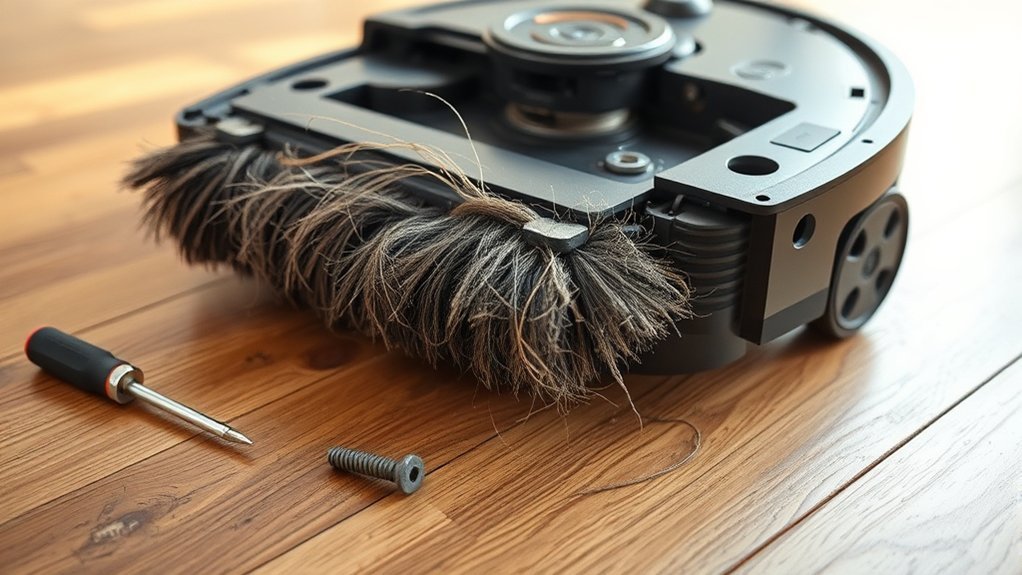
A robot vacuum’s side brush may stop spinning when hair, string, or other debris wraps around the axle and restricts movement. In many cases, the obstruction prevents the side brush from rotating at normal speed or from spinning at all.
Loose mounting hardware or an improperly seated brush can produce the same symptom, because the drive interface cannot engage correctly. Removing the brush assembly and cleaning the axle area often restores motion, especially when debris has hardened around the joint.
Regular maintenance matters because wear, contamination, and buildup reduce efficiency over time. A technician should inspect the brush for deformation, reattach it securely if it is loose, and replace the module if damage persists.
This practical approach supports reliable cleaning performance and reduces dependence on repeated intervention, allowing the machine to operate with greater autonomy.
Check for Hair and Debris First
Hair wrap around the axle is a common cause of side brush seizure, so the brush should be removed and inspected closely.
Any debris, fibers, or compacted dirt around the bristles and hub should be cleared before reinstallation.
Once cleaned, the brush should rotate freely without obstruction.
Hair Wrap Around Axle
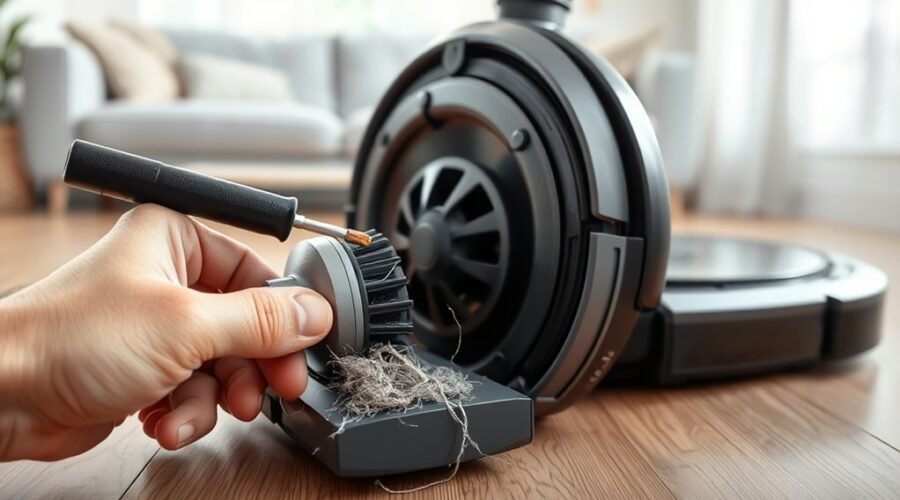
One common reason the side brush fails to spin is hair or debris wrapped around the axle, which can restrict rotation and reduce cleaning performance. This is among the common causes when a brush stuck condition appears.
Regular inspection helps identify hair or thread around the brush before performance declines. To correct the fault, remove the brush and examine the axle for tight tangles or dirt buildup.
- Check for winding at the hub and shaft.
- Use tweezers or scissors to free trapped strands.
- Reattach the brush securely and verify free rotation.
This practical step restores movement and preserves cleaning freedom. A clean axle allows the side brush to rotate without drag, supporting consistent edge cleaning and reducing unnecessary wear on the drive point.
Clear Debris From Brush
Debris around the side brush axle can stop the brush from spinning properly, so the area should be checked for hair, threads, and dirt first.
| Check | Action |
|---|---|
| Brush | Remove it from the hub |
| Debris | Inspect axle and mount |
| Tangled hair | Cut away with scissors |
| Blockage | Use tweezers for threads |
| Refit | Secure brush and test spin |
Even small debris can reduce cleaning efficiency. The brush should move freely after cleaning, without drag or wobble. Routine maintenance checks help prevent repeat failures and preserve effective floor coverage. If resistance remains, the axle may still hold hidden debris, so the inspection should be repeated methodically. A clear brush path supports dependable operation and keeps the machine working with greater autonomy.
Reattach a Loose Side Brush
A loose side brush should be removed and reattached until it clicks securely into place, since an improperly seated brush can spin freely without driving correctly. The side brush must be firmly attached before operation, and the reattach process should follow the user manual for the specific model.
If the brush still resists movement, verify that no obstruction is present at the mounting point or axle area.
- Remove the side brush, then align it precisely and press until it locks.
- Spin the brush by hand to confirm smooth, free rotation.
- Replace the module if the bristles are frayed or the fit remains unstable.
After reattachment, test for scraping, wobble, or drag. A clean, secure fit restores reliable sweeping performance and prevents avoidable downtime.
Each robot vacuum model may use a different retention method, so the user manual remains the authoritative reference.
Clear the Brush Mount and Axle
Hair and debris can pack around the side brush mount and axle, causing the brush to bind or stop spinning. To restore movement, remove the side brush and inspect the mount closely for obstructions. Hair strands often wrap around the axle, creating hidden drag that weakens performance and keeps the brush from turning freely.
Hair and debris around the side brush axle can stop spinning; remove obstructions to restore smooth movement.
Using scissors or tweezers, clear tangled material from the spindle, surrounding groove, and any contact points where debris has settled. The aim is to remove all resistance without damaging the axle or mount.
After the area is clean, reattach the side brush firmly and test its rotation by hand. It should spin freely, with no grinding, noise, or stiffness.
Routine inspection of the side brush mount and axle helps prevent recurring blockages and supports dependable cleaning. When this area stays clear, the vacuum regains its ability to move with less friction and greater autonomy.
Inspect the Side Brush Module
The side brush module should be checked for debris, hair, or dirt that may be restricting movement.
Its attachment should be verified to guarantee the brush is seated firmly and not slipping on the mount.
The module should then be rotated by hand to confirm smooth motion and identify any binding that may indicate a fault.
Check For Debris
If the side brush is not spinning, a close inspection of the brush module should come first. Technicians should check the brush, the side brush, and the module for hair, dirt, or debris accumulation that could obstruct motion. Any tangled strands around the axle area can lock the assembly and reduce freedom of movement.
- Remove visible lint and grit with a soft brush.
- Wipe the side brush and module with a cloth.
- Confirm the brush spins freely without resistance or noise.
Routine cleaning prevents buildup from hardening into a jam. Foreign objects lodged near the mounting point should be cleared immediately.
A clean module supports reliable rotation and preserves performance, helping the vacuum move with less resistance and fewer interruptions.
Verify Brush Attachment
A loose or misaligned side brush can stop the module from rotating correctly, so the attachment should be checked at the axle first. To verify brush attachment, the side brush must seat firmly; a loose connection will reduce movement and trap the user in avoidable downtime. The module should also be inspected for hair, thread, or grit, and technicians should remove obstructions before reassembling.
| Check | Expected result |
|---|---|
| Axle fit | Tight and secure |
| Brush alignment | Properly aligned |
| Module path | Clear of debris |
If the brush shows wear, replacement every 6–12 months is prudent. After cleaning, the brush should be repositioned so it remains properly aligned and free enough to serve the machine’s work without friction or constraint.
Test Module Rotation
To inspect the side brush module, power off the robot vacuum and remove the brush for a full check of the axle and surrounding housing.
With the side brush exposed, inspect for debris, hair, or damage that could limit motion. Verify the brush is seated correctly on the axle, then check for obstructions around the mount.
- Rotate the side brush by hand.
- Feel for resistance, binding, or grinding.
- Confirm smooth manual rotation and proper functionality.
A free-spinning module indicates the mechanism is operating within specification.
If movement remains stiff after cleaning and reseating, the fault may be internal. In that case, replacing module components or the entire module is the practical route to restore dependable cleaning performance and preserve user autonomy.
Test the Motor and Drive Connection
The motor and drive connection should be checked first to confirm that power is reaching the side brush assembly and that nothing in the pathway is interrupting operation.
A technician should test the motor with a multimeter to verify electrical continuity; no continuity signals a faulty unit and a likely replacement case. The connection from the side brush motor to the main control board must be secure, clean, and free from debris that could block current flow.
The drive mechanism should also be inspected for obstructions, wear, or bent parts that prevent rotation. The side brush itself must sit squarely on the axle, with alignment that allows free movement and no binding.
If the motor responds correctly yet the brush remains still, the control board or sensor regulating brush movement should be examined next. This method keeps the diagnosis disciplined, exposing failures quickly and restoring operational autonomy.
Replace the Side Brush If Needed
If cleaning and reinstallation have not restored motion, the side brush may need replacement. A worn side brush can lose stiffness, deform, or stop rotating effectively after repeated use, especially after 6–12 months of wear and tear.
To replace, select a compatible part for the specific robot vacuum model; an incompatible brush can bind or fail to seat correctly. Replacement brushes are available in the iRobot Store and can restore cleaning performance.
Select a compatible brush for your robot vacuum model to avoid binding and restore cleaning performance.
- Inspect for bent bristles, cracked hubs, or stripped mounts.
- Confirm the replacement is compatible with the model number.
- During installation, press until it clicks, then verify free spinning.
After installation, the brush should rotate without obstruction and sit flush against the mount. If it does not click into place or still resists movement, the part or fit may be incorrect.
Correct replacement gives the machine back its sweeping path and preserves operational independence.
Prevent Side Brush Problems
Regular maintenance reduces the risk of side brush failure by keeping the brush free of hair, debris, and axle obstructions. The side brush should be inspected regularly for accumulation that can restrict rotation or create jamming.
It should also be checked for secure attachment, because a loose fit may prevent stable spinning and reduce cleaning reach. Around the axle, obstructions must be removed promptly so the mechanism remains clear and responsive.
A cleaning procedure should be used as part of routine maintenance to preserve consistent performance. This includes clearing strands, dust, and small particles from the bristles and hub, then confirming that all components are seated correctly.
Loose components should be corrected before they compromise motion or cause uneven wear. By maintaining these checks, the robot vacuum retains independence from avoidable faults and delivers more reliable floor coverage.
When to Contact iRobot Customer Care
When the side brush remains unresponsive after standard troubleshooting, such as cleaning, reattaching, or replacing the side brush module, iRobot Customer Care should be contacted.
A Robot Vacuum with a stalled side brush may have a hardware malfunction, motor defect, or internal wiring fault that cannot be resolved at home. If the side brush spins but fails to clean edges, a deeper inspection for obstruction or misalignment may be needed.
Customer care can verify the model, confirm whether replacement parts are required, and advise on warranty coverage.
- Persistent failure after basic resets
- Visible damage, abnormal noise, or intermittent motion
- Need for model-specific replacement parts or accessories
Prompt escalation prevents wasted effort and restores reliable floor coverage. For users seeking operational freedom, direct support can shorten downtime and reduce guesswork.
When symptoms repeat after part replacement, professional diagnosis is the practical next step.
Frequently Asked Questions
Why Is My iRobot Side Brush Not Spinning?
It usually stops because debris, hair, or misalignment blocks the side brush. Proper side brush maintenance, routine cleaning routines, and practical troubleshooting tips protect vacuum efficiency; worn parts may require replacement options for restoration.
What Should Be Done if the Side Brush Function Fails?
Like a stalled wheel on a free road, the side brush function should undergo side brush maintenance: follow the troubleshooting guide, remove debris, check connections, install replacement parts if worn, and apply cleaning tips for performance optimization.
What Is the Average Lifespan of a Robot Vacuum?
A robot vacuum typically lasts 3–5 years. Robot technology, cleaning efficiency, maintenance tips, smart home integration, and product comparisons show durability improves with care; battery replacements often occur after 2–3 years of regular use.
What Causes a Vacuum Brush Not Spinning?
A vacuum brush stops spinning when tangles, debris, misalignment, worn belts, or motor faults interrupt rotation; brush maintenance tips, common troubleshooting steps, cleaning frequency recommendations, parts replacement guide, and user experience feedback confirm the theory.
Conclusion
To conclude, a side brush that stalls usually traces back to simple, serviceable issues: tangled hair, loose mounting, clogged axle points, or a tired motor module. Careful cleaning, correct reattachment, and a quick connection check often restore smooth spinning with minimal effort. If the brush still fails after these practical steps, replacement is the prudent path. For persistent power or drive faults, contacting iRobot customer care remains the safest, smartest solution.