When a robot vacuum brush stops spinning, the problem is often simple but not always obvious. The main power switch, brush roll control, tangled hair, hidden clogs, and a full dustbin are common starting points. A worn belt or a brush that binds in the housing can also block movement. Brand-specific fixes may matter too, and the next check can narrow the fault fast.
Quick Checks for a Brush Not Spinning
Begin with the simplest controls and inspections when a robot vacuum brush is not spinning. Confirm the main power switch is on and the brush roll control switch is activated.
If the brush isn’t spinning, check the brush roll height setting and match it to the floor type; an incorrect position can limit movement.
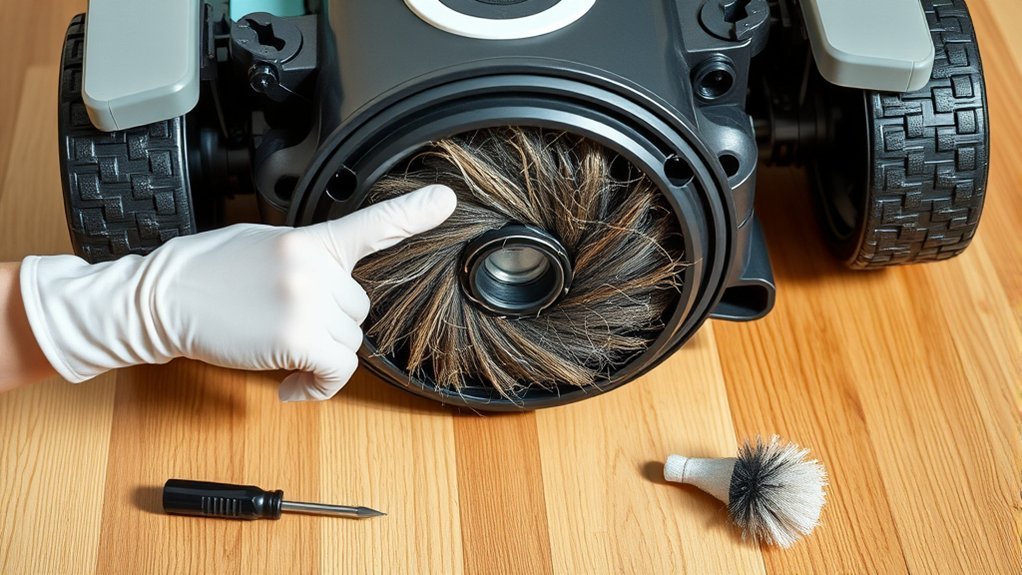
Next, stop the machine and clear obstructions around the brush, including hair, thread, and packed debris.
Examine the dustbin or vacuum bag, since a full container can restrict suction power and leave the brush idle.
Inspect the hose and air path for clogs that reduce airflow and weaken brush operation.
This basic maintenance supports reliable function and preserves cleaning freedom without unnecessary service calls.
If these checks do not restore motion, further diagnosis is required, but these quick steps often resolve the fault efficiently.
Common Reasons Your Brush Stops Spinning
When the basic checks do not restore brush movement, the fault usually traces to a few common mechanical or power-related causes. A brush not spinning often points to tangled hair and debris binding the roller, but restriction can also begin upstream.
A clogged vacuum hose reduces airflow and weakens the force needed to turn the brush assembly. If the dustbin full indicator is ignored, suction drops further and the brush may stall entirely.
In belt-driven units, a worn-out belt can slip, crack, or break, leaving the roll motionless even though the motor runs. Power problems matter as well: a low battery in cordless models limits torque, while damaged wiring in corded machines interrupts operation.
Each condition is practical to diagnose, and each can be corrected with targeted maintenance rather than replacing the entire vacuum. Prompt inspection keeps the machine free, efficient, and ready for use.
Remove Hair and Debris From the Brush Roll
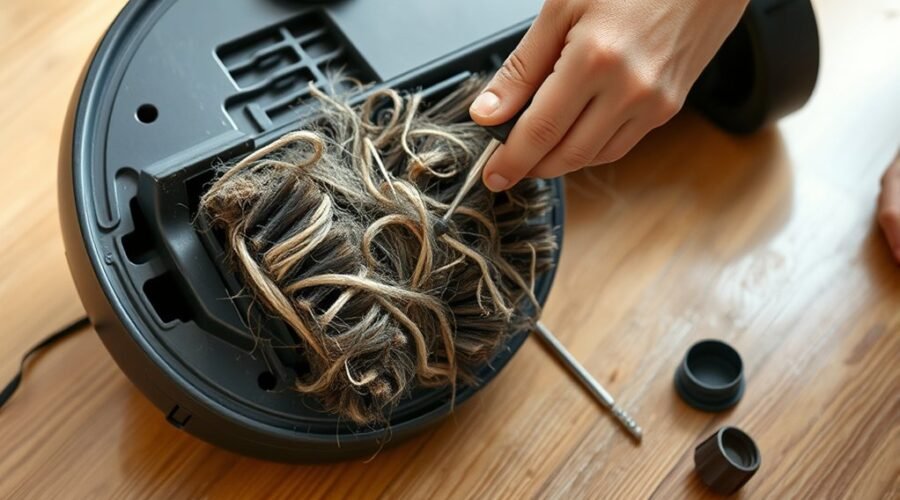
A brush roll can stop turning when hair wraps tightly around the cylinder or debris accumulates in the bristles.
Regular inspection and careful removal of tangled strands with scissors can restore free rotation without damaging the brush.
Cleaning the ends of the roll and checking the housing for clogs helps prevent recurring jams.
Hair Wrapped Around Roll
Hair wrapped around the brush roll can jam the mechanism and reduce spinning performance, leading to weaker pickup and suction loss. Regular inspection keeps hair from becoming tangled and supports maintenance and performance.
| Check | Action | Result |
|---|---|---|
| Brush roll | Remove from vacuum | Full access |
| Hair wrap | Cut strands carefully | Free rotation |
| Bearings | Inspect movement | Less resistance |
| Housing | Clear residue | Smooth fit |
| After use | Clean routinely | Stable output |
Detach the brush roll, then use scissors to free wrapped hair without nicking the bristles or axle. Some tangle-free designs reduce buildup, yet they still require routine care. Cleaning after each use prevents accumulation and preserves steady motion. This simple maintenance protects the machine’s autonomy and keeps the floor-cleaning system ready for liberated, efficient operation.
Debris Causing Brush Jams
Debris lodged around the brush roll can restrict rotation and reduce cleaning performance. The brush roll should be inspected regularly for hair, thread, and other debris that create drag or a full obstruction.
Scissors can be used to cut away wrapped material, with attention to all sides of the roller and the end caps. After every few uses, cleaning should remove buildup before it hardens into a fault. In homes with shedding pets, maintenance may need to be more frequent.
The brush housing also requires inspection for dirt, crumbs, or small objects that prevent free movement. Once cleared, the brush roll should be reattached securely so the vacuum can operate without interruption and keep its path open for effective cleaning.
Fix Clogs, Bags, and Suction Loss
A clogged hose or restricted airflow can reduce suction enough to keep the brush roll from spinning properly.
A full dustbin or bag should be emptied or replaced to restore normal intake performance.
If suction remains weak, the vacuum’s airflow path should be checked for blockages before further troubleshooting.
Clogged Hose Checks
A clogged hose can sharply reduce suction, which often leaves the brush roll spinning weakly or not at all. A quick inspection should begin with a flashlight to spot obstructions inside the clogged hose.
If debris, lint, or tangles appear, detach the hose and clear them completely. When a blockage sits deeper inside, a long flexible brush or a straightened wire hanger can help push it out without damaging the tube. Restoring suction power at this point often returns normal brush action.
Regular maintenance matters: hose checks prevent recurring loss of airflow and keep the system free enough to work as intended. Keeping the pathway open supports efficient cleaning and preserves the vacuum’s independence from avoidable mechanical drag.
Full Bag Symptoms
If the hose is clear but the brush roll still spins weakly or not at all, the dustbin or vacuum bag is the next likely restriction point. A full dustbin can cut suction power enough to leave the brush roll underdriven, even without an obvious clog. The fix is simple and freeing:
- Empty the full dustbin when it reaches about 75% capacity.
- Replace a vacuum bag every 2-3 months, or sooner if performance drops.
- Clean or replace the filter so airflow stays open.
Debris in the filter also reduces airflow and can mimic deeper faults. Inspect the bag area, clear any compacted debris, and confirm the brush roll can draw air normally.
Regular maintenance preserves performance and keeps the machine working with minimal resistance.
Restore Suction Power
Restoring suction power starts with verifying airflow from the dustbin or bag through the hose and filters. A full container can starve the system, so it should be emptied or replaced before the next cleaning session.
The hose should be checked for clogs, and debris removed with proper tools to clear the path. Filters must be cleaned or replaced on schedule, since restricted media lowers suction and can make the brush not spinning appear worse.
The brush module should also be inspected for tangles that add drag. If loss persists, the motor and belt require examination for wear or damage.
Using maintenance with iRobot® Accessories helps restore suction power with parts matched to the platform, supporting cleaner floors and more independent operation.
Check the Belt, Brush Roll, and Assembly
The belt, brush roll, and surrounding assembly should be inspected for wear, blockage, and misalignment. To check the belt, examine it for cracks, stretching, or breakage; a damaged belt can stop drive transfer during each cleaning cycle.
The brush roll should spin freely by hand, with no binding from debris, thread, or hair. The assembly must also be checked for loose screws, warped brackets, or shifted positioning that can keep the roll from engaging.
- Clean both ends of the brush roll.
- Remove wrapped debris and tangled fibers.
- Wipe motor connections and contact points.
After reassembly, test the unit briefly and confirm that the brush roll spins at start-up and under load. If motion remains weak, the issue likely lies in the mechanical path between the motor and the brush roll.
Careful inspection preserves function and reduces avoidable wear.
Brand-Specific Robot Vacuum Fixes
Brand-specific designs often require brand-specific fixes once the belt, brush roll, and assembly have been checked. For iRobot units, including the j7+ Robot Vacuum, the main brush ends should be cleaned and the motor module connections inspected. A vacuum requires brand-aligned diagnostics, not guesswork. Deebot models need attention to the side brush and roller brush; if motion still fails, a reset may restore control. Dyson systems call for hair removal from the roller and confirmation that the brush bar reset button is engaged. Narwal units benefit from cleaning the dual rollers and using the self-cleaning base. The manual remains the primary reference.
| Brand | Focus | Action |
|---|---|---|
| iRobot | Main brush ends | Clean and inspect |
| Deebot | Side brush | Clear debris |
| Dyson | Roller brush | Remove hair |
| Narwal | Dual rollers | Use self-cleaning base |
| All | Manual | Follow instructions |
Prevent Brush Spin Problems From Returning
Regular maintenance prevents brush spin failures from recurring by limiting hair and debris buildup in the brush roll and side brushes. A strict maintenance routine keeps the system clean, reduces obstructions, and preserves performance across varied flooring.
Before each run, the brush area should be checked and cleared so the brush roll can move without resistance. Height adjustments should match carpet, tile, or hardwood to prevent strain and unnecessary wear. Routine inspections should include the belt, which can degrade quietly and weaken drive force.
- Clean the brush roll and side brushes regularly.
- Remove obstructions before each use.
- Inspect belt wear and use app reminders.
Smart app alerts help automate maintenance timing, making care consistent rather than reactive. This disciplined approach protects performance, extends component life, and supports dependable, liberated cleaning with fewer interruptions.
Frequently Asked Questions
Why Isn’t My Robot Vacuum Brush Spinning?
It likely suffers from common brush issues: power off, clogged rollers, full bin, tangled debris, or a worn belt. Proper robot vacuum troubleshooting, brush maintenance tips, cleaning frequency recommendations, and replacement brush options restore function.
How Do I Fix My Vacuum Brush Not Spinning?
He would switch on power, clear the brush roll, and inspect clogs, bin, and belt. These brush maintenance tips, troubleshooting vacuum issues, cleaning robot parts, vacuum accessory upgrades, and robotic cleaning technology restore function efficiently.
What Is the Average Lifespan of a Robot Vacuum?
A robot vacuum typically lasts 3–5 years, with premium units reaching 7. Robotics maintenance tips, vacuum efficiency improvements, smart home integration, cleaning schedule optimization, and robot vacuum features can extend service life and autonomy.
What Should Be Done if the Side Brush Function Fails?
What fails first, the side brush or the routine? They should inspect motor issues, clean obstructions, verify the cleaning schedule, apply troubleshooting tips, and, if needed, install replacement parts for reliable operation.
Conclusion
In conclusion, a robot vacuum brush that refuses to spin usually points to a simple fault rather than a failed machine: a switch left off, hair wrapped tight, or a clog hidden in the airflow path. Yet the contrast is clear—small debris can halt a motor, while basic cleaning restores performance. Checking the dustbin, belt, and brush assembly quickly separates easy maintenance from deeper repair, helping the vacuum return to efficient, steady cleaning.