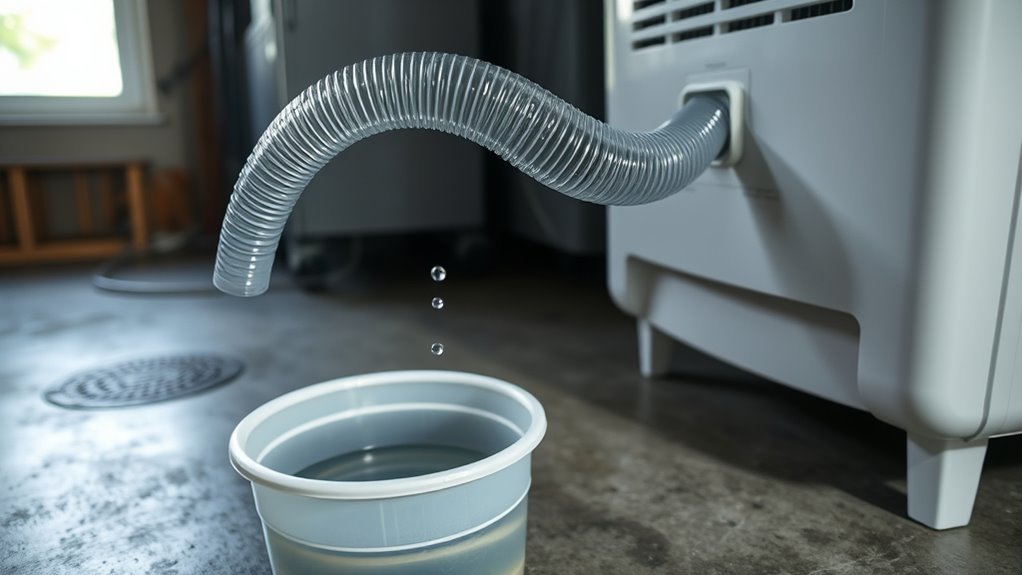
A dehumidifier that runs nonstop, refuses to start when the room feels damp, or shows a humidity reading that does not match a separate hygrometer may have a sensor problem. The humidity sensor is one possible cause, but settings, airflow, room temperature, bucket position, wiring, and control faults can create similar symptoms. Start with simple checks before opening the cabinet, and use a multimeter only when the service information for your exact model provides a valid test procedure.
Quick Answer
To test a dehumidifier humidity sensor, first rule out Continuous Mode, an incorrect humidity setting, a full or mis-seated bucket, blocked airflow, and low room temperature. Compare the display with a separate hygrometer. If the mismatch stays large and repeatable, inspect the wiring and use only the model-specific resistance or voltage test supplied by the manufacturer.
Key Takeaways
- Do not replace the humidity sensor based on one strange reading or one long operating cycle.
- Compare the built-in display with a separate hygrometer after both readings have had time to stabilize.
- Check mode, humidity setpoint, bucket position, filter, airflow, room temperature, and room size before opening the cabinet.
- Resistance, continuity, and voltage specifications are model-specific; there is no universal ohms target for every dehumidifier sensor.
- Leave energized open-cabinet testing to a qualified technician unless the manufacturer provides a procedure and you are trained to perform it safely.
At a Glance
| Time Required | About 15–30 minutes for external checks; internal inspection varies by model. |
| Difficulty | Easy for basic checks; intermediate for unplugged internal inspection; professional-level for energized diagnostics. |
| Tools Needed | Separate hygrometer, flashlight, model documentation, screwdriver if service access is permitted, and a multimeter only when the test procedure calls for one. |
| Cost | Basic checks can cost nothing if you already own the tools. Sensor parts and professional service costs vary by model. |
Disclosure: As an Amazon Associate, we earn from qualifying purchases. If this page contains a qualifying Amazon affiliate link and you make a purchase through it, we may receive a small commission at no extra cost to you. The manufacturer and government reference links in this guide are informational and non-affiliate.
Quick Verdict
Rating: Recommended with caveats
Best For: Diagnosing inaccurate humidity readings, sensor error symptoms, or unusual cycling before you replace parts.
Bottom Line: Visual inspection, cleaning, connector checks, and comparison with a separate hygrometer are useful first steps. Resistance or powered-voltage testing should be model-specific because not every humidity sensor is tested the same way.
For general indoor moisture control, ENERGY STAR and EPA guidance places the usual indoor relative-humidity range around 30%–50% RH. That range is useful for judging room conditions, but it is not a universal accuracy specification for a dehumidifier’s sensor.
Before You Open the Dehumidifier
A humidity reading that looks wrong does not automatically mean the sensor has failed. ENERGY STAR explains that dehumidifiers with humidistats cycle according to the selected relative-humidity level and recommends using a separate hygrometer when you need an independent RH reading.
Before removing any panels, check these easier causes:
- Operating mode: Make sure Continuous Mode or a similar always-on setting is not selected.
- Humidity setpoint: A very low target can keep the compressor operating for long periods.
- Bucket position: Empty and reseat the bucket if your model uses a bucket switch or position sensor.
- Filter and airflow: Clean the filter if required and make sure furniture, walls, dust, or debris are not restricting the intake or discharge.
- Doors and windows: Open doors or windows can continuously introduce humid air and extend runtime.
- Room size: An undersized dehumidifier may run for long periods without reaching the selected RH.
- Room temperature: Low temperatures can reduce moisture removal and may allow frost to form on some compressor-based dehumidifiers.
- Error code: Write down the exact code before unplugging or resetting the machine.
These checks matter because manufacturers such as Frigidaire specifically identify airflow, room size, room moisture, doors and windows, and operating mode as possible causes of excessive runtime.
Warning: Unplug the dehumidifier before removing panels or performing resistance or continuity checks. Do not probe energized components inside an open cabinet unless the manufacturer provides a specific procedure and you are qualified to perform live electrical measurements safely. When in doubt, stop after the unplugged checks and use a qualified appliance or HVAC technician.
Is Your Dehumidifier Humidity Sensor Bad?
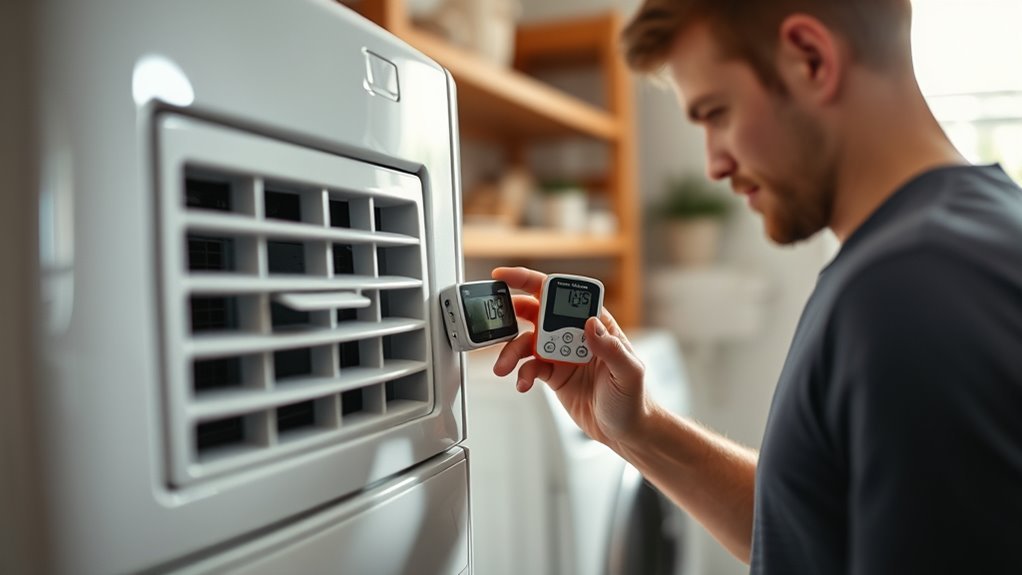
Your humidity sensor may be faulty if the dehumidifier runs continuously even after the room is dry, will not respond to a high-humidity room, displays values that jump unexpectedly, or shows a sensor-related error code. These symptoms do not prove the sensor itself has failed, so avoid replacing it based on one symptom alone.
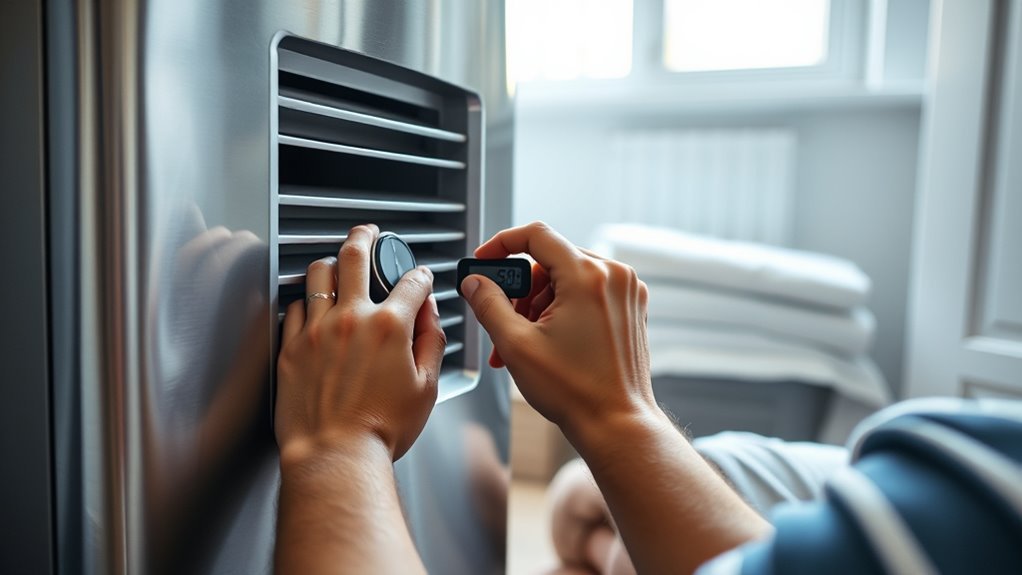
First, compare the dehumidifier’s reading with a separate hygrometer placed nearby but outside the unit’s direct intake or exhaust stream. Give both devices time to stabilize. Small differences can occur because the sensors are not in exactly the same location. If the difference remains large and repeatable, inspect the sensor area, wiring, and connector for dirt, corrosion, loose pins, cracked insulation, or heat damage.
| Check | What It Can Tell You |
|---|---|
| Independent hygrometer | Shows whether the built-in reading is consistently far from the room’s measured humidity. |
| Visual inspection | Can reveal dirt, corrosion, damaged wires, loose plugs, or obvious physical damage. |
| Continuity check | Can help identify an open wire in a disconnected harness when the service procedure calls for it. |
| Resistance or voltage test | Useful only when the manufacturer provides expected values, terminal locations, and a safe test method for your exact sensor. |
Before You Buy: Do not order a replacement sensor only because the display looks wrong. Confirm the exact dehumidifier model, sensor part number, connector style, and service procedure first. Sensor construction and control logic can differ even when two parts look similar.
Humidity Sensor vs. Temperature Sensor: Know Which Part You Are Testing
A dehumidifier may contain more than one sensing device. The humidity sensor or humidistat measures room moisture for humidity control, while another sensor may monitor evaporator or coil temperature for frost protection or refrigeration control. Do not assume that every small wired component near the coil is the humidity sensor.
Error codes also vary. For example, Midea’s dehumidifier support guidance identifies an AS code as a humidity-sensor error on applicable models and an ES code as an evaporator tube-temperature-sensor error. Frigidaire’s dehumidifier error-code guide likewise lists several model-dependent temperature or humidity sensor faults.
Note: Error codes are not universal. An AS, ES, F1, F2, or similar code can mean different things on another brand or model. Always use the code definition supplied for your exact dehumidifier.
How to Find the Humidity Sensor
Unplug the dehumidifier before removing the outer casing. Check the owner’s manual, service manual, parts diagram, or manufacturer support information first. Depending on the design, the humidity sensor may be positioned in or near the incoming-air path or evaporator area, but its exact location varies by model.
| Checkpoint | What to Look For | Why It Matters |
|---|---|---|
| Location | Use the model diagram first; possible locations include the intake or evaporator-air area | Prevents confusing the humidity sensor with another sensor |
| Size | Small sensing element, module, or sensor board | Helps distinguish it from larger electrical parts |
| Wiring | Attached leads, plug, or small harness | Lets you trace the connection back toward the control system |
| Identification | Part label, connector number, or service-diagram reference | Helps confirm you are testing the correct component |
Use a flashlight and trace the wiring without pulling on it. Look for corrosion, cracked plastic, loose connectors, bent pins, pushed-back terminals, or insulation damaged by heat. Take a photo before disconnecting anything so you have a reference for reassembly. If a part number or label is visible, record it before you shop for a replacement.
Pro Tip: Photograph the sensor, connector, wire colors, mounting position, and wire routing before removal. That simple reference can prevent a reversed connector, pinched harness, or incorrect routing during reassembly.
How to Test the Humidity Sensor With a Multimeter
A multimeter can help, but only if you know what the sensor is supposed to output. Some service procedures specify resistance values, open-or-short checks, continuity checks, or DC-voltage measurements. Other sensors use circuitry that cannot be judged by a simple resistance reading, and some manufacturers direct users to replace an assembly or obtain service after a confirmed sensor fault.
Before touching the meter, record the full model number and find the test procedure that applies to that model. A generic resistance value found online is not a safe substitute for the manufacturer’s specification.
Recommended Products

2-in-1 Thermometer Hygrometer Meter: Built-in probe for unparalleled precision. It serves as both a digital electronic thermometer and a hygrometer, meticulously engineered for indoor environmental monitoring.

DHT11 digital temperature and humidity sensor is a digital signal output with a calibrated temperature and humidity combined sensor.
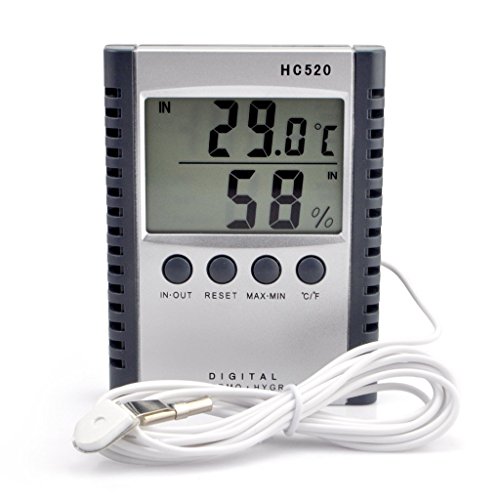
"Thermo-hygrometer measures humidity and indoor outdoor temperature,Displays in fahrenheit or celsius"
Multimeter Setup
For resistance or continuity testing, unplug the dehumidifier and disconnect the sensor or harness only as directed by the service procedure. Set the meter to the correct ohms or continuity range, place the probes on the specified terminals, and keep probe contact steady. Record the reading and the range you used rather than relying on memory.
- Keep the unit unplugged during resistance and continuity tests.
- Use the terminal locations specified for your exact model.
- Do not assume that every humidity sensor should show the same resistance.
- Do not measure resistance across an energized circuit.
- Do not perform powered tests with an open cabinet unless the manufacturer provides the procedure and you have the training and equipment to do it safely.
General electrical-test guidance from Fluke recommends working on de-energized circuits whenever possible because live measurements create additional shock and equipment hazards.
Sensor Resistance Check
If the manufacturer gives a resistance specification, compare your measurement with that range under the stated temperature, humidity, and connection conditions. A reading that is clearly open, shorted, unstable, or outside the published range may point to a failed sensor or damaged wiring.
If the manual provides no resistance specification, an ohms reading by itself is not enough to condemn the sensor. Different sensing technologies and sensor-board designs can behave differently.
Also separate the sensor from the harness when the procedure requires it. A bad connector or broken wire can produce the same apparent fault as a failed sensing element. Testing the components in the order specified by the manufacturer helps you avoid replacing a good sensor.
Compare With Specs
Your model’s service information is the reference point. Compare resistance, continuity, or voltage only with the manufacturer’s stated limits and test conditions. Do not substitute specifications from another model just because the sensor or connector looks similar.
If the procedure calls for a powered DC-voltage check, follow the service instructions exactly or leave that step to a qualified technician. Exposed energized components can create shock risk, and an accidental probe slip can damage the control board.
- Record each reading and the meter range used.
- Clean or reseat accessible connectors before condemning the sensor.
- Confirm that the unit is unplugged before resistance or continuity testing.
- Recheck the full model number before ordering a replacement part.
- Stop if the procedure requires energized measurements that are outside your training.
Signs Your Humidity Sensor Is Failing
A failing sensor can cause inaccurate readings or improper cycling because the control system depends on humidity data to decide when to dehumidify. The strongest clue is a repeatable mismatch between actual room conditions and the unit’s behavior, especially after basic airflow, mode, bucket, temperature, and sizing checks are ruled out.
| Sign | What You’ll Notice | What It May Mean |
|---|---|---|
| Continuous run | No normal shutoff after the room becomes dry | Sensor, mode, airflow, sizing, moisture-load, or control issue |
| No response | Unit ignores clearly humid conditions | Possible sensing, bucket-switch, setting, or control fault |
| Erratic display | Humidity value jumps unexpectedly | Possible sensor, wiring, connector, or control problem |
| Sensor error code | Display reports a humidity- or sensor-related fault | Follow the model-specific code definition and service procedure |
| Repeatable RH mismatch | Built-in reading stays far from a nearby hygrometer | Sensor placement, contamination, wiring, calibration, or sensor fault deserves investigation |
A musty room does not automatically prove the sensor is bad. A clogged filter, blocked airflow, low room temperature, an undersized dehumidifier, Continuous Mode, high incoming moisture, or a control-board fault can also affect performance. Check these operating causes before opening the cabinet.
How to Clean the Humidity Sensor
Unplug the dehumidifier and access the sensor only as far as the owner’s or service manual allows. Remove loose dust around the sensor and mounting area with a soft, dry brush, clean air method approved by the manufacturer, or another dry tool that will not bend the sensing element.
- Remove loose dust without bending, scraping, or touching a delicate sensing surface unnecessarily.
- Check the connector for residue, oxidation, or visible corrosion.
- Keep liquid away from the control board and electrical components.
- Do not spray cleaner directly onto the sensor.
- If the manufacturer specifically permits isopropyl alcohol or an approved contact cleaner on a connector or sensor surface, use only the stated method and amount.
- Let every cleaned part dry fully before reconnecting power.
After cleaning, reassemble the unit and compare its humidity reading with a separate hygrometer again. If the reading becomes stable and the dehumidifier cycles normally, contamination or a poor connection may have contributed to the problem. If the error remains, continue with wiring inspection and the model-specific diagnostic procedure.
How to Inspect the Sensor Wiring and Connector
With the dehumidifier unplugged, trace the sensor wiring from the sensor toward the control board. Look for fraying, corrosion, kinks, heat damage, pinched insulation, bent pins, pushed-back terminals, or moisture inside a connector. Reseat accessible plugs firmly without forcing them.
If the service procedure calls for a continuity test, disconnect the harness as instructed and check the specified wire path while the unit remains unpowered. Continuity can help identify an open conductor, but it does not confirm that the control board is supplying the correct signal when powered.
Voltage checks are a separate diagnostic procedure. Do not convert an unplugged continuity test into a live voltage test unless the manufacturer specifically calls for that measurement and you can perform it safely.
Recommended Products

Wire Harness Length:10CM

CROSS-REFERENCE WITH 1P1656, 3U2Z14S411HYA, 3U2Z14S411HYB, 3U2Z14S411VA, 3U3Z14S411VA, 930, F5AZ14489BA PTA1106 930 S2034 PT1682 EC1680 0 WPT206 0

Wire Harness Length:10CM
How to Replace and Test the Sensor
Replace the humidity sensor only after you have confirmed that basic operating conditions, cleaning, connectors, and wiring do not explain the problem. Use a compatible part listed for your exact dehumidifier model. Sensor connectors, sensing elements, calibration, and control logic can differ even when two parts appear physically similar.
Recommended Products

It works and compatible with Whirlpool 70 Pint WDH70EAPW and Idylis 70 Pint WDH1670EA1 Dehumidifiers;

COMPATIBILITY: Specifically designed as a replacement humidity sensor module board for HIS06 model for dehumidifiers and humidifiers

Durability and Reliability: Constructed with high-quality materials, this humidity sensor board ensures long-lasting and dependable performance, standing up to the rigors of daily use and maintaining consistent accuracy over time.
Testing Sensor Functionality
Before replacement, compare the built-in reading with a separate hygrometer and note how the unit behaves at different room-humidity levels. If the manual provides a sensor test, perform it with the dehumidifier unplugged unless the specific documented step requires power.
A measurement that remains outside the manufacturer’s expected range after the connector and wiring are verified makes the sensor a stronger suspect. A valid sensor reading combined with abnormal operation points you back toward wiring, the control board, airflow, operating conditions, or another system fault.
- Clean accessible dust or residue and retest before replacing the part.
- Compare the dehumidifier display with a trusted hygrometer under stable room conditions.
- Do not expose the sensor to salt solutions, steam, direct water, or added moisture unless the manufacturer specifically recommends that method.
- Do not install a generic replacement merely because its plug or physical dimensions look similar.
Replacing the Humidity Sensor
Unplug the dehumidifier, remove only the casing panels required by the service procedure, and photograph the old sensor before disconnecting it. Release the connector by its housing rather than pulling on the wires. Install the compatible replacement in the same orientation and routing position, reconnect the harness firmly, and reassemble the cabinet before normal operation.
After replacement, let the unit run long enough for the room and displayed humidity readings to stabilize. Compare the display with a separate hygrometer and confirm that the dehumidifier starts and stops in a way that matches the selected humidity setting.
If the symptom remains unchanged, the fault may be elsewhere in the wiring, control board, airflow system, bucket sensing system, temperature sensing, or refrigeration system.
How the Troubleshooting Process Works in Real Use
When the Unit Runs Nonstop
First confirm that Continuous Mode is not selected and that the humidity setpoint is not unusually low. Check the filter, air clearance, doors and windows, room size, and room temperature. Then compare the displayed humidity with an independent hygrometer.
If the room is already dry but the dehumidifier repeatedly reports high humidity, inspect the sensor and its connections before assuming the compressor or control board is at fault.
When the Unit Will Not Start in a Humid Room
Check power, bucket position, the selected humidity setting, operating mode, and any error code first. If those basics are correct but the unit still does not respond to high humidity, a sensor, wiring, or control issue becomes more plausible. A model-specific diagnostic procedure is more useful here than a generic resistance number.
When the Display Disagrees With a Hygrometer
Place the hygrometer near the dehumidifier but outside the direct intake or exhaust stream and give both readings time to settle. Small differences can occur because the two sensors are not occupying exactly the same air sample.
A large, repeatable difference that remains after repositioning, cleaning, and connector inspection deserves further investigation. Do not use the EPA or ENERGY STAR 30%–50% indoor-humidity recommendation as an accuracy tolerance; it is a general indoor RH target, not a specification for how closely two meters must agree.
When You See a Sensor Error Code
Write down the exact code and full model number before resetting the unit. A power cycle may clear a temporary fault on models where the manufacturer recommends that step, but a code that returns should be handled according to the manufacturer’s manual or support guidance.
For example, Midea tells owners of applicable dehumidifiers that an AS humidity-sensor error should be addressed by unplugging and reconnecting power, followed by customer service if the error persists. Other manufacturers and models use different codes and procedures.
Common Mistakes to Avoid
- Testing resistance with the unit powered: resistance and continuity checks normally require the circuit to be unpowered.
- Using a generic ohms target: sensor type, circuitry, terminals, and expected values vary by model.
- Testing the wrong sensor: a temperature or evaporator sensor may sit close to the humidity-sensing components.
- Replacing the sensor before checking the connector: corrosion or a loose terminal can mimic sensor failure.
- Pulling wires instead of connector housings: this can create a new intermittent fault.
- Ignoring operating mode: Continuous or automatic comfort modes can change normal cycling behavior.
- Ignoring airflow or temperature: restricted airflow and cool operating conditions can reduce dehumidifier performance.
- Using solvent on an unknown sensor: clean the sensing element only by a method permitted for the model.
- Assuming the sensor is the only cause: airflow, temperature, control-board, bucket, sizing, and refrigeration problems can also affect performance.
Pros and Cons of DIY Sensor Troubleshooting
Pros
- Visual inspection can reveal dirt, corrosion, loose plugs, and damaged wiring.
- A separate hygrometer gives you a practical reference for the built-in reading.
- Model-specific multimeter checks can help isolate an open, short, or out-of-range component.
- Checking the harness first may prevent unnecessary sensor replacement.
- Basic setting, airflow, temperature, and bucket checks require no electrical disassembly.
Cons
- Not every humidity sensor can be diagnosed with a simple resistance test.
- Powered testing inside an open appliance can expose you to electrical hazards.
- A control-board, airflow, temperature, or refrigeration fault can look similar to a bad sensor.
- Service data and individual sensor specifications may not be publicly available for every model.
Is It Worth Replacing the Sensor?
A sensor replacement is worth considering when the part is reasonably confirmed faulty, the correct replacement is available for your model, and the rest of the dehumidifier is in good working condition. The repair makes less sense when the sensor is part of an expensive electronic assembly or when the unit also has compressor, fan, coil, refrigeration, or control-board problems.
Do not compare replacement cost until you identify the exact part. A similar-looking sensor may use a different connector, signal type, calibration, or electrical characteristic. If diagnosis requires energized measurements, sealed-system work, or control-board repair, professional service is the safer path.
Frequently Asked Questions
How do I know if my dehumidifier sensor is bad?
Look for a repeatable mismatch between room humidity and the dehumidifier’s reading, unusual cycling, or a sensor-related error code. Confirm settings, bucket position, airflow, temperature, wiring, and connectors before replacing the sensor.
How do you fix a humidity sensor on a dehumidifier?
Start by unplugging the unit, inspecting the sensor area, removing permitted dust, and reseating accessible connectors. Check the harness if the service procedure allows it. If model-specific testing confirms the sensor is faulty, replace it with the exact compatible part.
Can every dehumidifier humidity sensor be tested with an ohms meter?
No. Sensor designs and test methods vary. Use an ohms test only when your model’s service information identifies the correct terminals, test conditions, and expected resistance range.
Should I clean the sensor before replacing it?
Yes, when the sensor is accessible and the manufacturer permits cleaning. Start with a dry, gentle method. Dust, residue, and connector problems can affect readings, so cleaning and reseating the connection are sensible checks before buying a part.
What is the lifespan of a dehumidifier humidity sensor?
There is no universal service life that applies to every humidity sensor. Heat, contamination, moisture exposure, electronics quality, operating environment, and the dehumidifier’s design can all affect how long the sensor remains accurate.
How do I compare the sensor with a separate hygrometer?
Place the hygrometer near the dehumidifier but outside the direct intake or exhaust stream. Let both readings stabilize, then look for a large and repeatable difference rather than reacting to a brief change.
Why does my dehumidifier run nonstop even if the sensor seems good?
Continuous Mode, a very low humidity setting, high room moisture, open doors or windows, blocked airflow, low temperature, an undersized unit, or a control problem can keep a dehumidifier running. Check those conditions before blaming the sensor.
Can I replace the humidity sensor myself?
You may be able to replace a plug-in sensor if the manufacturer provides service access and you can identify the exact compatible part. If diagnosis requires energized testing, control-board work, sealed-system work, or you are unsure about electrical safety, use a qualified appliance or HVAC technician.
Can I calibrate a dehumidifier humidity sensor?
Only if the manufacturer provides a calibration or humidity-offset feature for your model. Do not assume that a hidden adjustment, resistor change, or generic calibration procedure applies to every dehumidifier. If no calibration procedure is documented, diagnose the sensor and controls using the manufacturer’s normal service method.
Is a humidity-sensor error the same as a temperature-sensor error?
Not necessarily. Dehumidifiers can use separate sensors for room humidity and evaporator or coil temperature. The error-code meaning depends on the model, so identify the code through the manufacturer’s manual before testing or replacing a component.
The Bottom Line
If your dehumidifier still reads humidity incorrectly after you verify the operating mode and settings, compare it with a hygrometer, check the filter and airflow, clean the accessible sensor area, and inspect the wiring and connector, use the model-specific service procedure before replacing parts.
A sensor measurement that falls within the manufacturer’s expected range while the dehumidifier still behaves incorrectly can point toward wiring, controls, airflow, temperature sensing, the bucket system, or another fault rather than the humidity sensor itself. Replace only the component you can reasonably identify as failed, reassemble the cabinet fully, and then retest normal readings and cycling.
Sources
- ENERGY STAR — Dehumidifiers — supports humidistat operation, separate hygrometer use, general 30%–50% RH guidance, airflow, placement, and low-temperature performance considerations.
- U.S. Environmental Protection Agency — Care for Your Air — supports general indoor humidity guidance and moisture control.
- Midea — Dehumidifier Support FAQ — provides a manufacturer example of humidity-sensor and evaporator-temperature-sensor error codes.
- Frigidaire — Dehumidifiers Error Code Guide — supports the model-dependent nature of humidity and temperature sensor fault codes.
- Frigidaire — Dehumidifier Runs Too Much — supports checking airflow, room size, humidity load, doors and windows, and Continuous Mode before diagnosing a sensor.
- Fluke — Safety Considerations for Live Measurements — supports using de-energized testing whenever possible and taking additional precautions around live electrical measurements.