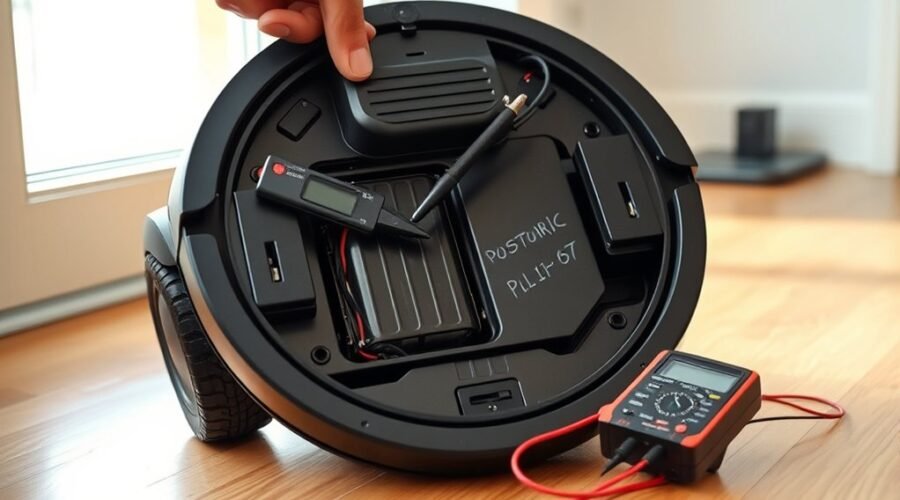
A robot vacuum that fails to hold a charge usually points to a charging fault, a worn battery, or a dock issue. The first checks should be the seating on the dock, the condition of the charging contacts, and the dock’s power supply. Swelling, corrosion, or intermittent charging often indicate battery failure. Alignment and software errors can also interfere, but the real cause is not always obvious yet.
Why Is Your Robot Vacuum Not Charging?
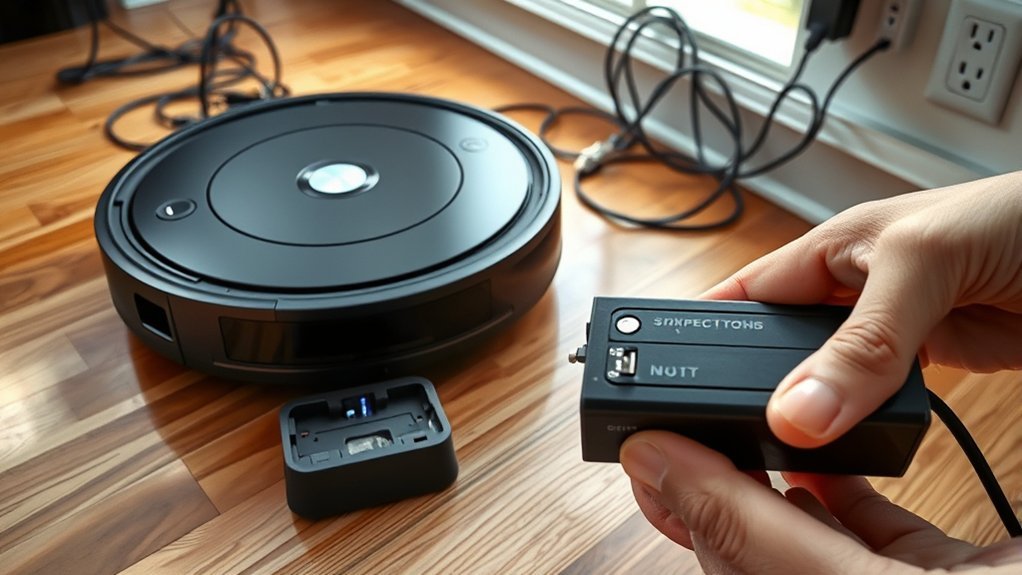
A robot vacuum that is not charging is often failing one of a few basic checks: it must be properly docked, powered on, and able to register a charging confirmation prompt.
When a robot vacuum not charging appears, the cause usually falls into predictable charging issues: dirty charging contacts, a faulty charging dock, battery degradation, or software glitches.
The first diagnostic step is to verify dock alignment and listen for the voice prompt confirming charge initiation. If contact points are visibly soiled, clean the charging contacts with a soft cloth or cotton swab.
If the unit still refuses power, battery health may be declining after years of service. Firmware errors can also block dock recognition, so reset or update the system.
These troubleshooting steps isolate the fault before major repair. If capacity remains poor after cleanup and software correction, replace the battery.
Check the Battery and Charging Contacts
Inspect the battery for swelling, corrosion, or other physical damage, especially if the robot vacuum is older than 2–3 years, since these signs often indicate a battery nearing failure. A damaged battery should be replaced, not managed with guesswork.
Next, inspect the charging contacts on the robot and dock; dust, oxidation, or residue can interrupt power flow. Cleaning both contact sets with a soft cloth or cotton swab is routine maintenance that restores reliable connection.
Inspect the charging contacts on the robot and dock for dust or oxidation; a quick cleaning often restores reliable charging.
Confirm the vacuum seats correctly in the dock, since misalignment can block charging even when the dock appears engaged. If performance remains poor, measure battery voltage with a multimeter and compare it with the expected specification. Significant deviation suggests a degraded cell pack or internal fault.
Quick power loss, short runtime, or unexpected shutdowns also indicate a battery that is failing and may need immediate replacement. This diagnostic sequence preserves autonomy by isolating the fault before further action.
Confirm the Dock Has Power
Before troubleshooting the vacuum itself, the dock’s power source should be verified by confirming the wall outlet works with another device, such as a lamp, and checking whether the dock’s indicator lights are illuminated. This step helps confirm the dock and isolate dock issues from battery faults.
A charging dock that is securely plugged into a functional outlet should show signs of life; absent indicator lights often suggest a power supply failure or a defective base. The power cord should also be examined for visible damage, fraying, or loose connections that could interrupt current flow.
Surge protectors should be avoided, since they can limit delivery to the dock. The dock should rest on a flat surface, because uneven surfaces may undermine contact and charging stability.
- Test the wall outlet with a known working device.
- Inspect indicator lights and cord condition.
- Place the charging dock on a level surface.
Fix Dock Alignment and Software Issues
Proper dock alignment is essential for reliable charging, since even slight misplacement can prevent the contacts from seating correctly and interrupt power transfer. The robot vacuum should sit squarely on the dock, with the charging contacts touching fully.
Proper dock alignment is crucial, as even slight misplacement can interrupt contact and prevent reliable charging.
If charging issues continue, the first step is to fix dock alignment by repositioning the unit and confirming a stable fit. Indicator lights on both devices should be checked; a steady or blinking charge signal usually confirms contact.
If lights remain absent, clean the charging contacts on the vacuum and dock as part of a regular cleaning routine, since dust can block power flow and mimic charging failure.
When alignment and cleaning do not resolve the fault, perform a software reset following the manufacturer’s instructions, because a control glitch may stop dock recognition.
If the dock remains unreliable, dock relocation to a flat, unobstructed area can improve accuracy and restore consistent charging.
Replace the Battery or Dock if Needed
When a robot vacuum’s battery is over 2–3 years old, or has gone through roughly 300–500 charge cycles, replacement may be necessary because capacity typically declines with age.
Examine the pack for signs of swelling, corrosion, or heat damage; these conditions indicate immediate battery replacement.
Use a compatible battery specified by the manufacturer, since battery management systems may reject mismatched cells and create charging issues.
If the charging dock has failed after cleaning and basic testing, replace it, and verify the power adapter delivers correct output.
Persistent internal issues can also mimic a dead battery, but field diagnosis should start with the battery and dock.
Regular maintenance—keeping charge above 20% and avoiding deep discharges—extends battery life and preserves operational autonomy.
- Test the dock output.
- Inspect battery condition.
- Confirm compatibility and charging path.
Frequently Asked Questions
How to Fix a Battery That Doesn’t Hold Charge?
Check battery seating, clean contacts, reset software, and test charge. These battery maintenance tips, troubleshooting battery issues, and battery performance tests clarify battery health indicators, battery lifespan factors, charging station placement, replacement battery options, common battery myths, eco friendly batteries, optimizing charging habits.
How Long Should a Robot Vacuum Battery Last?
Typically, a robot vacuum battery lasts 2–3 years; like a fading lantern, battery lifespan depends on battery types, charging cycles, usage patterns, maintenance tips, temperature effects, cleaning habits, replacement signs, troubleshooting steps, and energy efficiency.
Why Is My Roomba Battery Not Holding a Charge?
Roomba battery not holding a charge usually reflects battery lifespan after many charging cycles, poor power management, or environmental factors. Diagnostic troubleshooting steps include checking contacts, software updates, maintenance tips, battery types, and battery replacement for performance issues.
My Roborock Vacuum Keeps Saying “Low Battery Charge Soon.” What Could Be Causing This and How Can I Fix It?
Low battery charge soon usually signals degraded cells, charging dock issues, or firmware faults. Troubleshooting tips: clean contacts, align dock, check power management settings, apply software updates impact, use battery calibration methods, consult user manual insights, warranty coverage options, battery replacement process, battery maintenance tips, vacuum cleaning efficiency.
Conclusion
To summarize, when a robot vacuum battery is not holding a charge, the first diagnostic steps should focus on the battery, charging contacts, and dock power. A loose connection, dirty terminal, or failed outlet can stop charging completely. Dock alignment and software errors should also be checked before replacing parts. If the battery shows swelling, corrosion, or rapid drain, replacement is likely required. Addressing these basics first can save time and prevent a mountain of unnecessary troubleshooting.