A robot vacuum that finishes much sooner than expected usually has a simple cause, but not always the obvious one. Battery wear, clogged brushes, dirty sensors, and software errors can all reduce runtime, sometimes at the same time. Temperature, floor type, and cleaning mode also matter. The useful part is that most of these issues can be checked quickly, and the first sign of failure is often easier to spot than it seems.
Why Robot Vacuum Runtime Is Shorter
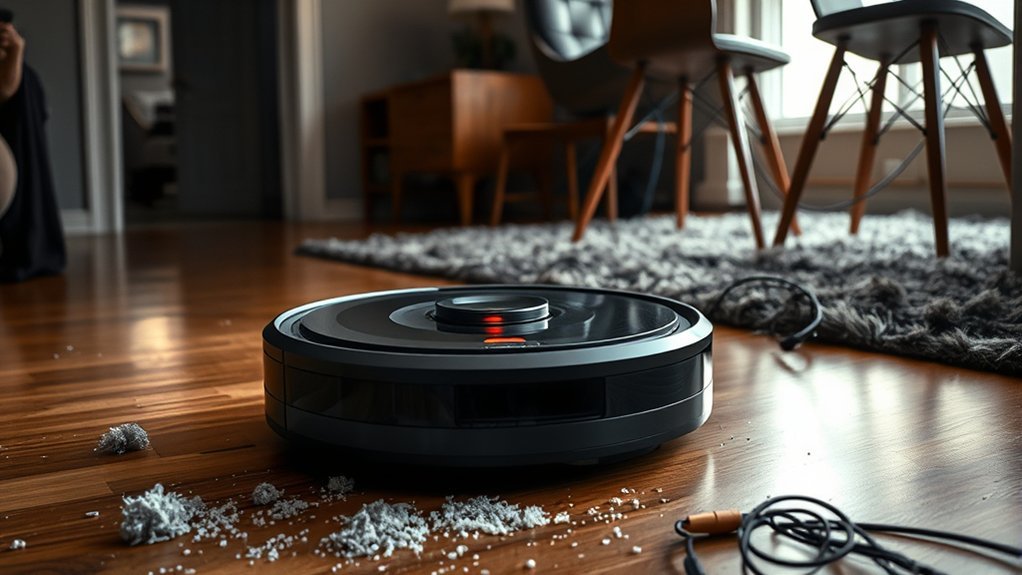
Robot vacuum runtime is often shorter when the battery no longer holds a full charge, which is common as aging batteries typically degrade after 1 to 2 years of use.
A weakened robot vacuum battery reduces available energy, so cleaning cycles end sooner and battery health declines further under repeated strain.
Restricted airflow from clogged filters or a full dustbin forces the motor to draw more power, lowering runtime and increasing heat.
Clogged filters or a full dustbin restrict airflow, forcing the motor to use more power and shortening runtime.
High suction power, especially on thick carpets, also raises energy demand and can cut a session short.
Environmental factors such as extreme heat or cold reduce efficiency and may accelerate wear.
Regular maintenance matters because debris on brushes and wheels increases drag, making the unit work harder for the same result.
In practical terms, shorter runtime usually reflects cumulative load, not one isolated fault.
Efficient operation depends on airflow, load, and stable battery health.
Check the Battery First
A battery charge check is the first step when runtime drops, since an incomplete charge or poor charging behavior can reduce cleaning time immediately.
Cycle count wear should also be considered, as batteries commonly lose capacity after 300 to 500 charge cycles and may approach end of life after frequent daily use.
If the battery still appears functional, calibration issues can be tested by recalibrating the pack and reviewing firmware or cleaning-mode settings that affect power draw.
Battery Charge Check
Regular battery status checks through the robot vacuum’s app can help identify early signs of reduced capacity, charging faults, or inaccurate percentage readings.
A healthy battery should reach a full charge under normal charging habits, then hold stable battery level during routine cleaning. If the robot vacuum drains fast, confirm whether high suction settings or uneven floors are driving reduced runtime rather than the battery alone.
When the app shows erratic percentages, calibration may restore accurate reporting. Repeated stops at the same location can also point to a failing battery or a need for a replacement battery.
- Verify charge completion in the app
- Compare battery level before and after cleaning
- Note any sudden percentage drops
- Test with lower suction
- Flag repeat stop points
Cycle Count Wear
Battery wear is often the next factor to check after confirming basic charging performance, since lithium-ion packs in robot vacuums typically deliver about 300 to 500 full charge cycles before runtime declines become noticeable.
| Check | Meaning |
|---|---|
| cycle count | nearing 300–500 |
| battery life | declining after two years |
| deep discharge | accelerates wear |
| replacement | consider if runtime <15 min |
Monitoring cycle count in the app provides a direct signal of battery life loss. Frequent deep discharge events, heat, and holding lithium-ion batteries at 100% charge shorten runtime performance and can reduce useful capacity. Practical charging habits—avoiding full depletion and storing the vacuum partially charged—support longer service. When full charge cycles are exhausted and cleaning time drops sharply, replacement becomes the most effective path to restore autonomy and preserve user freedom.
Battery Calibration Issues
Calibration errors can make a robot vacuum appear to lose power early, especially when the lithium-ion battery percentage jumps, drops, or no longer matches actual runtime.
Battery calibration issues often stem from inaccurate reporting, not true failure. To recalibrate, fully charge the unit, then run it until nearly drained; repeat for three to four charge cycles. This process helps the battery controller relearn capacity and improves percentage accuracy.
High-power modes and obstacle climbing can accelerate battery drain, so test calibration under normal use first. A new lithium-ion battery also needs 3-4 full charge cycles before it reaches full capacity and stable reporting.
Regular recalibration supports peak performance and prevents unexpectedly short runtime.
- Check percentage swings
- Verify full charge first
- Run three to four cycles
- Avoid heavy-load testing
- Monitor long-term runtime
Clear Brushes, Wheels, and Clogs
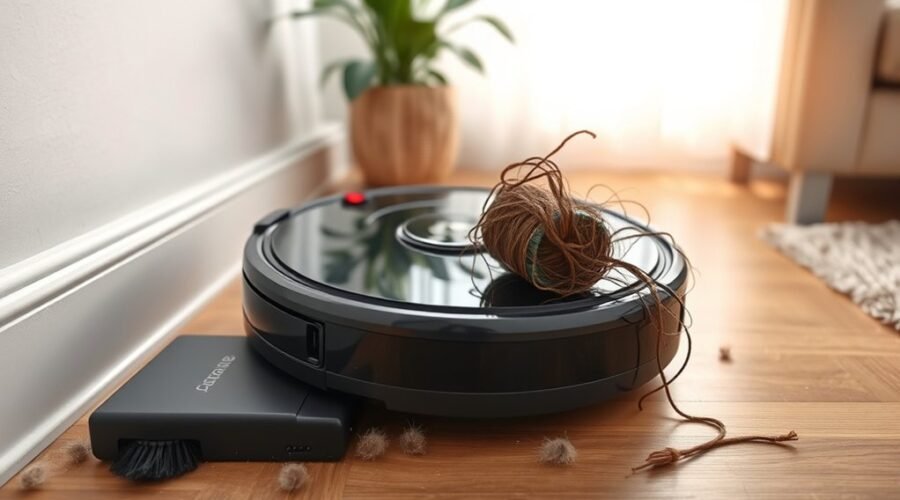
Tangling and buildup on the robot vacuum’s brushes, wheels, and suction path can quickly reduce runtime by forcing the motor to work harder than necessary.
To clear brushes, wheels, and clogs, the main and side brushes should be removed, and tangled brushes, hair, and debris should be cut away before they restrict motion or airflow.
Remove the main and side brushes, then cut away tangled hair and debris before they restrict motion or airflow.
Wheels should be checked for dust and wrapped fibers so they can roll freely without loading the suction motor.
The suction path should be inspected for clogs that limit airflow and drain battery performance during each cleaning cycle.
A clogged filter should also be replaced or cleaned promptly, since restricted flow increases energy demand and shortens operating time.
Routine maintenance every 1 to 2 weeks helps sustain efficient pickup, lower strain, and extend runtime.
For users seeking liberation from constant charging, disciplined cleaning restores predictable operation and preserves the vacuum’s designed efficiency.
Clean Sensors Before Each Run
Dust on the robot vacuum’s sensor windows can cause navigation errors that make the unit stop early or misread obstacles and edges.
To maintain performance, clean sensors before each run with a dry microfiber cloth, applying light pressure only. Dust and debris on these windows can distort obstacle recognition, forcing the robot vacuum to reroute, stall, or end a cycle prematurely.
Regular cleaning is especially important in homes with pets or heavy foot traffic, where particles accumulate quickly and reduce accuracy. This simple maintenance step supports peak performance by preserving correct surface detection and route planning.
- Clean sensors before each run
- Wipe sensor windows gently
- Remove dust and debris promptly
- Protect obstacle recognition accuracy
- Support regular cleaning for longer runtime
Fix Firmware, App, and Wi-Fi Issues
Keeping the robot vacuum’s firmware current is essential, because outdated software can disrupt navigation logic and shorten runtime. Regular firmware updates close defects that affect obstacle avoidance, battery use, and docking behavior.
When a robot vacuum stop occurs without a hardware fault, the app should be checked for bugs, stale settings, or conflicts with other software; these are common causes of interrupted cleaning. A reboot can clear temporary glitches and restore normal scheduling.
Stable connectivity matters as well: Wi-Fi issues can pause sessions, delay map syncing, and reduce overall efficiency. Using the 2.4 GHz band often improves range and reliability for the charging dock handoff and remote control.
If cleaning remains inconsistent, the system should be reassessed for software-related disruption before assuming dirty sensors or other physical faults. A disciplined update routine supports dependable operation and helps preserve runtime, giving the machine fewer barriers to work freely and consistently.
Clean a Robot Vacuum Fast
A quick maintenance pass can restore a robot vacuum’s efficiency without delaying the next cycle. The Robot Vacuum should be powered down, then the main and side brushes clean of hair and fibers every 1 to 2 weeks.
A full dustbin emptying after each use preserves suction; the filter deserves a monthly clean. Wheels need inspection for tangled threads or grit, because blocked movement cuts runtime and coverage.
Sensors should be wiped with a microfiber cloth so navigation stays accurate and stops remain rare. If the path includes thick carpet or uneven ground, lower power or avoid it, since heavy load drains the battery faster.
- Clean brushes regularly
- Empty dustbin after every run
- Wipe sensors gently
- Clear wheels and axles
- Use moderate settings for better runtime
Battery Habits That Help It Run Longer
Battery life improves when the vacuum is used and charged in ways that reduce stress on the cells and motor. Effective battery habits include scheduling shorter cleaning sessions, which limits deep discharge and can extend battery runtime over time.
It also helps to clean the brushes and filters regularly, since reduced airflow and added drag force the motor to work harder and draw more current. The charging dock should be placed in a cool, ventilated area to prevent overheating, a condition that accelerates battery aging.
After cold storage, the unit should warm to room temperature before charging, improving charging efficiency and reducing internal stress. It is also practical to fully charge the vacuum only when needed, then avoid leaving it pinned at 100% for long periods.
Common signs of poor battery care include shorter runs, slow charging, and higher heat during use.
When to Replace Your Robot Vacuum Battery
Even with good charging and cleaning habits, a robot vacuum battery eventually loses capacity and must be replaced. Most packs last 1 to 2 years, or about 300 to 500 charge cycles, before runtime declines. A sharp drop to roughly 15 minutes, repeated low battery alerts, or failure to hold charge during cleaning are practical signs that replacing the battery is due.
- Check whether runtime falls mainly on carpets or uneven floors.
- Inspect app battery data for charge retention and cycle health.
- Compare current charging time with earlier performance.
- Confirm vacuum brushes are not the cause of overload.
- Choose trusted replacement batteries to reduce strain and avoid overheating.
When the battery last no longer supports routine coverage, the machine can no longer deliver reliable autonomy. Timely replacement restores usable runtime and preserves operational freedom without forcing constant manual intervention.
How to Keep Robot Vacuum Runs Longer
Maintaining longer robot vacuum runs starts with reducing mechanical and thermal load. A regular clean of brushes, wheels, and filters prevents blockages, helps reduce strain, and keeps motors efficient. Shorter, more frequent sessions are preferable to a single full cycle, because deep discharges shorten battery life. Dock placement also matters: a cool, ventilated location limits heat buildup and supports stable charging.
| Action | Effect | Benefit |
|---|---|---|
| Clean debris | Lower resistance | Longer runtime |
| Use Eco mode | Lower power draw | Better battery life |
| Update firmware | Improved energy management | More efficient cycles |
| Check sensors | Fewer sensors misread | Fewer wasted passes |
Eco mode should be used whenever cleaning performance remains acceptable; it conserves energy without surrendering coverage. Updated firmware can improve energy management, navigation, and runtime consistency. Together, these controls keep the machine full of useful charge, not waste, and preserve a freer, more autonomous cleaning routine.
Frequently Asked Questions
What Is the Average Lifespan of a Robot Vacuum?
The average lifespan of a robot vacuum is 4–6 years. Battery maintenance tips, charging dock placement, cleaning schedule optimization, sensor calibration techniques, filter replacement frequency, troubleshooting power issues, app connectivity problems, performance enhancement methods prolong service.
What Are the Most Common Problems With Robot Vacuums?
The most common problems with robot vacuums are Battery issues, Navigation errors, Sensor malfunctions, Dustbin clogs, Software glitches, Brush obstructions, Charging problems, and Maintenance neglect, each reducing autonomy, performance, and reliable household labor.
What Is the Average Lifespan of a Roomba Vacuum?
Typically 4–6 years. What else determines endurance? Robot maintenance tips, battery replacement frequency, cleaning schedule recommendations, floor type impact, technology advancements overview, user experience feedback, cost effectiveness analysis, troubleshooting techniques all shape longevity.
What Is the Average Lifespan of a Robot?
A robot typically lasts 4 to 6 years, depending on robot maintenance tips, battery health issues, cleaning schedules, technology upgrades, sensor malfunctions, floor surface effects, programming improvements, and user troubleshooting techniques.
Conclusion
A shorter robot vacuum runtime often traces back to a tired battery, tangled brushes, clogged wheels, dirty sensors, or stale firmware. Once these hidden drag points are cleared, the machine can move with steadier pace and fuller charge. Good habits—cool storage, regular cleaning, Eco mode, and timely battery replacement—help preserve performance. With maintenance kept sharp, the vacuum’s operation becomes smoother, like a well-tuned current flowing through a clean circuit.