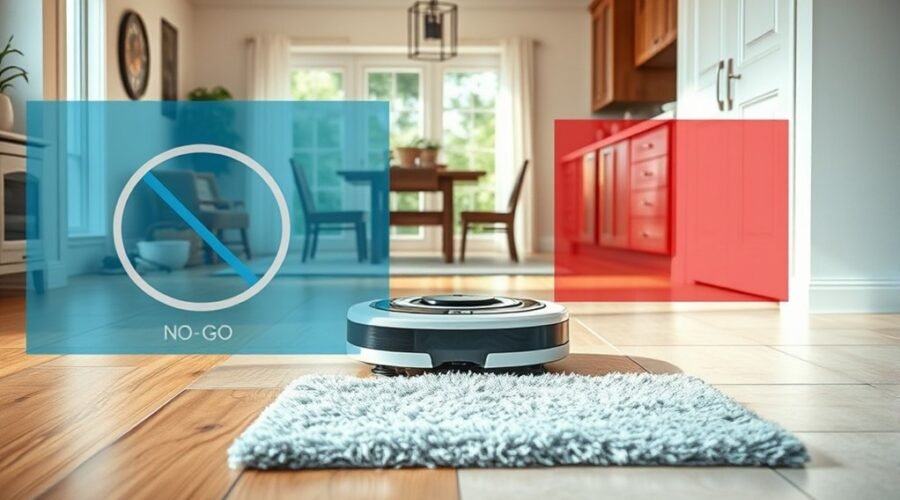
No-go zones and no-mop zones sound similar, but they solve different problems for robot vacuums. One blocks the machine from entering certain areas, while the other lets it pass without wetting the floor. That distinction matters in homes with fragile objects, tangled cords, or mixed flooring. Mapping tools make both options useful, yet the wrong boundary can reduce cleaning efficiency. The real question is which type of zone fits each space best.
What Are No-Go and No Mop Zones?
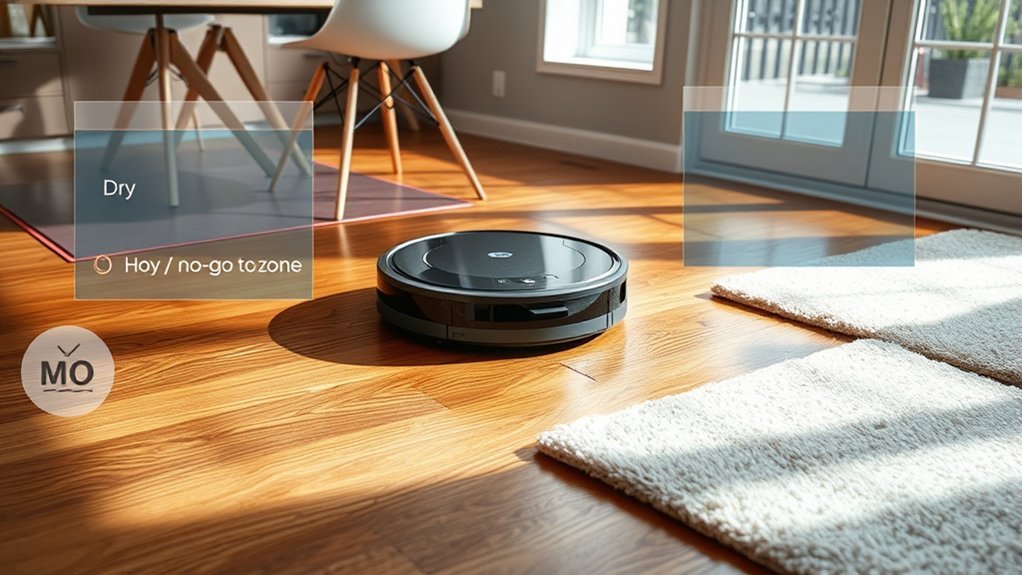
No-Go and No-Mop zones are map-based boundaries that let a robot vacuum avoid specific parts of a home. No-Go Zones block entry entirely, which helps protect delicate furniture, reduce tangles near clutter, and keep the robot vacuum away from risky spots.
No-Mop Zones are different: they allow movement but prevent mopping when the pad is attached, so sensitive flooring can stay dry. Both tools support customized cleaning paths and more control over where cleaning happens.
Up to 10 boundaries or zones can usually be set on the map, giving users a practical way to direct coverage. These settings should be reviewed as rooms change, because shifting layouts can affect ideal cleaning.
Too many boundaries may lower cleaning efficiency and limit area coverage, so restraint matters. Used well, these zones help a robot vacuum work with less interference and more precision, supporting cleaner results without unnecessary restriction.
No-Go Zones vs No Mop Zones
Although they may seem similar at first glance, No-Go Zones and No Mop Zones serve different purposes on a robot vacuum map. No-Go Zones block the robot vacuum from entering marked areas at all, which helps protect delicate furniture, wires, high-pile carpets, and other obstacles from damage or entanglement.
No-Go Zones keep your robot vacuum out of trouble, protecting delicate items and avoiding tangled messes.
No Mop Zones are narrower: they let the robot vacuum continue vacuuming, but stop mopping when the mop pad is attached. That makes them useful for carpets or sensitive floors that should stay dry.
With mapping technology, users can place up to 10 boundaries or zones, shaping coverage around real cleaning needs without surrendering control. It is best to keep only the necessary boundaries, since too many can slow cleaning efficiency.
As rooms change and new obstacles appear, these zones should be reviewed and adjusted so the robot vacuum can work freely, safely, and with less friction in daily life.
How Mapping Helps Set Boundaries
Mapping technology lets a robot vacuum build a digital map of the home, making it easier to place boundaries with accuracy.
That map gives users control over where No-Go and No-Mop zones are set, including around sensitive floors or furniture.
As the layout changes, the vacuum can update those zones to keep cleaning focused and efficient.
Digital Map Creation
A robot vacuum’s digital map gives it a clear layout of the home by scanning walls, furniture, and other obstacles with LiDAR or vSLAM. This digital mapping supports obstacle detection and advanced mapping, so the device reads the home layout with useful precision.
It can then mark No-Go Zones and No-Mop Zones as custom boundaries, keeping the machine out of restricted spaces and away from damp-sensitive areas. Up to 10 zones may be stored on one map, giving homeowners flexibility without constant manual control.
As furniture shifts or new barriers appear, the map can update while preserving those limits. The result is stronger cleaning efficiency, less overlap, and more targeted coverage in complex rooms.
Zone Placement Control
Precise zone placement depends on the robot vacuum’s digital map, which uses LiDAR or vSLAM to show the home’s layout and help position boundaries accurately.
With mapping technology, zone placement becomes controlled and flexible, letting users draw virtual boundaries around places that need protection or different treatment. No-Go Zones block entry entirely, while No-Mop Zones allow dry vacuuming but stop the mop from engaging.
Most systems support several customizable cleaning zones, often up to 10, giving ample room for adaptation. Dynamic adjustments matter when furniture moves, rooms change, or routines shift.
Why No-Go Zones Protect Delicate Spaces
No-Go Zones help keep robot vacuums away from fragile furniture and delicate decor, reducing the chance of accidental contact.
They also block hazardous areas such as loose wires, pet bowls, or cluttered corners that could cause tangles or spills.
This makes them a practical safeguard in homes where protection and safety matter most.
Protecting Fragile Furniture
Fragile furniture and delicate decor benefit from No-Go Zones because they keep the robot vacuum completely out of protected areas. This gives fragile furniture real protection, not just caution, and reduces accidents around delicate items.
- No-Go Zones reshape the cleaning path so the vacuum avoids shelves, tables, and display pieces.
- No-Mop Zones only stop mopping, while No-Go Zones prevent entry entirely, which suits customized cleaning in rooms with antiques or glass decor.
- Regular updates to these zones preserve protection as furniture moves, keeping the layout aligned with the home.
For users seeking liberation from constant supervision, this approach offers practical control and fewer worries. The result is a cleaner space with less risk, more confidence, and better care for sensitive areas.
Blocking Hazardous Areas
Hazardous areas are best handled with No-Go Zones because they keep the robot vacuum out of delicate spaces altogether, protecting fragile furniture, decorations, wires, and other vulnerable items from accidental contact. No-Go Zones prevent damage in hazardous areas by giving clear boundaries in the app or with magnetic strips. Users can customize up to 10 zones, preserving delicate furniture while keeping navigation smooth. This user control supports freedom from constant supervision.
| Area | Risk | Result |
|---|---|---|
| Wires | Tangling | Safer cleaning |
| Glass decor | Knocks | Less breakage |
| Delicate furniture | Scratches | Better protection |
| High-traffic spots | Collisions | Fewer accidents |
| Mixed layouts | Confusion | Clear navigation |
Unlike No-Mop Zones, these limits apply in any cleaning mode, so safety stays active across tasks.
When No Mop Zones Keep Carpets Dry
When a No Mop Zone is enabled, the robot vacuum skips carpeted areas so moisture stays off rugs and carpet fibers. No Mop Zones give households a practical way to protect carpets while keeping hard floors in order.
The robot vacuum reads the saved map, avoids wetting soft surfaces, and concentrates on cleaning tile, wood, or other hard floors. That separation helps preserve fabric integrity and reduces the risk of damp odors or damage.
- Carpets stay dry during each run.
- Hard floors still get full cleaning attention.
- Settings remain customized through the companion app.
This flexibility suits mixed-floor homes where routines change. A user can adjust No Mop Zones as rooms shift, furniture moves, or preferences evolve.
The result is a cleaner home without extra effort and without forcing carpet care to compete with floor washing. It is a simple tool that supports freedom, order, and control.
Where to Place Virtual Boundaries
Virtual Boundaries should be placed around areas the robot vacuum should avoid, such as rooms with delicate furniture, cluttered spaces, or sections that do not need routine cleaning. These boundary settings give users control over cleaning paths and keep the machine focused on useful work.
Virtual Boundaries guide your robot vacuum away from delicate or cluttered areas, keeping cleaning efficient and controlled.
No-Go Zones are best used in designated spaces where entry should be fully blocked, helping protect sensitive items and reduce disruptions. Most robot maps allow up to 10 boundaries or zones, enough to organize a home environment without creating confusion.
When placed carefully, Virtual Boundaries can optimize cleaning efficiency by preventing wasted travel and repeated passes. They also support a more independent routine, since the vacuum moves only where it is welcome.
As home environment changes occur, such as new furniture or rearranged rooms, the boundaries should be updated so the map stays accurate and the system keeps serving the space with freedom and precision.
Best Rooms for Each Zone Type
Kitchens and dining areas are often best suited for no-mop zones, since rugs and moisture-sensitive surfaces can be protected while vacuuming continues.
Hallways and entryways also benefit from careful boundary use, especially where dirt collects and floors may change from hard surface to carpet or mat.
Delicate flooring spaces are usually the strongest candidates for no-go zones, keeping the robot away from fragile furniture, cords, and other hazards.
Kitchens and Dining Areas
- Kitchens: use No-Mop Zones for spill-prone floors.
- Dining areas: set No-Go Zones around furniture.
- Result: smoother cleaning with less obstruction and more freedom.
Hallways and Entryways
Hallways and entryways often benefit from a mix of zone types, since these areas tend to be busy, cluttered, and prone to wet floors.
No-Go Zones help a robot vacuum avoid obstacles in hallways, such as shoes, pet leashes, or decorative items, reducing tangles and keeping movement smooth. In entryways, they can protect crowded corners and preserve cleaning efficiency by steering clear of problem spots.
No-Mop Zones are equally useful where hard flooring stays wet or where hallways shift from carpet to tile, helping avoid dampening surfaces that should remain dry.
Together, these settings let the robot vacuum clean freely while respecting the demands of high-traffic spaces. That balance supports safer, more independent home care without constant oversight.
Delicate Flooring Spaces
Delicate flooring spaces call for careful zone planning, with each type serving a different purpose.
No-Go Zones suit rooms with delicate flooring such as hardwood or vintage tile, keeping robot traffic out to protect flooring from scuffs and impact.
No-Mop Zones fit sensitive flooring, including engineered wood, unsealed tile, and rugs, where moisture must be avoided. They also support collision avoidance around fragile furniture, reducing scratches on the floor below.
- Use No-Go Zones in dining rooms or studies with hardwood.
- Use No-Mop Zones in kitchens or mixed-surface spaces with sensitive flooring.
- Adjust both zones as layouts change.
This approach gives clean floors without surrendering control, preserving freedom from damage and unnecessary compromise.
How Many Zones Should You Set?
How many zones should a robot vacuum have? The practical limit is usually up to 10 boundaries or zones, which gives enough room for tailored cleaning without trapping the machine in a maze.
A No-Go Zone blocks entry entirely, protecting sensitive spaces. A No-Mop Zone only applies when the mopping pad is installed, preserving dry-cleaning access where needed.
Multiple zones can improve cleaning performance when they match the home environment, especially around obstacles, furniture, or fragile areas. Still, more zones do not always mean better results.
Too many restrictions can reduce cleaning efficiency by shrinking movement range and weakening overall coverage. The strongest setup is selective, not crowded: define only the spaces that truly need control, then revise them as the layout changes.
Regular updates help the vacuum stay aligned with real life and maintain clean, open paths.
Common Virtual Boundary Mistakes
Even with a sensible number of zones, mistakes with virtual boundaries can still cut into performance. In vacuum cleaning, the main issue is not the idea of boundaries, but how they are placed. No-Go Zones and No-Mop Zones serve different purposes, yet both can be misused.
- Too many No-Go Zones shrink effective cleaning areas and lower cleaning efficiency by blocking movement.
- Delicate items and wires should get No-Go Zones first, while No-Mop Zones belong in places that still need dry vacuuming.
- Furniture arrangements matter; if layouts shift, old boundaries can leave missed spots or force awkward routes.
A robot vacuum map usually allows up to 10 zones, so each boundary should earn its place. Clear planning keeps the machine free to move with purpose, avoid damage, and clean more of the home with less interference.
When to Update Your Boundaries
Boundary settings should not stay fixed forever, since changes in a room can quickly make old No-Go and No-Mop Zones less useful.
| Update trigger | Action |
|---|---|
| Furniture moved | Refresh No-Go Zones around new obstacles. |
| New carpet or tile | Revise No-Mop Zones to protect surfaces. |
| Missed spots or stalls | Recheck boundary settings for better navigation. |
| Holidays or seasonal changes | Add temporary zones, then simplify later. |
These updates help preserve cleaning efficiency and reduce frustration. On multiple floors, each map should be checked separately, since layouts and floor types often differ. Excessive boundary settings can trap the vacuum in narrow routes, so the cleanest system is usually the simplest one that still protects needed areas. When a home settles into a stable pattern, the boundaries can be trimmed back. The goal is freedom from constant supervision, not more rules. Regular, practical adjustments keep No-Go Zones and No-Mop Zones aligned with real life.
Frequently Asked Questions
Is the Mop Feature Worth It on Robot Vacuums?
It depends. Mop features often improve mop efficiency and cleaning performance on hard floor types, yet maintenance costs rise. User reviews, feature comparison, brand reliability, and technology advancements suggest value mainly for busy homes.
Why Does My Shark Robot Go Into No-Go Zones?
It enters no-go zones when robot navigation, sensor technology, or obstacle detection misreads boundaries. Mapping accuracy, user settings, floor types, and cleaning efficiency can shift. Maintenance tips: update maps, move furniture, recalibrate, and verify boundaries regularly.
Which Robot Vacuum Has the Best No-Go Zones?
Narwal Freo often ranks as the best robot for no-go zones; like a chessboard with 10 guarded squares, its advanced sensors and mapping technology earn strong user reviews. Brand comparisons show budget options differ in suction power; follow maintenance tips.
Can You Tell Robot Vacuum Areas Not to Go To?
Yes; smart mapping and user friendly apps let robot vacuums set virtual boundaries, room specific settings, and pet friendly areas. They can avoid furniture obstacles, high traffic spots, and manage carpet vs. hard floors precisely.
Conclusion
In the map of a home, no-go zones stand like closed gates, guarding fragile chairs, tangled cords, and other hazards from wandering wheels. No-mop zones act like quiet rain shields, letting carpets and delicate floors stay dry while cleaning continues nearby. Together, they shape a safer, more efficient path for the robot vacuum. When boundaries are set well and updated as rooms change, the house moves with less risk and greater order.