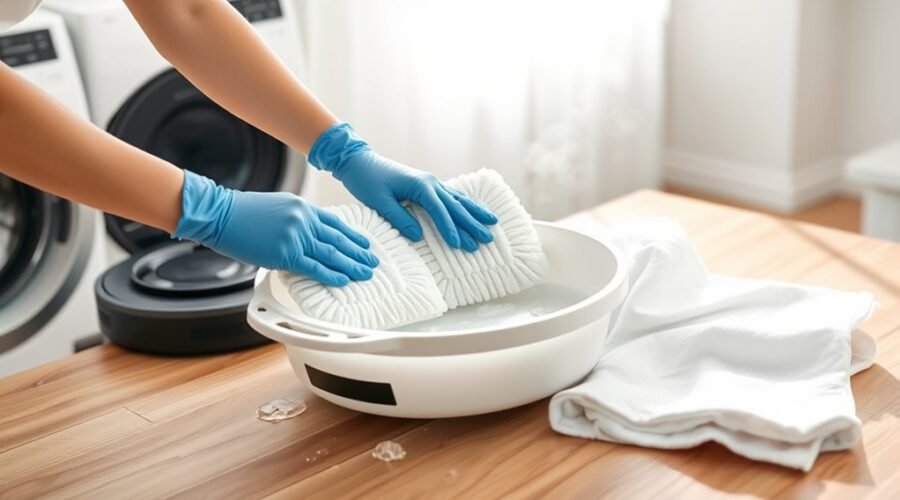
Dirty robot vacuum mop pads can leave streaks, spread grime, and develop unpleasant odors. Learning how to clean robot vacuum mop pads correctly helps you maintain better cleaning results without damaging the fabric. The safest washing method depends on the pad material, your robot’s design, and the manufacturer’s care instructions.
Quick Answer
Turn off the robot, remove its reusable mop pads, and rinse away loose dirt. Hand-wash using the water temperature and cleaning products approved for your model. Machine-wash only when the manufacturer permits it. Rinse thoroughly, dry completely, and reattach securely. Never add laundry detergent or vinegar to the robot’s water tank unless specifically approved.
At a Glance
| Difficulty | Easy |
| Tools Needed | Water, a soft-bristled brush, a clean towel, and mild detergent if permitted by the manufacturer |
How to Clean Robot Vacuum Mop Pads Safely
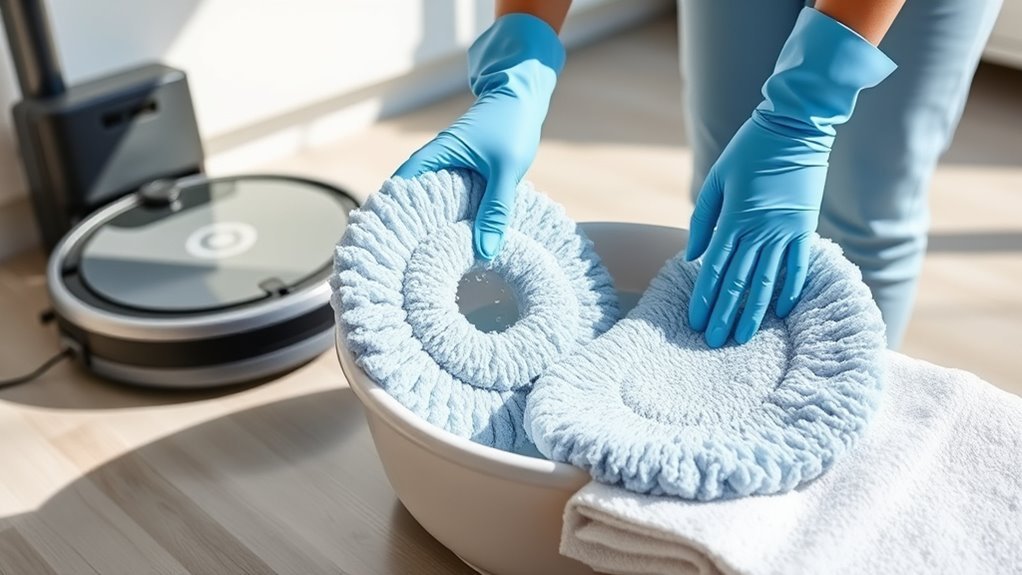
The safest way to clean reusable robot vacuum mop pads is to remove loose debris, wash them gently, and let them dry before storage or reuse. Start by identifying whether your pads are washable and what cleaning methods their manufacturer allows.
Follow this basic cleaning sequence:
- Turn off the robot. Stop the cleaning cycle and power down the machine before handling the mop attachment.
- Remove the pads. Release the attachment mechanism without pulling or twisting it forcefully.
- Rinse away debris. Use running water at the temperature recommended for your pads.
- Wash gently. Use water alone or an approved mild detergent, depending on the care instructions.
- Dry and inspect. Rinse out any cleaner, allow the pads to dry completely, and check for damage before reinstallation.
A reusable pad should become cleaner without losing its shape, softness, or secure attachment. If the fabric remains stiff, heavily stained, or damaged, washing may no longer restore its performance.
Warning: Never wash the robot’s electrical components, pad motor, or docking contacts with the mop pad. Remove only the washable parts identified in the manual. Keep dirty water away from the robot’s water outlets and electronic connections.
Tools and Supplies for Cleaning Mop Pads
You need only a few basic supplies to clean most reusable mop pads. Choose gentle tools that remove dirt without scratching the fabric or damaging its backing.
- Clean water: Use the temperature specified by your manufacturer. Some pads require cold water, while others tolerate warm water.
- Mild detergent: Use a small amount only if the manufacturer allows it.
- Soft-bristled brush: Helps loosen dried dirt and debris without aggressive scrubbing.
- Clean bowl or sink: Provides a convenient place for washing and rinsing.
- Clean towel or drying rack: Supports the pads while excess moisture evaporates.
Avoid bleach, abrasive brushes, and fabric softeners unless your specific care instructions explicitly permit them. Fabric softeners can coat microfiber and interfere with its ability to hold water and collect dirt.
The ECOVACS robot vacuum cleaning guide recommends mild detergent and warm water for suitable reusable mop pads. It also advises letting the pads dry before reattachment.
Use the gentlest cleaning method that removes the dirt. A stronger cleaning chemical is not automatically a better choice.
White vinegar is sometimes suggested for deodorizing cleaning cloths. However, it is not a universal requirement or an approved treatment for every mop pad. Use it on a removable pad only when the manufacturer’s care instructions specifically allow it.
How to Remove the Mop Pad Properly
Robot vacuum mop pads attach in different ways, including hook-and-loop fasteners, sliding tracks, clips, and removable mop plates. Identifying your attachment type helps you avoid tearing the pad or damaging its holder.
Start by stopping the robot and removing it from the dock if necessary. Power it off according to the manufacturer’s instructions.
- Find the mop pad, holder, or removable mopping module.
- Check for a release tab, button, clip, or sliding attachment.
- Release the holder if your model requires it.
- Peel the pad gently from its backing or slide it out of the attachment track.
- Inspect the pad and attachment surface for trapped hair, dirt, or damage.
Some pads can be peeled directly from a circular holder. Others require you to remove a water tank or mop plate first.
Do not force a pad that appears stuck. Check whether a plastic tab or locking mechanism still holds it in place.
Handle the pad by its edges when possible, especially when it is covered with dirty water or debris.
When to Spot-Clean vs. Machine-Wash?
Spot-cleaning works for small marks, while hand-washing is a reliable choice for many reusable pads. Machine-washing can remove more embedded dirt, but it is safe only for pads whose care instructions explicitly permit it.
Use the following comparison to choose the appropriate method.
| Method | Best For | Important Precaution |
|---|---|---|
| Spot-cleaning | Small marks or localized dirt | Clean the rest of the pad if it is also dirty. |
| Hand-washing | Routine cleaning and delicate pads | Use only the approved water temperature and cleaner. |
| Machine-washing | Deeper cleaning of machine-washable pads | Use only when the manufacturer approves machine washing. |
| Replacement | Frayed, worn, or permanently damaged pads | Choose a compatible replacement. |
These differences matter even within the same brand. For example, the Roomba 100/1000 mop pad instructions require cold-water hand-washing and prohibit machine washing.
By contrast, the Roomba Combo i-series and j5 maintenance guide permits hand-washing or machine-washing and requires air drying afterward.
For high-traffic floors, spills, or stubborn stains, wash the entire pad rather than treating only the visible marks. A deeper wash may be useful at least monthly with regular use, but follow any stricter model-specific cleaning schedule.
Pre-rinsing a pad before an approved machine wash is reasonable. There is no need to avoid both methods in succession when they are part of the same cleaning process.
How to Wash Robot Vacuum Mop Pads
Washing reusable robot mop pads involves removing loose debris, cleaning the fabric, rinsing away residue, and drying it properly. The key is to treat the pad as a removable cleaning accessory rather than washing the entire mopping assembly.
The following steps explain each stage in more detail.
Remove And Rinse Pads
Begin by removing the mop pads and shaking away loose hair or debris over a trash can. Then rinse the fabric under running water to release dirt trapped between the fibers.
Use the water temperature your manufacturer recommends. Cold water is required for certain models, while others permit warmer water.
| Step | Action |
|---|---|
| 1 | Remove the pads carefully |
| 2 | Rinse with approved-temperature water |
| 3 | Check for trapped dirt and residue |
| 4 | Gently clean remaining stains |
| 5 | Rinse again and prepare to dry |
Pay attention to the edges, stitching, and areas where the pad attaches to its holder. Hair and dirt can collect around these points.
If a stain remains, gently work on that area with your fingers or a soft brush. Avoid scraping the backing or pulling at loose threads.
Use Mild Detergent
A small amount of mild detergent can help remove embedded grime from mop pads that allow soap-based cleaning. However, some manufacturers specify water-only cleaning, so detergent should never be treated as universally safe.
For example, the Dreame robot vacuum maintenance instructions specify cleaning the mop pad with water only for the mopping module described.
When mild detergent is permitted, follow these steps:
- Add a small amount of approved detergent to clean water.
- Gently work the solution through the dirty fabric.
- Use a soft brush on any remaining stubborn stains.
- Rinse until the detergent and loosened grime are removed.
- Inspect the pad for soap residue before drying.
If the fabric still feels slippery or produces suds when rinsed, more detergent may remain inside it.
Warning: Cleaning a removable mop pad and filling a robot’s water tank are different tasks. Do not pour laundry detergent, vinegar, bleach, or other unapproved liquids into the tank. The Roomba water-tank instructions warn that unapproved liquids can damage the robot. Use only solutions approved for your exact model.
Dry Fully Before Reattaching
After washing, remove excess water without aggressively twisting the fabric. A gentle squeeze helps reduce moisture while protecting the pad’s shape and attachment backing.
Place the pad where air can circulate around it. A clean drying rack or another suitable ventilated surface works well.
Check the thicker sections and attachment backing before putting the pad away. These areas may stay damp after the exposed fabric feels dry.
Allow the pad to dry fully before storage or routine reattachment. If your robot requires a damp pad when starting a mopping cycle, prepare it as directed immediately before use.
How to Dry Mop Pads Without Damage
Air drying is a safe default for robot vacuum mop pads, especially when their care instructions prohibit tumble drying. Good airflow helps remove trapped moisture without exposing the material to unnecessary heat.
The best drying method also depends on whether your robot uses removable fabric pads or an automated washing and drying station.
Air Dry Flat
Lay the washed mop pads flat on a clean, ventilated surface or drying rack. This helps maintain their original shape and prevents the fabric from stretching under its own wet weight.
For reliable results:
- Gently press out excess water.
- Place the pad on a clean surface that allows airflow.
- Keep it away from dirty surfaces and excessive heat.
- Check both sides before storing or reattaching it.
A fan can improve airflow when pads are taking longer to dry. This is particularly useful in humid rooms.
Avoid leaving wet pads in a closed container or an unventilated cupboard. Trapped moisture can cause unpleasant odors and make the pads harder to keep fresh.
Skip High Heat
High heat can harm certain mop pad fibers, adhesives, or backing materials. Unless your manufacturer allows tumble drying, air drying is the safer option.
Use the table below to understand common drying methods.
| Method | Effect |
|---|---|
| Air drying | Gentle option for most washable pads |
| Clean surface | Supports shape retention and drying |
| Fan | Improves airflow around damp fabric |
| High heat | May damage fibers or backing |
| Manufacturer’s instructions | Determine whether tumble drying is allowed |
Dryer restrictions vary. For example, the BISSELL SpinWave Robot pad instructions permit tumble drying on low, while several Roomba models require air drying.
Therefore, a universal ban on all dryer use would be inaccurate. Follow the instructions for your particular pads.
Avoid direct sunlight and radiators when the manufacturer warns against heat exposure. Integrated drying systems designed for the robot are different from putting removable pads in a household dryer.
Reattach When Fully Dry
Once the pads have dried, inspect the fabric and backing before reinstalling them. A clean pad should not feel slimy, carry a musty odor, or contain noticeable loose debris.
Before reattachment:
- Check that the fabric and backing are dry.
- Look for damage around the seams or fastening points.
- Confirm that no cleaning residue remains.
- Prepare the pad for installation according to the robot’s instructions.
Some robot mops automatically wet their pads when cleaning starts. Others require you to dampen the pad before a mopping cycle.
Follow that model-specific preparation procedure rather than leaving dirty pads wet between cleaning sessions.
How Often to Clean or Replace Mop Pads
Inspect robot vacuum mop pads after every mopping cycle and clean reusable pads according to the manufacturer’s schedule. Pads used on heavily soiled floors may need more attention than those used for light daily maintenance.
A practical routine includes:
- After each mopping session: Inspect and rinse or wash the pads as directed.
- After spills or heavy dirt: Wash the affected pad before using it again.
- During regular maintenance: Check for embedded residue, damaged fibers, and poor cleaning results.
- When the replacement limit is reached: Install a compatible new pad.
Replacement intervals vary widely between models. Some manufacturers recommend replacing mop pads every 3 to 6 months with regular use.
For example, Xiaomi’s S40C mop pad maintenance guidance recommends replacement every 3 to 6 months, or sooner if the pad becomes worn.
Other models use a wash-count limit instead. The Roomba Combo i-series and j5 maintenance guidance specifies replacing its mop pad after 30 washes.
Inspect mop pads after every cycle. Replace them according to their model-specific schedule or sooner when wear affects cleaning.
If you mop daily, replacement may be necessary sooner than in a home where the robot runs only occasionally.
Tracking pad replacement dates can help you avoid using worn accessories long after their recommended service life.
Signs Your Mop Pad Needs Replacing
Replace a robot vacuum mop pad when cleaning no longer restores its condition or performance. Visible fabric damage, persistent odors, and poor attachment are stronger warning signs than age alone.
Watch for these common problems:
- Frayed or torn edges: The fabric is beginning to lose its shape or shed material.
- Thinning or flattened fibers: The pad no longer holds water or collects dirt as effectively.
- Persistent streaks: Floors remain streaky even after the pad has been thoroughly washed.
- Unpleasant odors: The pad continues smelling musty after proper washing and drying.
- Loose attachment: Damaged backing, clips, or fastening areas prevent a secure fit.
- Repeated cleaning failures: Embedded residue remains despite following the approved washing procedure.
Some discoloration is normal after repeated use. A darker appearance alone does not always mean the pad must be replaced.
However, a pad that remains stiff, badly worn, or ineffective should not be reused indefinitely.
Replacing damaged pads can improve floor contact and help prevent dirty water or loose debris from being spread during mopping.
How to Reattach the Mop Pad Correctly
Reattach a clean mop pad by matching its shape and fastening points to the robot’s holder. The pad must lie evenly and remain secure while the machine moves across the floor.
Before starting, inspect the holder for hair or debris that could interfere with the attachment.
| Step | Action | Purpose |
|---|---|---|
| 1 | Inspect the pad | Confirm cleanliness and condition |
| 2 | Align properly | Match the pad with attachment points |
| 3 | Reattach firmly | Prevent the pad from coming loose |
| 4 | Follow the manual | Use the correct model-specific method |
| 5 | Inspect again | Verify even placement and secure fit |
For hook-and-loop attachments, press the pad evenly onto the fastening surface. For sliding attachments, insert the pad into the designated track before securing the remaining material.
If your model uses a removable pad plate, reinstall the complete assembly according to its instructions.
Check that no fabric hangs over the holder’s edge where it could interfere with movement.
If the pad repeatedly falls off, inspect the fastening surface for lint, damaged clips, or worn backing. Replace damaged components rather than forcing them into position.
Tips to Keep Mop Pads Cleaning Better
Consistent pad care helps maintain cleaning performance and reduces the chance of recurring odors or streaks. A few simple habits are especially useful for homes with pets, heavy foot traffic, or frequent mopping schedules.
- Clean promptly after mopping. Removing dirt before it dries makes the next wash easier.
- Treat stubborn stains gently. Use an approved mild cleaner and a soft brush rather than aggressive scrubbing.
- Keep spare reusable pads. A second compatible set lets you continue cleaning while the first set dries.
- Store pads in a dry place. Good airflow helps prevent stale odors during storage.
What About Robots With Automatic Mop Washing?
Some robot vacuums have docks that wash and dry their mop pads automatically. These systems reduce manual work, but they do not remove the need for regular inspection and dock maintenance.
Check the washing tray, drainage area, and dirty-water tank for buildup. A dirty dock can leave residue or odors on freshly washed pads.
According to the iRobot AutoWash dock guidance, pad drying may reduce dampness without removing all moisture. Humidity and the pad’s initial wetness affect the results.
If an automatically washed pad remains wet or smells unpleasant, inspect the dock, confirm that its washing and drying functions are operating, and allow additional drying when necessary.
Pro Tip: Keep a second compatible set of reusable mop pads. You can alternate them while washing and drying the first set, reducing the temptation to reinstall a dirty or damp pad before it is ready.
Key Takeaways
- Washing rules differ between models, even within the same robot vacuum brand.
- Some reusable pads are hand-wash only, while others can be machine-washed.
- Household dryer restrictions vary. Some pads permit low-temperature tumble drying.
- Replacement guidance may be based on months of use, wash counts, or visible wear.
- Automatic washing docks still require periodic cleaning and inspection.
Frequently Asked Questions
Can Roomba Mop Pads Be Washed?
Yes, reusable Roomba mop pads can be washed, but the method depends on the model. Some models require cold-water hand-washing, while others permit machine-washing. Disposable pads should be replaced rather than washed. Follow the care instructions for your specific Roomba series.
Can I Put Vinegar in My Robot Mop?
Do not put vinegar in your robot mop unless the manufacturer explicitly approves it. Vinegar can damage components in certain models, and unapproved cleaning solutions may affect warranty coverage. Cleaning a removable pad with an approved product is different from adding chemicals to the robot’s water tank.
What Is the Best Floor Cleaner for Robot Mops?
The best floor cleaner is one approved by your robot’s manufacturer and suitable for your flooring. A pH-neutral, dye-free, fragrance-free cleaner may sound gentle, but that does not guarantee compatibility with the robot. Some models require plain water, while others accept specific cleaning solutions. Avoid adding essential oils or unapproved detergents.
What Is the Best Way to Clean Mop Pads?
The best way to clean robot mop pads is to rinse away debris and wash them using the manufacturer’s approved method. Hand-washing works for many reusable pads, while machine-washing is suitable only when permitted. Rinse thoroughly and follow the recommended drying instructions to protect the fabric.
Why Do Robot Vacuum Mop Pads Smell After Washing?
Robot vacuum mop pads may smell after washing because dirt remains trapped in the fibers or the fabric stays damp. Dirty water tanks and wash trays can also contribute to odors. Wash and dry the pads properly, inspect the dock, and replace pads that continue smelling despite maintenance.
Do Self-Cleaning Robot Mop Pads Need Manual Washing?
Self-cleaning robot mop pads may still need occasional manual attention. Automatic docks wash the pads during or after cleaning, but dirt can collect in the washing tray or remain in the fabric. Follow the model’s maintenance schedule and inspect the pads when cleaning results decline.
Conclusion
Clean robot vacuum mop pads regularly to prevent dirt buildup, unpleasant odors, and poor floor-cleaning results. Remove them carefully, follow the manufacturer’s washing and drying instructions, and replace them when wear affects performance.
Make pad inspection part of your regular robot vacuum maintenance routine. A clean, properly attached mop pad helps your robot deliver more consistent results with less repeat cleaning.
Sources
- ECOVACS: How to Clean a Robot Vacuum: Reusable mop pad cleaning, mild detergent, rinsing, and drying.
- iRobot: Roomba 100/1000 Mop Pad Instructions: Cold-water hand-washing and machine-washing restrictions.
- iRobot: Roomba Combo i-Series and j5 Maintenance: Permitted washing methods, air drying, and replacement after 30 washes.
- Dreame: Robot Vacuum Cleaning and Maintenance: Water-only mop pad cleaning and model-specific replacement recommendations.
- iRobot: How to Mop With Roomba 100/1000: Water-tank care and restrictions on unapproved liquids.
- BISSELL: SpinWave Robot After-Cleaning Care: Washing and low-temperature tumble-drying instructions for compatible pads.
- Xiaomi: Robot Vacuum S40C Mop Pad Odor: Odor prevention, drying, and replacement intervals.
- iRobot: AutoWash Dock Frequently Asked Questions: Automatic pad washing, drying behavior, and remaining moisture.