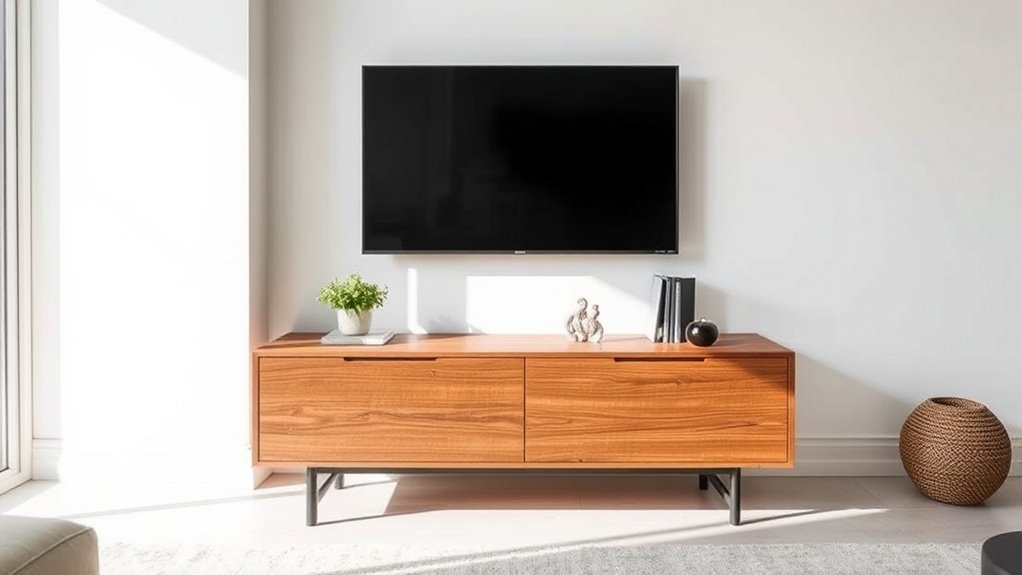
Choosing a media console for a wall-mounted TV is not just about filling the wall below the screen. The right console should be wide enough to balance the TV, low enough to keep the screen comfortable to watch, deep enough for your electronics, and practical enough to hide cords, remotes, game controllers, and everyday clutter.
Quick Answer
For a wall-mounted TV, choose a media console that is at least 6 inches wider than the TV on each side when space allows. Keep the console about 15 to 20 inches deep for components, and mount the TV so the screen center sits close to seated eye level.
Key Takeaways
- Use the TV’s actual width, not only its diagonal screen size, when choosing a console.
- A balanced console is usually 12 to 24 inches wider than the TV overall.
- For most living rooms, leave about 4 to 8 inches between the bottom of the wall-mounted TV and the console top.
- Check storage, ventilation, cable routing, outlet placement, and soundbar width before buying.
- Anchor large consoles with drawers, doors, or shelves if children, pets, or tip-over risk are a concern.
At a Glance
| Time Required | 20 to 30 minutes for measuring and planning |
| Difficulty | Easy |
| Tools Needed | Tape measure, painter’s tape, pencil, level, outlet/cable location notes, and a stud finder if anchoring furniture |
| Cost | $0 for measuring; roughly $10 to $50 for cord covers, furniture anchors, or simple cable-management supplies |
Step 1: Measure Your TV Dimensions Accurately
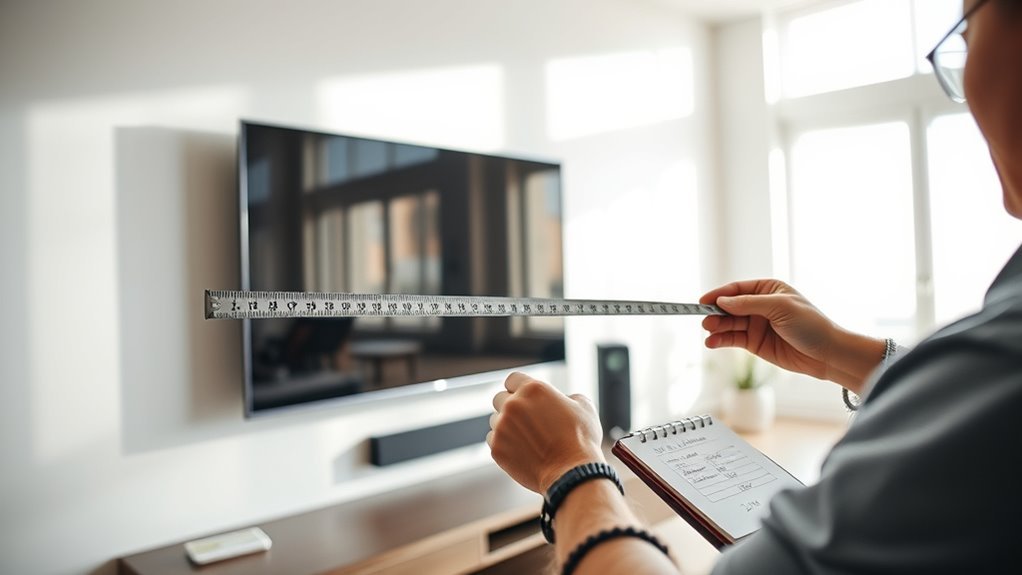
Start with the TV, not the console. TV screen size is measured diagonally from corner to corner, but that number does not tell you the full width of the TV. Samsung’s TV size guide notes that screen size is measured diagonally and also recommends checking the full TV dimensions in the product specs before planning furniture placement. You can review that guidance in Samsung’s TV size guide.
Write down these measurements before shopping:
- TV diagonal size: the advertised size, such as 55, 65, or 75 inches.
- Actual TV width: the left-to-right measurement, including the frame.
- Actual TV height: the top-to-bottom measurement, including the frame.
- Wall width: the usable wall space around the TV.
- Soundbar width: if a soundbar will sit on the console.
- Outlet and cable locations: so the console hides cords instead of fighting them.
Pro Tip: Use painter’s tape to outline the console width on the wall or floor before buying. Step back to your normal viewing spot and check whether the TV, console, and wall feel balanced together.
Step 2: Determine the Best Media Console Width
The simplest rule is this: your media console should be wider than your TV. For the most balanced look, aim for 6 to 12 inches of extra console width on each side. That means the total console width should usually be the actual TV width plus 12 to 24 inches.
Use this formula:
Ideal console width = actual TV width + 12 to 24 inches.
For example, many 65-inch TVs are roughly 57 inches wide. Add at least 12 inches overall, and you land near a 70-inch console as a practical minimum. If the wall is wide enough, a 72- to 82-inch console often looks even more grounded.
TV Console Size Chart
| TV Class | Typical TV Width | Balanced Console Minimum | Best-Looking Range |
| 43-inch TV | About 38 inches | 50 inches | 50 to 60 inches |
| 50-inch TV | About 44 inches | 56 inches | 56 to 68 inches |
| 55-inch TV | About 48 inches | 60 inches | 60 to 72 inches |
| 65-inch TV | About 57 inches | 70 inches | 70 to 82 inches |
| 75-inch TV | About 65 inches | 78 inches | 78 to 90 inches |
| 85-inch TV | About 74 inches | 86 inches | 86 to 100 inches |
Note: If your wall is narrow, a console that is only a few inches wider than the TV can still work. Keep it visually intentional by centering the console, choosing a simple shape, and leaving clean wall space on both sides.
Visual Balance Considerations
A wider console helps the wall-mounted TV feel grounded instead of floating awkwardly above a small piece of furniture. It also gives you room for a soundbar, small lamp, books, baskets, or decorative objects without crowding the screen.
As a general design rule, the console should not fill the entire wall. Leave negative space around it so the setup feels calm. If the TV wall is very large, a wider console or a pair of matching storage pieces can help the TV zone look more finished.
Proportional Width Guidelines
For the cleanest proportions, match the console to both the TV and the wall:
- Small rooms: choose a console 6 to 12 inches wider than the TV overall if wall space is tight.
- Average living rooms: choose a console 12 to 24 inches wider than the TV overall.
- Large walls: choose a longer console, low storage cabinet, or modular media unit so the TV does not look stranded.
- Soundbar setups: make sure the console is wider than the soundbar and deep enough for its feet or bracket clearance.
Step 3: Find the Right Height for Comfortable Viewing
The TV height matters more than the console height. A wall-mounted TV should be placed so the center of the screen is close to your seated eye level. SANUS describes the ideal TV height as centered at eye level and notes that seated eye level averages about 42 inches. THX also recommends keeping your line of sight more or less aligned with the center of the screen, ideally within about 15 degrees above or below center. See the SANUS HeightFinder guide and THX TV positioning guidance for more detail.
Eye Level Measurement
Sit where you normally watch TV and measure from the floor to your eyes. That is your personal seated eye level. For many sofas, it will land around 40 to 44 inches, but low sectionals, recliners, bar seating, and beds can change the number.
Use this formula to estimate the ideal TV bottom-edge height:
TV bottom-edge height = seated eye level − half of the TV height.
Example: if your seated eye level is 42 inches and your TV is 32 inches tall, half the TV height is 16 inches. The ideal bottom edge would be about 26 inches from the floor. If your console is taller than that, mount the TV as low as the setup allows while leaving a clean gap.
Console Height Guidelines
Most media consoles work best when they are low and horizontal. A console around 20 to 30 inches high usually pairs well with a wall-mounted TV, but the right choice depends on the TV size, the viewing height, and the gap you want between the TV and console.
For a clean wall-mounted setup, leave about 4 to 8 inches between the top of the console and the bottom of the TV. This gap gives the TV room to breathe visually, leaves space for a soundbar, and prevents the console from feeling jammed against the screen.
Viewing Angle Considerations
If the TV must be mounted higher because of a fireplace, tall console, outlet location, or wall paneling, use a tilting mount to angle the screen downward. This helps reduce neck strain and keeps the picture easier to view from the sofa.
Before drilling or buying a new console, tape the TV outline on the wall and sit down. If you feel like you are lifting your chin to watch, the TV is probably too high or the console is too tall for the setup.
Warning: Do not let appearance override safety. Use the correct wall mount for your TV’s size and weight, follow the mount manufacturer’s instructions, and anchor large consoles with drawers, doors, or shelves when tip-over risk is present.
Step 4: Choose Depth and Storage for Your Tech
Depth controls how well the console handles your devices. A depth of 15 to 20 inches works for many media setups because it can fit cable boxes, game consoles, streaming devices, routers, and baskets while still leaving room for cords behind the unit.
Before choosing a console, measure every device that will live in or on it:
- Soundbar: check width, depth, height, and whether it blocks the TV’s remote sensor.
- Game consoles: allow space around vents and avoid sealing them inside tight cabinets.
- Cable box or receiver: make sure infrared remotes can still reach the device if it sits behind a door.
- Router or modem: avoid fully enclosed metal cabinets that can weaken signal.
- Power strip: leave room for plugs, adapters, and safe cord routing.
Look for cable cutouts, back-panel openings, adjustable shelves, and a mix of open and closed storage. Open shelves are convenient for remotes and gaming systems, while closed cabinets hide clutter. If you want the cleanest look, choose a console with rear cable channels or pair it with an in-wall or on-wall cord-management system that meets local code and product instructions.
Recommended Products

Lighted Power TV Stand: This LED TV stand supports up to a 65” TV (59"L x 25.6"H x 13.8"D) and features a built-in power outlet with cable management for clutter-free setup. The added LED light strips are available in a variety of colors to create a dynamic atmosphere that matches your mood, adding to your TV viewing experience and entertainment ambiance. It also doubles as a stylish storage cabinet for your favorite family photos, greenery flowers and more

Mid-Century Modern TV Stand: Featuring fluted detailing and a rich walnut finish, this TV stand blends modern elegance with mid-century charm. The smooth sliding doors glide effortlessly from side to side, offering easy access while maintaining a clean, streamlined look. The quiet track system ensures smooth, noise-free operation, creating a warm and inviting atmosphere in your living space.

Industrial Style & Premium Durability: Size: 55"L x15.6"W x 20.2"H. Elevate your space with this industrial TV stand for living room. Built with waterproof & scratch-resistant materials and a sturdy metal frame with a rear X-design, it combines rugged style with exceptional stability and long-term resilience
Step 5: Consider Room Layout and Console Design
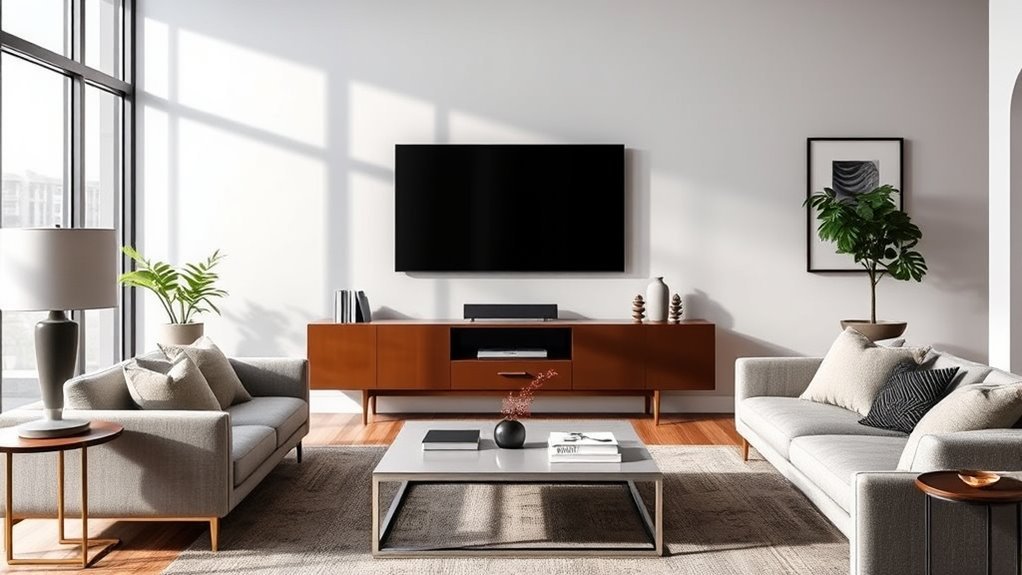
The console should support the whole room layout, not just the TV wall. Before buying, check traffic flow, seating position, doorway clearance, rug placement, and the distance between the sofa and TV.
Use these layout checks:
- Center the console under the TV: unless you are creating an intentional asymmetrical design with shelves or artwork.
- Match the console to the wall scale: a small console can look lost on a long wall, while an oversized one can crowd a narrow room.
- Leave walking space: avoid a deep console if it narrows a walkway.
- Balance storage and openness: closed storage hides clutter, but too many solid doors can feel heavy in a small room.
- Coordinate materials: wood adds warmth, painted finishes feel crisp, and metal or glass can lighten a modern setup.
Recommended Products

Fits Up to 65" TVs & Decor: This bamboo TV stand is spacious enough to hold up to a 65-inch TV, making it ideal for large flat-screen displays. It also offers room for your favorite decorations, like photos, plants, and vases. Whether in your living room or bedroom, this TV stand not only accommodates electronics but adds charm to your space.

【Gaming TV Stand with LED Lights】 Built-in LED lights offer 7 colors and 22 adjustable modes, which allows you to personalize your entertainment space, adding a dynamic touch to your leisure time. The exquisite design, complemented by glass door panels, creates a unique ambiance that seamlessly blends with any decor. Upgrade your living space with our visually stunning led TV console.

Spacious Storage Layout: Features two drawers for concealed storage and an adjustable shelf perfect for media components, décor, or small accessories.
Step 6: Compare Console Styles and Options
Once the measurements are right, choose a style that fits the room. A media console is usually one of the widest pieces of furniture in a living room, so its shape and finish have a big effect on the space.
Here are common options to compare:
- Modern low-profile console: best for large wall-mounted TVs because it keeps the screen from feeling too high.
- Wood media cabinet: adds warmth and works well with Scandinavian, rustic, transitional, and organic modern rooms.
- Floating console: keeps the floor open and makes small rooms feel lighter, but it must be mounted securely.
- Storage-heavy console: useful for families, gaming equipment, movies, toys, and extra cords.
- Open-shelf console: convenient for electronics, but it requires tidier cable management.
If you shop at a local furniture showroom such as BlvdHome or compare options online, bring your exact TV width, wall width, desired console range, soundbar size, and depth requirements. That prevents the most common mistake: choosing a console that looks good in the store but feels too small once it sits below a large wall-mounted TV.
Recommended Products
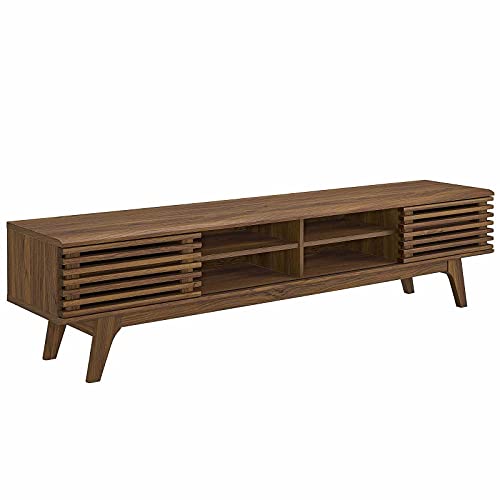
MID-CENTURY TV CONSOLE - Transform your living space with retro modern intrigue. An organic aesthetic, linear detail, and flared profile bring iconic style to this mid-century TV stand

Modern Low Profile Design: Featuring clean lines, thick wood panels, and authentic wood texture, this 70" low profile TV stand brings a warm, modern natural style to your home. The 22" height creates a sleek, streamlined look that pairs beautifully with wall-mounted TVs, contemporary interiors, and cozy media spaces.
Troubleshooting Common Media Console Sizing Problems
The Console Looks Too Small
Choose a wider console, add matching side cabinets, or visually extend the setup with low shelves, large artwork, or balanced decor. The goal is to make the TV wall feel grounded.
The TV Feels Too High
Lower the TV if possible, switch to a lower console, or use a tilting mount. If the TV is above a fireplace or fixed outlet, sit in your normal viewing position and check whether your neck feels strained.
The Cords Are Too Visible
Use cord covers, cable sleeves, rear cutouts, or a code-compliant in-wall cable kit. Choose a console tall enough or closed enough to hide the outlet and power strip.
The Devices Overheat
Move electronics to open shelves, remove unnecessary back panels, or choose a console with ventilation openings. Always follow the clearance instructions in each device’s manual.
The Soundbar Does Not Fit
Measure the soundbar before buying the console. It should sit centered without hanging over the edges, blocking the TV sensor, or covering the bottom of the screen.
Frequently Asked Questions
How big should a media console be compared to a TV?
A media console should usually be wider than the TV by at least 6 inches on each side when space allows. For a more substantial look, choose a console 12 to 24 inches wider than the actual TV width overall.
What size media console do I need for a 65-inch TV?
A 65-inch TV is often about 57 inches wide, so a console around 70 inches wide is a good minimum. If your wall has room, a 72- to 82-inch console usually creates a more balanced, finished look.
How do I determine TV console size?
Measure the actual TV width, then add 12 to 24 inches overall for a balanced console width. Next, check the console depth for electronics, the height for TV placement, and the storage layout for cords, remotes, game consoles, and soundbars.
How many inches above a console should a TV be mounted?
A wall-mounted TV usually looks best about 4 to 8 inches above the console. The exact gap depends on TV size, console height, soundbar placement, and seated eye level. Keep the screen center as close to seated eye level as the room allows.
Can the media console be narrower than the wall-mounted TV?
It can be, but it usually looks unbalanced. If a narrow console is your only option, center it carefully, keep the styling minimal, and consider adding wall-mounted shelves or artwork to visually widen the TV area.
What depth is best for a media console?
A depth of 15 to 20 inches works for many living rooms because it can hold common electronics and leave room for cords. If you only need a soundbar and a few remotes, a slimmer console may work, but always check device depth and ventilation needs.
Should I anchor a media console if the TV is wall-mounted?
Yes, anchoring is smart if the console is tall, heavy, has drawers or doors, or sits in a home with children or pets. Even when the TV is mounted separately, the furniture below it can still tip if climbed on or pulled.
Conclusion
The best media console for a wall-mounted TV is the one that fits the screen, the wall, and the way you use the room. Measure the TV’s actual width, add enough console width for balance, keep the screen close to seated eye level, and choose storage that handles your devices without messy cords or blocked ventilation. When the proportions, height, depth, and safety details all work together, the TV wall feels intentional instead of improvised.
Sources
- Samsung TV Size Guide — supports diagonal TV measurement and checking full TV dimensions.
- SANUS HeightFinder — supports seated eye-level TV height guidance.
- THX TV Positioning Guidance — supports line-of-sight and viewing-angle guidance.
- CPSC Anchor It — supports furniture and TV tip-over prevention guidance.