You want a compact TV that fits a bedroom, apartment, gaming setup or secondary viewing area without giving up 4K resolution and modern smart features. This guide compares three compact 43- to 48-inch TVs with very different strengths: the 48-inch LG C3 OLED, 43-inch Samsung Q60B QLED and 43-inch TCL 4-Series Google TV.
The key differences are display technology, contrast, room-light performance, gaming capability, smart platform and overall value. These are also older-generation models, so current Amazon inventory can vary; check the linked listing before deciding.
Quick Verdict: Choose the LG C3 if picture quality and 120Hz gaming matter most. Choose the Samsung Q60B if you prefer a slim 43-inch QLED with Tizen and strong everyday color. Choose the TCL 4-Series if you want straightforward 4K streaming and Google TV in a lower-cost 43-inch format.
Model-age note: These models come from earlier product generations. Compare the current Amazon price and availability with newer alternatives before purchasing.
Top Picks
|
Category |
Product |
Why It Stands Out |
|---|---|---|
|
🏆 Best Overall |
OLED contrast, native 120Hz refresh and four HDMI inputs with advanced gaming support |
|
|
🎯 Best QLED Pick |
Quantum Dot color, slim 43-inch design, Tizen and useful soundbar integration |
|
|
💰 Best Budget Pick |
Simple 4K streaming, Google TV, Chromecast and three HDMI inputs |
Selection Criteria
For this comparison, the most useful factors are picture technology, contrast, brightness for everyday rooms, native refresh rate, gaming support, smart-platform usability, connectivity and model age. We compared manufacturer-listed specifications with practical buyer concerns rather than presenting the article as a hands-on laboratory test. Because these are older models, current price and inventory should also be part of your decision.
LG C3
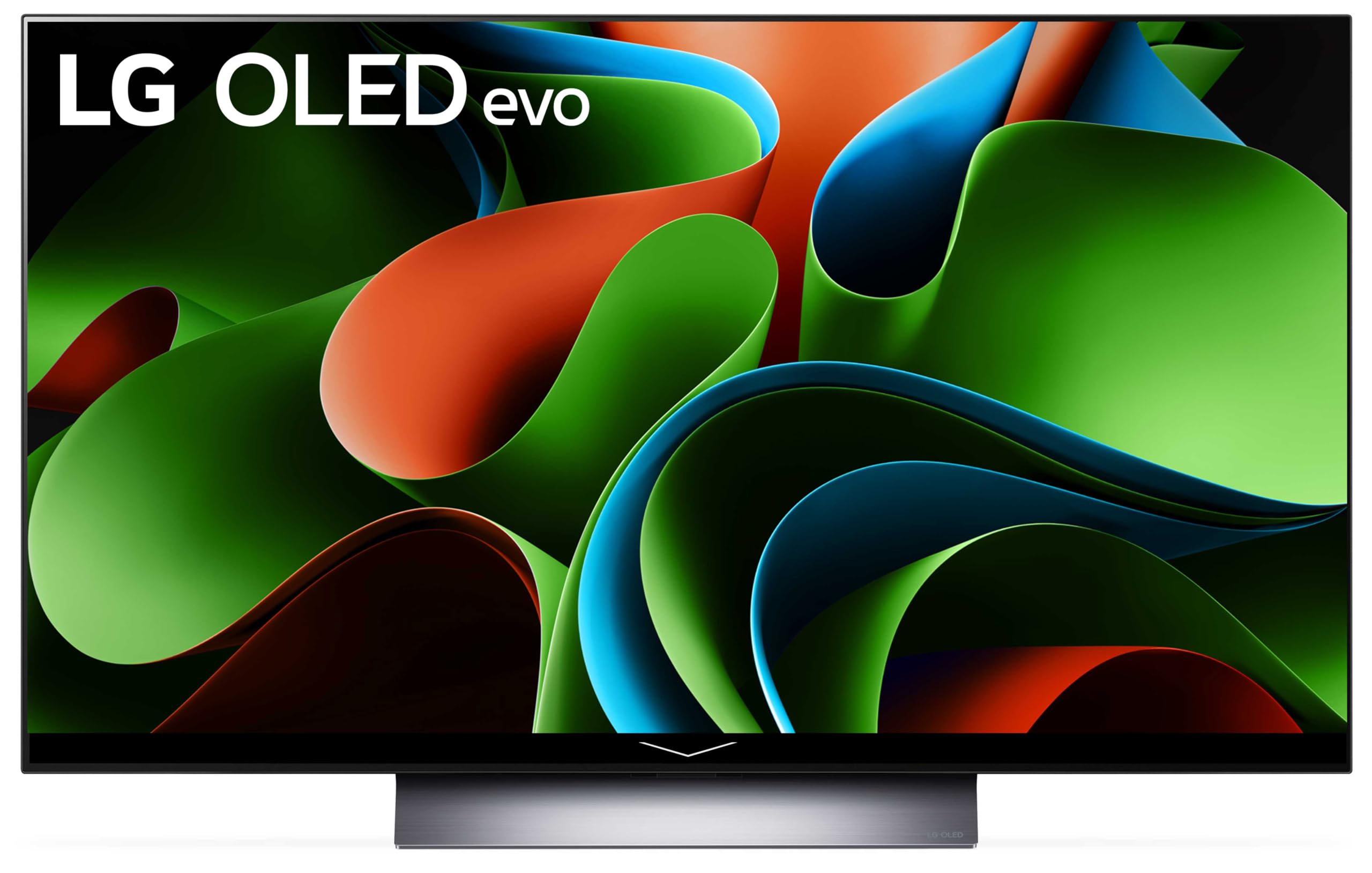
The 48-inch LG C3 is the performance-focused option in this group. Its OLED panel can produce true blacks because individual pixels generate their own light, giving movies, games and dark scenes substantially stronger contrast than a conventional edge-lit LCD.
LG lists a native 120Hz refresh rate, four HDMI inputs with support for features such as 4K/120Hz, VRR and ALLM, plus NVIDIA G-SYNC and AMD FreeSync compatibility. LG also advertises a 0.1ms response time. That combination makes the C3 the strongest choice here for PS5, Xbox Series X or PC gaming, while Dolby Vision, Dolby Atmos and FILMMAKER MODE add useful home-theater features.
Why You’ll Like It
The biggest advantage is versatility. You can use one compact display for movie nights, streaming and high-frame-rate gaming without giving up OLED-level black depth. webOS also puts streaming apps and device controls in one interface.
|
Pros |
Cons |
|---|---|
|
✅ OLED black levels and strong contrast |
❌ 48-inch size is larger than a typical 40- or 43-inch TV |
|
✅ Native 120Hz refresh with VRR and ALLM support |
❌ OLED requires sensible care when displaying static elements for long periods |
|
✅ Four HDMI inputs with 4K/120Hz support |
❌ Older 2023 generation, so compare its current price with newer models |
|
✅ Dolby Vision, Dolby Atmos and FILMMAKER MODE support |
Long-Term Considerations
The C3 remains a capable gaming and home-theater TV, and LG has continued providing software support for the model. However, it belongs to an older C-series generation. Compare its current selling price with newer LG OLED models before paying a premium simply because an older listing is still available.
Value Considerations
The C3 makes the most sense when you will actually use its OLED contrast, 120Hz panel, VRR and HDMI gaming capabilities. If you mainly watch casual streaming content and do not need those features, a simpler 60Hz TV may satisfy your needs for less.
Where It Shines
|
Situation |
How It Helps |
|---|---|
|
Movie Nights |
Self-lit OLED pixels provide deep blacks and high contrast, while Dolby Vision and FILMMAKER MODE support cinematic content. |
|
Gaming Setup |
Native 120Hz, VRR, ALLM and 4K/120Hz-capable HDMI connectivity suit current consoles and gaming PCs. |
|
Mixed Streaming And TV Use |
webOS combines streaming apps, voice features and connected-device controls in one smart-TV platform. |
|
Compact Home Theater |
The 48-inch screen gives you more image area than the two 43-inch choices while remaining smaller than mainstream 55-inch TVs. |
Ease Of Use
|
Feature |
What To Know |
|---|---|
|
Initial Setup |
Guided smart-TV setup handles network, apps and basic picture preferences. |
|
Smart Platform |
webOS provides integrated streaming apps and connected-device controls. |
|
Gaming Setup |
Game Optimizer helps surface VRR, latency and game-related settings. |
|
Advanced Picture Tuning |
There are many picture controls, so users who want a simple setup can start with an appropriate preset. |
Versatility
The C3 can handle everyday streaming, live TV, movies and higher-frame-rate gaming. Its 48-inch screen can also work as a large PC display when your desk depth and viewing distance are suitable.
Aesthetic Appeal
Its narrow bezel and slim OLED construction give the C3 a clean appearance for wall mounting or placement on a media stand.
Energy Use
OLED power consumption varies significantly with picture brightness and the content on screen. Instead of assuming OLED is automatically more efficient than LED, compare the EnergyGuide information for the exact model and your expected daily viewing time.
Everyday Experience
The combination of OLED contrast, 120Hz gaming support, Dolby Vision and built-in smart-TV features makes the C3 the most feature-rich model in this comparison.
Key Benefits
- OLED black levels and high contrast for movies and games
- Native 120Hz refresh rate with VRR and ALLM
- Four HDMI inputs with support for 4K/120Hz gaming
- Dolby Vision, Dolby Atmos and webOS smart features
Check Current Amazon Availability
Samsung Q60B
The 43-inch Samsung Q60B is the QLED option in this group. Its Quantum Dot color, Dual LED backlighting and slim AirSlim design make it a practical everyday TV for a bedroom, apartment or secondary living space.
Samsung’s Tizen platform provides streaming apps and smart features, while the SolarCell remote can recharge from light or USB-C instead of relying on regularly replaced disposable batteries. The Q60B also supports Q-Symphony with compatible Samsung soundbars.
Why You’ll Like It
The Q60B is easier to fit into a truly compact space than the 48-inch LG. It also gives you a 43-inch QLED panel with strong SDR brightness for everyday television and streaming, although its HDR performance and gaming features are more limited than the LG C3.
|
Pros |
Cons |
|---|---|
|
✅ Quantum Dot color and good everyday SDR brightness |
❌ 60Hz panel limits high-frame-rate gaming |
|
✅ Slim 43-inch design suits smaller rooms |
❌ No HDMI 2.1 bandwidth or VRR support |
|
✅ Tizen smart platform and voice features |
❌ HDR highlights are less impactful than on higher-end TVs |
|
✅ SolarCell remote and Q-Symphony support |
❌ Older 2022 generation, so current inventory may be limited |
Long-Term Considerations
The Q60B is an older-generation Samsung QLED. Its core 4K streaming features remain useful, but buyers should compare its current price with newer 43-inch Samsung models because paying a premium for old inventory reduces its value.
Value Considerations
The Q60B is most appealing if you specifically want Samsung’s Tizen interface, Quantum Dot color and slim 43-inch form factor. Gamers who want 120Hz, VRR or HDMI 2.1 bandwidth should look beyond this model.
Where It Helps
|
Situation |
How It Helps |
|---|---|
|
Well-Lit Everyday Viewing |
Its SDR brightness and reflection handling can work well for regular TV and streaming in rooms with ambient light. |
|
Casual Sports And Gaming |
Motion Xcelerator and low-latency game features support everyday use, but the 60Hz panel cannot provide 120Hz gaming. |
|
Small Rooms |
The 43-inch screen and slim AirSlim design are easier to place than a larger 48- or 55-inch set. |
|
Soundbar Integration |
Q-Symphony can coordinate the TV speakers with compatible Samsung soundbars. |
Ease Of Use
|
Feature |
What To Know |
|---|---|
|
Initial Setup |
Tizen guides network connection, app setup and Samsung account features. |
|
Smart Platform |
Tizen provides streaming apps, Samsung TV Plus and connected-device features. |
|
Remote Control |
The compact SolarCell remote has fewer dedicated buttons than traditional remotes and may require an adjustment period. |
|
Connectivity |
Three HDMI inputs, two USB ports, Ethernet, Wi-Fi and Bluetooth provide useful everyday connectivity. |
Versatility
The Q60B covers streaming, television, movies and casual console gaming well. Its main limitation is advanced gaming: it is a 60Hz model without VRR or HDMI 2.1 bandwidth.
Aesthetic Appeal
The thin AirSlim chassis and narrow bezels give the Q60B a contemporary look that works well in bedrooms and smaller living spaces.
Energy Use
Actual power consumption depends on brightness settings, picture mode and daily viewing time. Check the model’s EnergyGuide information if operating cost is an important part of your decision.
Everyday Experience
Quantum Dot color, Tizen and the SolarCell remote make the Q60B convenient for everyday streaming and television, provided you do not need premium HDR performance or 120Hz gaming.
Key Benefits
- 43-inch QLED panel with Quantum Dot color
- Tizen smart platform with streaming and voice features
- Three HDMI inputs plus Wi-Fi, Bluetooth and Ethernet
- SolarCell remote and compatible Samsung soundbar integration
Check Current Amazon Availability
TCL 4-Series
The 43-inch TCL 4-Series 43S446 focuses on the basics: 4K resolution, HDR10 and HLG support, Google TV, Chromecast, voice control and three HDMI inputs. It is a straightforward option for streaming, over-the-air television and secondary-room use.
The biggest attraction is simplicity rather than premium picture processing. Google TV organizes apps and recommendations in one interface, while Chromecast lets you send compatible content from a phone, tablet or computer to the television.
Why You’ll Like It
If you need a compact television for a bedroom, dorm, guest room or secondary viewing space, the TCL provides the core features most people use without positioning itself as a premium gaming or HDR display.
|
Pros |
Cons |
|---|---|
|
✅ Google TV with Chromecast and Google Assistant |
❌ Entry-level brightness and HDR performance |
|
✅ 4K resolution with HDR10 and HLG support |
❌ 60Hz class display is not intended for 120Hz gaming |
|
✅ Compact 43-inch footprint |
❌ Older model with increasingly limited new-retail availability |
|
✅ Three HDMI inputs plus Wi-Fi and Bluetooth |
❌ Built-in 8W + 8W audio may not satisfy buyers who want fuller sound |
Long-Term Considerations
The 43S446 comes from an older TCL 4-Series generation, so availability of new units can vary. Before purchasing, check whether the Amazon offer is new, used or refurbished, review the seller information and compare its price with current-generation 43-inch TVs.
Value Considerations
The TCL makes sense when its price is meaningfully lower than newer alternatives and your priorities are 4K streaming, Google TV and basic connectivity. Its value becomes less convincing if old inventory is priced close to newer entry-level TVs.
Where It Helps
|
Situation |
How It Helps |
|---|---|
|
Bedroom Or Dorm |
The 43-inch screen, Google TV interface and built-in streaming features suit smaller viewing spaces. |
|
Casual PC Display |
4K resolution and multiple HDMI inputs allow occasional PC use when the screen size and viewing distance suit your desk. |
|
Secondary Living Room TV |
Google TV provides direct access to common streaming services without requiring a separate streaming box. |
|
Cord-Cutter Setup |
The built-in tuner can receive compatible over-the-air broadcasts when connected to an appropriate antenna. |
Ease Of Use
|
Feature |
What To Know |
|---|---|
|
Initial Setup |
Google TV guides network connection, Google account setup and app selection. |
|
Google TV Navigation |
Content from compatible services is organized into a unified home-screen experience. |
|
Remote And Casting |
The included voice remote works with Google Assistant, while Chromecast is built in. |
|
Connectivity |
Three HDMI inputs, USB, Wi-Fi, Bluetooth, optical audio and an antenna input cover common devices. |
Versatility
The TCL 4-Series covers streaming, live television, light gaming and occasional PC use. Buyers who want strong HDR impact, 120Hz gaming or premium picture processing should consider a higher-tier display.
Aesthetic Appeal
The simple design keeps the television visually unobtrusive, which suits bedrooms, guest rooms and other spaces where the screen does not need to be the centerpiece.
Energy Use
Power consumption depends on picture settings and usage. Check the EnergyGuide label for the exact unit rather than relying on broad assumptions about LED efficiency.
Everyday Experience
Google TV, Chromecast and simple 4K playback make the TCL easy to understand as a secondary-screen option: it covers the basics without pretending to compete with premium OLED or high-refresh gaming TVs.
Key Benefits
- 43-inch 4K display for smaller rooms
- Google TV with Chromecast and Google Assistant
- HDR10 and HLG support
- Three HDMI inputs and useful wired/wireless connectivity
Check Current Amazon Availability
Before You Buy
- Measure the space: The LG is 48 inches, while the Samsung and TCL are 43 inches. Check stand width, available furniture space and wall-mount compatibility.
- Check the Amazon offer: These are older models, so confirm whether the listing is new, renewed, used or sold by a third-party seller.
- Match the refresh rate to your devices: The LG C3 supports native 120Hz gaming; the Samsung Q60B and TCL 4-Series are 60Hz-class choices.
- Count your devices: The LG has four HDMI inputs, while the Samsung and TCL have three.
- Plan for sound: Built-in TV speakers are convenient, but a compatible soundbar can provide fuller audio if movies and music are priorities.
FAQ
OLED Versus QLED: Which Should You Choose?
Choose OLED when deep blacks, wide viewing angles, movie performance and fast gaming response are high priorities. A QLED LCD such as the Samsung Q60B can make sense when you prefer Samsung’s platform, Quantum Dot color and a conventional LCD panel. OLED owners should still use built-in screen-protection features and avoid leaving bright static elements on screen unnecessarily for very long periods.
What Gaming Features Matter Most?
For current consoles and gaming PCs, look at the native refresh rate, input lag, VRR, ALLM and whether the HDMI inputs support the resolution and frame rate you intend to use. The LG C3 is the gaming-focused option here because it supports native 120Hz and advanced variable-refresh features. The Samsung Q60B and TCL 4-Series are better suited to 60Hz gaming.
Also confirm the capabilities of the specific HDMI port you plan to use and use an appropriate certified HDMI cable for high-bandwidth signals.
How Do I Pick The Right TV For My Room?
Start with the physical width of your wall or furniture, your normal viewing position and the amount of glare in the room. A 43-inch TV is easier to fit into bedrooms and tighter desktop-style spaces, while a 48-inch TV provides more image area but needs additional distance and surface width.
There is no single seating distance that works for everyone. With a 4K display you can generally sit closer than with an older lower-resolution television, so use comfort, field of view and room layout as your final guide.
Is An Older TV Model Still Worth Buying?
It can be, but only when the price reflects its age. Compare the older model with current alternatives, check the seller and item condition, confirm return and warranty terms, and make sure the older TV still has the ports and gaming features you need.
Which Of These TVs Is Best For A PS5 Or Xbox Series X?
The LG C3 has the strongest gaming specification of these three because it combines a native 120Hz OLED panel with 4K/120Hz-capable HDMI connectivity, VRR and ALLM. The Samsung Q60B and TCL 4-Series can still be used with modern consoles, but their 60Hz-class panels limit high-frame-rate gaming.
Which TV Fits Your Use?
If your priority is movies, contrast and advanced console or PC gaming, the LG C3 has the strongest feature set. If you want a smaller 43-inch QLED with Samsung’s Tizen platform and Quantum Dot color, the Q60B is the more natural fit. If you mainly need inexpensive 4K streaming, Google TV and basic connectivity, the TCL 4-Series is the simpler option.
Because all three are older models, do not choose on specifications alone. Current price, seller condition, return policy and availability can change whether any one of them is still a sensible purchase.
Wrapping Up
The easiest way to choose among these compact TVs is to decide which feature you will notice every day. The 48-inch LG C3 gives you OLED contrast, a native 120Hz panel and substantially stronger gaming connectivity. The 43-inch Samsung Q60B focuses on Quantum Dot color, Tizen and a slim QLED design. The 43-inch TCL 4-Series covers basic 4K streaming with Google TV and Chromecast.
Before buying, compare the current Amazon offer with newer 43- to 48-inch TVs. An older model can still be worthwhile when the price is attractive, but model age should be part of the value calculation.
Affiliate disclosure: Some links in this article are affiliate links. We may earn a commission from qualifying purchases made through those links, at no additional cost to you.
| LG C3 Series 48-Inch Class OLED evo Smart TV | SAMSUNG 43-Inch Class QLED 4K Q60B Series Smart TV | TCL 43″ Class 4-Series 4K UHD HDR Smart Google TV | |
|---|---|---|---|
 |
 |
 |
|
| Screen Size | 48 inches | 43 inches | 43 inches |
| Display Technology | OLED evo | QLED LCD | LED LCD |
| Resolution | 4K UHD | 4K UHD | 4K UHD |
| Native Refresh Class | 120Hz | 60Hz | 60Hz |
| Smart Platform | webOS | Tizen | Google TV |
| Gaming Highlights | 4K/120Hz, VRR, ALLM, G-SYNC and FreeSync compatibility | ALLM/Game Mode; no VRR or HDMI 2.1 bandwidth | Basic 60Hz gaming |
| Connectivity Options |
|
|
|
| Best Fit | Movies and 120Hz gaming | 43-inch QLED and everyday streaming | Budget-oriented Google TV use |
| Model-Age Consideration | 2023 generation; newer C-series models exist | 2022 generation; newer Q60-series models exist | Older 4-Series generation; new-unit availability may be limited |
| Check Current Amazon Availability | Check Current Amazon Availability | Check Current Amazon Availability |