Updated: August 2026. This is an editorial comparison based on published product information, intended use, controls, mounting requirements, and safety limitations. It does not claim hands-on testing.
Managing excess moisture in a reptile enclosure usually starts with accurate monitoring, appropriate substrate, controlled misting, and suitable ventilation. The products below are best described as reptile enclosure humidity-control fans and controllers, not conventional water-collecting dehumidifiers. Four combine ventilation with temperature or humidity monitoring, while one humidistat can switch compatible external equipment according to selected humidity settings.
Before changing airflow, establish the correct humidity range and daily pattern for your exact species, age, enclosure design, and shedding needs. A setting that is appropriate for one snake, lizard, tortoise, or gecko may be unsafe for another.
Quick verdict
Best overall: The Tookie Reptile Ventilation Fan combines a humidity-triggered fan with an integrated temperature and humidity display.
Best adjustable-airflow option: The RUNWUSHENG Reptile Humidity Fan gives keepers more control over airflow strength.
Best for external equipment: The Dual-Stage Digital Humidity Controller is the better choice when you already have compatible humidifying or dehumidifying equipment and need a separate humidistat.
How these products were compared
- Whether the product is designed for reptile enclosures or terrariums.
- Whether it monitors temperature, humidity, or both.
- Whether the fan can respond automatically to a selected humidity threshold.
- Airflow adjustment, mounting flexibility, and power requirements.
- Water-exposure, sensor-placement, and electrical limitations.
- Whether the device moves air, controls external equipment, or physically removes moisture.
Quick Comparison
| Product | Best For | Main Function | Important Limitation | Amazon |
|---|---|---|---|---|
| Tookie Reptile Ventilation Fan with Thermometer and Humidity Gauge | Best overall integrated setup | Displays conditions and can activate ventilation when humidity exceeds the selected setting | Exchanges air but does not collect liquid water | Check Details |
| GeeKoit Terrarium Thermometer, Hygrometer, and Fan | Best straightforward USB-powered option | Displays temperature and humidity and can provide automatic airflow | A USB power adapter may need to be purchased separately | Check Details |
| RUNWUSHENG Reptile Humidity Fan | Best adjustable-airflow option | Adds adjustable ventilation with enclosure-condition monitoring | Published performance figures are seller claims and may vary by enclosure | Check Details |
| MiOYOOW USB Reptile Ventilation Fan | Best compact bracket-mounted option | Combines a display, sensor-controlled airflow, USB power, and an adjustable bracket | Mounting compatibility depends on enclosure-rim thickness and clearance | Check Details |
| Dual-Stage Digital Humidity Controller | Best for controlling separate equipment | Switches compatible humidifying and dehumidifying equipment according to selected settings | It is a controller only and cannot alter humidity by itself | Check Details |
Safety note: There is no universal reptile humidity target. Excessive drying can be as harmful as excessive moisture. Use species-specific husbandry guidance, preserve any required humid hide or moisture gradient, and monitor temperature as well as humidity after changing ventilation. Keep non-waterproof probes, USB connections, plugs, and controllers away from mist, condensation, substrate, and standing water. Confirm automated readings with a separate digital hygrometer before relying on them.
Tookie Reptile Ventilation Fan with Thermometer and Humidity Gauge
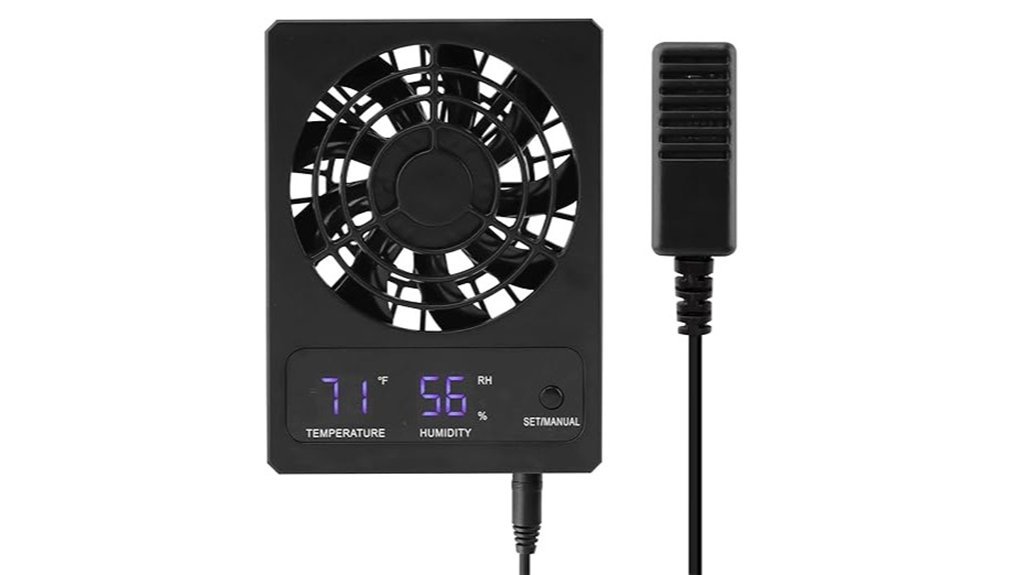
Best Overall: This integrated unit combines a ventilation fan, temperature display, humidity display, and humidity-triggered operation. It is a practical choice when stagnant, moisture-heavy air is the main problem and you want one compact device rather than a separate basic fan and monitor.
Problem It Solves: It reduces the need to monitor a basic fan constantly after misting, watering plants, changing substrate, or noticing temporary humidity spikes.
Why You’ll Like It: You can view the enclosure conditions on the display and select a humidity threshold for automatic fan operation. Some listing information also describes a continuous-running setting, although buyers should confirm the exact controls on the current product page.
Who Should Buy This: Keepers with a ventilated terrarium or rearing enclosure that needs moderate, sensor-controlled air exchange.
Who Should Avoid This: Anyone who needs a device that physically condenses and collects water, or who cannot safely preserve the humidity level and microclimates required by the animal.
Pros:
- Combines monitoring and airflow in one enclosure-focused unit.
- Humidity-triggered operation can reduce manual switching.
- Compact design is easier to position than a room dehumidifier.
- Display makes it easier to observe changes after misting or ventilation adjustments.
Cons:
- It is a ventilation fan, not a condensate-collecting dehumidifier.
- Its effect depends heavily on the moisture level of the surrounding room air.
- Power accessories, mounting method, and exact controls should be confirmed before purchase.
- Strong or prolonged airflow may alter both humidity and temperature gradients.
GeeKoit Terrarium Thermometer, Hygrometer, and Fan
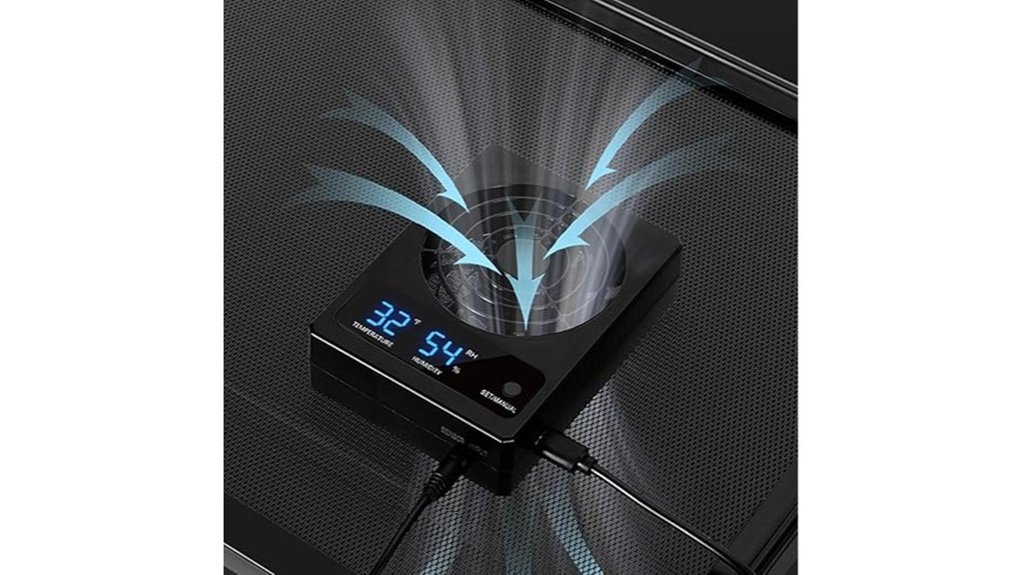
Best Straightforward USB-Powered Option: The GeeKoit unit combines a digital thermometer, hygrometer, and ventilation fan in a USB-powered format. Its display can help you see how the enclosure responds after misting, watering plants, changing substrate, or opening additional vents.
Problem It Solves: It provides one device for basic condition monitoring and automatic ventilation instead of requiring a separate display, fan, and manual switch.
Why You’ll Like It: Published listing information describes programmable humidity control that activates the fan when the measured humidity exceeds the selected setting. USB power also avoids disposable batteries.
Who Should Buy This: Keepers who have a suitable USB power source near the enclosure and want temperature, humidity, and airflow functions in one unit.
Who Should Avoid This: Anyone who needs waterproof electronics, battery operation, or true water-removing dehumidification.
Pros:
- Displays both temperature and humidity.
- Can automate fan operation according to a selected humidity setting.
- USB power avoids routine battery replacement.
- Suitable for observing short-term changes after enclosure maintenance.
Cons:
- A USB power adapter may not be included.
- The sensor and power connections must be protected from direct mist and condensation.
- The display should not be treated as independently calibrated without comparison testing.
- Continuous airflow may be unsuitable for some animals and enclosure designs.
RUNWUSHENG Reptile Humidity Fan
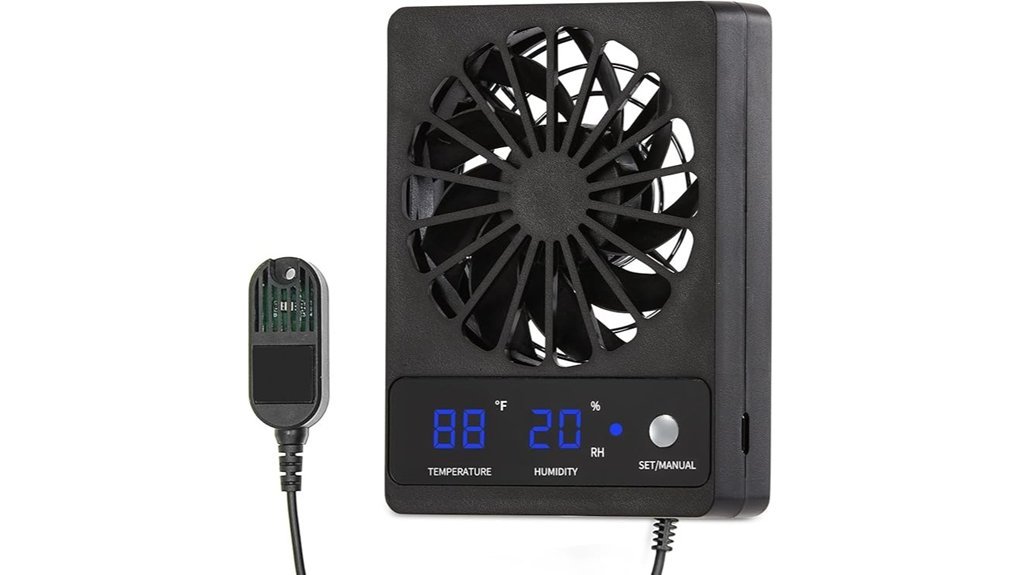
Best Adjustable-Airflow Option: The RUNWUSHENG Reptile Humidity Fan is designed to improve air exchange inside a terrarium. Adjustable fan speed gives you more control than a fixed-speed USB fan, which can be valuable in small enclosures or setups that are sensitive to drafts.
Problem It Solves: A fixed fan can move too much or too little air. This model lets you tune airflow while watching how enclosure conditions respond.
Why You’ll Like It: Adjustable ventilation makes gradual changes easier. Published listing information also describes humidity-control and enclosure-monitoring functions, but buyers should confirm the exact control interface and included components on the current Amazon page.
Who Should Buy This: Keepers who want adjustable airflow and have a suitable mounting location away from direct spray.
Who Should Avoid This: Aquatic, heavily misted, or persistently wet setups where the electronics cannot be kept dry, as well as enclosures that require consistently high ambient humidity.
Pros:
- Adjustable airflow provides more setup flexibility.
- Designed specifically for reptile and amphibian enclosures.
- Can be easier to tune than a fixed-speed fan.
- Compact placement options may suit mesh-top or vented enclosures.
Cons:
- Seller-stated airflow, noise, and humidity-reduction figures are not guaranteed in every enclosure.
- The fan does not collect or drain moisture.
- Placement can affect both the sensor reading and airflow pattern.
- The current listing should be checked for the exact mounting hardware and control features.
MiOYOOW USB Reptile Ventilation Fan
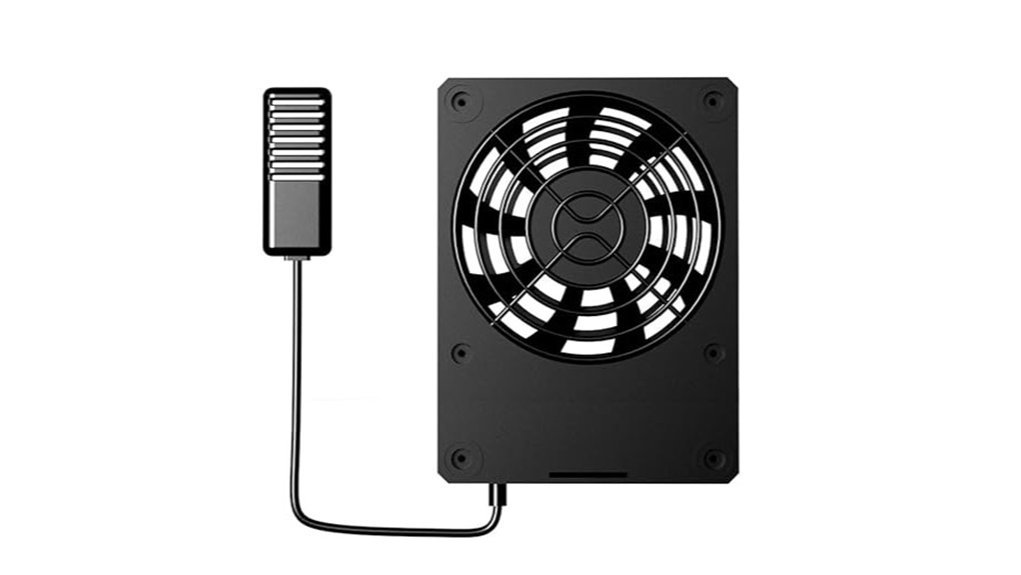
Best Compact Bracket-Mounted Option: This MiOYOOW USB-powered ventilation fan combines an on-device display, temperature and humidity sensing, automatic fan response, and an adjustable mounting bracket.
Problem It Solves: It offers removable, sensor-controlled airflow for an enclosure where permanent vent modification is undesirable.
Why You’ll Like It: The bracket can simplify positioning on compatible terrarium rims, while USB power provides flexible power-source options. It may help clear temporary humidity spikes when the surrounding room air is drier than the enclosure air.
Who Should Buy This: Owners of compatible glass, acrylic, or mesh-topped terrariums who want a small ventilation unit with a digital display.
Who Should Avoid This: Owners of sealed enclosures without a safe mounting point, setups with very limited rim clearance, or anyone expecting compressor-style moisture removal.
Pros:
- Compact USB-powered design.
- Combines condition monitoring with automatic fan operation.
- Adjustable bracket can make installation easier on compatible enclosures.
- Removable design may be useful when the enclosure layout changes.
Cons:
- Enclosure-rim thickness, lid movement, and bracket clearance must be measured.
- USB cable routing can be awkward around doors, lids, lights, and misting systems.
- Ventilation may have limited effect when the surrounding room is also humid.
- Airflow must be positioned so it does not create a persistent draft across the animal.
Dual-Stage Digital Humidity Controller
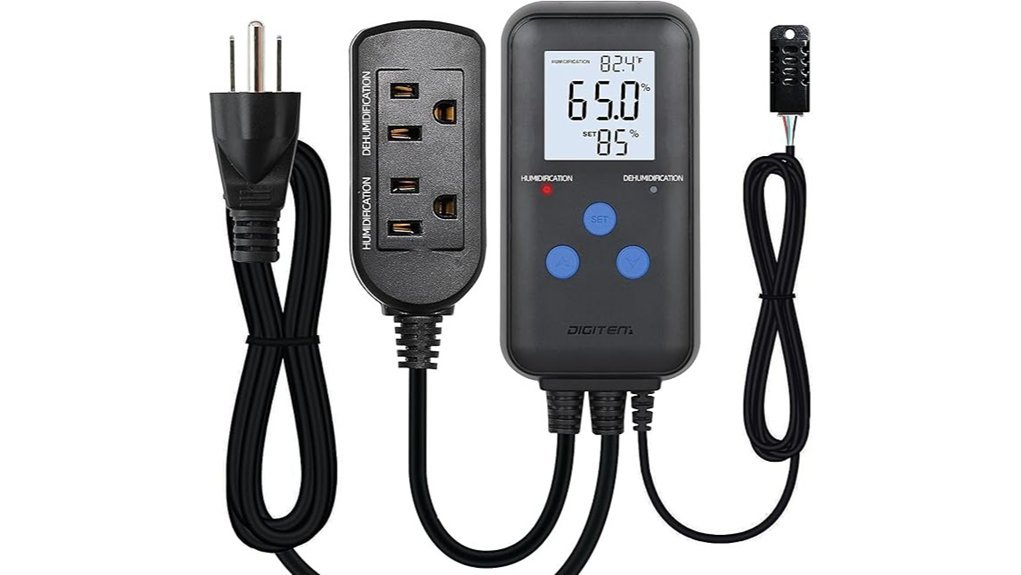
Best for External Equipment: This pre-wired digital humidity controller is different from the fan products above. It measures ambient humidity and can switch compatible humidifying and dehumidifying equipment through separate outlets according to the selected settings.
Problem It Solves: It provides automatic switching when you already have separate equipment but do not want to operate it manually throughout the day.
Why You’ll Like It: The display shows current and selected humidity values, while the dual-stage arrangement can support both moisture-adding and moisture-reducing equipment. This can be useful for an enclosure room, cabinet, or larger external climate-control setup.
Who Should Buy This: Experienced keepers who already own compatible equipment and understand its voltage, electrical load, placement, restart behavior, and safe use around an enclosure.
Who Should Avoid This: Anyone looking for a standalone fan or dehumidifier. The controller cannot add or remove moisture without separate connected equipment.
Pros:
- Can automate compatible humidifying and dehumidifying equipment.
- Displays current and selected humidity values.
- Pre-wired outlets simplify setup compared with a bare controller module.
- Can support a room-level or enclosure-cabinet humidity system.
Cons:
- Requires separate compatible equipment.
- The ambient probe must not be placed in water, wet substrate, or direct spray.
- Users must confirm voltage, outlet type, maximum load, and equipment compatibility.
- Some electronic devices may not restart automatically after outlet power is cycled.
Compatibility check: Before connecting a fan, humidifier, or dehumidifier, confirm that its electrical demand stays within the controller’s published limits and that the equipment automatically resumes its intended setting when power is restored.
Factors to Consider When Choosing Reptile Humidity-Control Equipment
The right device depends on the animal, the enclosure, and the source of the excess moisture. A fan may improve poor air exchange, but it cannot compensate for waterlogged substrate, an oversized water feature, excessive misting, plumbing leaks, or a room filled with equally humid air.
Start With Species-Specific Humidity
Do not use a broad “ideal reptile humidity” number. Arid, temperate, tropical, juvenile, adult, and shedding animals can require very different conditions. Establish the correct range and daily pattern first, including whether the species needs a humid hide, moist burrow, or wetter microclimate within an otherwise drier enclosure.
Identify the Source of Excess Moisture
Check the substrate, water bowl or pool, misting duration, drainage layer, live plants, enclosure vents, and room humidity before buying another device. Correcting over-misting or replacing saturated substrate may solve the problem more safely than increasing fan speed.
Understand a Fan, Humidistat, and True Dehumidifier
A terrarium fan manages moisture by exchanging enclosure air with surrounding air. It works best when the incoming room air is drier. A true dehumidifier condenses or absorbs water and is normally used in the room or enclosure cabinet rather than inside the animal’s living space. A humidistat measures humidity and switches compatible equipment, but it cannot alter humidity without that equipment.
Sensor Placement and Reading Accuracy
Place the probe where it represents the animal’s occupied zone, not directly beside a water bowl, misting nozzle, heat source, fan outlet, or patch of wet substrate. Compare the reading with a separate digital hygrometer before choosing automatic thresholds. Recheck it after moving décor, changing substrate, or altering the enclosure layout.
Airflow Strength and Direction
Use enough airflow to exchange damp air without creating a strong draft across the reptile, basking area, humid hide, or preferred sleeping location. Adjustable-speed models are easier to tune. After installation, monitor average humidity, drying time after misting, basking temperature, cool-side temperature, and nighttime conditions.
Check the Surrounding Room Humidity
A ventilation fan cannot create dry air. When the room and enclosure have similar humidity, stronger airflow may provide little moisture reduction. In that situation, correcting the enclosure’s moisture source or using an appropriately sized room dehumidifier outside the enclosure may be more effective.
Mounting, Power, and Water Exposure
Measure the enclosure rim, lid clearance, vent opening, and cable path before buying. Confirm whether a USB adapter is included, whether the probe is rated for moisture exposure, and whether the fan can be mounted outside the living area. Keep all connections away from spray, condensation, wet substrate, and standing water.
Power-Outage and Controller Behavior
Check whether the device remembers its settings after a power interruption. When using an external controller, confirm that the connected equipment restarts automatically when outlet power returns. A device with an electronic start button may remain off even when the controller supplies power again.
Before You Buy Checklist
- Confirm the humidity range and daily pattern for the exact species and life stage.
- Identify whether the problem is poor ventilation, saturated substrate, frequent misting, a water feature, or humid room air.
- Confirm that the animal will retain any required humid hide or moisture gradient.
- Measure the enclosure rim, vent opening, lid clearance, and available mounting space.
- Check whether the fan is intended to draw air in or exhaust air out.
- Check the power source, included adapter, cord length, and safe cable route.
- Verify whether the sensor and fan housing can tolerate direct moisture.
- Choose adjustable airflow when the enclosure is small or the animal is sensitive to drafts.
- Check whether settings return after a power interruption.
- Verify external-controller voltage, outlet type, and maximum electrical load.
- Use a separate digital hygrometer to verify automated readings.
- Monitor enclosure temperatures after changing airflow.
Frequently Asked Questions
Are Terrarium Humidity Fans True Dehumidifiers?
Usually not. Most products in this category are ventilation fans with humidity sensors. They may reduce enclosure humidity by exchanging air, but they do not condense, absorb, collect, or drain water. Their effect is limited when the surrounding room air is equally humid.
What Humidity Level Should I Set?
Use the range recommended for the exact species, age, enclosure type, season, and shedding condition. Reptile humidity needs vary widely, so one target for all snakes, lizards, tortoises, turtles, and geckos is unsafe. Consult a reputable species-specific husbandry guide or reptile-experienced veterinarian when uncertain.
Can a Fan Make the Enclosure Too Dry?
Yes. A fan can dry an enclosure faster than expected, especially in a small tank or dry room. Begin with low airflow, avoid aiming the outlet directly at the animal, preserve required humid areas, and monitor conditions through a full day-and-night cycle.
Will a Fan Change the Enclosure Temperature?
It can. Increased air exchange may alter heat retention, basking temperature, cool-side temperature, and nighttime temperature. Recheck the enclosure’s thermal gradient after installing or adjusting a fan.
What If the Room Air Is Also Humid?
A terrarium fan may have limited effect because it brings in air with similar moisture. Address saturated substrate, excessive misting, poor drainage, or an oversized water feature first. When the entire room is humid, a correctly sized room dehumidifier operating outside the enclosure may be more effective than adding more fan speed inside the tank.
Where Should I Place the Humidity Probe?
Place it in a representative part of the animal’s occupied zone, away from direct mist, water, heat, wet substrate, and the fan outlet. Do not place a non-waterproof probe in soil or water. Compare its reading with a second hygrometer before using it to automate equipment.
Should I Remove the Humid Hide When Humidity Is High?
Not automatically. Some reptiles require a humid hide or moist microclimate even when the enclosure’s average humidity needs to be lower. Correct the cause of excessive ambient humidity without eliminating a required retreat unless reliable species-specific guidance recommends doing so.
Does the Dual-Stage Controller Work by Itself?
No. It measures humidity and switches compatible equipment. You must supply the fan, humidifier, dehumidifier, or other device, and every connected item must stay within the controller’s voltage and electrical-load limits.
Can I Connect Any Dehumidifier to a Humidity Controller?
No. Confirm the controller’s voltage and maximum load, the dehumidifier’s startup demand, and whether the dehumidifier automatically resumes operation after power is restored. Models that require a manual button press may not work correctly with a switched outlet.
Conclusion
For most reptile enclosures, the best first step is accurate monitoring followed by gradual correction of the moisture source. The Tookie Reptile Ventilation Fan with Thermometer and Humidity Gauge is the strongest all-in-one choice for buyers who want automatic airflow and an integrated display. The RUNWUSHENG Reptile Humidity Fan is more appealing when adjustable airflow matters, while the Dual-Stage Digital Humidity Controller is the better fit for a separate external humidity-control system.
None of these devices replaces species-specific husbandry. A ventilation fan works only when air exchange addresses the actual problem, and an external controller works only with safe, compatible equipment.
Final recommendation
Choose the simplest device that corrects the identified cause of excess humidity. Verify the result with an independent hygrometer, monitor the temperature gradient, and make small adjustments rather than aggressively drying the enclosure. The right setup should improve air exchange without removing the humid microclimates your reptile still needs.