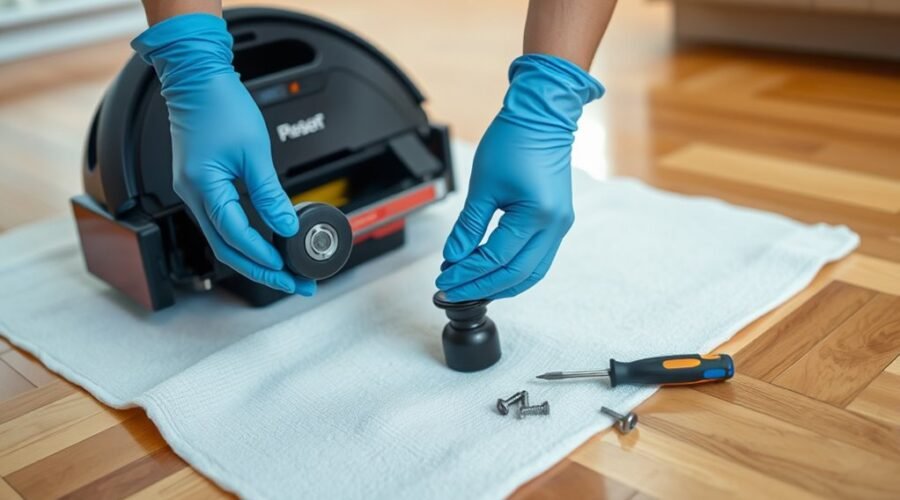
Robot vacuum caster wheel replacement is usually a simple home repair, but the removal method depends on your model. A worn or jammed front wheel can cause dragging, uneven movement, and unusual noises. This guide shows you how to remove, clean, inspect, and replace a removable caster wheel without damaging its housing.
Quick Answer
To replace a robot vacuum caster wheel, turn off the robot and remove the caster assembly if your model allows it. Separate the wheel from its housing, clear trapped debris, and inspect the axle. Install a compatible replacement, secure the assembly, and check that the wheel spins and swivels freely before running the vacuum.
At a Glance
| Difficulty | Basic maintenance for models with removable caster assemblies |
| Tools Needed | Soft brush, microfiber cloth, flashlight, optional gloves, and a screwdriver if required by your model |
Tools for Robot Vacuum Caster Wheel Removal
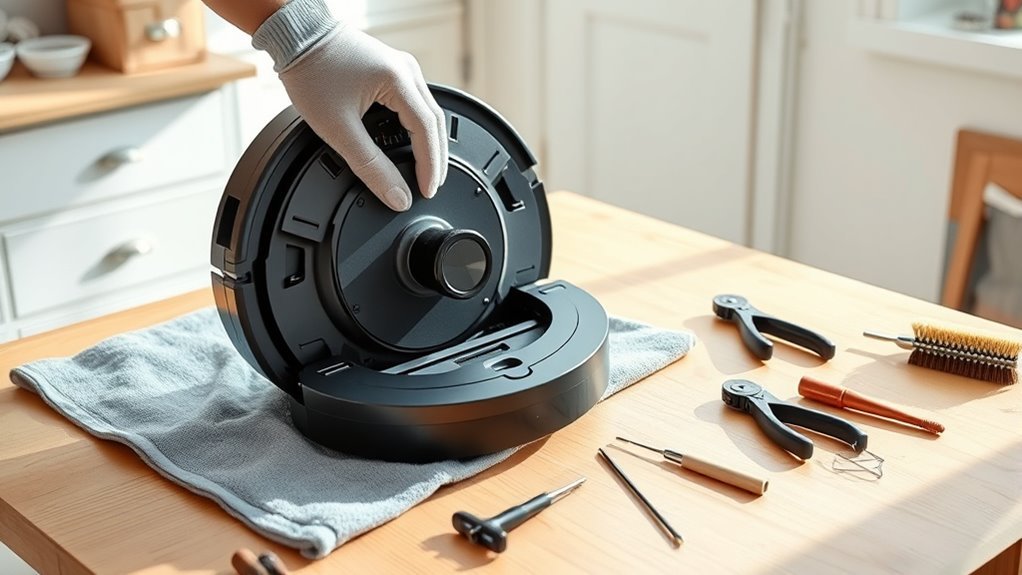
Most removable caster wheels need only a firm grip and basic cleaning supplies. However, having the right tools nearby makes the repair easier and helps protect the plastic housing.
Prepare these items before turning over your robot vacuum:
- Soft brush: Removes dust, lint, and loose hair from the wheel cavity.
- Microfiber cloth: Wipes the wheel, axle, and surrounding surfaces without leaving much lint.
- Flashlight: Helps you spot debris, cracks, and damage inside the mounting socket.
- Flathead screwdriver: Useful for certain covers or fasteners if your model’s instructions require it. Do not use it to force open the caster housing.
- Protective gloves: Improve grip and keep your hands away from accumulated dirt.
- Small container: Holds any removable screws or small components safely.
- Compatible replacement wheel: Needed if the original caster is cracked, badly worn, or unable to rotate properly.
Choose a clean, well-lit work area. A soft towel beneath the robot helps protect its top cover while you work on the underside.
Remove the Caster Wheel Assembly
On many Roomba models, the front caster assembly pulls straight out of the robot without removing screws. However, not every robot vacuum has a removable caster, so confirm your model’s design first.
According to iRobot’s front caster instructions, the Roomba Essential front caster cannot be removed using the standard pull-out method. The Roomba Mini and 100/1000 models also have axles that cannot be separated from their wheels.
Warning: Never force a caster assembly out of an unfamiliar robot vacuum. Pulling on a nonremovable wheel or prying against its plastic mounting socket can cause permanent damage. Follow the instructions for your exact model.
Detach the Wheel Assembly Safely
For a robot vacuum with a pull-out caster, use steady pressure to release the complete assembly. Keep the movement straight rather than twisting the wheel against its mounting socket.
- Turn off the robot. Remove it from the charging dock and make sure it cannot start cleaning.
- Turn it upside down. Place it on a clean towel with the wheels facing upward.
- Locate the caster. Identify the small swiveling support wheel, which is separate from the larger powered drive wheels.
- Grip the assembly. Hold the caster housing securely without squeezing or bending its plastic edges.
- Pull straight outward. Apply firm, controlled pressure until the removable assembly releases.
- Set it aside. Place the assembly on your work surface so the wheel and axle remain easy to inspect.
If the caster does not release with the method specified by the manufacturer, stop and recheck its mounting design. A different fastening method may apply.
Inspect the Caster Connection Points
After removing the caster, examine the connection between the assembly and the robot’s chassis. Dirt, worn plastic, and damaged mounting points can prevent a replacement wheel from fitting correctly.
Use your flashlight to check for:
- Hair or lint trapped inside the mounting socket.
- Cracks around the opening or retaining components.
- Plastic edges that appear bent or deformed.
- Debris preventing the assembly from sitting evenly.
- Signs that the caster has been moving loosely inside its mount.
Gently clear loose dirt with your brush or cloth. Avoid scraping the inside of the socket with a metal tool.
If the mounting point is visibly damaged, replacing only the wheel may not solve the problem. The complete caster assembly or another compatible part may need attention.
Robot Vacuum Caster Wheel Replacement: Remove the Old Wheel
Once the caster module is outside the robot, you can separate the wheel from its housing on models designed for this procedure. This gives you access to the axle, where tightly wrapped hair often causes resistance.
First, identify which components can safely come apart. Some caster assemblies use a removable axle, while others are designed to stay together.
Identify the Wheel, Axle, and Housing
A typical removable caster assembly contains three main parts. Understanding their functions helps you avoid pulling on the wrong component.
- Wheel: The small rolling component that contacts the floor and supports the robot.
- Axle: The shaft passing through the wheel, allowing it to rotate.
- Housing: The surrounding support structure that holds the wheel and allows the caster to swivel.
Check how the axle fits into the housing before disassembly. Look for debris around the ends of the shaft and any signs of uneven wear.
On models with nonseparable axles, clean the accessible surfaces without attempting to pull the axle apart.
Detach the Caster Wheel Carefully
For a caster designed to separate, hold its housing steady and apply controlled pressure to release the wheel and axle. Avoid twisting the shaft or bending the retaining sides.
Follow this sequence:
| Step | Action | Purpose |
|---|---|---|
| 1 | Inspect the axle and housing for debris | Identify anything blocking removal |
| 2 | Press or pull the wheel free as directed for the model | Separate the removable components without bending them |
| 3 | Inspect the wheel, axle, and retaining points | Determine whether cleaning or replacement is needed |
On compatible Roomba assemblies, the wheel can be pushed out of its housing, and the axle can then be removed to clear wrapped hair.
Keep the removed parts together. Before discarding the old wheel, compare it with the replacement to confirm that the axle size, housing shape, and retaining features match.
Clear Hair and Debris From the Wheel Housing
A dirty caster housing can prevent even a new wheel from rotating freely. Remove accumulated hair, dust, and compacted debris before installing the replacement.
With the robot turned off and the removable assembly separated, clean the accessible areas as follows:
- Use a soft brush to loosen dust and lint inside the caster cavity.
- Remove visible strands of hair from the axle supports and surrounding edges.
- Wipe away loose particles with a dry microfiber cloth.
- Inspect the interior for cracks, deformation, or deeply embedded debris.
- Confirm that the mounting socket is clear before reassembly.
Pay special attention to the narrow areas where the axle meets the housing. Hair can become tightly packed in these spaces and restrict wheel rotation.
A clean wheel may still bind if its housing is cracked, distorted, or obstructed.
If stubborn material remains, work it loose gently rather than scraping or levering against the plastic. Avoid allowing cleaning liquid to enter the robot’s internal components.
Once the housing is clean, inspect the wheel separately to decide whether it is reusable.
Clean and Inspect the Caster Wheel
Cleaning the caster wheel helps you distinguish a simple blockage from a worn component. Remove visible hair and residue, then check the wheel’s surface and axle for damage.
Begin by pulling away loose debris with your fingers. Use a soft brush for particles trapped around the axle or inside narrow grooves.
If necessary, wipe the wheel with a slightly damp cloth, provided its material and your manufacturer’s instructions allow it. Keep moisture away from electrical components and dry the wheel completely before reinstalling it.
| Checkpoint | Action |
|---|---|
| Surface debris | Remove loose dirt and hair by hand |
| Crevices | Brush gently around the axle supports |
| Residue | Wipe with a suitable cloth |
| Condition | Look for cracks, flat spots, and uneven wear |
| Performance | Spin the wheel and check for resistance or wobbling |
Inspect the rolling surface for chips or flattened sections. These defects can interfere with movement even when the axle is clean.
Next, rotate the wheel by hand. It should turn smoothly without grinding, sticking, or noticeable side-to-side wobble.
If the wheel still resists movement after cleaning, inspect the axle again. Persistent friction may indicate wear or damage that requires replacement.
How Do You Know When to Replace a Caster Wheel?
Replace a caster wheel when cleaning no longer restores smooth movement or when the wheel shows visible structural damage. You should also investigate any caster that repeatedly becomes loose or makes unusual noises.
Common replacement signs include:
- Cracks or chips: Broken material can affect contact with the floor.
- Uneven wear: Flat spots or an irregular shape may cause vibration and dragging.
- Excessive wobbling: Side-to-side movement may indicate a worn axle or damaged mounting point.
- Grinding or clicking: Persistent noise can indicate friction, debris, or mechanical damage.
- Restricted rotation: A wheel that sticks after cleaning may have a damaged axle interface.
- Repeated movement problems: Stalling, dragging, or difficulty returning to the charging dock can sometimes involve a faulty caster.
These symptoms do not always mean the caster itself has failed. Check the wheel and housing before replacing parts.
If the caster repeatedly falls out, the retaining housing or complete caster module may be worn rather than just the wheel.
For many Roomba models, iRobot recommends replacing the caster wheel every 12 months or as needed. Its Roomba i Series maintenance schedule also lists cleaning every two weeks.
These intervals are manufacturer recommendations, not universal rules for every robot vacuum. Some newer models use different maintenance schedules.
When choosing a replacement, check the exact model and part number. For example, iRobot’s caster assembly compatibility listing identifies part 4624869 and excludes the Roomba s Series and certain non-Wi-Fi R700/R800 models.
A correctly matched replacement helps avoid installation problems and unnecessary repairs.
Reinstall the Wheel Into the Housing
After cleaning or replacing the wheel, position it inside the caster housing so the axle lines up with its supports. The wheel should sit centered and rotate without rubbing against the surrounding plastic.
Follow these steps for a snap-fit wheel assembly:
- Check the replacement. Confirm that it matches the original wheel’s shape and axle arrangement.
- Align the axle. Position both ends with their corresponding supports in the housing.
- Apply even pressure. Press the wheel into place using the method specified for your model.
- Check the seating. Confirm that the axle is retained securely and the wheel is not tilted.
- Spin the wheel. Rotate it by hand to verify smooth movement.
Some assemblies make a click when the axle seats correctly. Others may not produce an obvious sound, so check the physical fit instead of relying only on hearing a click.
If the wheel feels tight, remove it again if your model permits. Recheck the axle position and inspect for trapped debris.
Do not force the wheel into a misaligned housing. Excessive pressure can damage the retaining points and make future removal difficult.
Snap the Caster Wheel Assembly Back In
Once the wheel is secured in its housing, reinstall the complete caster assembly into the robot. Proper alignment helps prevent the wheel from dragging or coming loose during operation.
Use the original mounting position and the installation method specified for your model.
Align the Assembly Properly
Hold the caster assembly directly above its mounting socket. The housing should enter the opening in the correct orientation without catching on surrounding parts.
Before pressing it into place:
- Make sure the mounting socket is clean and free of loose debris.
- Align the caster housing with the original opening.
- Check that the retaining components are not cracked or bent.
- Confirm that the assembly is centered rather than tilted.
On a properly fitted caster, the housing should sit evenly against the underside of the robot.
If you notice a gap or the assembly sits at an angle, stop and inspect its alignment before applying more pressure.
Press Until the Assembly Snaps Into Place
For a snap-in caster module, press the housing firmly and evenly into the mounting socket. A click or noticeable engagement may indicate that the retaining mechanism has seated.
Check that the assembly feels secure and does not lift out during gentle handling.
Next, rotate the wheel and swivel the caster by hand. Both movements should feel smooth, with no scraping against the robot’s underside.
If the caster remains loose, do not continue pressing harder. Inspect the retaining points and verify that the replacement is compatible.
A damaged mounting module may need replacement if it no longer holds the caster securely.
Test the Caster Wheel for Smooth Movement
After reinstalling the caster, test it manually before starting a normal cleaning cycle. This helps identify installation errors without immediately putting the assembly under motor-driven movement.
Use the following checks:
- Manual rotation: Lift the robot slightly and spin the caster wheel to check for sticking or grinding.
- Swivel movement: Turn the caster housing gently to confirm it can change direction freely.
- Floor contact: Place the robot on a flat surface and check that it rests evenly.
- Push test: Gently move the powered-off robot forward and backward, watching for dragging, wobbling, or unusual sounds.
- Cleaning test: Run a short cleaning cycle and observe whether the robot moves and turns normally.
- Final inspection: Check that the caster remains securely installed after the test.
A properly fitted caster should roll and swivel without unusual resistance. The robot should also travel without obvious dragging or repeated wheel-related interruptions.
What if the Replacement Wheel Still Does Not Work?
If movement remains poor after installation, start with the easiest possible causes. A small piece of hair or an incorrectly seated axle can create the same symptoms as a faulty replacement.
- Wheel does not spin: Remove the assembly if permitted and check for hair around the axle.
- Caster does not swivel: Inspect the mounting socket for compacted dust or damaged plastic.
- Wheel wobbles: Confirm the axle is correctly seated and the replacement fits the housing.
- Assembly falls out: Check the retaining mechanism for wear or damage.
- Robot still drags or veers: Inspect the powered side wheels for debris or mechanical problems.
- Robot struggles to dock: Check caster height and seating, then investigate other docking-related causes if the wheel is normal.
If the caster remains stuck, falls out repeatedly, or has visible mounting damage, stop using the robot until the issue is resolved.
The front caster is different from the powered left and right drive wheels. Replacing a drive-wheel module may require removing the bottom cover and fasteners, depending on the robot’s design.
For example, iRobot’s drive-wheel module guide describes a separate repair procedure for supported Roomba e, i, and j Series models. It also identifies certain newer non-modular versions that cannot use the standard module-replacement process.
If troubleshooting does not restore normal movement, seek manufacturer support rather than forcing internal parts.
Keep the Caster Wheel Working Smoothly
Regular maintenance helps prevent hair and dust from building up around the caster axle. It also makes it easier to notice wear before the wheel begins dragging across your floor.
For supported Roomba models, a practical starting point is the manufacturer’s recommended cleaning interval of once every two weeks. Homes with pets or heavy debris may need more frequent inspections.
During each maintenance check:
- Look for hair wrapped around the wheel or axle.
- Remove dust from the caster housing with a soft brush.
- Spin the wheel to check for resistance.
- Inspect the rolling surface for cracks and flat spots.
- Check that the caster remains securely attached.
- Confirm that the wheel swivels without binding.
Avoid applying unapproved lubricants or cleaning chemicals to the axle. Different caster designs may use different materials and maintenance requirements.
Pro Tip: Before reinstalling the caster, turn the wheel slowly while watching both axle ends. This simple check can reveal uneven seating or a strand of hair that is easy to miss during a visual inspection.
Replace damaged components promptly rather than continuing to operate the robot with a dragging wheel. A clogged caster can affect cleaning performance and may damage certain floor surfaces.
Consistent cleaning and careful reinstallation help the wheel rotate freely and reduce avoidable wear.
Key Takeaways
- Not every robot vacuum caster is removable. Confirm your exact model before pulling on the wheel.
- Hair trapped around the axle can cause sticking, dragging, and poor rotation even when the wheel looks clean.
- A caster that repeatedly falls out may have a damaged retaining module rather than a defective wheel.
- iRobot recommends cleaning many Roomba caster wheels every two weeks and replacing them every 12 months or as needed.
- Always verify wheel compatibility and test both rolling and swiveling before returning the robot to regular cleaning.
Frequently Asked Questions
How Do You Remove a Caster Wheel From a Roomba?
On Roomba models with a removable front caster, grip the caster module and pull it straight out. Remove the wheel from its housing only if your model permits it, clear hair around the axle, and press the clean or replacement assembly back in.
Can All Robot Vacuum Caster Wheels Be Removed?
No. Many Roomba caster modules pull straight out, but the Roomba Essential front caster is not user-removable. The axle also stays attached on Roomba Mini and 100/1000 models, so follow the instructions for your specific robot.
What Is the Average Lifespan of a Roomba?
A Roomba is often estimated to last 3 to 5 years, although the exact life depends on use and maintenance. Cleaning the wheels, brushes, and filters and replacing worn parts can help the robot keep working longer.
Can You Replace Wheels on an iRobot Roomba?
Yes. Many Roomba models accept a replacement front caster wheel or caster module, while powered left and right drive wheels use a different repair process. Confirm the exact model and replacement part before you remove anything.
Why Does My Caster Wheel Keep Falling Out?
A caster that repeatedly falls out may have a worn or damaged mounting module, not just a loose wheel. Inspect the housing and use a compatible replacement assembly if the retaining parts no longer hold it securely.
Conclusion
Replacing a robot vacuum caster wheel at home is straightforward when the assembly is designed for removal. The essential steps are to power down the robot, remove the wheel carefully, clear debris, inspect the housing, and install a compatible replacement.
Before returning the vacuum to regular use, confirm that the wheel spins and swivels freely. Regular cleaning and timely replacement help prevent dragging, reduce unnecessary wear, and keep the robot moving reliably.
Sources
- iRobot: How to Clean or Replace Your Front Caster Wheel: Official removal, cleaning, model-specific exceptions, and replacement guidance.
- iRobot: Roomba Front Caster Wheel Replacement Assembly: Official caster assembly identification and model compatibility.
- iRobot: Roomba i Series Care Procedure Frequency: Recommended caster cleaning and replacement intervals.
- iRobot: Wheel Module Replacement for Roomba e, i, and j Series: Separate drive-wheel replacement procedures and non-modular model limitations.