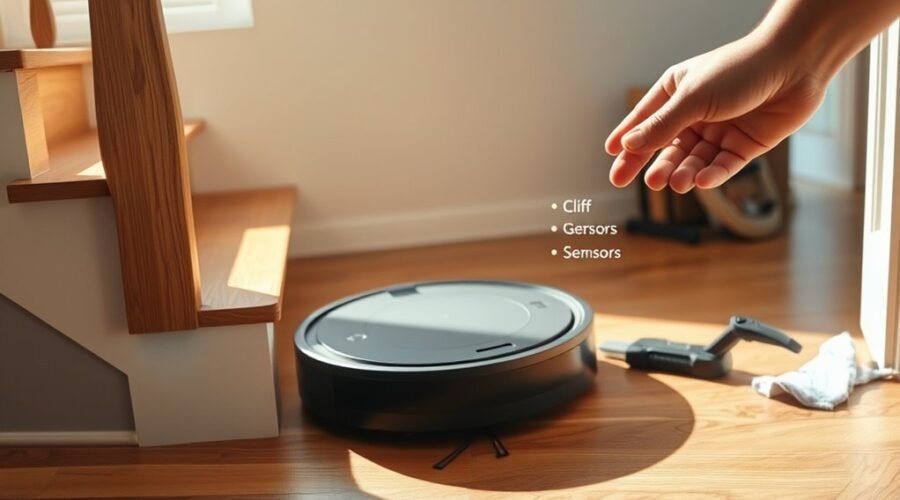
A robot vacuum cliff sensor error often points to contamination, obstruction, or a calibration fault rather than a major failure. The sensors on the underside should be checked first, since dust or debris can trigger false drop detection. If cleaning does not clear the fault, a reboot, software update, or sensor reset may be required. Some cases are temporary, while others signal a deeper issue that needs closer inspection.
Fix a Roomba Cliff Sensor Error
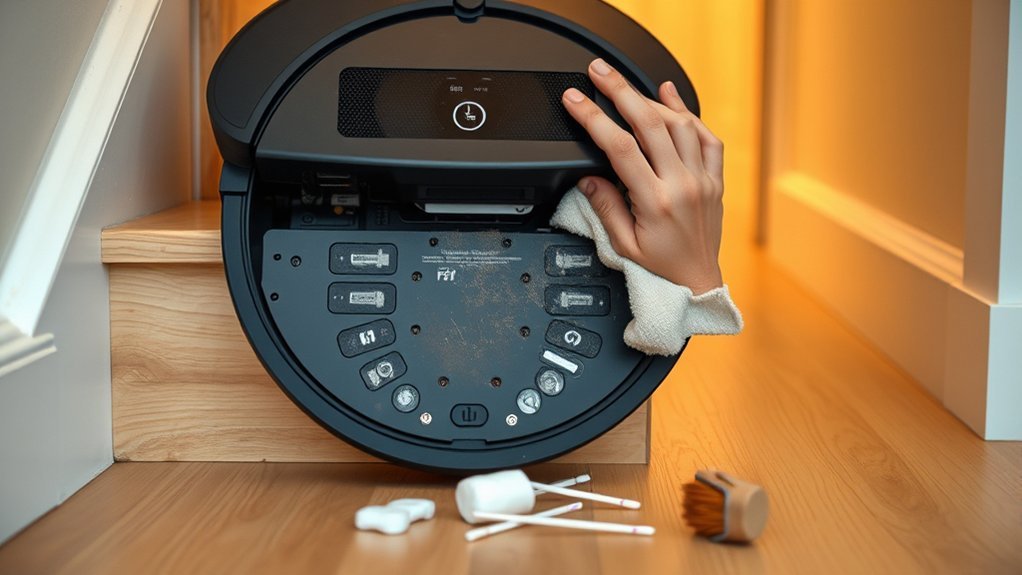
A Roomba cliff sensor error is often caused by dust accumulation or a physical obstruction that triggers a false warning even when the vacuum still operates normally.
In this case, the cliff sensor should be treated as a diagnostic component, not proof of failure. A sensor error may clear once debris is removed and the unit is inspected for blocked openings, loose contacts, or grime that interferes with detection.
To restore reliable operation, clean the cliff sensors with a soft, dry cloth and verify that nothing is lodged nearby. If the warning persists, the system may need recalibration or a factory reset according to the manual.
Clean the cliff sensors with a soft, dry cloth, and check for anything lodged nearby.
Persistent faults can justify closer examination, including hardware modification, though such changes may be irreversible. When uncertainty remains, customer service can provide targeted guidance and help the user regain control without unnecessary replacement.
Clean Roomba Cliff Sensors
Roomba cliff sensors are located on the underside of the unit and can be blocked by dust or debris, causing false “Eek! Cliff!” alerts. A Robot Vacuum should be powered off before inspection. The cliff sensors must be wiped with a soft, dry cloth, using light pressure to remove residue without scratching the lens. Clean edges, ports, and surrounding plastic carefully.
| Check | Action |
|---|---|
| Sensor lens | Wipe with dry cloth |
| Debris | Remove loose dust |
| Surface | Avoid scratches |
| Result | Verify normal navigation |
Regular maintenance supports accurate detection, especially in pet-heavy or dirt-prone homes where grime accumulates faster. Clean sensors preserve autonomy and reduce unnecessary interruptions, allowing the machine to move freely. If the error persists after cleaning, further diagnostic steps may be needed. Persistent faults can indicate deeper sensor issues, and customer service may be required for guided support or repair.
Reboot Your Roomba
If the cliff sensors have been cleaned and the error remains, a reboot is the next diagnostic step. The operator should locate the reset button, usually on the bottom or side, and press it for 10 seconds until the lights flash. Make sure the unit is powered on during this procedure, or the reset may be ineffective. A reboot can clear persistent error states and restore normal navigation.
- Confirm the robot is on and idle.
- Hold the reset button until the light response appears.
- Observe whether the cliff error clears after restart.
After reboot, test basic movement and note whether the sensors and wheels respond normally. If virtual walls are used, verify they are not triggering a false stop during the test.
Model-specific instructions can differ, so the user manual should be consulted for exact steps. This approach supports a fast return to autonomous cleaning and helps preserve operational freedom without unnecessary service intervention.
Check for Obstructions Underneath
Obstructions underneath the robot vacuum should be checked next, since dust, hair, or trapped debris can interfere with cliff sensor readings and generate false errors.
A debris impact analysis should focus on the underside, where even fine particles may block the sensors’ line of sight to the floor. The unit should be lifted and inspected for lint, pet hair, or lodged fragments around each sensor window.
Thick carpets or rugs beneath the docked robot can also mask the edge-detection path, so vacuum placement strategies should favor a flat, open surface. Furniture legs, toys, or cords near the chassis may create false detection conditions and should be cleared.
Sensor maintenance tips include wiping the underside regularly, with attention to the sensor areas, to preserve accurate floor reading and reduce repeated alerts.
A clean, unobstructed underside supports reliable navigation and helps the machine move without unnecessary constraint.
Reset or Calibrate the Cliff Sensors
Once the underside is clear and the sensors are no longer obstructed, the cliff detection system can be reset or recalibrated to correct persistent false errors. A basic reset refreshes detection logic and restores field reliability. For many models, this is enough to break common sensor issues and return the vacuum to duty.
- Power the unit off, wait about 10 seconds, then power it on.
- Open the app or device interface and select recalibration if available.
- If faults remain, consult the manual and consider a factory reset only as a last resort.
Before recalibrating, verify that dust and debris are absent from the cliff sensors; contamination can corrupt readings. Calibration frequency guidelines vary by model, but recalibration is warranted after repeated errors or rough handling.
Sensor accuracy tips include clean contact surfaces, level placement, and testing near safe edges. These steps support disciplined autonomy and reduce dependence on repeated interventions.
Update Roomba Software
Keeping Roomba software current can eliminate bugs that affect cliff sensor behavior and improve overall navigation and obstacle detection.
The iRobot Home app should be opened to check for available updates, since it issues notifications when new firmware is released. Before initiating the process, the unit should be charged and connected to Wi‑Fi, because internet access is required.
Regular update frequency supports software benefits such as improved sensor logic, stronger mapping, and more reliable obstacle detection. These gains can reduce false cliff sensor errors and restore normal operation without unnecessary intervention.
Regular updates improve sensor logic, mapping, and obstacle detection, helping reduce false cliff sensor errors and restore normal operation.
After installation, the robot should be restarted so changes load fully and diagnostics reflect the new code. If the error remains, further troubleshooting tips should be applied to isolate hardware or environmental causes.
Maintaining current software helps free the machine from avoidable defects and keeps navigation responsive.
Use a Virtual Wall as a Temporary Fix
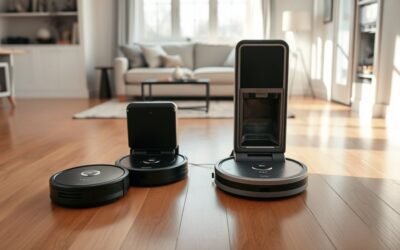
A virtual wall can be positioned to block access to areas where false cliff signals occur, allowing the robot vacuum to continue operation in the remaining zone.
Placement should be 2–3 feet from the drop-off so the infrared barrier is detected reliably. This serves as a temporary navigation workaround until the sensor issue is corrected.
Virtual Wall Placement
Virtual walls provide a practical temporary barrier when a robot vacuum reports a cliff sensor error near stairs, ledges, or other drop-offs. Proper placement improves virtual wall effectiveness by compensating for robot navigation limitations and supporting sensor error prevention while troubleshooting continues.
- Position the device at the edge of the restricted area, aligned to block access cleanly.
- Select short or long range to match the room layout and preserve the intended cleaning path.
- Verify the vacuum recognizes the barrier and resumes coverage without entering hazard zones.
Most systems integrate with onboard navigation, so deployment is typically fast and reversible. This keeps cleaning schedules active, reduces manual intervention, and allows the user to maintain operational freedom until the underlying cliff sensor fault is corrected.
Blocking False Cliff Signals
Placing a virtual wall in front of the affected area can temporarily block false cliff signals and prevent the robot vacuum from repeatedly approaching the trigger zone. Most units use infrared beam functionality to project an invisible boundary, redirecting travel without physical obstruction.
Proper setup depends on correct placement, active power, and alignment with the robot’s path. When these conditions are met, virtual wall effectiveness is usually high enough to keep the machine away from the sensor fault while diagnostics continue. This approach preserves cleaning autonomy and reduces interruption.
Because floors, furniture, and room layouts change, cleaning environment adjustments should be reviewed regularly. Reassess the barrier after any relocation, new obstacle, or boundary shift to maintain reliable exclusion of the problem area and prevent renewed false detection.
Temporary Navigation Workaround
As a temporary workaround, a battery-operated virtual wall can be positioned to emit an infrared boundary that keeps the robot vacuum out of areas where it may falsely detect cliffs. This preserves autonomy while repairs are planned.
Most units remain effective in defined zones, so cleaning can continue with limited interruption. The approach suits users who want freedom from constant supervision.
- Place the virtual wall near the problematic edge.
- Verify that robot vacuum features still support restricted-zone cleaning.
- Recheck placement after each run as part of sensor calibration techniques and boundary setting strategies.
Regular adjustment helps maintain reliable routing and reduces false cliff responses.
If the robot still hesitates, expand the exclusion zone and inspect floor reflectivity, battery condition, and sensor lenses.
When to Call Roomba Support
If the cliff sensor error remains after cleaning and recalibrating, Roomba support should be contacted for further diagnosis. At that stage, error diagnosis techniques have been exhausted at the user level, and remote support can isolate sensor, firmware, or board faults.
The operator should document the fault code, note cleaning actions, recalibration attempts, and any navigation failures. Clear reporting aligns with customer support expectations and reduces repeat testing.
Warranty considerations are important: if the unit is still covered, support should be consulted before any irreversible modifications, opening, or component replacement. Service agents may provide additional troubleshooting steps beyond the manual, including reset procedures or sensor tests.
When repair or replacement is discussed, warranty status determines the available path. This approach preserves autonomy by avoiding unnecessary escalation while ensuring the device receives expert assessment.
Frequently Asked Questions
How to Fix Roborock Cliff Sensor Error?
Clean the cliff sensors with a dry cloth, remove obstructions, reboot, then recalibrate if needed; these robot maintenance tips and vacuum cleaning techniques suit smart home gadgets, restoring reliable navigation and user autonomy.
What Does Cliff Fault Mean on a Robot Vacuum?
A cliff fault means the robot vacuum’s drop-off sensors detect an apparent edge, triggering safety stop. In robot vacuum features, sensor technology uses infrared detection; vacuum maintenance tips include cleaning sensors and clearing debris regularly.
My Shark Vacuum Robot Is Showing an Error Code “Cliff Sensor Error.” What Could Be Causing This and How Can I Fix It?
A Shark robot’s cliff sensor error often stems from dust, glare, or damaged sensors. With cliff sensor maintenance, vacuum cleaning tips, and cautious robotic vacuum technology resets, the fault may clear, restoring autonomous, liberated cleaning.
What Does the “Cliff Sensor Error” Mean on a Xiaomi Robot Vacuum?
It means the Xiaomi vacuum’s cliff sensors detect a drop-off risk, or a cliff sensor malfunction, and halt for safety. In robot vacuum troubleshooting, these Xiaomi vacuum features usually require cleaning, recalibration, or reset.
Conclusion
In closing, a Roomba cliff sensor error is usually resolved by a measured sequence of inspection and recovery. The underside sensors should be kept clear, rebooted, and, when needed, recalibrated so the robot can regain its footing. Software updates and a virtual wall may smooth difficult terrain. If the device continues to hesitate at the edge of reliable operation, Roomba support can provide the next diagnostic step, gently guiding the unit back into service.