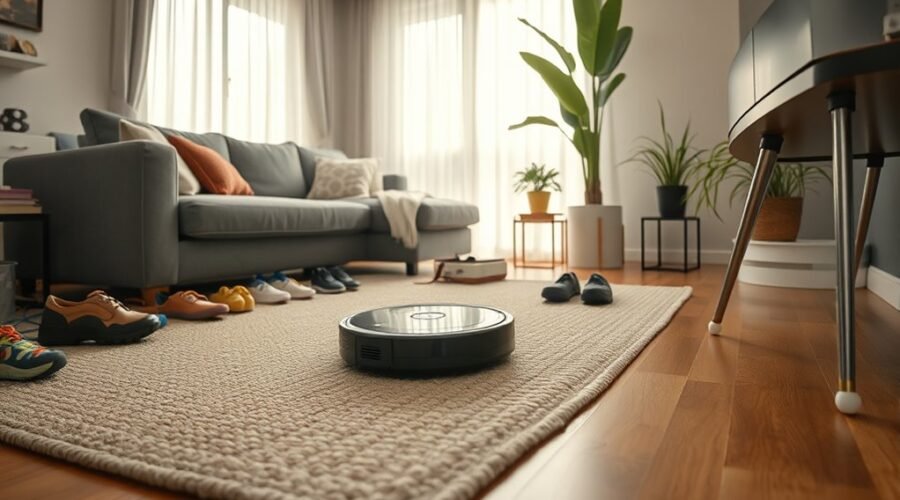
Robot vacuums in cluttered homes can save you time, but toys, cords, shoes, and tight furniture layouts often interrupt cleaning. Even advanced models can miss spots when objects block their path. With the right setup and a simple daily routine, you can make automated floor cleaning far more reliable.
Quick Answer
Yes, robot vacuums can clean cluttered homes, but they cannot vacuum beneath piles or reliably avoid every cord. Clear loose items, map open rooms, and block persistent trouble spots with no-go zones. Choose a model with dedicated obstacle detection if toys, shoes, or pet items often remain on your floors.
At a Glance
| Time Required | A few minutes for daily preparation; initial mapping takes longer |
| Difficulty | Easy |
| Tools Needed | Storage baskets, cable ties or clips, and a companion app for supported models |
Why Robot Vacuums Struggle in Cluttered Homes
)
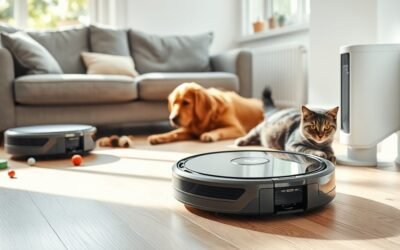
Robot vacuums struggle in cluttered homes because they need accessible floor space to clean. Loose items can block their routes, catch in moving parts, or force them to skip entire sections of a room.
The problem is not always weak suction. A machine with excellent cleaning power still cannot reach dirt beneath a pile of laundry or inside a blocked corner.
The most common obstacles include:
- Charging cables and shoelaces: These can wrap around the main brush, side brush, or wheels.
- Small toys and loose objects: They may get caught underneath the robot or block its cleaning path.
- Clothing and towels: Lightweight fabric can bunch up beneath the machine and stop movement.
- Low furniture: Sofas, beds, and cabinets may trap robots that do not have enough clearance.
- Narrow passages: Closely arranged chairs, baskets, and floor decorations can prevent the robot from passing.
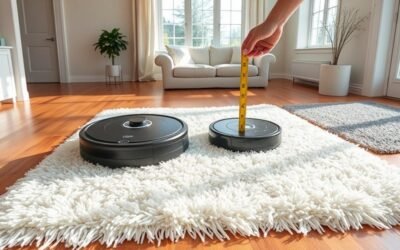
- Rug edges and thresholds: Raised surfaces can interrupt cleaning when they exceed the robot’s climbing ability.
Thin cables deserve special attention. According to eufy’s cable troubleshooting guidance, some line-laser systems struggle to detect wires thinner than 3 mm.
Advanced navigation reduces these problems, but it does not eliminate them. A robot may avoid an obstacle successfully while leaving the floor immediately behind it dirty.
That is why obstacle avoidance and cleaning coverage are different things. Avoiding a toy prevents a collision, but removing the toy lets the robot clean the space underneath it.
How to Set Up a Robot Vacuum for Better Navigation
The best way to prepare a robot vacuum for a cluttered home is to create a clear route before its first mapping run. Then use the completed map to control where the machine cleans.
Follow these steps to reduce interruptions and improve coverage.
- Choose a clear docking location. Place the charging station on a firm, level surface with space around it. Keep its power cable away from the robot’s wheels. For example, Roborock’s E-series setup guidance specifies about 1.5 meters of clearance in front and 0.5 meters on either side. Other models may have different requirements.
- Remove loose floor hazards. Pick up charging cords, shoes, toys, laundry, and small objects. Secure permanent cables behind furniture or inside cable organizers.
- Prepare rooms for mapping. Open the doors to rooms you want the robot to clean. Remove temporary obstacles so the machine can explore the intended floor area. Provide suitable lighting if your model uses visual navigation.
- Create and review the first map. Start the mapping process using your robot’s supported controls. Check that the completed map shows the correct rooms, doorways, and connected spaces.
- Add no-go zones. Mark permanent trouble spots, including exposed power strips, dense cable areas, fragile decorations, and furniture where the robot repeatedly becomes trapped.
- Test one room. Run a short cleaning session and watch where the robot slows down, turns repeatedly, or misses floor space. Adjust furniture or virtual boundaries as needed.
- Schedule regular cleaning. Set runs for times when the floor is usually clear. Use room-specific cleaning where supported so busy areas receive attention without cleaning the entire home.
For mapping details, iRobot’s Smart Map guide explains how supported Roomba models create room maps and use cleaning zones.
Remember that obstacle recognition may work differently during mapping and regular cleaning. Some camera-equipped robots do not provide their normal object avoidance during an initial training run.
Warning: Remove broken glass, sharp objects, liquid spills, and pet accidents before starting. Obstacle detection cannot guarantee that the robot will avoid these hazards. Sharp debris can damage the machine or flooring, while liquid and pet waste can spread during cleaning.
After the first successful run, inspect the cleaning map. The robot should reach each intended room, return to its dock, and complete its route without frequent manual rescue.
Best Robot Vacuum Features for Cluttered Homes
The most useful features for robot vacuums in cluttered homes are accurate mapping, floor-level obstacle detection, and customizable cleaning zones. A slim body and suitable threshold clearance also help in rooms with limited space.
However, not every robot with LiDAR or AI navigation can recognize small items. Mapping hardware mainly helps the vacuum understand the layout, while dedicated obstacle sensors help it detect objects in its path.
| Feature | Main Benefit | What to Check |
|---|---|---|
| LiDAR or dToF mapping | Creates room maps and supports planned cleaning routes | Whether the robot also has sensors for small floor objects |
| AI vision or 3D obstacle detection | Recognizes supported objects and adjusts the route | Detection of cords, socks, toys, and other relevant items |
| No-go zones and room controls | Keeps the robot away from persistent obstacles | App compatibility and editable boundaries |
| Slim body | Reaches beneath suitable sofas, beds, and cabinets | Actual robot height, including the navigation module |
| Threshold climbing | Helps the robot cross raised room transitions | Supported threshold height and shape |
| Anti-tangle brushes and self-emptying dock | Reduces hair buildup and manual dustbin emptying | Brush maintenance and available docking space |
LiDAR uses laser measurements to build a map. dToF, or direct time-of-flight sensing, measures the travel time of reflected light to estimate distances. Camera-based systems use visual information, while some advanced robots combine cameras with depth sensors.
For example, iRobot’s PrecisionVision documentation lists supported objects such as cords, socks, shoes, and pet toys. Recognition varies across Roomba models.
If your floors often have children’s toys or pet accessories, prioritize proven object recognition over suction specifications alone. If furniture clearance is your biggest problem, measure the available height before choosing a slim robot.
For rooms connected by raised door bars, compare the robot’s stated climbing ability with your actual thresholds. This can matter more than a small difference in cleaning power.
Daily Habits That Keep Floors Robot-Ready
A cluttered home becomes easier to maintain when floor preparation follows a predictable routine. You do not need to organize every shelf or surface before vacuuming. Focus on keeping the areas the robot needs to travel through clear.
Two habits make the biggest difference: a quick morning reset and a final check before each scheduled run.
Clear Floors Each Morning
Start with the areas where clutter collects most often, such as entryways, living rooms, and children’s play areas. Removing everyday obstacles early prevents them from blocking the robot later.
- Put shoes on a rack near the entrance.
- Place loose laundry in a basket or cabinet.
- Return toys to a dedicated storage container.
- Lift trailing charger cables and curtain cords away from the floor.
- Keep the robot’s docking area free of bags and other temporary storage.
Use baskets and fixed storage spots so you can put things away quickly. This makes daily preparation easier than moving the same objects around the room.
If the robot frequently becomes trapped beneath a sofa or bed, check whether the furniture has shifted or its clearance has changed.
Reset Clutter Before Runs
Before starting a cleaning session, look for objects that appeared after your morning reset. A few minutes of preparation can prevent an interrupted cleaning cycle.
Focus on cords near desks, toys beside furniture, and loose items along the walls. Move temporary obstacles rather than creating permanent no-go zones around every object.
You can also use room-by-room cleaning when the whole house is not ready. For example, clean the kitchen after a meal, then run the robot in the living room once its floor is clear.
If your model supports scheduled cleaning, set a reminder to tidy before the run. Regular short sessions help control crumbs, dust, and pet hair before they build up.
Keep manual cleaning in your routine for stairs, narrow corners, deep carpet cleaning, and places the robot cannot reach.
How DEEBOT Handles Cluttered Spaces
ECOVACS DEEBOT models combine mapping, obstacle recognition, and app controls to help manage crowded rooms. Their abilities depend on the particular model, so not every DEEBOT has the same sensors or climbing system.
The DEEBOT X11 OmniCyclone is one example. Its dToF navigation maps room layouts, while AIVI 3D 3.0 Omni-Approach Technology uses visual and depth information to detect obstacles and guide movement around them.
According to the official DEEBOT X11 OmniCyclone specifications, the TruePass system can cross single thresholds up to 2.4 cm (0.94 inches) and certain sliding-door tracks or compound thresholds up to 4 cm (1.57 inches).
These are different types of obstacles. A 4 cm raised step is not automatically equivalent to a supported door-track configuration.
The ECOVACS HOME app also supports cleaning schedules, selected cleaning areas, and virtual boundaries.
For cluttered homes, the X11’s main advantages include:
- Planned navigation: dToF mapping helps the robot follow organized cleaning routes.
- Real-time obstacle recognition: AIVI 3D 3.0 helps it detect objects and adjust its path.
- Threshold mobility: TruePass helps it cross supported room transitions.
- App controls: Cleaning zones and schedules allow more targeted floor care.
- Reduced maintenance: The bagless self-emptying dock and anti-tangle brush design reduce some routine tasks.
However, the X11 can still have difficulty with thin or dark objects. The official ECOVACS obstacle avoidance guidance recommends cleaning the front sensor and checking that AIVI 3D is enabled if detection is poor.
Even with these features, clearing loose objects remains the most effective way to maximize accessible floor space.
How to Fix Stuck Robot Vacuums and Missed Spots
When a robot vacuum gets stuck or skips part of a cluttered room, start by checking physical obstacles. If the floor is clear, inspect its sensors, wheels, map, and cleaning settings.
Work through these fixes from simplest to more involved.
- Remove anything tangled in the brushes. Stop the robot and follow its maintenance instructions before inspecting the underside. Remove hair, cords, fabric, or debris from the brushes and wheels.
- Check furniture clearance. If the machine repeatedly wedges beneath a cabinet or sofa, block that area or add a no-go zone. Do not assume a robot can safely enter a space simply because its body appears to fit.
- Clear blocked doorways. Move shoes, baskets, and loose rugs away from entrances. A robot may abandon a room if it cannot cross the doorway.
- Clean the navigation sensors. Use the cleaning method specified for your model. Dust on a laser window, front sensor, or cliff sensor can cause unusual movement or false obstacle detection.
- Check virtual boundaries. Review the map for oversized no-go zones, incorrect room divisions, or settings that prevent access to a particular surface.
- Review the cleaning history. Compare the robot’s completed route with the actual floor. If one spot remains dirty, clear it and run a targeted cleaning session.
- Restore or update a faulty map. If rooms overlap or the robot consistently loses its position, use any available map-restore option before creating a new map.
If your DEEBOT X11 skips a room, the official missed cleaning areas instructions recommend checking obstacle avoidance settings, doorway rugs, carpet bypass settings, and thresholds.
A robot that repeatedly spins or takes unusual routes may have dirty navigation hardware or drive wheels. The ECOVACS route troubleshooting guide identifies these as common causes.
After making changes, test the problem room again. A successful fix means the vacuum reaches the intended area, cleans without repeated stops, and returns to its dock normally.
If it continues to report sensor, bumper, or wheel errors on an open floor, contact the manufacturer’s support service rather than repeatedly forcing the robot through the same obstacle.
Key Takeaways
- Accurate mapping does not guarantee that a robot can recognize thin cables or small toys.
- Use permanent no-go zones for fixed hazards, but remove temporary clutter to improve cleaning coverage.
- Measure furniture height and doorway thresholds before relying on slim designs or climbing specifications.
- When areas remain dirty, review the cleaning map and physical access before rebuilding the entire map.
- Daily floor preparation and regular maintenance are often more valuable than repeating unsuccessful cleaning runs.
Frequently Asked Questions
Is It Okay to Use a Robot Vacuum Every Day?
Yes, most robot vacuums can run daily when you keep the floor ready and maintain the machine. Daily cleaning helps with pet hair and crumbs on suitable floors. It also means more charging and brush wear, so follow the instructions for your floor and model.
Is There a Robot That Can Do Household Chores?
Yes. Household robots can vacuum, and some can mop, empty their dustbins, and clean mop pads at a dock. They cannot put toys away, pick up laundry, clean stairs, or handle every spill. You still need occasional manual cleaning and basic maintenance.
What Are the Downsides of Using a Robotic Vacuum Cleaner?
The main downsides are missed areas, tangled cords, noise, battery limits, and regular maintenance. Rugs and deep carpet can remain dirty even after a run, while a self-emptying dock takes up space. More advanced navigation may reduce interruptions, but it also raises the purchase cost.
Can a Robot Vacuum Clean Multiple Rooms?
Yes. A mapping robot can clean connected rooms when doors and paths are open, and models with recharge-and-resume can continue after charging. About 70% of robot vacuum owners report whole-home cleaning success. Actual coverage depends on accessible floor space, doorways, battery life, and the model’s navigation capabilities.
Conclusion
Robot vacuums in cluttered homes work best when you combine sensible preparation with suitable navigation features. Clear loose objects, keep permanent hazards behind no-go zones, and maintain the machine regularly.
Start by preparing one frequently used room and testing a complete cleaning cycle. Once the robot moves reliably, expand your routine to the rest of your home. The goal is consistent floor maintenance with fewer interruptions, not perfect cleaning without any effort.
Sources
- eufy Support: C30 Edge Cable Troubleshooting: Explains why thin cables can escape detection and how to prevent tangles.
- Roborock Support: Preparing Your Home: Provides dock clearance guidance and first-use preparation advice.
- iRobot: Guide to Imprint Smart Maps: Covers mapping preparation, room boundaries, and cleaning zones.
- iRobot: Camera, PrecisionVision, and Obstacle Image Review: Documents object recognition and limitations during mapping.
- ECOVACS: DEEBOT X11 OmniCyclone Specifications: Confirms navigation technology, obstacle avoidance, and threshold crossing specifications.
- ECOVACS Support: Obstacle Avoidance Troubleshooting: Explains AIVI 3D settings and sensor checks.
- ECOVACS Support: Handling Missed Cleaning Areas: Identifies settings and obstacles that can cause incomplete coverage.
- ECOVACS Support: Messy Cleaning Routes: Covers unusual navigation caused by dust, clutter, and dirty wheels.