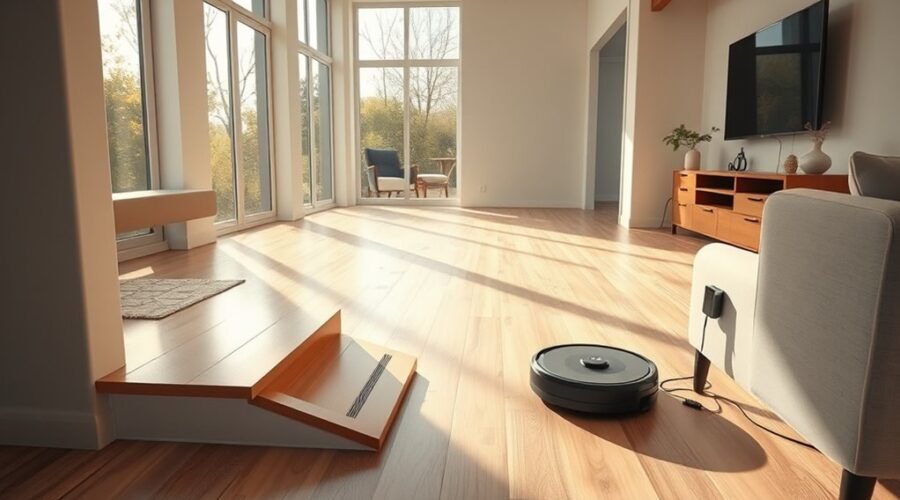
A robot vacuum for split-level homes can save you hours of floor cleaning, but stairs and different floor layouts require extra planning. You need reliable multi-floor mapping, safe stair boundaries, and a simple routine for moving the robot between levels. The right setup also depends on whether your vacuum uses a basic charging dock or a self-cleaning station.
Quick Answer
Yes. A robot vacuum can clean multiple levels of a split-level home if it supports separate saved maps. Carry it between floors, confirm the correct map, and protect stair edges. The dock can often remain on the main floor for vacuum-only cleaning. However, some mapping procedures and automatic mopping functions work better with the dock nearby.
At a Glance
| Difficulty | Beginner to intermediate; requires app setup and carrying the robot between floors |
| Tools Needed | Robot vacuum with multi-map support, compatible app, charging dock, and Wi-Fi for connected controls |
How Does a Robot Vacuum for Split-Level Homes Work?
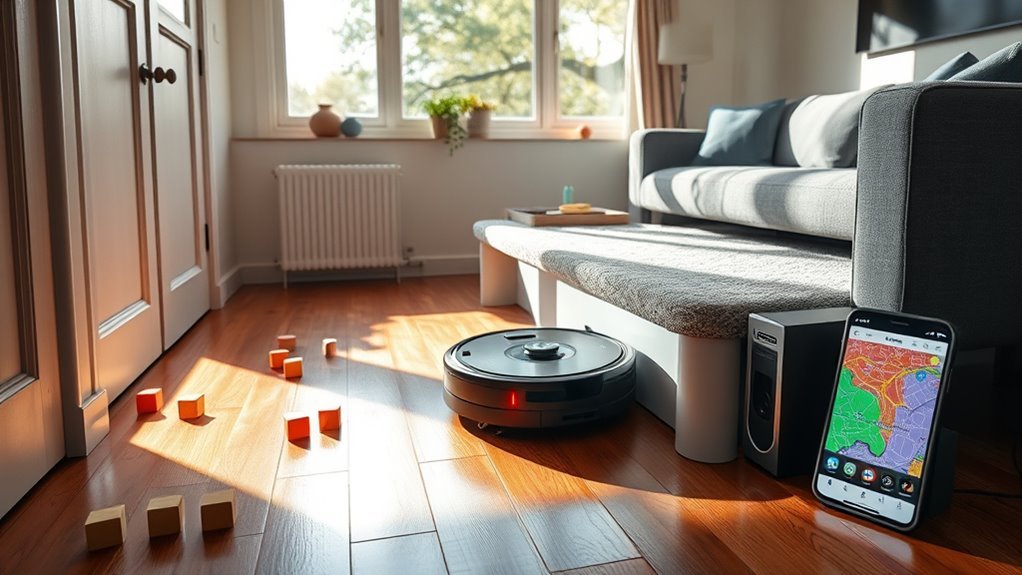
A multi-floor robot vacuum stores a separate digital map for each supported level. It uses navigation sensors to recognize rooms, plan cleaning routes, and avoid repeating the same areas unnecessarily.
Many advanced models use LiDAR navigation, which measures distances with laser light. Other models combine cameras, structured light, and additional sensors to recognize obstacles and map rooms.
Three features make multi-level cleaning possible:
- Multi-floor mapping: Saves distinct layouts so you can switch between the basement, main floor, and upper level.
- Obstacle detection: Helps the robot move around furniture, cords, and objects that may block its route.
- Cliff sensors: Detect sudden drops near stairs and raised landings, helping prevent falls.
The robot cannot normally climb a staircase or vacuum individual stair treads. You must carry it between levels and clean the stairs separately.
Once placed on a mapped floor, the vacuum can clean without continuous guidance. However, its ability to recognize the correct map automatically depends on the model.
Some premium vacuums also support recharge and resume. They can return to their dock, recharge, and continue cleaning. This function is less convenient when the robot is cleaning a different floor without access to its station.
How to Map Each Floor in the App
To use one robot vacuum across multiple floors, create a separate saved map for every level you want to clean. Start with the floor containing the charging dock, then map additional levels individually.
Before mapping, clear cables, toys, and loose objects. Open doors to rooms you want included so the robot can recognize their boundaries.
- Charge the robot: Start with enough battery power to complete the mapping process.
- Enable multi-floor mapping: Open the companion app and locate its map management or multi-map feature.
- Map the main floor: Start a complete mapping session from the dock and allow the robot to finish.
- Save the first map: Give it a clear name, such as Main Floor.
- Carry the robot upstairs: Place it in an open area on the next level.
- Create another map: Start the app’s new-map or quick-mapping function and save the completed layout separately.
For supported DEEBOT models, the ECOVACS multi-floor mapping instructions describe opening Map, selecting the plus symbol, choosing Add New, and starting Quick Mapping.
Exact menu names vary by model and software version. Some robots use a dedicated mapping run, while others build maps during a full cleaning cycle.
After saving each map, confirm that all accessible rooms appear correctly. Then divide or label rooms where the app supports those features.
A complete saved map reduces the need to repeat setup whenever you move the vacuum between floors.
Do You Need to Move the Dock to Save a Second Map?
You do not always need to move the charging dock upstairs. The correct method depends on the robot’s navigation system and manufacturer instructions.
Some manufacturers recommend moving the dock during initial mapping. Others allow you to create and save an additional map using only the robot.
Dock placement matters more when you need automatic charging, self-emptying, mop washing, or water refilling during a cleaning session.
When Should You Move the Dock Upstairs?
Moving the dock upstairs can help when your robot requires a docking reference to complete mapping or when you want its automated maintenance features available on that level.
If your model requires the station during setup, follow these steps:
- Move the compatible charging dock to a safe, level location upstairs.
- Connect the dock to power and place the robot on it.
- Start the manufacturer’s new-floor mapping process without moving the dock during the run.
However, this is not a universal requirement. For example, Roborock’s multi-floor setup guide explains that several supported models can create additional maps without relocating the charging station.
For regular cleaning, leaving the dock in one permanent location is often more convenient, provided your robot supports dock-free operation on another floor.
How to Save the Second Floor Map
After the robot maps the upper level, save that layout as a separate floor plan. Do not overwrite the main-floor map unless you intentionally want to replace it.
Follow this checklist before finishing setup:
- Confirm that the robot completed its mapping session successfully.
- Save the new map under a distinct name, such as Upper Floor.
- Check that room boundaries, doorways, and hallways appear correctly.
- Apply separate cleaning settings and no-go zones to the new map.
Some apps save completed maps automatically, while others require manual confirmation.
Also check your model’s saved-map capacity. Not every mapping robot can store the same number of floors, and some older models have stricter limits.
If your home has several split levels, confirm that the robot can save enough separate maps before depending on one device for the entire property.
How to Select the Right Floor Before Cleaning
Before every cleaning session, confirm that the robot has loaded the map for its current floor. This prevents cleaning commands and saved boundaries from being applied to the wrong layout.
Some models recognize the floor automatically after relocation. Others require you to select the saved map manually.
- Carry the charged robot to the floor you want to clean.
- Open the app and check the active floor map.
- Select the correct saved map if automatic recognition has not loaded it.
- Choose the rooms, zones, or cleaning mode you need.
- Start cleaning and confirm that the robot locates itself correctly.
For the DEEBOT X11 PRO OMNI, the official floor-switching instructions describe carrying the robot to the target floor, selecting the map, and using Vacuum Only mode when operating away from its station.
After cleaning, return the robot to its station for charging and dust collection.
Mopping needs extra attention. On supported X11 models, ECOVACS recommends washing the mop before moving the robot to another floor and returning it afterward for maintenance.
A robot without its station may finish the floor instead of receiving an automatic mop wash when scheduled. For larger areas that need repeated washing, moving the station may provide better results.
How to Set No-Go Zones for Stairs and Thresholds
No-go zones are virtual boundaries that prevent a robot vacuum from entering selected areas. In split-level homes, they are especially useful near stairs, raised landings, and difficult thresholds.
Most modern mapping robots combine these boundaries with built-in cliff sensors to improve safety.
Warning: Never rely entirely on a digital no-go zone to protect an unguarded staircase. Dirty or malfunctioning sensors can miss a drop. Supervise initial cleaning runs and use a secure physical barrier where the risk of falling remains.
To create a safe cleaning boundary:
- Open the saved floor map in the app.
- Find the Virtual Wall, No-Go Zone, or equivalent boundary tool.
- Draw a boundary along the unsafe stair or landing area.
- Save the map changes.
- Monitor a short cleaning run to confirm the robot respects the boundary.
Use separate boundaries for each floor because their stairs and landings may differ.
The ECOVACS guide to robot vacuum stair safety explains how cliff sensors, virtual barriers, and physical barriers work together to reduce fall risks.
Thresholds require a different approach from open stair edges. A low doorway threshold may be safe to cross if it falls within the robot’s supported climbing ability.
However, a raised landing with a drop on the opposite side should be treated as a hazard rather than a normal threshold.
Also remember that a no-go zone may block access to an area the robot could otherwise clean. Adjust its position carefully instead of excluding a large part of the floor unnecessarily.
How to Choose the Right Cleaning Settings for Each Floor
Each level should have cleaning settings that match its flooring, traffic, and debris. A main floor with pets and frequent foot traffic may need more attention than a quiet bedroom level.
Use the app’s room controls, schedules, and cleaning modes to customize each saved map.
- Main floor: Schedule regular cleaning for kitchens, entrances, and living areas. Increase suction when needed for tracked-in dirt.
- Upper floor: Prioritize bedrooms and hallways. Choose suitable suction settings for rugs and carpets.
- Basement or lower level: Mark storage areas, loose cables, and any thresholds that might trap the robot.
For mixed flooring, enable carpet detection or mop-lifting features if your model supports them. This helps prevent unnecessary moisture from reaching carpets during combined vacuum-and-mop cleaning.
Wi-Fi coverage is useful for app controls, remote scheduling, notifications, and map management. Weak coverage can interfere with these connected features.
However, Wi-Fi does not replace the robot’s onboard navigation sensors. Some models can continue basic cleaning even without an active internet connection.
Check for software updates through the manufacturer’s app. Updates may improve map handling, obstacle recognition, and other supported functions.
Once each floor has its own settings, repeatable cleaning becomes easier. You can spend less time adjusting suction, zones, and room selections before every session.
Best DEEBOT Models for Split-Level Homes
The DEEBOT X12 OmniCyclone, X11 PRO OMNI, and T80 OMNI are three options worth considering for multi-level cleaning. Each offers a different balance of suction, navigation features, mopping, and physical design.
Choose based on your floor types and cleaning needs rather than suction power alone.
| DEEBOT Model | Verified Features | Best Suited For |
|---|---|---|
| DEEBOT X12 OmniCyclone | Up to 22,000 Pa suction, FocusJet stain treatment, OZMO ROLLER 3.0, AIVI 3D 4.0 | Homes needing high suction and advanced hard-floor mopping |
| DEEBOT X11 PRO OMNI | Up to 19,500 Pa suction, PowerBoost charging, OZMO ROLLER 2.0, AIVI 3D obstacle avoidance | Larger cleaning areas where efficient charging and mopping matter |
| DEEBOT T80 OMNI | Up to 18,000 Pa suction, 3.86-inch body height, OZMO ROLLER mopping, obstacle recognition | Homes with lower furniture clearance and mixed hard floors and carpets |
The X12 OmniCyclone offers the highest manufacturer-rated suction of these three models. Its FocusJet system also targets dried-on stains before mopping.
The X11 PRO OMNI focuses on efficient charging and automated mopping. Its PowerBoost system can restore battery power during routine mop-washing breaks when the robot has access to its station.
The T80 OMNI is worth considering where low furniture clearance matters. Its slim body can reach under some sofas and beds that taller vacuums cannot access.
These suction figures are manufacturer specifications, not direct measurements of real-world cleaning results. Carpet performance, brush design, obstacle avoidance, and maintenance also affect how well a robot cleans.
For split-level use, map storage and dock-free cleaning support may matter more than a difference in rated suction. A powerful robot is less convenient if its navigation or mopping routine requires frequent manual intervention.
How to Fix Multi-Floor Mapping Problems
Most multi-floor mapping problems involve the wrong saved map, failed positioning, changes in room layout, or a confused docking reference. Start with simple checks before deleting an existing floor plan.
If your robot suddenly cleans the wrong area or struggles to find its location, try these fixes in order:
- Check that the correct floor map is selected in the app.
- Place the robot in a clear, recognizable area and allow it to locate itself again.
- Clean the navigation and cliff sensors according to the manufacturer’s instructions.
- Check whether moved furniture or closed doors are affecting access to rooms.
- Use the app’s map restoration feature if the saved layout is distorted or overlapping.
If these steps fail, you may need to create a fresh map for the affected floor.
How to Rebuild an Inaccurate Floor Map
Rebuilding a map is useful when the robot repeatedly confuses floors, misses rooms, or displays an incorrect layout. However, creating a new map should usually be the final troubleshooting step.
For supported DEEBOT models, the ECOVACS map restoration guide recommends restoring the original saved map before deleting it and mapping again.
If restoration does not solve the problem:
- Fully charge the robot.
- Clear obstacles and open doors to rooms you want mapped.
- Confirm which existing map needs replacement.
- Start a new mapping session using the correct procedure for your model.
- Save the completed map under the correct floor name.
- Recheck room labels, cleaning zones, and virtual boundaries.
Be careful when deleting a saved map. Depending on the app, this may also remove room divisions, schedules, and no-go zones associated with that layout.
Do not repeatedly reset the entire robot without identifying the problem. A full reset may remove useful settings and require additional setup.
How to Match Dock Placement to the Correct Floor
Dock alignment affects charging and automatic maintenance, but a dock does not always need to be present on the floor being cleaned. The main requirement is that the robot follows the correct navigation procedure for its model.
When using a dock on the active floor, keep it in a stable location with enough surrounding clearance for the robot to approach and return.
Do not move the dock during an active mapping or cleaning run if the robot depends on its position.
When cleaning a floor without a station, remember these limitations:
- The robot may return to its original starting position instead of a charging dock.
- Automatic dust collection is unavailable until it reaches the station.
- Automatic mop washing and water refilling may be unavailable during that run.
- A low battery can interrupt cleaning when the robot cannot recharge on the active floor.
For homes where each level needs frequent, lengthy cleaning sessions, a second compatible dock or robot may reduce manual work. Confirm compatibility before purchasing additional equipment.
Keep the robot’s filters, brushes, wheels, and sensors clean. Replace worn components according to the manufacturer’s maintenance guidance to preserve suction and navigation reliability.
Key Takeaways
- Check the maximum number of saved floor maps before choosing a robot for a home with several levels.
- Vacuum-only cleaning is usually easier to manage away from a dock than combined vacuuming and mopping.
- Keep separate cleaning preferences for busy living areas, bedrooms, and storage spaces.
- Restore a damaged saved map before deleting it, since rebuilding may require setting up rooms and boundaries again.
- Test stair detection and virtual boundaries under supervision before allowing unattended cleaning.
Frequently Asked Questions
What Is the Best Robot Vacuum for a Split-Level House?
The best robot vacuum for a split-level house supports multiple saved maps, accurate navigation, and reliable cliff detection. The Roborock Qrevo CurvX is one option worth comparing with DEEBOT models. Consider floor types, battery life, noise, dock functions, maintenance needs, and price before choosing.
Is It Okay to Use a Robot Vacuum Every Day?
Yes, using a robot vacuum every day is generally fine when you follow the manufacturer’s instructions. Daily cleaning helps control dust, pet hair, and tracked-in debris. Choose appropriate suction settings for your flooring, clear hazards, and maintain the brushes, filters, and sensors to keep the robot working properly.
Can I Use a Robot Vacuum on Multiple Floors, and if So, How?
Yes, you can use one robot vacuum on multiple floors. Create and save a separate map for each level, then carry the robot to the floor you want to clean. Select or confirm the correct map, start the cleaning cycle, and return the robot to its charging dock afterward.
Which Robot Vacuum Is Best for Multi-Level Floors?
A robot vacuum with dependable multi-floor mapping and strong navigation is usually the best choice for multi-level floors. The Roborock Qrevo CurvX and compatible DEEBOT models are worth comparing. Prioritize the number of saved maps, obstacle detection, cleaning efficiency, battery life, and how easily the robot works away from its dock.
Conclusion
A robot vacuum can make cleaning a split-level home much easier, provided it supports the number of floor maps you need. The most important steps are mapping each level correctly, checking stair safety, and understanding when the charging dock must be nearby.
Start by creating and saving your floor plans. Then test cleaning on each level, confirm the robot recognizes its surroundings, and adjust boundaries where needed. With a reliable routine and regular maintenance, one robot can keep multiple floors cleaner with far less manual vacuuming.
Sources
- ECOVACS Support: How to Create Multi-Floor Maps: Official DEEBOT instructions for adding and saving additional floor maps.
- Roborock Support: Multiple Maps for Multi-Level Houses: Mapping requirements, automatic recognition, and dock relocation guidance for supported models.
- ECOVACS Support: How to Switch Floor Maps and Start Cleaning: DEEBOT X11 PRO OMNI procedures for vacuuming and mopping on another floor.
- ECOVACS: Will Robot Vacuums Fall Down Stairs?: Cliff sensors, virtual barriers, physical protection, and stair safety.
- ECOVACS: DEEBOT X12 OmniCyclone: Official suction rating, navigation, and mopping specifications.
- ECOVACS: DEEBOT X11 PRO OMNI: Official PowerBoost, suction, obstacle avoidance, and mopping features.
- ECOVACS: DEEBOT T80 OMNI: Official dimensions, suction rating, cleaning modes, and navigation features.
- ECOVACS Support: Restoring an Abnormal Map: Official guidance for restoring or rebuilding distorted maps.
- Roborock: Qrevo CurvX: Official product information covering navigation, map management, obstacle recognition, and no-go zones.