Affiliate disclosure: This article contains Amazon affiliate links. We may earn a commission from qualifying purchases at no extra cost to you.
If you want a WiFi-enabled dehumidifier in 2026, compare moisture-removal capacity, drainage, app reliability, noise, and room conditions rather than relying on coverage claims alone. The five models below support app-based control, but they suit different needs: the Frigidaire, GoveeLife, and GE are full-size 50-pint choices, while the LOMOTIVE and Manastin models are easier to place in bedrooms, offices, RVs, laundry areas, and medium-size rooms.
How these picks were evaluated: The comparison focuses on listed moisture-removal capacity, WiFi and app features, drainage, tank size, portability, noise claims, and the clarity of current product information. Manufacturer and seller square-foot figures are treated as estimates, not guarantees.
Quick verdict: Choose the GoveeLife Smart Dehumidifier when app, voice, and automation features matter most. The Frigidaire 50 Pint Dehumidifier w/Wifi is the stronger large-bucket choice, while the GE Smart Portable Dehumidifier stands out for Smart Dry fan adjustment and maintenance alerts. The LOMOTIVE and Manastin models are better suited to buyers who want a smaller cabinet.
Important: Coverage and pint ratings are manufacturer or seller claims measured under specific test conditions. Real moisture removal varies with temperature, humidity, room layout, air leakage, and drainage setup. None of the five retained picks has a verified built-in pump, so choose a different currently available pump-equipped model when water must travel uphill.
Quick Comparison of the Best WiFi-Enabled Dehumidifiers
| Model | Best For | Listed Capacity | Drainage | Amazon |
|---|---|---|---|---|
| Frigidaire 50 Pint w/Wifi | Best large-bucket option | 50 pints/day; up to 4,500 sq. ft. | Bucket or gravity drain | Check Price |
| GoveeLife Smart Dehumidifier | Best overall smart pick | 50 pints/day under the current DOE rating | Bucket or gravity drain | Check Price |
| GE Smart Portable 50 Pint | Best automated fan control | 50 pints/day; up to 4,500 sq. ft. | Bucket or gravity drain | Check Price |
| LOMOTIVE 34 Pint Smart WiFi | Best mid-size voice-control option | 34 pints/day; up to 2,500 sq. ft. | Bucket or gravity drain | Check Price |
| Manastin 35 Pint Smart WiFi | Best compact-cabinet app control | 35 pints/day at stated high-humidity test conditions | Bucket or gravity drain | Check Price |
Frigidaire 50 Pint Dehumidifier w/Wifi
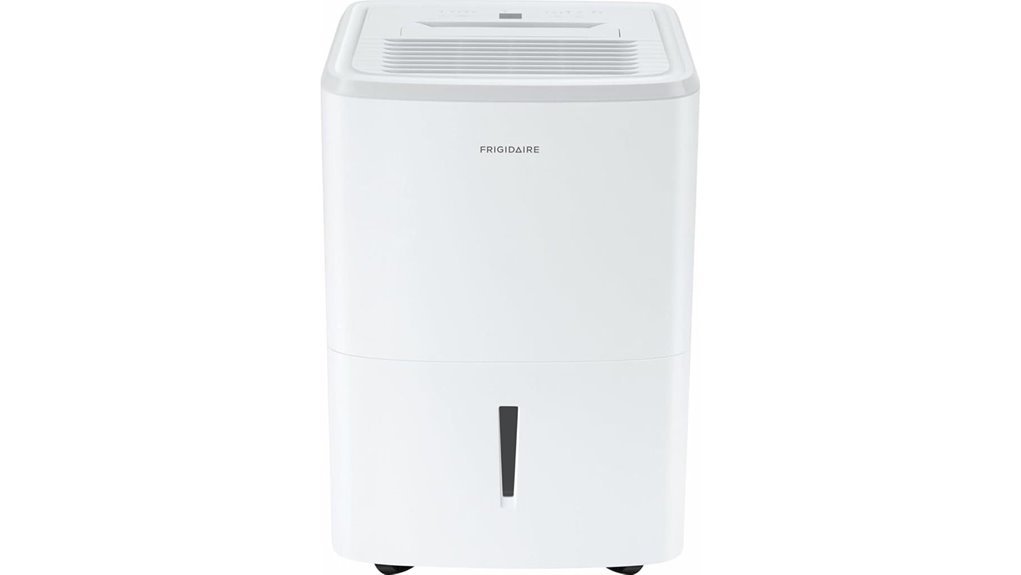
The Frigidaire 50 Pint Dehumidifier w/Wifi is a practical large-room choice if you want remote control without giving up a roomy water bucket or familiar physical controls. The current listing specifies 50 pints of moisture removal per day, estimated coverage up to 4,500 square feet, three fan speeds, a 2.7-gallon tank, and continuous gravity-drain support. At about 44.5 pounds, it is better suited to one main area than frequent stair-to-stair carrying.
Why You’ll Like It: It combines WiFi convenience with one of the largest buckets in this comparison, a washable filter, adjustable humidity control, and straightforward manual controls.
Best For: Basements, garages, large bedrooms, and buyers who want a recognizable appliance brand with a large tank.
Who Should Avoid It: Anyone who needs a built-in pump to move water upward or wants a lightweight unit for frequent relocation.
Pros:
- Listed 50-pint daily capacity with a 2.7-gallon bucket
- Three fan speeds, continuous gravity drainage, and adjustable humidity control
- WiFi control and a washable filter
Cons:
- Its 44.5-pound weight makes lifting less convenient
- Gravity drainage needs a suitable low drain and proper hose slope
- Current seller availability, return terms, and warranty coverage should be confirmed before purchase
GoveeLife Smart Dehumidifier for Home 4500 Sq.Ft
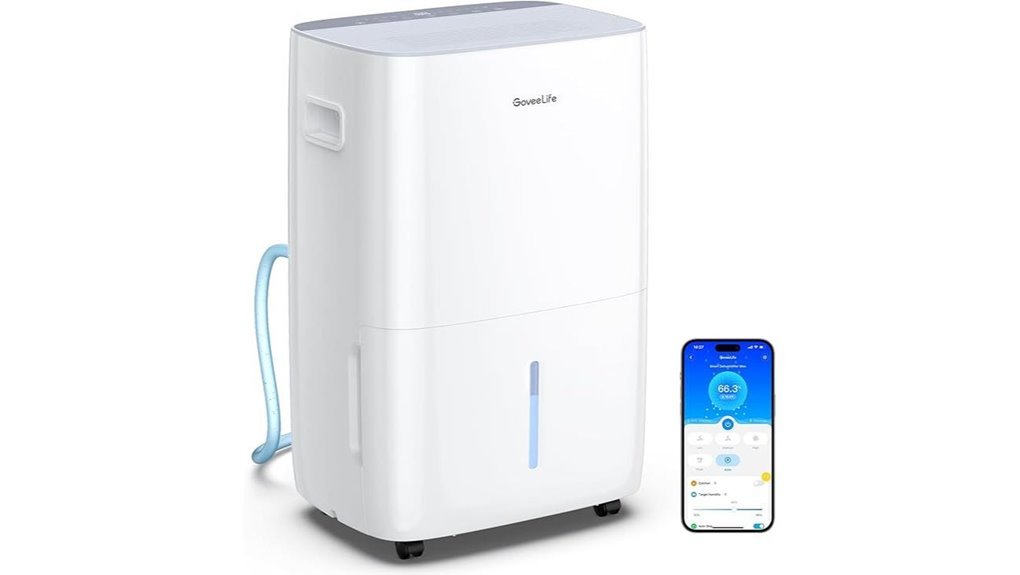
The GoveeLife model is the strongest fit here for buyers who prioritize app, voice, and automation features. Its current product information lists a 50-pint-per-day rating under the 2019 DOE standard, a 2-gallon bucket, three speeds, continuous drainage, and estimated coverage up to 4,500 sq. ft. The listing may also show a much higher maximum figure measured under hotter and more humid conditions, so use the 50-pint DOE figure when comparing it with other household dehumidifiers.
Why You’ll Like It: The GoveeLife app supports remote humidity control and schedules, while listed Alexa, Google Assistant, and IFTTT compatibility offers more smart-home flexibility than most options here.
Best For: Smart-home users, large basements, garages, laundry areas, and buyers who want alerts and remote monitoring.
Who Should Avoid It: Buyers seeking a built-in condensate pump, a very small cabinet, or the lowest listed maximum wattage.
Pros:
- App, voice, touch, scheduling, and automatic humidity controls
- 50-pint 2019 DOE rating with a 2-gallon bucket
- Continuous drainage, washable filter, auto shutoff, and auto defrost
Cons:
- The listed maximum input is higher than that of the smaller-capacity models
- At about 39 pounds and more than 26 inches tall, it needs more floor space than compact units
- Smart setup generally requires a compatible 2.4 GHz WiFi network
GE Smart Portable Dehumidifier with WiFi for Large Rooms
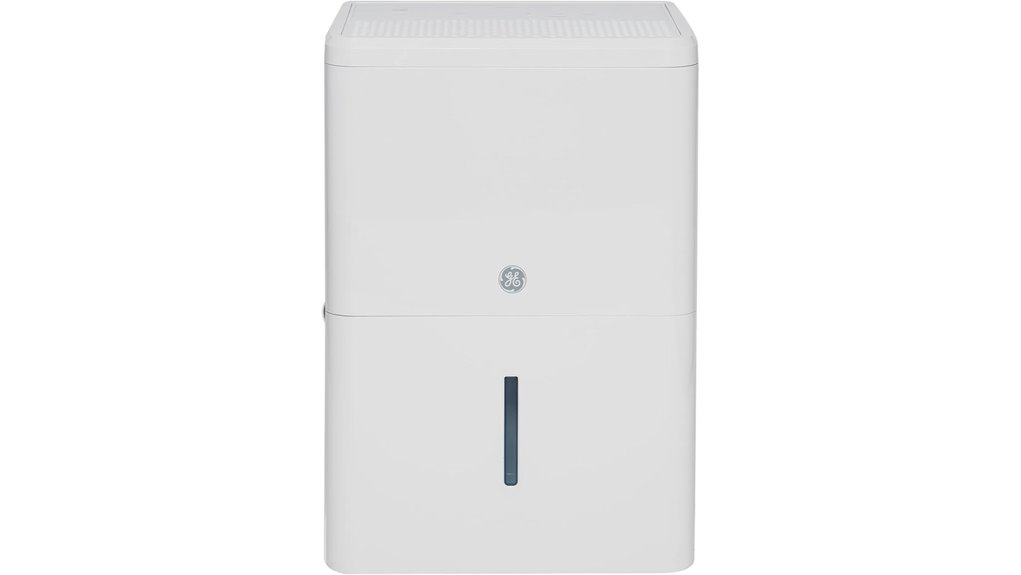
GE’s 50-pint WiFi model is a good choice if you want brand-name controls and automatic operation. The SmartHQ app lets you monitor and adjust the unit remotely, while Smart Dry changes fan speed in response to room humidity. The current listing specifies estimated coverage up to 4,500 sq. ft., a 30% to 70% humidistat range, continuous gravity-drain support, auto restart, auto defrost, filter reminders, and a full-bucket alarm.
Why You’ll Like It: Smart Dry and maintenance alerts make it easier to manage a basement or garage without repeatedly checking the control panel.
Best For: Large rooms, basements, garages, and buyers already using GE’s SmartHQ platform.
Who Should Avoid It: Buyers who need pumped drainage, want a smaller mid-size cabinet, or do not plan to use app features.
Pros:
- Listed 50-pint daily capacity with a large-room design
- SmartHQ app, Smart Dry, filter reminders, and bucket alarm
- Continuous gravity drainage, auto restart, auto defrost, casters, and handles
Cons:
- This WiFi variation does not list a built-in pump
- Large-room sizing may be unnecessary for a small bedroom or office
- App pairing adds an extra setup step compared with manual-only units
LOMOTIVE 34 Pint Smart WiFi Dehumidifier with App Control
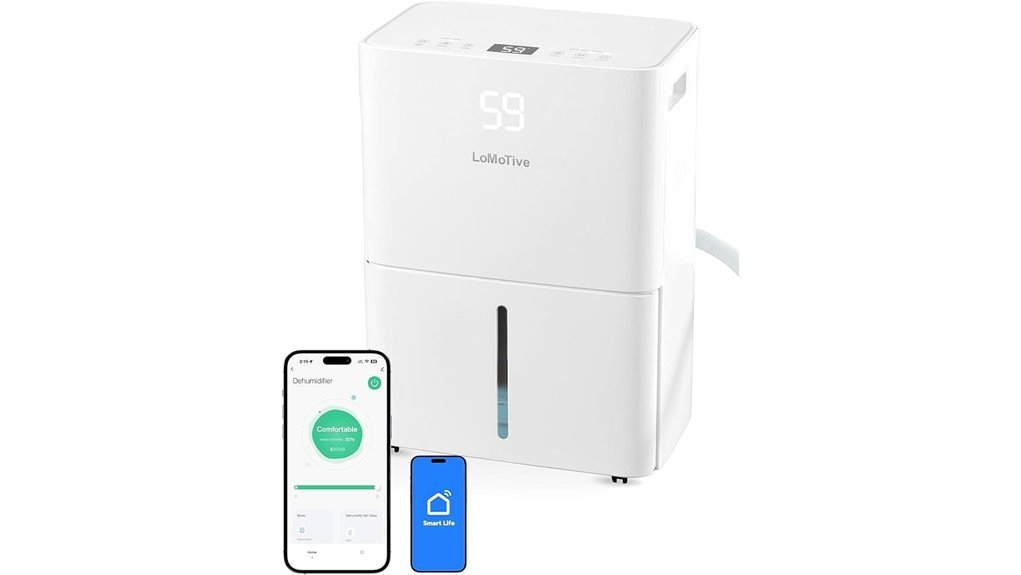
The LOMOTIVE smart dehumidifier is a useful middle ground between compact mini units and heavier 50-pint machines. Its seller listing claims up to 34 pints per day, estimated coverage up to 2,500 sq. ft., a 1.6-liter tank, continuous drainage, WiFi app control, and Alexa and Google Assistant compatibility. It also advertises operation as low as 36 dB in its quietest setting, although real sound can increase with fan speed, compressor cycling, vibration, and room acoustics.
Why You’ll Like It: It combines voice control, remote monitoring, a smaller footprint, and a low-noise mode for buyers who do not need a full-size 50-pint cabinet.
Best For: Bedrooms, offices, RVs, laundry areas, and moderately damp medium-size rooms.
Who Should Avoid It: Very wet or cold basements, buyers who need a built-in pump, or anyone who wants a clearly documented current DOE capacity rating.
Pros:
- App control plus listed Alexa and Google Assistant support
- Advertised operation as low as 36 dB in the quietest mode
- Continuous drainage, auto shutoff, auto defrost, washable filter, wheels, and handle
Cons:
- The 1.6-liter tank can fill quickly in damp conditions
- Only two listed fan speeds limit airflow adjustment
- Coverage and noise figures are seller claims and should be treated as estimates
Manastin 35 Pint WiFi Dehumidifier for Large Rooms
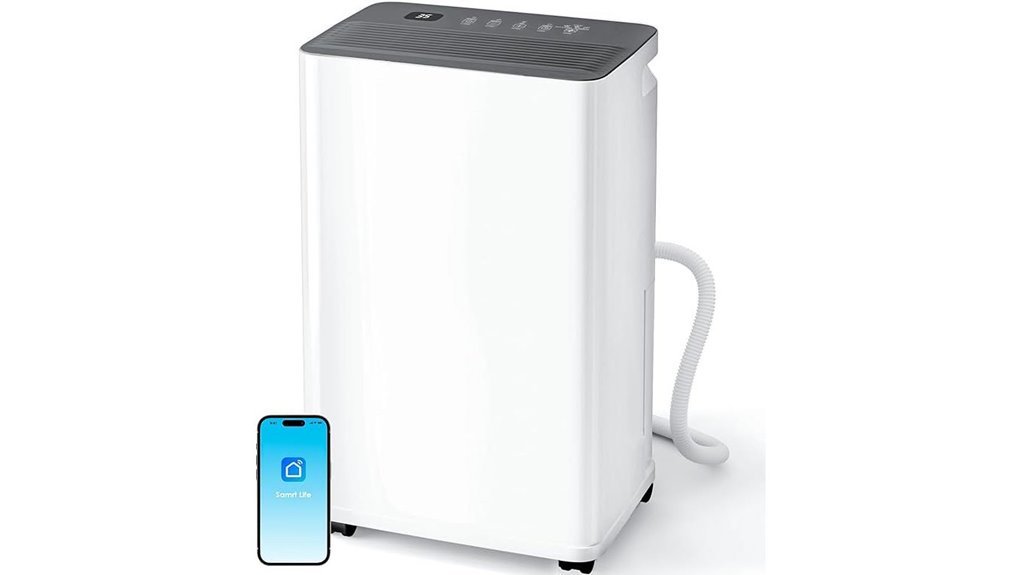
The Manastin 35-pint dehumidifier is aimed at buyers who want Smart Life app control in a smaller cabinet. Seller specifications list estimated coverage up to 2,500 sq. ft., a 0.8-gallon tank, a 230-watt compressor, continuous drainage, and adjustable humidity from 30% to 80%. The stated 35-pint output is measured at 95°F and 95% relative humidity, so it should not be compared directly with a 50-pint rating measured under the current DOE test standard.
Why You’ll Like It: Auto, Manual, and Drying modes make it easy to switch between routine humidity control and faster moisture removal, while the smaller cabinet is easier to place than a full-size unit.
Best For: Medium-size living areas, bedrooms, laundry areas, smaller basement zones, and Smart Life users.
Who Should Avoid It: Buyers who want a major appliance brand, a built-in pump, or a capacity rating stated under current DOE conditions.
Pros:
- Smart Life app control with several operating modes
- 0.8-gallon tank, continuous drainage, timer, and auto shutoff
- Listed 230-watt input is lower than the maximum input shown for the full-size options
Cons:
- The 35-pint claim uses hot, very humid test conditions
- The lesser-known brand may have a smaller service network
- Current Amazon stock, warranty terms, and seller support should be confirmed before purchase
Factors to Consider When Choosing a WiFi-Enabled Dehumidifier
Choose a smart dehumidifier by matching its capacity and drainage system to the actual moisture problem. App control is helpful, but it cannot compensate for an undersized unit, a blocked filter, poor airflow, or an incorrectly routed drain hose.
Coverage Area
Coverage figures are useful for a first comparison, but they are not standardized in the same way across every seller. A model advertised for 4,500 sq. ft. may still struggle in a cold, wet basement, while a smaller unit may work well in an open, moderately damp living area. Use the square-foot rating together with the pint capacity, room temperature, moisture source, and whether doors remain open or closed.
Moisture Removal Rate
Compare pint ratings measured under the same standard whenever possible. A current DOE-rated 50-pint unit is not directly comparable with a “maximum” rating measured at 95°F and very high humidity. Higher-capacity models usually remove moisture faster and recover better after rain, leaks, laundry drying, or long periods of damp weather, but they can be larger and use more electricity.
App and Voice Control
Look for remote humidity readings, target-humidity adjustment, schedules, tank-full alerts, filter reminders, and clear connection instructions. Voice control is useful for quick on/off commands, but not every WiFi model supports Alexa or Google Assistant. Many smart appliances also require a 2.4 GHz WiFi network during setup.
Drainage Options
A gravity drain must run continuously downhill to a suitable drain. Avoid loops, kinks, and upward sections that can stop water flow. None of the five retained products in this comparison has a verified built-in pump. When the hose must reach a sink or another outlet above the dehumidifier, choose a currently available pump-equipped model instead of trying to force gravity drainage uphill. For bucket use, compare tank size, handle design, splash protection, and automatic shutoff.
Noise Level
Seller decibel figures often represent the lowest mode and may not reflect compressor startup, high fan speed, vibration, or placement on a hard floor. For bedrooms and offices, look for a low-speed or sleep mode and place the unit on a level surface with space around the air intake and outlet.
Humidity Settings
A built-in humidistat lets the unit cycle around your chosen target instead of running continuously. App scheduling can reduce unnecessary operation, but the sensor should not be blocked by walls, curtains, furniture, or the unit’s own exhaust airflow. Check the manual for the recommended setting range and restart behavior after a power outage.
Energy Efficiency
Compare wattage, capacity, certification claims, and expected runtime. A smaller machine is not automatically cheaper to run if it operates continuously, while a properly sized unit may cycle off after reaching the target. To estimate monthly energy use, multiply watts by operating hours per day and by 30, then divide by 1,000. Compressor cycling means actual use may be lower than the maximum estimate.
Portability and Size
Check dimensions, weight, caster quality, handles, and stair access before buying. A 39- to 45-pound model may roll easily on one floor but remain awkward to lift. Compact models fit smaller spaces, while larger units usually offer bigger tanks, stronger airflow, and faster recovery in damp rooms.
Before you buy:
- Confirm whether your drain is below or above the unit; uphill drainage requires a pump.
- Check whether the app requires 2.4 GHz WiFi and supports your preferred voice assistant.
- Compare capacities measured under similar test standards.
- Allow the manufacturer-recommended clearance around the intake and exhaust.
- Confirm the exact model, current seller, stock status, warranty, and return terms on the product page.
Frequently Asked Questions
How Much Electricity Do WiFi Dehumidifiers Use Monthly?
It depends on wattage and runtime. Use this estimate: watts × hours used per day × 30 ÷ 1,000 = monthly kWh. For example, a 470-watt unit running eight hours per day would use about 113 kWh in a 30-day month. Actual consumption may be lower when the compressor cycles off after reaching the target humidity.
Can WiFi Dehumidifiers Work Without Internet Access?
Usually, yes. Basic controls on the machine normally continue to work, but remote app access, alerts, cloud schedules, and voice-assistant commands may stop until the internet connection returns.
Do Smart Dehumidifier Apps Support Multiple Users?
Some apps support home sharing, family members, or shared device access, while others tie control to one main account. Check the app instructions before purchase if several people need control.
How Often Should the Water Tank Be Emptied Manually?
Empty it whenever the full-tank indicator appears. In a very damp room, a small bucket may fill more than once a day; after humidity stabilizes, it may fill much less often. Continuous drainage is the better option for unattended or long-term use.
Are WiFi Dehumidifiers Compatible With Voice Assistants?
Only some models are. Confirm the exact listing and app before buying. The LOMOTIVE 34-pint model and GoveeLife option in this guide list Alexa and Google Assistant support, while other models may offer app control without voice commands.
Do Any of These WiFi Dehumidifiers Have a Built-In Pump?
None of the five retained products has a verified built-in pump. Their continuous-drain setups depend on gravity, so the hose must run downhill. If the drain point is above the appliance, choose a currently available dehumidifier that clearly lists an integrated condensate pump.
Why Won’t My Smart Dehumidifier Connect to WiFi?
Common causes include using a 5 GHz-only network, entering the wrong password, weak signal strength, disabled Bluetooth or location permissions during pairing, or failing to place the appliance in setup mode. Follow the model’s app instructions and try pairing near the router.
Final recommendation: Choose the GoveeLife for the broadest verified smart-control feature set, the Frigidaire for its large 2.7-gallon bucket, or the GE for Smart Dry fan adjustment and maintenance alerts. The LOMOTIVE and Manastin models make more sense when cabinet size matters more than maximum standardized capacity. For uphill drainage, skip these five and select a currently available model with a clearly verified built-in pump.
Conclusion
The best WiFi-enabled dehumidifier is the one that matches your moisture load, room conditions, drainage route, and preferred app ecosystem. GoveeLife offers the most flexible smart controls in this group, Frigidaire provides the largest listed bucket, and GE adds useful automatic fan adjustment. The LOMOTIVE 34-pint and Manastin 35-pint models can provide app convenience in medium-size spaces, but their seller-listed ratings should not be compared directly with a current DOE-rated 50-pint unit. Confirm current product details, compare capacities on the same test basis, and choose a drain method you can use safely and consistently.