
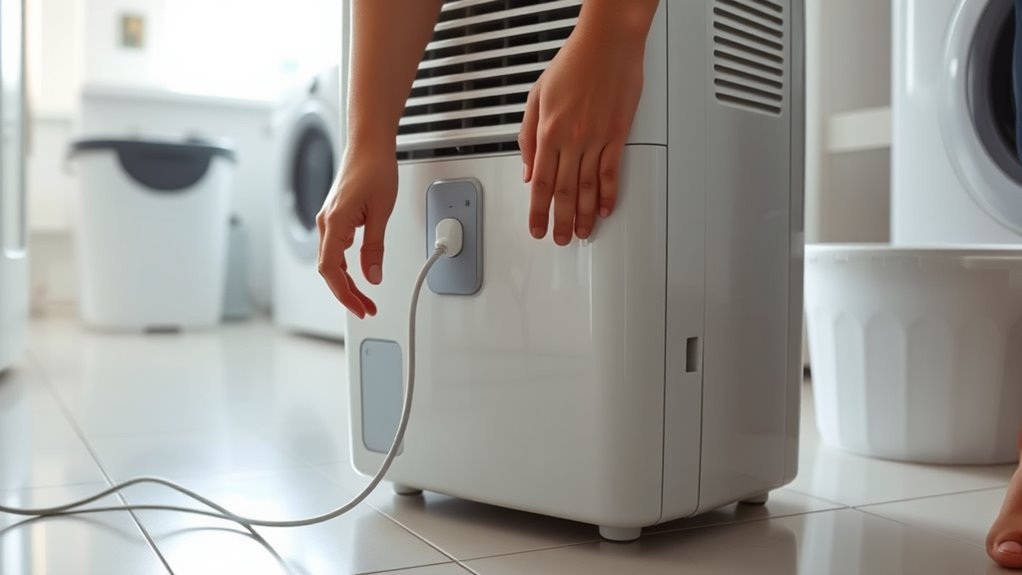
When your dehumidifier freezes on an error code, stops collecting water, or ignores button presses, learning how to reset a dehumidifier the right way saves time and prevents unnecessary service calls. Most portable units do not have a single master reset button; instead, they use different reset actions for the control board, the 250-hour filter timer, the bucket float switch, and the power-cord safety device. Matching the symptom on your display to the right reset procedure clears temporary electronic glitches without masking real mechanical or safety faults.
Quick Answer
To reset a dehumidifier, turn it off and unplug it from the wall for 30 seconds to 5 minutes. Empty and firmly reseat the water bucket, then plug the cord directly into a grounded wall outlet. Set the target humidity 5% to 10% below current room humidity and wait 3 minutes for the compressor delay to clear.
Last checked: October 16, 2026. Dates and figures were verified against official sources.
At a Glance
| Time Required | 5–15 minutes (including unplug wait time and 3-minute compressor delay) |
| Difficulty | Easy (no internal disassembly required) |
| Tools Needed | Owner manual; optional room hygrometer, warm soapy water for the filter, and outlet tester |
| Cost | $0 for DIY power, filter, bucket, and outlet resets |
Which Dehumidifier Reset Do You Need?
The word reset covers six distinct actions on a modern portable dehumidifier, ranging from a full control-board power cycle to clearing a 250-hour filter timer or unlocking a child-lock panel. Identifying which indicator light or symptom appears on your machine stops you from unplugging the cord repeatedly when a 3-second button hold or bucket adjustment is required.
| What You See | Reset or Action | How It Works |
|---|---|---|
| Frozen display, unresponsive controls, or temporary glitch | Appliance power reset | Turn the unit off, unplug it for 30 seconds to 5 minutes so the control board capacitors discharge, reconnect, and re-enter your humidity target. |
| Filter or Clean Filter light glowing or blinking | Filter reminder reset | Triggered after roughly 250 hours of runtime. Wash and dry the filter first, then press and hold the Filter, Filter Reset, or Fan button for 3 to 5 seconds. |
| Bucket Full light on (`P2` or `Eb` on some displays) | Bucket and float reset | Empty the tank, verify the internal foam or plastic float moves freely, and push the bucket straight in until it engages the safety switch. |
| `CL` code or padlock icon with locked buttons | Child lock release | Press and hold the Lock button, Humidity Up arrow, or designated two-button combination for 3 seconds until the lock icon clears. |
| Tripped GFCI wall outlet or plug `TEST/RESET` button | Electrical-protection reset | Press RESET on the wall GFCI receptacle or corded safety plug to restore 115V power; stop immediately if it trips again. |
| Error code (`AS`, `ES`, `E1`, `E3`, `EC`, `H3`, `PU`) | Model-specific fault diagnosis | Write down the exact code and try one power cycle. If the code returns, fix the underlying sensor, airflow, or pump issue instead of resetting repeatedly. |
| Smart app or Wi-Fi pairing failure | Network pairing reset | Hold the model’s Wi-Fi, Connect, or Power button for 3 to 5 seconds until the Wi-Fi LED flashes rapidly; unplugging the cord usually does not erase saved Wi-Fi credentials. |
How to Reset a Dehumidifier
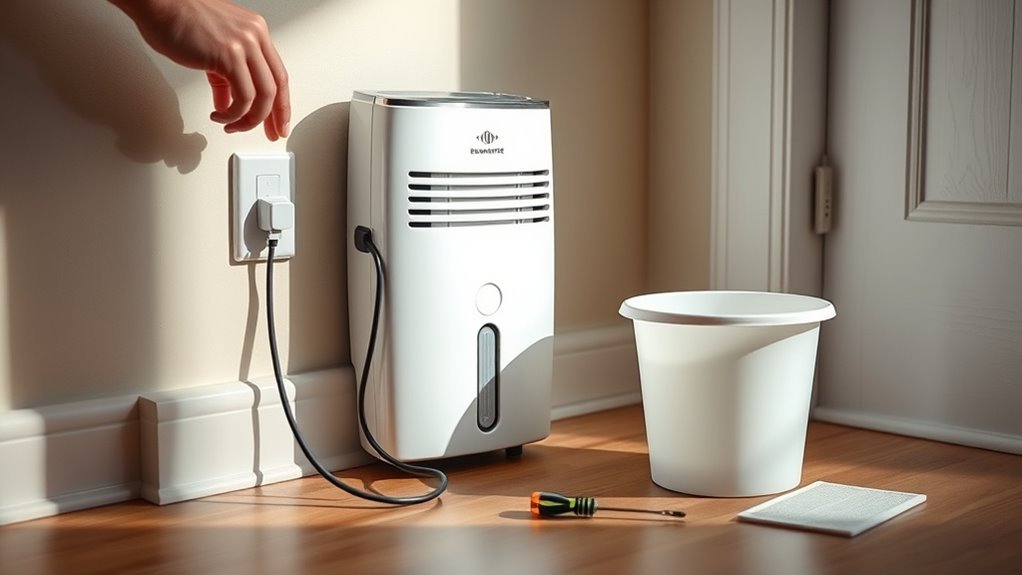
For most portable units, a full dehumidifier reset is a hard power cycle that drains residual electricity from the main control board. Turn the appliance off at the control panel, pull the plug from the wall outlet, wait 30 seconds to 5 minutes depending on the manufacturer, and plug it back into a grounded receptacle. For instance, GE’s general dehumidifier troubleshooting guidance specifies a 30-second power disconnect, while waiting a full 5 minutes helps clear stubborn logic-board glitches on many Frigidaire, Midea, and hOmeLabs units.
Warning: Stop using the dehumidifier immediately if the cord or plug is frayed, the outlet feels hot, you smell burning plastic, see smoke or sparks, or the breaker trips repeatedly. Before resetting an older or second-hand unit, check the U.S. Consumer Product Safety Commission dehumidifier recall page by brand and model number—including the Gree recalls covering 2.5 million units (2013–2016) and 1.56 million additional units (August 2023) sold under GE, Frigidaire, Kenmore, Danby, De’Longhi, SoleusAir, Seabreeze, and Norpole. If your unit is recalled, unplug it and claim the official recall refund rather than resetting it.
- Press the Power button to turn the dehumidifier off and let the fan come to a stop.
- Unplug the power cord directly from the grounded wall outlet.
- Pull out the water collection bucket, pour out any standing water, and wipe away slime or dust around the float.
- Slide the bucket firmly back into the cabinet until it sits flush and engages the internal safety switch.
- Inspect the washable air filter and rear or side grilles for dust buildup that could trigger overheating shutoffs.
- Leave the unit unplugged for at least 30 seconds to 5 minutes (or up to 30 minutes if it shut down from compressor overheating).
- Plug the cord directly into a tested, grounded 115V three-prong wall outlet without an extension cord or power strip.
- Press Power and set the target humidity at least 5% to 10% below the room’s current relative humidity (RH).
- Wait at least 3 minutes for the built-in compressor restart protection delay to finish before judging whether the compressor starts.
A power cycle clears temporary microprocessor lockups, but it cannot fix a failed humidity sensor, open compressor winding, bad run capacitor, or broken float microswitch. Many modern dehumidifiers have auto-restart memory that restores your previous mode and humidity setpoint after a power outage, while older models return to a default setting (often 50% RH or Continuous mode).
Note: Pressing Filter Reset only resets the internal 250-hour maintenance timer—it does not reboot the control board. Furthermore, the countdown timer typically saves its progress during power outages; GE instructs owners of applicable models to hold the Filter button for three seconds after washing the mesh because unplugging the unit will not clear the filter light.
Brand-Specific Reset Procedures (GE, Frigidaire, Midea, hOmeLabs, and LG)
While the basic unplug procedure works across brands, button labels and hold times for filter reminders, child locks, and Wi-Fi pairing vary by manufacturer. If your controls appear dead except for the Power button and display a `CL` code, LG’s CL child-lock troubleshooting guide notes that holding the designated Lock or Humidity Up button for 3 seconds unlocks the panel.
| Brand | Power Reset Disconnect | Filter Light Reset (250-Hr Timer) | Compressor Delay | Special Control / Wi-Fi Reset |
|---|---|---|---|---|
| GE Appliances | Unplug for at least 30 seconds | Hold Filter button for 3 seconds | Up to 3 minutes | Press Delay twice to cancel timer; hold Pump 3 seconds to toggle pump |
| Frigidaire | Unplug for 3 to 5 minutes (30 minutes for `H3`/`E5` overheat) | Press or hold Filter Reset for 3–5 seconds | 3 minutes | Hold Connect or Power for 5 seconds until Wi-Fi LED blinks |
| Midea (Standard & Cube) | Unplug for 1 to 5 minutes | Hold Filter or Fan button for 3 seconds | 3 minutes | On Cube models, hold Power 3 seconds for Wi-Fi pairing or Fill Level 3 seconds for pump |
| hOmeLabs / Honeywell | Unplug for 5 minutes | Hold Filter button for 3–5 seconds | 3 minutes | Auto-restart restores previous settings after power returns |
| LG | Unplug for 5 minutes | Clean and firmly reinstall filter | 3 minutes | Clear `CL` child lock by holding Lock (2020–2023) or Humidity Up (2024+) for 3 seconds |
Check the Power Source After Reset
If the display stays completely blank after you plug the dehumidifier back in, verify that the wall outlet is delivering 115V power before blaming the control board. Check your home’s main electrical panel for a tripped 15-amp or 20-amp breaker, and press the RESET button on any GFCI or AFCI wall receptacle serving the basement, bathroom, or utility room. Test the outlet with a lamp or circuit tester to confirm live voltage.
Examine the entire length of the power cord and the three-prong plug for nicked insulation, bent blades, scorch marks, or a loose plug head. If your dehumidifier has a bulky safety plug with built-in TEST and RESET buttons, plug it in and press RESET firmly until it clicks and the indicator light turns on.
Always connect the appliance directly to a dedicated, properly grounded three-prong wall receptacle. Both Frigidaire and GE warn that extension cords, power strips, surge protectors, and multi-outlet adapters can overheat due to the continuous amperage draw of a dehumidifier compressor. Review Frigidaire’s dehumidifier no-power guidance and GE’s extension-cord and surge-protector guidance for full electrical requirements.
Pro Tip: If the digital display and fan turn on right after a reset but you do not hear the deep hum of the compressor, wait at least 3 full minutes before unplugging it again. Portable compressor dehumidifiers use an automatic 3-minute pressure-equalization delay so the compressor does not try to start against high refrigerant head pressure.
If the household circuit breaker, wall GFCI, or plug reset button trips again as soon as the compressor tries to kick on, stop resetting it. Repeated tripping points to an overloaded circuit, a shorted compressor winding, or a ground fault. Read our guide on why a dehumidifier trips the breaker before reconnecting the unit.
Recommended Products

Replacement Power Adaptor for Pro Breeze 1200 Cubic Feet Dehumidifier (PB-02).

Product Specifications: Input voltage: 220V-50/60Hz 1.2A; Output Voltage: 12V - 4000mA; Connection port size: 5.5*2.1-11 MM, Make sure the product matches your device's charging port

✅【Protection Technology】 The LCDI (Leakage Current Detection Interrupter) utilizes built-in shielded power conductors. Its input side is provided with NEMA WD6 plug, and load side is provided with a cord consisting of ungrounded conductor (L), grounded conductor (N) and grounding conductor which are surrounded by shields. It is intended to provide protection against the hazards or fire caused by the aging of the power cord or leakage current.
Review the Settings and Humidity Level
A dehumidifier that lights up after a reset will still sit idle if its humidistat thinks the room is already dry enough or if a preset mode overrides manual controls. Check the active operating mode, cancel any active delay timers, and set your target humidity lower than the room’s actual relative humidity so the compressor receives a call to run.
- Scan the control panel for active mode icons such as Comfort, Auto, Dry, Timer / Delay, or Lock. On many Midea units, Comfort mode automatically locks the target at 50% RH and disables the up/down arrows until you switch back to normal Set mode.
- Check whether a Delay On timer is counting down; on GE models, pressing the Delay button twice cancels an active delay timer immediately.
- Measure the room’s actual humidity using an independent digital hygrometer placed a few feet away from the appliance, since the dehumidifier’s onboard sensor can read 3% to 5% off right next to the cabinet.
- Use the down arrow to set the desired RH at least 5% to 10% below the room’s current reading—for example, if your basement is at 65% RH, set the unit to 45% or 50% RH.
ENERGY STAR explains that dehumidifiers equipped with built-in humidistats automatically cycle the compressor off once the room reaches the selected setpoint. To limit mold growth and dust mites without over-drying the air, the U.S. Environmental Protection Agency recommends keeping indoor relative humidity between 30% and 50%.
Setting your dehumidifier between 45% and 50% RH works well for most damp basements, crawl spaces, and laundry rooms, keeping the compressor from running nonstop while preventing musty odors and surface condensation.
Common Issues That Stop a Reset
When a power reset does not get your dehumidifier running again, an active safety interlock or airflow restriction is almost always blocking startup. Walking through these 10 external checks resolves the majority of post-reset no-start complaints without opening the cabinet.
- Full water bucket: Every portable dehumidifier uses an automatic shutoff that halts the fan and compressor as soon as condensate reaches the full line.
- Misaligned bucket switch: If the bucket is tilted even slightly or pushed in crooked, the plunger or reed switch inside the cavity remains open and keeps the unit off.
- Jammed or missing float: A small magnetic foam or plastic float pivots inside the bucket corner; if mineral scale or biofilm jams it in the “up” position—or if the small magnet falls out during washing—the machine constantly reads full.
- Humidity setpoint too high: Setting the target to 60% RH in a room that is already at 55% RH tells the machine to stay in standby.
- Active Delay On timer: An accidentally programmed 2-hour to 24-hour delay timer keeps the unit paused until the countdown expires.
- Clogged air filter: Dust matted across the intake screen starves the evaporator coil of warm air, causing rapid coil icing or thermal-overload shutoffs.
- Restricted cabinet clearance: Most manufacturers require at least 6 to 12 inches of open clearance around the intake and exhaust grilles and 12 to 18 inches above top-discharge units.
- Blocked gravity hose or pump line: A kinked hose, upward loop in a gravity drain, or clogged internal pump strainer backs water into the bucket and triggers a shutoff.
- 3-minute compressor protection delay: Unplugging and replugging the cord within seconds resets the 3-minute safety timer all over again, delaying compressor startup.
- Persistent error code: Sensor faults (`AS`, `ES`, `F1`) or compressor overload codes (`H3`, `E5`) lock out normal operation until the underlying condition is resolved.
If your bucket is seated, the filter is clean, and the unit still refuses to pull moisture from the air after a reset, work through our full dehumidifier stopped-working diagnosis guide.
Recommended Products
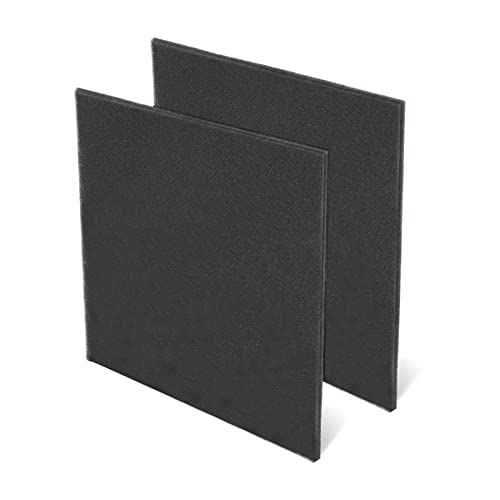
【EFFECTIVE PRE-FILTER】- Capture dust and other unwanted air effectively, improve air quality and life quality, enjoy the fresh air

AlorAir MERV 1 Filter Replacement Set for Crawl Spaces Dehumidifiers Galaxy 60 / Galaxy 60P / Galaxy 85P

【Compatibility】 Our 9 x 11 x 1 MERV 13 Replacement Dehumidifier Filter Media is Compatible with Santa Fe Compact70, Ultra70, Element, Compact2, UA 65H dehumidifier models.
What to Check If It Still Won’t Run
If your dehumidifier powers on after a reset but either shuts down shortly afterward or blows room-temperature air without collecting water, inspect the airflow path, room temperature, and drainage configuration. These three environmental factors frequently trigger automatic defrost cycles or overflow shutoffs that mimic a broken appliance.
Recommended Products

BUY WITH CONFIDENCE Genuine AprilAire MERV 8 Replacement Filter for your AprilAire Whole Home Dehumidifier Models E080 or E100 or Dehumidifying Ventilator 8192A (and all variations of these models)
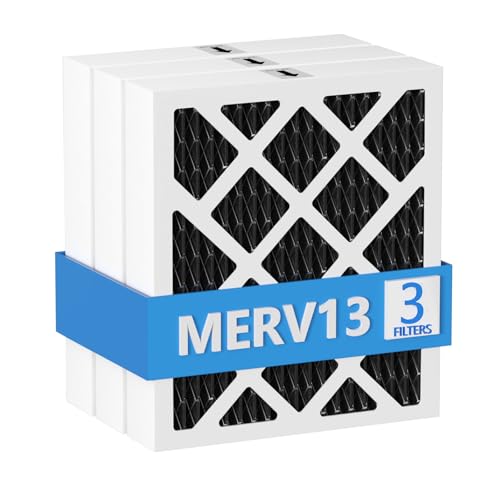
【Compatibility】 Our MERV 13 PN07126 Replacement Carbon Dehumidifier Filter Media is Compatible with Sanidry Sedona Dehumidifier PN07126 Replacement Filter.

【Compatibility】 Our 9 x 11 x 1 MERV 13 Replacement Dehumidifier Filter Media is Compatible with Santa Fe Compact70, Ultra70, Element, Compact2, UA 65H dehumidifier models.
Clean the Filter and Check Airflow
Turn the dehumidifier off and unplug it before pulling out the slide-out or rear-grille air filter. Vacuum loose lint, then wash the mesh in warm, soapy water—never in a dishwasher—and let it dry completely before sliding it back in. Verify that curtains, storage boxes, and basement walls are at least 6 to 12 inches away from all air grilles so heat can dissipate properly.
Check for Frost or Low Room Temperature
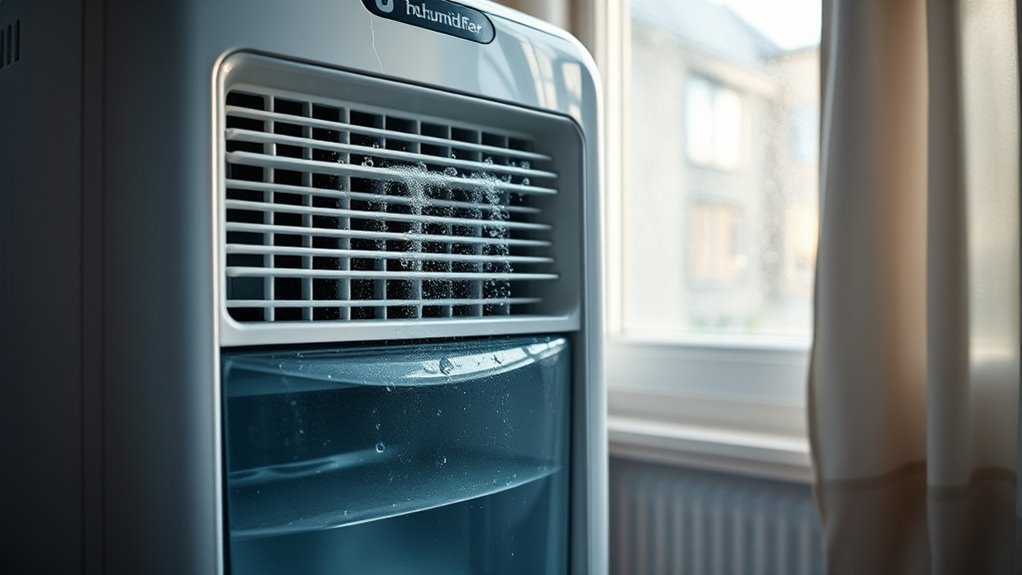
Shine a flashlight through the intake grille to check whether white frost or solid ice is coating the metal evaporator coils. ENERGY STAR notes that frost commonly forms on dehumidifier coils when room air temperature drops below 65°F (18°C), although many modern low-temperature models from GE, Frigidaire, and Midea are rated down to 41°F (5°C) and use automatic defrost cycles that pause the compressor while the fan melts coil ice.
If the coils are iced over, turn the unit off, unplug it, and let the ice melt completely into the bucket before restarting. If heavy ice forms repeatedly in a warm room (above 65°F) even with a clean filter, the unit likely has a low refrigerant charge that requires professional service or replacement.
Check the Drain Hose or Pump
When using continuous gravity drainage, confirm that the garden hose threads tightly onto the rear drain nozzle, runs continuously downhill toward the floor drain with no upward loops, and is not submerged at the discharge end. Temporarily disconnecting the hose, reinstalling the drain cap, and running the unit in standard bucket mode is the fastest way to isolate a drainage bottleneck.
For step-by-step troubleshooting of airlocks, adapter leaks, and clogged nozzles, read our guide on why a dehumidifier is not draining through the hose.
On built-in pump models, make sure Pump mode is actually turned on (often by holding the Pump button for 3 seconds until its LED stays solid). Pull out the water bucket and verify that the internal pump pickup tube and its small spherical filter are attached and free of algae or sludge.
Test the Dehumidifier After the Reset
- Slide an empty, clean water bucket firmly into place until the Bucket Full light stays off.
- Install a clean, dry air filter and clear at least 6 to 12 inches of space around all grilles.
- Close basement windows and exterior doors so humid outside air does not skew your test.
- Check that room temperature is above your model’s minimum threshold (ideally above 65°F, or at least 41°F on low-temp units).
- Measure the starting room RH with a standalone hygrometer.
- Turn the unit on, select normal dehumidify mode, and set the target RH 10% below the measured room level.
- Confirm that Delay On, Child Lock (`CL`), and Comfort presets are turned off.
- Wait 3 to 5 minutes for the fan to run and the compressor to kick in with a steady hum; air leaving the exhaust grille should feel slightly warmer than room air.
- Check the bucket after 2 to 3 hours to confirm water is accumulating and room RH is dropping.
When to Call a Dehumidifier Technician
When a proper power cycle and external maintenance do not clear an error code or start the compressor, the dehumidifier has an internal electrical, sensor, or sealed-refrigerant fault. Continuing to reset a unit with a hard component failure will not restore moisture removal and can create an electrical hazard.
Stop troubleshooting and contact the manufacturer’s warranty support or a qualified appliance technician if:
- the display remains dead when plugged directly into a verified 115V grounded outlet;
- a sensor, control, or sealed-system error code returns immediately after a 5-minute power reset;
- the wall GFCI, circuit breaker, or cord safety plug trips repeatedly;
- you notice a burning odor, scorched plug blades, smoke, sparks, or a hot cabinet;
- the compressor hums loudly for a few seconds and clicks off repeatedly (a classic sign of a tripped thermal overload or bad start capacitor);
- water leaks from underneath the sealed chassis rather than from the bucket or rear hose connection;
- the evaporator coils freeze into a solid block of ice when room temperatures are well above 65°F with a clean filter; or
- the fan and compressor run for hours in a humid room (above 60% RH) without warming the exhaust air or collecting a drop of water.
Common Dehumidifier Error Codes by Brand
Never rely on a generic error-code chart, because the same two-character code can mean different things across manufacturers. Reviewing Frigidaire’s error-code guide alongside Midea’s dehumidifier support information shows how specific codes indicate whether a DIY reset can help or if service is needed:
- `AS` or `ES` (Frigidaire & Midea) / `F1`, `F2`, `L1`, `F5` (Frigidaire): Humidity sensor (`AS`) or evaporator tube temperature sensor (`ES`) fault. Unplug the unit for 5 minutes and reconnect; if the code returns right away, the sensor wiring or thermistor has failed.
- `P2` or `Eb` (Midea): Protection codes rather than hardware failures. `P2` means the bucket is full or misaligned on standard models; `Eb` means the bucket is removed or unseated on pump models. Empty and firmly reseat the tank.
- `PU` (Frigidaire): Condensate pump failed to empty the bucket in the allotted time. Unplug the unit, inspect the pump hose for kinks or blockages, clean dirt or algae off the bucket pump pickup filter, and restart.
- `H3` or `E5` (Frigidaire): Compressor overload protection triggered by high temperature or excessive current draw. Unplug the unit for at least 30 minutes to let the compressor cool, clean the air filter, verify room temperature is between 41°F and 89°F, and restore proper airflow clearance.
- `EC` or `F0` (Frigidaire & Midea): Sealed refrigeration system failure or refrigerant leak detection. A power reset will not repair a refrigerant leak; warranty replacement or professional service is required.
- `E3` (Midea) / `E4` or `C5` (Frigidaire): General unit malfunction or electronic control board failure. Try one 5-minute power reset; if the code persists, contact customer support.
Key Takeaways
- Unplugging a portable dehumidifier for 30 seconds to 5 minutes resets the main control board, while overheating codes (`H3` or `E5`) need a 30-minute cool-down.
- The Filter Reset button clears a 250-hour runtime reminder when held for 3 to 5 seconds; unplugging the power cord does not reset this timer on most models.
- After power returns, compressor dehumidifiers enforce a 3-minute restart delay to equalize refrigerant pressure before the compressor kicks on.
- A persistent Bucket Full light (`P2` or `Eb`) on an empty tank is usually caused by a crooked bucket, a stuck foam float, or a dislodged float magnet.
- Always plug the unit directly into a 115V grounded three-prong outlet—never into an extension cord, power strip, or surge protector.
- Check the CPSC recall database before troubleshooting older GE, Frigidaire, Kenmore, Danby, De’Longhi, or SoleusAir units built by Gree.
Frequently Asked Questions
How Do I Reset My Dehumidifier?
Turn the dehumidifier off at the control panel, unplug it from the wall outlet, and wait 30 seconds to 5 minutes for the control board to discharge. Empty and firmly reseat the water bucket, plug the cord directly into a grounded 115V outlet, set the target humidity 5% to 10% below room RH, and wait 3 minutes for the compressor delay to finish.
Do Dehumidifiers Have a Reset Button?
Most portable dehumidifiers do not have a single master reset button for the whole appliance; unplugging the power cord performs a full control reset. A button labeled Filter or Filter Reset only clears the 250-hour filter cleaning reminder when held for 3 to 5 seconds, while TEST and RESET buttons on the plug or outlet control electrical ground-fault protection.
How Do I Reset the Filter Light on a Dehumidifier?
Turn the unit off, wash the air filter in warm soapy water, let it dry completely, and reinstall it. With the dehumidifier powered on, press and hold the Filter, Filter Reset, or Fan button (depending on your brand) for 3 to 5 seconds until the light turns off and the 250-hour timer resets.
How Do I Clear a Dehumidifier Bucket Full Light That Stays On?
Remove the water bucket, check that the small plastic or foam float inside the corner pivots freely, and confirm its tiny magnet is still attached. Wipe away any slime or debris, slide the empty bucket straight into the cabinet until it clicks against the safety switch, and unplug the unit for 1 to 5 minutes if the light stays on.
How Do I Get a Dehumidifier to Work Again?
Confirm the wall outlet has power, empty and reseat the water bucket, wash the air filter, and check that the drain hose is not kinked. Unplug the unit for 5 minutes, plug it directly into the wall, cancel any Delay On or Comfort mode presets, and set the humidity target at least 5% below current room humidity.
What Usually Goes Wrong With a Dehumidifier?
The most common issues are a misaligned water bucket, a stuck float switch, a clogged air filter, a humidity setpoint higher than room humidity, or coils icing up in rooms cooler than 65°F. Hardware failures that a reset cannot fix include failed humidity sensors (codes AS or F1), bad compressor capacitors, and refrigerant leaks (code EC).
Should the Humidity Setting Be Above or Below the Current Humidity?
Always set the target humidity below the room’s current relative humidity when you want the dehumidifier to run and remove moisture. For example, if your basement measures 65% RH, setting the control to 45% or 50% RH triggers the compressor to run until the air dries down to that target.
Why Doesn’t My Dehumidifier Start Immediately After Resetting?
Portable compressor dehumidifiers include an automatic 3-minute compressor protection delay whenever power is interrupted or the unit is turned off and back on. The fan may run right away, but the compressor waits up to 3 minutes for refrigerant pressure to equalize before starting.
Conclusion
A proper power cycle—unplugging the unit for 30 seconds to 5 minutes, reseating an empty bucket, plugging directly into a 115V grounded outlet, setting the humidity target below room RH, and waiting through the 3-minute compressor delay—clears most temporary dehumidifier lockups. Pair that reset with the right button hold when clearing a 250-hour filter reminder (`Filter` for 3–5 seconds) or a child-lock icon (`CL`).
If the unit still refuses to run or collect water after you verify the outlet, filter, float, drain hose, and CPSC recall status, continue with our complete guide on why a dehumidifier stops working. When sensor or sealed-system error codes (`AS`, `ES`, `EC`, `H3`) return immediately or the breaker trips, stop resetting the unit and arrange warranty or professional appliance service.
Sources
- ENERGY STAR — Dehumidifiers: supports built-in humidistat cycling, full-bucket automatic shutoff, airflow clearance, drainage, and 65°F coil-frost guidance.
- U.S. EPA — Care for Your Air: supports maintaining indoor relative humidity between 30% and 50%.
- GE Appliances — Dehumidifier Not Collecting Water: supports the 30-second power-disconnect reset procedure and humidity setpoint checks.
- GE Appliances — Dehumidifier Air Filter: supports the 250-hour filter reminder timer, warm soapy water cleaning, and 3-second Filter button reset hold.
- Frigidaire — Dehumidifier No Power: supports checking the 115V grounded outlet, circuit breaker, GFCI/AFCI receptacle, and avoiding extension cords or power strips.
- GE Appliances — Use of Extension Cord or Surge Protector: supports plugging directly into a grounded three-prong wall outlet without surge protectors or multi-outlet adapters.
- Frigidaire — Dehumidifier Error Code Guide: supports definitions and troubleshooting for `AS`, `ES`, `F1`, `F2`, `L1`, `F5`, `EC`, `F0`, `H3`, `E5`, `E4`, `C5`, and `PU` error codes and the 41°F–89°F operating range.
- Midea — Dehumidifier Support FAQ: supports Comfort mode (50% RH), gravity and pump hose setup, internal pump filter checks, and `AS`, `ES`, `P2`, `E3`, and `Eb` error codes.
- U.S. Consumer Product Safety Commission — Dehumidifier Recalls: supports checking brand and model recall status and Gree dehumidifier fire-hazard recall figures.
- LG Support — What Does the CL Code Mean and How to Fix Unresponsive Buttons: supports the 3-second button hold to clear Child Lock (`CL`) and 5-minute power reset when touch controls do not respond.


[…] How to Reset a Dehumidifier: Quick Troubleshooting Steps […]