For a Rheem air handler with dehumidification, the best thermostat is not simply the one with the most smart features. It must match your exact Rheem equipment, heating and cooling stages, power wiring, and humidity-control method. The three strongest matches in this guide are the Rheem RETST800SYS EcoNet Control Center, Emerson Sensi Touch ST75, and Sensi Smart Thermostat ST55. Each can support humidity management in the right configuration, but none should be purchased until you confirm the air-handler model, thermostat terminals, and whether your system uses a DHUM/DEHUM input, reduced blower speed, overcooling, or a separate whole-home dehumidifier.
Quick Comparison
| Thermostat | Best For | Humidity Control | Key Compatibility Note | Amazon |
|---|---|---|---|---|
| Rheem RETST800SYS EcoNet Control Center | Best native Rheem option | Integrated humidity settings, blower-speed management, and overcooling on supported systems | For compatible Rheem EcoNet-enabled equipment; not a universal 24V replacement | Check Price |
| Emerson Sensi Touch ST75 | Best touchscreen option | Supports compatible humidification/dehumidification setups and overcooling | Requires a C-wire; confirm stage count and accessory-terminal use | Check Price |
| Sensi Smart Thermostat ST55 | Best value smart option | Supports compatible humidification/dehumidification configurations | A C-wire is not required in many basic applications, but humidity-control wiring may change the setup | Check Price |
Rheem RETST800SYS EcoNet Control Center
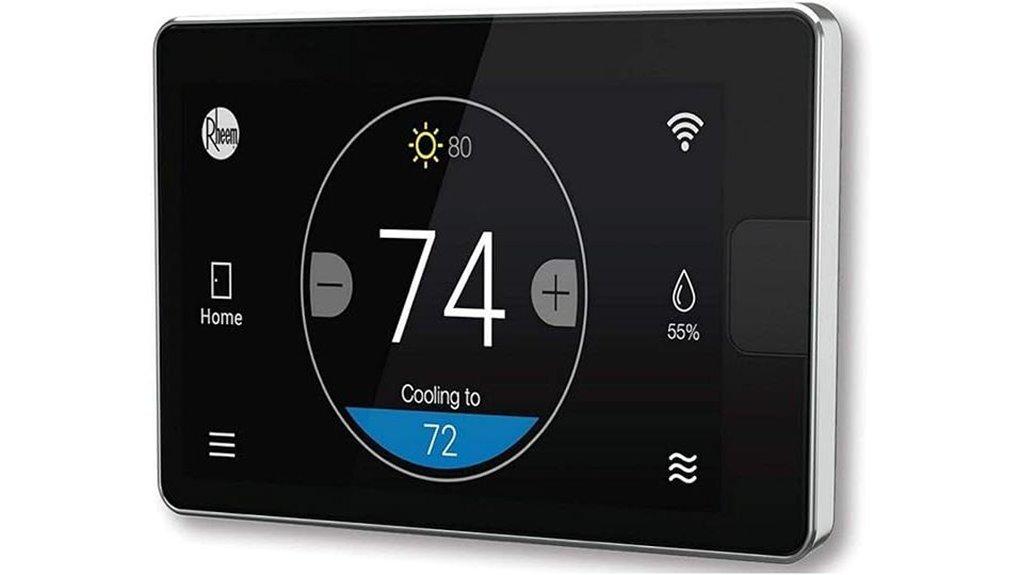
The Rheem RETST800SYS EcoNet Control Center is the most natural fit when your Rheem air handler and related equipment are EcoNet-enabled. Instead of acting like a generic thermostat, it is designed to communicate with supported Rheem equipment and provide system-level control through its touchscreen and app.
Its biggest advantage for this topic is integrated humidity management. On supported systems, EcoNet settings can help manage dehumidification through reduced airflow and controlled overcooling. That can be especially useful with compatible variable-speed Rheem air handlers, because moisture removal depends on both cooling runtime and airflow across the indoor coil.
Best For: Homeowners with confirmed Rheem EcoNet-compatible air handlers who want the closest brand-matched solution for temperature, airflow, alerts, scheduling, and humidity control.
Why You’ll Like It: It reduces the guesswork of mixing a universal thermostat with communicating Rheem equipment and keeps important comfort settings in one interface.
Who Should Avoid This: Anyone with a standard non-EcoNet Rheem air handler or an unconfirmed equipment combination. This is not a universal substitute for every 24V thermostat.
Pros:
- Designed for compatible Rheem EcoNet heating and cooling equipment
- Supports humidity settings, dehumidification logic, scheduling, alerts, and app control
- Strongest match for a communicating Rheem air handler
Cons:
- Compatibility is limited to supported EcoNet equipment
- Installation and commissioning are better handled by an HVAC professional
- May be unnecessary for a basic single-stage, non-communicating system
Emerson Sensi Touch Wi-Fi Smart Thermostat (ST75)
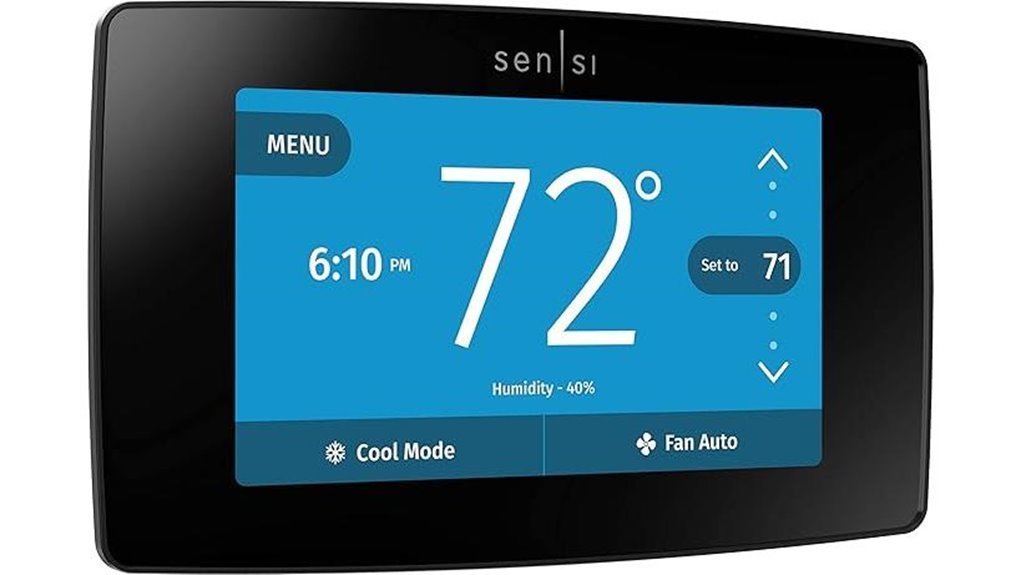
The Sensi Touch ST75 is a strong universal option when your Rheem air handler uses a compatible 24V low-voltage control system. Its 4.3-inch color touchscreen, app access, scheduling, and clear installation guidance make daily control easier than a basic programmable thermostat.
More importantly, the ST75 is listed by Sensi as compatible with humidification and dehumidification control. Depending on your equipment and wiring, it may use a wired humidity-control connection or overcooling. Because its accessory function can share a configurable terminal, you must verify whether that terminal is already needed for second-stage cooling or another function.
Best For: Homeowners who want a polished touchscreen thermostat for a compatible 24V Rheem system and have verified the humidity-control wiring with Sensi or an HVAC technician.
Why You’ll Like It: It combines a modern display and remote controls with verified support for humidity-management configurations.
Who Should Avoid This: Homes without a C-wire, systems that need every available stage terminal, or communicating EcoNet equipment that requires a Rheem control.
Pros:
- Color touchscreen with app-based scheduling and remote access
- Official Sensi support for compatible humidification/dehumidification setups
- Useful choice for standard 24V systems when wiring and staging are confirmed
Cons:
- Requires a C-wire
- Humidity-control wiring should be installed and configured professionally
- A shared accessory/stage terminal can create compatibility limits on some multi-stage systems
Sensi Smart Thermostat with Wi-Fi and Alexa
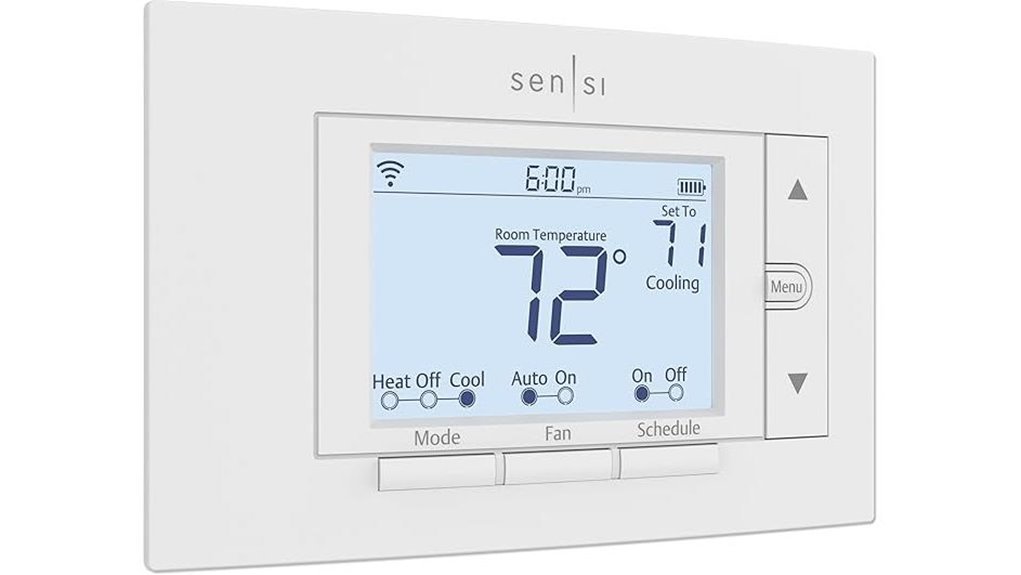
The Sensi Smart Thermostat ST55 is the practical choice for buyers who prefer a familiar button-based design but still want Wi-Fi control, scheduling, system alerts, and smart-home integration. It fits standard thermostat spaces and can often operate without a C-wire in basic compatible applications.
Sensi also lists the ST55 series as compatible with humidification and dehumidification control. That does not mean it will work automatically with every Rheem air handler. The thermostat, air-handler board, stage count, and humidity-control terminal must all support the same configuration. A professional should handle accessory wiring and verify whether the configurable terminal is available.
Best For: Budget-conscious homeowners with a compatible 24V Rheem setup who want verified humidity-control support without paying for a color touchscreen.
Why You’ll Like It: It keeps the interface simple while adding remote control and the possibility of integrated humidity management.
Who Should Avoid This: Buyers who need a large touchscreen, room sensors, or a guaranteed drop-in replacement for a communicating Rheem EcoNet system.
Pros:
- Simple traditional controls with Wi-Fi scheduling and app access
- Official Sensi compatibility with humidification/dehumidification configurations
- May work without a C-wire in many basic HVAC applications
Cons:
- Humidity-control setup may require different wiring than a basic thermostat replacement
- Button-based display is less modern than a full touchscreen
- Compatibility must be checked carefully on multi-stage and communicating systems
Factors to Consider When Choosing a Thermostat for Rheem Air Handler With Dehumidifier
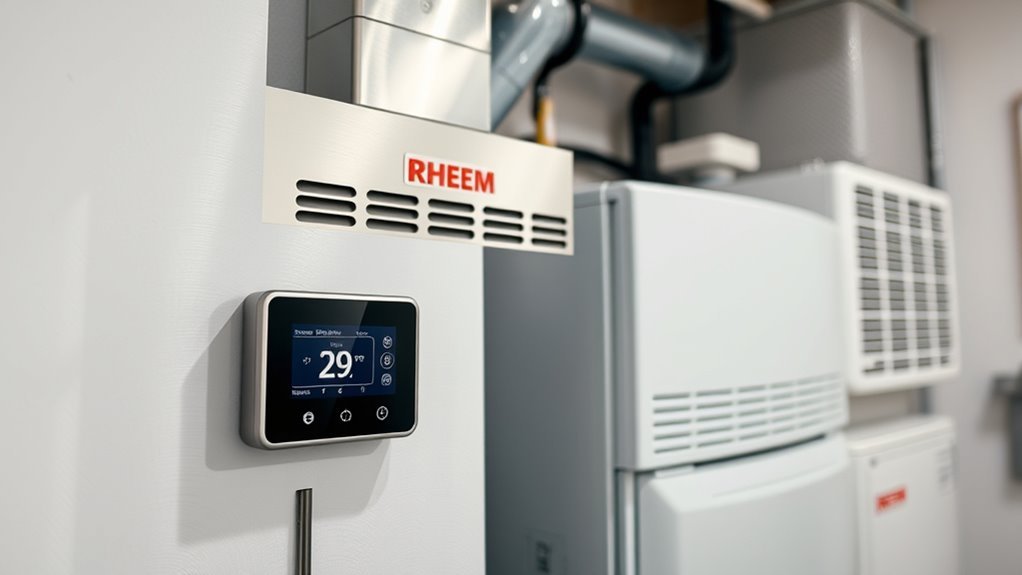
Start with the equipment model numbers, not the thermostat’s feature list. A thermostat can be excellent and still be wrong for your Rheem air handler if it uses the wrong communication method, lacks the needed stage terminals, or cannot operate the system’s humidity-control input.
Compatibility With Rheem Systems
First determine whether your Rheem air handler is a communicating EcoNet system or a conventional 24V system. A communicating system may require a matching Rheem control such as the EcoNet model reviewed above. A conventional system may work with a Sensi thermostat, but only if the supported heating stages, cooling stages, heat-pump functions, and accessory terminals match your equipment.
Dehumidification Control Support
“Displays humidity” and “controls dehumidification” are not the same feature. For useful humidity control, the thermostat must be able to activate the correct equipment function. That may mean slowing a variable-speed blower, extending a cooling cycle through controlled overcooling, or operating a separate whole-home dehumidifier. Match the thermostat’s supported method to the method shown in your Rheem service documentation.
C-Wire Power Needs
The Sensi Touch ST75 requires a C-wire for continuous power. The Sensi Smart ST55 can operate without one in many standard applications, but Wi-Fi reliability, heat-pump operation, and accessory-control wiring can change the requirement. EcoNet controls use their own supported Rheem communication and installation method. Check the exact wiring diagram rather than assuming every thermostat follows the same power setup.
Cooling Stages and Accessory Terminals
This is one of the most important checks. Sensi’s ST55 and ST75 humidity-control configurations can use a shared configurable terminal. If your Rheem system already needs that terminal for second-stage cooling, the thermostat may not be able to provide both functions in the desired configuration. Confirm the stage count and terminal assignments before purchasing.
Scheduling And Automation
Scheduling, app access, alerts, and away modes are useful, but they come after equipment compatibility. Once you know the thermostat can control both the HVAC system and the required dehumidification function, compare interface style, remote access, smart-home integration, and schedule flexibility.
Installation And Wiring Type
Basic thermostat replacement can look simple, but humidity-control and communicating-system wiring are more specialized. Turn off HVAC power before opening the thermostat or air-handler cabinet. Use the wiring diagram for the exact air-handler model and thermostat model, and hire a qualified HVAC professional when adding or reassigning a humidity-control wire.
Frequently Asked Questions
How Do I Wire a Thermostat to a Rheem Air Handler With Dehumidifier?
There is no universal wire-for-wire answer. The correct connections depend on whether the air handler is EcoNet communicating or conventional 24V, whether it is a heat pump, how many stages it uses, and how Rheem implements dehumidification. Turn off power, photograph the existing wiring, and follow the exact diagrams for both model numbers. Use an HVAC professional for DHUM/DEHUM, accessory, or communicating-control wiring.
Which Included Thermostats Support Dehumidification Control?
The Rheem RETST800SYS supports humidity-management features on compatible EcoNet systems. Sensi lists the ST55 and ST75 series as compatible with humidification/dehumidification control when properly wired and configured. The exact available mode depends on the air handler, cooling stages, and terminal assignments.
Can I Use a Sensi Thermostat With a Rheem Air Handler?
Yes, when the Rheem air handler uses a compatible conventional 24V control setup and the Sensi compatibility requirements are met. Do not use a universal thermostat as a replacement for a communicating EcoNet control unless Rheem documentation specifically allows it.
Do I Need a C-Wire for Rheem Air Handler Thermostat Installation?
It depends on the thermostat. The Sensi Touch ST75 requires a C-wire. The Sensi Smart ST55 may not require one in many standard applications, but accessory control or the specific HVAC configuration may change that. The Rheem EcoNet control follows the wiring method required by compatible EcoNet equipment.
Which Thermostat Works Best With Two-Stage Cooling and Dehumidification?
For a compatible Rheem EcoNet system, the RETST800SYS is usually the clearest match because it is designed to coordinate supported Rheem equipment. With Sensi models, verify whether the terminal needed for humidity control is also required for second-stage cooling. A thermostat should not be selected for this setup until both functions are confirmed in the wiring documentation.
Conclusion
The best thermostat for a Rheem air handler with dehumidification is the one that matches the system’s communication type, stage count, power needs, and humidity-control method. The Rheem RETST800SYS EcoNet Control Center is the strongest first choice for compatible EcoNet equipment. The Sensi Touch ST75 is the better universal touchscreen option, while the Sensi Smart ST55 offers the best balance of simplicity and smart control.