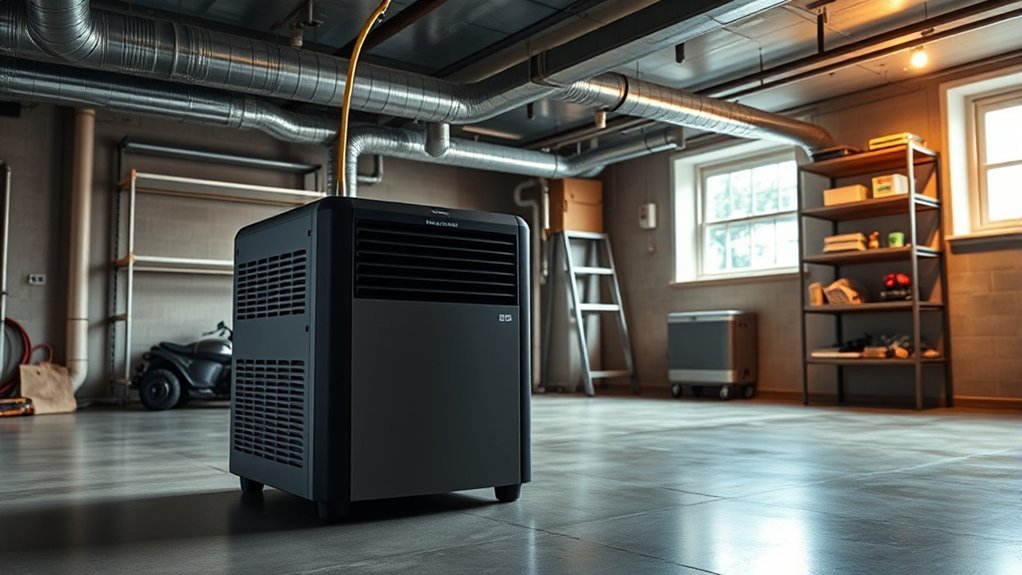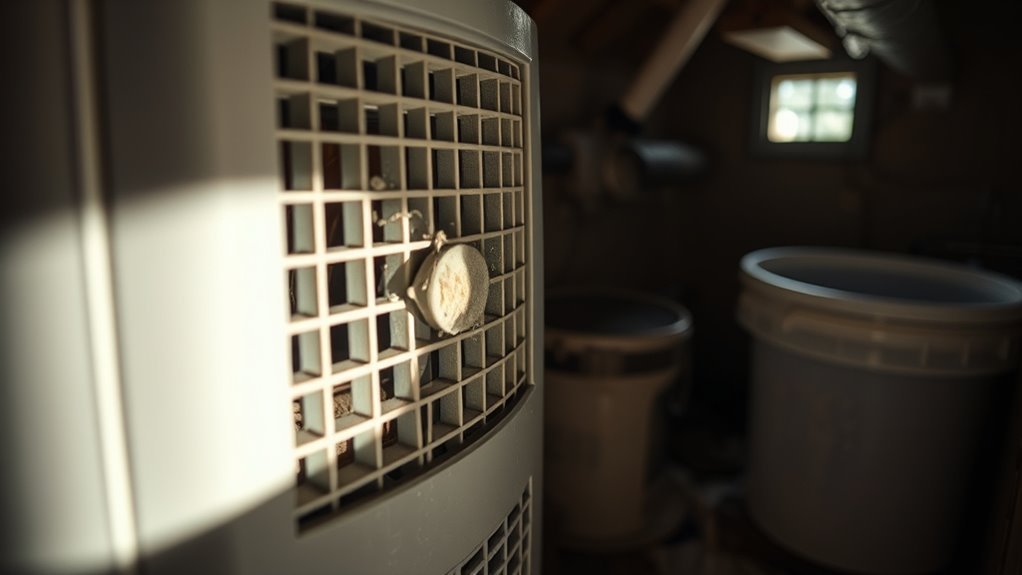
If you are wondering why is my dehumidifier so loud, the culprit is usually floor vibration, a loose water bucket, a clogged filter, or ice touching the fan blade. Because a portable dehumidifier packs a blower fan and a refrigeration compressor into a lightweight plastic cabinet, a steady 45 to 50 dBA hum and rushing air are completely normal. However, a sudden rattle, metallic grind, harsh buzz, or heavy thumping signals an issue you should fix before a minor alignment problem turns into a burned-out motor.
Quick Answer
A dehumidifier usually gets loud because it sits on an uneven floor, its water bucket or filter grille is loose, dust is choking airflow, or frost on the coils is hitting the fan. Level the unit, reseat removable parts, and clean the filter first. Unplug it immediately if you hear metal grinding or smell burning plastic.
At a Glance
| Time Required | 15–20 minutes for external checks and filter cleaning |
| Difficulty | Easy for placement and cleaning; professional service for internal faults |
| Tools Needed | Bubble level, flashlight, vacuum with soft brush, cloth, mild dish soap, and a Phillips screwdriver |
| Cost | $0 for cleaning and leveling; $15–$30 for a rubber mat; $20–$80+ for replacement parts |
Why Is My Dehumidifier So Loud?
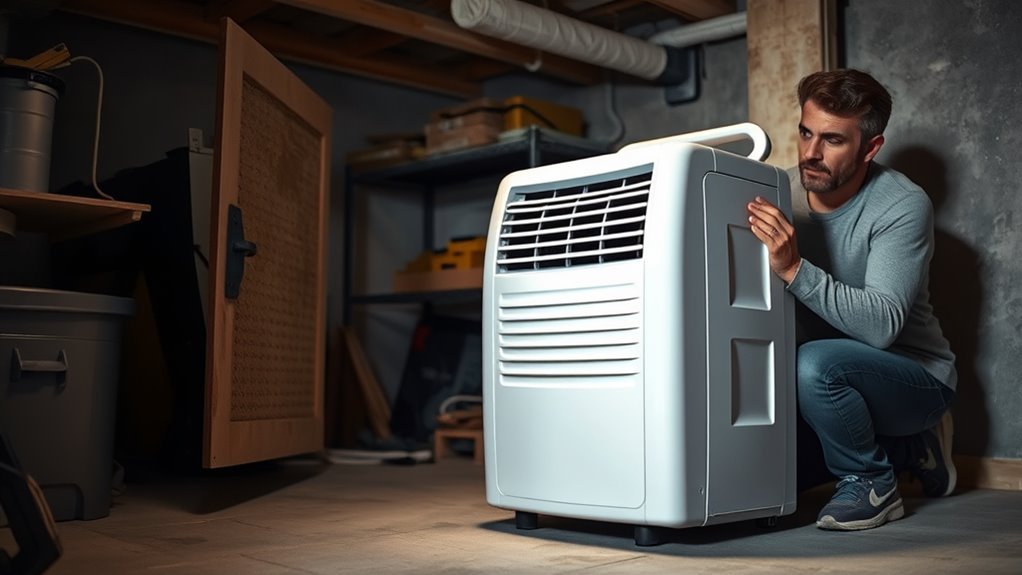
Your dehumidifier sounds loud when normal fan and compressor vibrations echo against an uneven floor, shake loose plastic panels, fight through a clogged filter, or come from a worn internal part. Most household units run between 45 and 55 decibels (dBA), which is roughly as loud as a modern refrigerator or quiet conversation. When that sound suddenly spikes or turns harsh, timing and pitch reveal which component is struggling.
Start by listening from a few feet away. Pay attention to whether the noise begins the instant the fan starts spinning, three minutes later when the compressor kicks in, as water drips into the bucket, or when an internal condensate pump activates. Matching the sound to the stage of the operating cycle narrows down the source before you pick up a tool.
Which Dehumidifier Sounds Are Normal?
A healthy dehumidifier produces steady fan airflow, a low compressor hum, occasional thermostat clicks, dripping water, and quiet refrigerant gurgling. According to GE Appliances’ normal dehumidifier sounds guide, brief high-pitched compressor chatter at startup and soft hissing as refrigerant moves through the evaporator tubing are also expected during regular moisture removal.
| Sound Type | Normal or Abnormal? | Likely Source | What to Do |
|---|---|---|---|
| Steady rushing air (45–50 dBA) | Normal | Blower fan moving air across coils | Switch to Low fan speed once humidity drops, or clean the filter if airflow whistles. |
| Low hum or brief startup chatter | Normal | Compressor engaging and running | No action needed if moisture collection is normal and the cabinet does not shake. |
| Dripping or light splashing | Normal | Condensate falling into the collection bucket | Empty the bucket regularly or attach a continuous drain hose. |
| Soft gurgling, boiling, or hissing | Normal | Refrigerant flowing through capillary tubes | Normal during and briefly after compressor cycles; call service only if cooling stops. |
| Single click when cycling on or off | Normal | Humidistat relay or defrost switch | Normal when room humidity reaches your target setpoint. |
| Chattering or plastic rattling | Abnormal (Easy fix) | Unseated bucket, float, filter cover, or caster | Reseat the bucket and filter grille, level the feet, and move objects off the cabinet. |
| Rhythmic ticking, scraping, or thumping | Abnormal (Stop unit) | Fan blade hitting coil ice, debris, or shroud | Unplug immediately, let any coil frost melt, and check for obstructions. |
| High-pitched squealing or metal grinding | Abnormal (Service needed) | Worn fan motor bearings or failing compressor | Turn the unit off and arrange professional motor or appliance service. |
| Loud buzz with shutdown, heat, or odor | Abnormal (Hazard) | Locked compressor, bad start relay, or short | Unplug at the wall outlet immediately and check recall notices before repairing. |
Note: High-capacity 50-pint and 70-pint basement dehumidifiers move more cubic feet of air per minute than compact 20-pint bedroom units, so their baseline fan noise is naturally louder even when every part is in top condition.
What Causes a Noisy Dehumidifier?
Five main issues make a dehumidifier louder than normal: loose external components, unlevel or hollow flooring, restricted airflow, ice buildup on the evaporator coils, and worn internal hardware. In most households, the problem comes from exterior vibration or blocked air rather than a broken compressor.
- Loose removable panels and buckets: Normal motor vibration makes an unseated water bucket, internal float arm, splash guard, filter cover, or continuous drain cap chatter against the frame. Frigidaire’s dehumidifier noise guide identifies a loose bucket or filter cover as the leading cause of rattling complaints.
- Uneven support and floor resonance: If one caster hangs slightly in the air or the unit sits on flexed plywood, a hollow utility shelf, or a metal drip pan, the surface acts like a drumhead and amplifies the 60 Hz hum of the compressor.
- Restricted airflow and dirty filters: A clogged mesh filter or blocked exhaust forces the blower motor to work harder, creating a strained whistling or roaring sound. ENERGY STAR dehumidifier guidance emphasizes keeping units without top-mounted exhaust vents well clear of walls and dusty areas, and GE Appliances’ ideal operating conditions specify allowing at least 18 inches of open air space on all sides.
- Ice buildup on the evaporator coils: Running a standard dehumidifier in a chilly basement or choked airflow path causes frost to coat the cold evaporator coils. When that ice thickens, the spinning fan blade clips it and makes a loud scraping or clattering sound. According to Frigidaire’s frost buildup guide, coil icing commonly starts when room temperatures drop toward the 41°F minimum operating limit or when a dirty filter blocks warm air from melting frost.
- Worn mechanical mounts or bearings: Over years of service, the rubber grommets cushioning the compressor can harden and crack, letting the compressor bang against the metal pan when starting or stopping. Dry fan motor bearings and loose blower wheels also generate squealing or thumping.
How Do You Diagnose a Loud Dehumidifier?
You can diagnose a loud dehumidifier in about 15 minutes by isolating when the sound happens, testing the cabinet panels by hand, leveling the casters, and cleaning the filter and grilles. Working from the outside in rules out simple placement and maintenance issues before you pay for a technician.
Warning: Turn the dehumidifier off and unplug it from the wall outlet before removing any grille, cleaning the filter, or inspecting near the fan. Stop using the appliance immediately if you see smoke or sparks, smell burning plastic, feel a hot power plug, or experience repeated circuit breaker trips. Never open the sealed refrigerant system, compressor shell, or high-voltage capacitor yourself.
- Press gently on the cabinet while it runs. Place your hand firmly on the front grille, top panel, water bucket door, and side panels one by one. If the rattling stops when you press a panel, a loose exterior screw or unseated cover is the culprit.
- Switch between Low and High fan speeds. Change the fan speed setting and listen carefully. If the pitch of a scrape, tick, or squeal changes immediately with fan speed, the issue lies in the fan blade, blower wheel, or fan motor rather than the compressor.
- Check the floor with a bubble level. Place a level across the top of the cabinet front-to-back and side-to-side. Move the unit to a flat, solid floor so all four casters or leveling feet rest evenly without rocking.
- Unplug the unit and reseat all removable parts. Slide out the water bucket, check that the plastic float moves freely without binding, snap the splash guard firmly in place, and reinstall the bucket, filter cover, and rear drain cap.
- Clean the air filter and intake grilles. Pull out the mesh filter, vacuum away heavy lint, and rinse it in warm water with a few drops of mild dish soap. Vacuum dust from the exterior louvers and let the filter dry completely before sliding it back in.
- Look through the grille for ice or debris. Shine a flashlight through the intake louvers toward the aluminum evaporator fins. If you see white frost or ice buildup, leave the unit unplugged for several hours until the ice melts completely.
- Restore full airflow clearance. Move curtains, storage bins, laundry baskets, and furniture at least 12 to 18 inches away from the intake and exhaust vents so air flows freely.
- Verify your model against federal recall lists. Locate the silver or white rating label on the back or behind the bucket to find your brand, model number, and manufacture date. Check the U.S. Consumer Product Safety Commission (CPSC) dehumidifier recall database, which covers millions of recalled units made by Gree Electric Appliances and New Widetech across more than 20 brand names due to overheating and fire hazards.
Once you plug the dehumidifier back in and restart it, listen for the first five minutes. If the noise disappears after leveling the chassis, reseating the bucket, and clearing the filter, no internal repair is needed.
Pro Tip: Record a 15-second smartphone video capturing both the control panel lights and the sound shift when the compressor kicks in after the initial fan startup. Showing that clip along with a photo of the serial plate helps warranty support or a repair technician pinpoint the fault immediately.
Is the Compressor Causing the Noise?
The compressor is the source of the noise if the dehumidifier runs quietly while only the fan spins, then erupts into a loud buzz, metallic clank, or heavy vibration when cooling engages. Most electronic dehumidifiers build in a three-minute compressor delay after startup or power interruption to let refrigerant pressures equalize. Watching the clock during those first three minutes makes it easy to separate fan noise from compressor noise.
| Compressor Symptom | Likely Cause | Recommended Action |
|---|---|---|
| Steady low hum and slightly warm exhaust air | Normal compressor operation | Keep the unit level and maintain 12–18 inches of clearance. |
| Loud metallic bang or clank at startup and shutdown | Cracked or loose rubber compressor mounting grommets | Unplug the unit and have a technician inspect or replace the rubber isolator mounts before refrigerant lines crack. |
| Deep hum disappears when lifted slightly off the floor | Floorboard or shelf resonance | Move the appliance to a solid slab or place it on a dense rubber anti-vibration mat. |
| Harsh buzz for 3–10 seconds, then a click and silence | Failed start relay, bad capacitor, or compressor overload protection (such as error codes H3 or E5) | Unplug immediately so the compressor does not overheat, verify room temperature is between 41°F and 90°F, and schedule service. |
Inside the base pan, the heavy compressor rests on three or four rubber grommets held by mounting nuts. When years of vibration harden or split those rubber cushions, the metal compressor housing strikes the steel base whenever it starts or stops. Similarly, if the start relay fails, the compressor draws locked-rotor current, buzzes loudly for several seconds, and trips its thermal overload switch without collecting any water.
Could the Fan Blade or Blower Wheel Be the Problem?
Yes, a loose, cracked, dirty, or obstructed fan blade or squirrel-cage blower wheel is the most common mechanical cause of scraping, rhythmic ticking, and wobbling noises. Because the fan spins at high RPM whenever the unit is running, even a tiny piece of debris or a slightly loose shaft set screw creates a continuous racket.
Three distinct fan issues produce different sounds:
- Ice or debris hitting the blades: A piece of paper pulled through the intake, flaking foam insulation inside the air tunnel, or frost building up on the evaporator coils produces a rapid clicking or scraping sound like a playing card in bicycle spokes.
- Loose blower wheel or cracked center hub: If the metal clamp or set screw holding the plastic blower wheel to the motor shaft loosens, the wheel wobbles off-center and thumps against the plastic fan shroud.
- Dry or failing fan motor bearings: Sealed motor bearings that lose lubrication emit a high-pitched metallic squeal or dry grinding sound that grows louder on High fan speed and slows down gradually when you turn the power off.
Never stick a screwdriver or your fingers through the louvers to spin the fan. Unplug the power cord, shine a flashlight through the grille to check for ice or foreign objects, and stop running the unit if the wheel visibly wobbles or rubs against the plastic housing.
How Do You Stop Rattling or Buzzing?
You can stop most rattling and buzzing noises in under 10 minutes by securing the water bucket, snapping the filter grille firmly into its tabs, tightening loose exterior cabinet screws, and moving the dehumidifier away from walls. Nearly a third of loud dehumidifier complaints come from harmless plastic panel vibration rather than a failing part.
Recommended Products
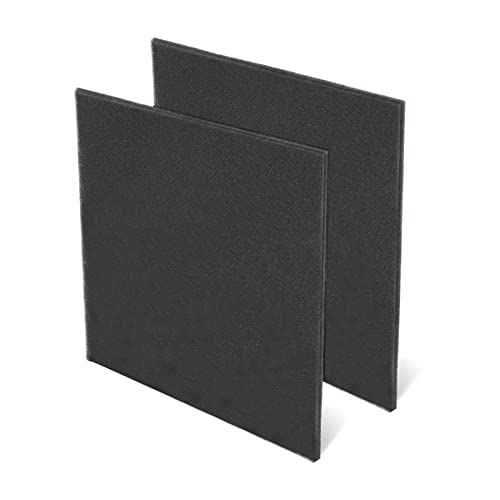
【EFFECTIVE PRE-FILTER】- Capture dust and other unwanted air effectively, improve air quality and life quality, enjoy the fresh air

Nispira True HEPA filter replacement compatible with Tenergy Sorbi dehumidifier air purifier, Afloia AQ8 Q8, Honati and Hysure Q7 Air Purifier

【Compatibility】 Our 9 x 11 x 1 MERV 13 Replacement Dehumidifier Filter Media is Compatible with Santa Fe Compact70, Ultra70, Element, Compact2, UA 65H dehumidifier models.
Identify Loose Components
Remove the water bucket and inspect its carry handle, splash guard, and styrofoam or plastic float. If the handle is not folded flat into its recess or the bucket is pushed in crookedly, it will buzz loudly against the chassis. Check that the removable air filter frame, rear drain cap, and continuous drain hose are seated tightly and that the power cord is not dangling against the vibrating cabinet.
Check for Resonance
A hollow wooden floor, lightweight wire shelving unit, or plastic drip tray amplifies normal 60 Hz motor vibration just like an acoustic guitar body. Lift or roll the dehumidifier onto a solid concrete floor or over a main floor joist while keeping 12 to 18 inches of clearance from walls, baseboards, and pipes. If the buzzing drops dramatically, the floor surface was magnifying normal operational hum.
Tighten And Replace Parts
Months of continuous operation gradually back out the small Phillips screws that hold the outer plastic shell together. After unplugging the dehumidifier, follow these steps to quiet the cabinet:
- Clear out loose grit: Vacuum any dust, pet hair, or pebbles trapped in the bucket recess and outer grille tracks.
- Reinstall removable pieces squarely: Seat the filter, filter cover, bucket splash guard, and bucket until each clip clicks into place.
- Snug exterior cabinet screws by hand: Use a manual Phillips screwdriver—never an impact driver—to gently snug visible exterior case screws until finger-tight so you do not strip the plastic bosses.
- Inspect the casters and feet: Check the bottom rollers for cracked wheels or bent pins and replace damaged snap-in casters if the cabinet rocks.
How Can You Reduce Dehumidifier Vibration?
You can cut dehumidifier vibration by leveling all four feet on a rigid floor and placing a dense rubber isolation pad underneath the casters. When a portable dehumidifier tilts even slightly, the internal compressor hangs unevenly on its rubber mounts and transfers low-frequency thrum directly into the subfloor.
Recommended Products

【 ✅ANTI VIBRATION】:4 Pack of Anti Vibration Pads which are used to reduce noise and shock absorption of HVAC equipment or machinery.

【 ✅ANTI VIBRATION】:4 Pack of Anti Vibration Pads which are used to reduce noise and shock absorption of HVAC equipment or machinery.
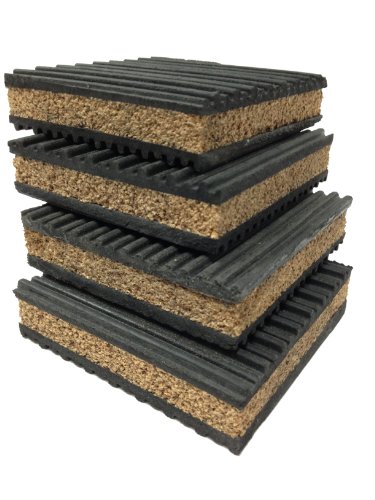
4 pack of Anti Vibration pads Rubber & Cork 50 PSI max load
Level Surface Placement
Setting the cabinet dead-level keeps the compressor balanced on its internal springs and allows condensed water to flow smoothly into the bucket without sloshing.
- Test the floor for flex: Step around the dehumidifier to check for loose floorboards, sloped basement drains, or uneven grout lines.
- Check two directions with a level: Place a bubble level across the top of the unit left-to-right and front-to-back.
- Support every caster evenly: Relocate the unit to a flat spot or place thin, rigid composite shims under an unsupported wheel so all four corners carry equal weight.
- Verify hose routing: If you use a garden hose or pump tube for continuous drainage, make sure the hose does not pull sideways on the cabinet or rest against metal ductwork.
Foam Vibration Isolation
A dense 1/4-inch to 1/2-inch solid neoprene pad, recycled crumb-rubber appliance mat, or heavy-duty rubber caster cups absorb structure-borne vibration before it travels through wood joists or tile floors. Choose a firm pad rated for washing machines or exercise equipment so the wheels do not sink in.
Avoid thick, squishy memory foam, carpet scraps, or folded towels. Soft padding lets the top-heavy dehumidifier tip easily and can block bottom air vents or trap moisture underneath the base pan.
How Do You Keep a Dehumidifier Quiet?
Routine filter washing, coil dust removal, proper room temperature management, and smart fan-speed settings keep a dehumidifier running quietly season after season. When air flows effortlessly through clean fins, both the blower motor and the compressor run cooler and quieter.
- Clean the air filter every 250 hours: According to GE Appliances’ 250-hour air filter schedule, the filter reminder light activates after 250 hours of runtime (roughly every 2 to 4 weeks of continuous summer operation). Rinse the mesh screen with warm water and mild soap, and let it air-dry completely before reinstalling.
- Wash the bucket and vacuum the grilles: Both Frigidaire’s dehumidifier clean and care instructions and GE Appliances’ dehumidifier cleaning guide advise unplugging the unit first, vacuuming lint from the front and rear grilles with a soft brush attachment, and swishing mild detergent and water inside the bucket to prevent slime and pump clogs.
- Keep room temperatures between 65°F and 90°F (or above 41°F for low-temp models): Operating a standard dehumidifier in a cold basement below 65°F promotes frost buildup on the coils, which blocks airflow and scrapes against the fan blade.
- Step down to Low or Smart Dry mode: Once your room reaches a comfortable 45% to 50% relative humidity, switch the fan from High to Low or Auto to cut airflow noise by several decibels.
- Inspect caster wheels and panel screws each spring: Before humid summer weather arrives, check that all wheels roll smoothly and exterior screws are snug.
Should You Repair or Replace It?
Repair makes financial sense when your dehumidifier is still under warranty or only needs an inexpensive external part like a $20 fan blade, caster, or start relay. Replacement is almost always smarter when the compressor or sealed refrigerant system fails, since professional labor and sealed-system parts typically cost $150 to $250+—nearly as much as a brand-new $180 to $320 ENERGY STAR portable dehumidifier.
| Factor | When to Repair | When to Replace |
|---|---|---|
| Warranty & Recall Status | Covered by the manufacturer’s 1-year limited warranty or extended plan. | Listed on the CPSC recall page (unplug immediately and claim your refund or replacement). |
| Faulty Component | Loose panel, missing caster, cracked bucket, dirty filter, or accessible fan blade. | Failed compressor, refrigerant leak, seized internal motor, or burned main control board. |
| Cost vs. New Unit | Parts and service cost less than 35–40% of a comparable new dehumidifier. | Diagnostic fee plus repair approaches or exceeds 50% of the price of a new unit. |
| Age & Condition | Under 3 years old with clean coils, intact wiring, and strong moisture removal. | Over 4–5 years old with corroded fins, heat damage, or weak water collection. |
Recommended Products

Dehumidifier Replacement Part 12120100002228

Universal Compatibility This dehumidifier drain adapter is specifically designed to fit a wide range of popular dehumidifier models, ensuring seamless integration with your dehumidifier hose. It works perfectly with for AeonAir, for Whirlpool, for Idylis Dehumidifiers, and for RPD-702WP units, and is also compatible with for friedrich dehumidifier systems. No matter which brand you own, this adapter provides a secure and reliable connection for your dehumidifier drain hose.

COMPATIBILITY: Specifically designed as a replacement humidity sensor module board for HIS06 model for dehumidifiers and humidifiers
Related Guides
Key Takeaways
- Compare the noise during the first 3 minutes (fan only) against the sound after the compressor engages to pinpoint which system is loud.
- Maintain 12 to 18 inches of clearance around side or rear vents and clean the washable filter every 250 hours of operation (every 2 to 4 weeks).
- Check for evaporator coil frost if your dehumidifier scrapes or ticks in a cool basement near or below 65°F.
- Never open the sealed refrigerant circuit or compressor housing yourself; unplug the unit immediately if it smells burnt, sparks, or trips breakers.
- Verify your brand and model number against the U.S. CPSC recall list before spending money on out-of-warranty repairs.
Frequently Asked Questions
How can I make my dehumidifier quieter?
You can make your dehumidifier quieter by placing it on a flat, solid floor over a dense 1/4-inch rubber appliance mat, reseating the water bucket and filter grille, and cleaning the mesh filter every 250 hours. Keep 12 to 18 inches of open space around the vents and switch the fan to Low once humidity reaches 45–50%.
How do you fix a loud dehumidifier?
Fix a loud dehumidifier by pressing on the outer panels to find rattles, leveling the casters, snapping the bucket and splash guard properly into place, and washing the air filter. If the fan scrapes against frost on the coils, unplug the unit until the ice melts completely. Call a technician for motor bearing or compressor faults.
Is a dehumidifier supposed to be loud?
A portable dehumidifier is supposed to make a noticeable 45 to 55 dBA hum and steady airflow sound, similar to a window fan or refrigerator. Occasional thermostat clicks, dripping water, and quiet refrigerant gurgling are also normal, whereas metallic grinding, loud clanking, squealing, or burning odors are not.
Why does my dehumidifier rattle?
A dehumidifier usually rattles because the water bucket, float switch, filter cover, or continuous drain cap is slightly crooked, or because vibration has loosened the exterior cabinet screws. An uneven floor that leaves one caster unsupported or a drain hose touching the wall will also make the plastic frame chatter.
Why does my dehumidifier buzz when the compressor starts?
A brief change in tone when the compressor kicks in is normal, but a loud metallic bang points to cracked rubber compressor mounting grommets. If the unit buzzes loudly for several seconds and clicks off without removing moisture, the compressor start relay or thermal overload switch is likely failing and needs professional service.
Why is my dehumidifier beeping?
Your dehumidifier beeps to signal that the water bucket is full, unseated, or experiencing a condensate pump or sensor error. According to GE Appliances’ dehumidifier beeping guide, a single beep when plugging in the cord, restoring power, or pressing buttons is normal, whereas continuous flashing lights or an E0 pump error code require emptying the bucket or clearing the pump hose.
Should you use a dehumidifier if you have COPD?
A dehumidifier is not a medical treatment for COPD, but keeping indoor humidity balanced helps avoid respiratory triggers. The U.S. EPA indoor air quality guidance recommends 30–50% relative humidity, and a 2023 clinical survey by Mekhuri et al. on COPD and humidity extremes found that 69% of participants reported worse symptoms in hot, humid air above 50% RH and 66% worsened in cold, dry air below 30% RH. Monitor levels with a hygrometer and consult your physician.
Why is my dehumidifier making a grinding or scraping noise?
A grinding or scraping noise usually means the spinning fan blade is hitting ice buildup on the evaporator coils, a loose blower wheel is rubbing against the plastic housing, or the fan motor bearings have worn out. Unplug the dehumidifier immediately, let any frost melt, and schedule service if the noise returns.
Conclusion
Most loud dehumidifier problems come down to uneven flooring, a loose bucket or filter cover, restricted airflow, or coil frost rather than catastrophic compressor failure. Start by leveling the unit on a firm surface, reseating the bucket, and washing the filter. If you still hear metal grinding, severe scraping, or repeated compressor buzzing—or notice overheating or a burning smell—unplug the dehumidifier right away and check the CPSC recall list before booking a repair.
Sources
- GE Appliances: Dehumidifier Normal Sounds: Normal compressor, fan, dripping-water, refrigerant, and cycling sounds.
- Frigidaire: Dehumidifier Noise Guide: Rattling causes, bucket and filter-cover checks, vibration, and level placement.
- ENERGY STAR: Dehumidifiers: Placement, airflow circulation, dust avoidance, and electrical safety guidance.
- GE Appliances: Dehumidifier Ideal Operating Conditions: Minimum 18-inch air clearance and 41°F–90°F operating temperature limits.
- Frigidaire: Dehumidifier Frost Buildup: Evaporator coil icing causes, 41°F low-temperature limit, and airflow checks.
- U.S. Consumer Product Safety Commission: Dehumidifier Recalls: Recalled dehumidifier brands, model numbers, and overheating fire hazards.
- GE Appliances: Dehumidifier Air Filter: 250-hour air filter cleaning schedule and airflow maintenance.
- Frigidaire: Dehumidifier Clean and Care: Disconnecting power, bucket disassembly, splash-guard washing, and storage care.
- GE Appliances: Dehumidifier Cleaning: Unplugging before maintenance, grille vacuuming, and bucket cleaning steps.
- GE Appliances: Dehumidifier Beeping: Normal startup and button beeps versus full-bucket and E0 pump error alerts.
- U.S. EPA: Care for Your Air: Recommended 30–50% indoor relative humidity range.
- Mekhuri et al. (PMC10710831): Temperature, Humidity, and Chronic Respiratory Disease: Clinical survey data on COPD symptom worsening in hot/humid (above 50% RH) and cold/dry (below 30% RH) extremes.