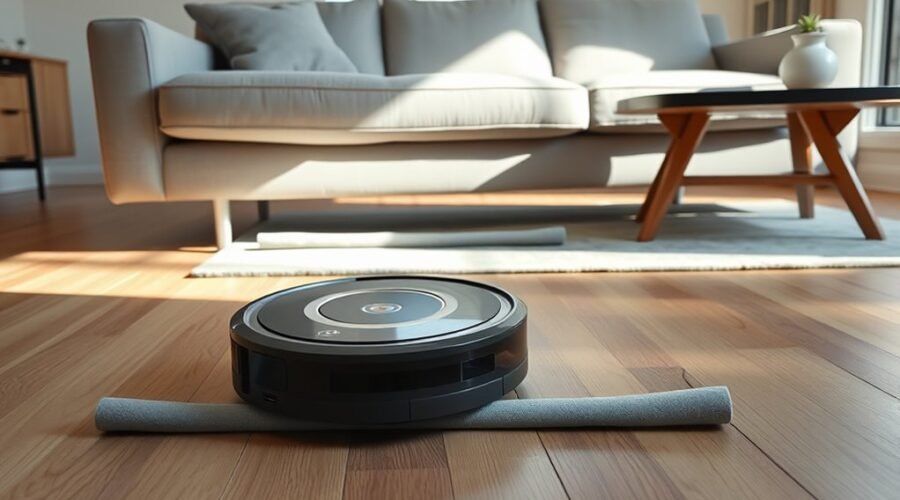
Robot vacuums often get trapped beneath sofas, beds, and cabinets when the opening is barely tall enough for the chassis to enter. If your robot vacuum keeps getting stuck under furniture, the cause almost always comes down to tight vertical clearance, a raised navigation turret, or hidden floor obstacles. You can stop repeat rescues in a few minutes using app boundaries, discreet physical blockers, or load-rated furniture risers.
Quick Answer
To stop a robot vacuum from going under furniture, set a No-Go or Keep Out Zone in its companion app, lay down compatible magnetic boundary strips, or secure a low physical blocker across the gap. To let it clean underneath, raise the furniture on stable risers at least 0.5 inches above the robot’s tallest sensor.
At a Glance
| Time Required | 5 minutes for app zones; 15 to 30 minutes for physical blockers or furniture risers. |
| Difficulty | Easy for app settings and basic barriers; lifting heavy furniture requires two people. |
| Tools Needed | Tape measure, dry microfiber cloth, and a robot vacuum app, load-rated furniture risers, or a physical blocker (pool noodle, PVC pipe, or board). |
Why Your Robot Vacuum Keeps Getting Stuck Under Furniture
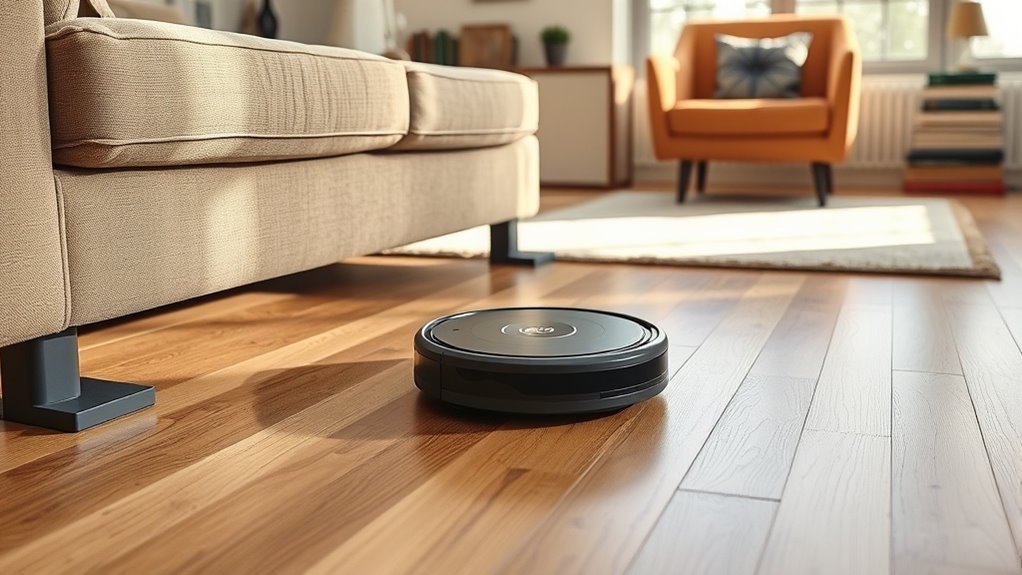
A robot vacuum gets stuck under furniture when the gap is tall enough for its front bumper to enter, but too low for its top housing or rear turret to pass. Once the sloped front shell slides beneath a frame rail, the drive wheels push the machine forward like a wedge until they lose traction.
The issue happens most often under low-profile sofas, platform beds, and media consoles. Many mapping vacuums carry a raised laser navigation dome, called a LiDAR (Light Detection and Ranging) turret, which adds 0.7 to 1 inch of height above the main body. Because the front impact bumper sits lower than the turret, the bumper passes freely underneath the skirt while the laser dome strikes the frame behind it.
Even if the LiDAR cap has a built-in pressure switch to detect overhead contact, soft fabric skirts or angled wood rails can press down gradually without clicking the switch. Other frequent causes include:
- Uneven under-frame clearance: A couch often has 4 inches of space at the front skirt, but drops to 3 inches near center support bars, coil springs, or sagging dust covers (cambric fabric).
- Occupied furniture sag: Sitting on a sofa or lying on a bed while the vacuum runs can compress the springs by 0.5 to 1.5 inches, trapping a robot that entered an empty piece of furniture.
- Rug-to-floor transitions: Driving off a thick area rug (0.25 to 0.5 inches high) or climbing onto a rug edge underneath a sofa tilts the chassis upward and extends the spring-loaded drive wheels, jamming the top cover against the frame.
- Hidden floor hazards: Charging cables, stray socks, pet toys, and metal bed-frame feet can snag the main roller or side brush inside a tight space.
- Dirty sensors or outdated maps: Dust on cliff or wall sensors, dim lighting on camera-based (vSLAM) models, or an uncalibrated map can make a vacuum misjudge boundaries.
Before changing app settings or buying hardware, pull the trapped robot straight out and inspect both the machine and the gap. Look for scuff marks on the top of the LiDAR dome, hair wrapped around the axles, or a drooping fabric lining underneath the sofa so you match the fix to the exact cause.
Raise Furniture for Better Clearance
Raising low furniture by 0.5 to 2 inches lets your robot vacuum clean underneath without wedging against the frame. To calculate the exact lift required, measure the robot at its highest point, find the lowest fixed part under the furniture, and add at least 0.5 inches (1.3 cm) of extra buffer.
Adding a standard 1-inch lift resolves most minor clearance traps, especially where an area rug slightly elevates the vacuum at the entrance. Always verify your vacuum’s exact height first so you do not buy risers or replacement legs that still leave the gap too tight.
Choose Taller Furniture Legs
Swapping short factory feet for taller screw-in or bolt-on replacement legs permanently increases clearance under sofas, armchairs, and cabinets. Adjustable metal or solid wood legs also let you level the frame on uneven floors while giving the vacuum room to turn around.
Before ordering replacement legs, check the attachment hardware on your furniture. Many North American sofas use standard 5/16-inch-18 threaded hanger bolts, whereas European and imported frames often use M8 (8 mm) or M10 (10 mm) metric threads, or four-screw corner mounting plates.
Measure your robot vacuum from the floor to the top of its raised sensor dome, and compare it with your furniture’s lowest crossbar. According to the official eufy furniture clearance guide, non-LiDAR bounce models measure just 2.85 inches (72.5 mm) tall, whereas laser-guided L50 and L60 models stand 4.09 inches (104 mm) tall.
| Robot Vacuum Model / Series | Navigation Design | Robot Height | Recommended Clearance |
|---|---|---|---|
| eufy Bounce (11S, 30C) & G30 Series | Flat top (no turret) | 2.85 in (72.5 mm) | 3.35 in (85 mm) or more |
| eufy RoboVac G50 Series | Dynamic navigation (flat top) | 3.18 in (81 mm) | 3.70 in (94 mm) or more |
| Shark IQ (RV1001AE) | Top optical sensor (no raised dome) | 3.50 in (89 mm) | 4.00 in (102 mm) or more |
| eufy Omni S1 & S1 Pro | Embedded dToF LiDAR (flat top) | 3.78 in (96 mm) | 4.02 in (102 mm) min; 4.33 in (110 mm) ideal |
| Roborock S6 & S7 Series | Raised spinning LiDAR turret | 3.80 in (96.5 mm) | 4.30 in (109 mm) or more |
| eufy RoboVac X8 Series | Raised iPath LiDAR turret | 3.83 in (97.2 mm) | 4.35 in (110 mm) or more |
| eufy Clean L50 & L60 Series | Raised iPath LiDAR turret | 4.09 in (104 mm) | 4.60 in (117 mm) or more |
That 1.24-inch difference between flat-top and turret-equipped models explains why upgrading to a laser-mapping vacuum often creates new furniture traps under the exact same couch.
Add Stable Risers
Heavy-duty furniture risers slip directly beneath existing legs to add 1 to 3 inches of height without unscrewing hardware. Choose wide-base risers with recessed wells and a combined weight capacity that exceeds the weight of the furniture plus everyone sitting or sleeping on it.
Match the riser’s recess shape (square, round, or L-shaped corner blocks) to your furniture feet so the legs cannot slide off the edge when bumped. Solid hardwood, reinforced polypropylene, or steel risers with non-slip TPU bottom pads help prevent floor scuffs and lateral movement.
Follow these steps for safe installation:
- Verify that your furniture manufacturer allows risers and that all legs and casters are intact.
- Select risers rated for the total load and sized to fit the width of each foot cleanly.
- Have a second person help lift one end of the furniture at a time, placing an identical riser beneath every leg—including center support legs on beds and long sectionals.
- Tighten any adjustable side clamps or wingnuts, then test that the frame sits completely level without rocking.
- Re-measure the lowest point under the center of the furniture before running the vacuum.
Warning: Never prop heavy furniture on loose bricks, books, or undersized blocks, and never leave center support legs hanging in midair. Follow the furniture and riser manufacturers’ instructions, and do not install risers under riser recliners, rocking chairs, or electric profiling beds with moving sections.
Clinical safety standards, such as the NHS bed-raiser safety guidance, specify a maximum weight limit of 190 kg (about 418 lbs) for standard linked bed raisers and prohibit using them on weak or uneven flooring, frames with missing casters, or beds that shift when you sit on the edge.
Thin felt pads or cork sliders protect hardwood floors from scratches, but they compress under load and should only be used for minor 0.15- to 0.25-inch adjustments.
Check Under-Couch Clearance
Always measure under-couch clearance beneath the center and back rails, not just at the front skirt. Many sofas hide dropped metal crossbars, sagging upholstery staples, or lower wooden stretchers 6 to 12 inches behind the front edge.
Run through this five-point inspection before letting your robot clean underneath a raised couch:
- Measure the lowest internal point: Measure vertically from the floor to the lowest crossbar, spring deck, or center foot while someone sits on the cushions.
- Include the full turret height: Add at least 0.5 inches (1.3 cm) to the top of the LiDAR housing or camera bump.
- Account for rug thickness: Measure from the top of the rug pile if an area rug extends just past the front legs of the sofa.
- Staple up loose dust fabric: If the black cambric dust cover underneath the sofa droops, pull it taut and secure it to the wooden frame with an upholstery stapler so it cannot snag the top sensor.
- Test turning clearance: Confirm that the vacuum can rotate 360 degrees underneath without its side bumper rubbing against inner legs.
Even a slight margin matters. For example, eufy’s S1 and S1 Pro clearance guidance notes that while the robot body is 9.6 cm (3.78 inches) tall, it requires a minimum gap of 10.2 cm (4.02 inches) to enter and 11 cm (4.33 inches) or more for smooth, uninterrupted cleaning.
After adjusting your furniture height, watch one full cleaning pass. If the top shell grazes the frame or the robot hesitates when backing out, block the gap instead.
Block Access With Physical Barriers
A physical barrier is the most reliable way to stop a robot vacuum from going under furniture, especially if your model lacks smart mapping or ignores app boundaries. Placing a solid blocker 1 to 2 inches behind the front skirt triggers the robot’s mechanical bumper before its nose can wedge under the frame.
For a barrier to work properly, it must stand at least 2.5 to 3.5 inches tall—high enough to press the vacuum’s front collision bumper rather than getting climbed over like a door threshold (most robot vacuums can climb obstacles 0.6 to 0.85 inches high).
Practical physical barrier options include:
- Clear acrylic or plastic under-couch blockers: L-shaped panels (typically 3 to 4 inches tall) stick to hard floors just behind the sofa skirt with removable double-sided acrylic tape, forming a nearly invisible wall.
- Foam pool noodles: A standard 2.5- to 3.5-inch diameter foam noodle wedged between the front legs absorbs bumper impacts quietly without scratching hardwood or baseboards.
- Schedule 40 PVC pipes: A 1.5- or 2-inch diameter PVC pipe cut to span the distance between furniture legs creates a rigid, low-profile rail that won’t flex when pushed.
- Fitted wooden boards: A painted or stained 1×3 or 1×4 lumber strip secured behind the front legs blocks entry permanently and blends into dark upholstery shadows.
- Weighted storage bins: Under-bed rolling drawers or low storage totes with at least 3 to 5 lbs of contents fill the cavity under beds while adding storage space.
Set the blocker recessed slightly behind the front edge of the furniture so it stays out of sight and cannot trip people walking by. Span the entire width between the legs—leaving a 14-inch gap at one corner lets the robot turn in sideways and get trapped behind the barrier.
Avoid stacking loose books or lightweight cardboard boxes as long-term blockers; the robot’s drive wheels can shove them backward until the vacuum pins itself inside. Also keep barriers clear of recliner linkages and pull-out sleeper mechanisms.
Set Up Virtual Walls and No-Go Zones
App-based No-Go Zones, infrared virtual walls, and magnetic boundary strips stop compatible robot vacuums from entering low furniture gaps without changing the look of your room. They are ideal when you cannot lift a heavy sofa or bed and prefer not to install physical under-couch hardware.
On smart-mapping vacuums (using LiDAR or vSLAM cameras), you draw restricted zones directly on your saved floor plan in the companion app. Because navigation positioning can drift slightly from run to run, always extend the zone border 2 inches (5 cm) past the front edge of the furniture.
Follow these steps to create an app-based restriction:
- Complete at least one full Mapping Run or cleaning cycle so the companion app generates a saved floor map.
- Open the map editor and select No-Go Zone, Keep Out Zone, or Invisible Wall.
- Drag a rectangular zone box over the entire footprint of the low couch, bed, or cabinet.
- Expand the box border 1 to 2 inches beyond the furniture’s outer edges so the front bumper never reaches the overhang.
- Save the map and observe a test run to confirm the vacuum turns away before reaching the gap.
For Roomba owners, the iRobot Smart Maps guide notes that Imprint Smart Maps support rectangular Keep Out Zones on compatible models (including the i6, i7, i8, j-series, and s-series), and explicitly recommends adding a 1- to 2-inch buffer around each zone to account for normal navigation variance.
Note that on camera-guided Roombas (such as the j-series), obstacle-avoidance vision is disabled during an initial Mapping Run. Temporarily block low furniture gaps during mapping so the robot does not get stuck before you can draw your Keep Out Zones.
Never use a No-Mop Zone to block low furniture. On hybrid vacuum-and-mop robots, a No-Mop Zone only prevents wet mopping (or lifts the mop pads)—the robot will still enter the zone in dry vacuum mode and wedge itself under the frame.
If your robot does not support app mapping, check whether it supports external boundary accessories:
- Infrared virtual wall towers: According to the iRobot Dual Mode Virtual Wall guide, flipping the switch up (Virtual Wall Mode) projects an invisible infrared cone that blocks linear openings up to 10 feet (3 meters) wide, while flipping it down (Halo Mode) creates a 4-foot (1.2-meter) protective circle. Place the unit inline with the front edge of the sofa pointing across the opening, and keep it away from the charging dock so the IR beam doesn’t block docking.
- Magnetic boundary strips: Flat magnetic tape sits on the floor (or under a thin flat-weave rug) just in front of the furniture edge. However, it only works if your vacuum has built-in Hall-effect magnetic sensors. The eufy boundary-strip compatibility guide confirms support on models such as the RoboVac 11C Pet Edition, 30, 30C, 30C MAX, 35C, G20 series, G30 Edge/Hybrid/Verge, and X8 series—whereas basic bounce models like the 11S lack magnetic sensors and will drive straight across the strip.
Standard painter’s tape or electrical tape on the floor has no magnetic or infrared signature and will never stop a robot vacuum.
Adjust Robot Vacuum Sensors
Cleaning your robot vacuum’s optical, infrared, and bumper sensors prevents navigation errors that cause it to veer into tight furniture corners or fail to back out when bumped. While clean sensors cannot shrink your vacuum’s physical height, they ensure its LiDAR turret, wall sensor, and front bumper react immediately to overhead and side contact.
Always fix physical clearance or set up a boundary first, then clean the sensors and verify obstacle-avoidance settings in your app.
Clean Sensors Regularly
Dust buildup on the front bumper, wall-following sensors, or top LiDAR turret can blind a robot vacuum to low overhangs and furniture legs. Under-chassis cliff sensors also collect electrostatic lint, causing the vacuum to misread dark rugs beneath a sofa as a staircase drop-off and freeze in place with a cliff error.
The official iRobot sensor-cleaning instructions advise wiping all cliff sensor windows and bumper openings exclusively with a clean, dry microfiber or soft cotton cloth.
Clean your robot’s sensor array every two to four weeks using these steps:
- Power off the robot vacuum completely and place it upside down on a clean towel so you do not scratch the top LiDAR dome.
- Wipe the four to six rectangular cliff sensor windows along the bottom perimeter using a dry microfiber cloth.
- Turn the robot upright and wipe the horizontal infrared bumper strip, side wall-distance sensors, and front obstacle camera lens.
- Check the LiDAR turret on top: wipe inside the laser emitter ports with a dry cotton swab and gently tap the top of the turret cap to verify its pressure switch clicks and springs back freely.
- Press the front mechanical bumper in on the left, center, and right sides to make sure no grit is jamming the return springs.
Never spray glass cleaner, water, or rubbing alcohol directly onto sensor windows, and avoid paper towels that can scratch plastic optical lenses.
Check Navigation Settings and Calibration
Some mapping vacuums let you adjust obstacle-avoidance sensitivity, toggle pet-hazard detection, or restore a corrupted floor map inside the companion app. Reviewing these settings ensures your robot uses its full suite of 3D structured-light, ultrasonic, or camera sensors around low furniture.
Use the reference table below to verify the navigation controls supported by your model:
| Action | Effect |
|---|---|
| Wipe optical, LiDAR, and cliff sensors | Removes dust film that blinds obstacle detection or triggers false drop-off stops under dark couches. |
| Test bumper & LiDAR top switches | Confirms the mechanical springs click and trigger an immediate reverse when touching a low frame. |
| Set obstacle avoidance to High / Sensitive | Keeps camera and 3D-sensor models slightly farther away from furniture legs, cables, and skirts. |
| Revert or remap a drifted floor plan | Fixes shifted rooms that cause the robot to cross into saved Keep Out or No-Go Zones. |
| Install firmware updates | Applies manufacturer bug fixes for LiDAR anti-wedging logic and escape maneuvers. |
If your map looks skewed—such as overlapping walls or phantom hallways created when the wheels spun while stuck under a couch—revert to an earlier saved backup map in the app or run a fresh mapping pass with the floor cleared.
Warning: Never tape aluminum foil, white paper, or opaque tape over cliff sensors to stop a vacuum from halting on dark rugs under furniture. Bypassing cliff sensors disables stair drop-off protection and can send the robot tumbling down steps.
If your robot repeatedly displays a “LiDAR turret blocked” (such as Error 1 on Roborock models) or “Bumper stuck” (Error 2) alert in open rooms even after cleaning, the internal turret drive belt or bumper spring may need manufacturer repair.
Try DIY Couch Blockers
DIY couch blockers let you seal off a low under-sofa gap for under $15 using basic hardware-store supplies like foam pool noodles or PVC pipe. Installed an inch behind the front upholstery edge, they stop the robot vacuum’s bumper cleanly while remaining hidden from normal eye level.
Foam noodles and rigid PVC pipes work best because you can cut them to the exact inner width between your sofa’s front and side legs.
To build a hidden pool noodle blocker in 10 minutes:
- Measure the inside distance between the furniture legs along each open side of the couch.
- Cut a dark-colored (black, gray, or brown) 3-inch diameter foam pool noodle 0.5 inches longer than the gap using a serrated bread knife or utility blade.
- Slide the noodle just behind the front legs so tension holds it snugly in place—or slit the noodle lengthwise and clip it directly over a low wooden frame rail.
- For wider spans over 4 feet, slide a 0.75-inch PVC pipe through the hollow center of the pool noodle so the middle cannot bow inward when the robot bumps it.
- Run a test cleaning cycle to confirm the front bumper taps the foam and turns away cleanly.
If your sofa has no lower frame rail and wide spaces between legs, cut a length of 1.5-inch or 2-inch Schedule 40 PVC pipe, wrap it in black adhesive felt or matte contact paper, and secure it behind the front legs using removable hook-and-loop straps or double-sided carpet tape.
Remember to block the side and back openings as well if your couch floats in the center of a living room. A barrier only across the front skirt will trap the robot inside if it enters from an unblocked end table gap.
Pro Tip: If your vacuum gets caught on a pleated fabric couch skirt rather than the wooden frame, tuck the skirt inward during cleaning runs or attach small magnetic hem weights inside the lining so the side brush cannot suck the fabric into the main roller.
Maintain Your Robot Vacuum
Routine mechanical maintenance keeps your robot vacuum’s drive wheels and brushes from stalling in tight spaces under beds and sofas. Even when vertical clearance is sufficient, hair-choked axles or a jammed front caster wheel can rob the robot of the traction it needs to climb back over a rug edge and exit.
Inspect and clean these six components every one to two weeks (or weekly in homes with shedding pets):
- Main brush roller: Pop out the roller, pull off both end caps, and slice away tangled hair or carpet threads using the slotted cleaning tool.
- Side sweeping brush: Unscrew or pop off the side brush to remove hair wound tightly around the metal motor shaft underneath.
- Spring-loaded drive wheels: Push each drive wheel up and down to verify firm spring tension, and pick out any grit or string wedged in the wheel wells.
- Front omnidirectional caster wheel: Pull the small front wheel straight out of its socket, clear hair from the metal axle pin, and clean the cavity so it swivels 360 degrees without dragging.
- Dustbin and high-efficiency filter: Empty the bin after every run and tap dust out of the pleated filter so reduced airflow doesn’t drop stray debris along rug edges.
- Suction intake channel: Check the throat behind the main brush for lodged coins, pet kibble, or small plastic toys that can drag on the floor.
Before scheduled runs, tuck power strips and phone chargers into cord management boxes mounted to the back of nightstands or desks. Securing loose rug tassels and fringe under the rug edge also stops the side brush from winding up the rug under low chairs.
After completing maintenance, test the vacuum in an open hallway first, then watch it pass your lowest piece of furniture to confirm it enters, turns, and exits smoothly.
Key Takeaways
- Measure your robot vacuum at its tallest point—including the top of any LiDAR turret—and leave at least 0.5 inches (1.3 cm) of extra clearance beneath the lowest interior crossbar of your furniture.
- Check for center sofa sag, thick area rug transitions, and drooping under-couch dust fabric that can trap a robot halfway through a pass.
- Extend app-based Keep Out and No-Go Zones 1 to 2 inches past the furniture edge to account for normal navigation drift, and never use a No-Mop Zone to block physical entry.
- Use a 3-inch foam pool noodle reinforced with PVC pipe or clear 3- to 4-inch acrylic blockers when your vacuum lacks smart mapping or compatible magnetic strip sensors.
- Keep cliff sensors and the top LiDAR pressure switch clean with a dry microfiber cloth, and never tape over cliff sensors to stop dark-rug errors under furniture.
Frequently Asked Questions
Which Robot Vacuum Doesn’t Get Stuck Under Furniture?
No robot vacuum can avoid every furniture trap, because passability depends on comparing the machine’s total height with your furniture’s lowest interior crossbar. Flat-top models without a raised laser turret—such as the 2.85-inch (72.5 mm) eufy Bounce series, the 3.5-inch (89 mm) Shark IQ, or the 3.78-inch (96 mm) eufy Omni S1 Pro—fit under lower clearances than turret-equipped models like the 3.8-inch (96.5 mm) Roborock S6 and S7 or the 3.9-inch (100 mm) Neato D8. Always leave at least 0.5 inches of extra vertical room above the robot’s highest point.
Do Robot Vacuums Go Under Furniture?
Yes, robot vacuums are built to clean under beds, sofas, and cabinets whenever the opening is at least 0.25 to 0.55 inches taller than the robot’s highest point. However, a vacuum can enter a tall front skirt and wedge itself against a lower center support rail or sagging fabric farther underneath. Set an app No-Go Zone or install a physical blocker if a piece of furniture has uneven internal clearance.
How to Make Roomba Not Go Under a Couch?
To keep a mapping Roomba (such as the i6, i7, i8, j-series, or s-series) out from under a couch, open your Imprint Smart Map in the iRobot Home app and place a Keep Out Zone extending 1 to 2 inches past the sofa’s edges. For non-mapping Roombas, set an iRobot Dual Mode Virtual Wall Barrier at one end of the sofa to project an infrared beam up to 10 feet across the opening, or wedge a 3-inch foam pool noodle behind the front legs.
Why Does My Roomba Keep Going Back to the Base?
A Roomba returns to its charging base either because it finished its job or because its battery dropped low mid-cycle. Under the iRobot Recharge and Resume guide, compatible smart-mapping models dock to charge (typically for up to 85 minutes) and then automatically return to the exact spot where they left off. If it docks prematurely without finishing, check the app for error codes, clean the charging contacts and bumper sensors, and verify that tight furniture traps aren’t draining the battery early.
Will Magnetic Boundary Tape Work With Every Robot Vacuum?
No, magnetic boundary tape only stops robot vacuums equipped with internal Hall-effect magnetic sensors, such as the eufy RoboVac 30C, 35C, G30 Edge, and X8 series. Many modern LiDAR vacuums, camera-based Roombas, and entry-level bounce vacuums (like the eufy 11S) lack magnetic strip sensors and will drive right over the tape. Check your manual for magnetic strip compatibility, or use an app No-Go Zone or physical blocker instead.
Can I Cover My Robot Vacuum’s Cliff Sensors to Stop It Getting Stuck?
No, you should never cover cliff sensors with tape, paper, or foil to prevent your vacuum from stopping under furniture. Cliff sensors protect the robot from plunging down stairs and split-level drop-offs, and disabling them creates a serious fall hazard. Instead, wipe the sensor windows with a dry microfiber cloth and block problem furniture with an app No-Go Zone or physical barrier.
Conclusion
Stopping a robot vacuum from getting stuck under furniture starts with measuring both your vacuum’s tallest sensor and the lowest crossbar underneath your couch or bed. If the gap leaves less than 0.5 inches of overhead buffer, either lift the frame on load-rated risers or block the entrance with an app No-Go Zone, infrared virtual wall, or hidden pool noodle barrier. Pair those clearance fixes with biweekly wheel and sensor cleaning so your robot finishes every cycle on its own.
Sources
- eufy Support: Can the RoboVac Go Under My Furniture?: Model-specific robot heights (2.85 in to 4.09 in), clearance limitations, and prevention options.
- eufy Support: S1 Series Furniture Clearance: Robot height (9.6 cm) and minimum (10.2 cm) vs. recommended (11 cm) clearance for the S1 and S1 Pro.
- Kingston and Richmond NHS Foundation Trust: Bed Raisers: Safe installation, 190 kg maximum weight limit, and furniture stability restrictions.
- iRobot: Guide to Imprint Smart Maps: Supported mapping features, Keep Out Zones, 1- to 2-inch boundary buffers, and map management.
- iRobot: Overview of the Virtual Wall: Dual Mode Virtual Wall Barrier range (up to 10 ft in Virtual Wall Mode and 4-ft radius in Halo Mode) and placement.
- eufy Support: Boundary Strip Compatibility: Exact RoboVac models that support magnetic boundary strips.
- iRobot: How Do I Clean Roomba Cliff Sensors?: Manufacturer-recommended dry microfiber sensor maintenance.
- iRobot: Recharge and Resume: Automatic docking, charging duration, and mid-job cleaning resumption.