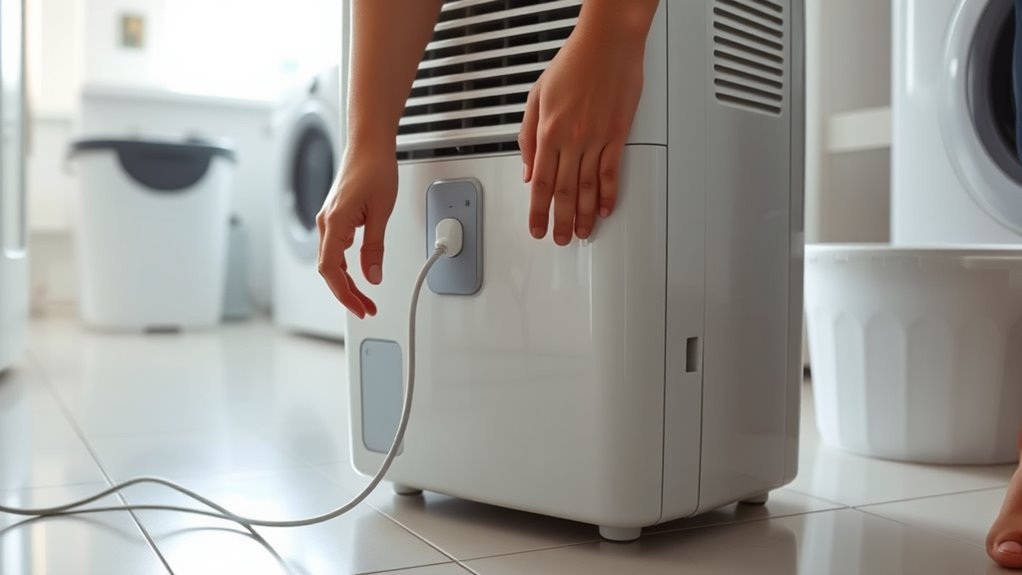
To reset a dehumidifier, turn it off and disconnect it from power for the reset interval specified in its owner manual. Empty and fully reseat the water bucket, then reconnect the unit directly to a working grounded wall outlet. After power returns, set the desired humidity below the room’s current relative humidity when testing and allow time for any model-specific compressor restart delay. If the unit still will not start, check the outlet, breaker, GFCI, filter, drain system, error display, and recall status before assuming the dehumidifier has failed.
Quick Answer
Turn the dehumidifier off, disconnect it for the period specified in its owner manual, empty and reseat the bucket, then reconnect it directly to a working grounded wall outlet. Set the humidity target below the room’s measured RH and wait through any model-specific compressor-protection delay. If an error code returns or the unit still has no power, use the troubleshooting instructions for the exact model instead of repeatedly resetting it.
Key Takeaways
- A basic reset is usually a power cycle, but the required disconnect time and button sequence can vary by brand and model.
- A Filter Reset normally clears a maintenance reminder; it is not the same as resetting the entire appliance.
- For a normal dehumidification test, set the desired humidity below the room’s current RH.
- A full, misaligned, or incorrectly installed bucket can prevent many portable dehumidifiers from operating.
- Some compressor models intentionally delay restarting after power is restored, so check the model manual before repeating the reset.
- Before troubleshooting an older or second-hand unit, check whether its model is subject to a safety recall.
At a Glance
| Time Required | About 10–20 minutes for basic checks |
| Difficulty | Easy for external troubleshooting |
| Tools Needed | Owner manual; optional hygrometer and small appliance or circuit tester for checking the outlet |
| Cost | Usually $0 for basic reset and troubleshooting |
Warning: Stop using the dehumidifier if the plug or cord is damaged, the outlet or plug becomes unusually hot, you smell burning, see smoke or sparks, or the circuit repeatedly trips. Before troubleshooting an older or second-hand unit, check the U.S. Consumer Product Safety Commission dehumidifier recall page by brand and model number. If the unit is recalled, stop using it and follow the official recall remedy instead of attempting further resets. Do not open the cabinet or work on electrical or refrigerant components unless you are qualified to do so.
Which Dehumidifier Reset Do You Need?
The word reset can describe several different actions on a dehumidifier. Identify the problem first so you do not repeatedly unplug the appliance when the real issue is a filter reminder, full bucket, electrical-protection device, or model-specific error.
| What You See | Reset or Action | Important Detail |
|---|---|---|
| Frozen display, controls not responding, or temporary fault | Appliance power reset | Turn it off, unplug it for the model-specified interval, reconnect it, and re-enter settings if necessary. |
| Filter or Clean Filter light | Filter reminder reset | Clean the filter first, then use the Filter or Filter Reset control exactly as the manual directs. |
| Bucket Full light | Empty and reseat the bucket | Check that the bucket and float are correctly positioned before assuming an electronic reset is needed. |
| Tripped GFCI or TEST/RESET device | Electrical-protection reset | This restores the protective device when appropriate; it is not a factory reset of the dehumidifier. |
| Error code | Model-specific troubleshooting | Record the exact code. If it returns after the manual-approved reset, diagnose the underlying fault instead of repeatedly power-cycling. |
| App or Wi-Fi connection problem | Connectivity reset | Use the exact Wi-Fi or pairing sequence for the model; do not assume an appliance power reset also clears network settings. |
How to Reset a Dehumidifier
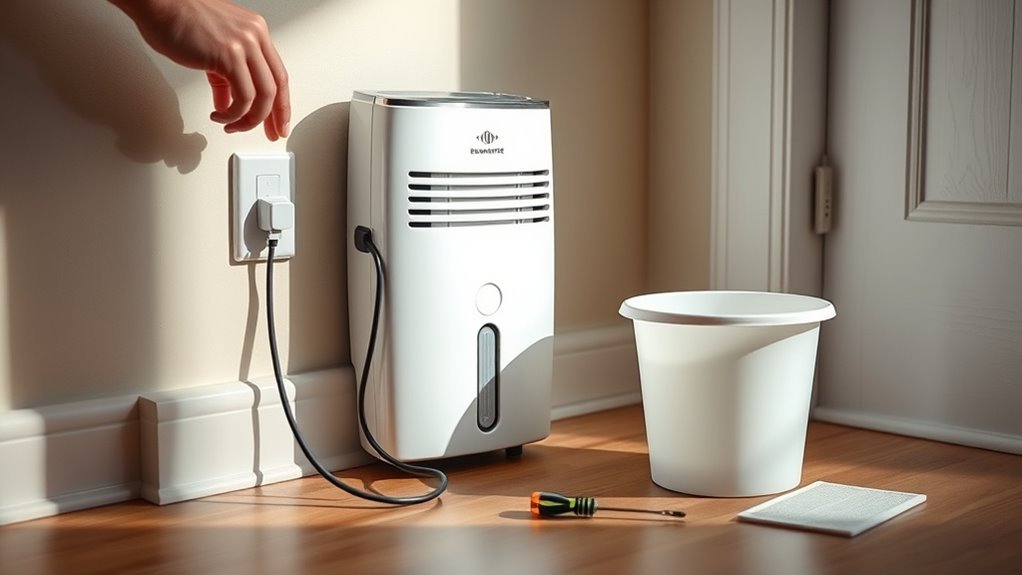
For many portable units, a basic dehumidifier reset is a power cycle rather than a factory reset. Turn the unit off with its power button, unplug it from the wall, and leave it disconnected for the interval specified in the owner manual. Reset timing is not universal. For example, GE’s general dehumidifier troubleshooting guidance uses a 30-second power disconnect before reconnecting the appliance.
- Turn the dehumidifier off.
- Unplug it directly from the wall outlet.
- Empty the water collection bucket if necessary.
- Reinstall the bucket completely so it engages the bucket switch or float mechanism correctly.
- Check the filter and air openings for obvious blockage.
- Wait for the reset interval specified by the manufacturer.
- Plug the dehumidifier directly into a working grounded wall outlet.
- Turn it on and select a humidity target below the room’s current RH for testing.
- Allow any model-specific compressor restart delay to expire before deciding the reset failed.
This power cycle can clear some temporary control faults, but it will not repair a failed sensor, compressor, control board, pump, float switch, or other damaged component. Some models also restore previous settings automatically following a power interruption, while others may require you to select the operating mode and humidity target again.
Note: A button labeled Filter Reset normally clears a filter-maintenance reminder; it does not necessarily reset the entire appliance. For example, GE instructs owners of applicable models to hold the Filter button for three seconds after cleaning. Likewise, a TEST/RESET device on a power cord or GFCI outlet is an electrical-protection feature. Follow the instructions for your exact model instead of assuming every reset button performs the same function.
Check the Power Source After Reset
After resetting the dehumidifier, verify that the power source is actually available. Check the circuit breaker first. Then test the wall receptacle with a small appliance or suitable circuit tester. If the dehumidifier is connected to a GFCI or AFCI-protected circuit and the protection has tripped, reset it according to the device instructions.
Inspect the dehumidifier’s power cord and plug for cuts, crushed areas, loose connections, discoloration, bent blades, or heat damage. Stop using the appliance if the cord or plug is damaged.
Plug the dehumidifier directly into an appropriate grounded wall receptacle. Frigidaire and GE both advise against using extension cords, power strips, surge protectors, or multi-outlet adapters with their portable dehumidifiers. See Frigidaire’s dehumidifier no-power guidance and GE’s extension-cord and surge-protector guidance.
Pro Tip: If the control panel lights up but the compressor does not start immediately, wait before resetting the unit again. Some compressor dehumidifiers intentionally delay compressor operation after a stop or power interruption. Check the owner manual for the delay used by your model.
If the breaker, GFCI, or AFCI repeatedly trips, stop resetting it. Repeated trips can indicate an electrical or appliance fault. See the related guide on why a dehumidifier trips the breaker before using the appliance again.
Recommended Products

Replacement Power Adaptor for Pro Breeze 1200 Cubic Feet Dehumidifier (PB-02).
Review the Settings and Humidity Level
Once you know the power source is working, check the controls and humidity target. Make sure the unit is not waiting for a Delay On timer or sitting in another mode that prevents immediate dehumidification.
- Check the control panel for a full-bucket light, filter reminder, timer indication, lock indicator, or error code.
- Measure room humidity with a separate hygrometer if you have one.
- For a test, set the dehumidifier’s desired RH below the room’s current humidity. For example, if the room is at 65% RH, a 50% target gives the unit a reason to dehumidify.
- Do not expect the compressor to keep operating after the room reaches the selected humidity target; normal humidistat-controlled operation cycles the compressor as needed.
ENERGY STAR explains that dehumidifiers with built-in humidistats cycle on and off to maintain the selected relative humidity. For general indoor moisture control, the U.S. Environmental Protection Agency recommends keeping indoor humidity roughly between 30% and 50% when practical.
A setting around 45–50% RH is a reasonable starting point in many damp indoor spaces, but climate, room temperature, comfort, condensation risk, and the manufacturer’s instructions can affect the best setting.
Common Issues That Stop a Reset
If the dehumidifier still won’t reset or restart, work through the common causes instead of repeatedly unplugging it.
- Full water bucket: Many portable dehumidifiers automatically stop when the bucket reaches its limit.
- Bucket not seated correctly: Remove and reinstall it so the safety switch can detect it.
- Float stuck: Make sure the bucket float can move normally and is not jammed by debris.
- Humidity target too high: Lower the target below current room RH for a functional test.
- Timer active: A Delay On setting can intentionally keep the appliance off until the selected time expires.
- Dirty filter: Restricted airflow can reduce performance and contribute to overheating or frost problems.
- Blocked intake or outlet: Move curtains, furniture and other objects away from the airflow path while following your model’s clearance requirements.
- Drain problem: If continuous drainage or a pump is being used, check for a kinked, blocked, frozen or incorrectly routed hose.
- Restart delay: Give the compressor the model-specific protection time after power is restored.
- Error code: Record the exact code and look it up in the manual for the model rather than relying on a generic code list.
ENERGY STAR notes that portable dehumidifiers commonly use a bucket-full warning and automatic shutoff. Manufacturer support pages also show that a misplaced bucket, blocked drain system, dirty filter, poor airflow, sensor problem, or compressor protection condition can interfere with operation.
If the reset itself is complete but the appliance still will not dehumidify normally, continue with the site’s broader dehumidifier stopped-working diagnosis guide.
Recommended Products

【Compatibility】 Our 9 x 11 x 1 MERV 13 Replacement Dehumidifier Filter Media is Compatible with Santa Fe Compact70, Ultra70, Element, Compact2, UA 65H dehumidifier models.
What to Check If It Still Won’t Run
If the dehumidifier has power but still will not operate normally, separate a true no-start problem from a machine that is simply satisfied with the room humidity, in automatic defrost, or waiting for a normal protection cycle.
Recommended Products

COMPATIBILITY: Our DH02 HEPA filter compatible with Afloia (AQ8/Q8)/ Honati/ Hysure Q7/ Tenergy Sorbi 2-in-1 Air Purifier/Dehumidifier(1000ML) or please double check before order

BUY WITH CONFIDENCE Genuine AprilAire MERV 8 Replacement Filter for your AprilAire Whole Home Dehumidifier Models E080 or E100 or Dehumidifying Ventilator 8192A (and all variations of these models)
Clean the Filter and Check Airflow
Turn the unit off and unplug it before removing a washable filter. Clean or replace the filter according to the manufacturer’s instructions and reinstall it only when appropriate for the model. Make sure the intake and outlet grilles are clear.
Poor airflow can reduce water collection, contribute to coil icing, and interfere with normal performance. Do not remove covers or reach into internal electrical or refrigerant-system components.
Check for Frost or Low Room Temperature
Look through the accessible grille for visible frost or ice. ENERGY STAR notes that frost can form on dehumidifier coils when room temperature falls below about 65°F. Some products are designed to operate at lower temperatures, so use the minimum operating temperature specified for your exact model.
If the coils are icy, turn the appliance off and let it defrost. Clean the filter and make sure airflow is unrestricted. Recurring heavy icing at temperatures within the manufacturer’s normal operating range can indicate a problem that requires service.
Check the Drain Hose or Pump
If you use continuous drainage, check that the hose is attached correctly and is not pinched, blocked, or routed uphill when gravity drainage requires a downward slope. Temporarily switching back to bucket operation can help determine whether the drain setup is causing the problem.
For a complete hose-routing and drainage checklist, see why a dehumidifier is not draining through the hose.
For pump-equipped models, inspect the hose and accessible pump pickup components only as directed by the manual. Midea and Frigidaire support information lists drainage, bucket, or pump conditions among causes of some pump-related errors.
Test the Dehumidifier After the Reset
- Install an empty bucket correctly.
- Make sure the filter is clean and all grilles are unobstructed.
- Close nearby exterior doors and windows while testing.
- Measure the room RH if possible.
- Set the desired humidity several percentage points below the measured RH.
- Turn off timers or special scheduling modes.
- Run the unit long enough for any model-specific compressor delay to expire.
- Listen for the fan and then the compressor if the current conditions call for dehumidification.
- Check later for water collection or a reduction in measured RH.
If the room is already drier than the chosen setting, little or no water collection can be normal. A dehumidifier does not need to run continuously once the selected RH has been reached.
When to Call a Dehumidifier Technician
When reset attempts and basic external troubleshooting do not restore normal operation, contact the manufacturer, an authorized service provider, or another qualified appliance technician as appropriate.
Stop troubleshooting and seek professional help if:
- the controls remain completely unresponsive even though the outlet has been verified;
- an error code returns after the manual’s recommended troubleshooting;
- the breaker or GFCI repeatedly trips;
- you smell burning or see smoke, sparks, melted plastic, or heat damage;
- you hear repeated clicking, grinding, harsh buzzing, or other abnormal mechanical sounds;
- water leaks from inside the cabinet rather than from an obvious bucket or hose connection;
- the compressor does not appear to operate after the model’s normal restart delay;
- the coils repeatedly freeze under conditions within the unit’s specified operating range; or
- the fan runs but the unit cannot lower humidity or collect water in a clearly humid room.
Do not assume codes such as E1, E2, E3, F1, AS or ES mean the same thing across brands. For example, Frigidaire’s error-code guide and Midea’s dehumidifier support information use different sets of codes and troubleshooting instructions. The correct definition is the one provided for your exact model.
Frequently Asked Questions
How Do I Reset My Dehumidifier?
Turn the unit off and disconnect it for the period specified by its manufacturer. Empty and correctly reinstall the bucket, then plug it directly into a working grounded wall outlet. Turn it on, set the desired RH below the room’s current humidity for testing, and allow any model-specific compressor restart delay to expire. Follow the owner manual if your model specifies a different reset sequence.
Do Dehumidifiers Have a Reset Button?
Many portable dehumidifiers do not have one universal appliance-reset button. A normal reset may simply require disconnecting and restoring power according to the manual. A button labeled Filter Reset usually clears a maintenance reminder, while TEST/RESET controls on a GFCI outlet or protected power cord are electrical-safety controls rather than factory-reset buttons.
How Do I Get a Dehumidifier to Work Again?
Verify the outlet and breaker, empty and reseat the bucket, clean the filter, clear the air openings, check the drain hose, and power-cycle the unit according to its manual. Then set the desired humidity below the measured room RH and wait through any normal compressor restart delay. If an error code remains, use the troubleshooting instructions for your exact model.
What Usually Goes Wrong With a Dehumidifier?
Common problems include a full or misaligned bucket, incorrect humidity setting, dirty filter, blocked airflow, drain-hose problem, low room temperature, frozen coils, power-supply problem, failed sensor, faulty control, fan problem, or compressor/refrigerant-system failure. Start with the safe external checks before assuming an internal component has failed.
Should the Humidity Setting Be Above or Below the Current Humidity?
Set the desired humidity below the room’s current RH when you want the dehumidifier to remove moisture. For example, if the room measures 65% RH, setting the unit to 50% gives it a lower target to work toward. Once the room reaches the setpoint, normal humidistat operation may cycle the compressor off.
Why Doesn’t My Dehumidifier Start Immediately After Resetting?
Some compressor dehumidifiers intentionally delay compressor operation after being switched off or losing power. This protection period does not necessarily indicate a fault. Wait for the delay specified in your owner manual before repeating the reset.
Conclusion
Resetting a dehumidifier is usually straightforward, but the correct reset depends on what you are trying to clear. Turn the unit off, disconnect power for the manufacturer-specified interval, empty and reseat the bucket, restore power, choose a humidity target below the room’s current RH, and give the compressor any required protection time before judging the result.
If it still will not run, check the outlet, breaker, GFCI, filter, airflow, float, drain hose, room temperature, recall status, and control-panel messages. For broader diagnosis after the reset is complete, see why a dehumidifier stops working. Persistent errors, electrical problems, repeated icing, internal leaks, or abnormal mechanical behavior should be handled according to the manufacturer’s instructions or by a qualified technician rather than repeated resets.
Sources
- ENERGY STAR — Dehumidifiers — supports humidistat operation, relative-humidity guidance, full-bucket shutoff, airflow, drainage, and cold-temperature frost guidance.
- U.S. EPA — Care for Your Air — supports the general 30–50% indoor relative-humidity recommendation.
- GE Appliances — Dehumidifier Not Collecting Water — supports GE’s 30-second power-disconnect reset example and checking the selected humidity level.
- GE Appliances — Dehumidifier Air Filter — supports the distinction between a filter-reminder reset and a whole-appliance reset.
- Frigidaire — Dehumidifier No Power — supports checking the outlet, breaker, GFCI, cord, and avoiding extension cords or power strips.
- GE Appliances — Use of Extension Cord or Surge Protector — supports direct connection to a grounded wall outlet and avoiding extension cords, surge protectors, and multi-outlet adapters.
- Frigidaire — Dehumidifier Error Code Guide — supports model-specific interpretation of sensor, compressor, control, and pump-related error codes.
- Midea — Dehumidifier Support FAQ — supports model-specific bucket, pump, sensor, and appliance troubleshooting.
- U.S. Consumer Product Safety Commission — Dehumidifier Recalls — supports checking recall status before continued troubleshooting of affected units.