Affiliate disclosure: As an Amazon Associate I earn from qualifying purchases. This article contains affiliate links to Amazon, so we may earn a commission if you buy through them, at no extra cost to you.
If your dehumidifier keeps shutting off, it may be cycling normally rather than failing. Most harmless shutdowns happen when the room reaches your humidity setpoint, the water bucket fills or sits slightly crooked, or the evaporator coil enters automatic defrost. When the room still feels damp and the machine stops early, systematically checking the shutdown timing, airflow, drainage, room temperature, power supply, and error codes will pinpoint the cause before you pay for a repair.
Quick Answer
A dehumidifier usually shuts off because it reached the target relative humidity (RH), the bucket is full or misaligned, the drain hose or pump is blocked, frost triggered defrost mode, clogged filters overheated the compressor, or a sensor fault occurred. Check the display status, room RH, bucket float, filter, hose, room temperature, and wall outlet in order.
At a Glance
| Time Required | 15–30 minutes for external checks; 1–2 hours if frozen coils must thaw |
| Difficulty | Easy for home cleaning and setup checks; technician required for internal electrical or refrigerant faults |
| Tools Needed | Digital hygrometer, room thermometer, flashlight, vacuum with soft brush attachment, mild dish soap, and towel |
| Cost | Free for cleaning, reseating the bucket, and adjusting airflow; professional repairs vary by fault and warranty |
Why Your Dehumidifier Keeps Shutting Off: Normal Cycling vs. Real Faults
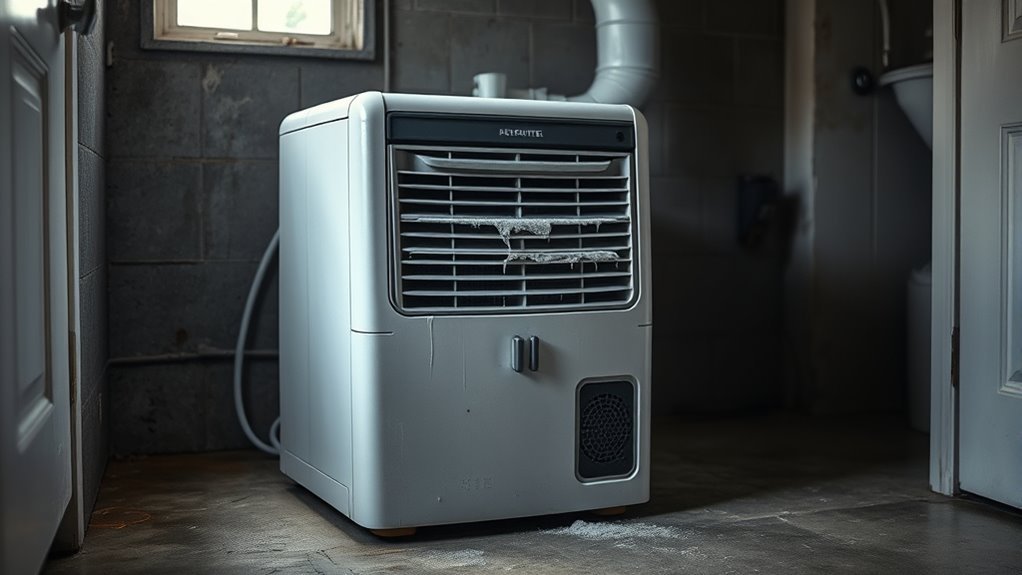
A dehumidifier shuts off either because its humidistat satisfied your target setting or because a protective safety switch interrupted operation. Humidistat-controlled units are designed to cycle off once indoor relative humidity drops to the selected percentage and restart automatically when moisture climbs again. A full or poorly seated water bucket, an active delay-off timer, or a temporary defrost cycle will also pause the compressor without indicating a broken appliance.
True malfunctions happen when restricted airflow overheats the compressor, a blocked hose backs water into the pan, room temperatures drop too low for moisture extraction, or a sensor or control board fails. Your best diagnostic clue is what stays powered during the shutdown:
- Display stays lit while compressor stops: The unit is typically at its humidity setpoint, waiting out a 3-minute compressor protection delay, or melting light frost off the evaporator coil.
- Display flashes a bucket icon or error code: The float switch detects a full or misaligned tank, the condensate pump failed to empty the reservoir, or a thermistor sensor triggered a fault.
- Entire control panel goes dark: The wall outlet lost power, a GFCI outlet or circuit breaker tripped, the power cord is damaged, or an internal thermal fuse opened.
Normal humidity control is a cycle, not non-stop operation: the compressor stops at your target RH and restarts once room moisture rises above the setpoint.
First Identify What Is Shutting Off and When
Watch the dehumidifier through one full operating cycle and note how many minutes it runs, whether the fan stays on after the compressor stops, and which indicator lights illuminate. Timing tells you where to look first. A machine that stops within seconds has a different trigger than one that runs for 10 minutes and overheats.
On many residential models, the compressor shuts off as soon as the setpoint is reached while the fan continues to run for up to 3 additional minutes to dry the evaporator coil and sample room air accurately. Use the symptom table below to match what you see and hear to the right inspection step.
| What you observe | Typical run time before shutoff | Most likely cause | First check to perform |
|---|---|---|---|
| Display stays on; RH reading is at or below setpoint | 15–60+ minutes (or immediate) | Normal humidistat cycling or warm exhaust air recirculation | Verify room RH with an independent hygrometer 3–4 feet away |
| Bucket or “Full” light is solid or blinking | Immediate (0–5 seconds) or after tank fills | Full tank, unseated bucket, jammed float, or backed-up drain hose | Empty the tank, clean the float pivot, and push the bucket in until it clicks |
| Cabinet feels hot; unit stops and restarts later | 5–15 minutes | Compressor thermal overload from clogged filter or tight wall clearance | Wash the air filter, vacuum grilles, and give 6–18 inches of open clearance |
| Coils show frost; compressor stops while fan runs | 10–30 minutes in cool rooms | Automatic defrost triggered by room temperatures below 65°F (18°C) | Check room temperature near the floor and inspect the filter for dust |
| Whole display goes completely dark | Anytime during operation | Tripped GFCI/breaker, loose wall outlet, power outage lockout, or cord fault | Inspect the wall receptacle, GFCI reset button, and breaker panel |
| Alphanumeric error code appears on screen | Immediate or after 5–20 minutes | Sensor failure, pump timeout, compressor overload, or board fault | Match the exact code to your owner’s manual before unplugging |
Pro Tip: Place a standalone digital hygrometer 3 to 4 feet away from the dehumidifier—outside its warm exhaust stream—and log the room RH, unit display reading, and setpoint every 10 minutes for half an hour. Exhaust air is warmer and drier than ambient room air, so a tight alcove can trick the built-in sensor into shutting off early.
Check the Humidity Setting and Room RH
Your dehumidifier will shut off within minutes if its target humidity is set higher than or equal to the room’s current moisture level. Compare the number set on the control panel with an independent hygrometer. The U.S. Environmental Protection Agency recommends keeping indoor humidity between 30% and 50%, and notes in its mold prevention guidance that maintaining relative humidity below 60% (ideally 30% to 50%) prevents mold growth and surface condensation.
For most damp basements, crawlspaces, and laundry rooms, **45% to 50% RH** is the sweet spot between moisture control and energy efficiency. Most portable units allow you to set targets down to **35% RH** in 5-percentage-point increments. Below 40% RH, especially in cool rooms, the air holds very little extractable water vapor.
- Read the current display: On most digital panels, the default number shown is the room’s measured RH; pressing the up or down arrow briefly reveals your target setpoint.
- Lower the setpoint for testing: Set the target at least **5 to 10 percentage points below** the current room RH (for example, set it to 45% if the room reads 55%) and listen for the compressor to engage after its 3-minute delay.
- Stop air leaks into the room: Close nearby windows and exterior doors so outdoor humidity does not distort the cycle test.
- Pull the unit out of tight corners: When a dehumidifier sits wedged between furniture or walls, its dry exhaust air loops straight back into the intake sensor, causing the humidistat to read a false drop in humidity and shut off after just a few minutes.
Clean the Filter and Clear Airflow Paths
Restricted airflow is the leading cause of a dehumidifier that runs for 5 to 15 minutes, gets hot, and shuts off on thermal overload. When dust blankets the intake screen or evaporator fins, warm air stays trapped inside the cabinet and causes the compressor’s internal overload protector to trip until the motor cools down.
Warning: Always turn off and unplug the dehumidifier before removing the air filter, water bucket, or drain hose. Never open the outer cabinet, touch internal capacitors or wiring, bypass the bucket float switch, or plug the appliance into an extension cord or power strip. Unplug the unit immediately if you notice smoke, a burning plastic odor, sparks, or repeated circuit breaker trips.
Inspect and clean the dehumidifier air filter every 2 to 4 weeks during heavy seasonal use. Slide out the washable mesh screen, rinse it under warm tap water with a drop of mild dish soap, and let it air-dry completely before reinstalling. Never run the unit without a filter, as household lint will coat the wet evaporator coils and block heat transfer permanently.
Next, use a vacuum with a soft brush attachment to clear dust from both the intake and exhaust grilles without bending the delicate aluminum coil fins. Give the cabinet **6 to 12 inches (15 to 30 cm)** of unobstructed space on all sides—and **12 to 18 inches** on high-capacity 50- to 70-pint models—keeping curtains, storage bins, and walls clear of the vents. After restoring airflow and letting an overheated unit cool for 30 minutes, plug it back in and verify that the exhaust breeze feels strong and steady rather than hot and weak.
Check the Water Tank, Float Switch, and Drain Line
A full, slightly unseated, or slimy water bucket will stop a dehumidifier immediately—even when you have a continuous gravity hose or pump attached. Every portable unit relies on a mechanical float lever or magnetic reed switch inside the collection bucket to prevent basement floods when water reaches the fill line.
Pull the bucket out, empty it, and wash the interior with warm water and mild soap to remove biofilm and algae. Gently move the plastic float arm up and down with your finger to confirm it pivots freely and contains its small internal magnet. Slide the bucket firmly back into the base until it sits flush on both sides; if the cabinet sits on an uneven basement floor, level the unit so the float does not tilt into the “full” position prematurely.
| Drainage Component | What to inspect | How it causes shutoffs |
|---|---|---|
| Water bucket level | Water at or near the full mark | Normal automatic float shutoff until emptied |
| Bucket alignment | Crooked seating or warped plastic rails | Safety interlock switch prevents the fan and compressor from starting |
| Float and magnet | Algae buildup, stuck hinge, or missing magnet cap | Triggers a false “Bucket Full” light when the tank is empty |
| Gravity drain hose | Kinks, upward loops, narrow diameter, or algae sludge | Water backs up into the bucket and trips the float shutoff |
| Internal condensate pump | Clogged bucket pickup screen, kinked tubing, or lift over limit | Triggers a pump-out failure code (such as PU) and halts operation |
If you use continuous gravity drainage, attach a 1/2-inch or larger diameter drain hose and route it continuously downhill with no upward loops or kinks. Narrow tubing clogs rapidly with dust and algae sludge, diverting condensate back into the bucket until the float switch shuts the machine off. For deeper hose diagnostics, see our guide on why a dehumidifier is not draining through the hose.
Check the Timer, Operating Mode, and 3-Minute Restart Delay
Control-panel settings and built-in compressor delays often mimic a breakdown. Before assuming a component has failed, inspect the active mode indicators on the display and wait out the mandatory compressor protection window.
- 3-minute compressor protection delay: Whenever you unplug the dehumidifier, change the mode, or adjust the humidity setting past the current room RH, the electronic control board enforces a delay of **up to 3 minutes** before starting the compressor. This allows high-side refrigerant pressure to equalize so the compressor motor does not stall or trip its overload relay.
- Auto-off timer and smart schedules: Check whether the `Timer` LED is lit. A 2-, 4-, or 8-hour delay-off timer or a connected phone app schedule will shut the unit down automatically at the end of the countdown.
- Continuous (`CO`) vs. Auto mode: Continuous mode bypasses the humidistat to run until the bucket fills, though it can accelerate coil icing in cool rooms. Switching back to a normal **45%–50% RH** target lets the unit cycle cleanly.
- Power outage lockout: While many modern dehumidifiers include auto-restart memory after a brief power flicker, budget models often stay in standby until you press the power button manually.
If you adjust these settings and find the opposite issue—where the compressor never cycles off—read our guide on why a dehumidifier keeps running.
Test the Humidistat and Humidity Sensors
The internal humidistat uses an electronic humidity and temperature sensor (thermistor) mounted behind the intake grille to decide when to start and stop the compressor. When that sensor becomes coated in dust or drifts out of calibration, it can read 35% RH in a damp 65% RH basement and shut the dehumidifier off after just a few minutes.
To test accuracy safely at home, place a calibrated digital hygrometer 3 to 4 feet from the intake grille, away from direct sunlight, vents, and the unit’s warm exhaust air. Let both instruments stabilize for 30 minutes across two or three on/off cycles. A variance of **±5% RH** is within normal consumer sensor tolerance. However, if the dehumidifier’s display consistently reads 15 to 25 percentage points lower than your hygrometer—or displays a sensor fault code—the sensor assembly has likely failed.
Note: Gently vacuuming dust off the intake grille can improve airflow across the humidity sensor, but replacing an internal thermistor, capacitor, or control board requires opening the cabinet and should be handled by an authorized appliance technician.
Look for Low Temperature, Coil Frost, or Electrical Issues
Cold basement air, iced evaporator coils, and unstable electrical circuits frequently force a dehumidifier into protective shutdown. Standard refrigerant dehumidifiers are built for warm indoor air; ENERGY STAR notes that frost can form on dehumidifier coils below 65°F (18°C), causing the compressor to cycle on and off repeatedly without removing moisture.
Low Room Temperature and Defrost Cycling
Because the evaporator coil operates near freezing during normal moisture extraction, cool ambient air pushes the coil surface below 32°F (0°C). On many standard models, coil frost buildup begins near 41°F (5°C) (with a typical approved operating range of **41°F to 89°F / 5°C to 32°C**). When the coil thermistor detects frost, it stops the compressor and keeps the fan spinning to melt the ice.
- Measure floor-level temperature: Place a thermometer right next to the dehumidifier on the basement floor, which is often 5°F to 10°F colder than an upstairs wall thermostat.
- Inspect the coils with a flashlight: Peer through the intake grille for white frost or solid ice without poking tools through the louver.
- Switch off Continuous (`CO`) mode: Running non-stop in a cool room accelerates icing; raise the target to **50% RH** and set the fan speed to high to keep warmer room air moving across the coil.
- Thaw heavy ice naturally: If solid ice blocks the coil, turn the unit off, unplug it, place a towel underneath, and let it melt at room temperature for several hours. Never chip ice off the aluminum fins or use a heat gun. For recurring ice blockages, see why a dehumidifier freezes up.
Inspect External Electrical Connections
When the entire digital display goes dark during a cycle, the problem is electrical rather than a humidity or bucket setting. Keep your inspection strictly external:
- Plug directly into a grounded wall outlet: Remove any extension cord, surge strip, or multi-outlet adapter. Portable dehumidifiers draw high startup current when the compressor kicks on, which causes voltage drops and overheating in extension cords.
- Inspect the plug and LCDI/GFCI test head: Unplug the unit and check the cord and blades for discoloration, melted plastic, char marks, or loose prongs. If the plug has built-in `TEST` and `RESET` buttons, press `RESET` firmly.
- Check the circuit breaker and wall GFCI: Confirm the basement GFCI receptacle hasn’t tripped from moisture and that the circuit isn’t shared with another heavy appliance like a freezer or sump pump. If a breaker trips a second time after you reset it once, leave it off and call a licensed electrician.
Read Error Codes and Reset Safely
Always write down any flashing letters or numbers before unplugging the dehumidifier, because cutting power can clear the diagnostic memory temporarily. While exact code definitions vary by manufacturer, reviewing official sensor, sealed-system, and electronic-control error codes shows how modern units classify shutdown faults:
| Example Code (Frigidaire) | Fault Meaning | Recommended Action |
|---|---|---|
| H3, E5 | Compressor overload protection | Unplug to cool, clean the filter, ensure 6–18 inches of clearance, and confirm room temperature is between 41°F and 89°F (5°C and 32°C). |
| PU | Pump-out failure in allotted time | Check the pump drain hose for kinks, clogs, frozen lines, or loose fittings; empty the bucket and clean dirt or algae from the pump pickup. |
| AS, ES, F1, F2, L1, F5 | Temperature or humidity sensor failure | Perform a single 5-minute power reset; if the code returns, contact manufacturer support or a technician for sensor replacement. |
| EC, F0 | Sealed refrigerant system fault | Stop troubleshooting and check warranty status; sealed-system refrigerant leaks or compressor failures require certified repair or unit replacement. |
| E4, C5 | Electronic control board failure | Unplug for 5 minutes and reconnect once; if the fault persists, arrange professional control-board service. |
For example, Frigidaire lists H3 or E5 as compressor-overload protection and directs owners to verify room temperature (41°F–89°F), clean the filter, and restore clearance. Its PU code indicates a pump-out failure, solved by clearing kinks or algae from the pump hose and bucket pickup. Never repeatedly reset a recurring overload, sealed-system, or control-board code without fixing the underlying issue.
When Should You Repair or Replace the Dehumidifier?
Complete every external check—humidity setpoint, bucket seating, float movement, filter washing, clearance, drain hose slope, and room temperature—before condemning the unit. Over half of “broken” dehumidifiers are simply reacting to a clogged filter, a tilted float switch, or a room below 65°F (18°C).
If those checks pass and the dehumidifier still shuts off with a sensor code (`AS`/`ES`), electronic board error (`E4`/`C5`), sealed-system fault (`EC`/`F0`), or failing compressor start capacitor, check your purchase date and warranty first. Many manufacturers cover the sealed refrigeration system for 1 to 5 years. Out of warranty, replacing a thermistor sensor or float switch may be economical, whereas a failed compressor, control board, or refrigerant leak on a portable residential unit usually exceeds the cost of a new ENERGY STAR model.
Recommended Products

Universal Compatibility This dehumidifier drain adapter is specifically designed to fit a wide range of popular dehumidifier models, ensuring seamless integration with your dehumidifier hose. It works perfectly with for AeonAir, for Whirlpool, for Idylis Dehumidifiers, and for RPD-702WP units, and is also compatible with for friedrich dehumidifier systems. No matter which brand you own, this adapter provides a secure and reliable connection for your dehumidifier drain hose.

Compatible With Models Having Tank Capacities of 50 and 70 Pints.

COMPATIBILITY: Specifically designed as a replacement humidity sensor module board for HIS06 model for dehumidifiers and humidifiers
Check CPSC Recalls and Know When to Stop
Before spending money or time on an older portable dehumidifier that overheats or shuts off erratically, locate the rating nameplate on the back, side, or behind the water bucket. Write down the brand name, exact model number, serial number, and manufacture date code, then check them against the U.S. Consumer Product Safety Commission’s dehumidifier recall database. Multiple multi-million-unit recalls have involved portable dehumidifiers linked to more than 2,000 overheating incidents and hundreds of house fires.
Unplug the dehumidifier immediately and stop using it if you observe any of these red flags:
- A burning plastic or hot electrical smell coming from the exhaust grille
- Smoke, sparks, scorching, or melted plastic around the cabinet, plug, or outlet
- An outer housing that becomes too hot to touch comfortably
- Oily residue under the base (indicating a punctured refrigerant line) or loud metallic knocking from the compressor
- Repeated circuit breaker or GFCI trips after a single reset
- A model and serial number listed on an active CPSC safety recall (follow the recall refund instructions rather than repairing the unit)
Key Takeaways
- When the display stays on and room RH matches your setpoint (ideally 45%–50%), the compressor is cycling off normally and the fan may run up to 3 minutes longer to dry the coil.
- A misaligned bucket or algae-jammed float switch triggers a false “Bucket Full” shutoff even when a gravity hose or pump is connected.
- Short-cycling after 5–15 minutes usually points to a dusty filter, less than 6–18 inches of wall clearance, or room temperatures below 65°F (18°C) causing coil frost.
- Wait up to 3 minutes after unplugging or changing settings for the protective compressor restart delay to clear.
- Unplug the unit immediately and check the CPSC recall list if the cabinet gets abnormally hot, smells burnt, trips breakers repeatedly, or shows a sealed-system fault code.
Frequently Asked Questions
Why does my dehumidifier keep turning itself off?
Your dehumidifier usually turns itself off because it reached the target humidity setpoint, the water bucket is full or slightly unseated, the evaporator coil entered defrost mode, or a clogged filter caused the compressor to overheat. Start by checking whether the display stays lit, then compare room RH with a separate hygrometer and inspect the bucket float, air filter, drain hose, and room temperature.
Why does my dehumidifier shut off when the bucket is not full?
An empty bucket still stops the dehumidifier if the tank is not pushed flush into the cabinet or if slime jams the plastic float switch in the “full” position. Wash the bucket with mild soap, verify the float pivots freely, and reseat the tank until it clicks. If the bucket light stays off, check whether the room has already reached your humidity setpoint or the coils have frosted over.
How do I know if my dehumidifier humidistat or humidity sensor is bad?
You can test the humidistat by placing a separate digital hygrometer 3 to 4 feet away from the dehumidifier—outside its warm exhaust stream—and comparing both readings over several cycles. A difference within 5 percentage points is normal, but if the dehumidifier repeatedly reads 15 to 25 points lower than the room and shuts off early, the humidity sensor is either blocked by poor clearance or failing.
How do I reset a dehumidifier that keeps shutting off?
To reset your dehumidifier, write down any displayed error code, turn the power off, and unplug the cord from the wall outlet for 5 minutes. While unplugged, empty and reseat the bucket and clean the air filter, then plug it back in and wait up to 3 minutes for the compressor protection delay to finish. Never keep resetting a unit that smells burnt, overheats, or trips a circuit breaker.
Why does my dehumidifier shut off after only a few minutes?
A dehumidifier that stops after 5 to 15 minutes is typically either recirculating its own warm, dry exhaust air in a tight corner or tripping its compressor thermal overload due to a clogged air filter. Pull the unit at least 6 to 18 inches away from walls, wash and dry the filter, and lower the target humidity at least 5 points below the actual room RH.
Is it normal for the fan to run after the compressor stops?
Yes, on many dehumidifiers it is completely normal for the fan to run after the compressor stops. Some models keep the fan spinning for up to 3 additional minutes after reaching the humidity setpoint to dry moisture off the evaporator coil and sample room air accurately, and the fan also runs alone during automatic defrost cycles.
Conclusion
When your dehumidifier keeps shutting off, start by checking whether the display stays powered and comparing the unit’s RH reading against an independent hygrometer placed 3 to 4 feet away. Empty and reseat the bucket, clean the float and air filter, give the cabinet 6 to 18 inches of open clearance, verify a downward slope on any 1/2-inch drain hose, and confirm the room temperature sits above 65°F (18°C) for standard units. If the machine still loses power, displays a recurring sensor or sealed-system error code, smells hot, or appears on the CPSC recall list, unplug it immediately and contact the manufacturer or a qualified appliance technician.
Sources
- U.S. Environmental Protection Agency: Improving Your Indoor Environment: Recommended 30%–50% indoor relative humidity range and moisture control.
- U.S. Environmental Protection Agency: A Brief Guide to Mold, Moisture and Your Home: Keeping indoor humidity below 60% (ideally 30%–50%) to prevent mold and condensation.
- ENERGY STAR: Dehumidifiers: Humidistat cycling, automatic bucket shutoff, airflow placement, and coil frost formation below 65°F (18°C).
- Frigidaire: Dehumidifier Fan Turning On and Off Periodically: Normal setpoint cycling and the 3-minute post-compressor fan drying cycle.
- Frigidaire: Dehumidifier Not Draining: Using a 1/2-inch or larger drain hose, preventing algae clogs, and avoiding bucket backup shutoffs.
- Frigidaire: Dehumidifier Frost Buildup: Low-temperature coil frost sensors, 41°F (5°C) low-limit behavior, and defrost troubleshooting.
- Frigidaire: Dehumidifier Error Code Guide: Model-specific sensor (`AS`, `ES`, `F1`, `F2`, `L1`, `F5`), overload (`H3`, `E5`), pump (`PU`), sealed-system (`EC`, `F0`), and electronic-control (`E4`, `C5`) fault definitions.
- Frigidaire: Dehumidifier Error Code H3 or E5: Compressor-overload protection, filter cleaning, clearance, and 41°F–89°F operating temperature limits.
- Frigidaire: Dehumidifier Error Code PU: Pump-hose kinks, frozen drain lines, and cleaning algae from the bucket pump pickup.
- U.S. Consumer Product Safety Commission: Dehumidifier Recalls: Recalled portable dehumidifier models, overheating incident statistics, and fire-hazard safety notices.