Cleaning a dehumidifier filter is usually a simple maintenance task, but the correct method depends on the filter type and the manufacturer’s instructions. Start by turning the unit off and unplugging it. Remove loose dust gently, wash only a filter labeled washable, and reinstall it only after it is completely dry.
Quick Answer
Turn off and unplug the dehumidifier, remove the filter as shown in the owner’s manual, and vacuum away loose dust. If the filter is washable, rinse it with lukewarm water and use mild detergent only when the manual allows it. Let it air-dry completely, reinstall it correctly, and reset the filter reminder if needed.
Key Takeaways
- Check the manual before using water because some mesh pre-filters are washable, while HEPA, carbon, and specialty filters may require replacement.
- Unplug the dehumidifier before opening a filter panel or cleaning near vents.
- Use a soft brush or vacuum for loose dust before rinsing a washable filter.
- Do not reinstall a damp filter or run the unit without its required filter.
- Follow the model’s cleaning reminder or schedule rather than assuming every filter needs cleaning every two to three weeks.
At a Glance
| Time Required | About 10 minutes of hands-on cleaning, plus drying time |
| Difficulty | Easy |
| Tools Needed | Owner’s manual, soft brush or vacuum brush, sink, and optional mild detergent |
| Cost | Usually no cost; replacement filters vary by model |
Why a Clean Dehumidifier Filter Matters
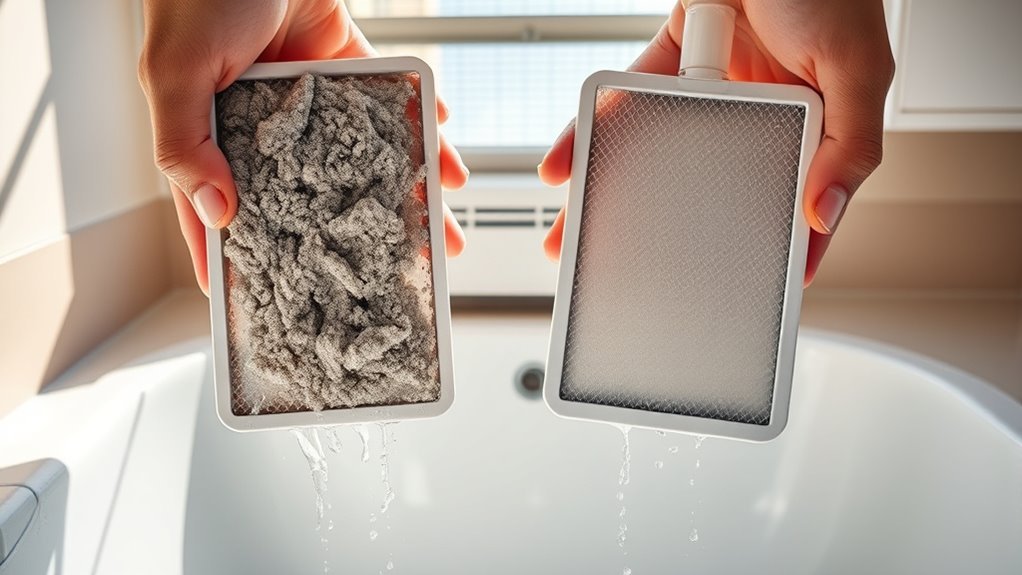
A clean filter helps air move through the dehumidifier as designed. When lint and dust cover the filter, airflow may fall, moisture removal may weaken, and the unit may run less effectively. Manufacturers commonly tell owners to inspect or clean the filter as part of routine maintenance.
Most portable dehumidifiers use a basic washable dust filter rather than a high-efficiency air-purifier filter. It can catch larger airborne debris before that debris reaches the coils, but you should not assume it removes fine allergens, smoke, or pathogens unless the manufacturer gives a tested filtration rating.
Filter cleaning also supports humidity control, but it does not solve leaks, standing water, or existing mold. The U.S. Environmental Protection Agency recommends correcting moisture sources and keeping indoor relative humidity below 60%, ideally between 30% and 50%, when practical. See the EPA’s guide to mold and moisture control.
A clean filter supports airflow, but the filter type and owner’s manual determine whether you should vacuum it, wash it, or replace it.
Identify the Filter Type Before Cleaning
Do not put the filter under water until you know what type it is. Check the model number and read the filter-maintenance section of the owner’s manual. Common filter types include:
- Washable mesh pre-filter: Often safe to vacuum and rinse, but follow the manual’s water and detergent instructions.
- Replaceable dust or antimicrobial filter: May have a limited service life even if it looks clean.
- HEPA or high-efficiency filter: Often not washable. Water can damage the media and reduce filtration performance.
- Activated-carbon filter: Usually replaced rather than washed because rinsing does not restore its odor-adsorbing capacity.
Warning: Never wash a filter unless the manual identifies it as washable. Do not spray water into the appliance, immerse the unit, or clean internal electrical parts.
Unplug Your Dehumidifier First
Before touching the filter, switch off the dehumidifier and unplug its power cord from the wall outlet. This prevents accidental startup and reduces the risk of electric shock while you work near the housing and air intake.
Power Off Safely
Use this shutdown sequence before opening the filter panel:
| Step | Action | Result |
|---|---|---|
| 1 | Turn the unit off | Stops normal operation |
| 2 | Unplug the cord | Disconnects mains power |
| 3 | Confirm the display and fan are off | Confirms shutdown |
| 4 | Move the unit away from the wall if needed | Provides safer access |
| 5 | Keep the plug dry | Avoids contact with cleaning water |
Prevent Shock and Damage
Turning the control panel off is not the same as disconnecting the appliance. Pull the plug by its body rather than yanking the cord. If the cord, plug, or outlet looks burned, loose, cracked, or wet, stop using the unit and arrange qualified service instead of continuing the cleaning task.
Find the Filter Cover Panel
The filter may slide out from the back, side, front grille, or area behind the water bucket. The exact location varies, so use the manual instead of forcing a panel that may not be removable.
Locate the Rear Access Panel
Many portable units place the filter behind the rear air-intake grille. Look for a pull tab, recessed handle, latch, or filter frame. Some models require you to remove the water bucket before the filter can slide out.
Check the Manual Instructions
The manual should tell you whether the filter:
- slides up, down, or straight out;
- has clips, tabs, or a removable grille;
- is washable or replace-only;
- can be cleaned with water, mild detergent, or vacuuming only; and
- has a reminder light that must be reset.
Official manufacturer guidance can differ widely. Some portable models use washable filters and runtime-based reminder lights, while combination appliances may include replaceable filtration media. Review the instructions for your exact model rather than relying only on a general cleaning schedule.
Remove the Cover Carefully
Release the panel or grille with light, even pressure. Do not pry it with a screwdriver unless the manual specifically requires a tool. If it will not open, check for a hidden latch, screw, or bucket interlock before applying more force.
Remove the Dehumidifier Filter
Grip the filter by its frame, pull tab, or handle. Slide it out in the direction shown in the manual. Avoid twisting the frame or pressing on delicate filter media.
Unplug first, open the correct access point, and pull the filter out by its frame with steady, controlled pressure.
- Confirm the power cord is unplugged.
- Open or remove the filter cover.
- Note the filter’s orientation or take a quick photo.
- Slide the filter out without bending it.
- Inspect the frame and media for tears, cracks, warping, heavy staining, or odor.
Remove Loose Dust First
For a lightly soiled filter, dry cleaning may be all the manual requires. Take the filter outdoors or to an easy-to-clean area and use a soft brush or a vacuum cleaner with a brush attachment. Use low suction when possible and support the frame so it does not flex.
Pro Tip: Vacuuming loose lint before rinsing keeps clumps of debris out of the sink and reduces the amount of rubbing needed.
Wash the Dehumidifier Filter
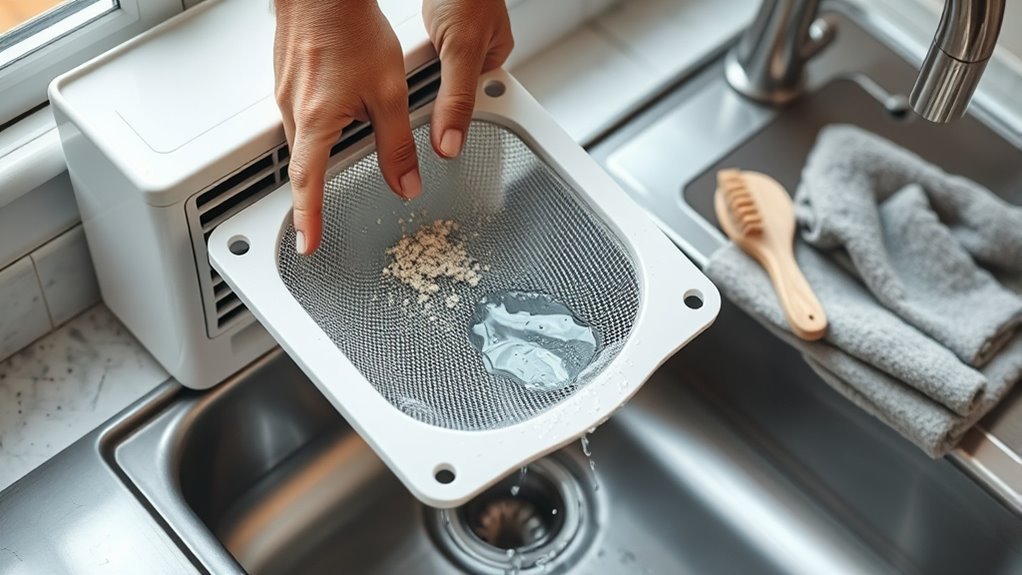
Wash the filter only when it is labeled washable. Rinse it with clean lukewarm water. If the manual allows detergent, use a small amount of mild dish soap or neutral detergent, then rinse until no soap remains. Manufacturer instructions commonly specify clean, warm, or lukewarm water rather than very hot water.
Hold the filter by its frame and let water flow through the mesh. Do not use bleach, solvents, abrasive cleaners, a dishwasher, a pressure washer, or a stiff brush. These can weaken the frame, damage coatings, or distort the filter media.
If the filter still looks blocked after gentle cleaning, or if oily residue will not rinse away, replacement may be safer than aggressive scrubbing.
Dry the Filter Completely
Shake off loose droplets gently, then place the filter upright or flat in a clean, shaded, well-ventilated area. Let it air-dry until the frame, corners, and mesh are completely dry. Drying may take longer than 30 minutes, especially in humid weather, so do not rely on a fixed time.
- Keep the filter away from direct sunlight unless the manual permits it.
- Do not use a hair dryer, oven, heater, or open flame.
- Do not wring, twist, or squeeze the filter media.
- Check both sides and the frame for damp spots before reinstalling it.
Note: High room humidity can slow air-drying. Clean the filter early enough that the dehumidifier can remain off until the filter is fully dry.
Put the Filter Back Securely
Return the dry filter in the same orientation in which it was removed. Align the rails, tabs, or frame edges and slide it into place without forcing it. Reattach the grille or cover and reinstall the bucket if you removed it.
Check the perimeter for gaps or a bowed frame. A filter that is upside down, off its rails, or not fully seated may rub against the fan, allow debris to bypass the filter, or prevent a panel from closing.
Reset the Filter Indicator and Test the Unit
Some dehumidifiers use a runtime-based filter reminder. Cleaning the filter may not turn the light off automatically. Restore power only after the unit and filter are dry, then follow the manual’s reset procedure. GE Appliances’ dehumidifier filter guidance, for example, instructs users of certain models to hold the filter control for several seconds after cleaning.
- Plug the unit into a dry, grounded outlet.
- Reset the filter reminder if the manual requires it.
- Run the dehumidifier for several minutes.
- Listen for rubbing, rattling, or unusual airflow noise.
- Confirm that air is moving normally through the outlet.
Check for Extra Filters and Blockages
Some dehumidifier-air-purifier combinations have more than one filter. A washable pre-filter may sit in front of a replaceable HEPA or carbon filter. Clean or replace each layer according to its own instructions.
- Inspect the intake grille for lint and pet hair.
- Check the outlet grille for blocked airflow.
- Vacuum accessible grille surfaces with the unit unplugged.
- Do not open sealed panels or reach toward coils, fan blades, wiring, or refrigerant components.
If airflow remains weak after the accessible filter and grilles are clean, arrange service rather than dismantling the appliance.
Recommended Products

【Compatibility】 Our 9 x 11 x 1 MERV 13 Replacement Dehumidifier Filter Media is Compatible with Santa Fe Compact70, Ultra70, Element, Compact2, UA 65H dehumidifier models.

【𝐂𝐨𝐦𝐩𝐚𝐭𝐢𝐛𝐥𝐞 𝐌𝐨𝐝𝐞𝐥𝐬】This 9 x 11 x 1 MERV 13 Replacement Dehumidifier Filter is compatible with Santa Fe Compact70, Ultra70, Element, Compact2, UA 65H. Not compatible with Santa Fe other models, please check your model before ordering.

COMPATIBILITY: Our DH02 HEPA filter compatible with Afloia (AQ8/Q8)/ Honati/ Hysure Q7/ Tenergy Sorbi 2-in-1 Air Purifier/Dehumidifier(1000ML) or please double check before order
When to Replace the Filter
Replace the filter when the manual gives a replacement interval or when the filter is torn, cracked, warped, shedding material, permanently clogged, or no longer fits securely. Persistent musty odor or visible growth that remains after approved cleaning is also a reason to stop using the filter and check the appliance for a larger moisture or contamination problem.
Use the model number to obtain the correct manufacturer-approved replacement. Do not cut random HVAC material to fit unless the manufacturer explicitly approves it because added resistance can restrict airflow.
Recommended Products
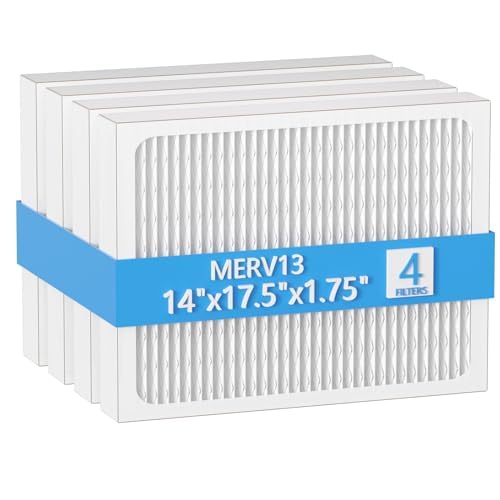
【Compatibility】 Our 14 x 17.5 x1.75 MERV 13 Replacement Dehumidifier Filter Media is Compatible with Honeywell DR90 & DR120 dehumidifier models.
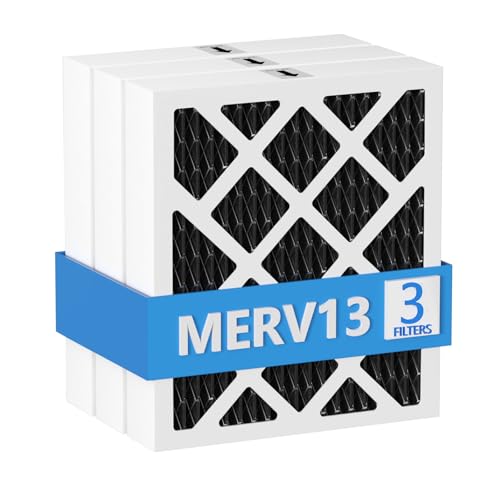
【Compatibility】 Our MERV 13 PN07126 Replacement Carbon Dehumidifier Filter Media is Compatible with Sanidry Sedona Dehumidifier PN07126 Replacement Filter.

BUY WITH CONFIDENCE Genuine AprilAire MERV 8 Replacement Filter for your AprilAire Whole Home Dehumidifier Models E080 or E100 or Dehumidifying Ventilator 8192A (and all variations of these models)
Troubleshooting After Filter Cleaning
| Problem | Likely Check | Next Step |
|---|---|---|
| Filter will not slide back in | Wrong orientation, bent frame, or misaligned rails | Remove it and compare the position with the manual; do not force it |
| Filter light stays on | Reminder timer was not reset | Use the model-specific reset sequence |
| Weak airflow continues | Blocked grille, damaged filter, frost, or internal fault | Clear accessible obstructions; seek service if the problem remains |
| Musty odor returns | Dirty bucket, drain hose, internal contamination, or room moisture source | Clean approved parts and address leaks or damp materials |
| Rattling after reassembly | Loose panel or incorrectly seated filter | Turn off, unplug, and reseat the parts |
Recommended Products

BUY WITH CONFIDENCE Genuine AprilAire MERV 8 Replacement Filter for your AprilAire Whole Home Dehumidifier Models 1820 or E070 (and all variations of these models)

【Compatibility】 Our MERV 13 Replacement Dehumidifier Filter Media is Compatible with Honeywell TrueDRY DH65 DR65, Part 50049537-002/U, 50049537-005.

【Compatibility】 Our 14 x 17.5 x1.75 MERV 13 Replacement Dehumidifier Filter Media is Compatible with Santa Fe Advance90, Advance100, Advance120, Ultra98, Ultra120, Advance2, Force, and Honeywell DR90 & DR120 dehumidifier models.
How Often to Clean a Dehumidifier Filter?
Use the interval in the owner’s manual or clean-filter reminder as your main guide. Some portable models recommend checking or cleaning the filter about every two weeks under normal conditions, while larger or whole-home units may use much longer intervals. Dust, pet hair, smoke, renovation work, and daily operation can make more frequent inspection necessary.
Inspect the filter sooner when you notice:
- visible lint or dust covering the mesh;
- reduced airflow;
- longer run times or weaker moisture removal;
- unusual noise caused by restricted airflow; or
- a filter reminder light.
Frigidaire advises owners to check the filter when a unit is not collecting water normally, and its support guidance also links clean filters with correct airflow and operation. Follow the exact manual for your model rather than treating a general interval as a universal rule.
Frequently Asked Questions
What is the best way to clean a dehumidifier filter?
Unplug the unit, remove the filter according to the manual, and vacuum loose debris. Rinse it with lukewarm water only if it is washable. Use mild detergent only when approved, air-dry it completely, reinstall it in the correct direction, and reset the reminder if required.
Can every dehumidifier filter be washed?
No. Many mesh pre-filters are washable, but HEPA, carbon, antimicrobial, and specialty filters may be replace-only. Check the label and owner’s manual before using water.
Would a dehumidifier help with COPD?
A dehumidifier is not a COPD treatment. It may make a damp room more comfortable and may reduce moisture conditions that support mold or dust mites, while high humidity can trigger symptoms for some people. However, very dry air may also irritate the airways. People with COPD should follow their clinician’s advice and avoid personal triggers. The National Heart, Lung, and Blood Institute recommends reducing exposure to dust, fumes, poor air quality, and other flare-up triggers.
Can a dehumidifier cause a sore throat?
It can contribute if it lowers humidity enough to make the air uncomfortably dry. Mayo Clinic lists dry indoor air as one possible cause of a rough or scratchy throat, but infections, allergies, smoke, reflux, and other causes are also common. Use a hygrometer, avoid over-drying the room, and seek medical advice for severe, persistent, or recurring symptoms.
How often does a dehumidifier filter need to be cleaned?
Follow the manufacturer’s schedule or reminder. Two weeks is common for some portable models, but other units use longer intervals. Inspect it more often in dusty rooms, homes with pets, or periods of heavy daily use.
Can I run a dehumidifier without the filter?
Do not run it without the required filter unless the manufacturer specifically says that operation is allowed. Unfiltered lint and dust can collect on internal components, restrict performance, and make later cleaning more difficult.
Why is the filter light still on after cleaning?
Many filter lights are runtime reminders rather than dirt sensors. They remain on until you press or hold the model’s reset control for the required time. Check the manual because the button and reset duration vary.
Conclusion
To clean a dehumidifier filter safely, identify the filter type, unplug the appliance, remove loose dust, and wash only media that the manufacturer labels washable. Use lukewarm water, avoid harsh chemicals, and let the filter dry completely before reinstalling it. Finish by checking the grilles, resetting the filter reminder, and testing airflow. A clean filter supports performance, but leaks, mold, weak airflow, or persistent odors may require broader cleaning, moisture repair, filter replacement, or professional service.
Sources
- U.S. Environmental Protection Agency: A Brief Guide to Mold, Moisture and Your Home — supports indoor humidity and moisture-control guidance.
- Frigidaire: Dehumidifier Clean and Care — supports unplugging and manufacturer-led maintenance.
- GE Appliances: Dehumidifier Cleaning and Maintenance — supports warm-not-hot water, complete drying, cleaning intervals, and safe reinstallation.
- National Heart, Lung, and Blood Institute: Living With COPD — supports avoiding air-quality and respiratory triggers.
- American Lung Association: Prevent a COPD Flare-Up — identifies high humidity and poor air conditions as possible triggers.
- Mayo Clinic: Sore Throat Symptoms and Causes — supports the dry-air throat-irritation guidance.