
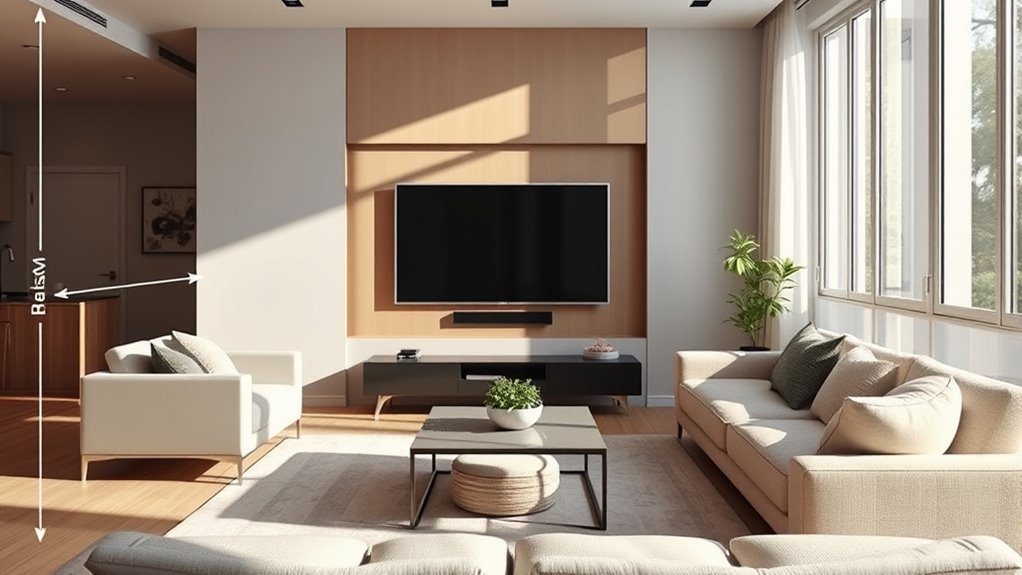
The perfect TV mounting height for a living room places the center of the screen at your seated eye level, which lands around 40 to 42 inches from the floor for a standard sofa. Rather than guessing from the size of the blank wall, measure your actual sightline from your favorite seat first. Then adjust only when console height, reclining seats, window glare, or wall structure gives you a practical reason. Below, you will calculate your exact screen center, bottom edge, viewing distance, and bracket hole height before picking up a drill.
Quick Answer
Mount your living room TV so the center of the screen matches your measured seated eye level—typically 40 to 42 inches off the floor for a standard couch. Subtract half the TV’s physical height to find the bottom edge, leave 4 to 6 inches of clearance above any console, and account for your mount’s VESA offset before drilling.
At a Glance
| Best Starting Height | Screen center at your measured seated eye level (38 to 42 inches for most living room sofas) |
| Time Required | 45 to 90 minutes for standard wood-stud walls (plus a 24-hour painter’s tape test if desired) |
| Difficulty | Moderate DIY on wood studs; hire a qualified installer for masonry, metal studs, or new electrical outlets |
| Tools Needed | Tape measure, stud finder, pencil, painter’s tape, carpenter’s level, power drill with bits, socket wrench, Phillips screwdriver, and a helper for lifting |
Quick TV Height Decision Table
Your optimal mounting height depends on your primary seating posture and any obstacles beneath the screen. When room factors conflict, prioritize safe structural wall attachment first, followed by neutral neck posture, furniture and soundbar clearance, glare control, and finally wall symmetry.
| Room Situation | Target Center Height | Best Height Decision | Mount Choice |
|---|---|---|---|
| Low-profile lounge sofa | 38–40 inches | Match your lower seated sightline rather than forcing a 42-inch default | Fixed low-profile mount |
| Standard sofa, straight-on viewing | 40–42 inches | Align screen center directly with your measured seated eye level | Fixed or low-profile tilt |
| Tall media console under the TV | 42–48 inches | Raise only enough to leave 4 to 6 inches above the console or soundbar | Tilting mount (5–10 degrees down) |
| Recliners or bedroom viewing | 46–60 inches | Mark where your natural gaze lands while fully reclined | Tilting mount (10–15 degrees down) |
| Multiple seating angles or open plan | 40–44 inches | Set height for the main sofa and test the taped outline from side seats | Full-motion articulating mount |
| Above a fireplace mantel | As low as clearance allows | Avoid if another wall works; otherwise verify heat limits and mantel clearance first | Downward-tilting or pull-down mantel mount |
Key TV Mounting Mistakes to Avoid
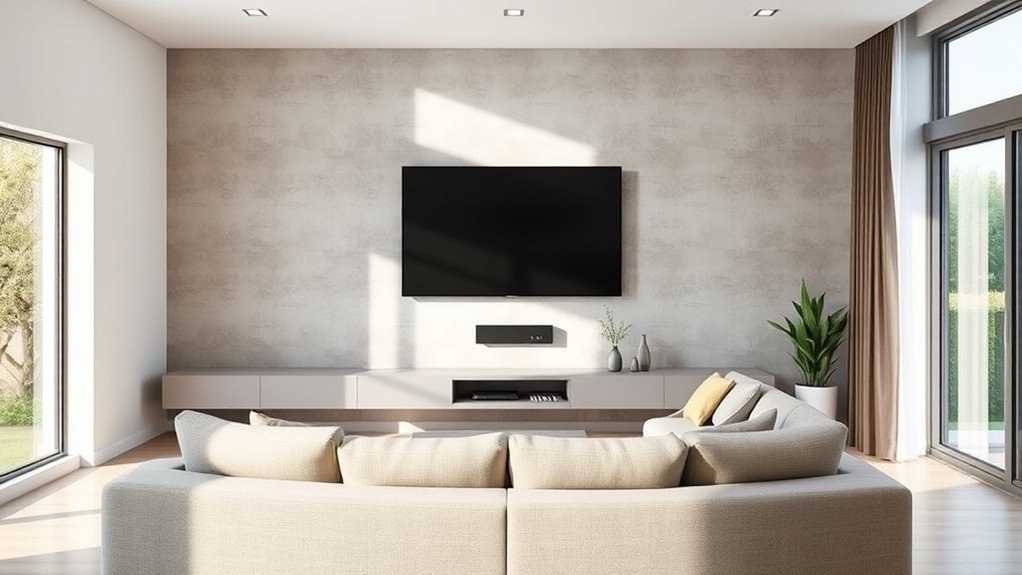
The biggest mistake homeowners make is hanging the television at standing eye level—around 60 inches from the floor—like a framed painting. What looks centered on a bare wall while you are standing with a tape measure forces you to tilt your head back once you sit down. According to Samsung’s wall-mounting support guide, the 42-inch centerline rule is based on the approximate eye level of a 5-foot-6-inch adult sitting on a standard sofa.
A second frequent mistake is raising the screen center simply because you bought a larger television. Upgrading from a 55-inch to a 75-inch or 85-inch panel does not make your sofa any taller. When the center stays anchored near 40 to 42 inches, a larger screen expands equally upward and downward, pushing the bottom edge closer to the floor.
Warning: Never rely on ordinary plastic drywall plugs to hold a television. Follow the mount manufacturer’s exact structural instructions: most mounts require lag bolts driven into the center of wood studs, while specialized drywall-only mounts must be used strictly within their stated weight and plasterboard-thickness limits.
Finally, do not confuse viewing distance with mounting height, or expect every brand to give the same distance number. In Samsung’s viewing-distance formula, dividing the screen diagonal by 0.55 yields a room-planning baseline of about 8.3 feet for a 55-inch TV and 9.8 feet for a 65-inch TV. By contrast, Sony’s 4K viewing-distance guidance multiplies the vertical screen height by 1.5—about 3.4 feet for a 55-inch screen and 4.0 feet for a 65-inch screen—to mark the closest point where individual 4K pixels blend together.
Recommended Products

[Securely supports TVs up to 70''] The full motion TV wall mount fits most 32''-70'' flat and curved TVs with VESA patterns 75x75 to 400x400mm. Designed for installation on 8”/12”/16” wood studs, concrete, and brick walls. Please make sure that the above conditions are met before using it.

Universal Design: This full motion TV mount fits for most of 42-90 inch TVs up to 132lbs with VESA size 200*100mm to 600*400mm available and max 16" Wood Stud space. Not perfect fit your TV? Please contact us and we'll do our best to solve the problem for you! If you need the screw M8*50, please message us to get it which be sent from USA.

Universal TV Mount - This full motion TV mount fits most 26-60 inch TVs with vesa patterns range from 100x100mm(4x4”) to 400x400mm(16x16”) and holds up to 77 lbs./35kg. Please check TV weight, size, vesa, and input access before purchase.
What Is the Perfect TV Mounting Height for a Living Room?
The perfect TV mounting height for a living room aligns the vertical midpoint of the display with your natural seated line of sight, or sits slightly below it. Keeping your vertical viewing angle neutral prevents neck strain during two-hour movies and preserves contrast on LED panels that look washed out from steep vertical angles.
Eye Level Alignment
Human eyes rest comfortably when gazing straight ahead or up to 15 degrees downward, whereas looking upward fatigues neck muscles and dries out eyes faster. That is why the LG TV size and viewing distance guide recommends placing the middle of the screen at or slightly below seated eye level—roughly 1 meter (39.4 inches) from the floor. Similarly, the SANUS HeightFinder tool uses 42 inches from the floor to the screen center as its standard seated living-room baseline.
Once you measure your seated eye level, calculate your screen boundaries with three simple equations:
- Target screen center height: Your measured floor-to-eye distance while seated normally.
- Bottom edge height: Target center height minus half the TV’s actual cabinet height (without its stand).
- Top edge height: Target center height plus half the TV’s actual cabinet height.
Room Layout Considerations
Furniture height and seating depth often require small adjustments to your initial calculation. Deep, low-slung modern sectionals compress to a seat height of 15 to 16 inches, dropping adult eye level closer to 38 to 40 inches. High-seat traditional sofas or firm armchairs keep eye level closer to 42 to 44 inches.
When a media console sits beneath the TV, check whether the ideal bottom edge overlaps the cabinet top or soundbar. If a 42-inch center height leaves too little room, Samsung’s furniture clearance advice recommends mounting the bottom of the TV 4 to 6 inches above the furniture top—similar to hanging a mirror over a dresser. If you must add a soundbar on top of the console, allow at least 1 to 2 inches above the soundbar so its top-firing or front-firing drivers are never blocked.
TV Size Guidelines
Screen diagonal determines where the top and bottom edges of the panel fall once your center height is locked in. The table below uses standard 16:9 aspect-ratio dimensions (excluding stand feet) and shows where the bottom and top edges land when centered at 40 to 42 inches from the floor.
| TV Class Size | Approx. TV Height (No Stand) | Bottom Edge (40–42″ Center) | Top Edge (40–42″ Center) | Max Console Height (With 5″ Gap) |
|---|---|---|---|---|
| 43-inch | About 22″ | 29–31″ from floor | 51–53″ from floor | 24–26″ tall |
| 55-inch | About 27″ | 26.5–28.5″ from floor | 53.5–55.5″ from floor | 21.5–23.5″ tall |
| 65-inch | About 32″ | 24–26″ from floor | 56–58″ from floor | 19–21″ tall |
| 75-inch | About 37″ | 21.5–23.5″ from floor | 58.5–60.5″ from floor | 16.5–18.5″ tall |
| 85-inch | About 42″ | 19–21″ from floor | 61–63″ from floor | 14–16″ tall |
How Far Should You Sit From the TV?
Your seating distance determines both how immersive the picture feels and how forgiving your eyes are if a tall cabinet forces the TV slightly higher than 42 inches. Because manufacturers calculate distance for different purposes, the table below compares three official 4K methods side by side: Samsung’s room-planning baseline (diagonal divided by 0.55), LG’s 4K comfort formula (1.2 times diagonal in centimeters), and Sony’s minimum 4K pixel-acuity distance (1.5 times screen height).
| TV Size | Samsung Starting Distance (Diag ÷ 0.55) | LG 4K Comfort Distance (1.2 × Diag) | Sony 4K Minimum Distance (1.5 × Height) |
|---|---|---|---|
| 43-inch | About 6.5 feet (78″) | About 4.3 feet (1.3 m) | About 2.6 feet (31.5″) |
| 55-inch | About 8.3 feet (100″) | About 5.5 feet (1.7 m) | About 3.4 feet (40.5″) |
| 65-inch | About 9.8 feet (118″) | About 6.5 feet (2.0 m) | About 4.0 feet (48″) |
| 75-inch | About 11.4 feet (136″) | About 7.5 feet (2.3 m) | About 4.6 feet (55.5″) |
| 85-inch | About 12.9 feet (155″) | About 8.5 feet (2.6 m) | About 5.25 feet (63″) |
Why do these numbers differ so widely? Samsung’s wall-mounting distance guide targets everyday living-room layouts where viewers want to take in the whole screen without eye movement. Meanwhile, Sony’s 4K viewing-distance chart defines the minimum threshold where individual pixels disappear, and LG’s 1.2x multiplier splits the difference for cinematic immersion. In practice, sitting between the LG and Samsung distances (for example, 6.5 to 9.8 feet for a 65-inch TV) suits most living rooms.
How Do You Measure Eye Level for TV Height?
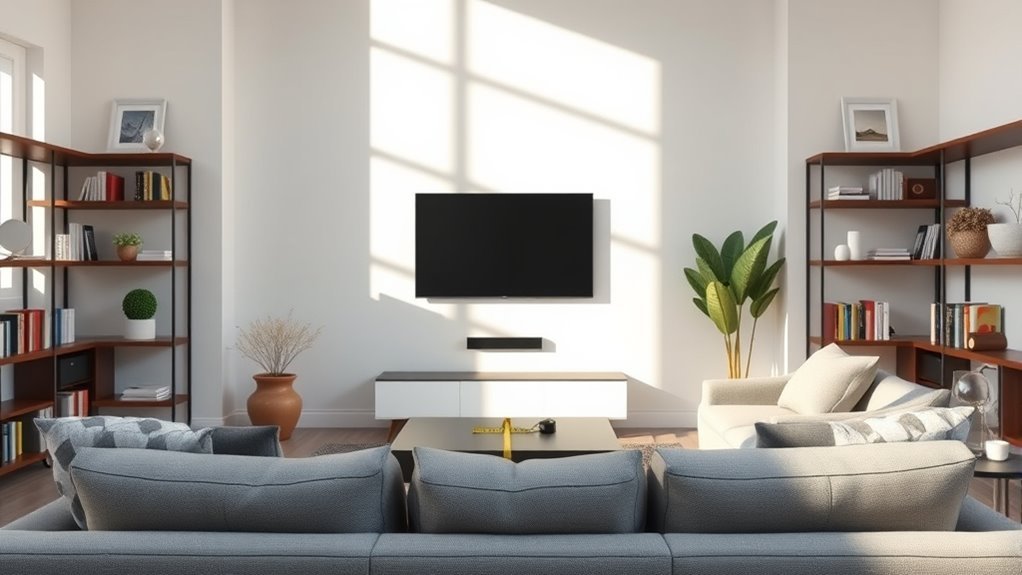
Always measure your actual seated eye height before looking at the wall mount hardware. A five-minute measurement from your sofa gives you an exact target for the center of the screen and prevents drilling pilot holes based on guesswork.
1. Determine Your Seated Height
Sit in your primary viewing spot and relax into your normal posture—do not sit bolt upright if you normally slouch or lean back. Have a helper measure vertically from the floor to the level of your eyes. If two people of different heights share the sofa, measure both and use the average.
Measuring solo? Do it in two quick steps: first, measure from the floor to the top of the compressed seat cushion (usually 16 to 18 inches). Second, sit against the backrest while holding the tape measure from the cushion up to your eye line (usually 22 to 24 inches), and add the two numbers together.
2. Measure Viewing Distance to the Wall
Measure horizontally from your eyes to the wall surface where the TV will hang. If your sofa sits farther back (such as 11 to 14 feet), raising the center height by 2 to 4 inches to clear a media console produces a much smaller upward neck angle than the same height boost would at 6 feet.
3. Adjust for TV Size and Console Clearance
Divide your TV’s unstanded height by two and subtract that figure from your target center height. For a 65-inch TV (32 inches tall) centered at 42 inches, half the height is 16 inches, placing the bottom edge at 26 inches from the floor. If you own a 24-inch-tall media console, raising the bottom edge to 29 inches gives you a clean 5-inch gap for a soundbar while shifting the screen center up to a still-comfortable 45 inches.
4. Calculate the VESA Bracket Offset (Pre-Drill Worksheet)
The VESA mounting holes on the back of a TV rarely sit at the exact vertical center of the panel—many OLED and slim LED models place their mounting threads in the lower third of the chassis. Record the five numbers below before marking your drill holes so you mount the bracket where the screen center lands on target.
| Measurement | How to Get It | Example (65″ TV) |
|---|---|---|
| 1. Seated eye level | Measure from the floor to your eyes in your main seat | 42 inches |
| 2. Actual TV height | Measure the panel from bottom bezel to top bezel (no stand) | 32 inches (half = 16″) |
| 3. Planned bottom edge | Target center minus half TV height (raise if needed for console gap) | 26 inches from floor |
| 4. Bracket hook-to-bottom distance | Attach rails to the TV, then measure from the bottom bezel up to the rail hook point | 12 inches |
| 5. Wall-plate support ledge height | Add Planned Bottom Edge (#3) + Hook-to-Bottom Distance (#4) | 26″ + 12″ = 38 inches |
Pro Tip: Tape the full four-corner outline of the TV onto the wall with blue painter’s tape and leave it up for 24 hours. Check how it looks from your main seat during bright afternoon daylight and evening lamp light before drilling a single hole.
How Should Furniture and Room Layout Change TV Height?
Real living rooms rarely behave like empty studio sets. Once you know your eye-level baseline, tailor the height to match your seating style, room lighting, heat sources, and household safety needs.
- Standard upright sofa: Keep the screen center at 40 to 42 inches from the floor.
- Low-profile lounge sofa: Drop the screen center to 38 to 40 inches if deep cushions lower your hips and eyes.
- Recliners: Lean back fully, close your eyes, open them, and note where your gaze hits the wall—typically 46 to 50 inches high—then pair that height with a downward-tilting mount.
- Bar stools or game rooms: Raise the center to 55 to 65 inches when most viewers sit on tall stools or stand around a game table.
- Bedrooms: Watching propped against pillows angles your sightline upward, so mounting the center at 48 to 60 inches with a 10- to 15-degree downward tilt prevents having to tuck your chin into your chest.
- Sunlit rooms: Even a 5- to 8-degree downward tilt on a wall mount can bounce overhead pot lights and opposite window glare toward the floor instead of into your eyes.
Warning: Avoid mounting above a fireplace whenever an adjacent wall is available. Samsung’s fireplace mounting warning notes that Samsung TVs must never exceed 104°F (40°C) and that wood-burning soot can clog cooling vents. Always tape a thermometer above the mantel during a fire and verify both the TV manual’s operating temperature limit and the fireplace manufacturer’s clearance code first.
If young children live in or visit your home, wall mounting is also an important safety upgrade. According to the CPSC product instability and tip-over report, U.S. emergency departments treated an estimated 19,400 tip-over injuries annually between 2019 and 2021, and children under 18 accounted for 81% of all reported tip-over fatalities. Follow CPSC AnchorIt.gov safety guidance by securing flat-screen TVs to the wall, anchoring the media console underneath with anti-tip straps, and keeping climbing temptations like remotes and toys off top shelves.
Which TV Mount Type Fits Your Room?
Select the simplest bracket style that matches your height and seating layout. Every mount you consider must support both your television’s weight and its rear bolt pattern.
- Fixed (flat-to-wall) mount: Holds the screen 0.5 to 1.5 inches from the wall for a flush look. Best when the TV center sits right at 40 to 42 inches and your sofa faces it head-on.
- Tilting mount: Angles the screen downward (typically 5 to 15 degrees). As AVF’s wall mount selection advice explains, tilt mounts reduce window reflections and restore a perpendicular viewing angle when a console forces the TV higher on the wall.
- Full-motion (articulating) mount: Extends, swivels left or right, and tilts on one or two support arms. Ideal for corner installations, open-concept living and kitchen spaces, or heavy wall plates that need horizontal shift to bridge off-center studs.
Before purchasing, check the four threaded mounting holes on the back of your TV. The VESA Flat Display Mounting Interface standard measures those holes horizontally by vertically in millimeters—such as 200×200 mm on smaller sets, 300×200 mm or 400×400 mm on 55- to 65-inch models, and 600×400 mm on many 75- to 85-inch screens—using M4, M6, or M8 metric machine screws.
Recommended Products

Universal TV Mount: The TV wall mount fits for most 32-70 inch TVs up to 99 lbs, with VESA of 75x75mm - 400x400mm. The TV mount can be mounted to 12/16 Inch wood studs, concrete, or brick walls. Please verify the size, weight, and VESA pattern of your TV before purchase. For other screw sizes, please contact us.

Universal TV Wall Mount: TV bracket fits most 32-70" TVs up to 110 lbs, with max VESA of 400mm x 400mm / 16" x 16" mounting hole spacing, designed for standard 16" studs. If your wood stud spacing exceeds 16 inches, please refer to the 16", 18", 24" wood stud full motion TV mount MD2380-24K

✅【UNIVERSAL TV MOUNT】This TV wall mounts for 37"-84" flat screen TVs up to 16" wood studs, weight capacity of 120 lbs. Swivel and tilt TV mount with VESA 200x100mm to 600x400mm available. Designed for most brands: Insignia, TCL, Samsung, Hisense, LG, Sony and etc
What Should You Check Before Drilling?
Run through this structural and electrical checklist before drilling into your living room wall so you do not hit hidden utilities or overload your wall fasteners:
- Verify weight and VESA match: Compare your TV’s unstanded weight and millimeter hole pattern against the mount’s maximum load rating.
- Locate stud centers accurately: Standard U.S. wood studs sit 16 or 24 inches apart on center. Find both edges of each stud with a stud finder and mark the exact center before drilling pilot holes.
- Use wall-specific anchors for masonry: For brick, concrete, or cinder block, use the masonry anchors rated by the mount manufacturer and drill into the solid block rather than soft mortar joints.
- Scan for hidden pipes and wiring: Follow AVF’s pre-installation planning checklist by scanning the drill zone with an AC wire-and-metal detector and checking whether outlets or plumbing fixtures sit directly below or behind the wall.
- Attach TV rails before drilling the wall: Bolt the vertical rails to the back of the TV first so you can measure the exact hook-to-bottom offset with zero guesswork.
- Recheck level and lift with two people: Use a carpenter’s level on the wall plate before tightening the lag bolts, and always lift TVs 50 inches or larger with a second person holding the frame—never squeezing the glass panel.
Note: Never snake the TV’s standard power cord or an extension cord inside the drywall cavity. NFPA 1 electrical fire-safety rules (Section 11.1.5.5) and the National Electrical Code prohibit running flexible power cords through walls because they can overheat and void home insurance. Use a paintable surface cord raceway, an in-wall power relocation kit UL-listed for behind-wall use, or have an electrician install a recessed outlet behind the mount.
Recommended Products

Packed in a Box:Store and organize mounting accessories in one place. Not only does this box keep screws, washers, and spacers neatly categorized, it also ensures that they are protected, dust-free, and ready to use

UNIVERSAL COMPATIBILITY: This product is a whole package of screws with washers and spacers. It includes M4, M5, M6, and M8 TV screws and spacers up to 80" TV, including curved TVs.

Come with a Box: Store and organize mounting accessories in a box. Not only does this box keep screws, washers, andspacers neatly categorized, it also ensures that they are protected and ready to use
How Do You Fix Common TV Height Problems?
If your TV is already mounted—or if your wall layout creates a conflict during planning—you can often fix viewing discomfort without patching and repainting the entire wall. Sit in your main seat for 10 minutes to diagnose the exact issue first.
1. The TV is already mounted 3 to 6 inches too high: Before unbolting the wall plate, remove the TV and check the vertical mounting rails on the back of the screen. Most rails have multiple vertical slots; shifting the rails to the highest holes on the back of the TV drops the screen several inches lower on the existing wall plate. Combine that drop with a 5- to 10-degree downward tilt.
2. The TV is mounted far too high (such as over a high mantel): If your chin lifts upward and rail adjustments are not enough, move the wall plate down to match your seated eye level, or swap a fixed bracket for a pull-down mantel mount that lowers the screen 20 to 27 inches during movie night.
3. The TV sits too low or a soundbar blocks the bottom bezel: Shift the vertical rails down one or two notches on the back of the TV to raise the screen 1 to 3 inches on the existing wall plate, or mount the soundbar on under-TV brackets so it moves with the screen.
4. Wall studs are off-center from your sofa: Never move one side of a heavy mount onto bare drywall just to center the screen. Instead, use a wide wall plate (24 to 32 inches wide) with sliding horizontal rails, or bolt a painted 3/4-inch plywood mounting board across three studs and attach the TV mount to the center of the board.
Key Takeaways
- Base your TV height on your measured seated eye level (typically 40 to 42 inches on a standard sofa, or 38 to 40 inches on a low lounge couch), never on standing eye level.
- Keep the screen center at the same height when upgrading to a larger TV; a 75-inch or 85-inch panel simply extends lower toward the floor.
- Measure your mount’s VESA hook offset on the back of the TV first so the screen center—not just the metal wall plate—lands at your target mark.
- Choose a tilting mount when a console or recliner pushes the center above 44 inches, and keep fireplace mounts below your TV’s maximum temperature rating (104°F for Samsung).
- Anchor media consoles against tip-overs and never route standard flexible power cords inside drywall cavities.
Frequently Asked Questions
What is the proper height to hang a TV, and should the center or bottom be at eye level?
The center of the screen—not the bottom edge—should align with your seated eye level, which is about 40 to 42 inches from the floor for a standard sofa. Because bottom-edge height changes with screen size, anchoring the center at eye level keeps your neck neutral regardless of how large the TV is.
At what height should a 55-inch TV be mounted?
Mount a 55-inch TV so its center sits at your seated eye level, typically 40 to 42 inches above the floor. Because a 55-inch 16:9 television is about 27 inches tall without its stand, its bottom edge will sit roughly 26.5 to 28.5 inches from the floor.
How do I know if my TV is mounted too high?
Your TV is mounted too high if you have to lift your chin, tilt your head back, or angle the screen down more than 15 degrees to see the picture clearly from your sofa. In most living rooms with upright seating, any center height above 48 inches feels noticeably high.
Can a TV be mounted too low?
Yes, a TV is too low if a media console, soundbar, or coffee-table decor blocks the bottom of the picture, or if pets and toddlers can easily strike the screen. Check that the bottom edge clears any furniture below it by at least 4 to 6 inches.
How high should a TV stand be for a 65-inch TV?
A TV stand for a 65-inch TV should typically be 20 to 24 inches tall if the TV rests on its feet, or 19 to 21 inches tall if wall-mounted with a 5-inch gap underneath. Because a 65-inch screen is 32 inches tall, those stand heights keep the screen center near 40 to 42 inches.
Should a TV be mounted above a fireplace?
Mounting above a fireplace is best avoided when another wall is available because mantels push the screen well above seated eye level and expose electronics to rising heat. If you must use the fireplace wall, confirm the temperature stays below 104°F during a fire and use a tilting or pull-down mount.
Is a full-motion TV mount worth it?
A full-motion mount is worth it if you watch from multiple rooms, mount the TV in a corner, or need to pull the screen forward to reach rear HDMI ports. For a single sofa facing the wall straight on, a fixed or low-profile tilting bracket is sturdier and sits closer to the wall.
How far should the couch be from a wall-mounted TV?
For most 4K living room setups, place your couch between 6.5 and 9.8 feet away for a 65-inch TV, or 5.5 to 8.3 feet away for a 55-inch TV. Those ranges bridge LG’s 1.2x immersive 4K guideline and Samsung’s diagonal-divided-by-0.55 room-planning formula.
Conclusion
Finding the right TV height takes less than 15 minutes with a tape measure and a roll of painter’s tape. Measure your seated eye level from your favorite spot, subtract half your TV’s height to check console clearance, and add your bracket’s VESA hook offset so the screen lands exactly where you planned. Tape that outline on the wall tonight, test the view from your sofa, and drill only when your neck feels completely relaxed.
Sources
- Samsung Support: Things to Consider Before Mounting Your Samsung TV to a Wall: Supports seated eye-level measurement, the 42-inch center reference for a 5’6″ viewer, viewing-distance calculation (diagonal ÷ 0.55), 4–6 inch furniture clearance, 104°F fireplace heat limit, and VESA planning.
- Sony Support: Recommended Viewing Distance for Watching TV: Supports Sony’s 4K viewing-distance methodology (1.5 × vertical screen height).
- LG Support: How to Measure and Read TV Sizes: Supports placing the center of the screen at or slightly below seated eye level (about 1 meter) and LG’s 1.2 × diagonal 4K viewing-distance formula.
- SANUS HeightFinder: Supports the center-at-eye-level methodology and 42-inch average seated reference.
- VESA Mounting Standard: Supports Flat Display Mounting Interface (FDMI) hole-pattern and screw standards.
- AVF TV Wall Mount Planning & Installation Advice: Supports weight ratings, VESA checks, wall-structure verification, hidden pipe/wire checks, and tilt/multi-position mount selection.
- U.S. Consumer Product Safety Commission: 2022 Product Instability or Tip-Over Report: Supports annual emergency-department tip-over injury statistics and child fatality data.
- U.S. Consumer Product Safety Commission: AnchorIt.gov: Supports TV and furniture anchoring safety guidance.
- National Fire Protection Association: Electrical and Fire Safety Considerations: Supports NFPA 1 Section 11.1.5.5 prohibiting flexible and extension cords inside walls, ceilings, or floors.


[…] TV Mounting Height & Viewing Distance Guide for Living Rooms […]
[…] box and low-voltage cable pass-through with the exact bracket location before rough-in. Review our TV mounting height and viewing distance guide to lock in the screen center and console height before your electrician nails boxes to the […]
[…] TV Mounting Height & Viewing Distance Guide for Living Rooms […]